
Valve Steam Machine and Steam Controller in a Technical Unboxing: The Gaming PC That Really Wants to Be a Console, incl. Problem with 2280
- Two Boxes and Surprisingly Little Theatre
- A Cube with Quite a Lot of PC Inside
- The Elephant in the Cube Is a Heatsink
- Zen 4 Meets RDNA 3
- Wireless Connectivity Is Part of the Architecture
- The Steam Controller: A Steam Deck Without the Screen
- The Puck Is More Than a Dongle
- A PC That Does Not Hide Where It Came From
- Storage Upgrade: When M.2 2280 Gets Too Hot
- Transparency notice in accordance with EU requirements:
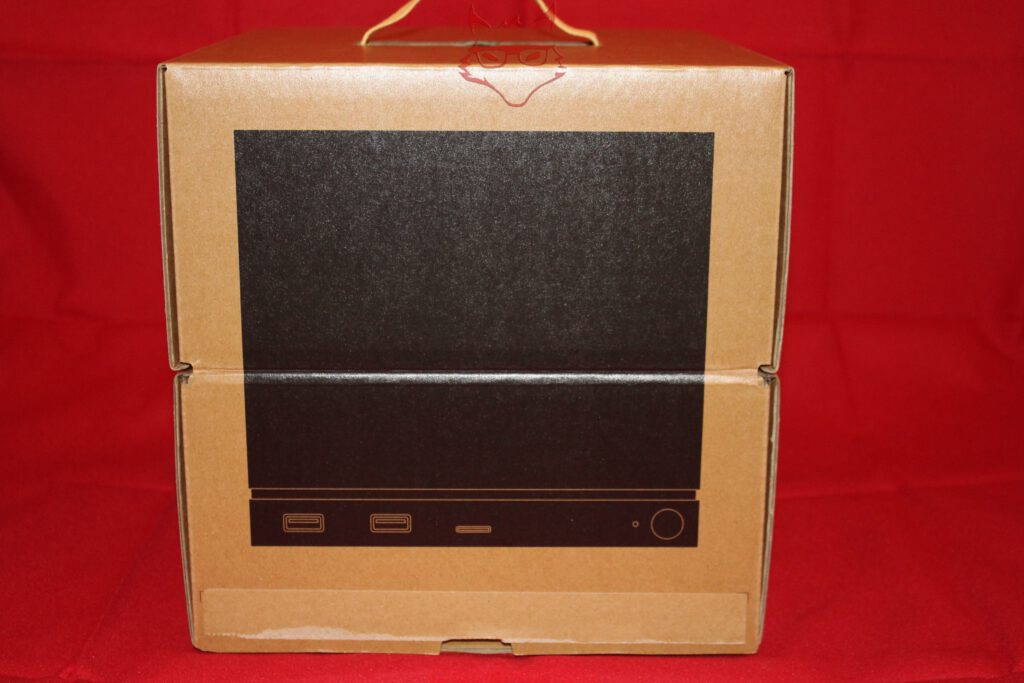
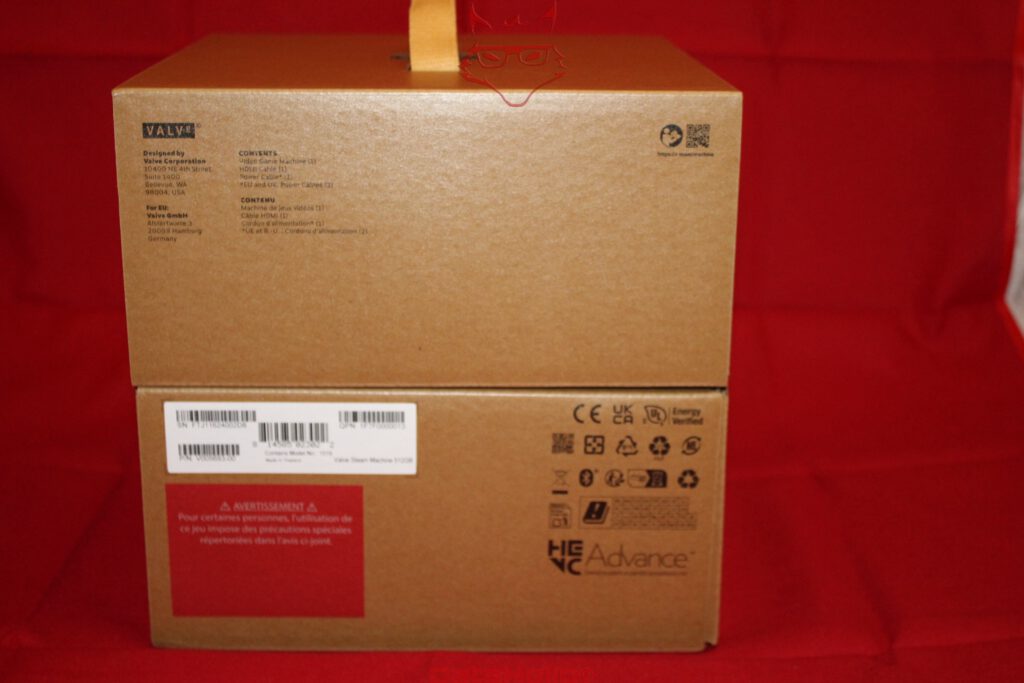
The Steam Machine begins with a box that almost demonstratively refuses to create any sense of spectacle. No explosions, no renders of virtual worlds, no “Ultra Gaming,” no RGB fireworks, and not even half a specification sheet printed across the front. Brown corrugated cardboard, a black stylized cube, and a carrying handle. That is essentially it. Even the Valve logo on the back remains remarkably discreet. Packaging design following a simple principle: whoever ordered this thing already knows what is inside.
Yet the new Steam Machine is technically far more interesting than its packaging suggests. In 2026, Valve is once again attempting something that the original Steam Machines ultimately failed to achieve around a decade ago: bringing PC gaming into the living room without the result behaving like a conventional Windows PC. This time, however, there is no third-party PC carrying a Steam logo. Valve has developed the hardware itself, transferring a significant part of the Steam Deck philosophy to a stationary system.
The result is a surprisingly small cube containing AMD hardware, an internal power supply, replaceable NVMe storage, DDR5 SO-DIMM memory, an unusually substantial cooling system, and SteamOS. Alongside it comes the new Steam Controller, which was also purchased and represents Valve’s latest interpretation of how PC input should work from the sofa.
That is exactly where this unboxing stops, however: construction, connectivity, hardware, packaging, and the initial technical impression. What SteamOS makes of all this, how fast the hardware actually performs, and whether Valve’s second major assault on the living room succeeds belong in a later review.
Two Boxes and Surprisingly Little Theatre
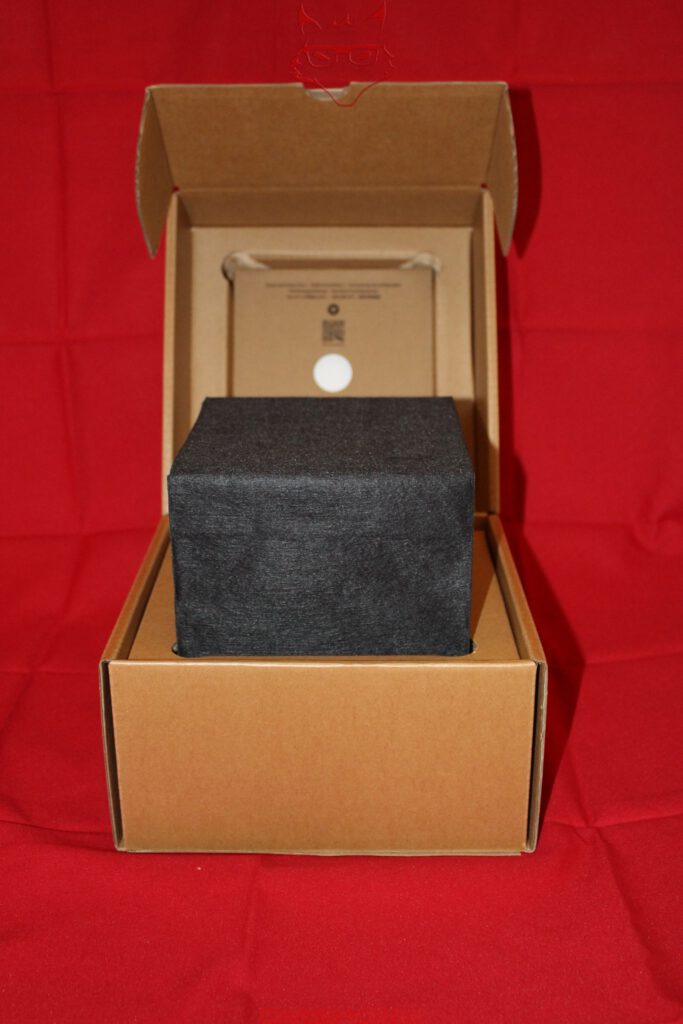
Opening the Steam Machine packaging continues the same understated approach. The computer is wrapped tightly in a black protective sleeve and sits deep inside the cardboard structure. It is functional rather than decorative and, from a transportation perspective, makes perfect sense. The almost cube-shaped computer has virtually no room to move inside the packaging, while its surfaces remain completely covered.
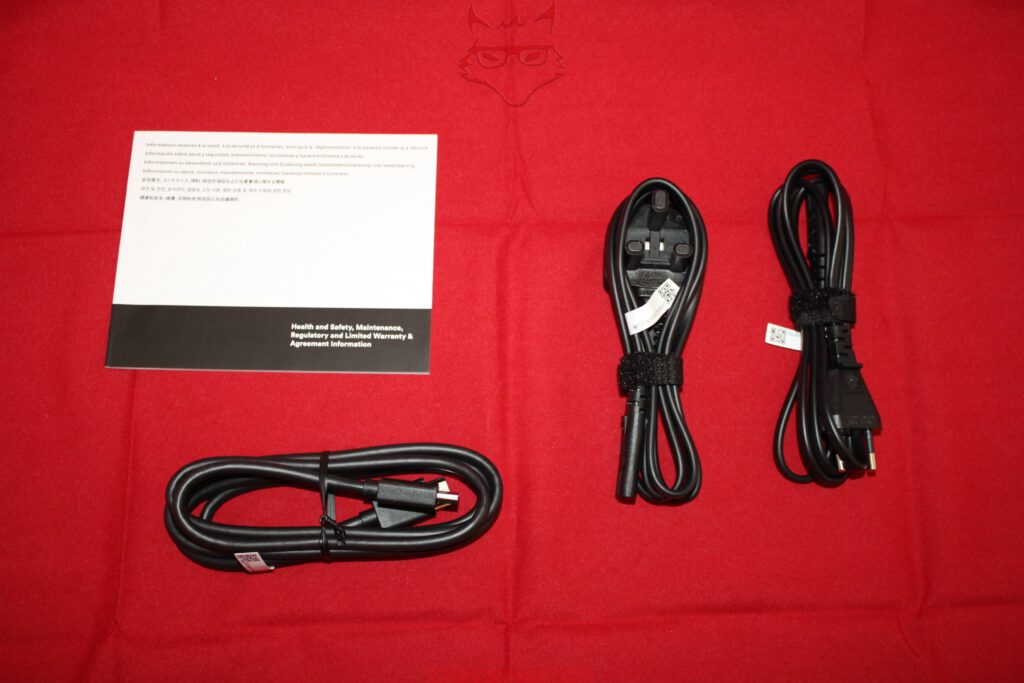
Alongside the Steam Machine, the package contains an HDMI cable, the necessary power cables for different regions, and the usual safety and warranty documentation. The European package accordingly includes a cable with a Schuko plug. There is no external power brick, for one particularly welcome reason: Valve has integrated the power supply directly into the chassis.
That may initially sound like a minor detail, but it changes the character of the device considerably. Many mini PCs achieve their compact dimensions partly by relocating a substantial portion of the power-delivery hardware into a black plastic brick that subsequently lives underneath the desk or behind the television. The Steam Machine measures roughly 156 × 152 × 162.4 millimetres and weighs around 2.6 kilograms, yet still contains its 300-watt power supply. The cube is therefore genuinely the complete system rather than merely the photogenic part of it.
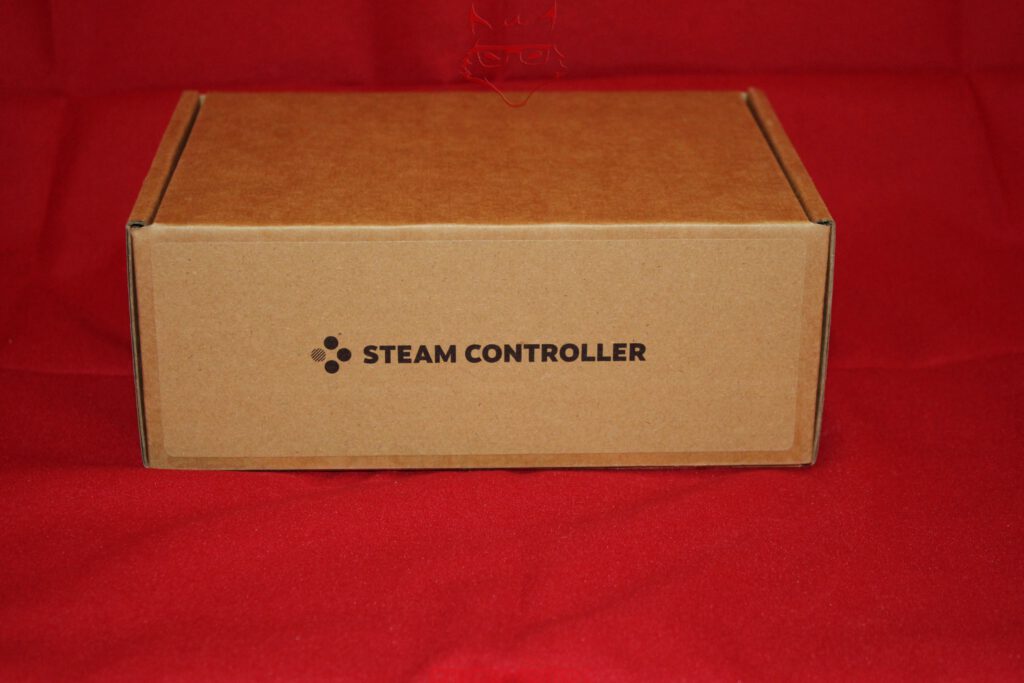
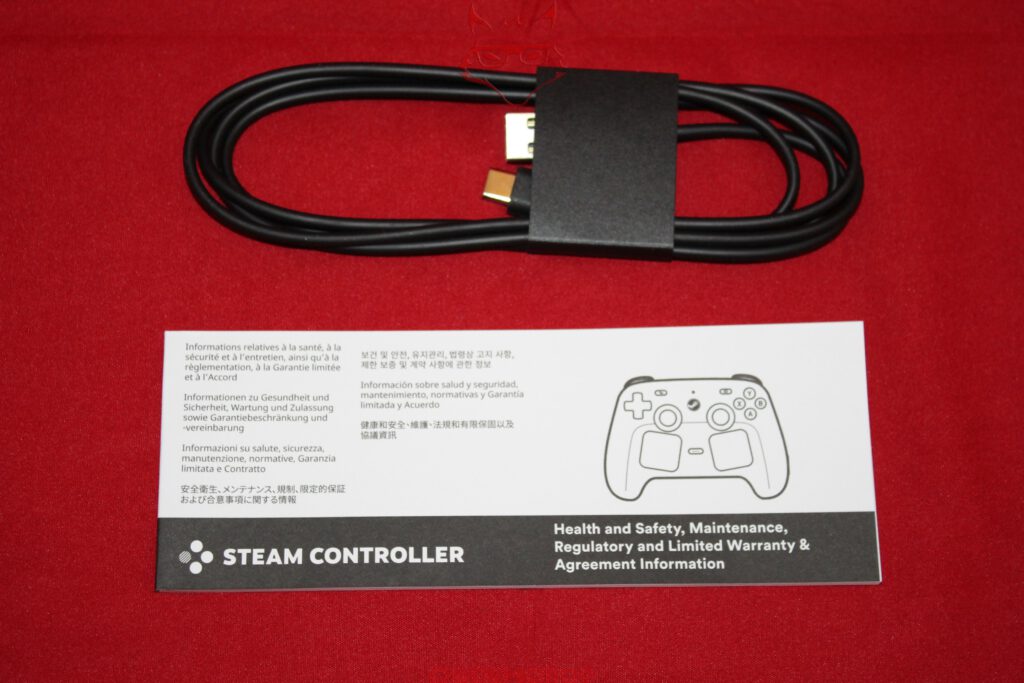
The Steam Controller arrives separately in a similarly unspectacular brown cardboard box. Sitting next to each other, both packages look more like spare components from a well-organized electronics warehouse than gaming hardware from 2026. There is a certain charm to that. Valve apparently prefers selling hardware rather than packaging.


A Cube with Quite a Lot of PC Inside
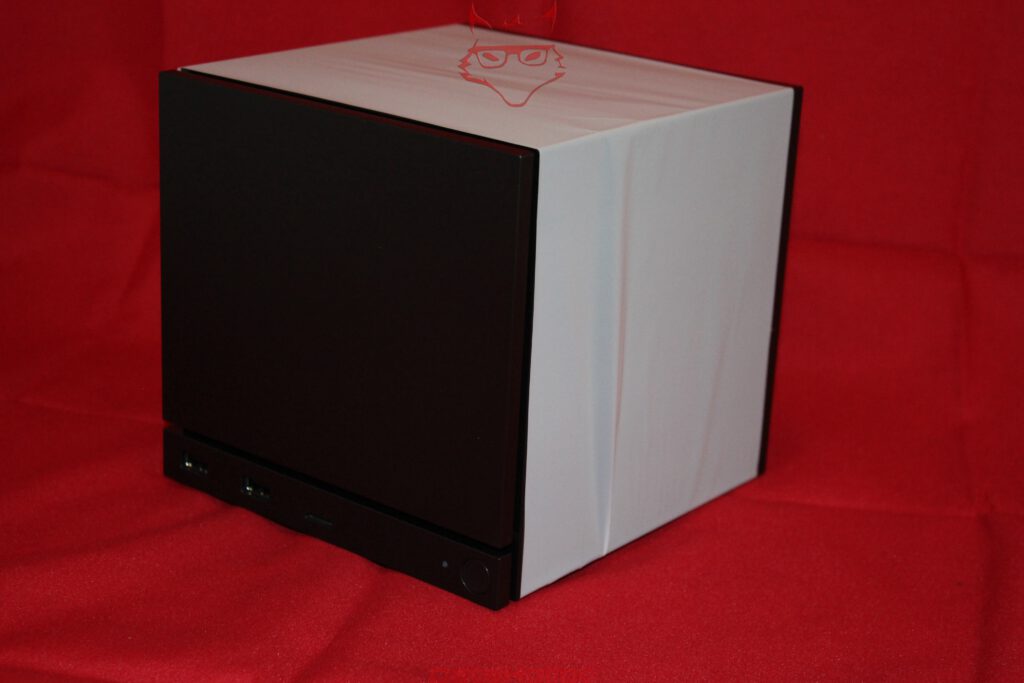
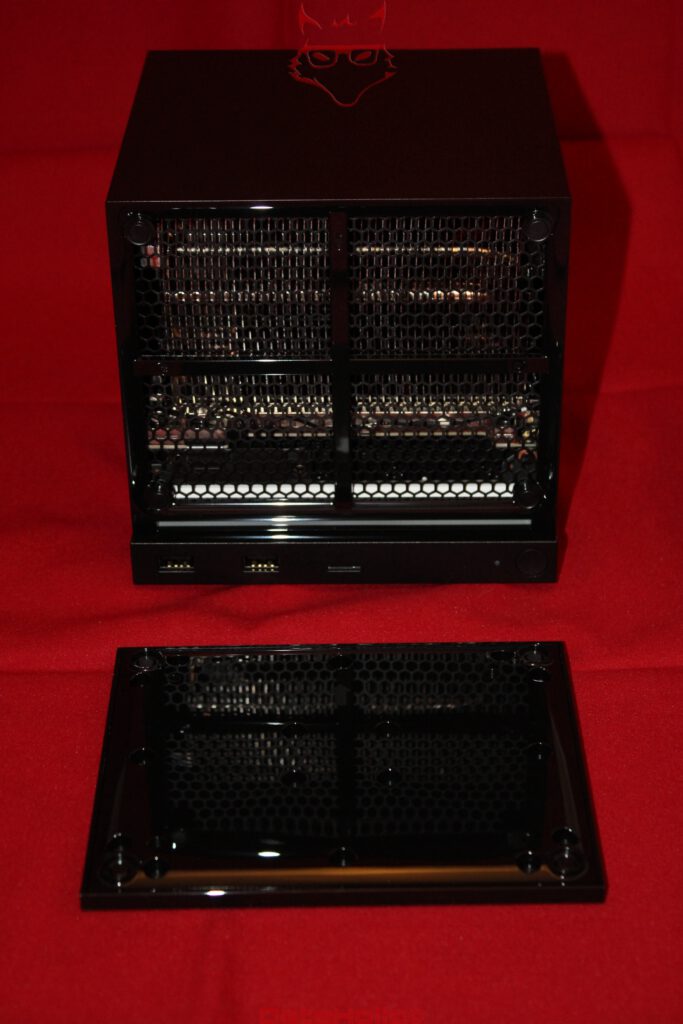
Once the protective cover has been removed, an almost entirely black cuboid sits on the table. Its construction is considerably closer to a compact PC than to a traditional games console. At the same time, Valve avoids almost everything that would immediately identify a typical gaming PC from across the room.
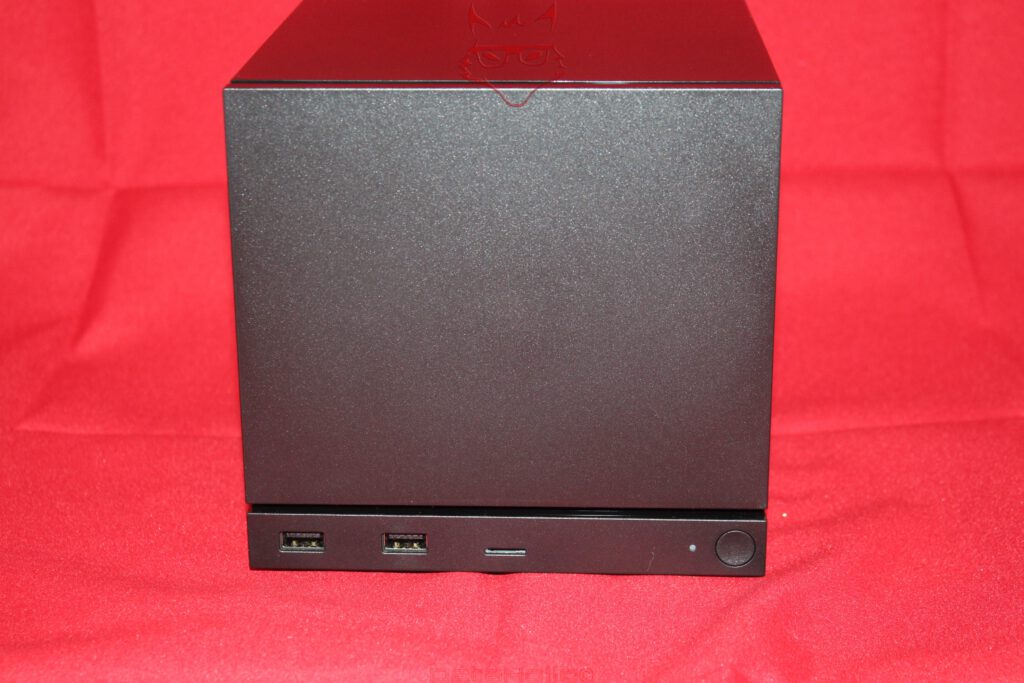
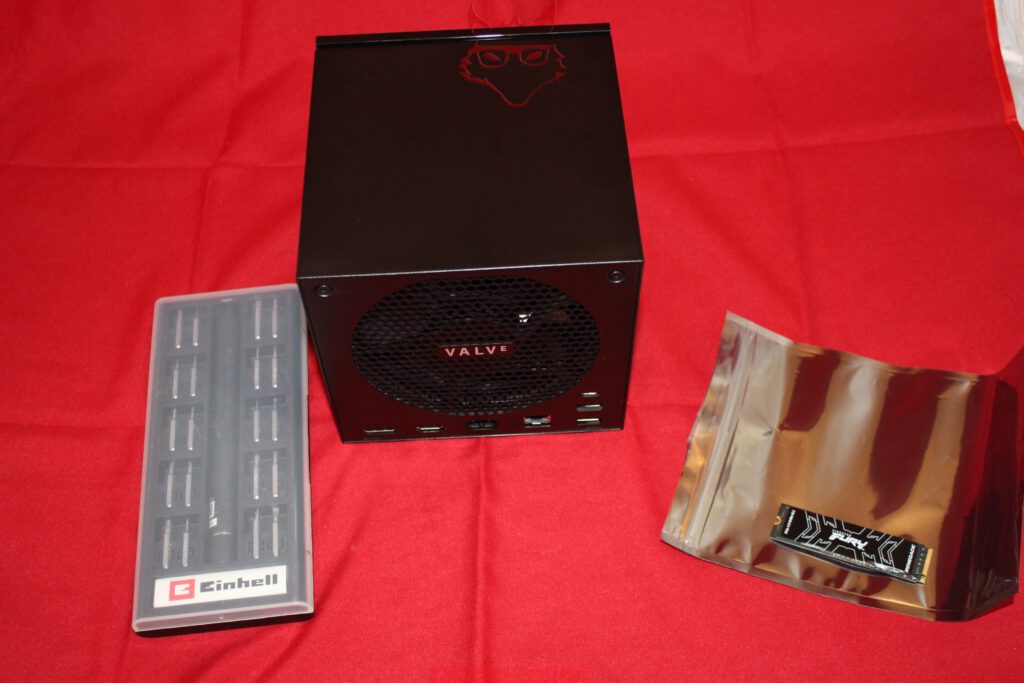
There is no glass panel, no visible RGB fan, no aggressive air intakes, and no geometric decoration desperately attempting to communicate performance. The front consists of a large, almost completely closed surface. Beneath it sits a narrow I/O section. Two USB-A ports using USB 3.2 Gen 1, a microSD card reader, a status indicator or light bar, and the round power button form the entire visible control area. Valve integrates 17 individually addressable RGB LEDs here, which are intended not only for decoration but also to communicate system states.
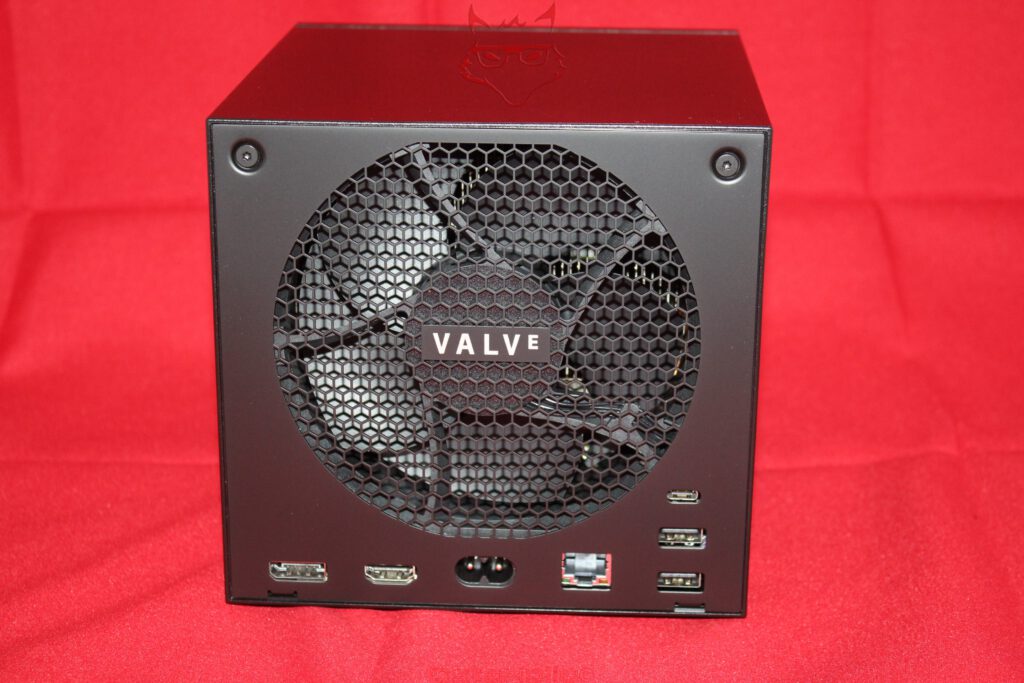
Things become considerably more interesting around the back. This is where the PC underneath the console concept becomes impossible to hide. DisplayPort 1.4 and HDMI 2.0 handle video output. They are accompanied by Gigabit Ethernet, USB-C 3.2 Gen 2, and two additional USB-A 2.0 ports. DisplayPort supports up to 4K at 240 Hz or 8K at 60 Hz, including HDR and FreeSync. HDMI is specified for up to 4K at 120 Hz, again with HDR and FreeSync, while also supporting HDMI-CEC.
Directly beside those connections sits the power input for the internal 300-watt PSU.
And then there is the rather difficult-to-ignore circular grille.

The Elephant in the Cube Is a Heatsink
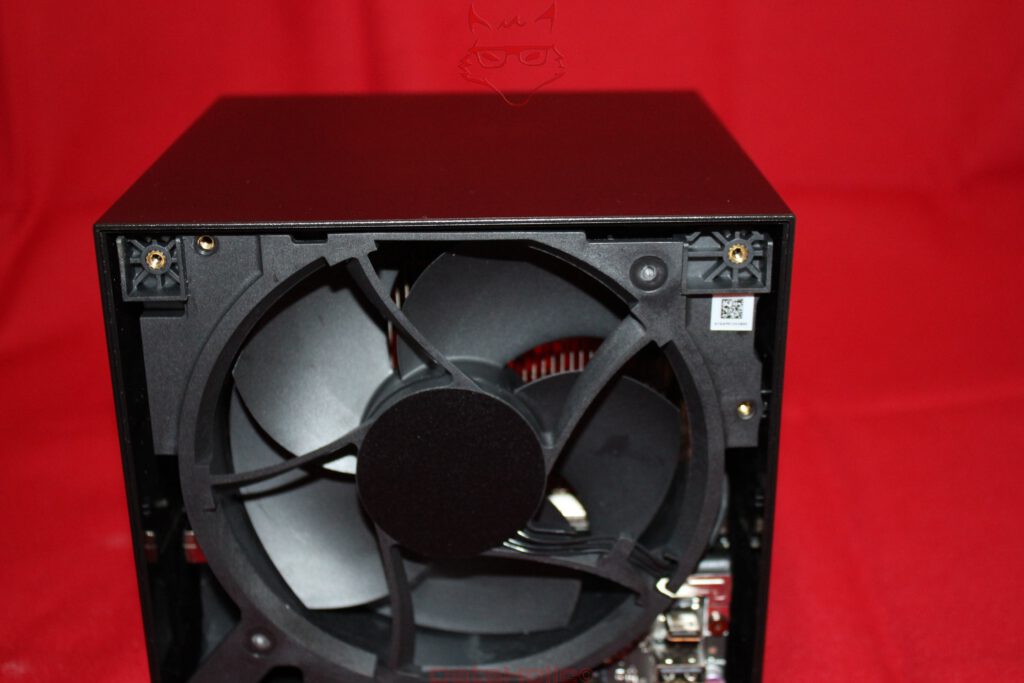
Looking at the rear, it would be easy to assume that Valve accidentally ordered a chassis fan one size larger than intended. In reality, the cooling system is one of the most interesting construction details of the Steam Machine.
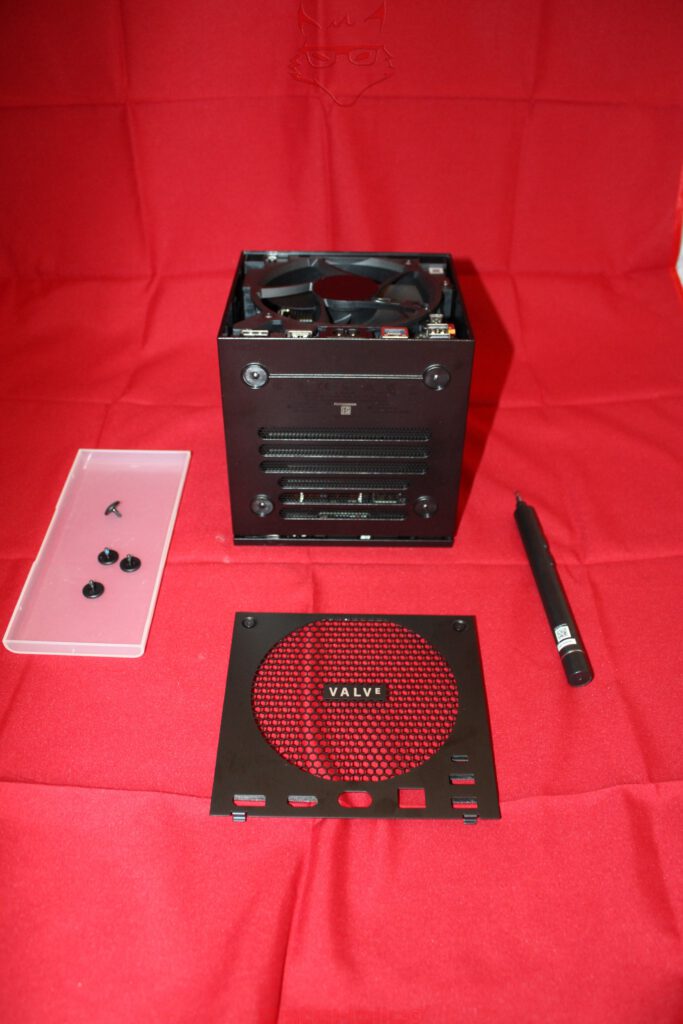
Behind the large honeycomb grille sits a 120-millimetre fan combined with a correspondingly substantial heatsink. Valve designed this arrangement with the difficult thermal conditions of typical living-room installations in mind. One Valve developer rather appropriately described the device as being largely made up of heatsink. It sounds like a joke until the internal construction enters the equation.
The approach makes technical sense. Small fans have to rotate considerably faster to produce comparable airflow. A larger fan can move the same amount of air at lower rotational speeds, while a substantial heatsink can absorb and distribute short thermal load spikes. Acoustics are hardly a secondary consideration for a living-room PC. A computer that sounds like a vacuum cleaner preparing for take-off during a quiet movie scene would already have failed part of its mission at the engineering stage.
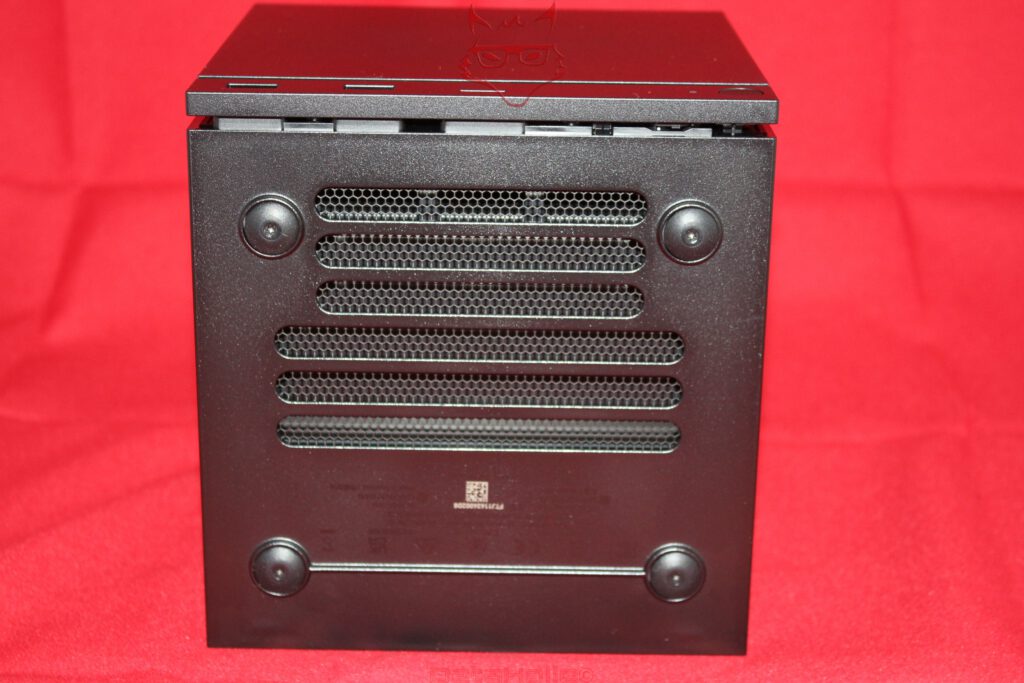
The underside accordingly reveals extensive ventilation openings protected by mesh. Four feet create clearance between the chassis and whatever surface it is placed on. Cooling air can therefore enter from underneath and through the structure behind the front before warmed air exits through the large rear cooling assembly. Even before removing a single screw, the exterior makes clear how extensively Valve uses the available space for airflow.
Zen 4 Meets RDNA 3
Underneath the understated enclosure sits something other than an ordinary desktop Ryzen processor. Valve uses a semi-custom AMD CPU based on Zen 4 with six cores and twelve threads. Its maximum clock speed reaches 4.8 GHz, while CPU TDP is specified at 30 watts. The graphics processor is another customized AMD solution, this time based on RDNA 3 with 28 Compute Units, a sustained maximum clock of up to 2.45 GHz, and a specified TDP of 110 watts. It is paired with 8 GB of dedicated GDDR6 graphics memory.
System memory amounts to 16 GB of DDR5 as standard. Its implementation is particularly interesting: Valve uses SO-DIMM rather than soldered memory. RAM is therefore fundamentally one of the components designed with replacement and upgrading in mind. The same applies to the NVMe SSD. The base configuration unboxed here originally comes with 512 GB, while Valve also offers a 2 TB version. The fast microSD slot on the front provides another storage option.
This creates a notable distinction from traditional consoles. CPU and GPU remain integral parts of the platform, but storage and system memory follow a much more PC-like philosophy.
That position somewhere between two hardware categories already defines the Steam Machine remarkably well during the unboxing. It is not a traditional console built around a completely sealed hardware concept, yet neither is it a Mini-ITX computer waiting for its graphics card to be replaced by the next generation.
Wireless Connectivity Is Part of the Architecture
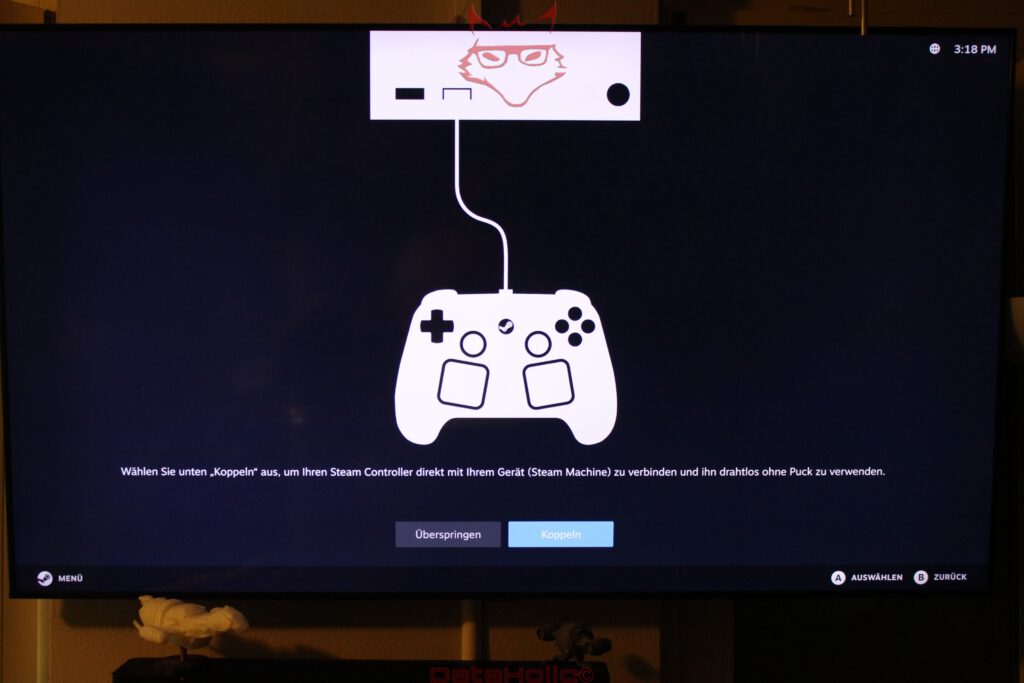
There is also more planning behind the wireless hardware than the black exterior initially reveals. Wi-Fi 6E operates in a 2×2 configuration, while Bluetooth 5.3 receives its own dedicated antenna. Valve additionally integrates a proprietary 2.4 GHz wireless adapter for the Steam Controller directly into the Steam Machine. Up to four controllers can connect through it.
This is a small detail with a surprisingly large impact on the overall concept. A separate USB dongle connected to a living-room PC would hardly constitute a technical disaster, but it would undermine precisely the console-like simplicity Valve is trying to achieve. Switch on the system, pick up the controller, start playing: the necessary infrastructure is already built into the chassis.
The little cube therefore contains Ethernet, Wi-Fi, Bluetooth, and an additional proprietary wireless connection dedicated to its primary input device. For a computer measuring roughly 16 centimetres along each edge, that is a remarkably complete communications package.
The Steam Controller: A Steam Deck Without the Screen
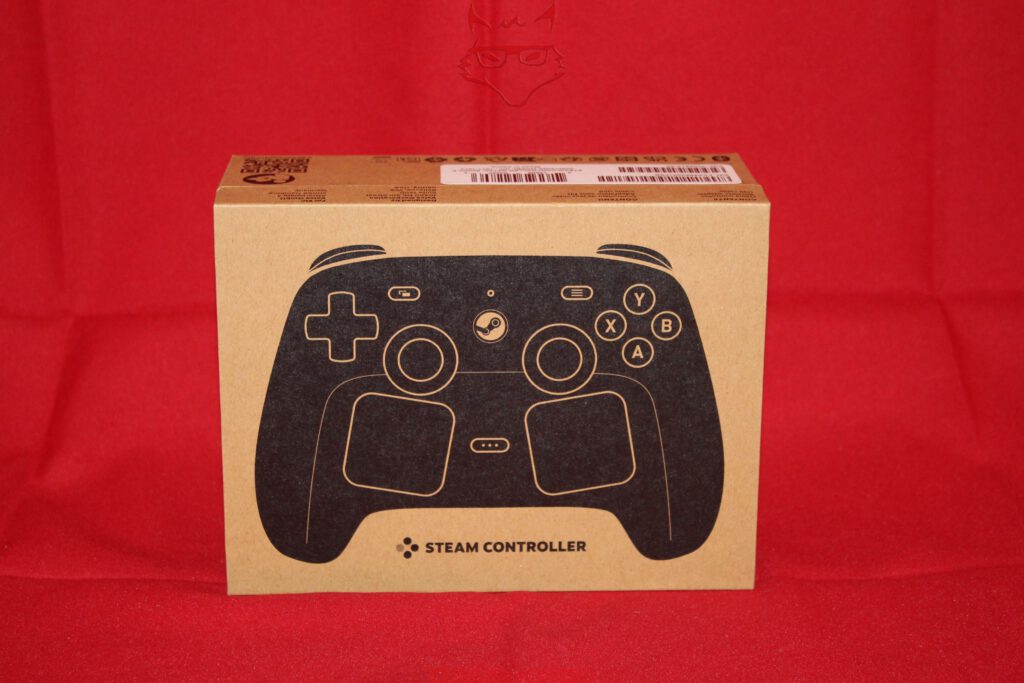
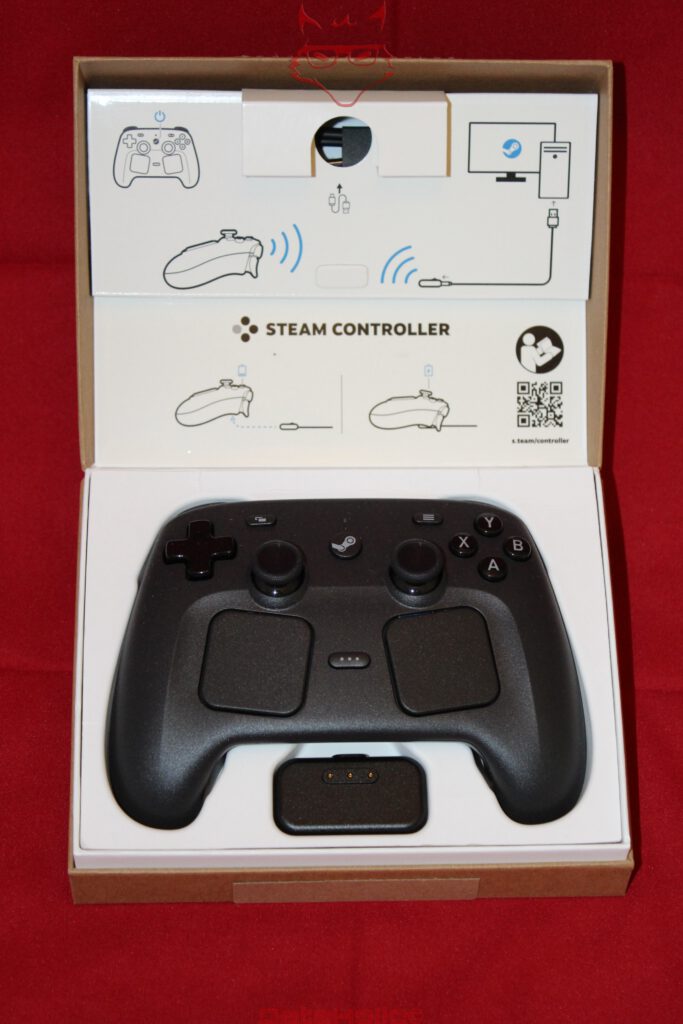
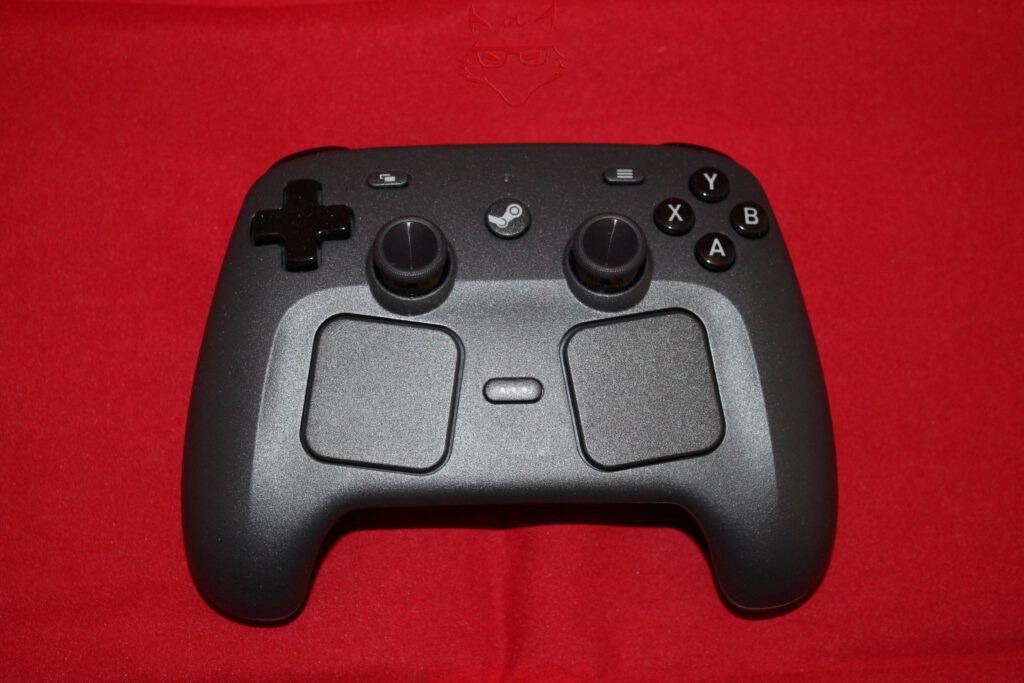
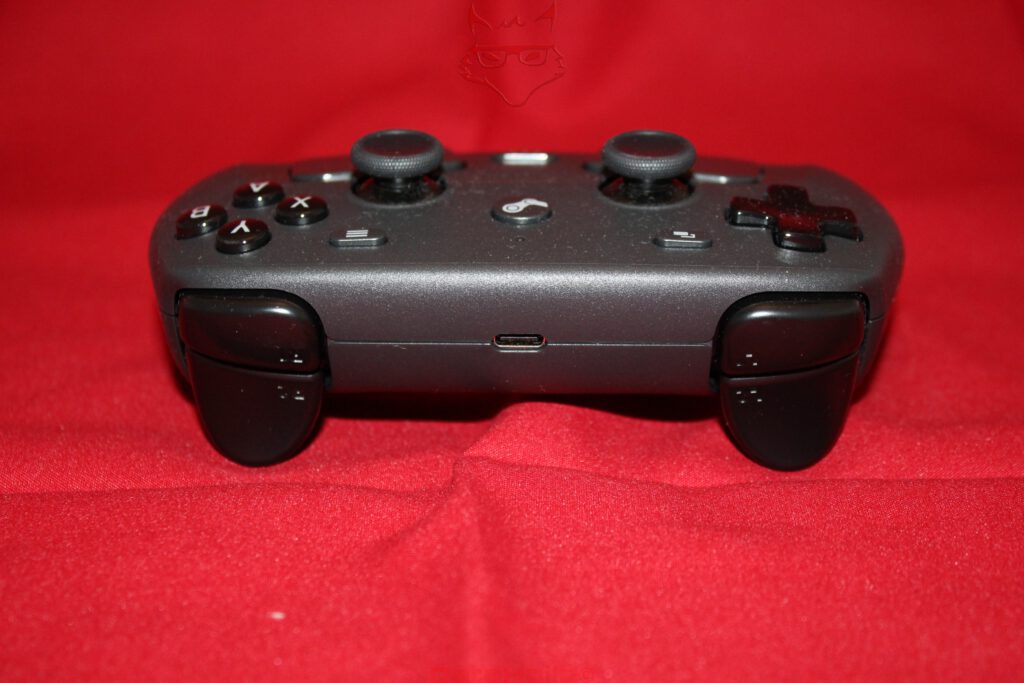
The separately purchased Steam Controller makes Valve’s hardware strategy even more obvious. The new controller is not simply a resurrection of the rather unconventional 2015 original. Instead, it looks conceptually like a Steam Deck after someone removed the display and the computer behind it.
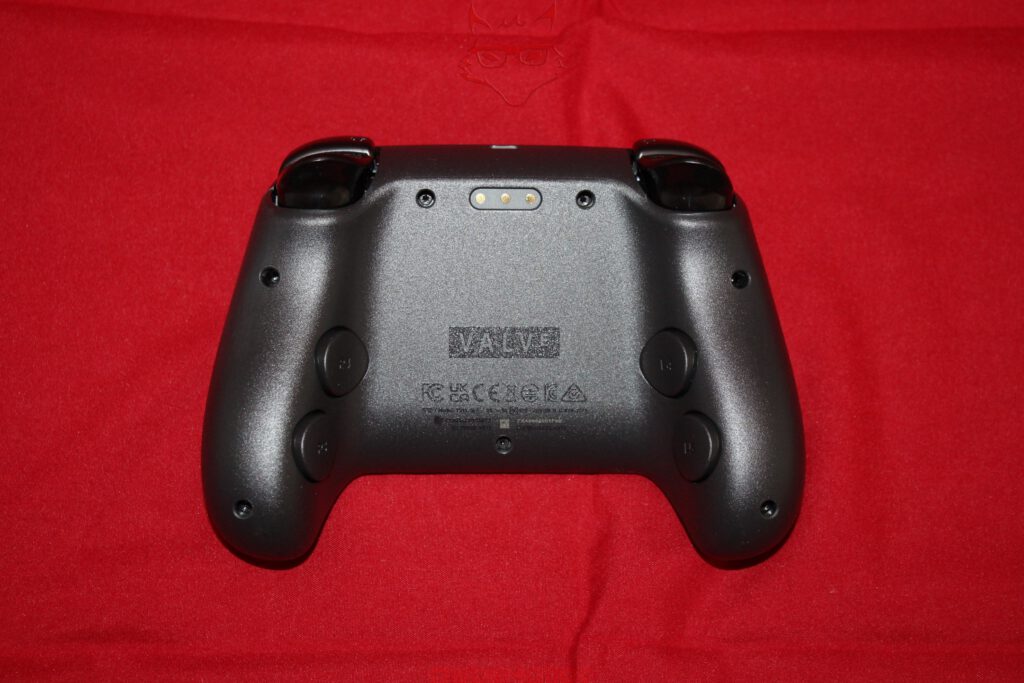
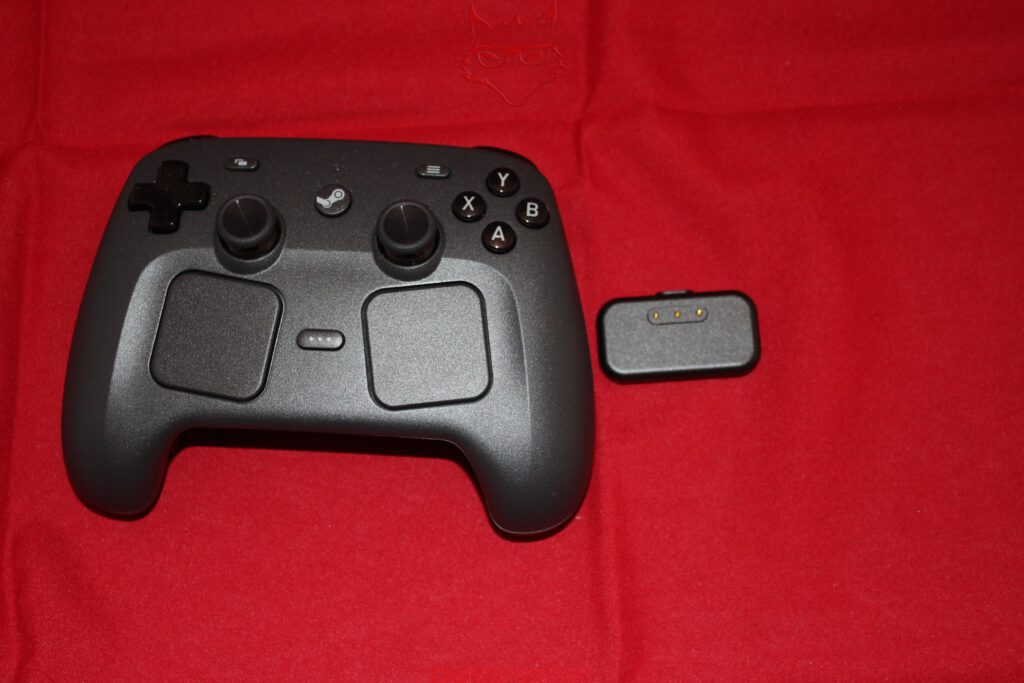
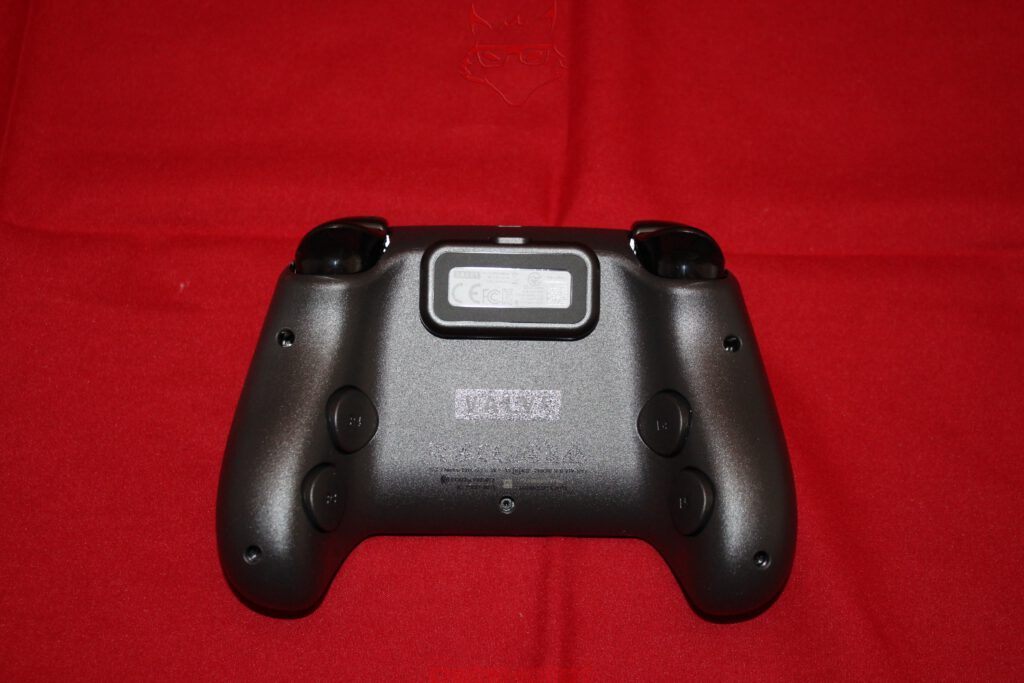
Two full-sized analogue sticks sit symmetrically within the housing. Valve uses TMR sensors, short for Tunnel Magnetoresistance. Position detection is magnetic and avoids the conventional wear-prone sliding contact of a potentiometer. The sticks additionally use capacitive sensing to detect whether a finger is resting on them. Beneath them sit two square trackpads measuring 34.5 millimetres each, complete with pressure detection and haptic feedback. They are joined by ABXY buttons, a directional pad, analogue triggers, shoulder buttons, and four freely assignable grip buttons on the rear. A six-axis IMU enables motion controls.
A total of four LRA haptic motors operate inside the controller: two within the trackpads and another two more powerful units in the grips. The controller weighs around 292 grams and measures approximately 159 × 111 × 57 millimetres.
That gives the unassuming gamepad a remarkable number of fundamentally different input methods. Analogue sticks, a digital directional pad, touch surfaces, pressure detection, capacitive sensing, gyroscopic input, and conventional buttons all exist alongside one another. The old idea that “a controller is just a keyboard with fewer buttons” starts running into some fairly serious complications here.

The Puck Is More Than a Dongle
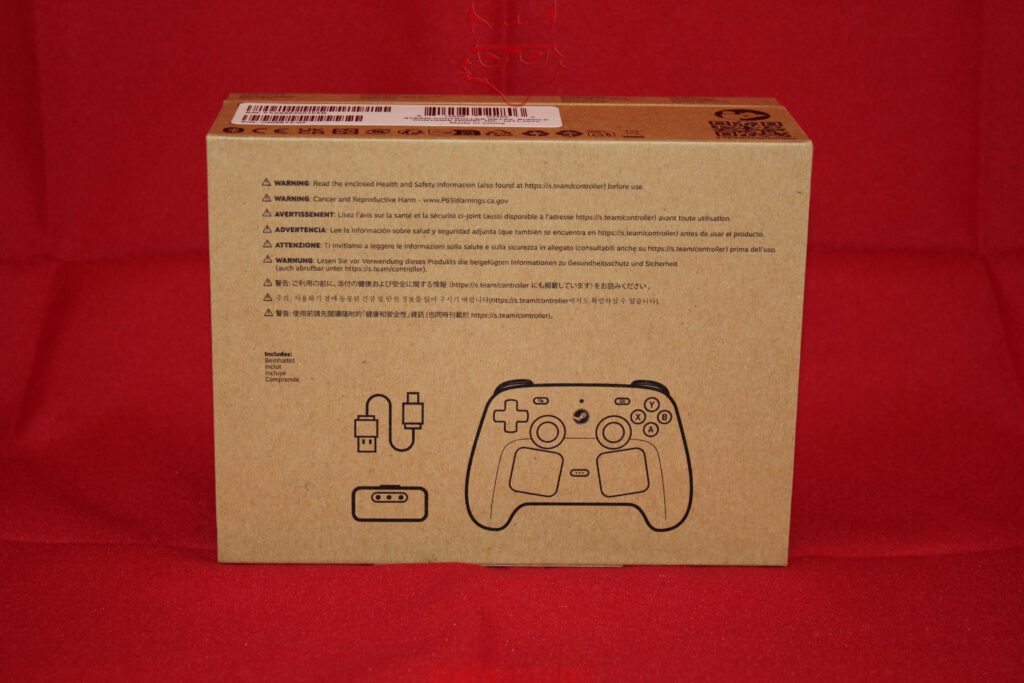
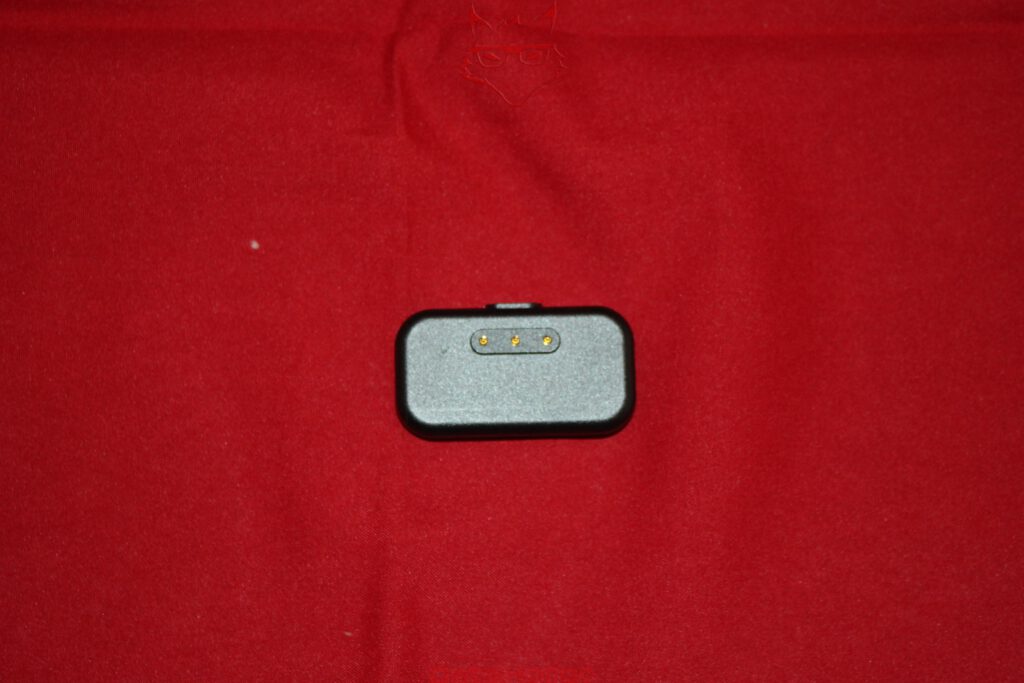
The so-called Steam Controller Puck is particularly clever. On an ordinary PC, the wireless receiver would simply be another USB dongle. Valve instead combines the 2.4 GHz receiver with a magnetic charging station.
The controller can operate through USB-C, Bluetooth, or Valve’s proprietary 2.4 GHz connection. The Puck provides the wireless link with a four-millisecond polling interval and can handle up to four controllers. At the same time, it attaches magnetically to the controller and takes care of charging. Valve specifies more than 35 hours of playtime from the integrated 8.39 Wh lithium-ion battery.
This small accessory therefore solves three problems at once: wireless receiver, charging connection, and a defined place to put the controller become a single component. The Steam Machine itself does not strictly require the Puck for wireless communication because the corresponding 2.4 GHz receiver is already integrated internally.
A PC That Does Not Hide Where It Came From
The technical unboxing leaves one particularly unusual impression: Valve is not trying to disguise PC hardware completely as a console. Instead, the characteristics of a PC have been reorganized into something intended to work naturally in a living room.
The memory remains SO-DIMM. Storage remains NVMe. DisplayPort sits next to HDMI. USB-C exists alongside traditional USB-A ports. Ethernet remains present. Even microSD, by now almost a signature feature of the Steam Deck ecosystem, sits directly on the front.
At the same time, the power supply, controller receiver, and a surprisingly large portion of the cooling hardware disappear completely inside a cube measuring barely 16 centimetres across. The result feels less like a desktop PC that has simply been shrunk and more like hardware designed from the beginning with a place next to the television in mind.
Whether that ultimately creates the better games console, the more convenient gaming PC, or simply a particularly interesting Linux computer cannot be determined from an opened cardboard box. Games need to run, temperatures need to be measured, power consumption needs to be examined, and the limitations of 8 GB of GDDR6 need to be explored.
For now, what remains is a remarkably unspectacular black cube whose most interesting qualities are exactly where Valve has hidden them: underneath the shell.
Storage Upgrade: When M.2 2280 Gets Too Hot
The replaceable NVMe SSD makes the Steam Machine considerably more interesting from an upgrade perspective, but the first practical tests revealed an important thermal limitation. Two Kingston M.2 2280 PCIe 4.0 NVMe SSDs were tested in the system, and both showed the same behaviour: after a relatively short period of operation, the drives became hot enough that they were effectively dropped from the system and were no longer available.
The fact that the behaviour could be reproduced with two separate 2280 drives makes a defective individual SSD unlikely. At this stage, however, the observation should not be generalized to all M.2 2280 SSDs. The more plausible explanation is the combination of the Steam Machine’s extremely compact internal layout, the thermal characteristics of the tested PCIe 4.0 drives, and the cooling conditions around the SSD position. High-performance NVMe controllers can generate a surprising amount of heat under sustained activity, and a conventional 80-millimetre-long M.2 2280 module also distributes its thermal load differently within the confined chassis.
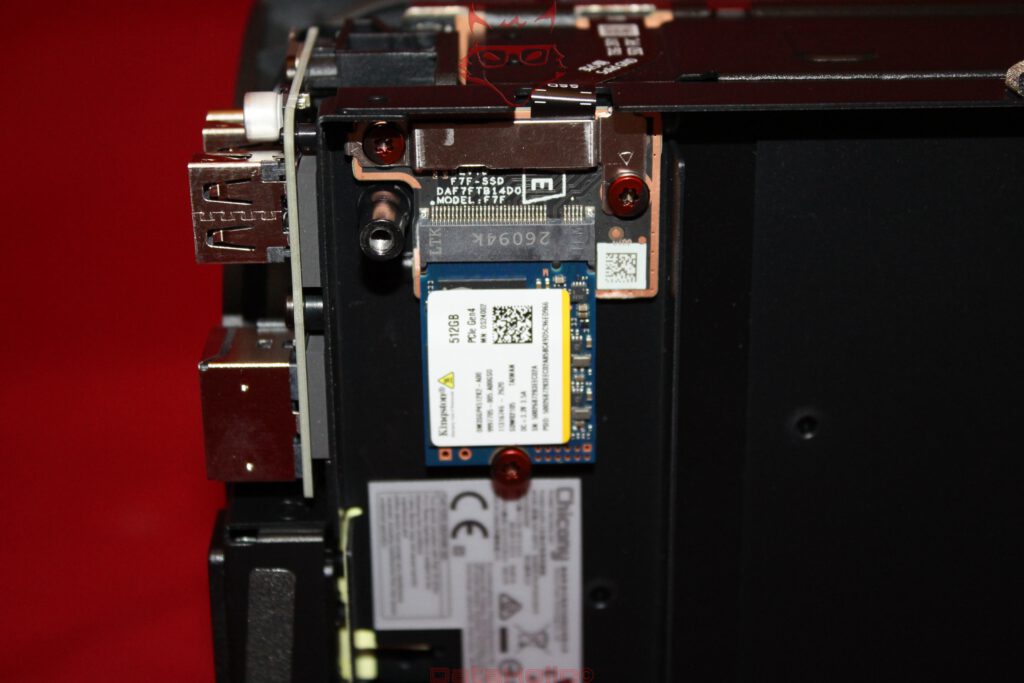
An interesting contrast came from a Kingston M.2 2230 NVMe SSD with 2 TB capacity. The much shorter drive operates in the Steam Machine without the same problem and remained available during testing. This does not automatically prove that the 2230 form factor itself is the decisive factor, but the difference is significant enough to document during the unboxing and subsequent hardware upgrade.
For the moment, the result is therefore quite clear: both tested Kingston M.2 2280 PCIe 4.0 NVMe SSDs encountered thermal problems severe enough to be removed from operation by the system, while the tested 2 TB Kingston M.2 2230 SSD runs without issue. Further testing will be required to determine whether this behaviour is specific to these Kingston 2280 models, related to their power and thermal characteristics, or represents a broader limitation of the Steam Machine’s SSD cooling.
Transparency notice in accordance with EU requirements:
The Valve Steam Machine and Steam Controller featured in this article were purchased by us through regular retail channels. Neither product is a loan unit, and this article does not constitute paid advertising.
Valve had no influence on the content, assessment, or editorial independence of this article. All opinions and observations expressed are based exclusively on our own editorial impressions and practical experience.