
MSI FORGE GM340 Wireless Review: 57 Grams, Five Colors, and a Surprising Amount of Mouse for the Money
- Construction, Ergonomics, and Accessories: Focusing on the Essentials
- PixArt PAW3311, 1,000 Hz, and Three Operating Modes: The Technology Behind the Mouse
- Gaming with the FORGE GM340 Wireless: Why Weight Can Matter More Than DPI
- Battery, Software, and Everyday Usability: Practical Decisions with Unanswered Questions
- Five Colors, One Technical Concept: Why Design Is More Than a Secondary Consideration
- Price and Competition: The FORGE GM340 Wireless Hits a Sensitive Point
- Conclusion: A Sensible Gaming Mouse Without Unnecessary Technical Excess
- Transparency Statement
Gaming mice have long become a category in which increasingly high polling rates, increasingly sensitive sensors, and ever-lower weights compete for attention. Polling rates of 8,000 Hz, optical switches, and sensor resolutions exceeding 30,000 DPI are now part of the technical repertoire of numerous high-end models. At the same time, the question remains how much of this is actually necessary during normal gaming. Particularly for a mouse that regularly switches between gaming, productive work, and occasional use with a notebook, other characteristics can be more important: a sensible shell design, low weight, reliable wireless connectivity, and straightforward operation without complicated configuration.
With the FORGE GM340 Wireless, MSI takes a comparatively down-to-earth approach. Rather than attempting to include as many technical records as possible on the packaging, the manufacturer combines a PixArt PAW3311 optical sensor with 12,000 DPI, a 1,000 Hz polling rate, three connectivity options, and a weight of just 57 grams. Additional features include an integrated rechargeable battery, six buttons, and a symmetrically shaped body. What makes the mouse particularly interesting, however, is its pricing. With street prices starting at approximately €21 and an official MSI store price of €24.99 for the violet version, the mouse occupies a segment in which wireless devices often require considerably greater compromises.
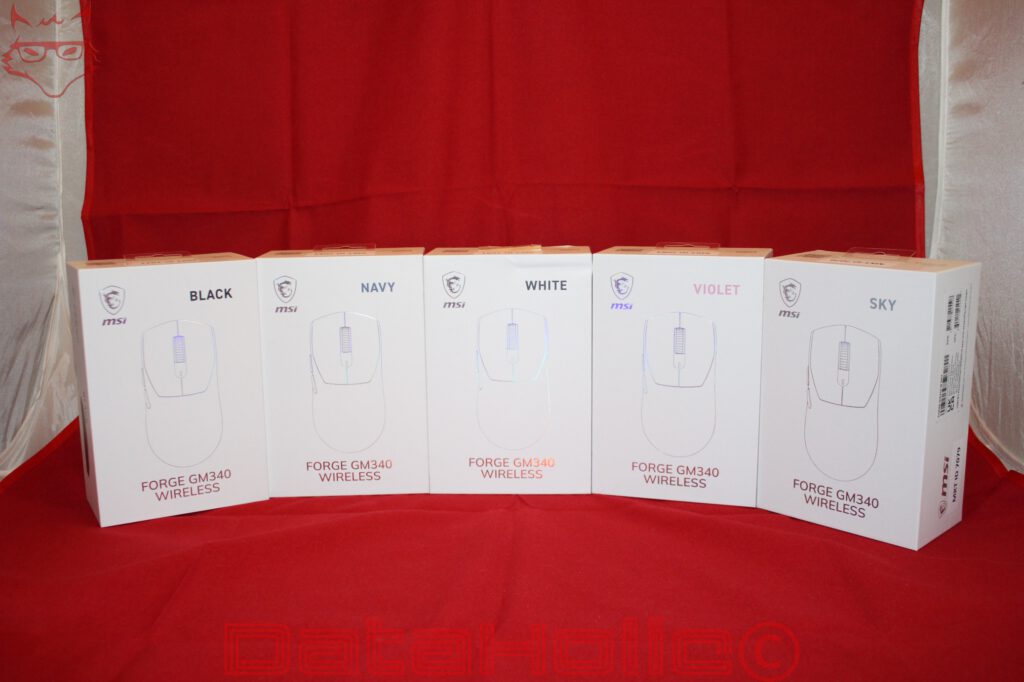
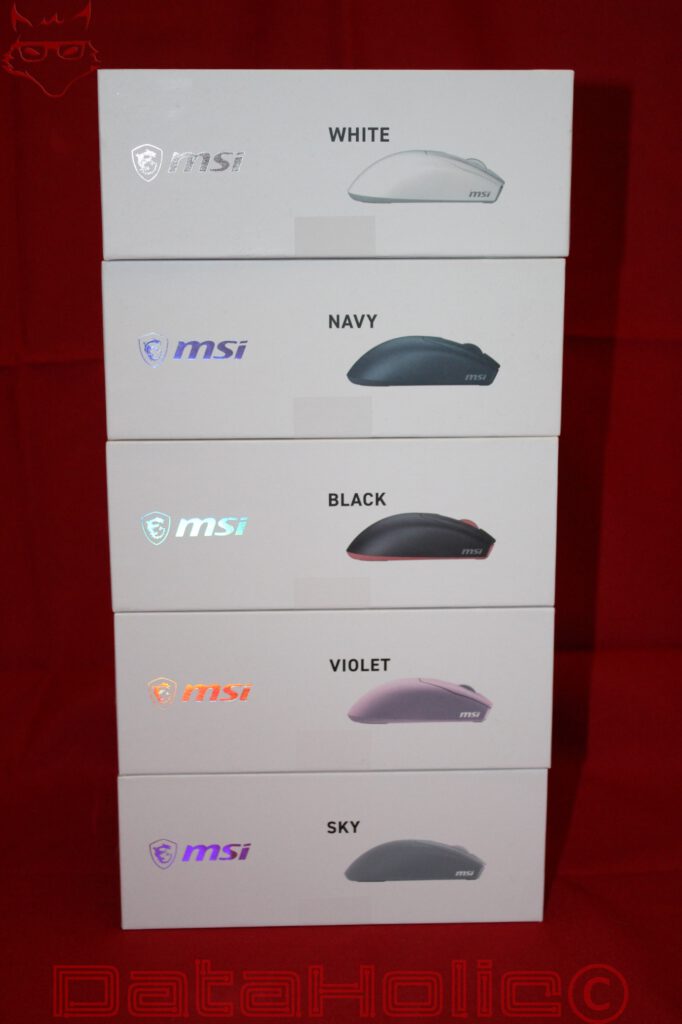
MSI also offers the FORGE GM340 Wireless in five different colors. Alongside traditional black and white, Navy, Violet, and Sky are available. This means the mouse is not aimed exclusively at gaming systems featuring dark peripherals and RGB lighting, but also at bright workspaces and color-coordinated desk setups. According to the published specifications, there are no technical differences between the variants. Choosing a particular color therefore has no effect on the sensor or the fundamental equipment.
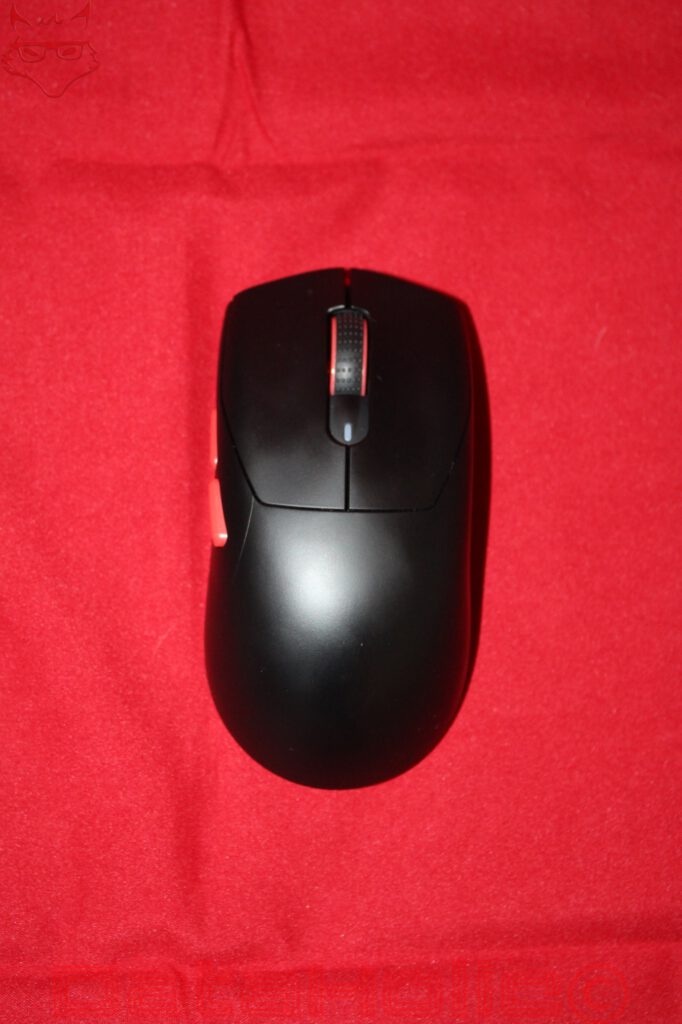
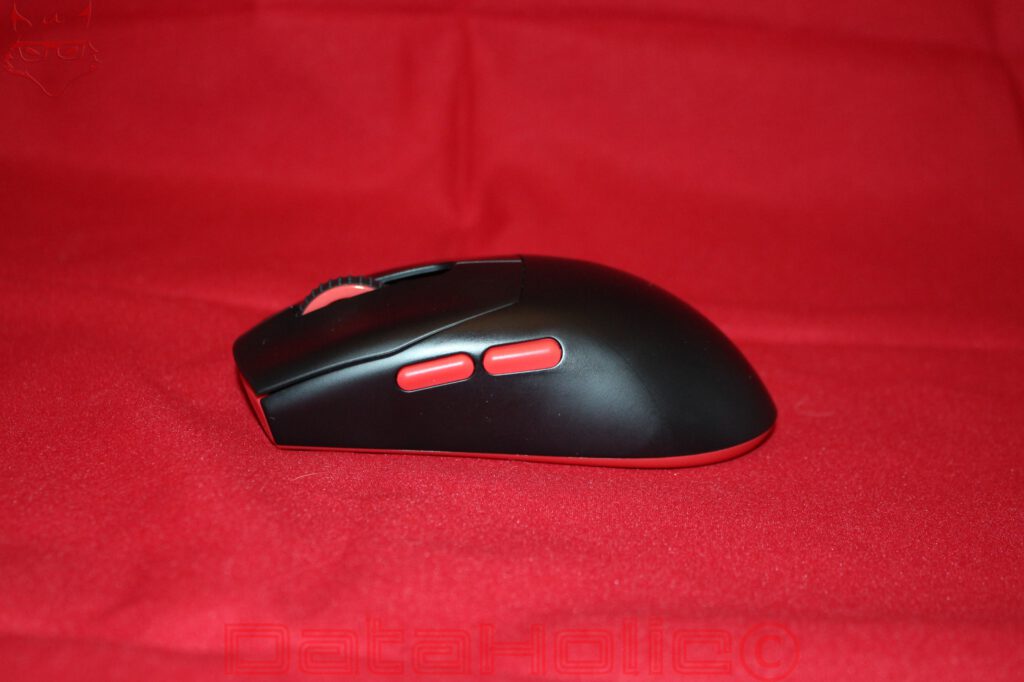
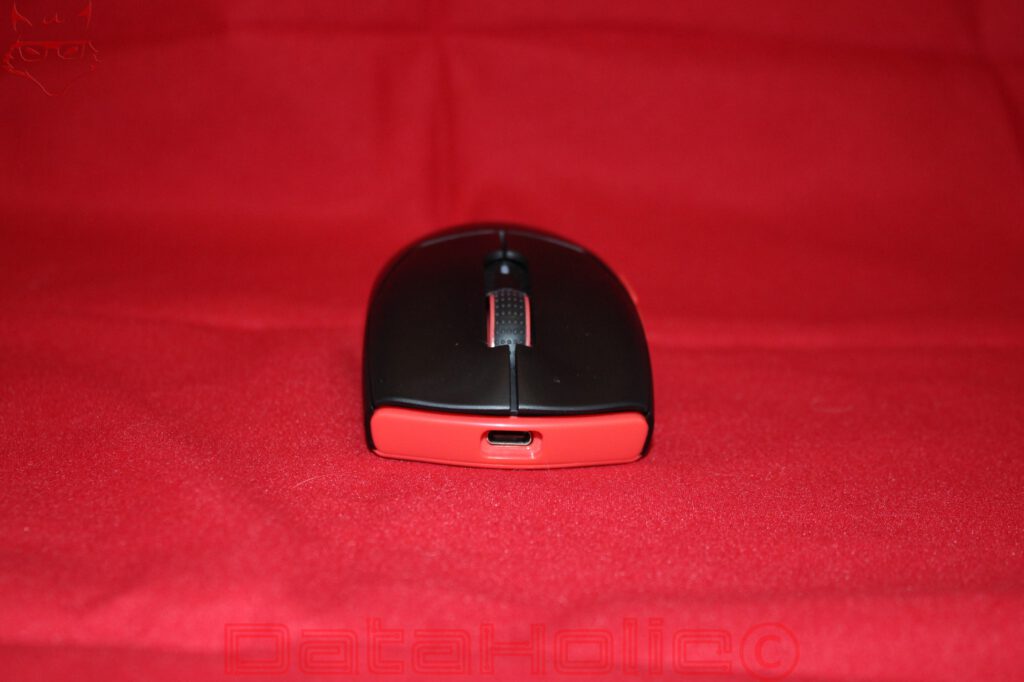
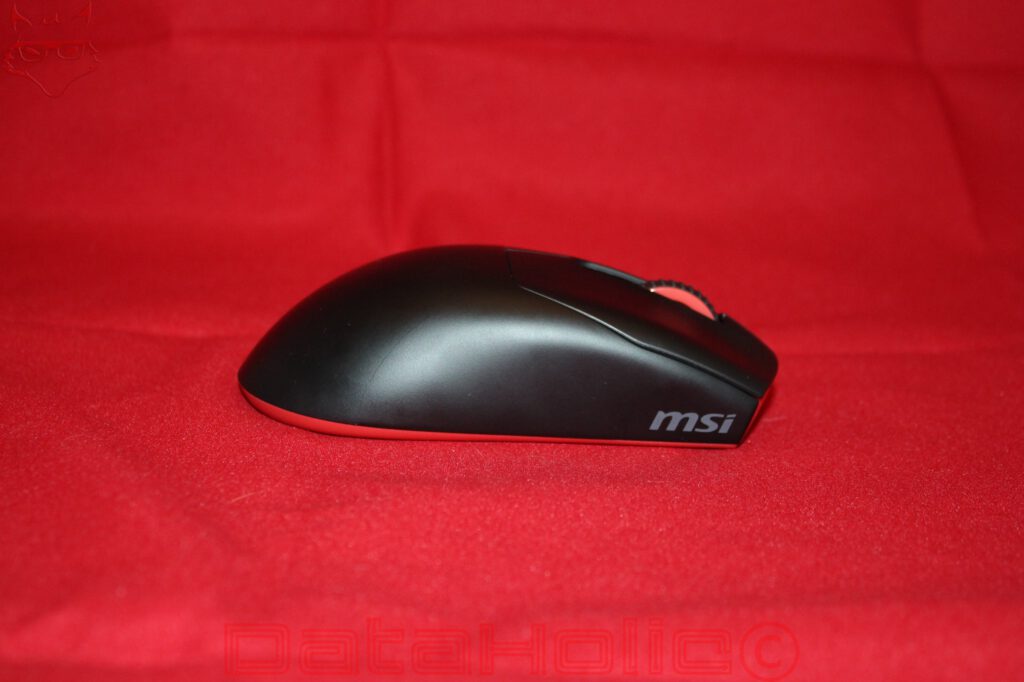
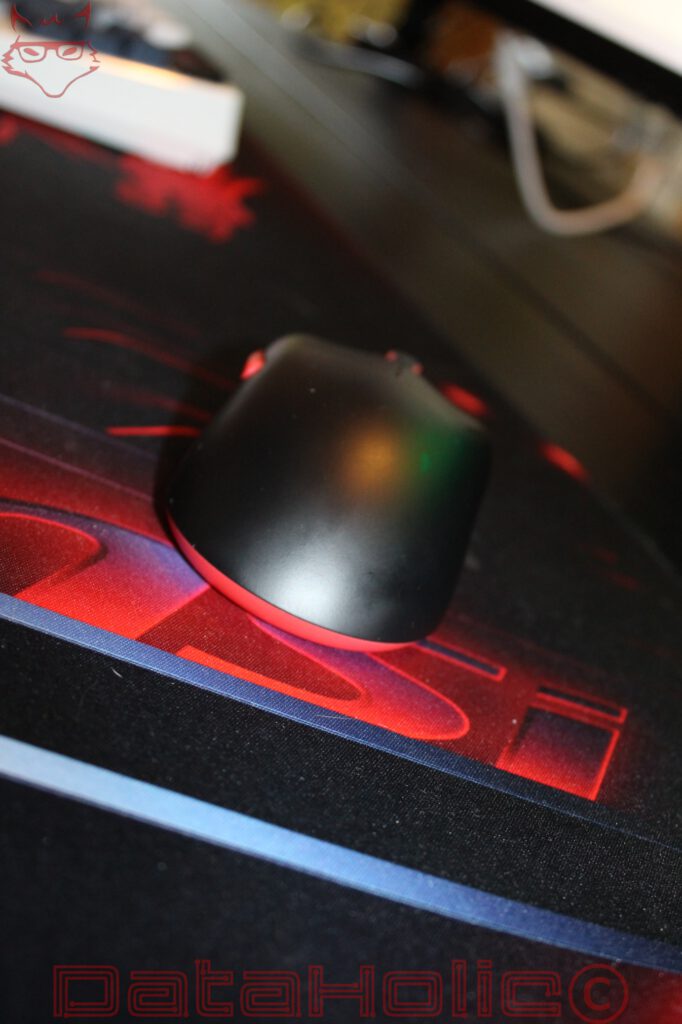
The black version is the primary focus of this review. Its combination of a matte black surface, red side buttons, and a red underside recalls the traditional color scheme of many MSI products. At first glance, the mouse appears remarkably understated. Only the red accents, scroll wheel, and small MSI logo on the right side of the shell reveal its gaming orientation. This restraint could be an advantage for many workspaces, as the FORGE GM340 Wireless makes no attempt to attract attention through an aggressive exterior design.
Construction, Ergonomics, and Accessories: Focusing on the Essentials
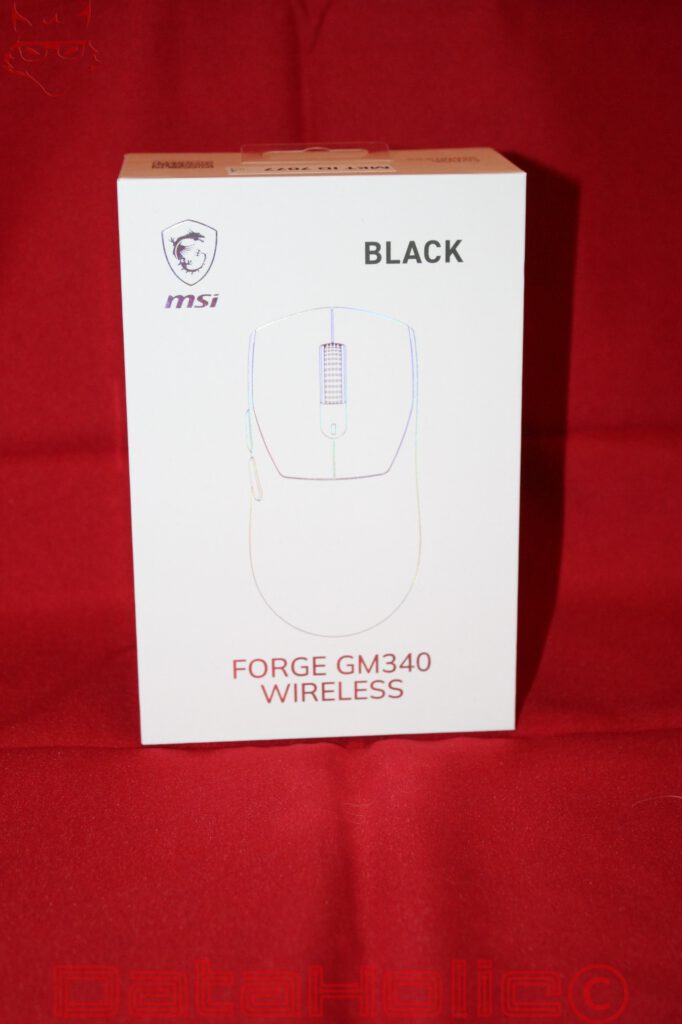
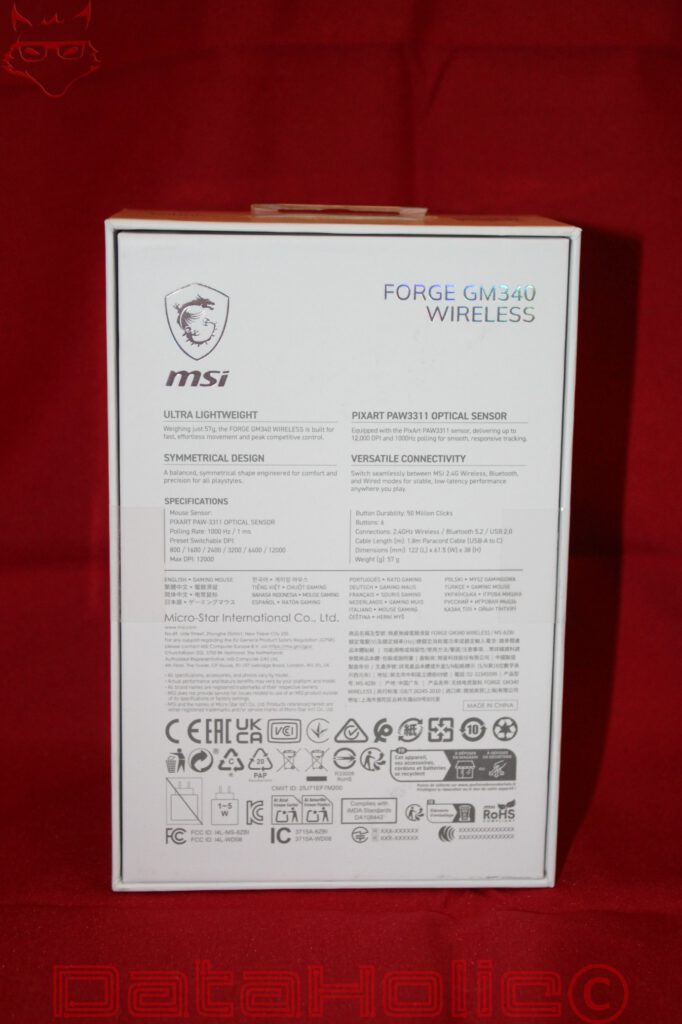
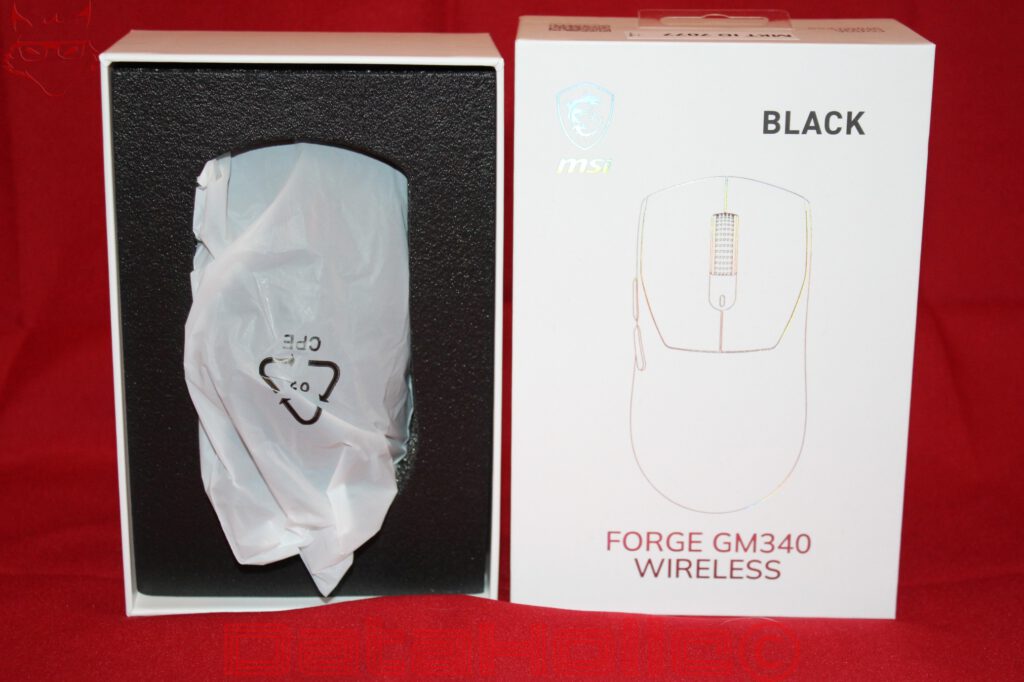
Even the packaging demonstrates that MSI has chosen a simple, functional presentation for the FORGE GM340 Wireless. The white cardboard box features a stylized illustration of the mouse, the model name, and the corresponding color designation. The rear lists the most important technical characteristics, including the sensor, polling rate, connectivity options, and weight. Elaborate display windows, multi-layered presentation structures, and decorative packaging elements play no role. Inside, the mouse is protected by a precisely shaped foam insert and a thin protective sleeve.
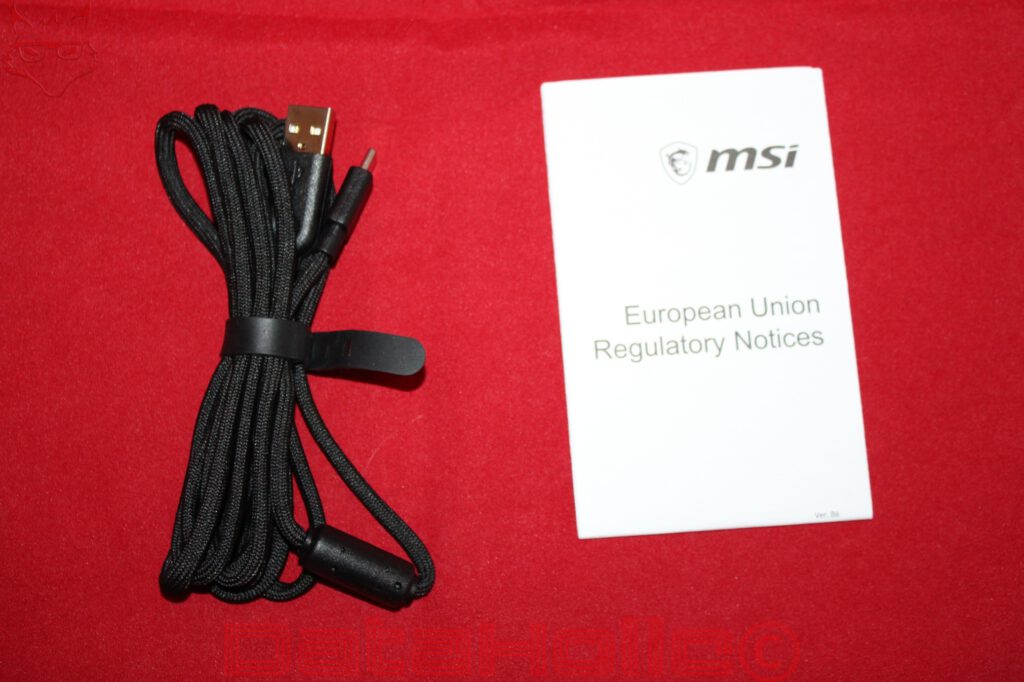
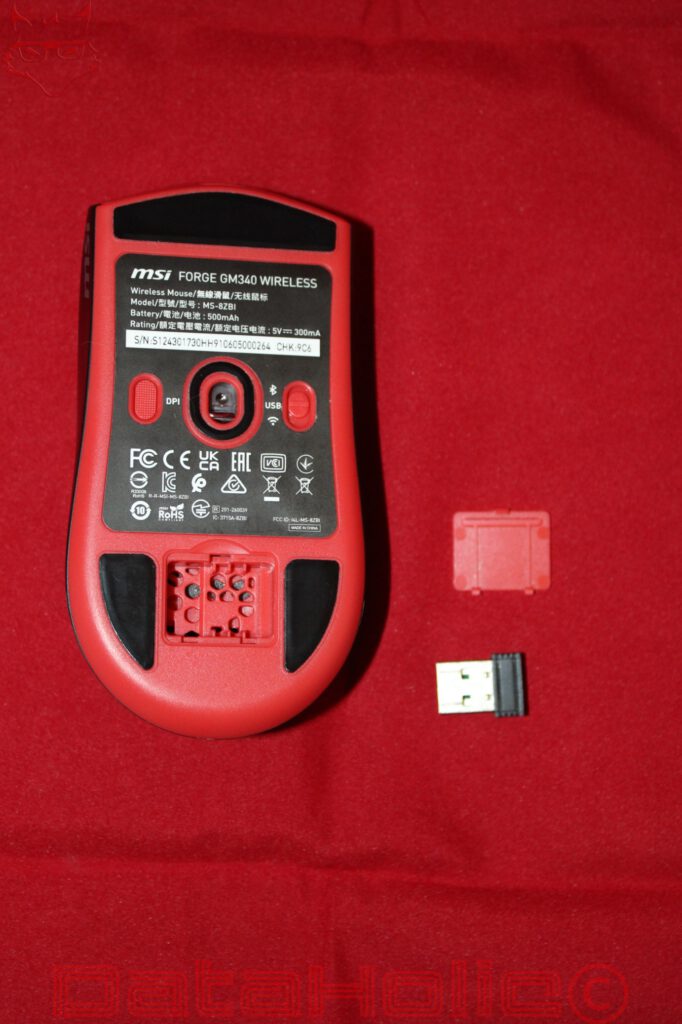
The included accessories are correspondingly minimalistic. Alongside the mouse, the package contains a USB-A to USB-C cable, a compact 2.4 GHz receiver, and regulatory documentation. According to MSI, the cable measures 1.8 meters and features a braided exterior. The USB receiver can be stored in a dedicated compartment on the underside of the mouse, preventing it from moving around loosely inside a bag during transport. An additional carrying pouch, replacement mouse feet, and adhesive grip tape are not included.
This is hardly a serious criticism at this price point. Instead, the accessory package represents one of the manufacturer’s refreshingly sensible decisions. Everything required for regular operation is included. The cable enables wired operation and charging, while the receiver provides the preferred wireless connection for gaming. Additional packaging elements or accessories that would rarely be used after unboxing would contribute little practical value. Particularly with a product designed around affordability, this kind of restraint makes more sense than an extensive accessory package without any meaningful benefit.
The mouse itself measures 122 × 61.5 × 38 millimeters, placing it among medium-sized models. Its upper shell features a largely symmetrical contour with a gently rising back that slopes down again toward the rear. The transition between the two primary buttons and the palm-rest area is clearly recognizable without being interrupted by pronounced edges or additional design elements. The sides taper slightly toward the bottom, creating a natural resting position for the thumb and fingers.
Despite its symmetrical main body, the FORGE GM340 Wireless is not a fully ambidextrous mouse. Both side buttons are positioned exclusively on the left side and are therefore primarily intended for operation with the right thumb. Left-handed users can generally operate the mouse thanks to its shell geometry, but they will have to accept that the additional buttons are not equally convenient to reach. This distinction is important because a symmetrical shape alone does not guarantee equally comfortable operation with both hands.
The two red side buttons are located above the thumb-rest area and are clearly separated from each other. Their elongated design also makes them easy to distinguish visually. Their positioning appears sensible because they are neither unusually far forward nor directly underneath the thumb’s natural resting position. Particularly in games that frequently require additional functions, clear separation between the buttons is beneficial. Whether their positioning remains equally comfortable for every hand size over extended periods, however, depends on individual grip preferences.
At 57 grams, the FORGE GM340 Wireless belongs to the lightweight category of wireless gaming mice. What makes this particularly noteworthy is MSI’s decision to use a closed shell. Large cutouts or the honeycomb structures found on some lightweight gaming mice are entirely absent. The body therefore looks conventional and provides fewer exposed areas in which dust and dirt could accumulate. Weight reduction has consequently not been achieved through large, visible material cutouts, but through the overall construction.
The black version features a matte surface without a conspicuous rubber coating. This reduces the number of different materials and avoids additional coatings whose long-term durability is not always convincing on inexpensive mice. At the same time, a smooth plastic surface may provide less grip with sweaty hands than textured or rubberized sides. The low weight is generally advantageous for claw and fingertip grips, while the relatively flat rear section also allows a relaxed palm-grip position. Users with larger hands, however, may find the mouse somewhat short for complete palm support.
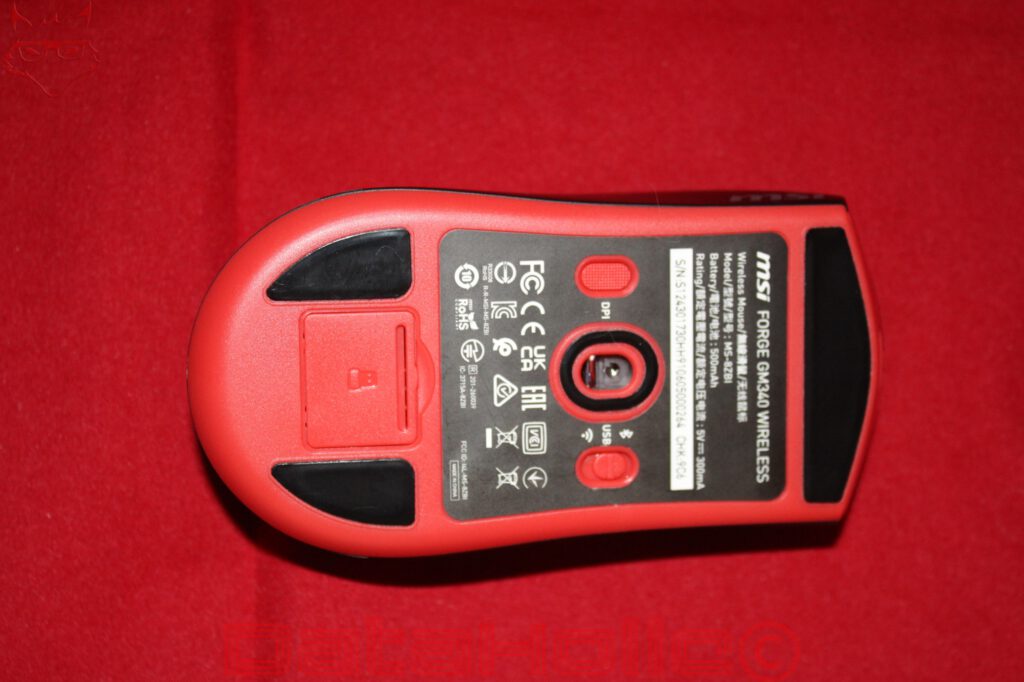
The underside of the black version is entirely red. Four larger black glide pads are positioned toward the front and rear. An additional surround sits around the sensor opening, while two switches control the DPI setting and connectivity mode. The receiver compartment is located toward the rear beneath a removable plastic cover. This arrangement is practical but requires careful handling of the small cover, as losing it would leave the storage compartment exposed.
PixArt PAW3311, 1,000 Hz, and Three Operating Modes: The Technology Behind the Mouse
At the technical heart of the FORGE GM340 Wireless is the PixArt PAW3311 optical sensor. MSI specifies a maximum resolution of 12,000 DPI and provides six preset sensitivity levels: 800, 1,600, 2,400, 3,200, 6,400, and 12,000 DPI. Switching between them is handled through a button on the underside. A color-coded status indicator provides information about the selected setting, meaning no additional software is required for basic DPI adjustments.
The position of the DPI switch represents a deliberate compromise. While many gaming mice place a corresponding button directly behind the scroll wheel, MSI relocates the function to the underside. This prevents accidental sensitivity changes during hectic movements. At the same time, switching settings spontaneously in the middle of a game becomes less convenient because the mouse must be lifted or turned over. For players who primarily use a fixed sensitivity, this is hardly problematic. Those who regularly alternate between different DPI levels, however, may prefer a more accessible button.
The maximum sensor resolution of 12,000 DPI is more than sufficient for most practical applications. High DPI values simply mean that the sensor registers more movement counts over a given physical distance. They guarantee neither greater actual precision nor better targeting performance. Particularly in shooters, commonly used settings are often considerably below the sensor’s maximum resolution. What matters more is consistent tracking, reproducible movement, and the sensor’s behavior during rapid changes of direction.
The PAW3311 is not a sensor specifically designed around the most demanding requirements of professional esports hardware. Its strength lies instead in a practical combination of resolution, energy efficiency, and cost. For a mouse in this price category, that is a reasonable decision. However, the sensor designation alone does not allow reliable conclusions about actual tracking deviations, behavior during extremely fast movements, or lift-off distance. Reproducible measurements would be required for that. MSI also does not publish every sensor parameter necessary for a complete comparison with significantly more expensive models.
The maximum polling rate is 1,000 Hz. At this setting, the mouse can theoretically transmit movement data to the computer once every millisecond. This remains a sensible standard for gaming peripherals and is sufficient for many gaming environments. Higher polling rates of 4,000 or 8,000 Hz reduce the theoretical transmission interval, but they do not automatically produce an equally significant advantage in gameplay. The monitor’s refresh rate, operating-system processing, and the individual game engine also influence perceived input latency.
It is also important to distinguish between polling rate and actual overall latency. A polling rate of 1,000 Hz does not mean that every input becomes visible on the screen within one millisecond. Sensor processing, wireless transmission, input handling, and image output introduce additional delays. Although MSI lists 1,000 Hz or 1 ms on the packaging, this does not establish a complete end-to-end latency measurement.
The FORGE GM340 Wireless is particularly flexible when it comes to connectivity. Available options include MSI SWIFTSPEED over 2.4 GHz, Bluetooth 5.2, and wired USB operation. A sliding switch on the underside allows the preferred mode to be selected. This makes the mouse suitable not only for a stationary gaming PC, but also for notebooks and work devices that already support Bluetooth.
For gaming, the connection through the included 2.4 GHz receiver is the obvious choice. It is designed for responsive transmission and avoids the limitations that Bluetooth can introduce into input processing. Bluetooth, meanwhile, is interesting for productivity tasks, occasional mobile use, or operation with devices offering limited USB connectivity. The wired connection provides a third option that works independently of the wireless receiver and simultaneously allows the battery to be charged.
A small but important detail concerns the USB-C port at the front. It is centrally positioned and is not hidden inside an unusual recess. This makes using the supplied cable appear straightforward. The braided exterior is also sensible for a gaming mouse because it can provide greater flexibility than stiff plastic cables. A cable with low stiffness reduces the mechanical resistance that might otherwise become noticeable during rapid movements.
Gaming with the FORGE GM340 Wireless: Why Weight Can Matter More Than DPI
Ultimately, a gaming mouse must prove itself in situations where technical specifications alone reveal relatively little: rapid movements, precise corrections, and repeated inputs under changing conditions. The FORGE GM340 Wireless provides a promising starting point for these tasks. Its low weight reduces the mass that must be accelerated and then decelerated during every directional change. Particularly at low sensitivity settings and with larger movements across a mousepad, this can provide a noticeable ergonomic advantage.
In tactical shooters such as Escape from Tarkov, different movement requirements overlap. Large changes in viewing direction must be performed quickly, while aiming at distant opponents requires controlled, small corrections. A lightweight mouse generally makes both types of movement easier, provided the sensor tracks reliably and the glide pads offer consistent resistance. With its PAW3311 sensor and 1,000 Hz polling rate, the FORGE GM340 Wireless has a technical foundation that appears reasonably suited to these tasks. However, claims of flawless tracking during particularly fast flick shots would not be justified without corresponding measurements.
The two side buttons are a practical addition, especially in more complex games. Escape from Tarkov offers numerous actions that can be assigned to additional mouse buttons. These might include frequently used interactions or specific movement functions. Two extra buttons are not enough to replace extensive keyboard bindings, but they can selectively reduce the workload on the left hand. The advantage lies less in the number of buttons than in their accessibility.
In games such as Counter-Strike 2 or Valorant, reproducible aiming movements and consistent input behavior take priority. Here, a fixed DPI setting is often more useful than constantly alternating between sensitivity levels. Relocating the DPI switch to the underside consequently becomes less problematic. It also prevents an accidental press behind the scroll wheel from changing a familiar sensitivity setting. The FORGE GM340 Wireless therefore follows an operating philosophy that favors stable configuration over frequent adjustments during gameplay.
The priorities change in strategy games, role-playing games, and traditional single-player titles. Minimum possible input latency is not always the primary concern. Comfort, accessible buttons, and reliable connectivity may be more important than maximum sensor performance. For this broad mixture of different games, the MSI mouse offers appropriate equipment. It does not provide an especially extensive button layout or extraordinary technical features, but it avoids unnecessary complexity.
The scroll wheel features a visibly textured surface and is integrated into the color scheme of each variant. On the black version, red side accents create a clear contrast. The textured surface is intended to prevent the finger from slipping while scrolling. For games involving frequent weapon changes or repeated menu inputs, tactile differentiation is important. However, statements about actual scroll-step precision or the mechanical durability of the wheel encoder require extended practical use.
Another important consideration is the shell geometry. Many particularly lightweight gaming mice use strongly pronounced contours to specifically support certain grip styles. MSI instead opts for a comparatively neutral body. This generally accommodates a broader range of hand positions without necessarily optimizing every one of them. Claw-grip users benefit from the moderate rear curvature, while fingertip grip is supported by the low weight and manageable dimensions. For a full palm grip, the decisive factor is how well the 122-millimeter length matches the user’s hand.
A direct comparison with significantly more expensive gaming mice reveals the actual positioning of the FORGE GM340 Wireless. It does not attempt to outperform professional esports models in sensor performance, switch technology, or maximum polling rate. Instead, it offers a combination that should be sufficient for many everyday gaming scenarios. For competitive players who regularly push their input hardware to its limits and demand reproducible measurements, however, its technical equipment remains comparatively conservative.
Battery, Software, and Everyday Usability: Practical Decisions with Unanswered Questions
MSI equips the FORGE GM340 Wireless with an integrated 500 mAh battery. The manufacturer specifies a maximum runtime of up to 82 hours. For a wireless mouse weighing just 57 grams, this is an interesting figure because weight and battery capacity compete directly during construction. A larger battery could increase operating time, but it would also introduce additional mass. MSI has chosen a middle ground intended to deliver comparatively long battery life while maintaining low overall weight.
The advertised 82 hours should be understood as a manufacturer specification rather than a guaranteed runtime under all conditions. Wireless mode, polling rate, lighting, and usage intensity can influence actual power consumption. A reliable evaluation would require several complete charging and discharging cycles under defined conditions. Without these measurements, it remains unclear how closely the mouse approaches the manufacturer’s figure during regular 2.4 GHz gaming.
The option to continue using the mouse through USB-C is a positive feature. An empty battery does not necessarily mean the end of a gaming session. Once the cable is connected, wired operation becomes available. Particularly for a mouse used for both work and gaming, this redundancy is sensible. It prevents the device’s entire functionality from depending on a single wireless connection or the current battery charge.
Less encouraging is the fundamental issue of permanently integrated rechargeable batteries. The battery inside the FORGE GM340 Wireless will also lose capacity as it ages. MSI does not advertise a regular user-replaceable battery design. Long-term repairability therefore remains limited unless a suitable replacement battery and corresponding service option are available. Wired operation reduces the impact of this problem but does not replace a transparent strategy for replacing an aging battery. Particularly with inexpensive devices, actual service life is often determined not only by sensor quality or button durability, but also by construction details such as these.
MSI also takes a comparatively straightforward approach to software. The FORGE series is presented by the manufacturer in connection with MSI GEAR. However, the basic functions of the GM340 Wireless, particularly switching between preset DPI levels and connectivity modes, are accessible directly on the device. This is an advantage in workplaces where additional software should not or cannot be installed.
The official operating-system specifications list Windows 10 and later versions. This means there is no explicit compatibility guarantee for Linux or macOS in the technical documentation. Standard USB and Bluetooth mouse functions can generally work under other operating systems thanks to established input standards. However, this does not automatically mean that all additional features, lighting settings, or possible software adjustments are equally available. A complete evaluation under Linux and macOS would therefore require separate functionality tests.
The lighting remains restrained overall. MSI lists RGB among the specifications and refers to a color-coded status indicator for DPI settings. The FORGE GM340 Wireless therefore does not feature the large illuminated zones that dominate the appearance of certain gaming mice. For a lightweight, battery-powered mouse, this is a reasonable decision. Extensive lighting increases energy consumption while contributing little to the actual input functionality.
MSI specifies a durability rating of 50 million actuations for the primary buttons. This figure describes the nominal endurance of the switches rather than the guaranteed service life of the entire mouse. Mechanical switches can be affected by wear, contamination, or electrical contact problems. Whether the GM340 Wireless maintains consistent click characteristics over several years cannot be determined from its specification sheet. Likewise, identifying the exact switch models and internal construction reliably would require disassembly.
Everyday handling particularly benefits from the compact wireless receiver and its integrated storage compartment. This allows the mouse to be transported between different workstations without requiring additional accessories. For a notebook that is regularly used on the move, such an arrangement is practical. Bluetooth also enables operation without occupying a USB port, while the 2.4 GHz connection remains available for the stationary gaming PC.
Five Colors, One Technical Concept: Why Design Is More Than a Secondary Consideration
One noticeable aspect of the FORGE GM340 Wireless is that MSI does not treat the color variants merely as occasional special editions. Black, Navy, White, Violet, and Sky belong to the regular product family and are clearly identified on the packaging. The underlying technical concept remains unchanged, while the exterior appearance appeals to different workspace environments.
The black version uses a strong contrast between its dark upper shell and red elements. Particularly when combined with traditional MSI gaming systems, this creates a coordinated appearance. Navy looks more restrained and less contrasting, while White fits particularly well with brighter desks and matching peripherals. Violet introduces a considerably more distinctive color into the product range without changing the shell geometry. Sky completes the selection with a cooler, lighter appearance.
This degree of variety is far from guaranteed in the lower price segment. Manufacturers frequently concentrate on black and occasionally white, while more unusual colors are reserved for more expensive product families. MSI instead makes color selection a regular part of the offering. This does not create a technical advantage, but it provides greater freedom in designing a coordinated setup.
Material selection remains an important consideration regardless of color. Colored plastic shells can develop different signs of wear over time. Light-colored dust particles and skin residue are often more noticeable on dark surfaces, while brighter variants may be more susceptible to certain types of discoloration. Whether and to what extent the individual FORGE GM340 Wireless versions change over time cannot be determined from their packaging. Extended use and direct material comparisons would be necessary.
It is also worth noting that MSI uses the same fundamental shell design across all variants. Different colors therefore do not mean different ergonomic characteristics. This considerably simplifies the selection process. The decision can be based on the preferred appearance without sacrificing particular sensor features, weight characteristics, or connectivity options.
Price and Competition: The FORGE GM340 Wireless Hits a Sensitive Point
The real strength of the FORGE GM340 Wireless becomes apparent when examining its price. Starting at approximately €21, it offers a wireless gaming mouse combining a recognizable PixArt sensor, three connectivity options, an integrated rechargeable battery, and a weight of 57 grams. The official German MSI store lists the violet version at €24.99, although availability may vary between retailers and color variants.
In this price range, the mouse competes with numerous basic wireless mice, wired gaming models, and inexpensive products from less-established brands. Not every alternative includes a rechargeable battery or the ability to switch between Bluetooth, 2.4 GHz, and USB. At the same time, models exist with more powerful sensors, more extensive software, or shell designs more specifically tailored to particular grip styles. The decisive question is therefore not whether the GM340 Wireless wins in every technical category, but how sensibly its equipment has been assembled relative to its price.
Compared with considerably more expensive gaming mice, the main omissions involve features intended for especially demanding applications. Polling rates above 1,000 Hz are not supported, the maximum sensor resolution remains at 12,000 DPI, and the number of additional buttons is limited. A particularly extensive accessory package or a battery system explicitly designed for easy repair is also not part of the concept.
In return, MSI avoids several features that are hardly essential in an affordable mouse. Extensive RGB lighting, particularly complex shell elements, or numerous additional buttons would not automatically improve the product. They could increase weight, cost, and energy consumption without providing a corresponding benefit for most of the target audience.
A direct comparison with a high-end mouse such as the Logitech G Pro X Superlight or particularly specialized Razer models would therefore only be partially meaningful. These devices target different price and performance categories. The FORGE GM340 Wireless instead needs to demonstrate that a sensibly constructed gaming mouse does not necessarily have to be expensive. This is precisely where its concept appears convincing.
Conclusion: A Sensible Gaming Mouse Without Unnecessary Technical Excess
The MSI FORGE GM340 Wireless follows a clear philosophy. Rather than attracting attention through extraordinary sensor specifications or especially elaborate features, it concentrates on characteristics that can genuinely matter in everyday use. Its low weight of 57 grams, compact symmetrical shell, and three connectivity options create a versatile foundation for gaming and productivity applications.
The PixArt PAW3311 is a reasonable choice for the intended price category. Its maximum resolution of 12,000 DPI and polling rate of 1,000 Hz cover a large proportion of typical gaming requirements. For professional esports scenarios or particularly demanding sensor evaluations, however, it lacks the technical headroom and, above all, the reliable measurement data needed to place it on equal footing with specialized high-end models. The FORGE GM340 Wireless is therefore not a hidden high-end mouse, but a deliberately straightforward product.
The combination of low weight and a closed shell is particularly successful. MSI avoids conspicuous material cutouts and retains a conventional, comparatively understated shape. The two side buttons, textured scroll wheel, and directly accessible switches on the underside form a functional control layout. The fact that the DPI switch cannot be conveniently reached during gameplay remains a limitation, although fixed sensitivity settings also reduce the risk of accidental changes.
The minimalistic accessory package fits this approach. The mouse, charging cable, wireless receiver, and regulatory documentation are entirely sufficient for the intended purpose. Additional accessories would certainly be welcome, but they would hardly change the practical value of the package. Instead, the focus remains on the input device itself.
The five color variants also deserve recognition. Black, Navy, White, Violet, and Sky expand the aesthetic options without changing the technical characteristics. Particularly in a price segment frequently dominated by standard black shells, this is a welcome alternative.
The unanswered questions surrounding long-term battery repairability, actual runtime under different operating conditions, and sensor performance during extremely rapid movements remain relevant criticisms. These aspects cannot be conclusively assessed based on technical specifications alone. They are particularly important because an affordable mouse should not only function immediately after purchase, but ideally remain reliable for several years.
With street prices starting at approximately €21, the MSI FORGE GM340 Wireless nevertheless offers a remarkably balanced technical concept. It combines characteristics that are not necessarily standard in this price category while largely avoiding features whose usefulness in everyday operation is limited. Its greatest strength does not lie in any single extraordinary specification, but in the combination of weight, connectivity, sensor, and price. For occasional to regular gaming alongside everyday productivity work, this makes it an interesting option, provided there are no special requirements concerning sensor performance, additional buttons, or extensive software functionality.
Transparency Statement
The MSI FORGE GM340 Wireless review units were provided to DataHolic by MSI as permanent review loans for independent testing and long-term evaluation. The devices remain the property of MSI.
This review is neither sponsored nor paid advertising. MSI had no influence on the testing process, editorial content, or final conclusions.
Our thanks go to MSI and its entire team for their trust and continued support. The permanent review loans enable long-term evaluation of the hardware, including its reliability and durability in everyday use, while maintaining complete editorial independence.