
MSI MAG Z890 TOMAHAWK WIFI II and Intel Core Ultra 7 265K Review
- Arrow Lake meets Tomahawk
- Features and layout
- Test system and BIOS basis
- First OC attempts: 5.5 GHz looks tempting, but comes at a cost
- Switching to 5.4 GHz
- Measurements at a glance
- CPU Lite Load: small menu item, big effect
- VRM and motherboard cooling
- Platform and connectivity
- The Core Ultra 7 265K in character
- Assessment of the final setting
- Conclusion
- Transparency note
- Test system
- BIOS configuration (final)
- Test software used
- Notice in accordance with EU transparency requirements
Arrow Lake meets Tomahawk
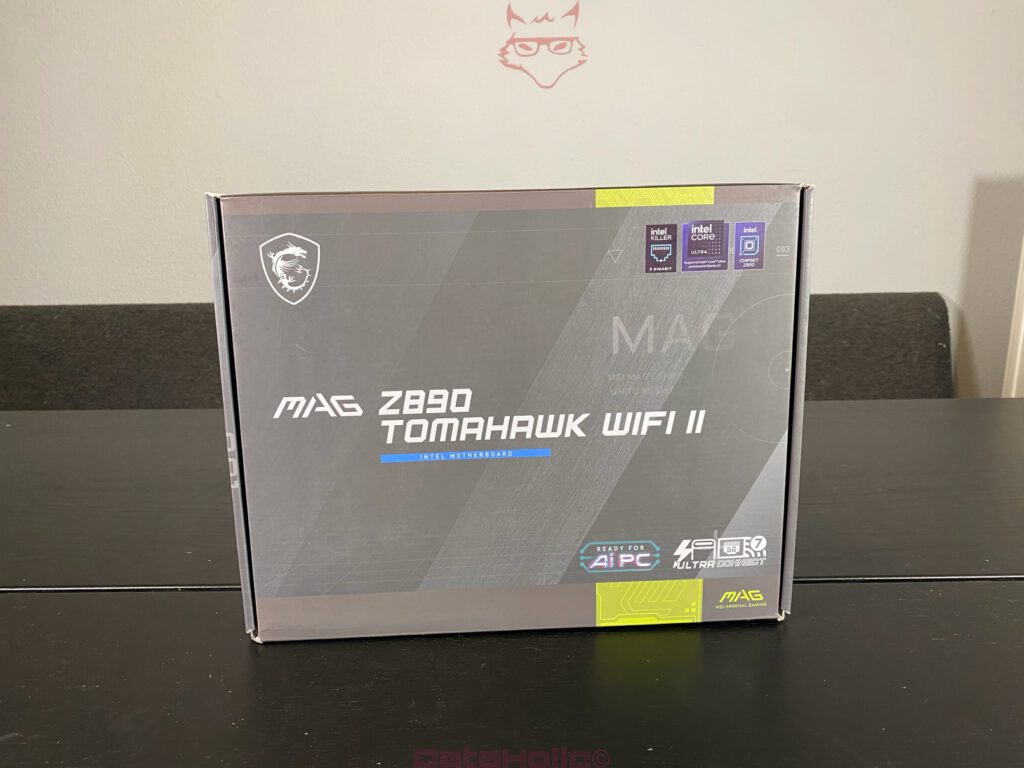
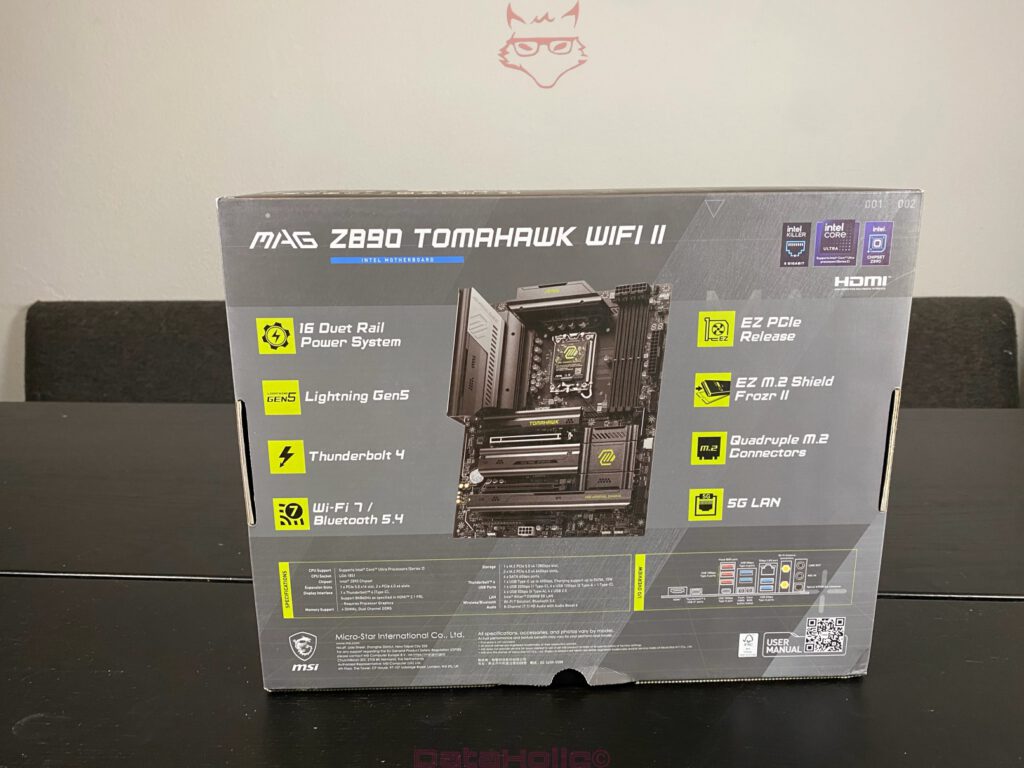
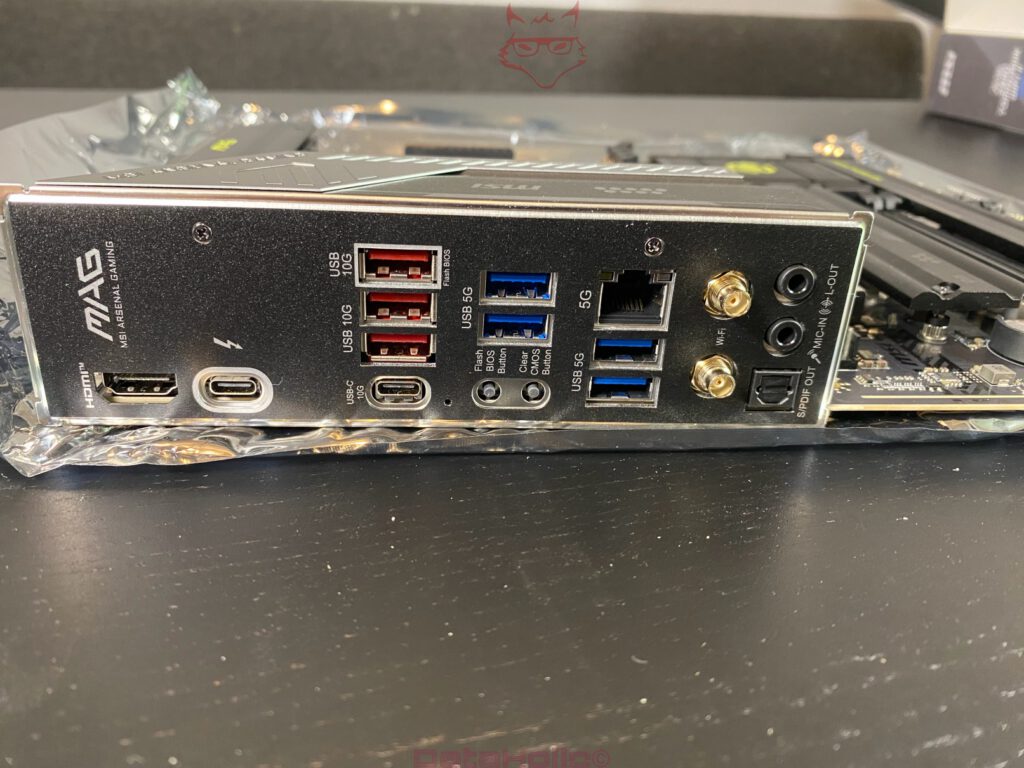
The MSI MAG Z890 TOMAHAWK WIFI II is one of those motherboards that does not need to make a loud first impression. The box looks restrained, technical, and clearly aligned with the MAG series. The front is dominated by dark surfaces, angular lines, and the distinctive accents of MSI’s Arsenal Gaming design language. The back becomes much more specific: 16 Duet Rail Power System, Lightning Gen 5, Thunderbolt 4, Wi-Fi 7 including Bluetooth 5.4, 5G LAN, EZ PCIe Release, EZ M.2 Shield Frozr II, and four M.2 connectors are presented as the central features.
Technically, the board is based on Intel’s Z890 chipset and uses the LGA1851 socket for second-generation Intel Core Ultra processors. MSI specifies DDR5 support with up to 256 GB capacity and very high OC frequencies, depending on module configuration and rank layout. The board comes in the ATX form factor and, according to MSI, uses a 16+2+1 Duet Rail Power System with 90 A SPS stages. For a combination with the Intel Core Ultra 7 265K, that is not a minor detail, but the foundation that prevents high loads from failing at the VRM design level.
The Intel Core Ultra 7 265K brings 20 cores, divided into eight Performance cores and twelve Efficiency cores. Arrow Lake no longer offers Hyper-Threading, which means the CPU also remains at 20 threads. Intel specifies up to 5.5 GHz maximum turbo frequency, 5.4 GHz maximum P-core turbo frequency, 4.6 GHz for the E-cores, 30 MB Smart Cache, 36 MB L2 cache, 125 watts Processor Base Power, and 250 watts Maximum Turbo Power. On top of that comes the new platform logic with an NPU and a stronger focus on modern scheduling and efficiency mechanisms.
Features and layout
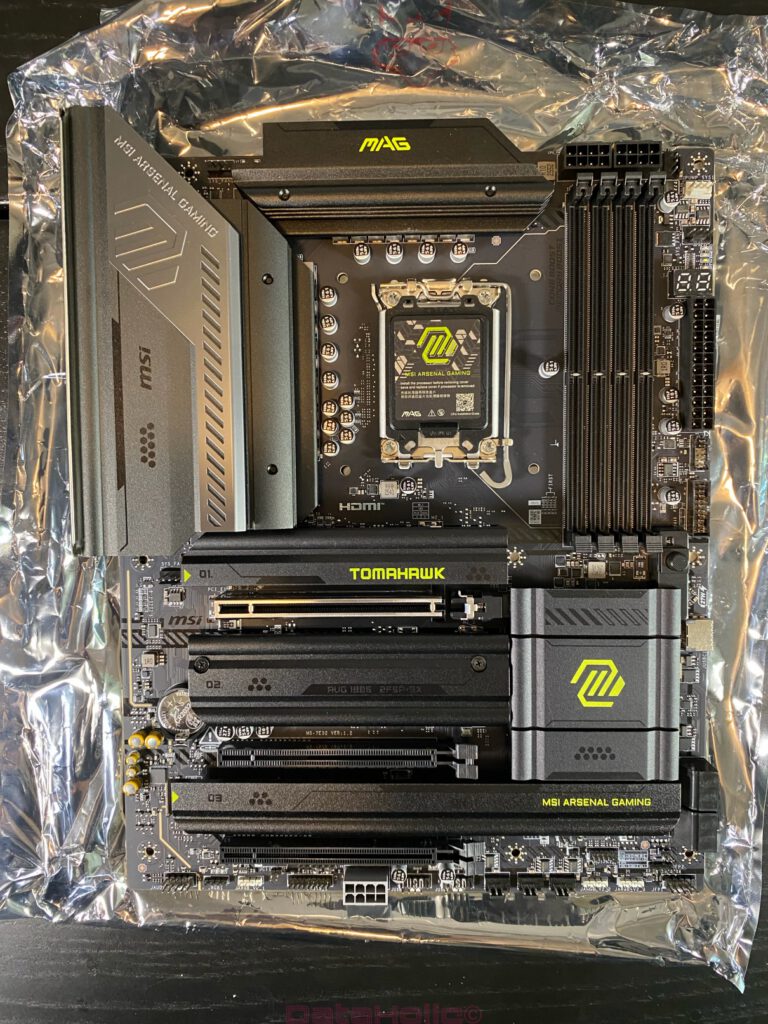
The MAG Z890 TOMAHAWK WIFI II stays true to its line visually. The PCB does not look overloaded, but functionally dense. Large heatsinks cover the VRM area, M.2 zones, and chipset. The color scheme of black, dark gray, and yellow-green MAG accents fits well with the board’s technical direction. RGB excess is absent; instead, the layout feels more like a tool than a showpiece. That suits a Tomahawk model perfectly: solid platform, strong feature set, little theater.
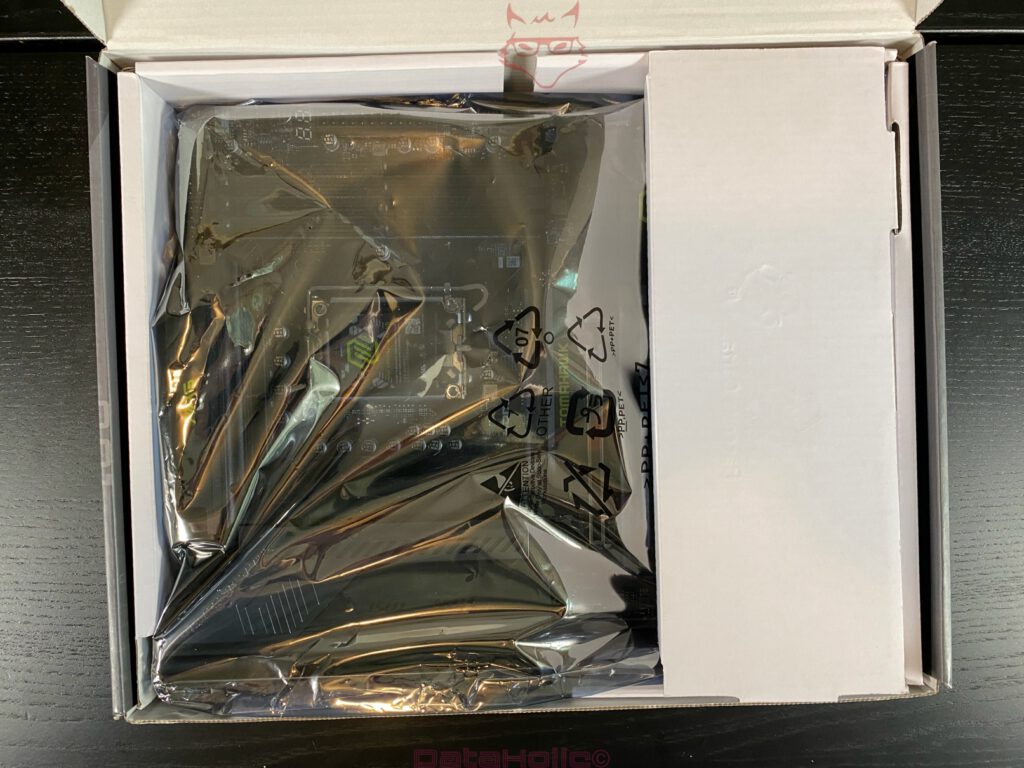
The photos make the massive VRM heatsink around the socket particularly noticeable. Especially in combination with a Core Ultra 7 265K, this design matters because the CPU can very quickly move into ranges far beyond Intel’s base values when limits are removed. The later measured MOS temperatures confirm that MSI does not merely make the power delivery look strong on the box. Even under Prime95 Small FFTs and high CPU power draw, the MOS area stayed around 53 to 54 °C. That is a very relaxed result and shows that the limiting factor is not the motherboard, but the CPU, cooling, and power management.
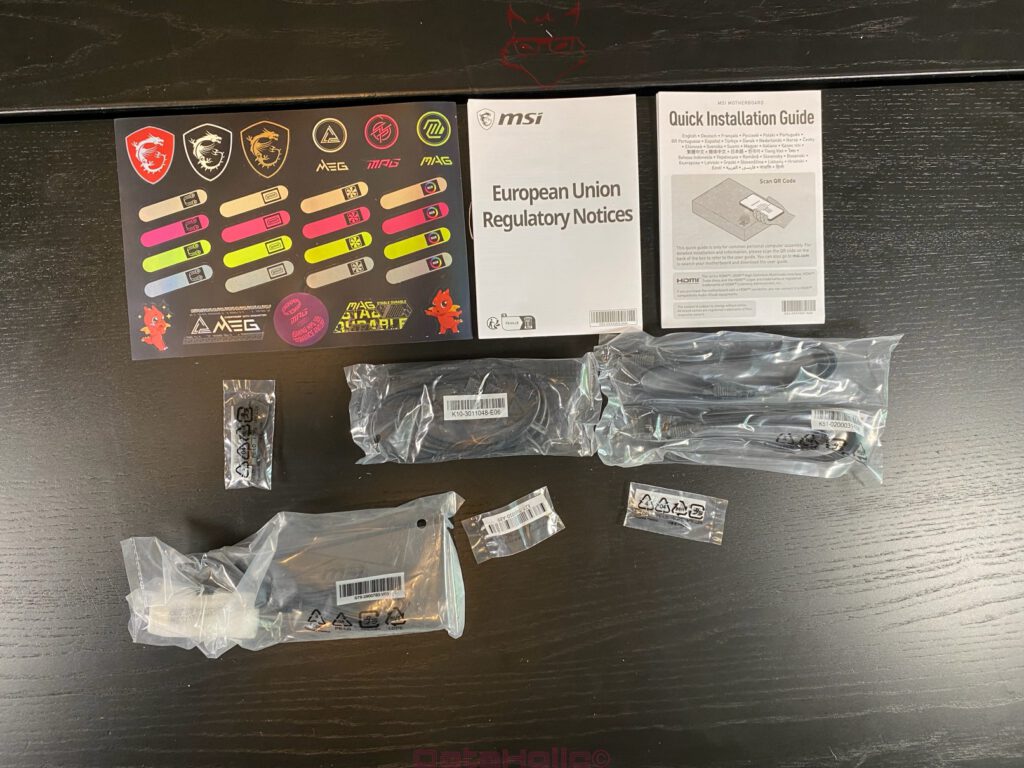
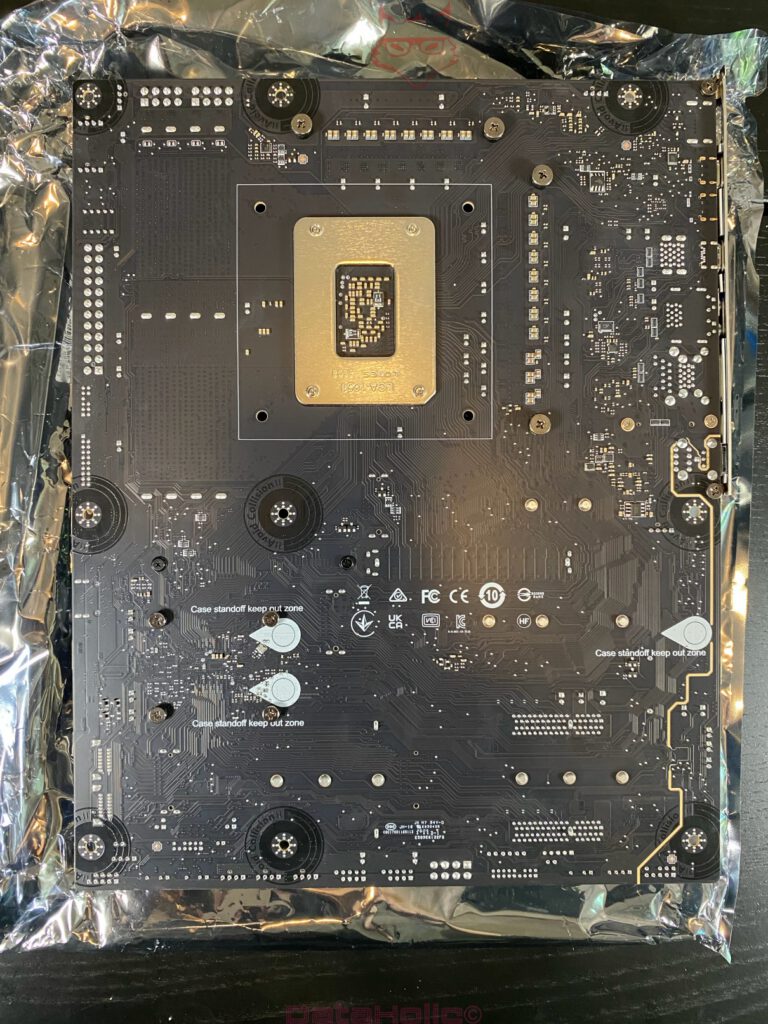
The rear of the PCB also shows a clean construction. The solid solder points, the backplate area of the LGA1851 socket, and the numerous “Case Standoff Keep Out Zone” markings stand out. The accessory package is complete, but not excessive. Alongside the usual documents, MSI includes SATA cables, a Wi-Fi antenna, M.2 accessories, a front-panel helper, and MSI stickers. That feels appropriate: nothing exotic, but everything necessary for a clean build.
Test system and BIOS basis
The following platform was used for the test:
| Component | Hardware / setting used |
|---|---|
| CPU | Intel Core Ultra 7 265K |
| Motherboard | MSI MAG Z890 TOMAHAWK WIFI II |
| BIOS | E7E32IMS.1B10 |
| GPU | MSI GeForce RTX 3090 |
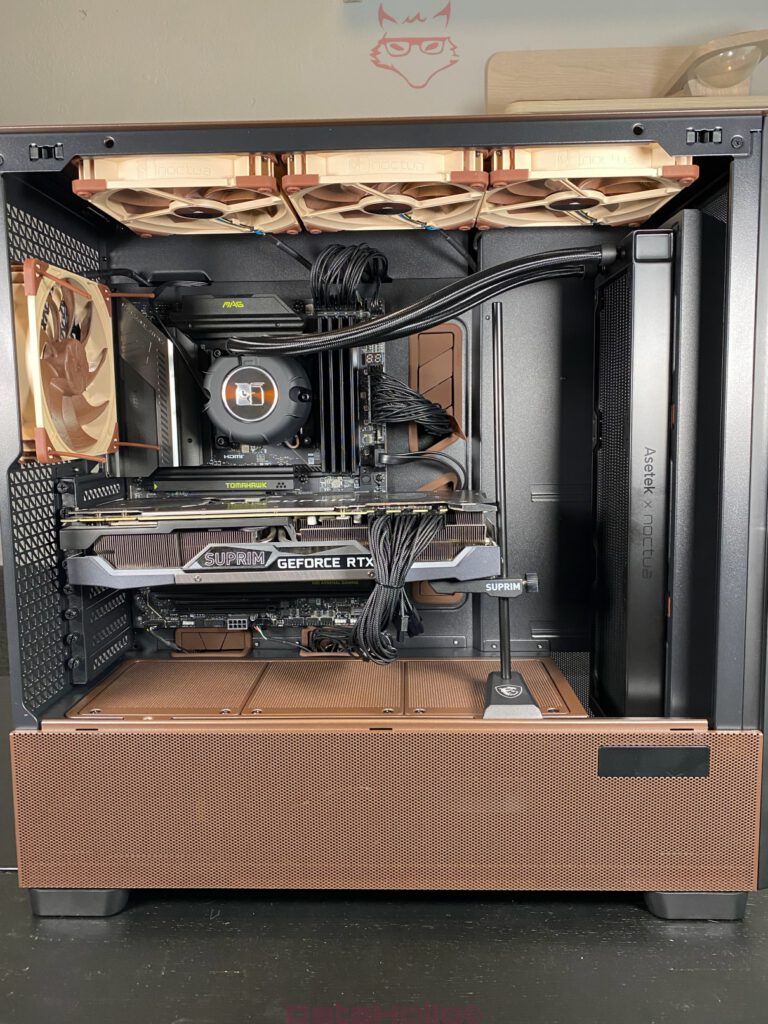
| CPU cooler | Noctua NL-LC1-36 |
| Memory | DDR5, effectively approx. 5985 MT/s according to HWiNFO |
| Memory timings | 36-38-38-80, Command Rate 2T |
| Final P-core OC | 5.4 GHz |
| Final VCC Core Voltage | 1.300 V |
| Final Core LLC | Mode 3 |
| Final CPU Lite Load | Mode 12 |
| Performance Preset | MSI Performance Preset, previously Unlimited; later PL1/PL2 visible at 250 W |
| Load test | Prime95 Small FFTs |
| Monitoring | HWiNFO64 8.48-5990 |
BIOS version E7E32IMS.1B10 is an important point here, because MSI organizes some settings differently in Click BIOS X compared to older BIOS generations. Classic terms such as CPU Cooler Tuning are not necessarily present in the same place in this form, or are supplemented by presets, Intel Default Settings, MSI Performance Preset, and CPU Lite Load. For the behavior of this platform, the combination of Performance Preset, Core LLC, and CPU Lite Load was particularly decisive.
First OC attempts: 5.5 GHz looks tempting, but comes at a cost
The first relevant overclocking step set the P-core ratio to 55, meaning 5.5 GHz. VCC Core Voltage was set to 1.300 V, Core LLC to Mode 3, and CPU Lite Load initially remained on Auto beziehungsweise Mode 13. On paper, that sounds strong, because 5.5 GHz matches Intel’s maximum turbo specification. In practice, however, it quickly became clear that this value does not represent the ideal operating zone of the tested processor under sustained load.
Under load, HWiNFO documented a maximum core frequency of just under 5,487 MHz. The clock speed was therefore reached. At the same time, however, CPU package and cores very quickly climbed into critical temperature ranges. The CPU package reached 101 to 104 °C, while the core maximum also sat at 104 °C. HWiNFO reported thermal core throttling as well as thermal package or ring throttling. Total CPU power draw was around 292 watts and reached a maximum of about 325 watts. That made one thing clear: 5.5 GHz is bootable and usable for short periods, but this profile does not provide a sensible technical compromise for stable long-term operation.
Prime95 confirmed this assessment as well. After around ten minutes, the system crashed. With Prime95 Small FFTs, that is not a minor hint, but a clear stability marker. Small FFTs creates an extremely high core load that real applications rarely reproduce permanently. Nevertheless, this exact test is very useful for exposing voltage and temperature limits. With the 5.5 GHz profile, two problems came together at once: excessive thermal load and insufficient stability margin at 1.300 V.
Switching to 5.4 GHz
The step back to 5.4 GHz was therefore not a surrender, but the technically correct decision. Modern CPUs in particular often react disproportionately strongly to the last 100 MHz near the limit. The performance gain from 5.4 to 5.5 GHz is small, while the additional power consumption and temperature development rise significantly. The tested Core Ultra 7 265K showed exactly this behavior.
With 5.4 GHz, 1.300 V, Core LLC Mode 3, and CPU Lite Load Mode 12, the overall picture changed noticeably. Under Prime95 Small FFTs, the CPU worked much more controlled. The core maximum was 94 °C, the CPU package reached a maximum of 94 to 96 °C, and HWiNFO no longer reported thermal core throttling. The maximum total CPU power draw dropped to around 271 watts, with the average sitting at about 229 watts. The motherboard’s MOS temperature remained completely uncritical at around 53 °C.
This shifted the system’s limit. With the 5.5 GHz profile, temperature was the limiting factor. With the 5.4 GHz profile and CPU Lite Load Mode 12, HWiNFO instead mainly showed IA Limit Reasons and package/ring power limits. PL1 and PL2 were visibly set to 250 watts. That is significantly healthier: the CPU no longer runs unchecked into the thermal limit, but operates within a more controlled power frame.
Measurements at a glance
| Measurement | 5.5 GHz / 1.30 V / LLC Mode 3 / Lite Load 13 Auto | 5.4 GHz / 1.30 V / LLC Mode 3 / Lite Load 12 |
|---|---|---|
| Load scenario | Prime95 Small FFTs / preliminary check | Prime95 Small FFTs |
| Maximum core frequency | approx. 5,487 MHz | approx. 5,388 MHz |
| Average effective clock | approx. 4,750 MHz | approx. 3,976 MHz during the recorded period |
| Current CPU package | approx. 101 °C | approx. 92 °C |
| Maximum CPU package | approx. 104 °C | approx. 96 °C |
| Core maximum | 104 °C | 94 °C |
| Thermal core throttling | Yes | No |
| Thermal package/ring throttling | Yes | briefly logged, average 2% |
| Current total CPU power draw | approx. 292 W | approx. 249 W |
| Maximum total CPU power draw | approx. 325 W | approx. 271 W |
| Maximum IA core power draw | approx. 312 W | approx. 257 W |
| VRM/MOS temperature | approx. 54 °C | approx. 53 °C |
| PL1/PL2 | lifted or visibly extremely high | 250 W / 250 W |
| Prime95 stability | crash after approx. 10 minutes | significantly more stable behavior in the shown run |
This table clearly shows why the final 5.4 GHz profile makes far more sense. The difference of 100 MHz costs hardly any noticeable performance in daily use, but noticeably reduces load spikes, temperature, and instability. For an editorial test in particular, this point is more valuable than a purely maximum clock figure. The Core Ultra 7 265K shows not only its performance, but also its sensitivity to BIOS profiles and voltage logic.
CPU Lite Load: small menu item, big effect
CPU Lite Load is a decisive lever on MSI boards. In the initial state, the value was set to Mode 13 (Auto). That is conservative and ensures that the CPU is highly likely to run stably, but often with more voltage and power consumption than actually necessary. Reducing it to Mode 12 produced a visibly better balance in combination with 5.4 GHz, 1.300 V, and LLC Mode 3.
It is important to note that CPU Lite Load is not a classic clock control. The setting influences the behavior of voltage requests and load-line logic. Especially on Intel platforms, this can have a major impact on temperature and power consumption. In the test, the difference was not academic, but directly visible: lower package power, lower temperature, no sustained thermal throttling.
Core LLC Mode 3 proved sensible in this context. The 1.300 V set in the BIOS did not remain rigidly applied under load, but visibly dropped depending on load state. In the second run, HWiNFO showed a current core voltage of around 1.090 V and a maximum of 1.231 V during the recorded period. That is not an error, but the result of load behavior, LLC, VDroop, and power limits. The BIOS number alone is not decisive; the combination of stability, load voltage, temperature, and power draw is.
VRM and motherboard cooling
The motherboard itself deserves clear praise at this point. While the processor is already working hard at its thermal and electrical limit with Prime95 Small FFTs, the VRM temperatures remain very low. A MOS value of around 53 to 54 °C under such a heavy load is excellent. This shows that the 16+2+1 power delivery is not only formally strong on paper, but also practically stable.
The other board sensors also remain unobtrusive. The PCH was around 51 to 52 °C, the system temperature about 41 to 45 °C, and the CPU socket roughly 53 to 56 °C. These values speak for a solid thermal design. There were no signs of overheating voltage regulators, critical chipset temperatures, or unstable board sensor behavior. In this build, the Z890 TOMAHAWK WIFI II is clearly not the limiting factor.
The Noctua NL-LC1-36 as a 360 mm AIO still has to work hard here. Prime95 Small FFTs at around 250 to 270 watts of CPU power draw is an extreme load. The fact that the CPU remains below thermal throttling in the final profile is a good result. At the same time, it becomes clear that 5.5 GHz all-core with further increased voltage does not belong to the reasonable daily operating range. The additional heat output would simply be too high.
Platform and connectivity
Away from overclocking, the board offers a strong platform feature set. PCIe 5.0, a PCIe 5.0 M.2 slot, additional M.2 connectors, Thunderbolt 4, 5G LAN, Wi-Fi 7, Bluetooth 5.4, and numerous USB options ensure that the MAG Z890 TOMAHAWK WIFI II does not merely function as a CPU carrier, but as a modern work base. Thunderbolt 4 and 5G LAN in particular are important arguments in this class because they make workstation-like setups easier. External SSDs, fast network storage, docks, and capture solutions can be integrated much more flexibly than on simpler boards.
The accessory package fits the price class and the character of the board. The Wi-Fi antenna is practical, the front-panel helper saves nerves, M.2 accessories are included, and SATA cables are present. MSI avoids excessive decorative extras, but supplies the necessary accessories for a trouble-free build. The stickers are a matter of taste, but by now they are almost part of the inventory on gaming boards.
The EZ features are especially pleasant. The EZ PCIe Release makes removing large graphics cards easier, which is no luxury with an MSI RTX 3090. Massive triple-slot cards like to cover the release latch of classic PCIe slots so thoroughly that removal turns into finger acrobatics. The M.2 heatsinks and more tool-free mounting options are also more valuable in practice than any additional RGB zone.
The Core Ultra 7 265K in character
The Intel Core Ultra 7 265K is an interesting CPU, but not an uncomplicated one. Arrow Lake reacts clearly to BIOS profiles, power limits, and voltage control. In its default state, performance depends heavily on the settings applied by the motherboard. With MSI Performance Preset Unlimited, the CPU is allowed to go far beyond classic Intel limits. This delivers high benchmark results, but also creates high temperatures, high power consumption, and potential instability under extreme load.
The processor itself does not appear weak in the test, but sensitive to exaggeration. At 5.4 GHz, it shows a good ratio of clock speed, voltage, and temperature. At 5.5 GHz, that ratio tips over. This observation fits the current CPU generation quite well: maximum clock speeds may appear on spec sheets, but the truly interesting zone is often slightly below them. That is where the CPU works more efficiently, quieter, cooler, and more pleasantly in the long term.
For productive loads such as rendering, encoding, compiling, or scientific applications, the combination of eight P-cores and twelve E-cores is strong. The missing additional threads due to the absence of Hyper-Threading change the behavior compared to older Intel generations, but real multicore performance remains high. At the same time, cooling has to be taken seriously. A Core Ultra 7 265K is not a processor that will be happy under lifted limits with mediocre cooling.
Assessment of the final setting
The currently most sensible profile is:
| Setting | Final sensible value |
|---|---|
| P-Core Ratio | 54x |
| P-Core clock | 5.4 GHz |
| VCC Core Voltage | 1.300 V |
| Core LLC | Mode 3 |
| CPU Lite Load | Mode 12 |
| PL1/PL2 | 250 W / 250 W visible |
| Cooling | Noctua NL-LC1-36 |
| Stability test | Prime95 Small FFTs |
| Thermal throttling | No in the final profile |
| Maximum CPU package temperature | approx. 96 °C |
| Maximum CPU power draw | approx. 271 W |
| MOS temperature | approx. 53 °C |
This setting is not an extreme record configuration, but a usable technical compromise. That is exactly where its strength lies. 5.5 GHz sounds better, 5.4 GHz works better. For a review, this is the more interesting finding because it shows how strongly the interaction between board, BIOS, cooler, and CPU determines the result.
Conclusion
The MSI MAG Z890 TOMAHAWK WIFI II presents itself as a strong and resilient platform in combination with the Intel Core Ultra 7 265K. The feature set is modern, the layout is clean, and the power delivery is confident. The low MOS temperatures under Prime95 Small FFTs in particular show that MSI has not merely tuned the board visually for performance, but also designed it electrically in a solid way. Thunderbolt 4, Wi-Fi 7, 5G LAN, PCIe 5.0, and multiple M.2 connectors round out the package and turn the board into a very complete foundation for a powerful desktop system.
The Core Ultra 7 265K, however, demands attention. With MSI Performance Preset Unlimited and overly aggressive OC targets, power draw quickly rises into ranges that heavily challenge even a good 360 mm AIO. 5.5 GHz all-core at 1.300 V was achievable in the test, but not meaningfully stable. The CPU ran hot, throttled thermally, and crashed under Prime95 after around ten minutes. The better profile is 5.4 GHz, Core LLC Mode 3, and CPU Lite Load Mode 12. There, the processor works much more controlled, remains without thermal core throttling under Prime95 Small FFTs, and significantly reduces power draw.
This exact behavior makes the test interesting. The Z890 TOMAHAWK WIFI II is not a limiting factor, but offers enough headroom to expose the characteristics of Arrow Lake. The Intel Core Ultra 7 265K delivers high performance, but reacts sensitively to unnecessary voltage and open limits. A carefully tuned platform delivers a fast, modern, and technically exciting system. Simply entering the highest multiplier mostly delivers heat.
Transparency note
The MSI MAG Z890 TOMAHAWK WIFI II was provided as a review sample for this test. The manufacturer had no influence on the content of the article, the test methodology, or the evaluation.
The Intel Core Ultra 7 265K was examined independently in the same test environment. All measurements, BIOS adjustments, and stability tests were carried out reproducibly on the test system described in the article.
Test system
| Component | Model |
|---|---|
| Processor | Intel Core Ultra 7 265K |
| Motherboard | MSI MAG Z890 TOMAHAWK WIFI II |
| Graphics card | MSI GeForce RTX 3090 |
| CPU cooler | Noctua NL-LC1-36 |
| Memory | 32 GB DDR5-6000 CL36 |
| Storage | Kingston NVMe SSD |
| Operating system | Windows 11 Pro 24H2 |
| BIOS version | E7E32IMS.1B10 |
BIOS configuration (final)
| Setting | Value |
|---|---|
| MSI Performance Preset | Unlimited for comparison tests, then 250 W power limit |
| P-Core Ratio | 54x (5.4 GHz) |
| E-Core Ratio | Default |
| Ring Ratio | Default |
| VCC Core Voltage | 1.300 V |
| Core LLC | Mode 3 |
| CPU Lite Load | Mode 12 |
| PL1 / PL2 | 250 W |
Test software used
- Cinebench 2024
- Prime95 (Small FFTs)
- HWiNFO64 v8.48
- BIOS stability and temperature tests
- Practical tests under Windows 11
Notice in accordance with EU transparency requirements
This review does not contain paid advertising. The provided review sample had no influence on the reporting. All measurements, assessments, and evaluations are based solely on the data collected during the test and the experience gained during long-term testing.
DataHolic.de – Bits don’t lie.