
reMarkable Paper Pro Unboxing: The Grand Entrance of Digital Paper – Update
Original: September, 2nd, 2025
- A Package That Does Not Feel Like a Tablet
- The First Impression: More Desk Than Sofa
- Build Quality: Aluminum with Tool Character
- Scope of Delivery: Little, but Coherent
- Technical Specifications at a Glance
- Display and Surface: The Most Important Area
- The Marker Plus: Small Tool, Major Importance
- Unboxing as an Experience: Reduction Without Coldness
- Feel on the Desk: Writing Instead of Operating
- Format and Weight: Large Enough, but Not Weightless
- Material Feel: Between Sketchbook and Precision Device
- Not a Classic Unboxing Firework
- The Question of Price
- Physical Everyday Practicality
- Battery Data and Realistic Expectations
- The Matter of Templates
- Accessories as a System Question
- What the Paper Pro Deliberately Does Not Want to Be
- Unboxing Conclusion on the Hardware
- Conclusion: A Strong Device for a Clear Task
- Update as of 27.04.2026: Layoffs and Leadership Change
- Transparency Notice
A Package That Does Not Feel Like a Tablet
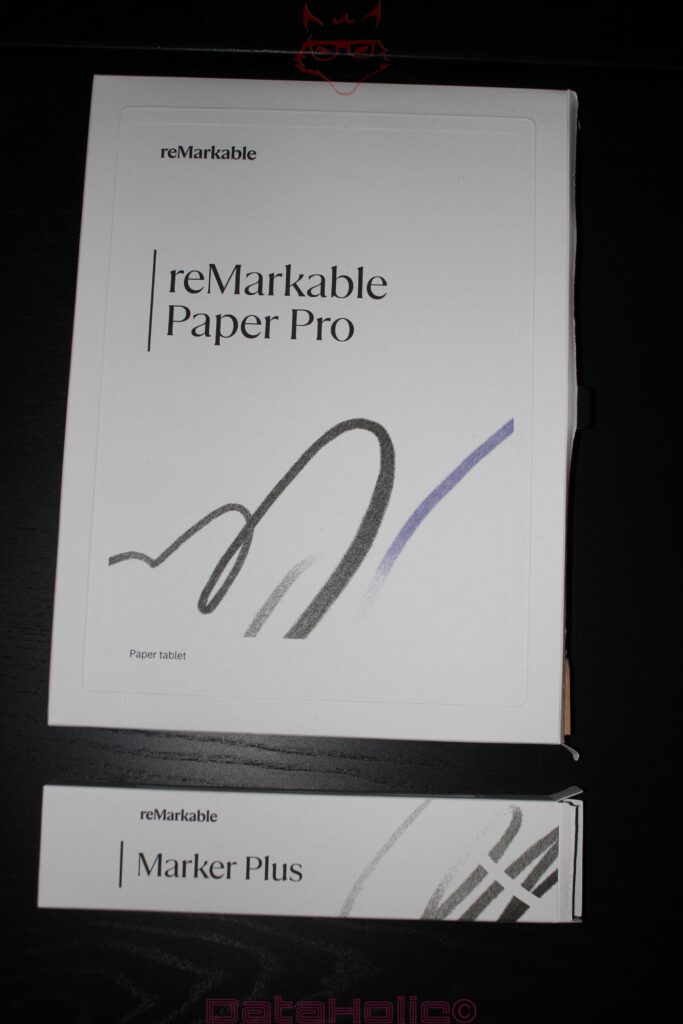
The package of the reMarkable Paper Pro feels larger, quieter, and more serious than the product category “digital notebook” might suggest. No loud print, no exaggerated tech attitude, no box fighting for attention with superlatives before it is even opened. Instead, a cleanly designed, pleasantly restrained package sits on the table, more reminiscent of a high-quality architecture book than of classic consumer electronics. That impression fits the product surprisingly well. The Paper Pro does not want to be the next screen in everyday life. It wants to be the surface where thoughts land.
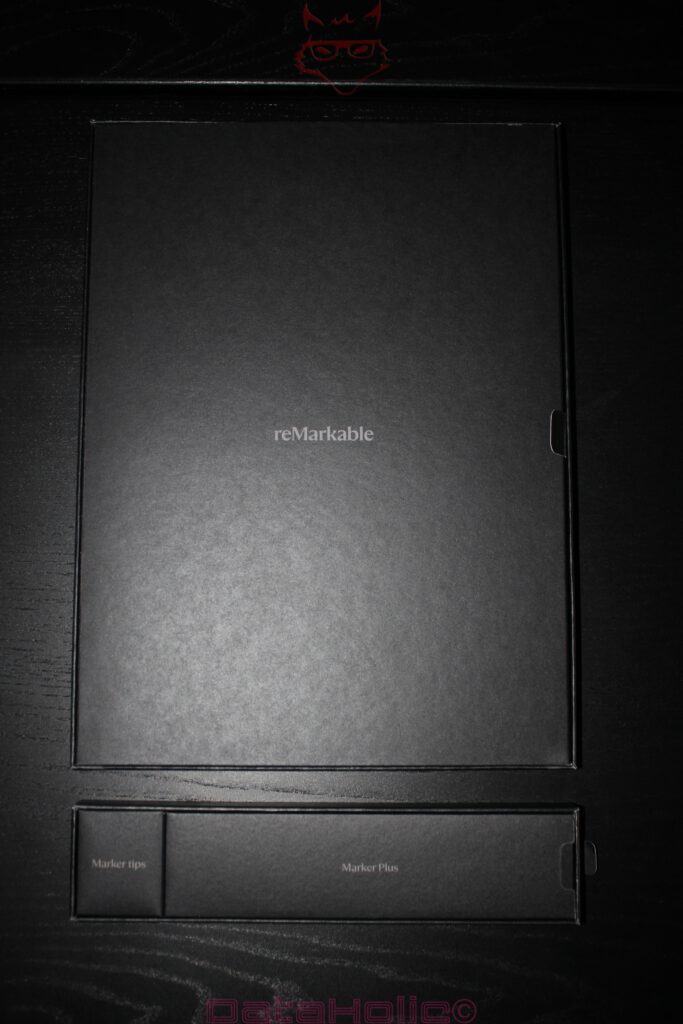
When opened, it does not create the typical feeling of a gadget that wants to be activated, configured, and connected to accounts as quickly as possible. The reMarkable Paper Pro feels more like a tool. A large, flat object, carefully embedded, with clear order inside the box. The moment has something of a freshly opened sketchbook, only with aluminum, glass, and a battery. Oscar Wilde is often credited with the line: “I have the simplest tastes. I am always satisfied with the best.” As a thought about taste, that sentence fits this unboxing quite well. It is not about visual loudness, but about precise restraint.
The packaging takes no detour through spectacle. It presents the device, the Marker Plus, replacement tips, cable, and paperwork in a form that feels reduced but not careless. This sobriety matters because reMarkable sells a very specific promise: concentration. Anyone expecting a box full of colorful inserts, stickers, marketing flyers, and “welcome to the ecosystem” pathos lands in a different world here. The Paper Pro arrives almost silently. That is bold, because silence has become rare in the tech market.
The First Impression: More Desk Than Sofa
Once removed from the box, it immediately becomes clear that the reMarkable Paper Pro is not a small side device. The 11.8-inch format with a 4:3 aspect ratio gives the device a distinct workspace character. It does not feel like a classic media tablet that wants to play videos in landscape mode on the sofa. Its proportions recall a notepad, document folder, and drawing surface. That changes the perception. The Paper Pro is not primarily watched; it is used.
The front is almost strict. No camera, no decorative sensor strip, no visible gimmicks. Frame, display, surface. The eye finds hardly any points of distraction. The design follows a clear idea: Everything that does not serve writing, reading, or marking remains invisible or is absent entirely. This restraint does not feel empty, but focused. The Paper Pro looks like a device that would consider too much design a disturbance.
At 274.1 × 196.6 × 5.1 millimeters, the Paper Pro is remarkably flat, but not fragile. Its weight of around 525 grams is noticeable in the hand without feeling unpleasantly heavy. The balance works well. On the desk, the device sits firmly; in the hand, it remains portable. The aluminum body conveys stability, while the slim construction adds elegance. This combination is crucial because a digital notebook is constantly touched, turned, put down, and picked up again. A device of this kind must not feel hollow, cheap, or compromised.
Build Quality: Aluminum with Tool Character
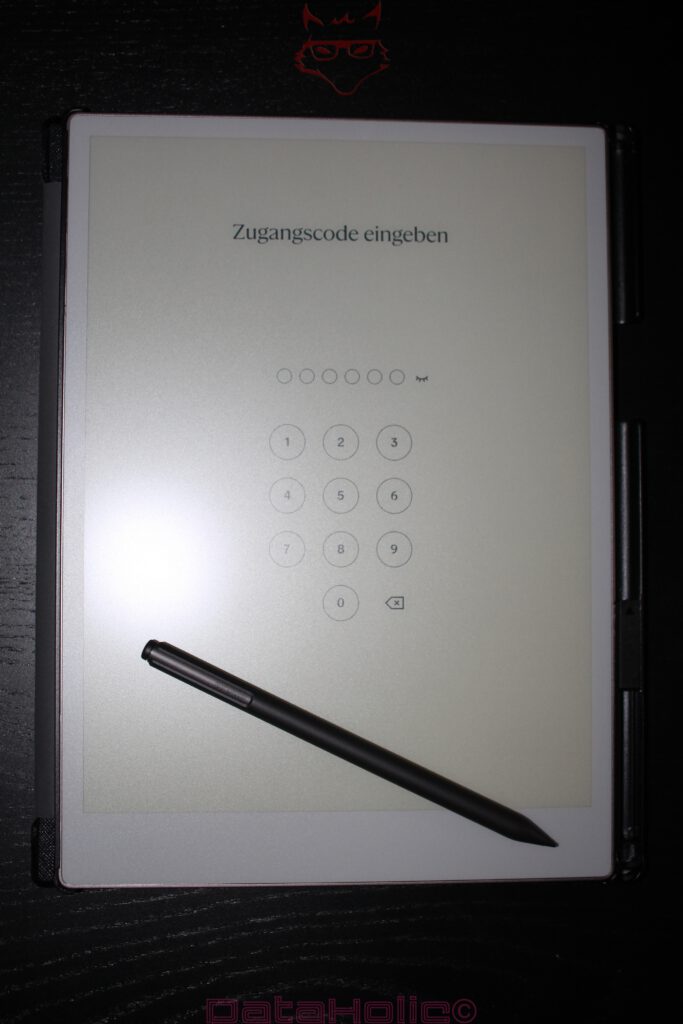
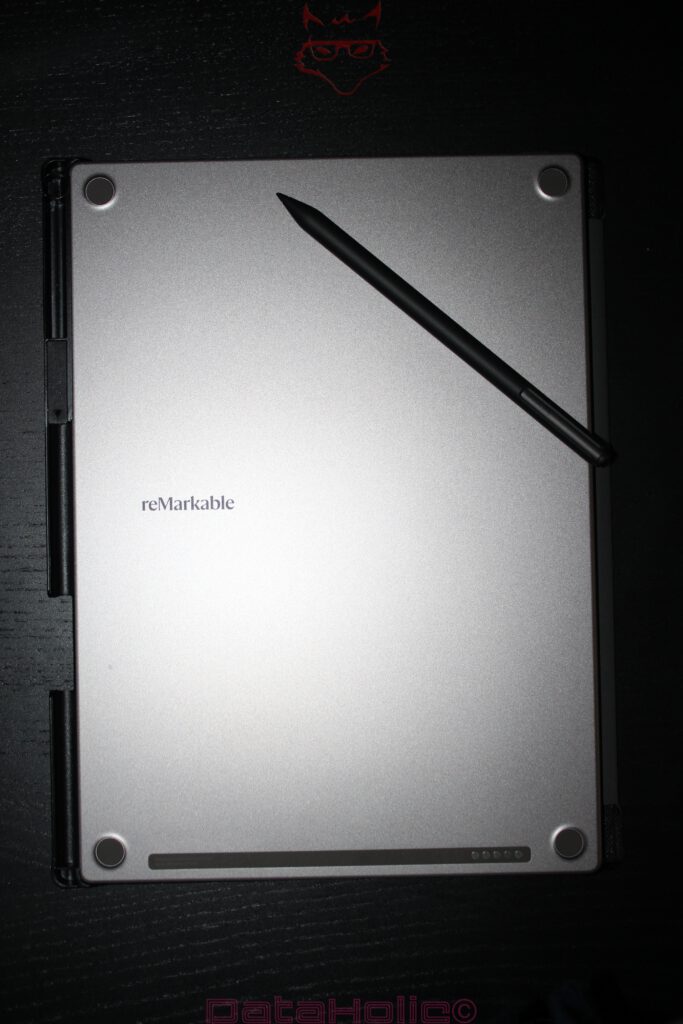
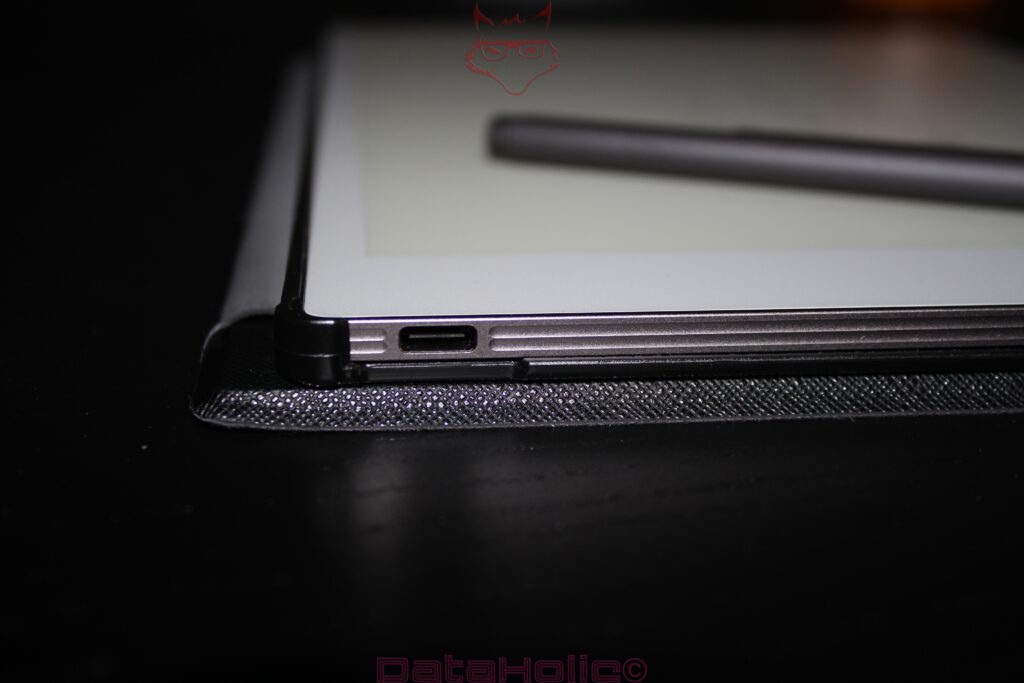
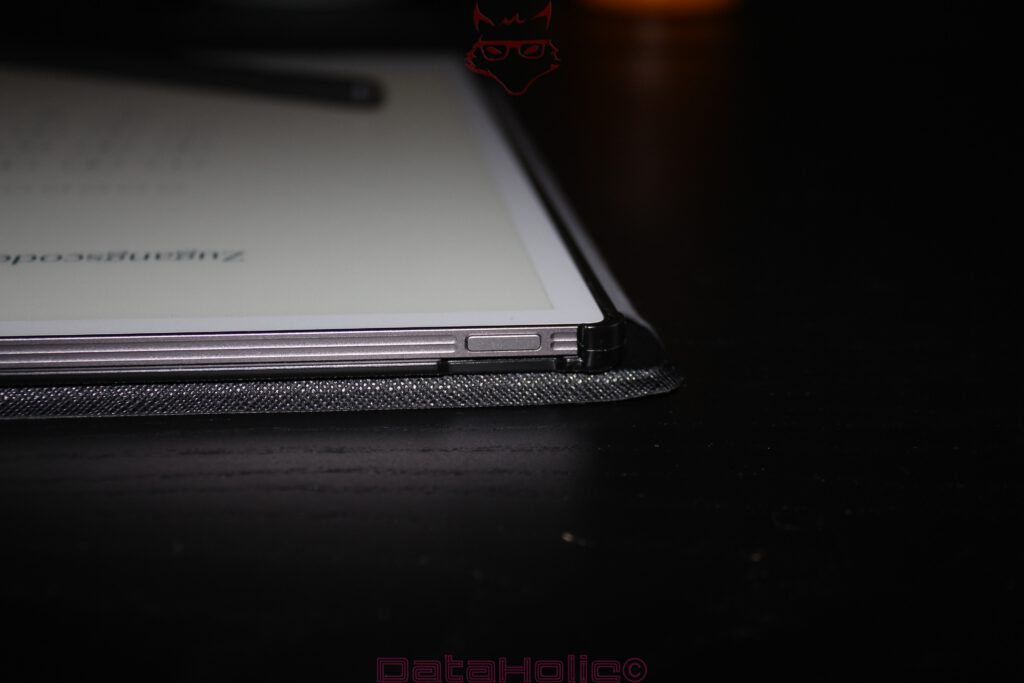
The Paper Pro uses an aluminum body that feels very precisely made. The edges are cleanly chamfered, the body does not flex, and the back remains functional and calm. Magnetic points and accessory contacts are visible, but not presented decoratively. The USB-C port is neatly integrated, and the elongated button blends in unobtrusively. No element feels randomly placed.
During unboxing, it becomes especially clear how strongly the material choice shapes the character. Plastic would have made the device feel lighter and probably cheaper. Aluminum turns it into a working object. That matches the product’s direction: The Paper Pro does not aim to impress with tablet versatility, but with durability, feel, and a certain seriousness. The device looks as though it belongs on a desk every day without appearing out of place.
A small anecdote comes to mind: Anyone who has ever taken a fine fountain pen from its case knows that moment when a writing tool becomes more than mere function. Of course, the Paper Pro is an electronic device, with battery, display, and storage. Still, it evokes that old writing-instrument association. Not loudly, not with nostalgic kitsch, but with pleasant sobriety. The technology does not appear as a show, but as the foundation.
Scope of Delivery: Little, but Coherent
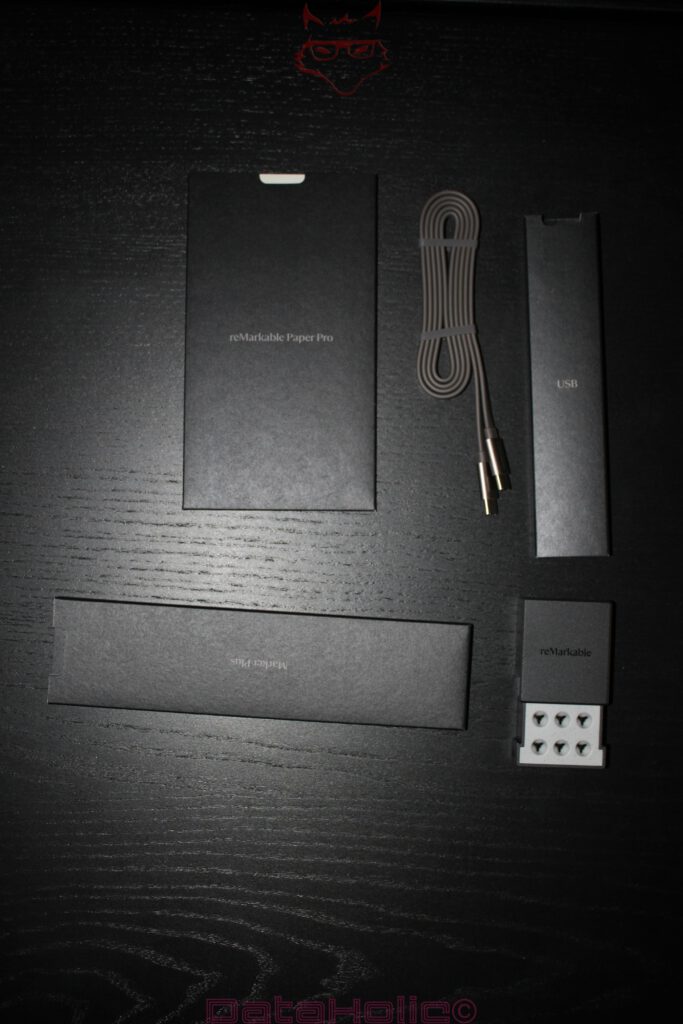
The scope of delivery remains manageable. Inside the box are the device, the Marker Plus, six replacement tips, a USB-C cable, and brief paperwork. This concept does not need more at first. The Marker Plus plays a central role, because without the pen, the Paper Pro loses its core. Unlike with classic tablets, the pen is not optional comfort here, but the actual input tool.
The Marker Plus makes a high-quality impression when first held. It is not overly heavy, but also not a hollow plastic stick. At around 18.4 grams, it sits comfortably in the hand. The surface feels grippy, and the integrated eraser at the end is not a gimmick, but part of the workflow. The pen attaches magnetically to the side of the device and charges wirelessly there. In everyday use, this solution feels far more sensible than a separately charged pen that eventually lies in a bag with an empty battery.
The replacement tips are neatly packaged and are essential for a device of this kind. The Paper Pro lives from friction. Friction, however, also means wear. A pen that is supposed to feel like paper cannot glide completely frictionless across glass. This is where the small technical irony lies: The natural writing feel is created not despite controlled wear, but because of it.
Technical Specifications at a Glance
| Area | Value |
|---|---|
| Display size | 11.8 inches |
| Aspect ratio | 4:3 |
| Display technology | Canvas Color, based on E Ink Gallery 3 |
| Resolution | 2160 × 1620 pixels |
| Pixel density | 229 ppi |
| Color reproduction | up to 20,000 colors |
| Frontlight | adjustable |
| Processor | 1.8 GHz quad-core Cortex-A53 |
| Memory | 2 GB LPDDR4 |
| Internal storage | 64 GB |
| Battery | 5,030 mAh lithium-ion |
| Dimensions | 274.1 × 196.6 × 5.1 mm |
| Weight | approx. 525 g |
| Marker Plus | 18.4 g, wireless charging, eraser |
| Operating temperature | 0 to 35 °C |
| Storage temperature | -10 to 45 °C |
The official specifications list the 11.8-inch Canvas Color display based on E Ink Gallery 3, 2160 × 1620 pixels, 229 ppi, 64 GB of storage, 2 GB LPDDR4 RAM, a 5,030 mAh battery, and dimensions of 274.1 × 196.6 × 5.1 millimeters at around 525 grams. For use, reMarkable specifies a temperature range of 0 to 35 °C; for storage, the device should remain between -10 and 45 °C. The Marker Plus is officially listed with magnetic attachment, wireless charging, 18.4 grams of weight, and an integrated eraser.
Display and Surface: The Most Important Area
The display is the central reason the Paper Pro exists at all. reMarkable calls it Canvas Color; technically, it is based on E Ink Gallery 3. The decisive difference from classic LCD or OLED screens lies not only in the image, but in the behavior. This display does not shine into the eyes like a tablet, but appears calmer, more matte, and more paper-like. The adjustable frontlight helps in poor lighting conditions, yet remains far more discreet than the backlight of a classic tablet.
Color reproduction is not a replacement for an iPad, a graphics monitor, or an OLED panel. Colors appear restrained, sometimes pastel-like, sometimes slightly muted. That should not be understood as a flaw. The Paper Pro does not want to make photos glow. Color serves order here: marks, sketches, highlights, corrections, priorities. Red becomes a warning, blue becomes structure, yellow becomes emphasis. Color does not shout; it organizes.
When writing, the quality of the surface becomes clear. The texture creates a fine friction that is much closer to paper than smooth glass. The Marker does not scratch unpleasantly, but it also does not glide without resistance. This balance is difficult to achieve. Too smooth feels digital and imprecise. Too rough feels cheap or tiring. The Paper Pro finds a pleasant middle ground that enables long note sessions without creating the feeling of a plastic board.
The Marker Plus: Small Tool, Major Importance
The Marker Plus is far more than an accessory. It is the second half of the product. Without it, the Paper Pro would merely be a large E Ink display. With it, it becomes a working device. The pen supports pressure and tilt, charges magnetically on the device, and includes an eraser at the back. This eraser, in particular, changes the feel. Erasing does not happen through a menu, but through a familiar gesture: turn the pen over, correct, continue.
This seemingly small decision is ergonomically important. Digital tools often fail not because of missing performance, but because of broken motion sequences. Every unnecessary button, every mode change, every reach into a menu interrupts the thought. The Marker Plus reduces such breaks. The pen remains a pen, the eraser remains an eraser. Almost banal. That is exactly where its strength lies.
Wireless charging on the side of the housing also feels cleanly solved. An empty pen would be especially annoying with a product like this. The magnetic position ensures that the Marker Plus does not wander through bags as a separate object. Of course, it can come loose, especially in packed backpacks. A good folio therefore remains sensible. Still, the underlying principle is right: The central tool belongs directly on the device.
Unboxing as an Experience: Reduction Without Coldness
Unboxing the Paper Pro is not an event full of small surprises. It is more of a quiet beginning. The packaging does not want to outshine the product, but prepare for it. That suits the device extremely well, although depending on expectations it may also feel sober. Anyone expecting theatrical staging from premium hardware gets controlled factuality here.
This factuality has charm. During unboxing, the Paper Pro feels more like a Montblanc fountain pen than a gaming tablet. The comparison is not technical, but cultural. Both products sell not only function, but an attitude toward writing. One with ink, nib, and paper. The other with E Ink, Marker, and aluminum. In both cases, the point is concentration, gesture, and material feel.
The first start also remains pleasantly unspectacular. No loud animation show, no fireworks of effects. The Paper Pro makes clear that it is not begging for attention. In 2026, that impression feels almost exotic. Many devices are optimized to be noticed constantly. The Paper Pro is optimized to disappear again as quickly as possible once the thought has landed on the page.
Feel on the Desk: Writing Instead of Operating
On the desk, the Paper Pro sits very stable. The flat housing prevents wobbling, and the weight provides calmness. When writing, the device does not wander around uncontrollably. The size provides enough space for longer notes, outlines, sketches, or margin comments. This is exactly where the 11.8-inch format pays off. Compared with smaller E Ink note devices, there is less cramped space. The page does not feel like a compromise, but like a usable workspace.
The surface has a particular acoustic quality. The Marker produces a quiet, dry sound reminiscent of pencil on good paper. It is not loud scratching, more a fine rubbing. This acoustic element contributes more to the writing feel than technical data might suggest. Writing is not only visual. It is a combination of pressure, movement, resistance, sound, and expectation. The Paper Pro gets many of these parameters very right.
A small office anecdote fits here: In meetings, classic tablets often drift toward email, calendar, or browser after a few minutes. The Paper Pro, by contrast, remains astonishingly boring, and that is precisely its point. Boredom as a productivity feature sounds like a bad joke from the department of digital asceticism, but it captures the core. This device offers few escape routes. The thought has to go onto the page, not into an app.
Format and Weight: Large Enough, but Not Weightless
The large format is both blessing and limitation. On the desk, the Paper Pro works excellently. In a bag, it needs space. In the hand, it remains noticeable over longer periods. 525 grams is little for a large working device, but significantly more than a thin paper notebook. Anyone who frequently takes notes while standing will notice the weight. Anyone working at a table benefits from the stable position.
The 4:3 format is very well chosen. It is far better suited to notes and documents than a wide media format. PDFs, sketches, and structured pages benefit from the height. The Paper Pro invites a page to be thought of as a real page. Title at the top, notes underneath, margin areas for additions, small diagrams beside text passages. The space is not decoration, but work structure.
With devices of this kind, not only the display diagonal matters, but the usable calm of the surface. A hectic tablet with 13 inches can feel smaller than a focused E Ink device with 11.8 inches if interface elements, notifications, or apps constantly push into the surface. The Paper Pro feels large because it gives the page room.
Material Feel: Between Sketchbook and Precision Device
The Paper Pro lives from the contrast between analog impression and digital precision. The aluminum housing feels cool and technical, the writing surface warm and familiar. This contrast is its appeal. The device is neither a simple paper imitation nor an ordinary tablet. It deliberately sits between the two.
The term “paper feel” is often overstretched in the tech market. Frequently, it simply means: not quite as smooth as glass. With the Paper Pro, the approximation is more credible. Not perfect, not identical to paper, but close enough to make longer texts and sketches feel pleasant. Real paper remains more varied. A rough notebook feels different from copy paper, a pencil different from a fountain pen. The Paper Pro abstracts this world and offers a controlled, consistent version of it.
That can also be a disadvantage. Anyone who loves the disorder of real paper, the creases, the smell, the accidental stains, gets a very clean interpretation here. The Paper Pro is the studio after tidying up. Beautiful, focused, perhaps a little too orderly. For structured work, however, precisely this order is an advantage.
Not a Classic Unboxing Firework
The Paper Pro is not suitable for an unboxing that lives from lots of small surprise moments. There are no hidden gimmicks, no exaggerated accessory layers, no visual explosions. The product is the focus, almost without background noise. This reduction is consistent, but risky. A premium product must not feel cheap when opened. reMarkable solves this through material, fit, and calmness.
The box feels high-quality, but not wasteful. The accessories are organized, and the entire presentation remains logical. It is especially positive that the Marker Plus does not appear like a compulsory part added afterward. It is visibly part of the system. The replacement tips also immediately show that physical writing friction is taken seriously. This detail matters more than it may initially seem. Anyone who wants to simulate paper must also accept wear.
This creates a nice difference from many classic tablets. There, the pen is often an accessory for drawing, signatures, or occasional notes. With the Paper Pro, the pen is the key. Without it, the point is missing. The unboxing communicates this connection clearly.
The Question of Price
The Paper Pro is not an inexpensive device. The entry price sits in the premium range, and accessories push the total higher. For a device that deliberately does less than a classic tablet, this may seem paradoxical at first glance. Yet price cannot be judged solely by functional range. A Swiss Army knife can do many things; a good kitchen knife can do less and still be more valuable once precise cutting is required.
The Paper Pro sells concentration, writing feel, material quality, and an unusual display. That is a narrow but high-quality claim. Anyone looking for an all-purpose device will find more functions per euro in classic tablets. Anyone looking for a digital note system with as little distraction as possible lands in a smaller product world. In that world, app variety does not count as much as friction, readability, battery life, format, and feel.
A device that deliberately avoids entertainment must be especially strong at its core task. This is exactly the standard the Paper Pro must be measured against. The unboxing sets the bar high because packaging and build quality signal premium. The conclusion therefore has to be more critical than it would be for a cheaper experimental device.
Physical Everyday Practicality
In everyday life, it quickly becomes clear whether a beautiful device merely remains beautiful or is actually used. The Paper Pro brings good prerequisites for this. The flat construction makes transport easier, the housing feels robust enough for daily use, and the display size is pleasantly generous. The weight remains acceptable as long as the device is used mostly on a table or lap.
For backpacks and work bags, protection is recommended. The display is not to be treated like raw glass, but a large-surface E Ink device is not an object for careless transport between charger, keys, and lunch box. A folio is therefore not a fashionable addition, but almost mandatory. Especially because the Marker sits magnetically on the outside, a good case protects not only the device but also the workflow.
The operating temperature of 0 to 35 °C is practical, but worth mentioning. There is no problem in normal indoor spaces. Summer cars, windowsills, or very cold environments are a different matter. E Ink technology and batteries do not like extremes. The storage temperature of -10 to 45 °C allows more leeway, but does not replace careful handling. For a device in this price class, direct sunlight should not be a permanent parking spot.
Battery Data and Realistic Expectations
The 5,030 mAh battery seems appropriately sized for an E Ink device. reMarkable states up to two weeks of use. Such figures depend heavily on everyday use: frontlight, Wi-Fi, document size, pen usage, and standby behavior all affect battery life. Still, the basic advantage is clear. The Paper Pro does not need to go on the charger every day. That clearly distinguishes it from many classic tablets, whose battery level always seems to fall just when a longer workday begins.
For unboxing and first conclusions, this point matters because a digital notebook can only replace paper if it does not constantly demand attention for power supply. Paper never has a battery. That is the most unfair advantage of analog notebooks. The Paper Pro comes closer to that state than classic tablets, even though a charging cable is, of course, part of reality.
The USB-C cable in the box is therefore welcome, but unspectacular. What matters less is the cable itself and more the fact that a standard port is used. In everyday life full of chargers, proprietary charging is an imposition. USB-C feels modern and sensible here.
The Matter of Templates
A clear drawback lies in custom templates. The Paper Pro includes templates, but individual work templates cannot be added as elegantly as would be desirable for a productivity-oriented device. Especially for structured workflows, such as editorial plans, project pages, meeting grids, review schemes, or technical checklists, custom templates are extremely valuable.
The cumbersome path to custom templates does not fit the otherwise clear product idea. A device that wants to perfect the digital notebook should accept individual page formats more easily. This creates a break: The hardware feels mature, the basic idea is strong, yet precisely when it comes to personalized work surfaces, the process feels unnecessarily awkward.
This is not a minor flaw for a niche. Templates are not decoration in a note-taking workflow. They structure work. A good template saves time, prevents chaos, and creates repeatability. If adding custom templates requires detours, it hits a central part of the usage concept. The Paper Pro does not become worse built as a result, but less flexible than its large surface suggests.
Accessories as a System Question
The Marker Plus is the most important accessory in this context; additional cases or keyboard options expand the system. A folio makes particular sense for a device of this size. Protection, stand functionality, and secure transport of the Marker are practical arguments. The Paper Pro is a device that gains significantly in everyday life through good accessories.
At the same time, this creates a cost question. The base device is already expensive; high-quality accessories raise the total price further. Premium products often work exactly like this: The actual system only becomes complete when the right additions are included. With the Paper Pro, this is especially clear because the workflow strongly depends on pen, protection, and transport.
A keyboard case can turn the Paper Pro into a very reduced writing machine. For this article, however, the focus is on unboxing and conclusion of the device, not a detailed examination of software or keyboard work. Still, one point remains clear: The hardware is visibly designed as a system platform. The back, the magnetic points, the contact areas, and the pen attachment all show that clearly.
What the Paper Pro Deliberately Does Not Want to Be
Perhaps the most important classification is this: The Paper Pro is not a normal tablet with fewer functions. It is a different product. This difference decides satisfaction or disappointment. Anyone expecting a device that, alongside notes, also delivers videos, apps, browser, games, news, and multitasking will experience the Paper Pro as a limitation. Anyone looking for exactly that limitation will find its value there.
The well-known phrase “Less, but better,” often associated with Dieter Rams, describes the core quite well. Fewer functions, but stronger focus. Less spectacle, but more calm. Less screen feeling, but more writing surface. This approach is not universally superior. It is specific. The Paper Pro does not become strong because it can do everything. It becomes strong because it does not even try many things.
That does, however, require an honest purchase decision. The Paper Pro is not a cheap replacement for a laptop, iPad, or e-reader. It is a high-quality digital note-taking and reading tool with a color E Ink display. Measured by that standard, it feels convincing. Viewed as an all-round tablet, it inevitably loses.
Unboxing Conclusion on the Hardware
The unboxing leaves a very strong hardware impression. The Paper Pro feels high-quality, cleanly made, and pleasantly uncompromising. Packaging, device, and Marker Plus follow a shared design language. Nothing feels random, nothing too playful, nothing cheap. The large format, slim aluminum housing, and textured writing surface shape the first impression in particular.
The Marker Plus complements the device convincingly. Magnetic attachment, wireless charging, and eraser are not spectacular individual points, but sensible components of a coherent system. The replacement tips included in the box show that physical writing friction is taken seriously. This detail matters more than it initially sounds. Anyone who wants to simulate paper must also accept wear.
There is criticism nonetheless. The price is high, the dependence on matching tips and accessories is clear, and custom templates are too awkward to integrate. The large format is also less jacket-pocket-friendly than smaller note devices. The Paper Pro is a desk and bag companion, not an always-with-you slip of paper.
Conclusion: A Strong Device for a Clear Task
The reMarkable Paper Pro is a remarkably consistent product. It does not appear as a universal device, but as digital paper with a premium claim. The unboxing confirms this claim: calm packaging, clear order, high-quality materials, a grand entrance without showmanship. The first impression is not loud, but lasting.
Its greatest strength lies in the combination of format, surface, and Marker Plus. The 11.8-inch display offers enough room for serious work. The textured surface provides a credible writing feel. The pen is precise, comfortably balanced, and always part of the device thanks to wireless charging. The color display visibly expands work without losing the character of an E Ink device. Colors are not brilliant, but useful. That is exactly what fits the concept.
The build quality convinces. Aluminum housing, low thickness, and clean edges give the Paper Pro the character of a high-quality tool. There is no toy-like feeling, no tablet clone, no half-hearted intermediate solution. The Paper Pro knows very clearly what it wants to be. This clarity is rare and forms its appeal.
The weaknesses lie not in the first impression, but in the limits of the concept. The price is demanding. Accessories cost extra. Custom templates are unnecessarily complicated. The device is large enough for comfortable work, but not small enough for every bag. E Ink color also remains technically restrained. Anyone expecting saturated display colors is wrong. Anyone looking for colored structure on digital paper is right.
As an unboxing experience, the reMarkable Paper Pro is almost countercyclical. While many products start with sensory overload, this device begins with calm. While other hardware promises as much as possible, this one promises less, but more specifically. The result is a digital notebook that does not look like a futuristic toy, but like a serious tool for thoughts, sketches, and documents.
The strongest final sentence could, fittingly, come from Antoine de Saint-Exupéry: “Perfection is achieved not when there is nothing more to add, but when there is nothing left to take away.” The Paper Pro is not perfect. But it comes closer to that attitude than many devices that lose themselves in feature lists.
Update as of 27.04.2026: Layoffs and Leadership Change
The original article on the reMarkable Paper Pro was published on 02.09.2025, reflecting the state of the product at a time when the company still appeared stable and clearly focused. Shortly after publication, however, a more challenging phase began to emerge. In September 2025, Norwegian media reported an initial restructuring in which around 80 positions were set to be cut. The reasons cited included a difficult consumer electronics market, political and economic uncertainty, inflation, rising interest rates, and weakening demand.
On 22.04.2026, a significantly larger measure followed. reMarkable announced the reduction of approximately 180 to 200 additional positions. At the same time, a change at the top of the company was confirmed: the previous CEO, Philip “Phil” Hess, stepped down after roughly two years in the role. Hess had taken over as CEO on January 1, 2024, after previously serving as President and CEO at Bose.
His successor is Vegard Gullaksen Veiteberg, a familiar figure within the company who had already served in a leadership capacity at reMarkable in the past. This marks a return to internal leadership during a period in which the company is clearly shifting toward cost discipline and structural realignment.
These decisions follow a phase in which reMarkable, despite strong revenues, has been facing weaker demand, rising component costs, pressure from increased global demand for memory chips driven by AI developments, and broader impacts from ongoing trade tensions between the United States and China.
For the evaluation of the Paper Pro, this chronological sequence is important. The hardware assessment in the original review remains unchanged: build quality, display, Marker Plus, and writing experience are not affected by these corporate developments. However, the broader context has shifted. Within a relatively short period, the product has moved from being part of a growth-driven specialist company to being part of an organization undergoing visible restructuring.
The transition from Philip Hess to Vegard Gullaksen Veiteberg, combined with the renewed layoffs, does not represent a technical flaw of the reMarkable Paper Pro. It does, however, provide relevant background for long-term evaluation. In a focused device category where value is closely tied to ecosystem, accessories, and future product development, such changes form an important part of the overall picture.
Transparency Notice
Transparency notice in accordance with EU regulations:
The reMarkable Paper Pro presented in this review was purchased by us. This is not paid advertising.
reMarkable had no influence on the content, evaluation, or editorial independence of this article. All opinions expressed are based solely on our own practical experience.