
Viwoods AiPaper Software Review – Digital Notepad With AI, ViTransfer and a Strong Focus on Productive Work
- Headliner: Writing, Reading, Transferring, Organizing – the AiPaper Treats Software as a Workspace
- Setup and First Software Contact
- Notes as the Center of the System
- Writing, Drawing and Thinking on One Surface
- Templates: Quickly Built, Quickly Imported, Quickly Used
- ViTransfer: Simple Data Transfer Through the Web Interface
- Data Exchange Under Windows and macOS
- AI Functions: Handwriting, Voice and Text Processing
- AI Assistant as a Productive Addition
- Reading: ePub, Comics and Kindle
- Daily Planning and Organization
- Studies: Lecture Notes, Literature and Learning Structure
- Writers and Creative Work
- Hobby, Role-Playing and Creative Planning
- No Backlight: Neutral, but Important
- No IP Certification: Neutral With a Practical Warning Sign
- Performance and Everyday Speed
- Google Services
- Conclusion: Viwoods AiPaper as a Professional Digital Notepad
- Special Deal:
- Transparency Notice According to EU Regulations:
Headliner: Writing, Reading, Transferring, Organizing – the AiPaper Treats Software as a Workspace
After powering on, the Viwoods AiPaper does not present itself as a flashy tablet, but as a calm digital workspace. That is exactly where the core character of the software lies. The interface does not try to create attention, but to bundle tasks: writing notes, reading documents, importing templates, organizing pages, transferring content, processing short recordings and converting handwritten input into machine-readable text with AI support.
At first glance, the software feels deliberately reduced. Large surfaces, clear symbols, subtle lines and a layout that works with the E-Ink display rather than against it. No visual noise, no color overload, no animated interface that wants to start a small stage show after every touch. The AiPaper remains factual. That factual approach fits a professional digital notepad that must not get in the way during studies, office work, writing, role-playing sessions or daily planning.
The central impression: the software does not want to impress, but to be available. That sounds sober, but for a work device it is crucial. A note rarely appears under ideal conditions. A thought comes up, a sketch has to be captured quickly, an idea for a scene, a campaign or a study summary emerges between two appointments. Exactly there, the visual sophistication of an interface matters less than the question of whether input, organization and export work quickly enough.
A fine sentence from the world of productivity says: “A good tool disappears during work.” With the AiPaper, this thought applies surprisingly well. The software remains visible, but it does not push itself into the foreground. It provides tools, stays understandable and does not use the E-Ink display against its technical nature, but along its strengths.
Setup and First Software Contact
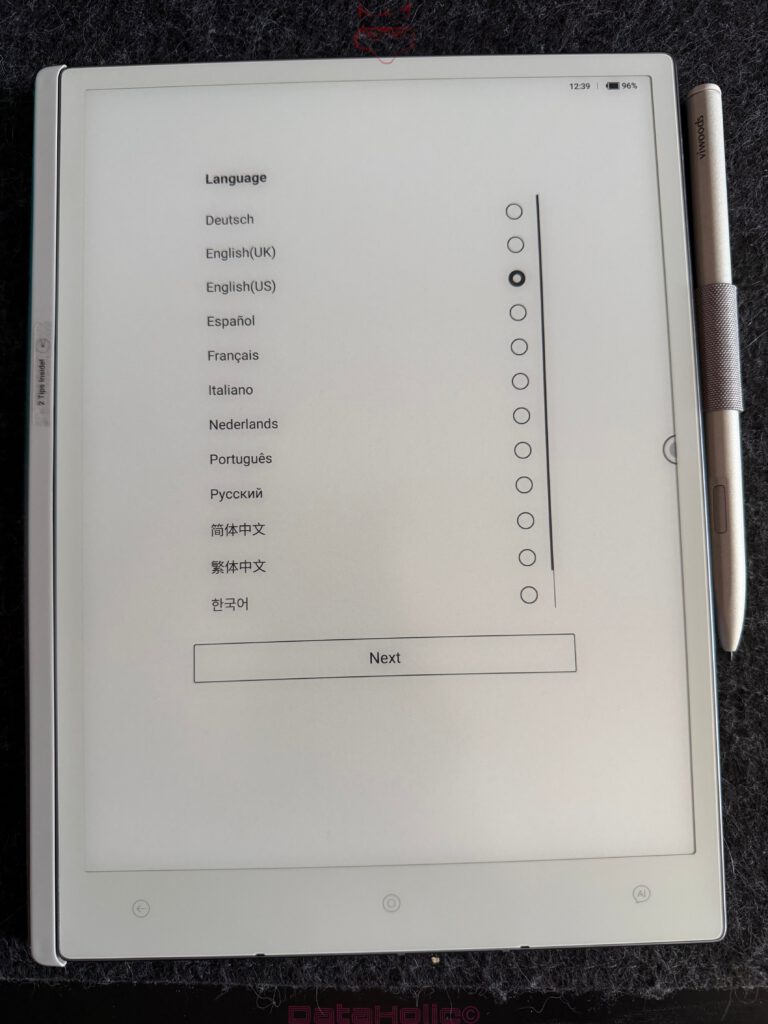
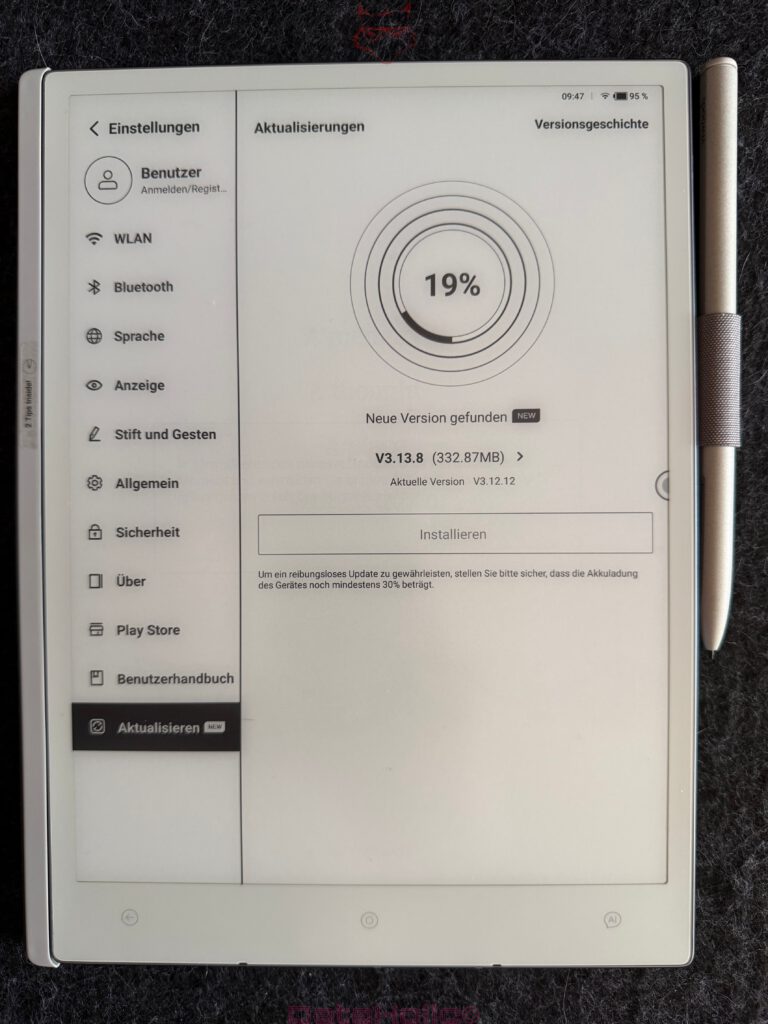
The initial setup of the AiPaper is pleasantly direct. Set up Wi-Fi, define account and device basics, start the interface, done. The entry point remains clear enough to become productive without lengthy preparation. Especially with a digital notepad, this matters because a device of this type must not first become its own administrative task.
After startup, an interface appears that clearly separates notes, daily planning, file transfer, reading content and further work areas. Operation follows a calm logic. Symbols sit where expected, menus open without unnecessary nesting, and the most important functions remain quickly accessible.
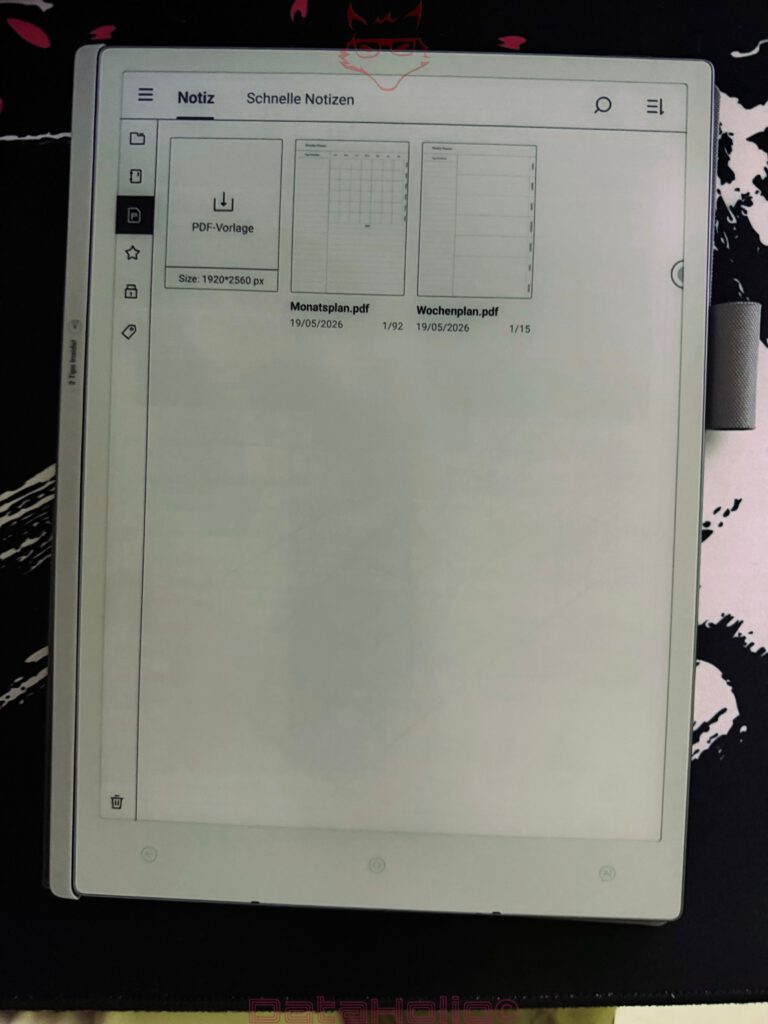
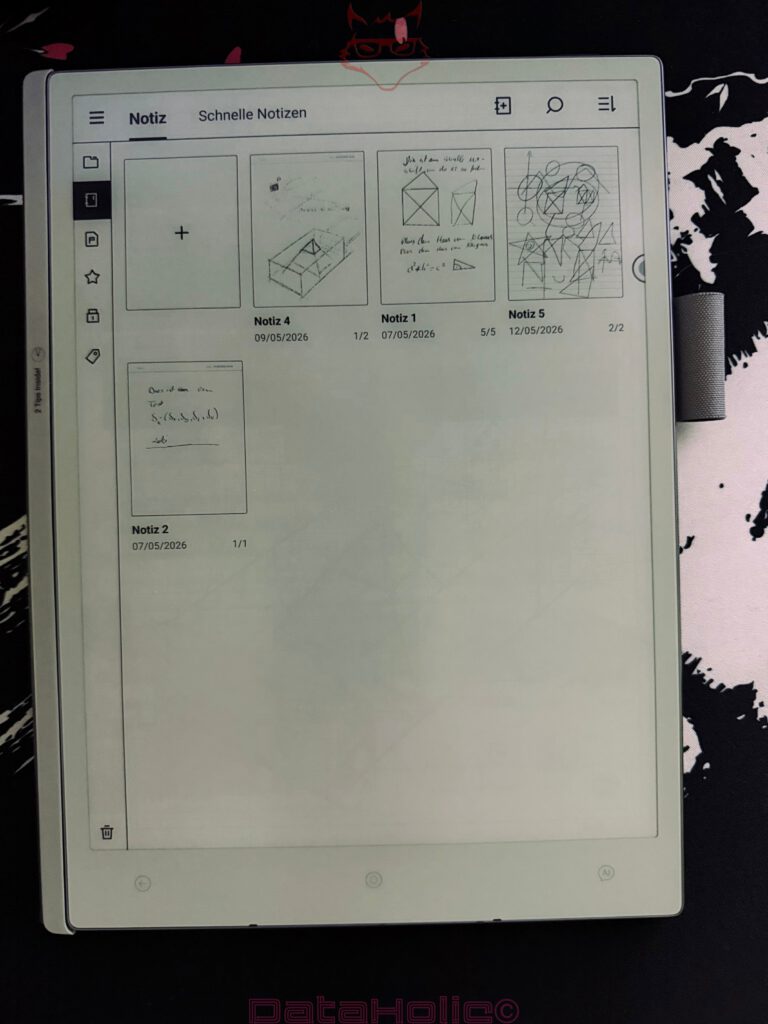
The sidebar inside the note environment deserves particular attention. It contains tools for pen, eraser, text, AI functions, selection, undo, redo, voice input, images, tags, page management and further options. This arrangement appears extensive at first, but remains understandable. After a short period of use, the impression of a digital desk edge emerges: tools on the left, workspace on the right.
E-Ink always demands a different software pace. Instant fluidity in the style of a high-frequency display is not the focus. What matters is that the interface does not work against the refresh logic of the panel. Viwoods handles this properly. Menus appear factual, pop-ups are clearly readable, and inputs remain controlled. Especially with dialog windows, selection menus and file operations, it becomes clear that the interface was designed for grayscale and reduced image changes.
Notes as the Center of the System
The note function forms the heart of the AiPaper. This is where it is decided whether the device carries real everyday value or only sounds interesting on paper. The software provides a solid foundation for this: notebooks, pages, quick notes, tools, multiple input modes and a clear page logic.
Handwritten input is placed precisely on the digital surface. Lines appear clean, strokes build up in a controlled way, and the software reacts quickly enough not to slow down longer notes. It is especially pleasant that the interface does not try to immediately press every input into a digitally perfected form. Sketches are allowed to remain sketches. Crooked lines, quick arrows, rough boxes, short margin notes and spontaneous formulas retain their character.
That is exactly how a productive space emerges. A digital notepad does not have to smooth every note. For many creative and academic work processes, the raw material is valuable. A quick sketch for a building, a campaign idea for Dungeons and Dragons, a structure for a seminar paper or a character concept for a novel often lives from the first unpolished moment.
The software allows exactly that moment and then offers enough tools to organize, process or export content. This is an important balance. Too little structure leads to digital paper chaos. Too much structure kills spontaneous work. The AiPaper remains pleasantly pragmatic here.
An anecdote from the world of writing fits this well: many great texts do not begin with perfect sentences, but with chaotic notes, arrows, deletions and terms in the margins. Hemingway is often associated with the idea that the first draft is always difficult. The AiPaper takes this truth seriously. It does not demand perfection from the first stroke.
Writing, Drawing and Thinking on One Surface
The drawing and writing tools cover productive everyday work well. Different pen widths, eraser functions, selection tools and page options create enough flexibility for lecture notes, sketches, markings and planning pages.
When writing, the clear separation between toolbar and workspace stands out positively. The left toolbar remains present without visually overloading the page. The focus stays on the content. During longer notes, this creates a very focused working mode. Especially during studies, research tasks or preparation for presentations, this calmness is valuable.
Drawings also benefit from the large-format surface. Floor plans, arrow diagrams, simple technical sketches, character positions, room layouts or storyboards can be captured quickly. The software does not have to replace a professional CAD environment here. Its value lies in speed. A rectangle, a line, a short comment, a second layer of thought – the foundation for later development is finished.
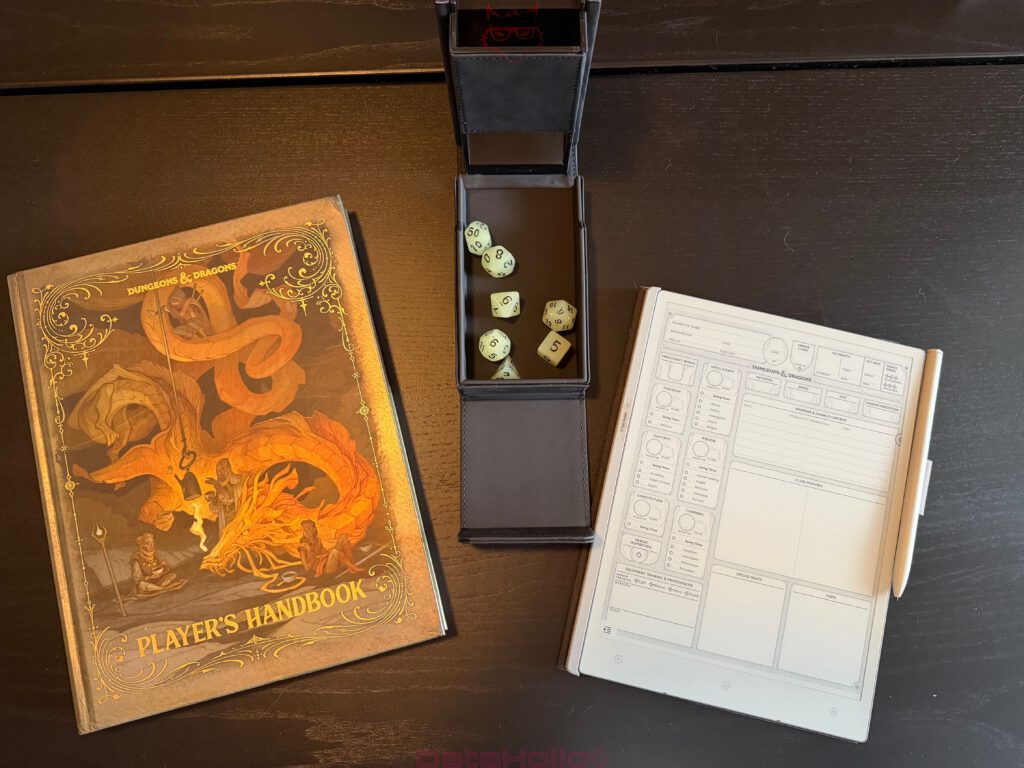
For role-playing sessions, a particularly appealing use becomes visible. Dungeons and Dragons lives from maps, names, places, NPC relationships, items, rooms and spontaneous decisions. A digital notepad can collect campaign fragments during a session, sketch encounters, note puzzles and secure open plot threads. Precisely because the AiPaper is light and quickly ready for use, it fits well into this creative in-between space.
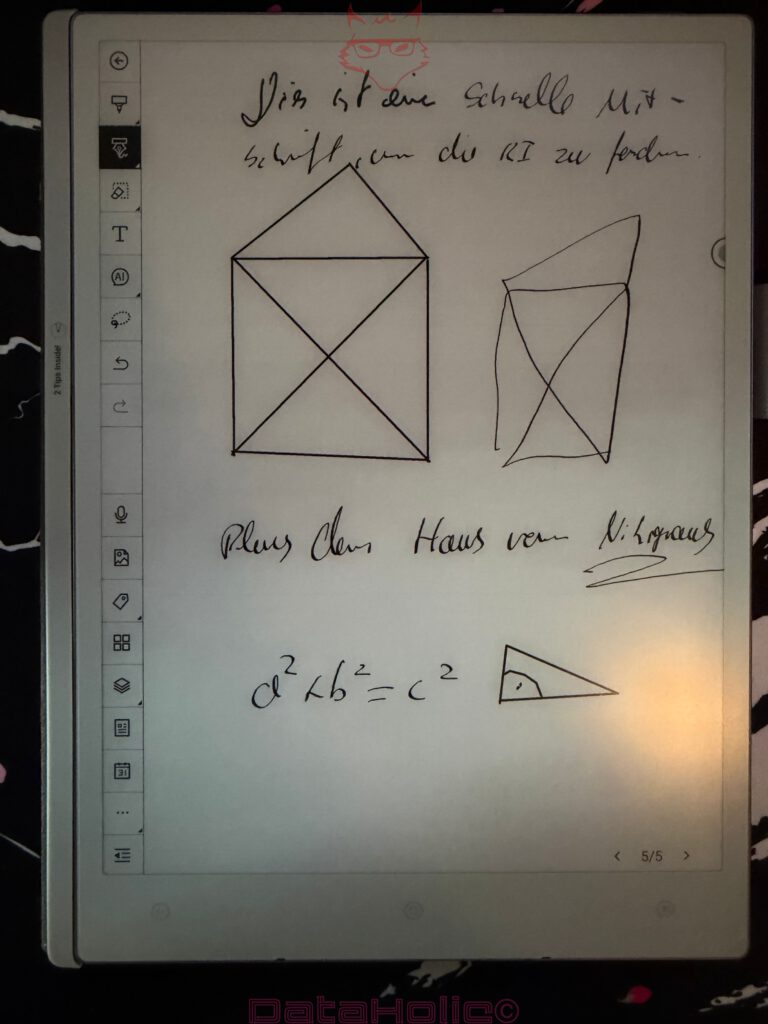
A small note such as “Blue House of N. Krynaus” can later become the starting point for an entire quest. A crooked cube room, a pyramid in the floor plan, an arrow toward a secret door, and a hurried formula underneath – suddenly, a game night emerges from a few strokes. The software is strong for exactly these situations because it does not force spontaneous notes into rigid document structures first.
Templates: Quickly Built, Quickly Imported, Quickly Used
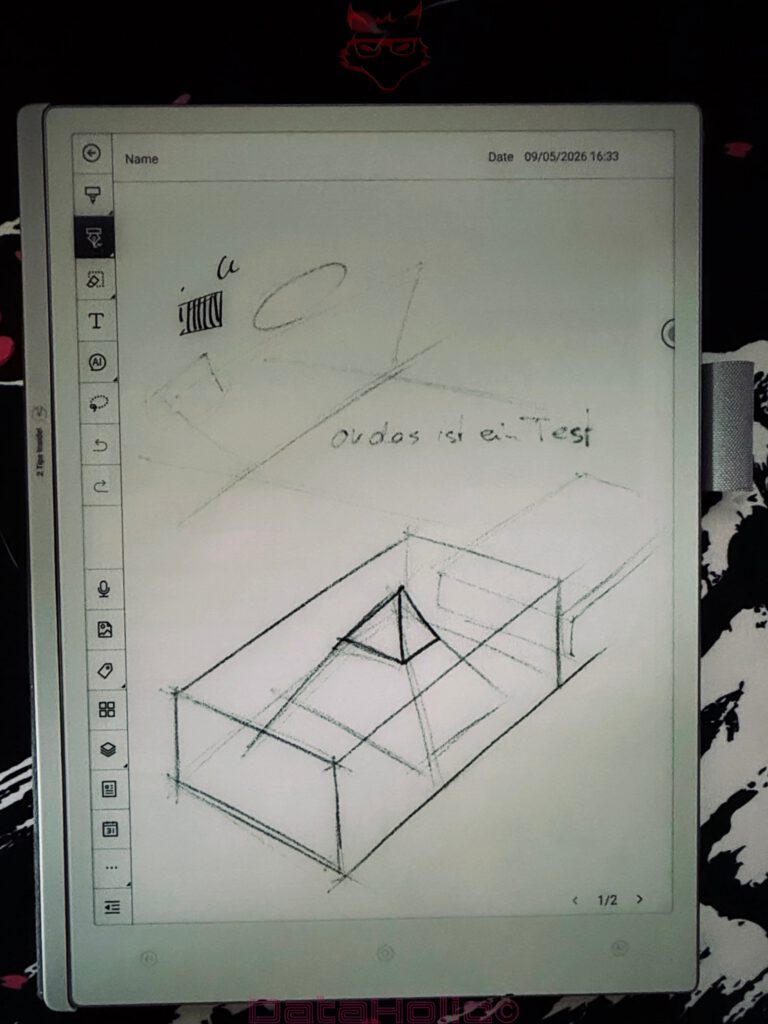
A major advantage of the AiPaper lies in the fast creation of templates. The software supports the import of custom templates and thereby enables a very personal work structure. Daily plans, weekly overviews, meeting notes, learning grids, writing plans, character sheets, project pages or custom grids for sketches can be integrated relatively easily.
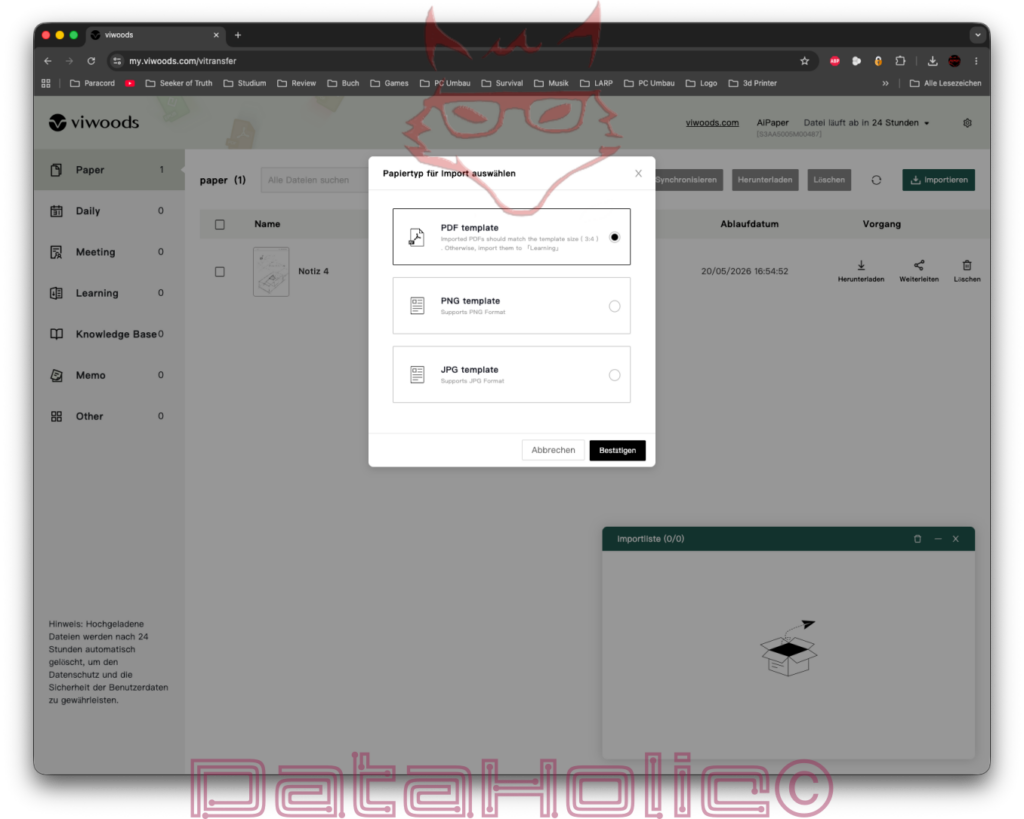
The import via the web interface is particularly practical. ViTransfer allows files to be uploaded and the appropriate paper type to be selected. PDF, PNG and JPG templates, among others, are supported. During import, it becomes clear that Viwoods takes the template logic seriously. A PDF template should match the page format so that it is displayed cleanly. Image formats are suitable for simple backgrounds, grids or visual worksheets.
This function significantly increases the practical value of the AiPaper. A digital notepad becomes much more powerful once it does not only offer blank pages, but pages that fit exact work routines. For studies, that means lecture grids, study sheets, literature overviews, flashcard structures or lab protocols. For writers: chapter plans, character profiles, scene arcs, dialogue sketches and research sheets. For role-playing sessions: map grids, NPC profiles, loot tables, session logs and campaign calendars.
Here the software feels pleasantly open. It does not demand a complicated workaround. Create template, transfer, select, use. That sounds banal, but in everyday use it determines actual adoption. A device that supports templates only theoretically is rarely integrated consistently into workflows. The AiPaper lowers this hurdle clearly.
ViTransfer: Simple Data Transfer Through the Web Interface
ViTransfer is one of the most important software functions of the AiPaper. The web interface makes data exchange uncomplicated and allows files to be transferred without heavy additional software. In the browser, a clear interface appears with categories, file list, import function, export options and an expiration notice. Uploaded files are automatically deleted after 24 hours. This notice matters because it communicates the temporary character of the web transfer cleanly.
The import dialog is simply structured. Select PDF template, PNG template or JPG template, confirm, transfer file. The process is quickly understood and fits professional use well. This web interface is especially useful for templates, PDFs, eBooks, images and work documents.
The interface feels sober, but functional. That is enough. Select file, upload, synchronize device, continue working. The additional advantage lies in the fact that no complex cloud dependency is forced. The web interface serves as a pragmatic transfer point.
In everyday use, ViTransfer can remove a lot of friction. A study PDF is on the computer, a template has just been created, a character sheet needs to go onto the device quickly, an ePub is meant to be read later: the browser is enough for many of these tasks. As a result, the AiPaper does not feel closed off, but connectable.
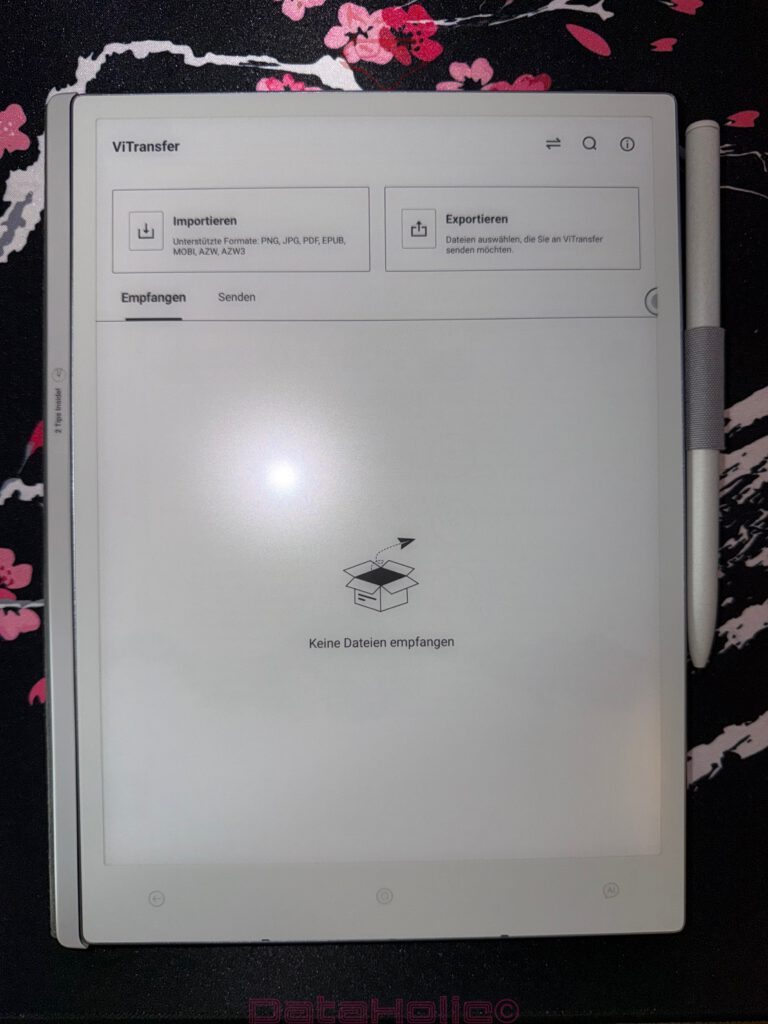
The small catch lies in the operating system detail. Under Windows, data exchange worked without complication. Under macOS, the transfer had to run through VMware and Windows 11 installed inside it during testing. That is not the end of the world, but it is a clear disadvantage. For a professional work device, exchange via macOS should run just as smoothly. Especially in creative, academic and editorial work environments, Mac systems are widespread. A cleaner native solution would be desirable here.
Data Exchange Under Windows and macOS
Under Windows, the AiPaper shows its pragmatic side. Data exchange succeeds in a comprehensible way, files can be transferred, and the workflow remains without major hurdles. For users with Windows systems, this creates a direct process: prepare file, transfer, open on the device, edit or read.
Under macOS, the situation is considerably less elegant. The detour via VMware and Windows 11 works, but feels like a technical side entrance. It fulfills its purpose, but it does not feel like a finished comfort solution.
This point clearly belongs in the evaluation. The AiPaper is light, mobile and quickly set up. That is precisely why an additional detour during data transfer stands out more strongly. A device that sees itself as a professional digital notepad should work as directly as possible across all major desktop platforms.
Still, the workaround remains manageable. Start VMware, open Windows 11, perform transfer. For technically experienced users, this is solvable. For a work environment with many devices and frequent file exchange, however, this detour can become annoying. Wherever files move daily between computer, notepad and archive, every additional step counts.
An old IT saying goes: “Temporary solutions live the longest.” This point is exactly reminiscent of that. The transfer works, but it is not the most elegant solution.
AI Functions: Handwriting, Voice and Text Processing
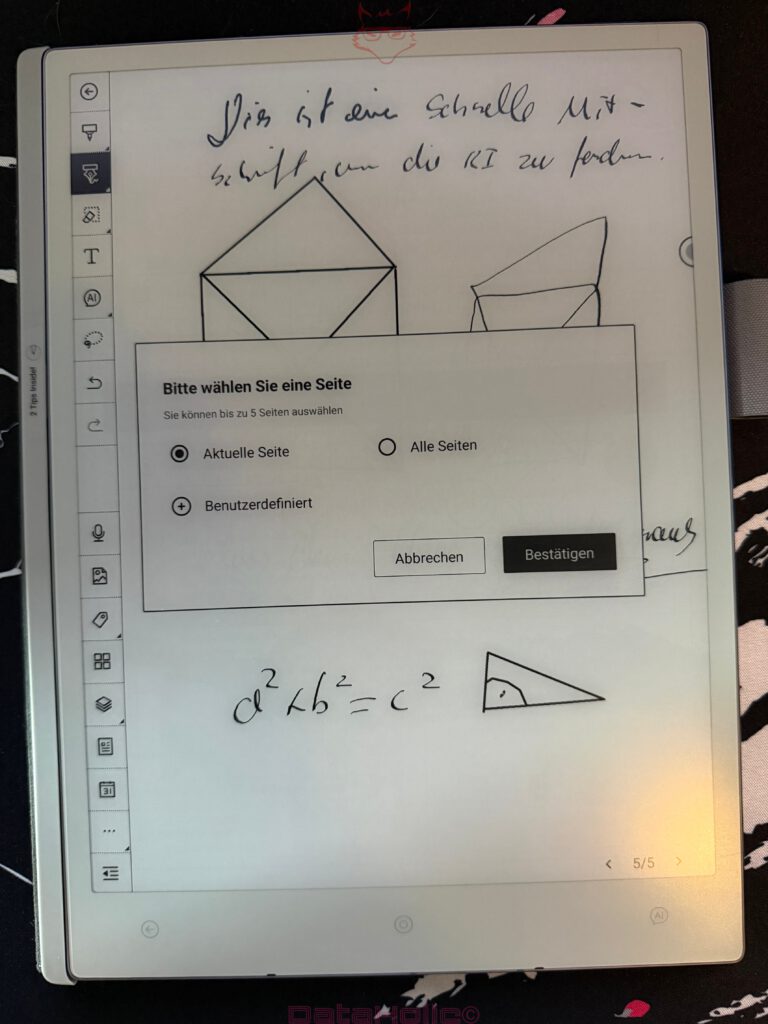
The AI functions are among the most striking software areas of the AiPaper. In the note environment, content can be selected and further processed through AI tools. The menu offers, among other things, compose email, handwriting to text, content improvement and AI assistant. Voice inputs or short recordings can also be converted into machine-readable text.
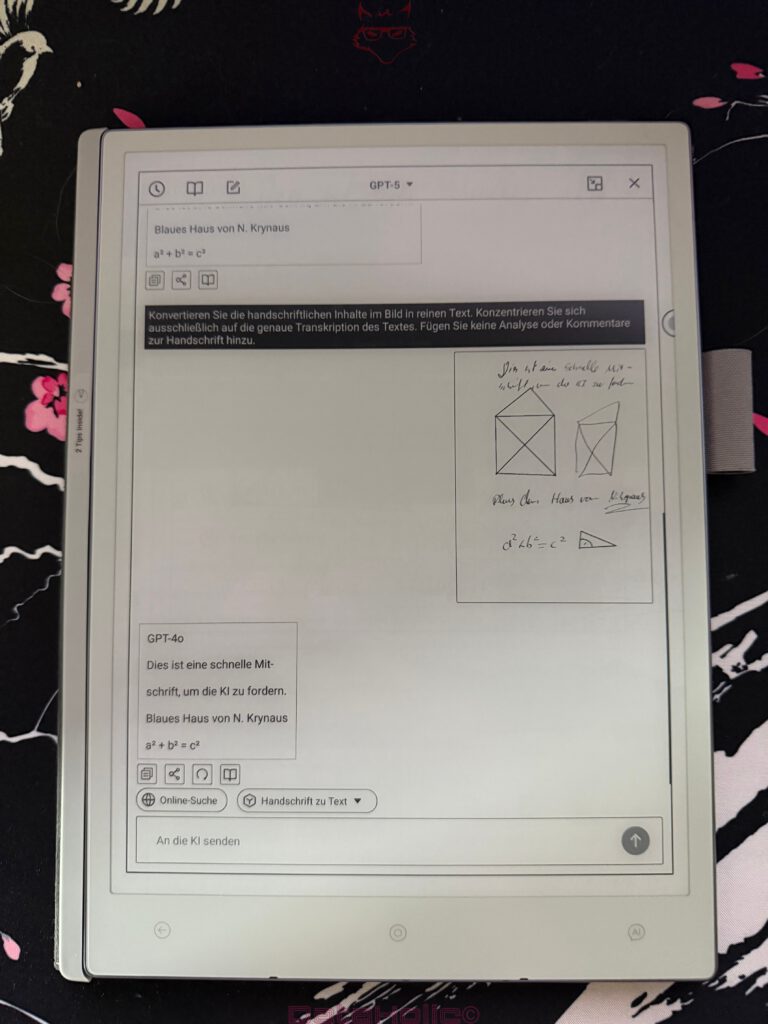
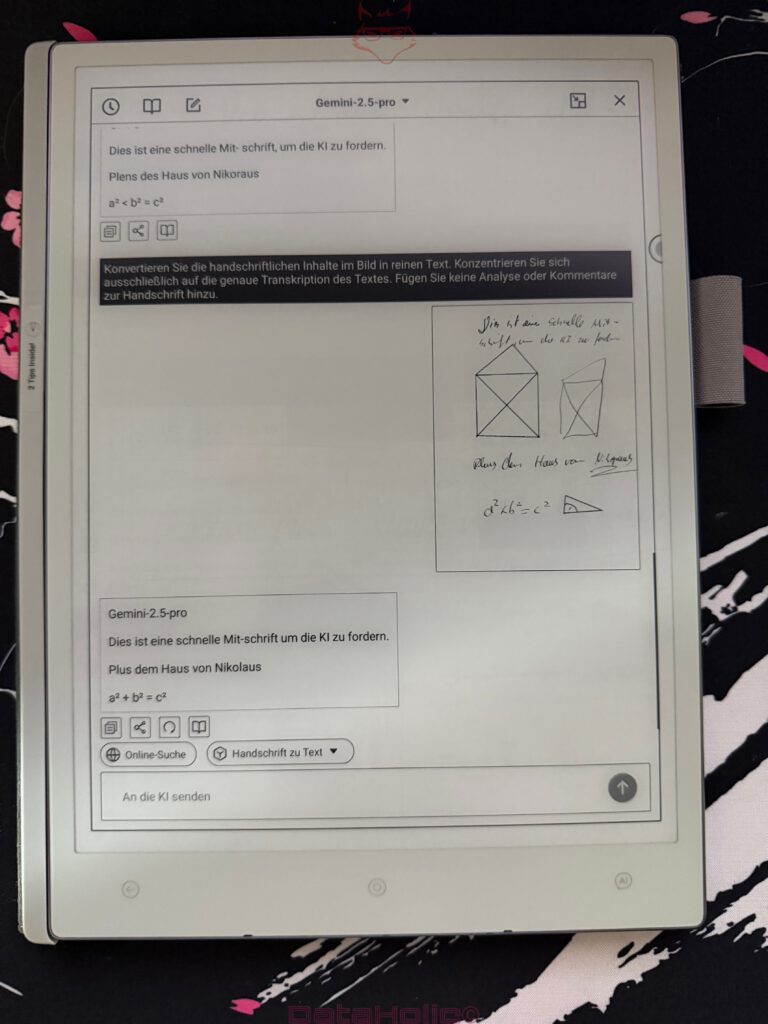
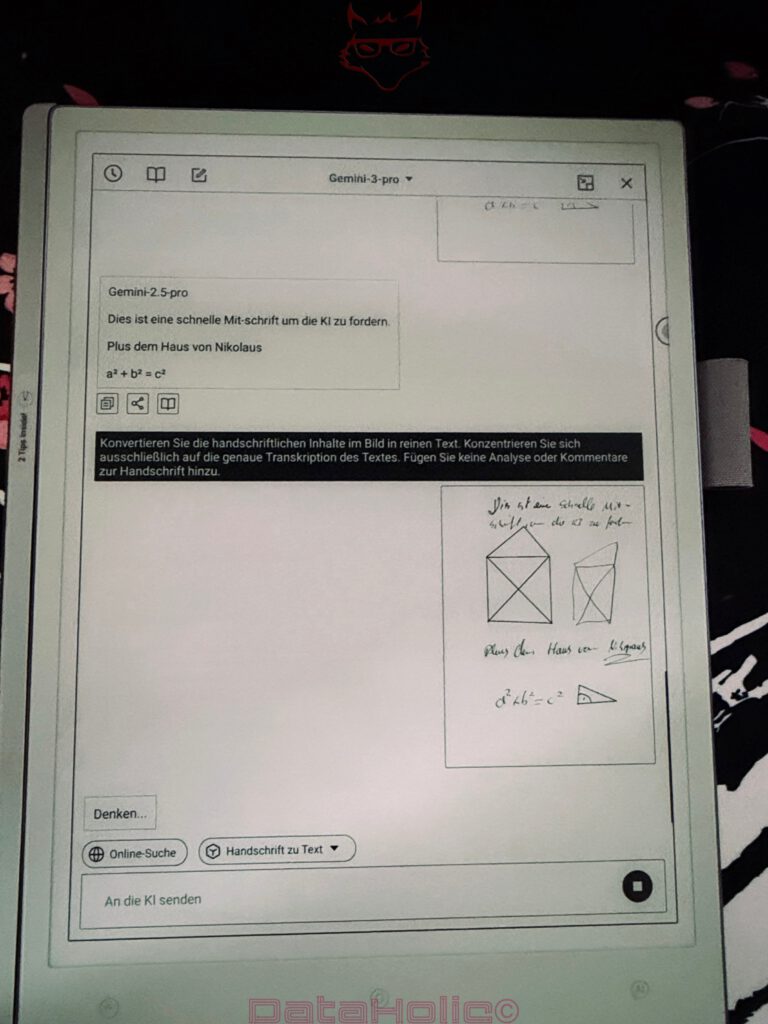
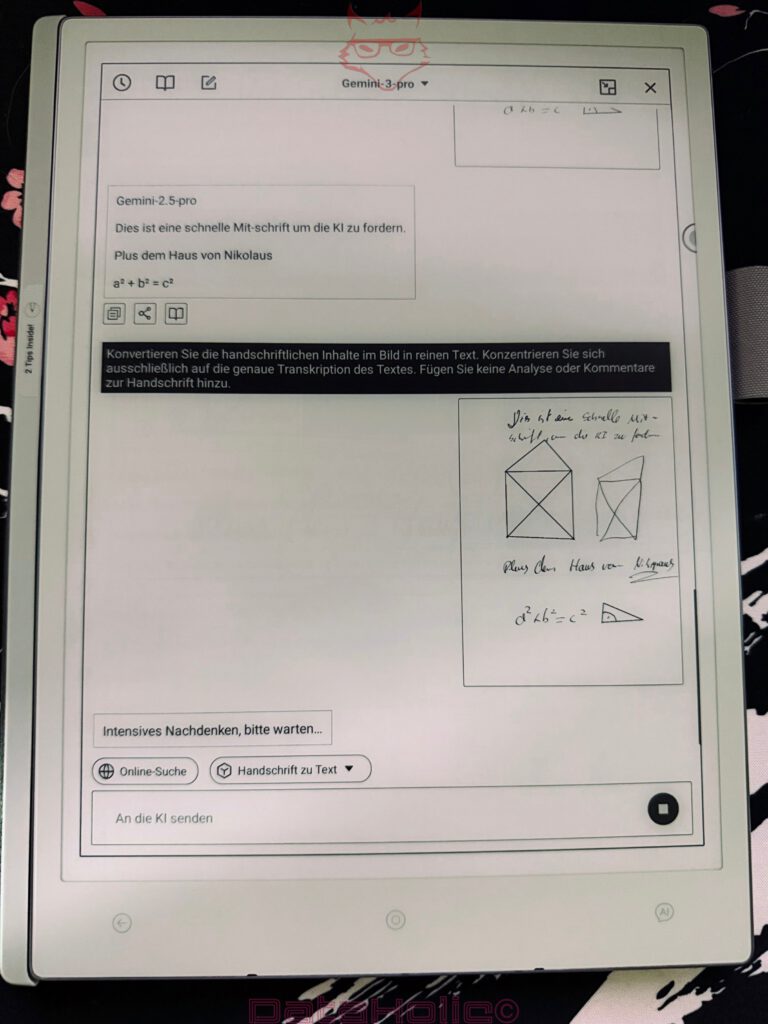
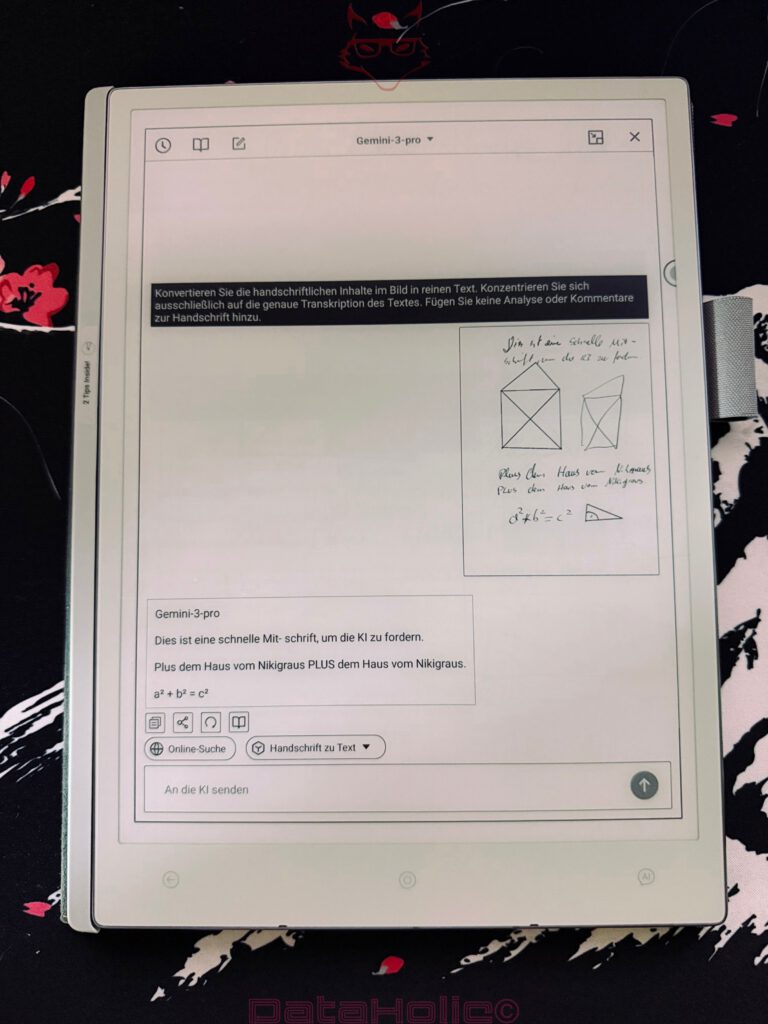
At first, that sounds like magic, but in practice it remains pleasantly grounded. The software can capture handwritten content, hand it over to AI processing and return it as text. The result depends heavily on two factors: the AI being used and the legibility of the handwriting.
With clean handwriting, clear lines and simple terms, the recognition works convincingly. Short notes are transcribed usefully, simple formulas can be carried over, and structured keywords can be quickly turned into text. With fast, scratchy or very personal handwriting, the result becomes correspondingly less certain. This is not unusual behavior, but a fundamental issue in digital handwriting recognition.
The function becomes especially interesting on mixed pages containing text, sketches and formulas. A handwritten note such as “This is a quick transcript to challenge the AI” is processed sensibly, while drawings remain as visual content. The AI can extract text areas from such pages without completely destroying the character of the note.
The benefit lies less in perfect full automation and more in acceleration. A transcript does not have to be typed out entirely. A short audio recording can serve as the basis for text. A thought moves faster from raw state into a reusable form. That is exactly where the added value lies.
A fitting anecdote from everyday office life: the famous sentence “This could have been an email” gets a new variation here. A handwritten note can actually become an email. Whether that email then sounds elegant, however, depends on handwriting, content and AI output. The AiPaper provides the transition; content responsibility remains with the author of the original material.
AI Assistant as a Productive Addition
The AI assistant is not just a gimmick, but can take over useful tasks in everyday work. Content can be summarized, transferred into cleaner text or used as a starting point for further editing. Especially with short notes, meeting points or study transcripts, this can save time.
The interface clearly shows which content is being processed. Selection, page options and result windows remain comprehensible. As a result, there is no sense of opaque automation. The AI feels more like a tool within the note environment.
That is important. AI functions quickly become problematic once they interpret content too strongly or change it without clear control. With the AiPaper, the process remains visible enough. The software can transcribe, improve, structure or generate suggestions. The original content still remains available as a handwritten page.
This is particularly useful in studies. A lecture quickly produces messy notes. Later, selected areas can be converted into text and processed further. A chaotic board diagram becomes a structured study section. A quick margin note becomes a clean paragraph. Short keywords become a reviewable text draft.
For writers, the benefit is similarly strong. Character ideas, scene sketches, dialogue fragments or chapter structures can begin by hand and then move digitally onward. The AI helps with the transition from note slip to work document.
For role-playing sessions, the function becomes almost comically practical. An evening creates names, places, spontaneous decisions and half-legible maps. After the session, selected notes can be transcribed. The goblin merchant with the barely decipherable name therefore gets a chance to still exist in the next session.
Reading: ePub, Comics and Kindle
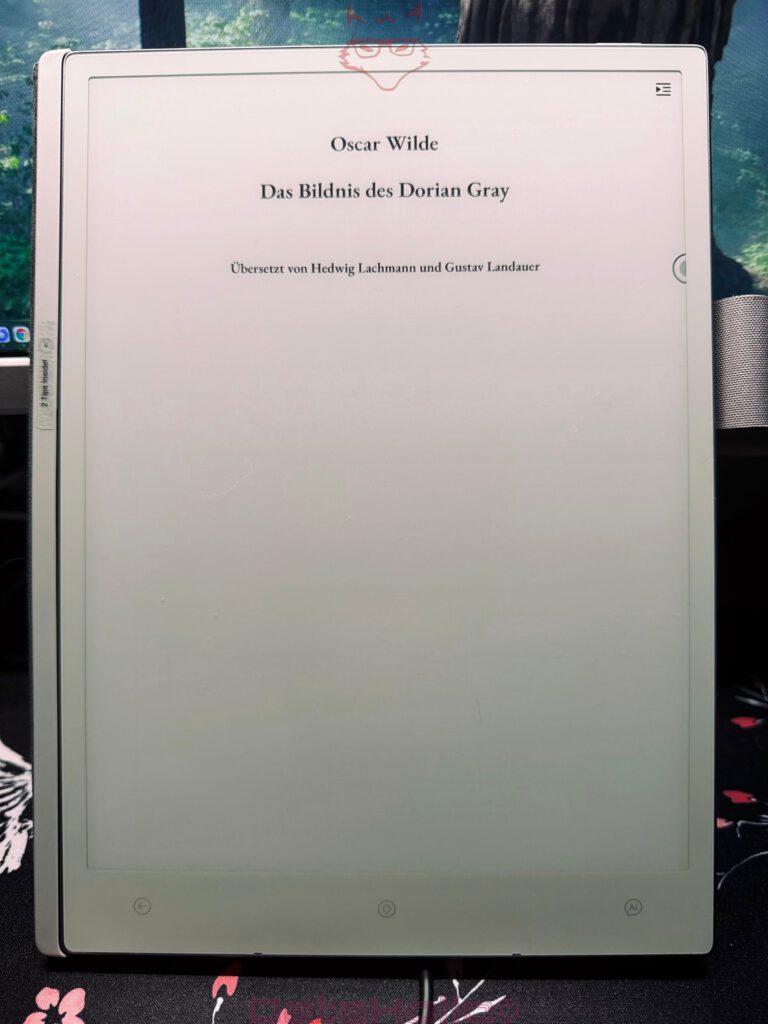
The AiPaper is suitable not only for writing, but also for reading. ePub files can be opened, comics can be displayed, and Kindle can be installed. This significantly expands the device beyond the pure note function.
With ePub books, the E-Ink display plays to its strengths. Text appears calm, sharp and pleasant. Longer reading sessions benefit from the low-reflection display. Factual literature, novels, study material and longer texts fit particularly well with the screen characteristics.
Comics show another side of the device. Black-and-white drawings, strong contrasts, hatching and classic panel structures work surprisingly atmospheric on the display. An open comic page develops its own mood. Older horror or adventure comics in particular benefit from grayscale because lines, shadows and grain remain visible.
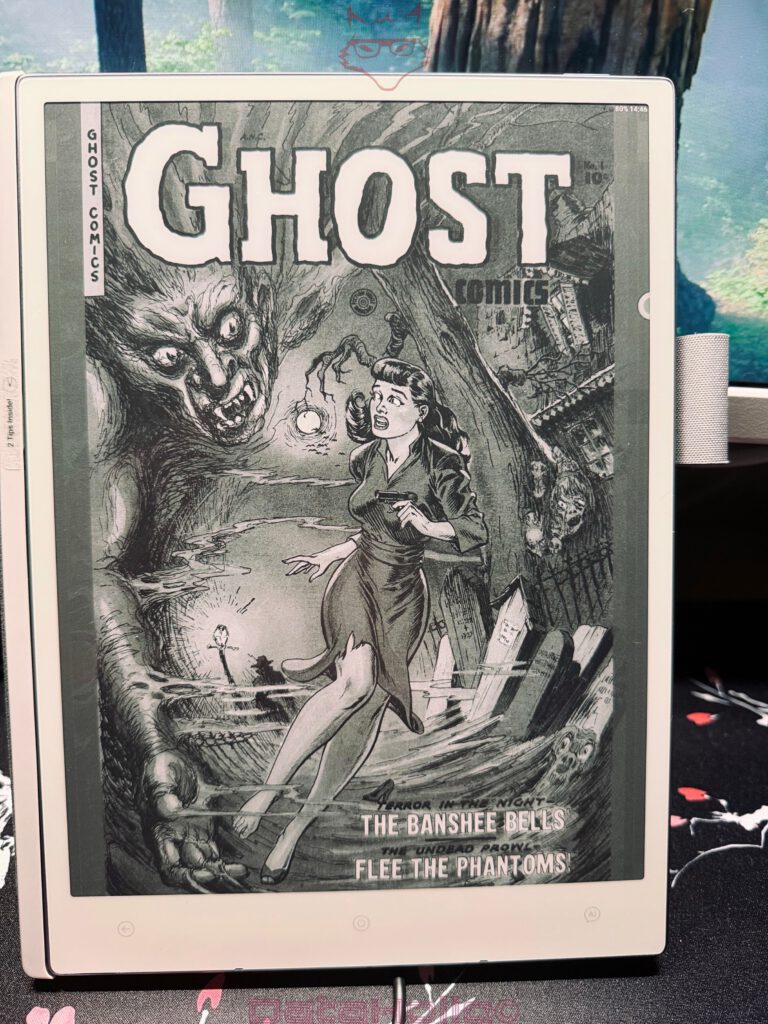
Of course, color display is not part of the equation. The AiPaper is not a color-intensive comic device. Its appeal lies in lines, contrast and calm presentation. For graphic content with a strong black-and-white component, that can be very pleasant.
The possibility of installing Kindle expands the library significantly. This makes the AiPaper more flexible because existing reading ecosystems can continue to be used. For users who own both personal ePub files and Kindle content, this is an important point.
Reading and writing therefore flow into each other. Read a book, create a note, capture thoughts, process them later. Exactly this combination makes the device useful in everyday life. The digital notepad becomes not only an input surface, but also a calm reading device for longer content.
Daily Planning and Organization
The Daily function is one of those areas that seem inconspicuous at first, but quickly become important in everyday life. Daily planning fits excellently with a digital notepad because appointments, tasks and thoughts often arise together.
A daily overview allows work blocks, task lists, notes and priorities to be bundled. This is exactly where the advantage of the AiPaper over a loose collection of paper slips becomes apparent: content remains preserved, can be further organized and later found again.
The software provides a calm structure for this. No flashing calendar, no overloaded notifications, no constant switching between apps. Instead, a digital planning page emerges that behaves like a tidy worksheet.
For studies, self-organization and creative projects, this is valuable. A daily plan can bundle lectures, study times, writing goals, research points and personal tasks. A writer can capture scene goals, word counts, character questions and research notes. A role-playing group can organize session preparation, open quests, NPC lists and rule notes.
The software does not have to be spectacular for this. What matters is that it can be used regularly. The AiPaper feels convincing here. It starts quickly enough, remains light enough for daily transport and offers enough surface area for structured planning.
Studies: Lecture Notes, Literature and Learning Structure
For studies, the AiPaper feels particularly suitable. It combines notes, PDF work, ePub reading, templates, AI transcription and long battery life in a light device.
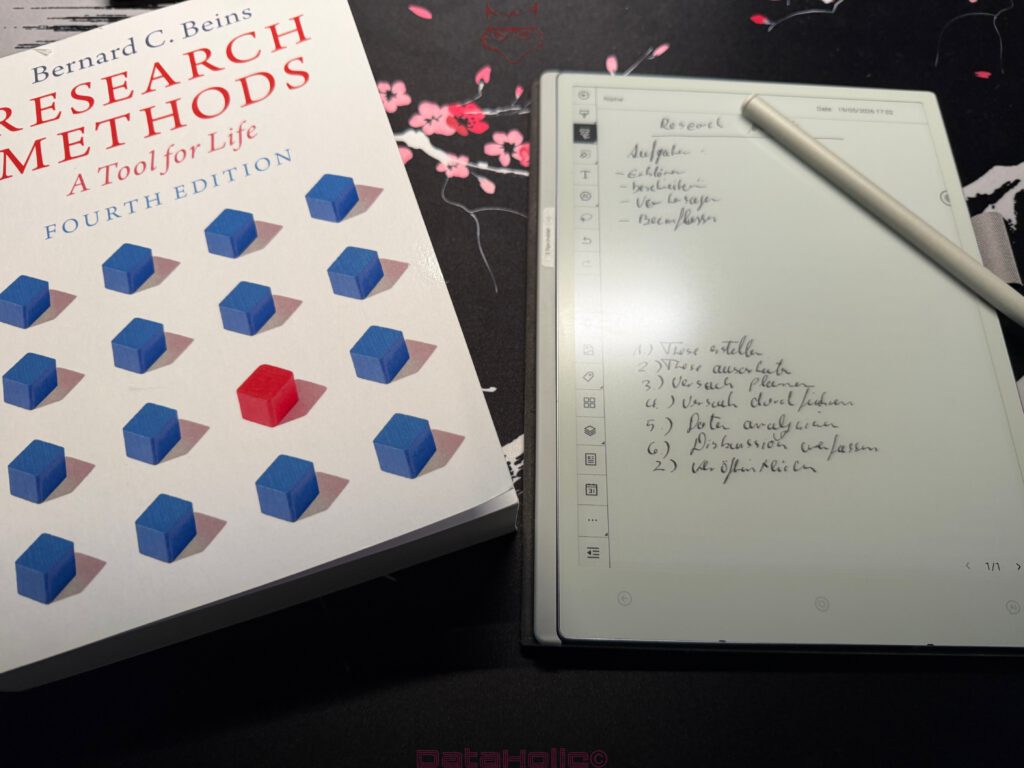
Lectures create many different kinds of content: board diagrams, formulas, literature references, sketches, definitions, questions and spontaneous explanations. A keyboard is suitable for linear text, but less suited for arrows, margin notes, mathematical expressions and diagrams. The AiPaper covers exactly this mixed form well.
Handwritten notes can later be converted into text via AI. The result depends strongly on handwriting quality, but with clear notes it saves considerable time. The combination of original note and machine-readable version is particularly practical. The context remains preserved while central content becomes digitally reusable.
Literature work also benefits. ePub books, PDFs and imported documents can be read on the device. Personal notes can be created alongside them. Templates for study plans, summaries or flashcards round off the workflow.
An old academic joke says: “The best summary is the one that exists in time before the exam.” The AiPaper does not automatically provide discipline, but it lowers the technical hurdle. Notes are collected, sorted and processed more quickly. That can be decisive in studies.
Writers and Creative Work
For writers, the AiPaper is especially interesting because it mediates between handwriting and digital processing. Many creative ideas do not emerge directly inside clean word-processing software. They arise in fragmented sentences, character lists, arrows, scene boxes, place names and dialogue snippets.
The AiPaper software supports this process without formalizing it too strongly. A page can be written on freely. A character can be sketched on the left, characterized on the right and given a line of dialogue at the bottom. Later, text areas can be selected and turned into machine-readable form.
This creates a pleasant workflow. The first idea remains free. The second phase becomes digitally usable. Exactly between these two states lies the device’s strength.
Longer writing projects also benefit from templates. Character sheets, chapter structures, scene plans, research lists and tension arcs can be imported or created personally. The software thereby becomes a project folder. Not a chaotic folder full of individual paper slips, but a digital work archive.
Oscar Wilde wrote: “I have the simplest tastes. I am always satisfied with the best.” This sentence fits writing tools surprisingly well. A good tool does not have to write texts. It has to create the space in which texts can emerge. The AiPaper fulfills exactly this role.
Hobby, Role-Playing and Creative Planning
Dungeons and Dragons has already been mentioned, but it deserves its own look. Few hobbies produce as many notes, sketches and spontaneous additions. Maps, encounters, stats, names, clues, items, puzzles and side characters often grow during the session.
The AiPaper is excellently suited for this. It is light, quickly ready for use and large enough for maps as well as handwritten additions. Templates for characters, campaigns, regions or encounters can be prepared and imported. During play, handwritten additions are created directly on them.
The special advantage lies in the combination of free drawing and later organization. An improvised room layout can later be saved as its own page. An NPC name can be tagged. A quest note can be transcribed. A map remains preserved instead of disappearing between snacks, dice and drinks.
A famous role-playing sentence roughly says: “The plan survives exactly until the first dice roll.” The AiPaper cannot prevent this loss of control. But it ensures that the resulting chaos remains documented.
No Backlight: Neutral, but Important
The AiPaper has no backlight. This point should be assessed neutrally, but it is important in practice.
Without backlighting, the display remains consistently dependent on ambient light. In good lighting, this is pleasant, calm and easy on the eyes. In dark rooms, however, the device requires an external light source.
This omission fits the reduced construction and the slim build. At the same time, it limits spontaneous use in poor lighting conditions. Especially in the evening, on a train, while traveling or in rooms with weak lighting, this can become relevant.
For a professional work device, this is not a disaster, but it is a point that should be clear before purchase. The AiPaper loves good light. It works strongly wherever paper would also be easy to read. In darkness, it requires the same support as a physical notebook.
No IP Certification: Neutral With a Practical Warning Sign
Another neutral limitation concerns the lack of IP certification. The AiPaper is not officially protected against water or dust according to an IP standard.
Indoors, this hardly matters. In an office, lecture hall, at a desk or in a library, this point remains unobtrusive. On the move, things look different. It rains more often, bags get damp, coffee cups stand dangerously close to notes, and outdoor areas are rarely friendly to sensitive electronics.
Because the AiPaper is light and mobile, it will inevitably be transported often. That is exactly why the lack of IP certification should be taken seriously. A good bag, careful handling and distance from liquids are mandatory.
This point does not speak against the device, but it belongs to an honest classification. The AiPaper is a professional work device, not outdoor measuring equipment. For daily use in protected environments, that fits. For rain, construction sites, boat docks or festival tents, additional caution is required.
Performance and Everyday Speed
Overall, the software feels sufficiently fast for its intended purpose. Opening notes, switching pages, calling up menus, transferring files and processing texts work solidly in normal workflows. The E-Ink display naturally sets limits for fast image changes, but the software largely respects these limits.
What matters is the subjective work pace. A digital notepad must not slow down writing. This is exactly where the AiPaper convinces. Input feels direct enough to write longer notes without constant awareness of the technology.
File operations, AI processing and larger documents occasionally require patience. That belongs to the device category and the type of processing. What matters is that these waiting times do not dominate the entire workflow.
Overall, the software remains stable and clearly structured. Major breaks, confusing menus or illogical operating paths do not stand out. The learning curve remains flat enough to become productive quickly, while still offering enough depth for custom templates, file workflows and AI processes.
Google Services
Due to the dedicated Focus Mode, all Google services remained installed but intentionally inactive. No incoming mails, no browser distractions, no constant synchronization in the background. The entire environment shifted into a concentrated writing workspace focused purely on notes, sketches, planning and uninterrupted thought processes. This reduction fundamentally changes the way the Viwoods AiPaper feels during longer sessions. Instead of behaving like another overloaded mobile device competing for attention every few seconds, the software deliberately creates distance from the usual notification-driven workflow that dominates modern hardware. The result is a surprisingly calm digital workspace that feels far closer to a professional writing pad than to a traditional Android tablet.
Conclusion: Viwoods AiPaper as a Professional Digital Notepad
In software use, the Viwoods AiPaper convinces through a clear focus: writing, reading, organizing, transferring and processing. The software is not playful, but functional. That is exactly what fits the device.
The AiPaper is especially strong with handwritten notes, templates, study work, creative projects and file transfer via ViTransfer. The ability to import custom templates quickly clearly increases practical value. Daily planning, transcripts, sketches, ePub reading, comics and Kindle usage meaningfully expand the device beyond pure notes.
The AI functions are useful. Handwritten texts and short recordings can be converted into machine-readable text. However, the quality clearly depends on the AI being used, the handwriting and the structure of the original note. With clean input, very usable results emerge. With wild handwriting, follow-up work remains necessary.
The greatest strengths lie in mobility, a calm interface, simple operation, USB-C charging capability, template logic and the connection between analog writing feel and digital processing. For studies, writing and creative hobbies such as Dungeons and Dragons, the AiPaper offers a very coherent overall package.
The missing backlight and missing IP certification remain neutral points. Neither is a direct weakness, but both define clear usage conditions. The device needs good light and should be protected from moisture.
The most important drawback lies in data exchange under macOS. The detour through VMware and Windows 11 works, but does not feel elegant. Under Windows, exchange runs much more smoothly. For a professional work device, Viwoods should improve this area.
Nevertheless, the overall impression remains strong. The AiPaper is not a loud tech toy, but a serious digital work device. It is suitable for people who want to write, read, plan, draw, structure and later process content further. The software is near perfect, and it is thoughtful enough to create real everyday value.
In the end, one sentence stays in mind that fits this device well: “Order is not the opposite of creativity. Order is the table creativity can work on.” That is exactly the table the Viwoods AiPaper provides.
Special Deal:
From 25th May to 15th June, AiPaper and AiPaper Mini are on sale: Viwoods Sale: Paper Tablet & Android eReader Deals Now
- Viwoods AiPaper: E Paper Tablet for Focused Reading & Notes
- Viwoods AiPaper Mini: Paper Like Tablet for Pocket Focus
Transparency Notice According to EU Regulations:
The Viwoods AiPaper presented in this review was provided to us by Viwoods as a non-binding loan unit for testing purposes. This does not constitute paid advertising.
Viwoods had no influence whatsoever on the content, evaluation or editorial independence of this article. All opinions expressed are based exclusively on our own practical experience.
We sincerely thank Viwoods for providing the digital notepad and for the trust placed in dataholic.de.