
Logitech Mobi Fold in Unboxing and Verdict: The Mouse That Makes Itself Small Without Feeling Small
- Compact in Thought, Foldable by Design
- Packaging and First Impression
- Design: A Mouse with Articulation and Character
- Feel and Handling: Rubber, Grip, and a Little Origami
- Setup and Connectivity
- Operation: A Mouse Without a Traditional Scroll Wheel
- Sensor and User Experience
- Mobility: The Actual Reason This Mouse Exists
- Build Quality and Stability
- Battery Concept and Charging
- Buttons, Clicks, and Navigation
- Everyday Use with a Notebook
- That Small Bag Moment
- Verdict: Small Mouse, Big Idea
- Notice in Accordance with EU Transparency Requirements
Compact in Thought, Foldable by Design
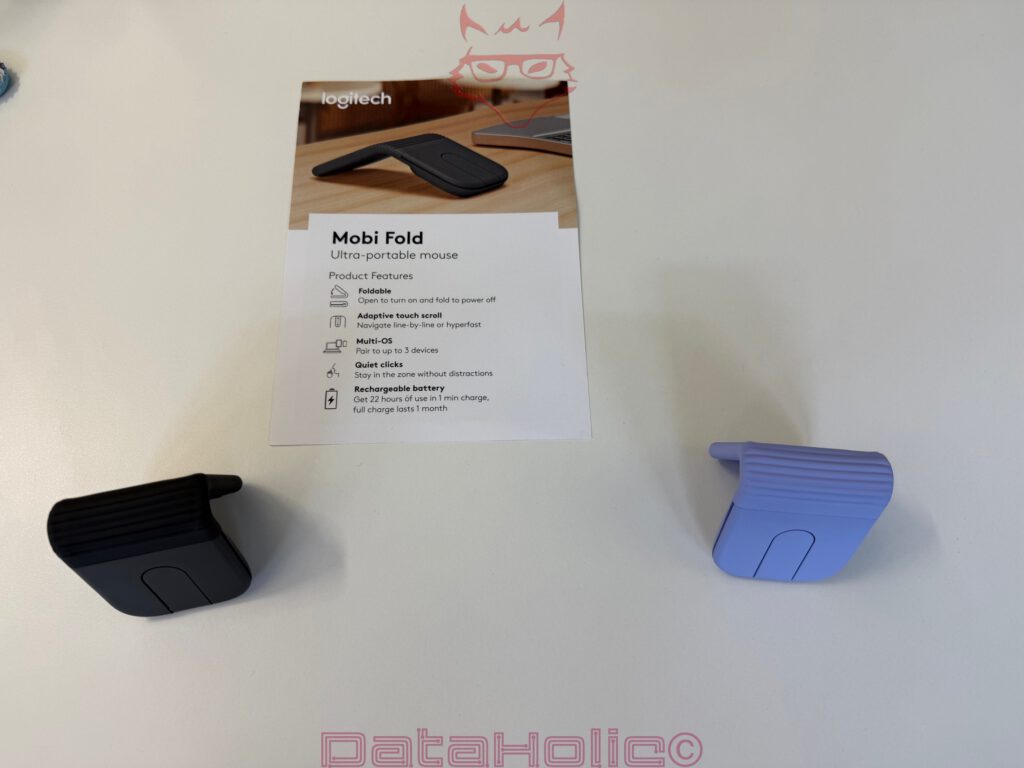
At first glance, the Logitech Mobi Fold appears to be a technical counterargument to everything that has defined classic mice over the decades. No pronounced hump, no heavy housing, no scroll wheel, no visible sensor serving as a grand promise of precision. Instead, there lies a flat, black, rubberized piece of technology that, when folded, resembles a modern earphone case more than a mouse. Only the small Logitech logo reveals early on that this is not a toy from the accessory drawer, but rather a deliberately reduced input device.
And that is exactly where its appeal lies. The Mobi Fold does not aim to replace the MX Master, challenge a gaming mouse, or become an ergonomic revelation for eight hours of CAD work. It wants to come along. Into the bag, into the backpack, into the side pocket, into the hotel room, onto the train, into the café, to the customer appointment. The old phrase “form follows function” takes on a rather literal meaning here: the form not only follows the function, it even folds itself up for it.
Packaging and First Impression
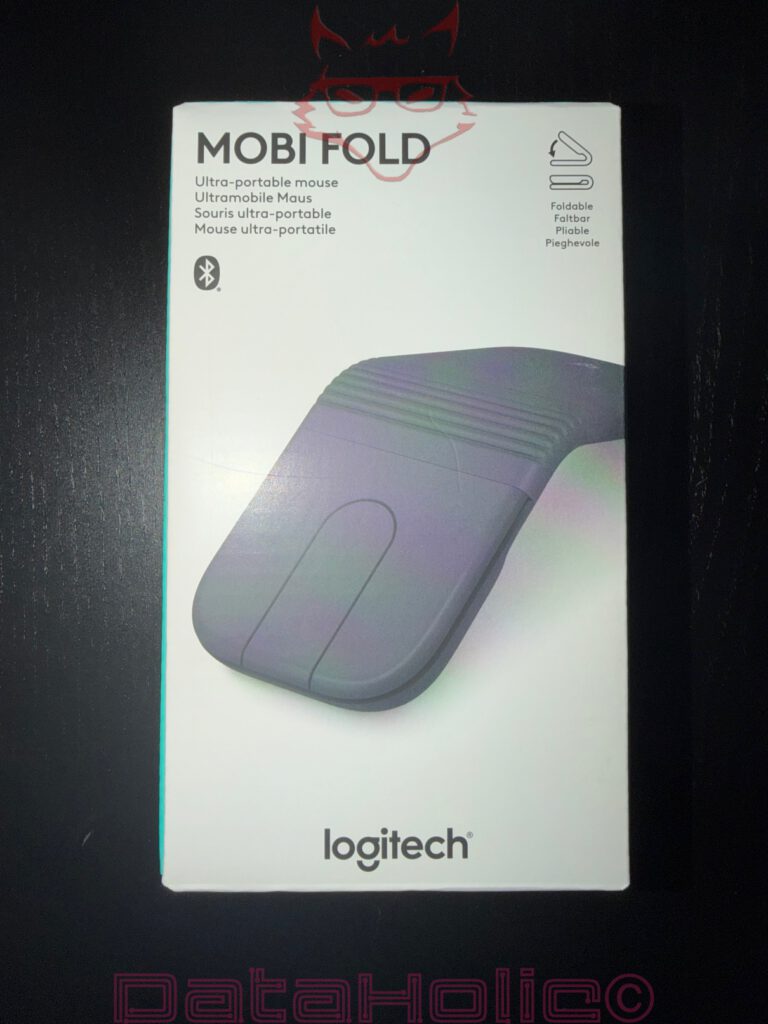
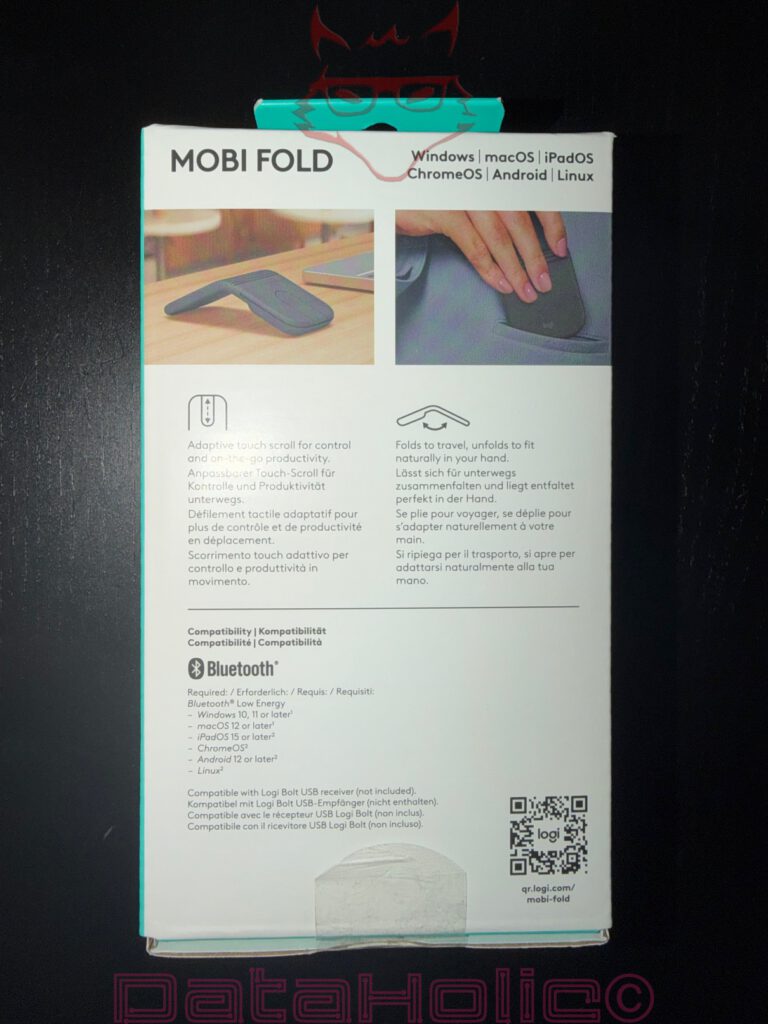
The packaging remains pleasantly matter-of-fact. On the front, Logitech presents the Mobi Fold in its unfolded working form, accompanied by the clear classification as an “Ultra-portable mouse.” Even the back side makes it clear what this product is about: folding for transport, unfolding for use, Bluetooth connectivity, broad system compatibility, and an adaptive touch scroll area for control on the go.
One immediately noticeable positive aspect is Logitech’s reliance on low-plastic or virtually plastic-free packaging. No unnecessary plastic cage, no glossy plastic shell, no material drama when opening the box. The carton appears lightweight, clean, and purposeful. Inside are the mouse and the usual documentation: safety instructions, a quick-start guide, battery recycling information, and usage details. It is not spectacular, but refreshingly understated.
For a product of this kind, this exact packaging is entirely appropriate. An ultra-mobile mouse does not require the stage presence of a graphics card cooler, nor packaging that appears larger than the actual contents. Relative to the product, the package remains grounded. It is somewhat like good travel luggage: what matters is not how dramatically the suitcase is opened, but whether everything inside is sensibly organised afterwards.
Design: A Mouse with Articulation and Character
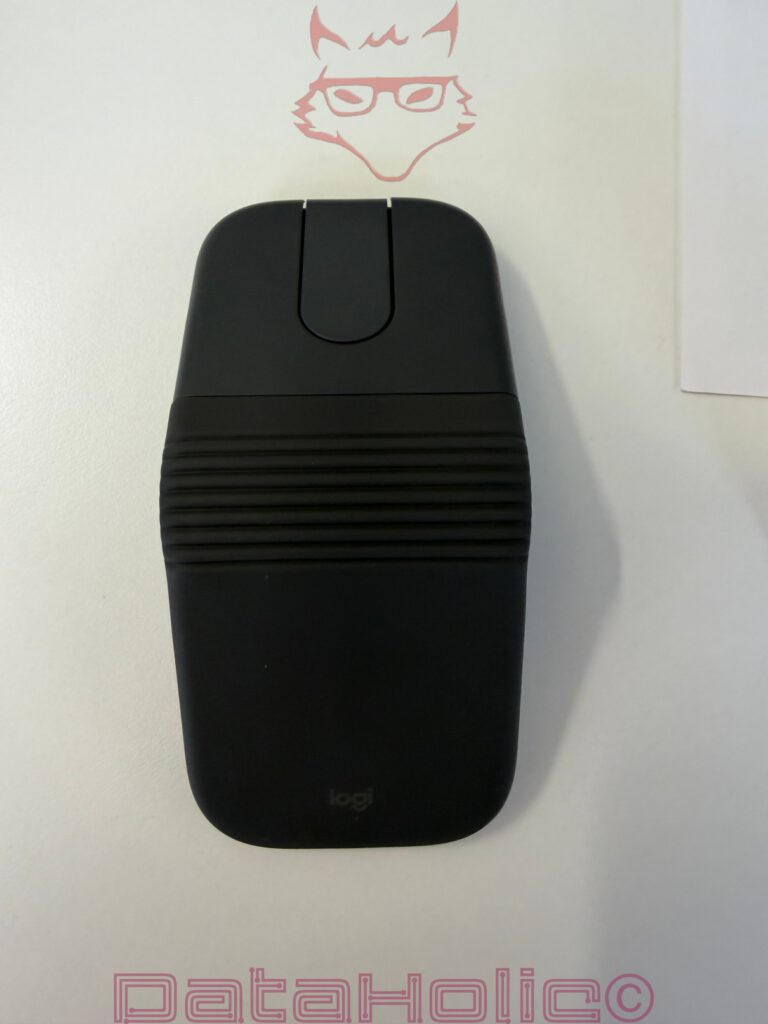
The Logitech Mobi Fold is foldable. At first, that sounds like a gimmick, but in everyday life it makes a surprising amount of sense. Folded together, it forms a small, compact module with rounded edges. Unfolded, the mouse takes on its usable shape, with the rubberized surface and folded centre section immediately standing out visually.
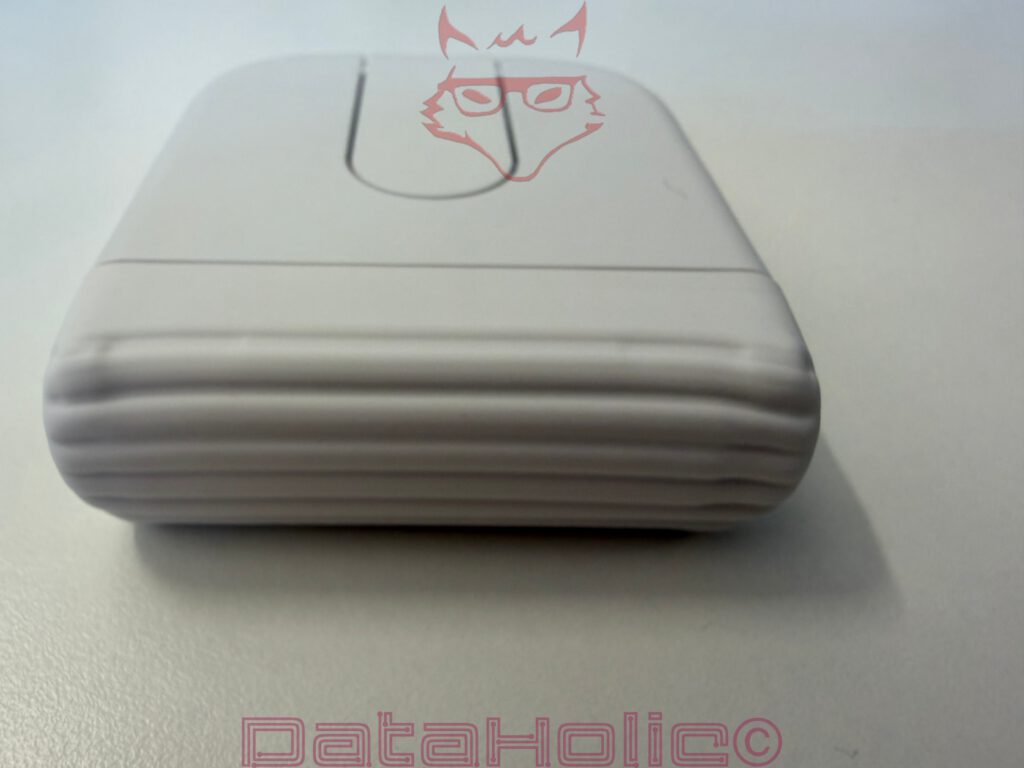
The central area almost resembles a bellows. This structure is not merely decorative, but part of the concept. The mechanics operate there, flexibility emerges there, and the visual character of the product resides there as well. The surface feels pleasantly soft, offers good grip, and is less slippery than smooth plastic. As a result, it creates a greater sense of security in the hand, especially because the housing itself remains very small and flat.
The design vaguely recalls Microsoft’s old Arc Mouse, but appears more heavily optimised for maximum mobility. The Mobi Fold does not merely want to be flat; when closed, it truly wants to disappear. Inside a bag, it does not sit like an annoying bulge, but rather like a somewhat sturdier accessory case. That is the crucial difference between “small” and “genuinely portable.”
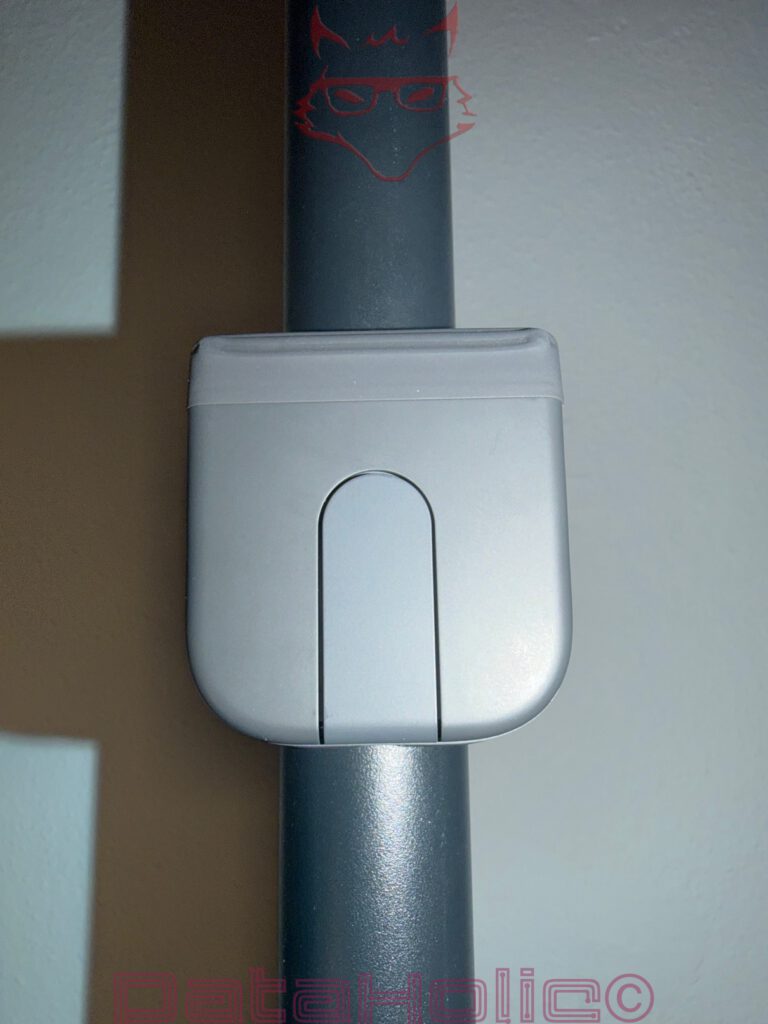
A particularly nice detail is the magnetic sensation when folding it shut. The mouse closes neatly, remains compact, and consequently feels less like a flexible experiment and more like a finished product. Magnetism in accessories can quickly evoke thoughts of kitchen clips, but here it simply feels organised. Closed, stored away, done.
Feel and Handling: Rubber, Grip, and a Little Origami
The rubberized surface is among the Mobi Fold’s strongest characteristics. It prevents the mouse from appearing overly smooth or cheap. Especially with very small input devices, the surface has a major influence on the overall impression. Smooth plastic would quickly have made this look like a travel emergency solution. Logitech instead opts for a softer, more matte appearance that better suits the mobile concept.
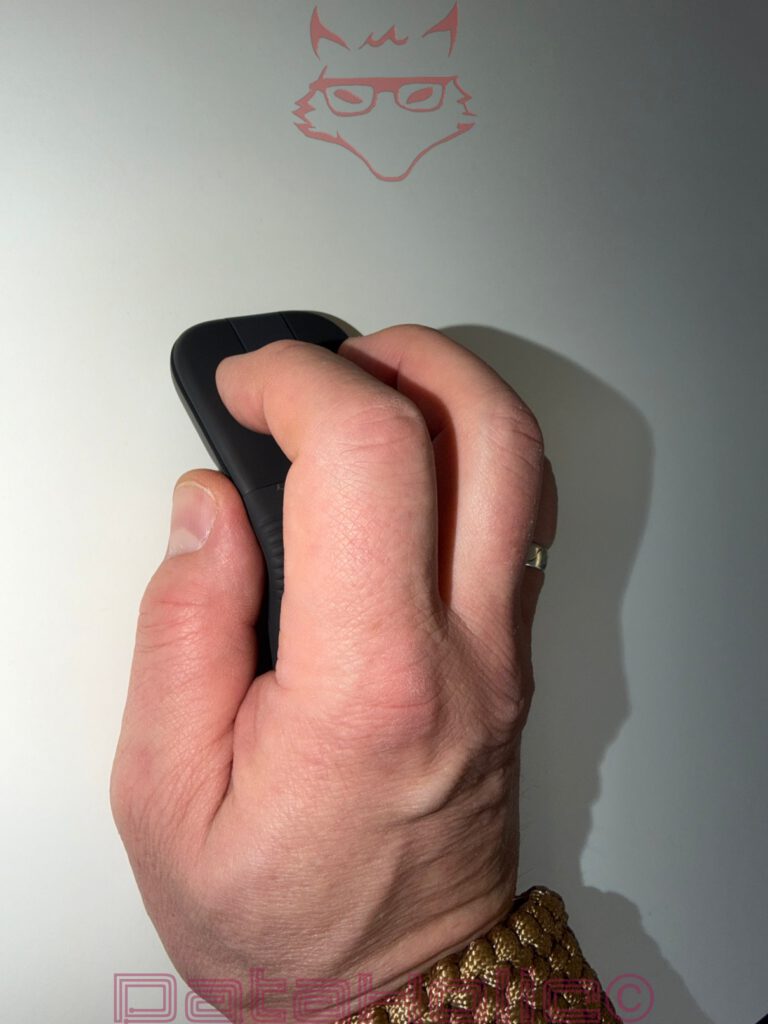
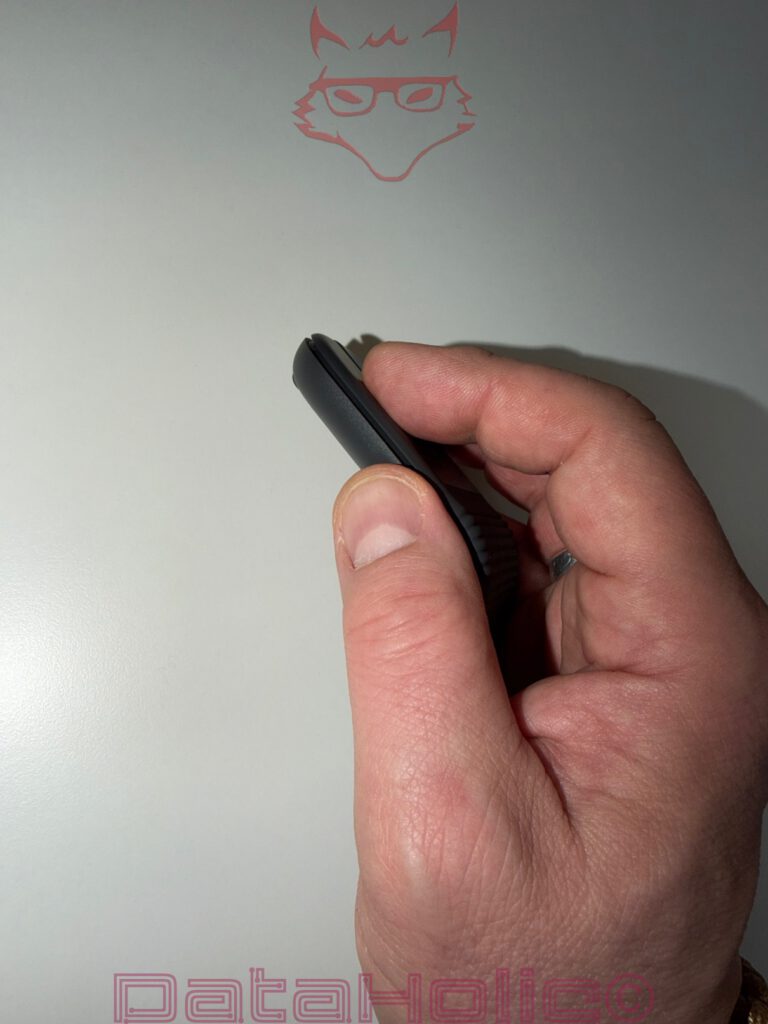
Once unfolded, the mouse feels flatter in the hand than traditional models, though not unpleasantly so. Naturally, the palm does not rest as comfortably as it would on a large office mouse. However, fingers and thumb still grip the Mobi Fold sufficiently securely. The low weight helps as well. The mouse does not feel like ballast, but rather like a tool that hardly draws attention to itself in a bag.
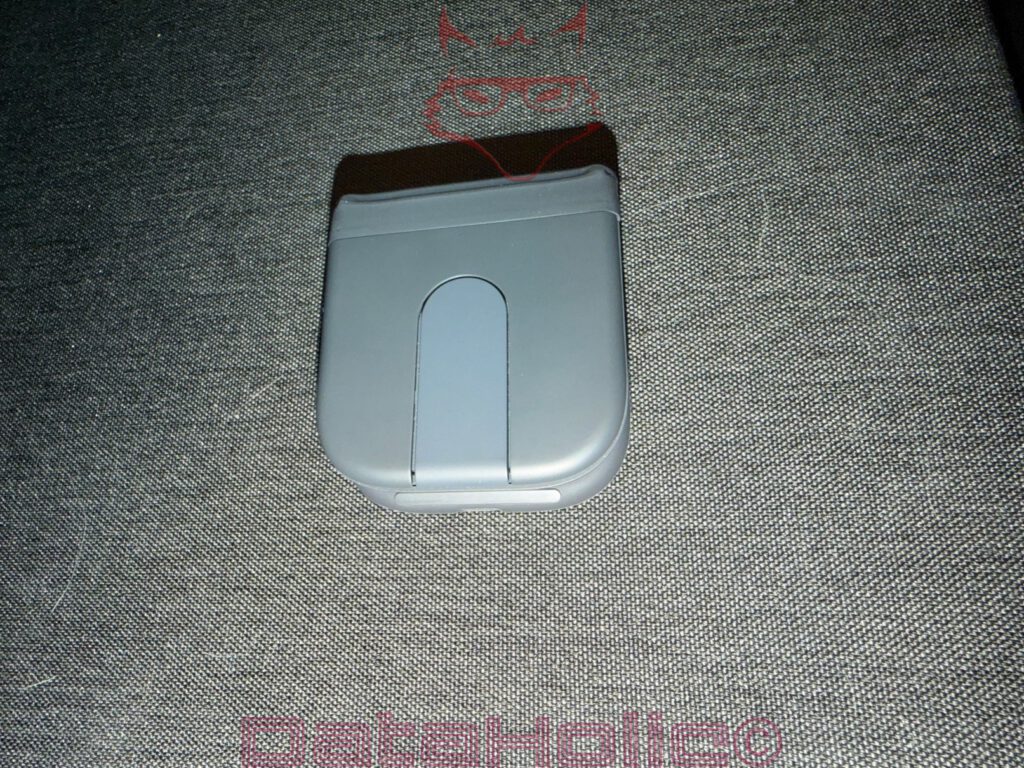
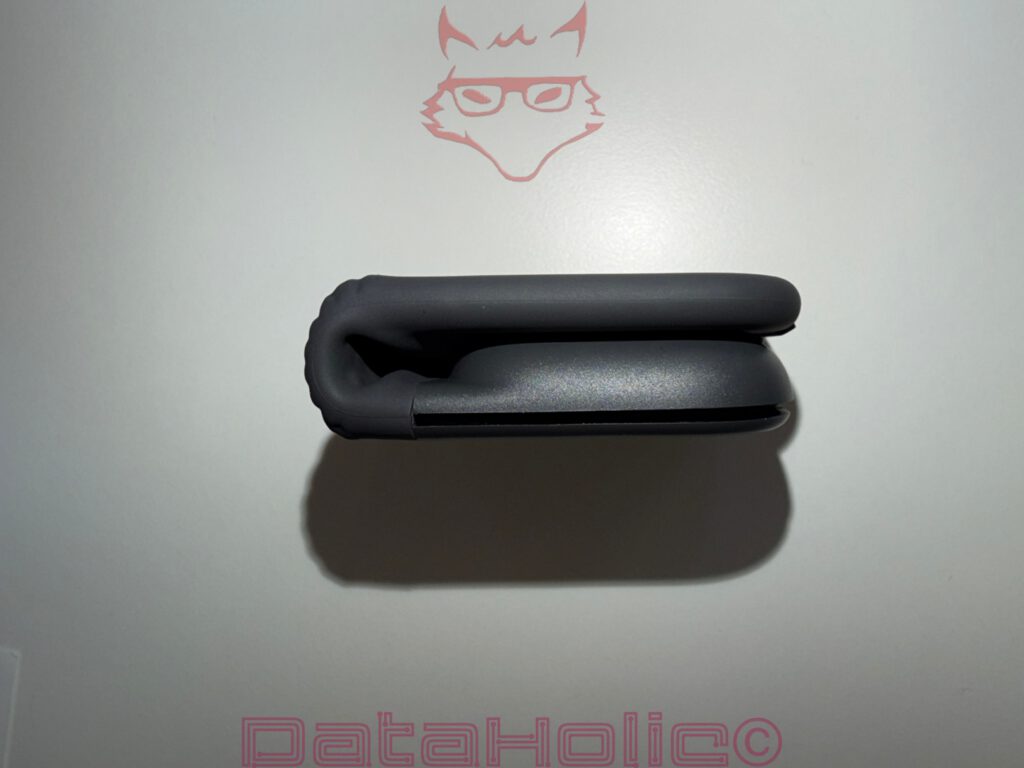
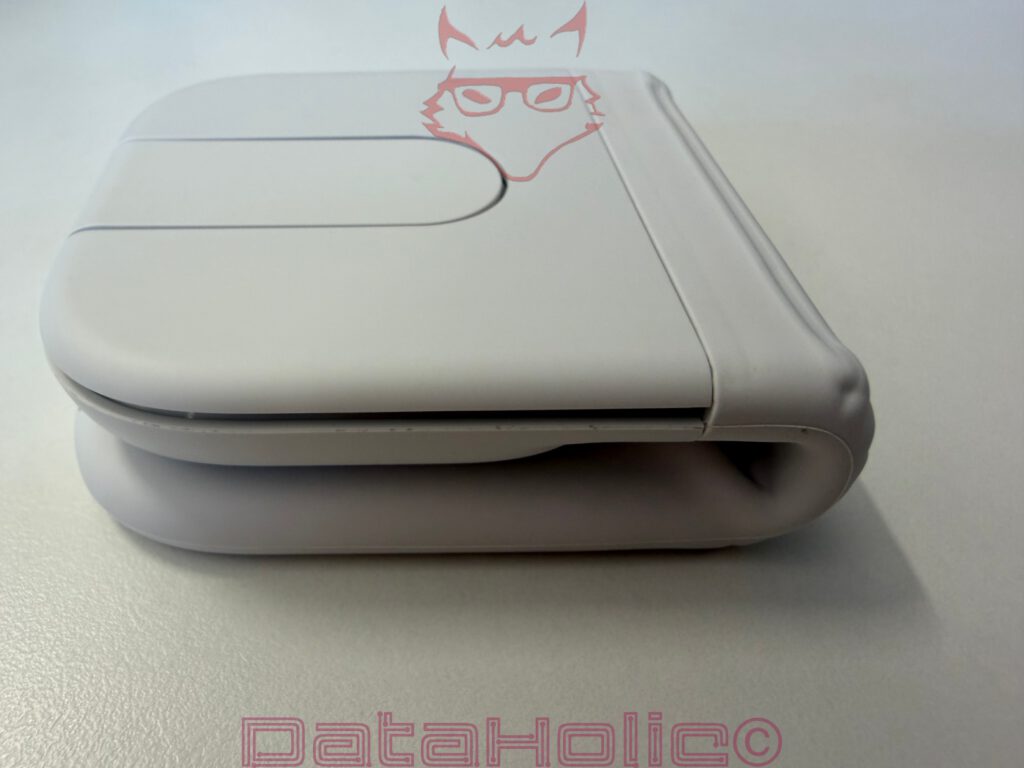
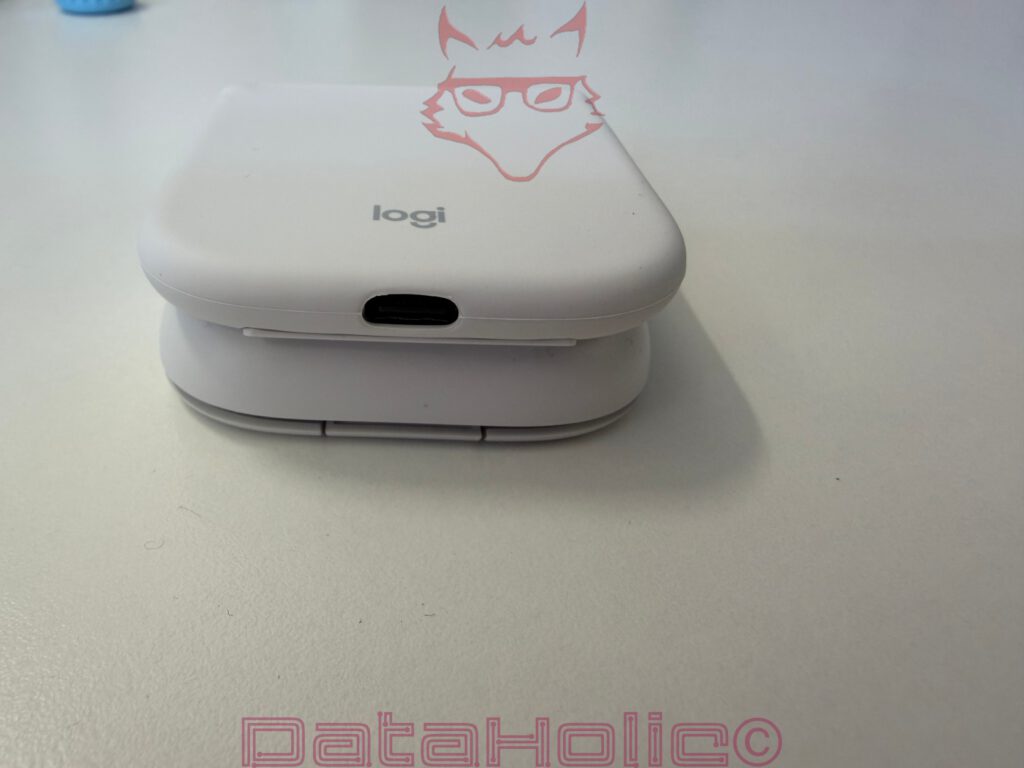
The side profile illustrates very clearly just how compact the construction becomes when closed. On the desk, folded together, it resembles a small technical bar. Unfolded, it forms an arc that offers just enough height to prevent the experience from feeling entirely like a substitute for a flat touchpad.
“Less, but better” is often attributed to Dieter Rams. In the case of the Mobi Fold, this thought fits surprisingly well. Less volume, fewer visible mechanics, less packaging material. In return, significantly greater portability.
Setup and Connectivity
The Mobi Fold relies on Bluetooth and, according to the packaging, is compatible with Windows, macOS, iPadOS, ChromeOS, Android, and Linux. Support for Logi Bolt is included as well, although the corresponding receiver is not included with the variant shown here. This distinction matters because Bluetooth is usually more than sufficient in everyday mobile use, while a dedicated receiver may still prove more practical in corporate environments or fixed workstation setups.
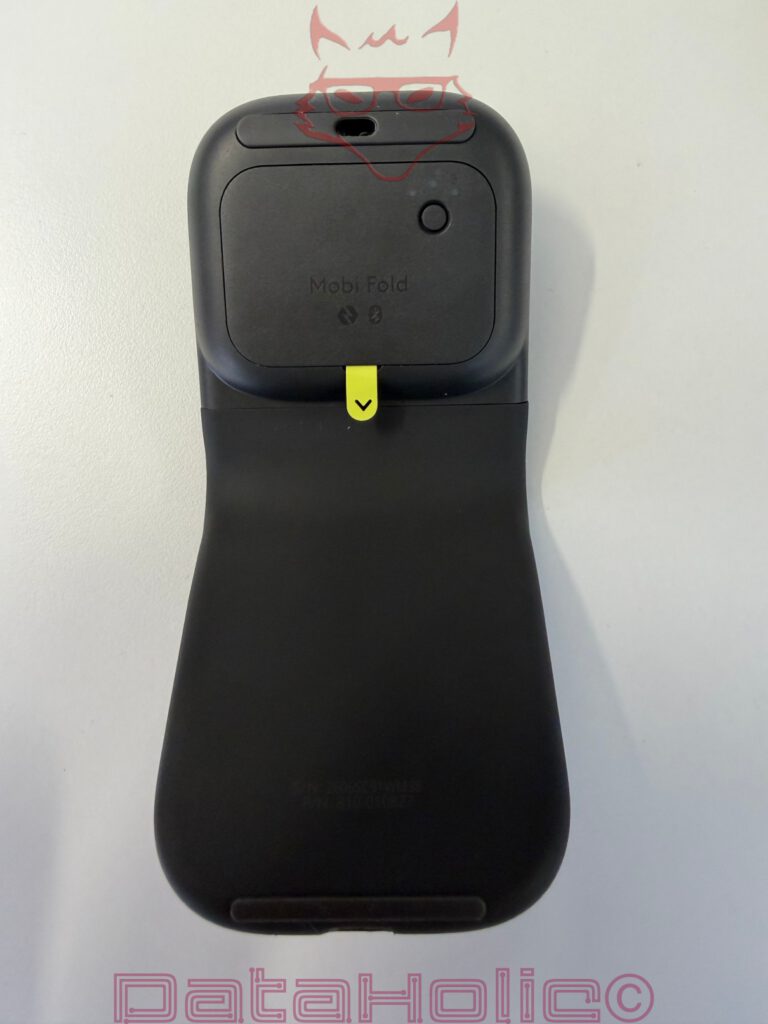
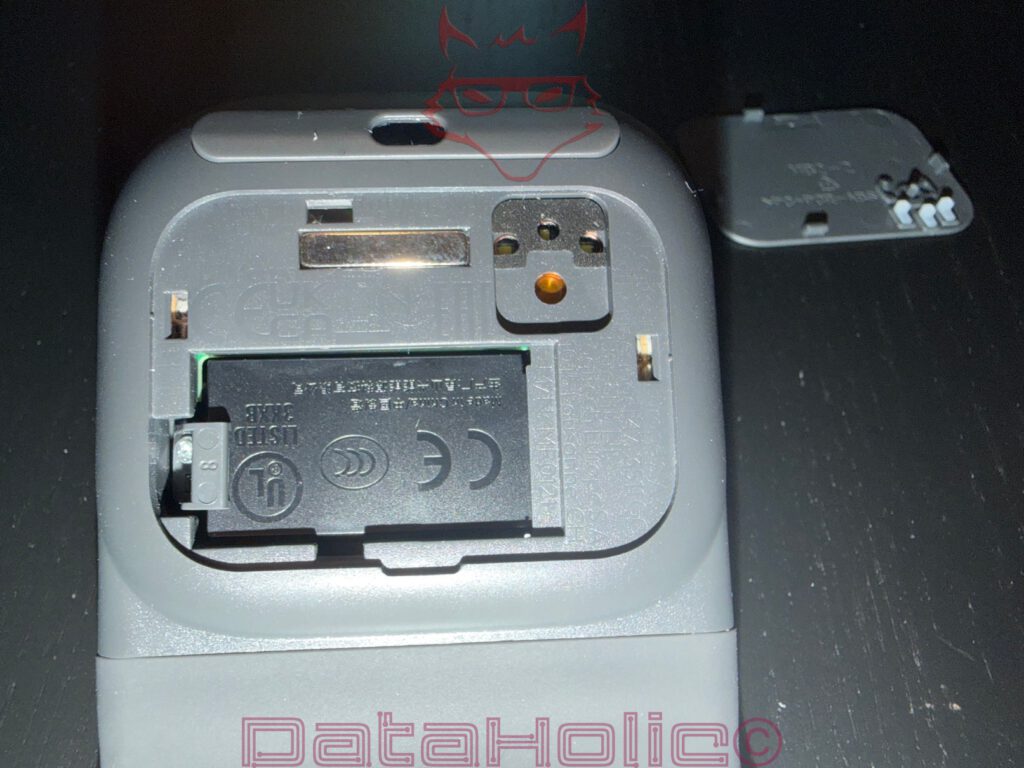
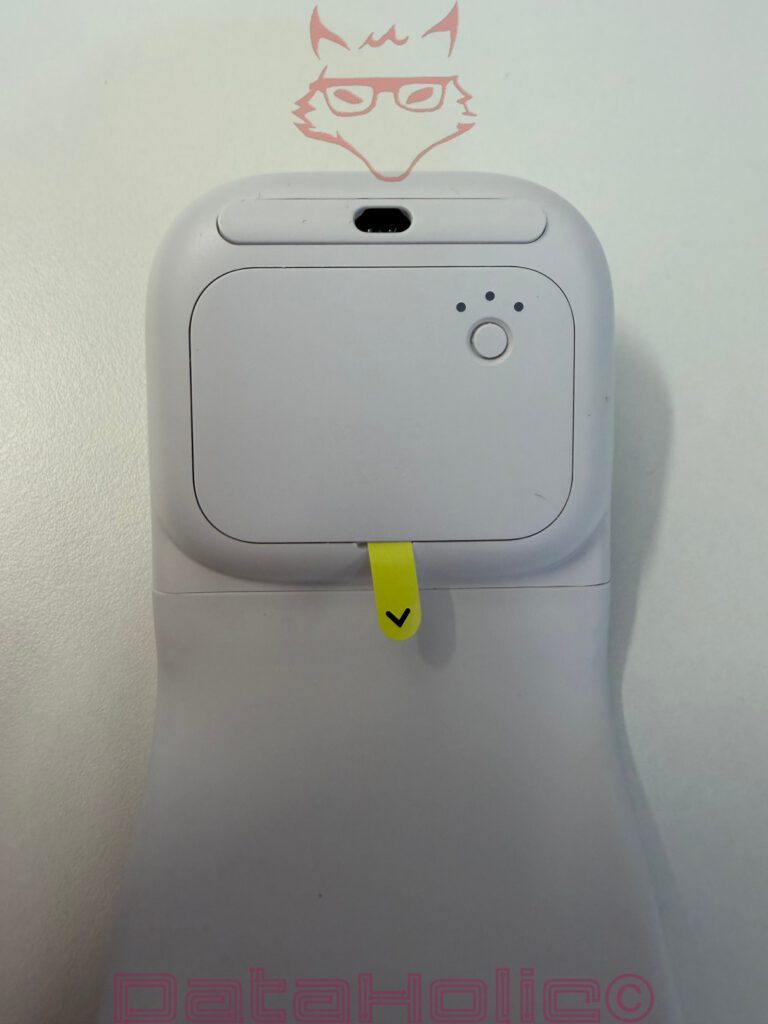
Pairing takes place via the Easy-Switch function. The relevant section is located on the underside, allowing switching between up to three devices. Press for three seconds, select a channel, pair the device. The principle is familiar from Logitech products and remains sensible. A mobile mouse especially benefits from the ability to switch quickly between a notebook, tablet, and perhaps a second computer.
The yellow transport tab on the underside represents a small but noticeable detail during the initial unboxing experience. It prevents accidental activation prior to use and belongs to those packaging and safety solutions that rarely inspire enthusiasm, yet fulfil their purpose perfectly.
Operation: A Mouse Without a Traditional Scroll Wheel
The greatest adjustment concerns the central operating surface. Logitech abandons the traditional scroll wheel in favour of a touch-sensitive area that emulates a mousepad or scrolling field. In everyday use, this is clever, though not entirely without quirks.
The touch zone takes over scrolling duties. The finger glides across the surface, and the content moves accordingly. Added to this is the middle button area responsible for additional functions: click at the top to move forward a page, click at the bottom to move backward. Initially, this sounds unusual, but it aligns well with mobile workflows. Websites, documents, and simple navigation tasks can all be handled effectively this way.
The advantage is obvious: no mechanical wheel, fewer visible components, and a flatter construction. Creating a foldable mouse with a conventional scroll wheel would have been considerably more difficult to implement elegantly. Consequently, the touch field is not a gimmick, but rather a logical outcome of the design.
One neutral observation remains: the touch surface does not always react perfectly. In most situations, scrolling works properly, but occasionally the absolute effortlessness of a high-quality mechanical scroll wheel is missing. Anyone accustomed to an MX Master, MX Anywhere, or another premium office mouse will immediately notice that mobility takes priority here over maximum scrolling precision.
This is not a complete failure, but rather a character trait. Like a small umbrella: better to have it than perfection, more useful than having none at all, but not to be confused with the large umbrella waiting by the coat rack.
Sensor and User Experience
The sensor performs quickly enough in everyday scenarios for typical office and travel tasks. Highlighting text, switching tabs, moving windows, working in documents, and navigating the browser while on the go all work reliably. The Mobi Fold does not feel like an emergency solution, as long as its intended area of use is respected.
Particularly interesting is the idea that the touch field replaces part of the traditional mouse wheel experience. The finger no longer necessarily has to reach for a wheel but instead remains on a smooth surface. This feels more modern, but it is also less intuitive to operate blindly. A mechanical wheel provides clear feedback. The touch field requires a bit more attention, especially at the beginning.
The mouse performs pleasantly on standard desk surfaces. For glass surfaces or particularly unusual materials, a suitable mouse pad or a sturdy base is still recommended. That fits the product category. An ultra-mobile mouse does not need to love every surface in the world; it simply needs to remain reliable on the surfaces typically encountered in daily life.
Mobility: The Actual Reason This Mouse Exists
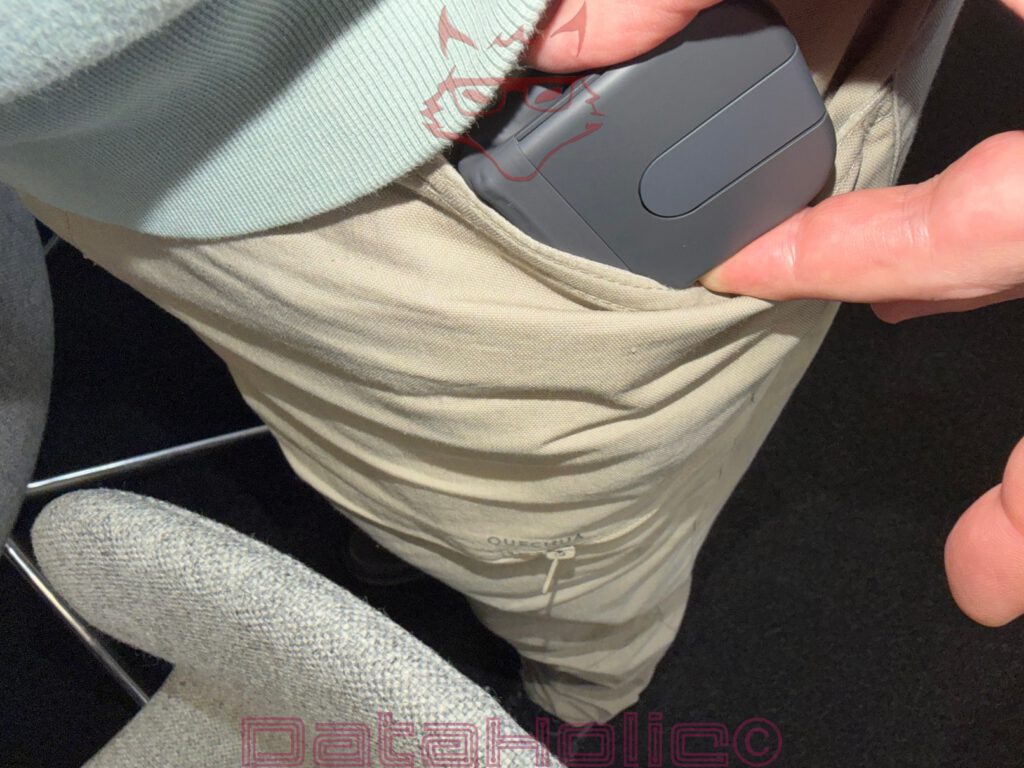
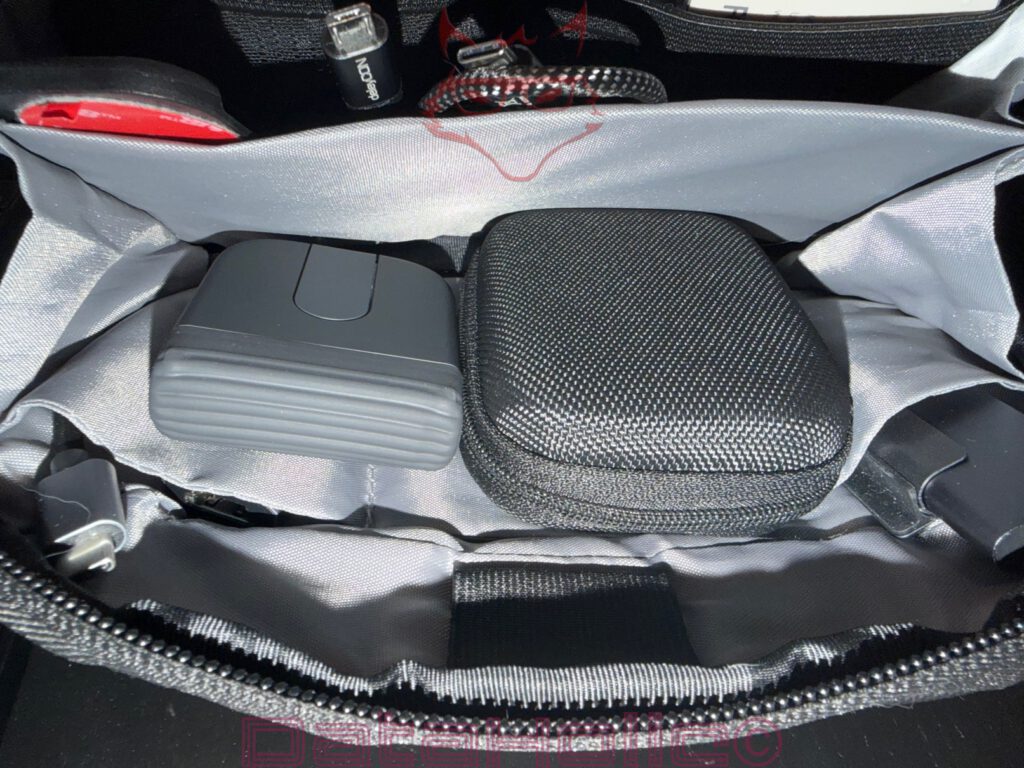
The strongest scene for the Mobi Fold does not take place at a desk, but rather in the side compartment of a bag. That is where it becomes clear why this product exists. When folded, the mouse disappears next to cables, cases, adapters, USB-C sticks, and other everyday accessories. No protruding wheel, no raised back, no shape pressing awkwardly against everything else.
Compared directly with traditional travel mice, the Mobi Fold appears almost unfairly practical. Classic compact mice may be short, but they retain their height. The Mobi Fold reduces its volume differently. It folds itself together and thereby becomes not only smaller, but also easier to store.
The moment the mouse is taken out of a bag, unfolded, and connected carries a pleasantly mechanical quality. No major preparation, no cable, no dongle dependency. Unfold it and work. Fold it and put it away. This is the kind of technology that demands less attention in everyday life than the problems it solves.
An anecdote from the world of accessories: many bags have that one area where adapters, cables, and small devices form a quiet little pack. USB-C cables curl themselves around card readers, a flash drive hides beneath a power adapter, and somewhere there is a small case that inevitably reappears only after it is no longer needed. The Mobi Fold fits perfectly into this chaos without creating additional chaos of its own.
Build Quality and Stability
The build quality appears solid. The panel gaps are respectable for a foldable device, the surface materials fit together consistently, and the button areas do not feel loose. Folding the mouse shut does not produce cheap creaking noises, but rather a controlled movement. This is important, because foldable technology is always subjected to scrutiny. As soon as a hinge becomes visible, calculations about durability immediately begin in people’s minds.
Logitech describes the construction as highly suitable for everyday use, including long-term resilience of the folding mechanism. Ultimately, what matters is not the number printed on paper, but the impression in hand. And here, the Mobi Fold inspires confidence. It does not resemble a prototype, but rather a product that has consciously chosen its shape.
The rubberized outer layer should also absorb minor impacts during everyday travel better than hard glossy plastic. Fingerprints may not be entirely invisible on matte black surfaces, but they never become bothersome. This mouse is meant to be used, not displayed inside a glass cabinet.
Battery Concept and Charging
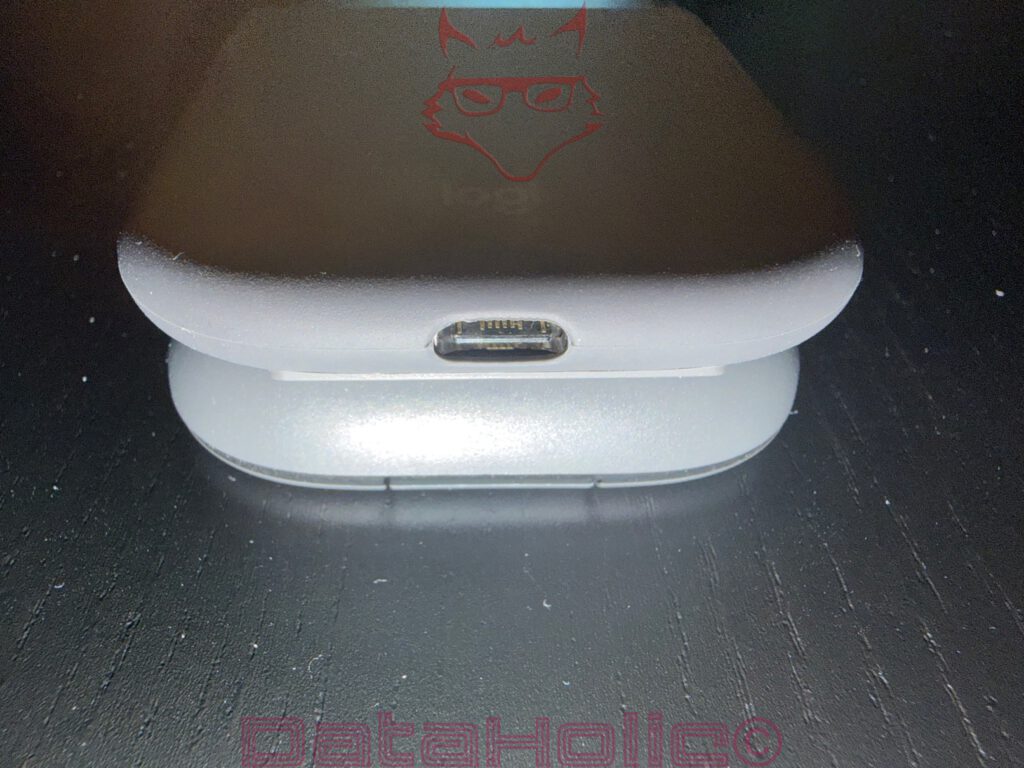
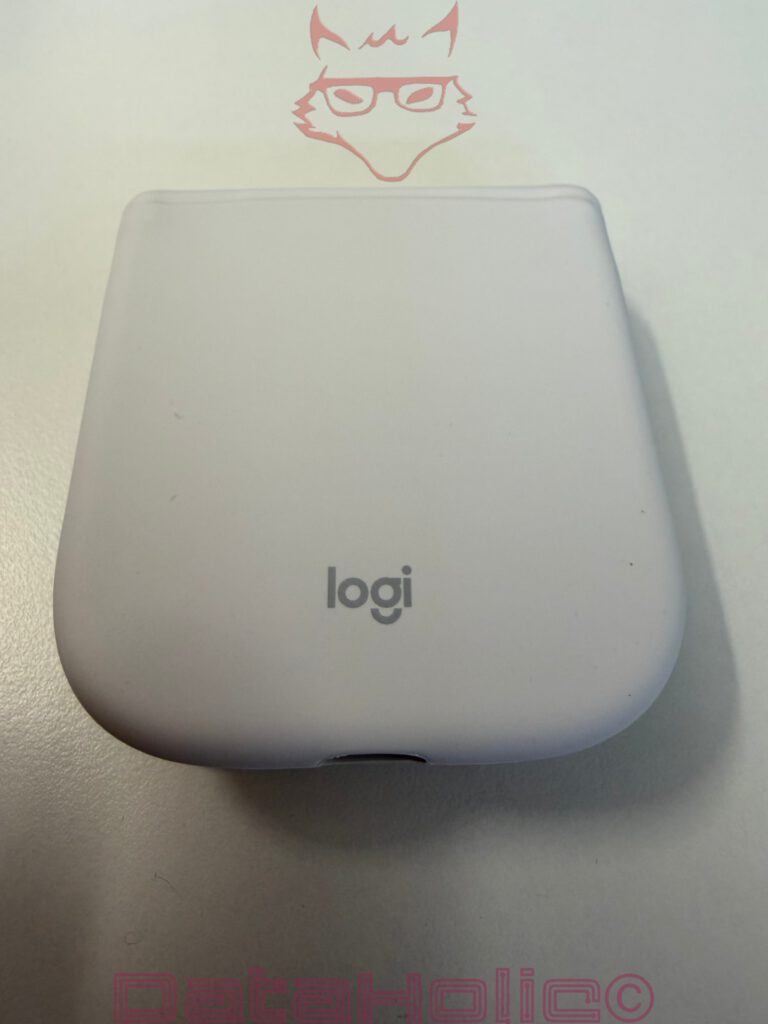
The Mobi Fold operates using a rechargeable battery. Charging takes place via USB-C, with the port located on the rear. This is contemporary and pleasantly unspectacular. No return to Micro-USB, no proprietary cable, no unusual solution.
Both the packaging and the documentation contain instructions regarding battery removal for recycling purposes. This may not be a glamorous subject, but it remains important. Proper battery handling is particularly relevant for small mobile devices. The documentation demonstrates that Logitech has at least considered the formal side of the issue.
In everyday use, one thing matters above all else: the mouse should not constantly require charging. For a travel device, this is essential. A product that demands frequent charging while on the move quickly loses its appeal. The Mobi Fold belongs more to the category of “charge before the trip, then forget about it afterwards.”
Buttons, Clicks, and Navigation
The primary buttons are integrated into the flat form and are easy to activate. The click itself does not feel quite as substantial as on large office mice, but it remains clean enough. The left and right buttons are clearly distinguishable, while the touch zone occupies the centre and takes care of everything else.
The additional navigation functions integrated into the central area represent an interesting solution. Clicking at the top moves forward through pages, clicking at the bottom moves backwards. This eliminates separate side buttons while preserving the clean shape. At the same time, this approach requires some adjustment. Anyone who has relied on thumb buttons for years will initially find empty space instead. Those who rarely use side buttons may perceive the touch solution as a welcome bonus.
For mobile use, this decision is understandable. Every additional button would have complicated the form. As a result, the Mobi Fold remains simple, almost monolithic. It offers more than a pure two-button device without visually drifting into miniature spaceship territory.
Everyday Use with a Notebook
The Mobi Fold makes the greatest sense when paired with a notebook. Many trackpads are good, and some are even excellent. Nevertheless, a mouse often remains more comfortable during extended text work, spreadsheets, light image editing, or prolonged browser sessions. The Mobi Fold fills precisely this gap.
It is not intended to replace a full workstation setup, but rather to offer a better solution in situations where a trackpad becomes irritating. On a train, at a small table, in a hotel room, in a meeting room, or on a sofa with a notebook resting on one’s lap, a compact mouse can make the difference between “this works” and “this actually works well.”
Especially as part of a small travel setup, the product feels coherent. Notebook, USB-C charger, short cable, perhaps a compact SSD case, and the Mobi Fold. Often, nothing more is needed while travelling.
That Small Bag Moment
The true charm of the Mobi Fold reveals itself inside a bag. Resting casually next to a small hard case, cables, and adapters, the Mobi Fold never draws unnecessary attention to itself. No pronounced hump, no wasted space. The image resembles a small inventory list of modern mobility: USB-C here, cables there, a case beside them, and the mouse folded neatly away.
Technology designed for travel often suffers from one of two problems: it is either practical but frustrating to transport, or compact but frustrating to use. The Mobi Fold balances itself precisely between these extremes. It is not perfect like a full-sized mouse, nor is it tiny to the point of becoming a useless emergency solution. Instead, it represents a thoughtful compromise supported by clever engineering.
Verdict: Small Mouse, Big Idea
The Logitech Mobi Fold is not an ordinary mouse product with a smaller housing. It is a deliberately designed travel product. That impression remains consistent from the very first unboxing experience to the moment it disappears back into a bag. The folding construction is not a gimmick, but the very core of the device. When folded, the mouse genuinely becomes transport-friendly; when unfolded, it transforms into a practical input device suitable for everyday tasks, office environments, and mobile work.
Particularly convincing are its compact dimensions, low weight, rubberised surface, magnetic folding mechanism, and effortless portability. The low-plastic packaging aligns perfectly with the overall minimalist philosophy of the product. The touch field used for scrolling and additional functions has been implemented intelligently and saves valuable space, although it cannot always match the reliability of a traditional mechanical scroll wheel. That is precisely where the most significant compromise lies.
The Mobi Fold is therefore not a mouse for everyone. It is a mouse designed for life on the move. For people carrying notebooks, bags, and constantly changing work environments, and who have little desire to rely exclusively on trackpads. Those seeking maximum ergonomic comfort should choose a larger Logitech mouse. Those prioritising maximum mobility will discover an unusual, well-considered, and pleasantly distinctive piece of equipment in the Mobi Fold.
Ultimately, the impression remains of a product that understands its purpose. Nothing more, nothing less. The Mobi Fold makes itself small so that everyday life on the move can become just a little larger. And for a mouse that, when folded, resembles an accessory case more than an input device, that is a remarkably successful performance.
Notice in Accordance with EU Transparency Requirements
The Logitech Mobi Fold presented in this review was provided to us by Logitech as a non-binding loan sample for testing purposes. This does not constitute paid advertising.
Logitech had no influence whatsoever over the content, evaluation, or editorial independence of this article. All opinions expressed are based exclusively on our own practical experiences.
We would like to sincerely thank Logitech for providing the mouse and for the trust placed in dataholic.de.