
MSI Versa 300 Wireless 8K in Unboxing, Software Review, and Verdict: Lightweight, Fast, and Surprisingly Mature
- When 66 grams suddenly sound like a clear statement
- Packaging and accessories: Everything included, but not everything perfect
- The first grip: Lightweight, but not hollow
- Sensor Technology and the Underside: The Bottom Tells a Lot About the Mouse
- Setup Without Drivers: Immediately Available, Immediately Usable
- MSI Center and Software: Useful, But Not Mandatory
- RGB and Logo Lighting: Subtle Instead of a Disco Ball
- Everyday Use Between Desk, Bag, and Fast Switching
- Gaming Performance: Fast, Direct, and Dependent on the Surface
- Office Work, Creative Tasks, and Extended Usage
- Software Classification: Between Control and Excess
- 8K Polling: Technical Strength Combined with Realistic Expectations
- Minor Weaknesses, Clear Boundaries
- Verdict: A Strong, Fast Mouse with More Everyday Practicality Than Showmanship
When 66 grams suddenly sound like a clear statement
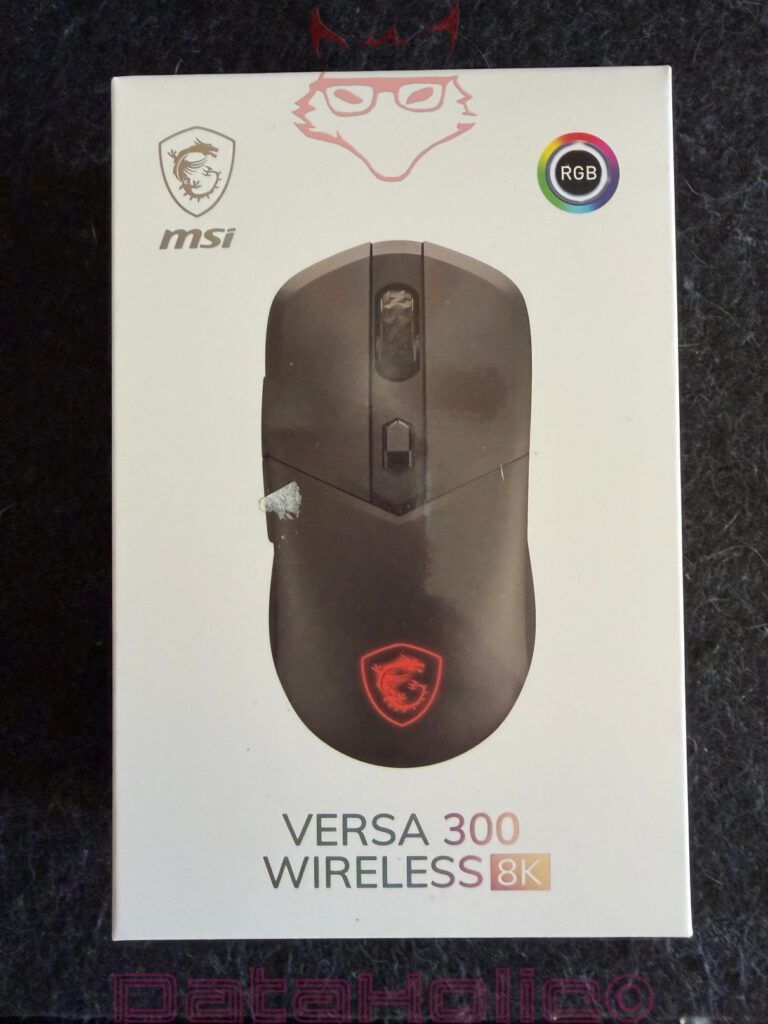
The MSI Versa 300 Wireless 8K belongs to that type of gaming mouse that immediately works with big numbers on paper, yet remains surprisingly sober inside the box. An 8000 Hz polling rate, a PixArt PAW3395 sensor, up to 26,000 DPI, a weight of 66 grams, Bluetooth 5.3, 2.4 GHz wireless connectivity, USB operation, and a claimed battery life of up to 196 hours initially read like the usual technical exercise of modern peripherals. The first contact, however, is noticeably more matter-of-fact. No over-the-top packaging dramaturgy, no aggressively glossy gaming opera, no box that screams eSports trophy before it has even been opened. MSI relies on bright, almost restrained packaging for the Versa 300 Wireless 8K, featuring a clear product image, an RGB indication, and the most important specifications on the back. It appears unspectacular, but not cheap. More like a product that does not have to scream its arguments in neon colours.
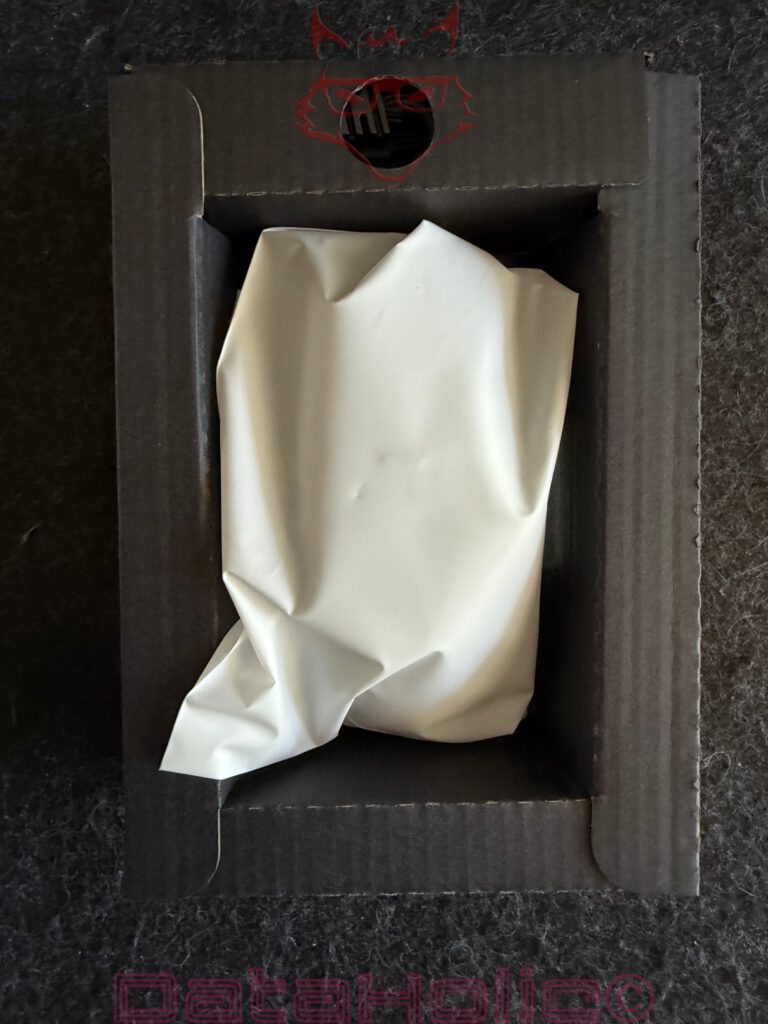
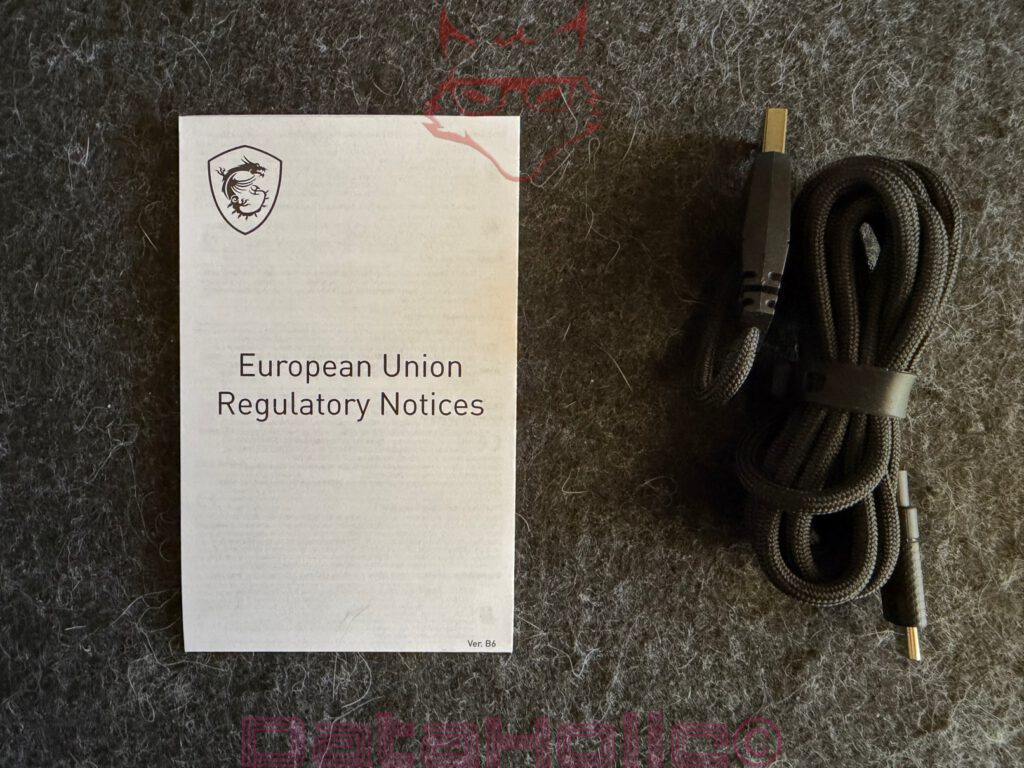
That is exactly where the actual appeal of this mouse begins. The Versa 300 Wireless 8K does not want to be a design icon, but rather a tool. A small, lightweight, quickly set-up tool for desks, notebook bags, and gaming sessions. After opening, the mouse rests inside a simple black cardboard insert and is additionally protected by a white sleeve. Included are also a USB-C-to-USB-A cable, the 2.4 GHz dongle, and the usual EU notices. The package contents appear functional rather than extravagant. In times when even small peripheral products are sometimes packaged as if they contained a handcrafted collector’s item from a secret laboratory, this level of practicality feels almost pleasant. “Form follows function” may be a frequently used quote from the world of design, but in the case of the Versa 300 Wireless 8K, it fits remarkably well: the packaging explains, protects, and disappears from memory afterwards.
Packaging and accessories: Everything included, but not everything perfect
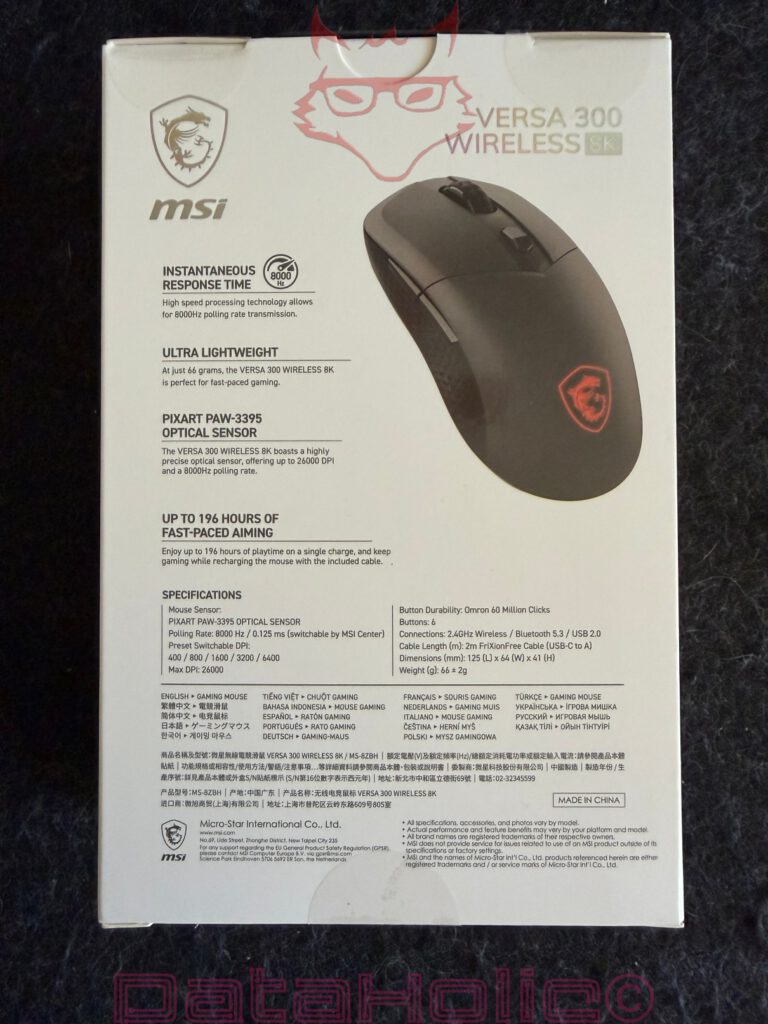
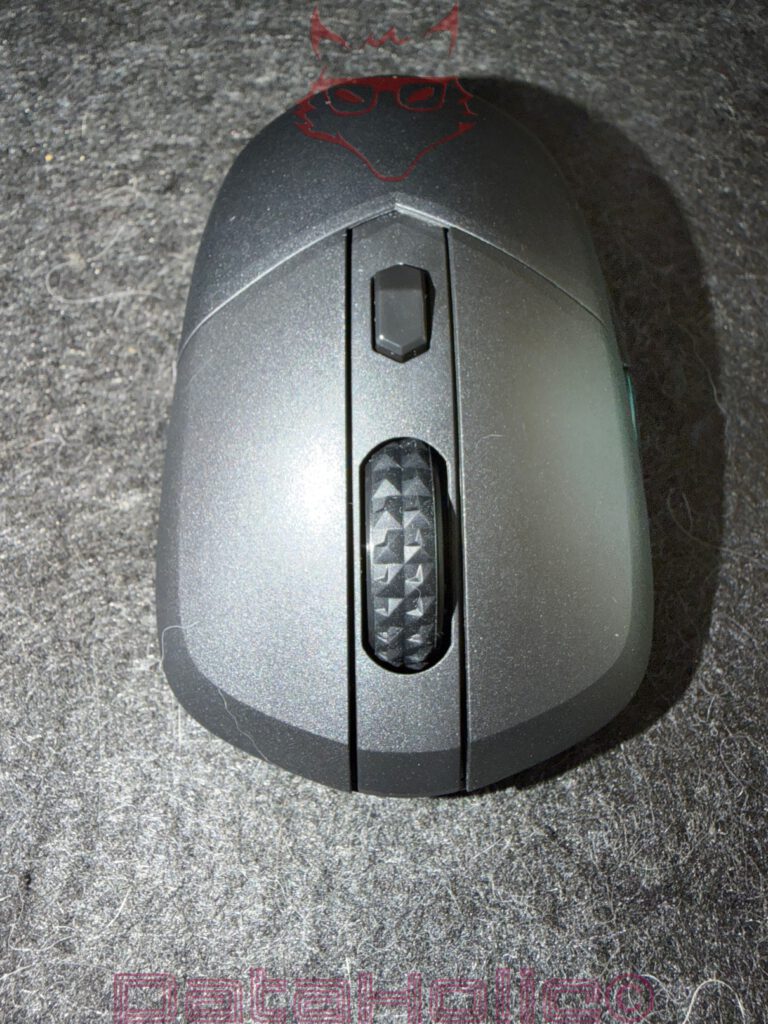
At first glance, the box conveys a clear positioning. The mouse itself dominates the front, beneath it the model name VERSA 300 WIRELESS 8K, above it the MSI logo and an RGB symbol. The rear side becomes more technical. MSI lists the 8000 Hz polling rate, the low weight of 66 grams, the PixArt PAW3395 sensor, and the battery life of up to 196 hours. In addition, there are the connection specifications: 2.4 GHz wireless via MSI SwiftSpeed, Bluetooth 5.3, and USB 2.0 via cable. The DPI switching button is located on the upper side, which is more important in everyday use than the specifications alone might suggest. Instead of disappearing into software menus for every minor sensitivity adjustment, a brief press behind the scroll wheel is sufficient.
The accessories are practical. The included cable is fabric braided, sufficiently long, and uses USB-C on the mouse side. This means the mouse is not only usable while charging but can also be operated in wired mode. For a modern setup, USB-C on the mouse is essential, and MSI fulfils this expectation cleanly. The dongle is less convincing. The small receiver uses traditional USB-A. This remains practical for desktop PCs, but for many modern notebooks, tablets, compact mini PCs, or docking station setups, it is no longer a given. A USB-C dongle or at least a USB-C adapter included in the package would have suited the Versa 300 Wireless 8K well. Precisely because the mouse feels lightweight, mobile, and quick to set up, this decision becomes more noticeable. Anyone working on the move with a slim notebook quickly ends up back in the old reality of peripherals without an adapter: the mouse is modern, while the connection is still searching for the appropriate bridge.
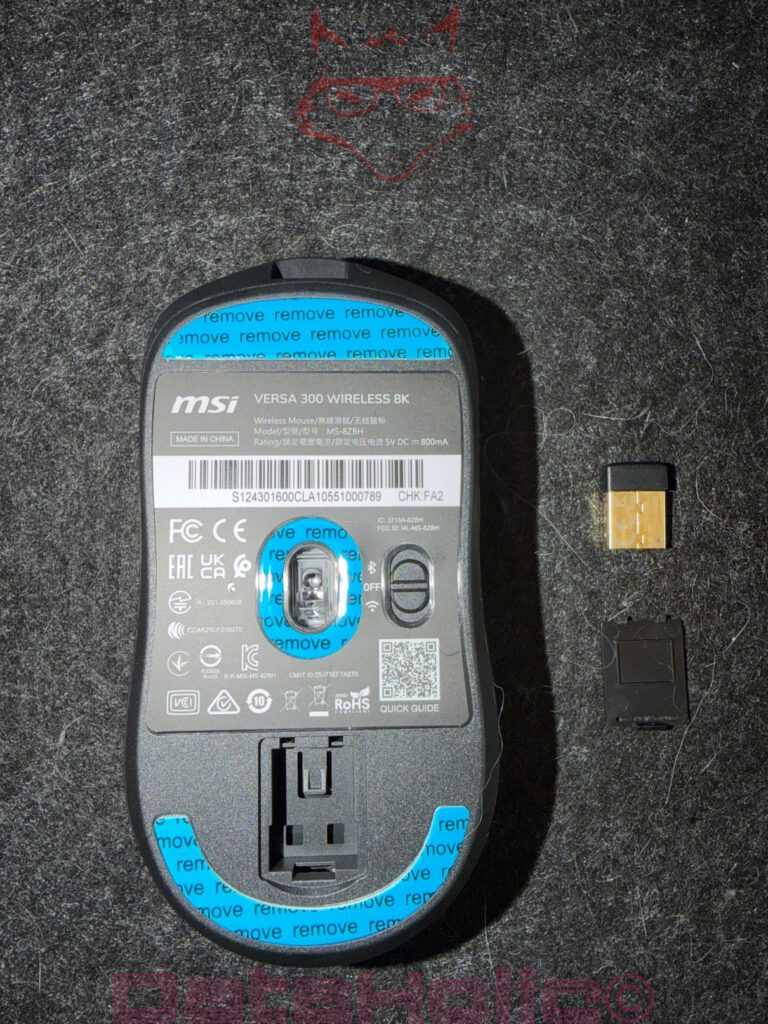
The dongle itself can be stored inside the underside of the mouse. This detail is small but important. Wireless mice rarely fail in everyday mobile use because of the sensor, but rather because of a missing receiver. A dongle without a fixed place becomes a future search operation. MSI solves this properly: the compartment on the underside can be opened, the receiver sits protected inside the mouse, and during transport it remains exactly where it belongs. This solution does not feel luxurious, but practical. Details such as these demonstrate whether a product was designed purely for specification sheets or also for real desks.
The first grip: Lightweight, but not hollow
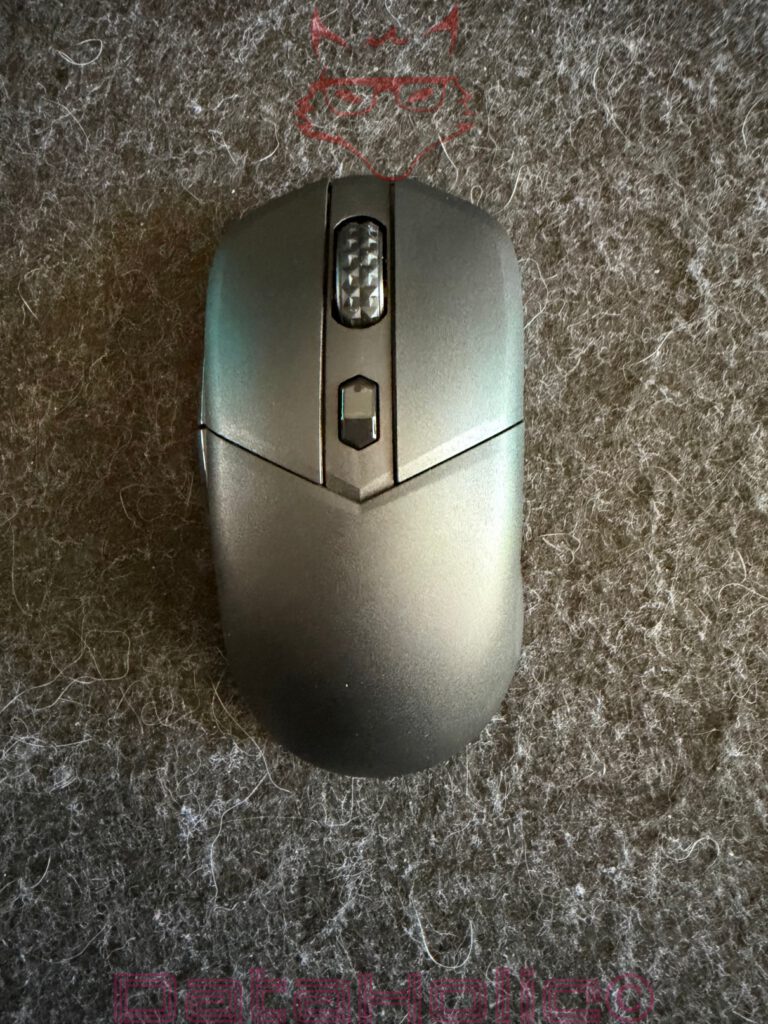
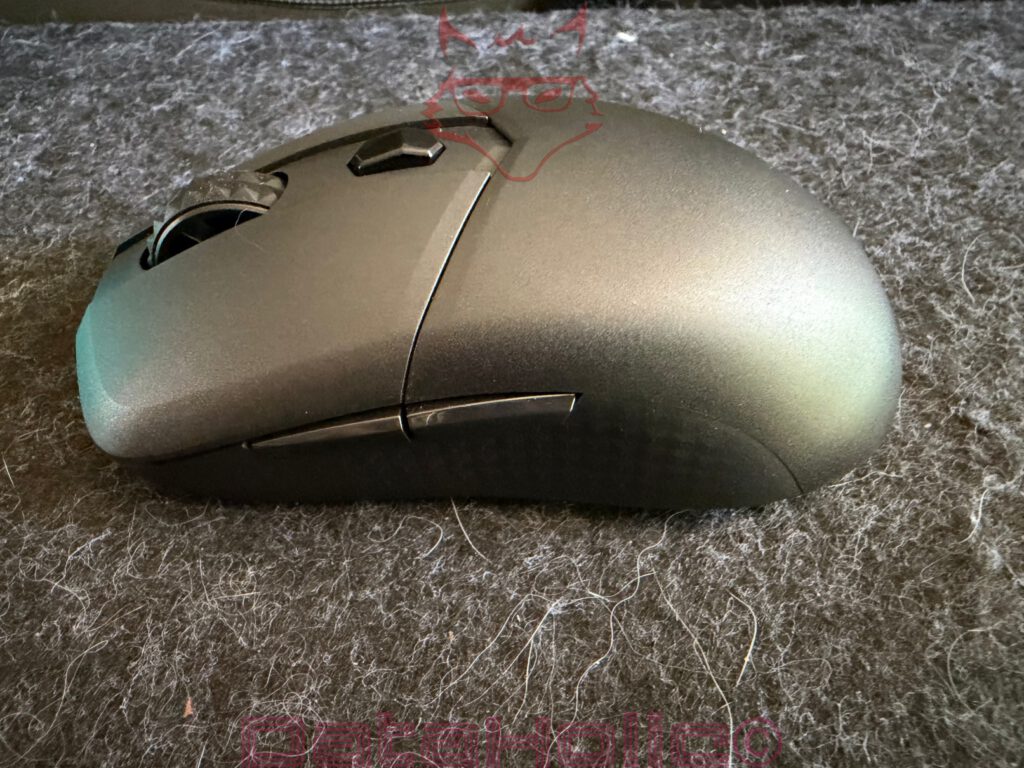
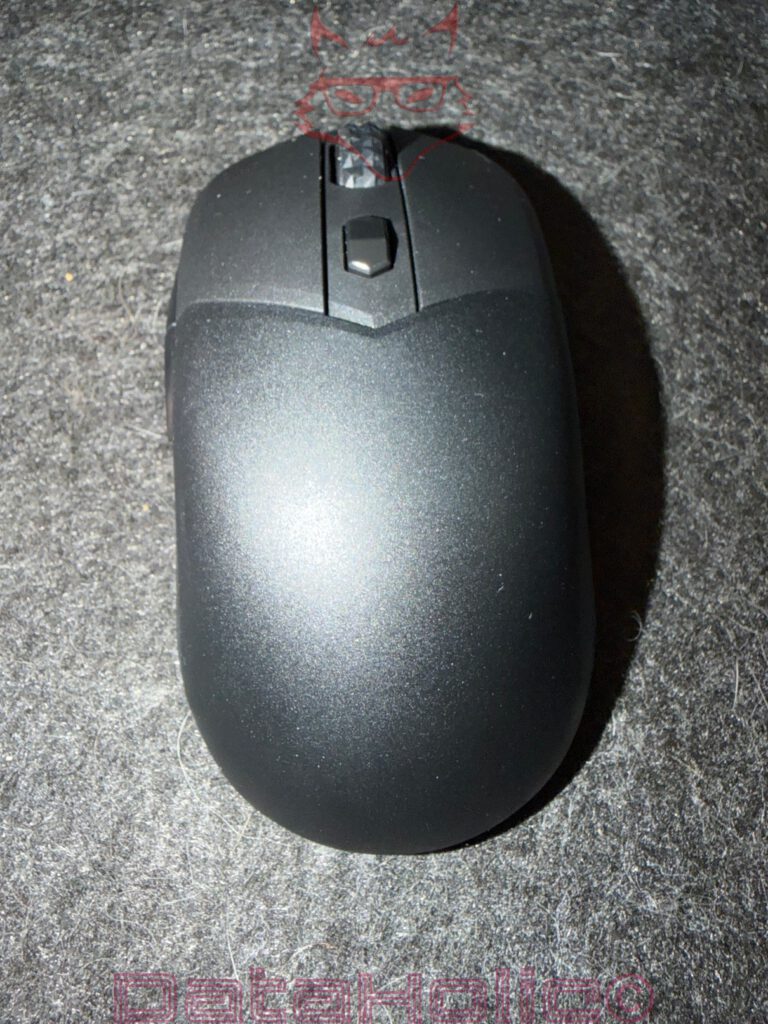
At 66 grams, the Versa 300 Wireless 8K is noticeably lightweight without feeling fragile. MSI avoids a perforated shell, as had become almost mandatory for ultralight gaming mice over the years. This is a good decision. Closed housings usually feel cleaner in everyday use, collect less dirt in open structures, and appear visually more mature. The mouse features a matte, slightly textured surface that feels neither sticky nor slippery. The shape is symmetrical, although the side buttons are located on the left side. In practical terms, this clearly targets right-handed users, even if the silhouette initially appears neutral.
The upper shell slopes pleasantly, and the hump is not excessively high. As a result, the hand rests relatively flat on the mouse. Claw grip and fingertip grip work particularly well, while palm grip depends more heavily on hand size. For larger hands, the mouse remains more of a controlled tool beneath the fingers rather than a full-hand support. The side panels feature a subtle diamond pattern that appears visually unobtrusive while serving a genuine purpose from a tactile perspective. The mouse can easily be lifted and repositioned. Especially at lower DPI settings and during larger mouse movements, this becomes important, because low weight alone offers little benefit if the sides do not provide secure grip.
The housing appears cleanly manufactured. The panel gaps are tidy, the buttons exhibit no noticeable play, the scroll wheel is grippy, and the central DPI button is easy to reach without being triggered accidentally on a regular basis. The main buttons provide a distinct actuation point. MSI relies on Omron switches rated for a lifespan of 60 million clicks. Within this class, this represents a solid promise, but the immediate impression remains more important: the clicks feel direct, neither mushy nor excessively loud. The sound is present, but not unpleasantly harsh. In a quiet working environment, the Versa 300 Wireless 8K is not a silent mouse, but it also does not become an acoustic nuisance.
Sensor Technology and the Underside: The Bottom Tells a Lot About the Mouse
A look at the underside shows that MSI did not disguise the Versa 300 Wireless 8K as a pure office mouse. The sensor sits centrally, the glide feet come with protective films applied from the factory, and the switch for the connection modes is easily accessible. This slider allows switching between Bluetooth, powered-off mode, and 2.4 GHz wireless operation. It is logical, easy to understand, and better than assigning multiple functions through hidden button combinations. One principle often applies to peripherals: every second that does not have to be spent searching through the manual is a plus.
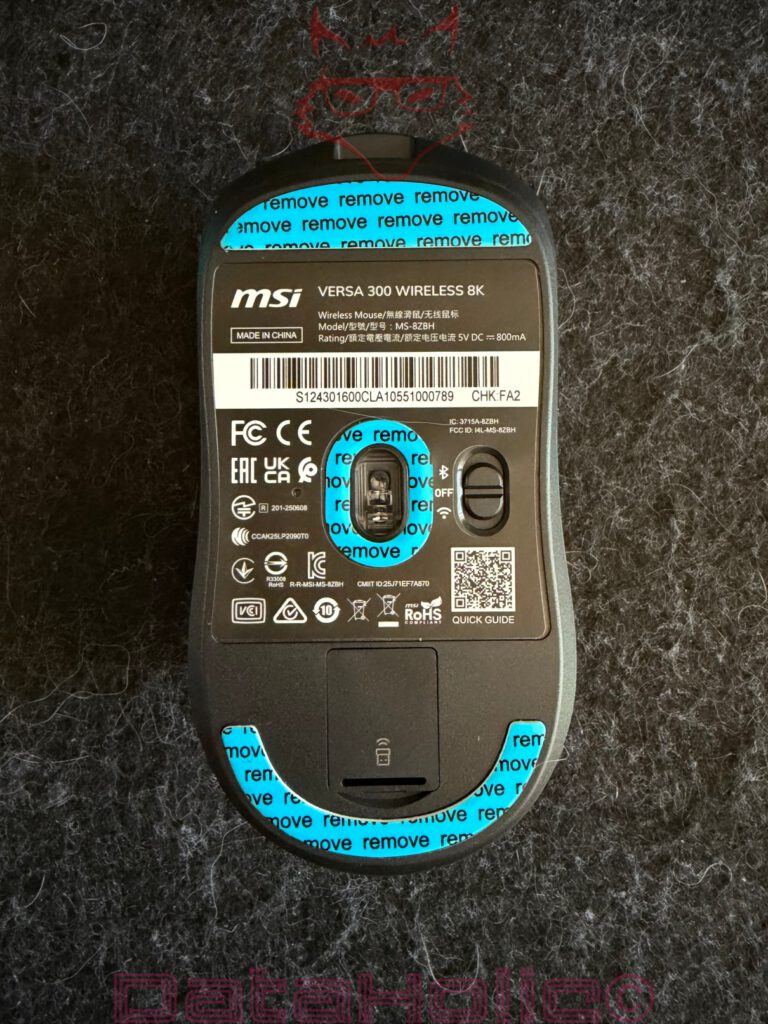
The PixArt PAW3395 is one of the established high-performance sensors in the gaming sector. Up to 26,000 DPI are possible, although such maximum values are less relevant in everyday use than clean tracking, stable signal processing, and reproducible behaviour during rapid movements. High DPI figures create attractive headlines, but real-world use usually takes place at much lower settings. For many setups, 800, 1600, or 3200 DPI remain more realistic than 26,000 DPI, unless an extremely high-resolution multi-monitor setup with very specific requirements is involved. The Versa 300 Wireless 8K offers several levels that can be switched directly using the button on the top side. It appears inconspicuous, but in everyday use it becomes a genuine comfort feature.
Its behaviour on different surfaces is noteworthy. On structured mousepads, cloth surfaces, and slightly rough desk materials, the sensor works quickly and directly. Movements are translated cleanly, even without installing drivers beforehand. This is exactly what matters: a mouse that only functions properly after software installation immediately loses everyday practicality. The Versa 300 Wireless 8K already reacts quickly enough out of the box for office work, desktop usage, web browsing, image editing, and gaming. On very smooth, monochrome, or textureless materials, however, tracking interruptions may occur. This behaviour is not entirely surprising, because optical sensors require usable surface information. Nevertheless, this point clearly belongs in the overall assessment. Anyone using a very uniform, monochromatic mousepad or an extremely smooth tabletop should evaluate the surface carefully. The mouse itself is fast; the surface underneath should not become an optical fog bank.
Setup Without Drivers: Immediately Available, Immediately Usable
The Versa 300 Wireless 8K makes a pleasantly uncomplicated impression during initial setup. Insert the dongle, switch on the mouse, and the connection is established. No drivers, no account, no forced installation process. In the world of gaming peripherals, this is now almost worth mentioning, because many manufacturers immediately tie their products to software suites, background services, and user accounts. Here, the basic functionality works straight away. Cursor movement, clicks, scroll wheel operation, side buttons, and DPI switching are available immediately. For everyday use, for a quick test on an unfamiliar computer, or for mobile use, this is exactly the right approach.
Bluetooth 5.3 expands the range of possible applications. Bluetooth is not the first choice for achieving maximum gaming latency performance, but it is perfectly sufficient for notebooks, office work, travel, and switching between different devices. The 2.4 GHz mode remains the stronger option for gaming and fast input. Through the cable, the mouse can be charged and used at the same time. Even a depleted battery therefore does not interrupt work, but merely requires reaching for the cable. The USB-C connector is positioned at the front, and the cable itself feels flexible enough that wired operation does not immediately resemble a return to the stone age of peripherals.
The specified battery life of up to 196 hours is impressive, but it has to be interpreted correctly. Such values usually apply under specific conditions, often without RGB lighting enabled and not necessarily at maximum polling rates. Eight thousand Hertz generate more data traffic and therefore consume more energy. RGB lighting also reduces battery life. The Versa 300 Wireless 8K remains highly enduring, but the most technically demanding setting is not automatically the most efficient operating mode. This is not a weakness; it is simply physics. As an old workshop saying goes: “Performance does not come from nowhere.” The same principle applies to mice just as much as it does to engines, power supplies, or batteries.
MSI Center and Software: Useful, But Not Mandatory
For advanced settings, the path leads to MSI Center. The software is not required for the basic functionality, but it provides access to key customization options. DPI levels, button assignments, polling rates, lift-off distance, and additional parameters can all be configured there. In doing so, the immediately usable mouse becomes a more finely adjustable tool. The ability to customize DPI stages is particularly useful. No fixed setting suits every workplace equally well. The differences between 400, 800, 1600, 3200, 6400, and 26,000 DPI are substantial. A tailored setting, for example for 1440p, 4K, or multi-monitor environments, can significantly improve everyday comfort.
The polling rate is one of the central selling points of the Versa 300 Wireless 8K. Eight thousand Hertz theoretically means that the mouse transmits positional data to the computer up to 8,000 times per second. This results in a reporting interval of 0.125 milliseconds. It sounds impressive, and technically it is impressive, but context is decisive. The noticeable difference between 1,000 Hertz and 8,000 Hertz depends heavily on the system, the game, the monitor, the frame rate, and the individual input behaviour. On a 60 Hz display performing everyday tasks, the practical benefit remains limited. On fast 240 Hz, 360 Hz, or even 500 Hz displays, in competitive shooters, and at very high frame rates, the higher polling rate can become more meaningful. The mouse then delivers positional updates more frequently, allowing the system to process movements more precisely and more up to date.
At the same time, 8K should not be misunderstood as a magical win button. A high polling rate does not replace a good mousepad, properly configured sensitivity settings, or stable frame rates. The statement “Hardware does not win games, but poor hardware can lose them” fits particularly well here. The Versa 300 Wireless 8K provides the technical foundation for highly responsive input. Whether that foundation translates into an actual advantage depends on the entire system. CPU load, game engine behaviour, monitor latency, frame-time consistency, and personal habits all play a role. In normal desktop operation, 1,000 Hertz is often entirely sufficient, while 4,000 or 8,000 Hertz become more relevant in specialized scenarios.
RGB and Logo Lighting: Subtle Instead of a Disco Ball
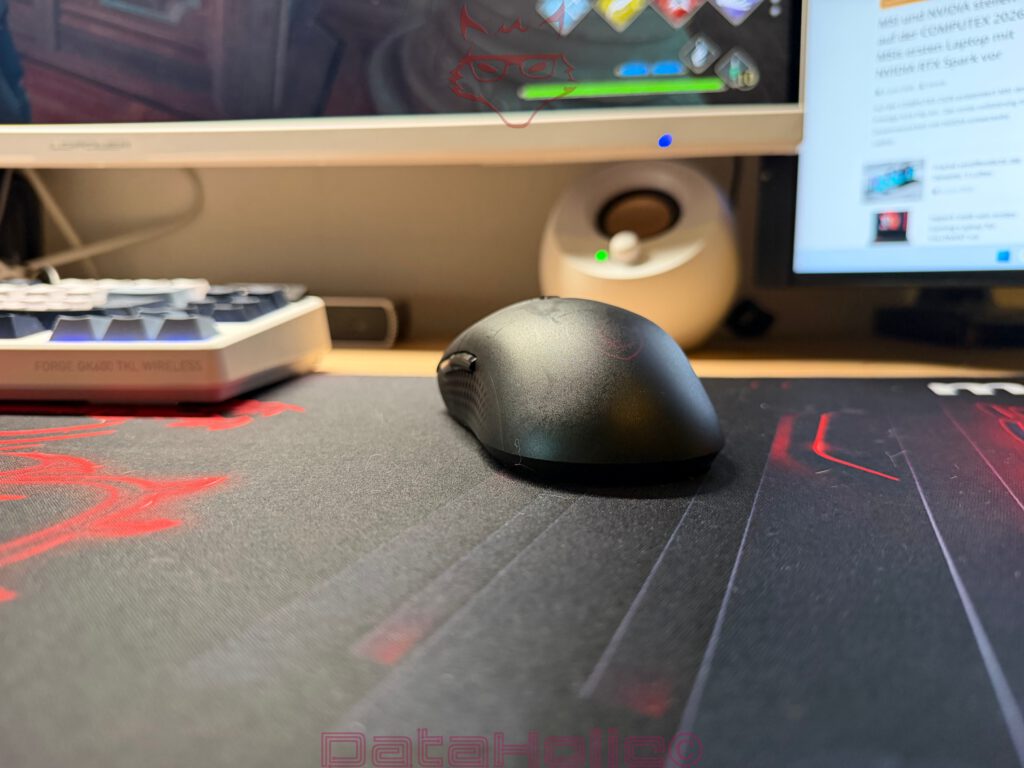
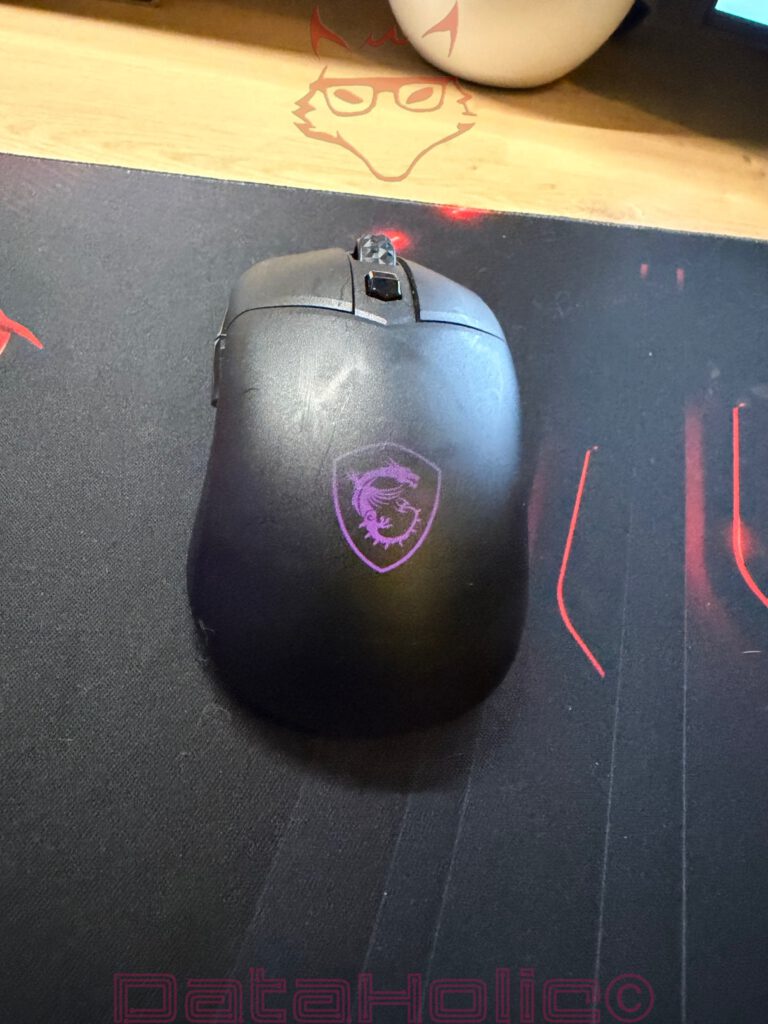
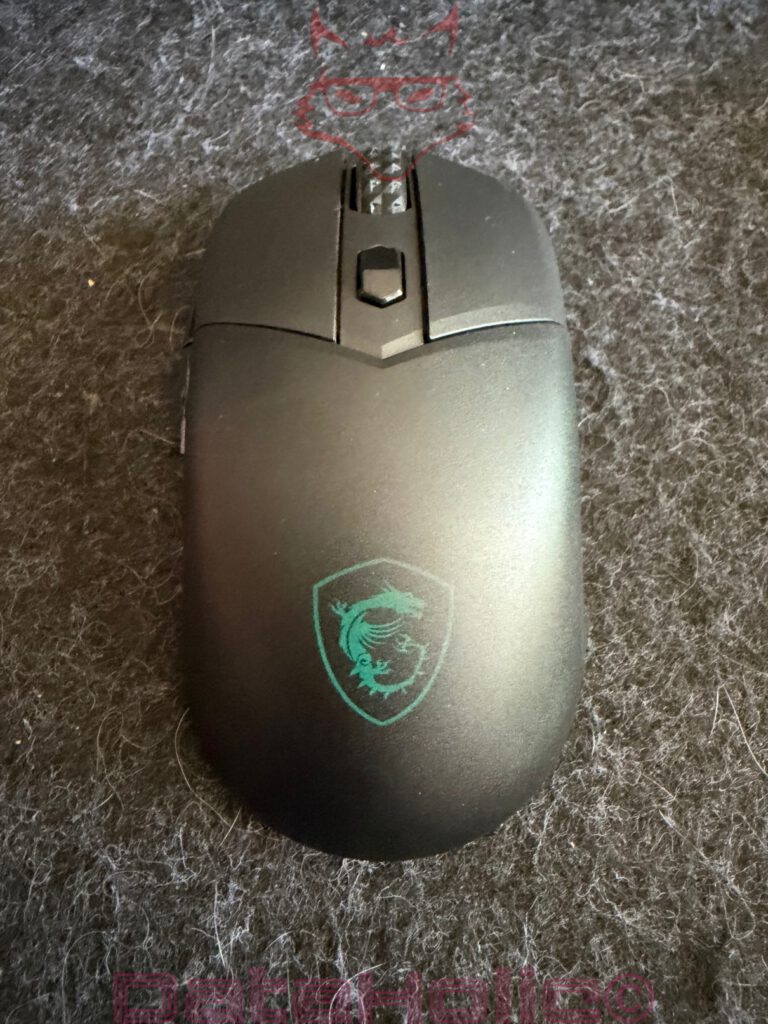
The RGB lighting is concentrated around the MSI dragon logo on the rear section of the mouse. This is a smart decision. A mouse with extensive underglow, illuminated strips, and translucent elements often looks spectacular in product images, but in actual use it disappears beneath the hand or unnecessarily consumes battery life. The Versa 300 Wireless 8K remains more restrained. The illuminated logo is visible when the mouse rests freely on the desk and partially disappears beneath the palm once the mouse is being used. As a result, RGB feels more like an accent here rather than an end in itself.
The lighting can be adjusted depending on the software environment. Within the context of testing, the important aspect is that it does not become distracting and should be capable of being disabled once battery life becomes more important than appearance. Especially for a mouse advertised with up to 196 hours of battery life, RGB becomes a matter of personal preference with practical consequences. Enabled lighting looks better, while disabled lighting lasts longer. This decision is part of the character of modern wireless gaming peripherals. Power remains finite, even if marketing images often suggest otherwise.
The MSI logo itself fits the overall design. It does not appear forced but rather integrated. The mouse remains black, understated, and relatively inconspicuous. Those who prefer gaming hardware without spaceship aesthetics will find a pleasantly pragmatic approach here. The Versa 300 Wireless 8K fits naturally on a gaming desk but does not appear out of place in a work environment either. This dual-purpose nature is an underestimated advantage.
Everyday Use Between Desk, Bag, and Fast Switching
The Versa 300 Wireless 8K is suitable for more than just a stationary gaming PC. Thanks to its low weight, the integrated dongle storage, and the quick setup process, it also works well as a mobile mouse. It is easy to carry, requires little space, and can quickly be connected to a notebook. This is precisely where the term “digital notepad” comes into play: within a mobile work setup involving a notebook, a compact tablet, or a writing environment, the mouse does not become the centrepiece but rather a supporting tool. It is immediately available, does not get in the way, requires no complicated setup process, and disappears back into the bag afterwards.
The absence of a USB-C dongle remains the most noticeable neutral point within this mobile scenario. Many modern notebooks no longer include USB-A ports. An adapter can be found quickly, but it remains an additional accessory that needs to be carried around. For a mouse that otherwise feels so travel-friendly, a USB-C receiver would have represented the more logical solution. Alternatively, a small USB-C adapter included in the box would have been sufficient. As it stands, the package contents remain solid but are not fully aligned with the current notebook landscape.
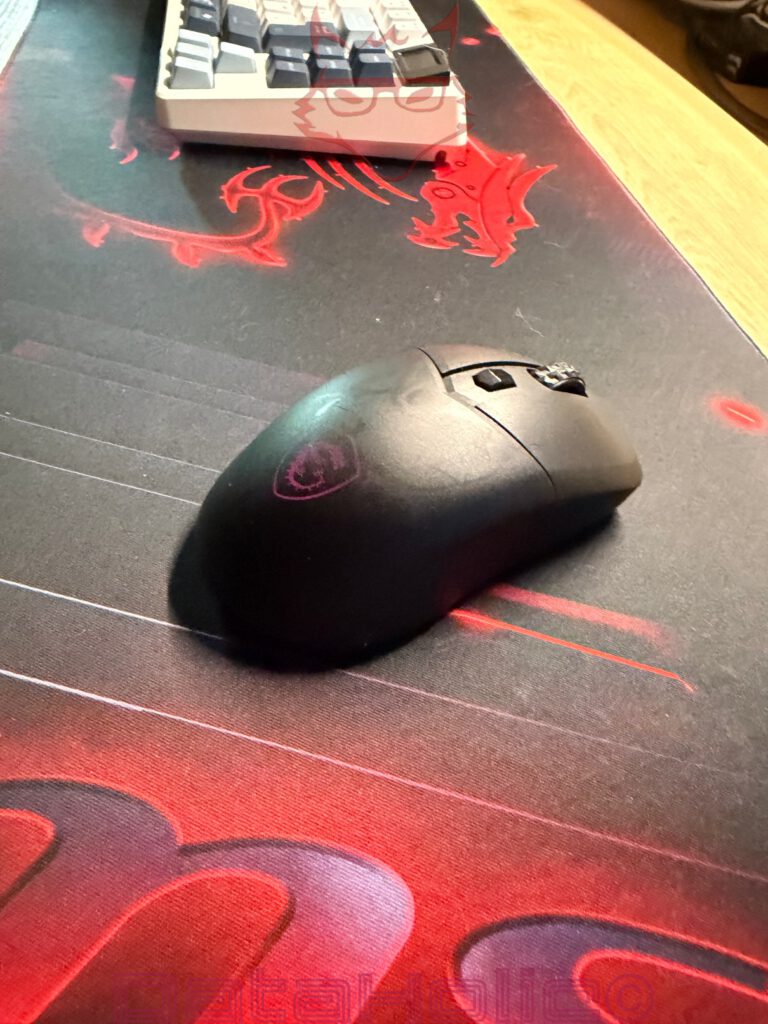
In stationary everyday use, the mouse impresses with its lightweight design. Fast movements are effortless, and extended sessions feel less tiring than with heavier mice. The low weight changes the perception of control. The mouse does not feel sluggish but instead follows movements immediately. At the same time, enough substance remains for it not to resemble an empty plastic shell. The balance is well executed, although personal preferences play a significant role. Some users favour heavier mice because they feel calmer and more deliberate. The Versa 300 Wireless 8K clearly targets those who prefer rapid directional changes and minimal mass.
Gaming Performance: Fast, Direct, and Dependent on the Surface
In gaming scenarios, the strengths of the Versa 300 Wireless 8K become evident primarily through the combination of low weight, a capable sensor, and fast wireless performance. Through the 2.4 GHz connection, the mouse reacts immediately, movements are transmitted accurately, and the clicks feel precise enough for fast inputs. The side buttons are easy to reach without protruding excessively. The scroll wheel provides clearly defined steps and is suitable both for weapon switching and ordinary scrolling.
The high polling rate is technically impressive, but its relevance varies from game to game. In fast-paced shooters with high frame rates and low input latency, 8,000 Hertz can provide more meaningful benefits than in strategy games, role-playing games, or more relaxed titles. At the same time, very high polling rates create additional workload on weaker systems. A good setup therefore finds the appropriate balance. One thousand Hertz remains an efficient standard, while 4,000 or 8,000 Hertz represent the more performance-oriented settings for suitable hardware. The Versa 300 Wireless 8K provides this freedom without forcing it upon the user.
The sensor’s behaviour on very smooth, monochromatic surfaces remains the primary criticism. On a structured mousepad, the mouse performs reliably. On surfaces lacking recognisable texture, interruptions may occur. This is not a complete failure, but it is a clear practical consideration. A fast mouse requires an appropriate stage. A single-colour, very smooth mousepad may appear visually elegant while proving technically less suitable. The classic cloth mousepad with slight texture often remains the more dependable choice for optical sensors. Once again, this demonstrates that a product should not be evaluated in isolation. Mouse, sensor, surface, polling rate, monitor, and system together form a small ecosystem.
Office Work, Creative Tasks, and Extended Usage
Outside of gaming, the Versa 300 Wireless 8K impresses through its simplicity. In browsers, text applications, image editing software, spreadsheets, and file management tasks, it feels fast and precise. The DPI button located on the top surface becomes more useful than it initially appears. Switching directly between precise cursor control and rapid movement across large screen areas is possible at any time. This is particularly convenient with 4K displays or multi-monitor setups. The mouse does not have to remain tied to a single sensitivity setting permanently.
The side buttons assist in everyday navigation through browsers and file managers. Thanks to the low weight, the hand experiences little fatigue as long as the shape suits the individual user. The surface offers sufficient grip without feeling unpleasantly rough. Even after extended sessions, the mouse remains comfortable. The housing does not develop noticeable creaking sounds, the buttons retain their crisp feel, and the scroll wheel provides adequate feedback. For pure office use, the Versa 300 Wireless 8K would almost be technically overqualified, yet this is precisely what makes it interesting: it is a gaming mouse that does not become irritating during everyday tasks.
In creative work, impressions depend more heavily on the specific requirements involved. For precise masking, fine adjustments, and image editing, a capable sensor is helpful, but not everything. Weight, shape, and surface behaviour also play important roles. The Versa 300 Wireless 8K can be guided with precision as long as the underlying surface is suitable. Those relying on extremely slow, pixel-perfect movements should carefully adjust the DPI settings and evaluate the sensor surface. With an appropriate mousepad, the mouse behaves cleanly and predictably.
Software Classification: Between Control and Excess
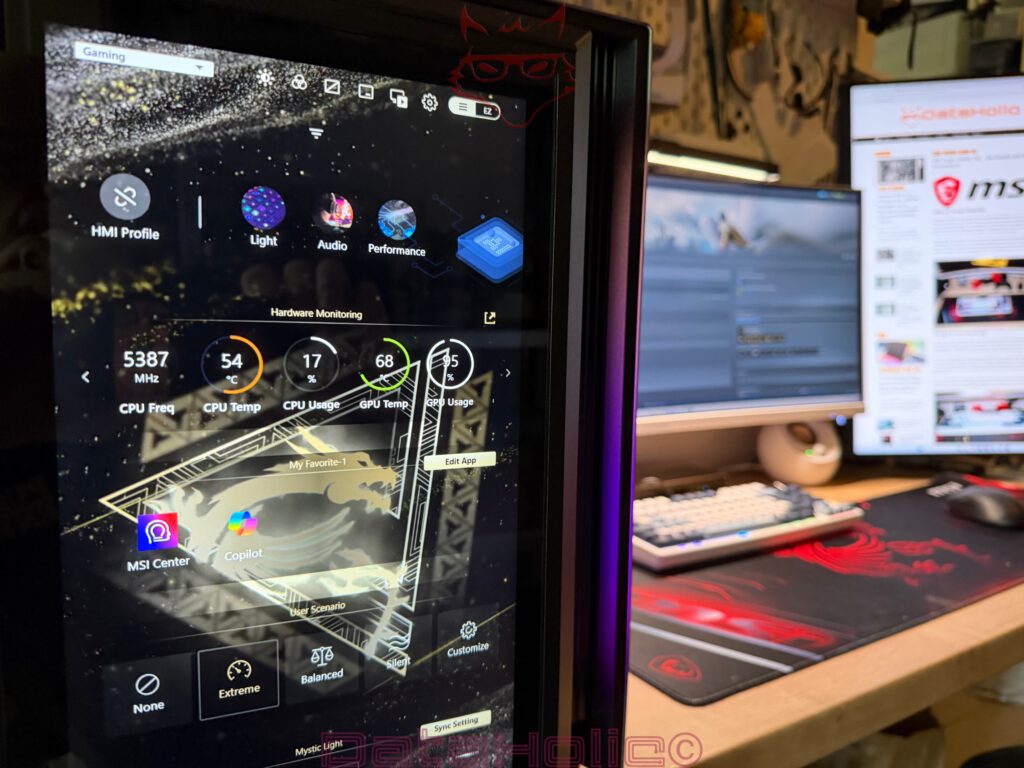
MSI Center is already present on many systems when MSI motherboards, graphics cards, monitors, or other MSI products are being used. For the Versa 300 Wireless 8K, this is practical because there is no need to enter a completely foreign software ecosystem. At the same time, MSI Center remains a larger package than a dedicated mouse application. This can be both an advantage and a disadvantage. The advantage lies in the central management of multiple MSI components. The disadvantage is the larger software footprint than would be strictly necessary for a single mouse.
The mouse functions without software, and this represents an important advantage. Software should expand functionality, not enforce it. The Versa 300 Wireless 8K largely succeeds in following this principle. Plug-and-play is sufficient for simple use. For more detailed control, MSI Center becomes necessary. The most important parameters can be adjusted there. Anyone who simply wants to connect a mouse and get started will not be slowed down. Those wishing to configure macros, DPI levels, polling rates, and additional details gain access to the relevant settings.
The larger question concerns how much software gaming peripherals actually require. Modern mice are small computer systems containing sensors, wireless modules, batteries, memory, LED control, and firmware. Even so, operating them should not feel like administering a server. The Versa 300 Wireless 8K remains on the right side of this line because the core functionality works immediately. The deeper the desired customization, the more prominent the software becomes. This is normal, although not always elegant. From a user perspective, a particularly slim standalone solution designed exclusively for the mouse would also have been appealing.
8K Polling: Technical Strength Combined with Realistic Expectations
Eight thousand Hertz represents the major technical headline of this mouse. A mouse operating at 1,000 Hertz transmits up to 1,000 positional updates per second, while an 8,000 Hz mouse delivers up to 8,000. This reduces the theoretical interval between two reports from one millisecond to 0.125 milliseconds. On a specification sheet, this constitutes a substantial leap.
In practice, however, the entire signal chain determines the outcome.
A mouse may report extremely quickly, yet a game must process this information correctly, a monitor must display the resulting image promptly, and overall system latency must not absorb the advantage.
This does not mean that 8K polling is unnecessary.
It simply means that 8K is not a miracle solution operating in isolation.
On fast monitors, combined with high frame rates and sensitive input requirements, the increased polling rate can provide finer movement representation and reduced input latency. During normal desktop tasks or more relaxed gaming experiences, the difference becomes considerably smaller. As a result, the Versa 300 Wireless 8K behaves like a mouse with reserves. It offers more than is required in many situations without becoming impractical during regular use.
These reserves align well with the current direction of the gaming market. Mice continue to become lighter, sensors more precise, wireless connections faster, and batteries longer-lasting. At the same time, many products increasingly converge from a technical perspective. The difference no longer emerges solely through maximum values but through refinement. Weight, shape, surface texture, software, battery life, and price all need to work together harmoniously. The Versa 300 Wireless 8K finds a sensible balance here. It does not blindly pursue the lowest possible weight but instead remains enclosed, sturdy, and suitable for everyday use.
Minor Weaknesses, Clear Boundaries
The Versa 300 Wireless 8K is not a flawless product. The absence of a USB-C dongle or adapter remains the most obvious point of criticism. Within a modern mobile setup, USB-A no longer feels universally appropriate. Although the dongle can be stored inside the mouse, even the best storage compartment becomes irrelevant without a compatible port.
A second point concerns the sensor’s behaviour on smooth, textureless surfaces. With a suitable mousepad, this issue largely disappears, but a mouse within this category should communicate clearly that the underlying surface remains important.
The RGB lighting also functions more as an accent than as a defining feature. Anyone expecting spectacular illumination effects will not discover a light show here. This restraint makes sense from a battery-life perspective, even if it remains understated from a visual one. The software is useful but not exceptionally lightweight. MSI Center integrates well within existing MSI ecosystems, although it appears larger than necessary when used exclusively for a single mouse. These aspects do not undermine the overall package, but they do define its limitations.
The shape is comfortable, although not universally suitable. Symmetry does not automatically translate into equal comfort for every hand. Right-handed users benefit from the side buttons, whereas left-handed users receive a fundamentally neutral shape without genuine equality regarding additional controls. Larger hands may desire more height and length for palm grip usage. Small to medium-sized hands should adapt particularly well to claw grip and fingertip grip styles.
Verdict: A Strong, Fast Mouse with More Everyday Practicality Than Showmanship
The MSI Versa 300 Wireless 8K succeeds as a wireless gaming mouse because it avoids combining its technical ambitions with unnecessary theatrics. It is lightweight, fast, easy to set up, and pleasantly unobtrusive during everyday use. The PixArt PAW3395 sensor, the 8,000 Hz polling rate, the 2.4 GHz connection, Bluetooth 5.3, USB-C charging capability, and the integrated dongle storage collectively form a well-rounded package. Particularly impressive is the immediate usability without requiring software installation. Unbox it, insert the dongle, switch it on, and begin working or gaming. This is precisely how modern peripherals should function.
The mouse is equally suitable for gaming, office work, and mobile usage, provided that the USB-A dongle fits into the intended setup or an adapter is available. The low weight enables effortless fast movements, the surface provides sufficient control, and the DPI button on the top surface offers practical flexibility. The illuminated MSI logo on the rear remains subtle and integrates effectively rather than visually overwhelming the design. Battery life is strong, even if maximum polling rates and RGB lighting naturally increase power consumption.
The primary criticism remains the sensor’s behaviour on very smooth or monochromatic surfaces. Under such conditions, tracking interruptions may occur, whereas structured mousepads deliver significantly more reliable results. This point deserves emphasis because it becomes more noticeable in everyday use than many specification-sheet values. Even an 8K mouse equipped with a capable sensor still requires an appropriate surface. Likewise, a USB-C dongle or adapter would have represented a more contemporary solution, especially for mobile devices.
Ultimately, MSI delivers a surprisingly mature mouse with the Versa 300 Wireless 8K. It does not resemble an over-engineered prestige product but instead a pragmatic tool built upon a strong technical foundation. The humour almost lies in the fact that this mouse creates considerably less fuss about itself than its specifications might suggest. Eight thousand Hertz, 66 grams, and 196 hours are printed prominently on the packaging, yet the actual impression only emerges after powering it on: the mouse is simply there, responds quickly, and disappears comfortably beneath the hand. Quite often, that is worth more than any exaggerated performance.
Notice in accordance with EU transparency regulations:
The MSI Versa 300 Wireless 8K presented in this review was provided to us by MSI as a non-binding loan sample for testing purposes. This does not constitute paid advertising.
MSI had no influence whatsoever on the content, evaluation, or editorial independence of this article. All opinions expressed are based exclusively on our own practical experience.
We would like to sincerely thank MSI for providing the mouse and for the trust placed in dataholic.de.