
EPOMAKER TH26 Review: When the Numpad Suddenly Does More Than the Keyboard
- 20 Percent Keyboard, but Considerably More Than 20 Percent Functionality
- The Case: Plastic Without an Apology
- Beneath the Keycaps Is a Surprising Amount of Keyboard
- Creamy Jade: The Name Sounds Like Dessert, the Switch Works
- PBT Keycaps and a Design With Some Personality
- The Rotary Encoder Is Small but Difficult to Give Up
- VIA Turns the Numpad Into a Tool
- Three Connection Methods Instead of Cable Dependency
- 2,000 mAh: A Respectable Battery for 26 Keys
- RGB: Completely Unnecessary, So Naturally It Is Included
- Daily Use Is About More Than Excel
- Where the TH26 Is Not Perfect
- A Numpad for People Who Did Not Really Want a Numpad
- Transparency notice in accordance with EU requirements:
A separate numpad belongs to that category of computer accessories that initially seems about as exciting as a USB hub or a pack of cable ties. There are numbers on it, numbers appear after pressing the keys, job done. At least that description applied to the grey USB blocks that spent decades sitting next to cash registers, accounting PCs and compact keyboards. EPOMAKER looks at this category rather differently. The TH26 certainly contains a complete numeric keypad, but that is almost its least interesting feature. Twenty-six keys, five dedicated macro keys, a rotary encoder, mechanical hot-swappable switches, gasket mounting, several layers of acoustic damping, PBT keycaps, RGB lighting, Bluetooth, 2.4 GHz wireless, USB-C and VIA programmability sound more like the specifications of a full mechanical keyboard that has accidentally been shrunk to 121.05 × 146.9 millimetres.
That is precisely where the appeal of the TH26 becomes apparent after extended use. This is less an outsourced numeric keypad and more a small programmable input console. Next to a 60, 65 or 75 percent keyboard, it restores missing keys. In image editing, video production, CAD, spreadsheets or development environments, however, it can take on completely different roles. Even if numbers are entered about as frequently as a tax identification number is recalled from memory, the entire pad can still be put to good use. VIA allows almost every key to be assigned another function.
The TH26 therefore raises an interesting question: why should a numpad actually be limited to being a numpad?
20 Percent Keyboard, but Considerably More Than 20 Percent Functionality
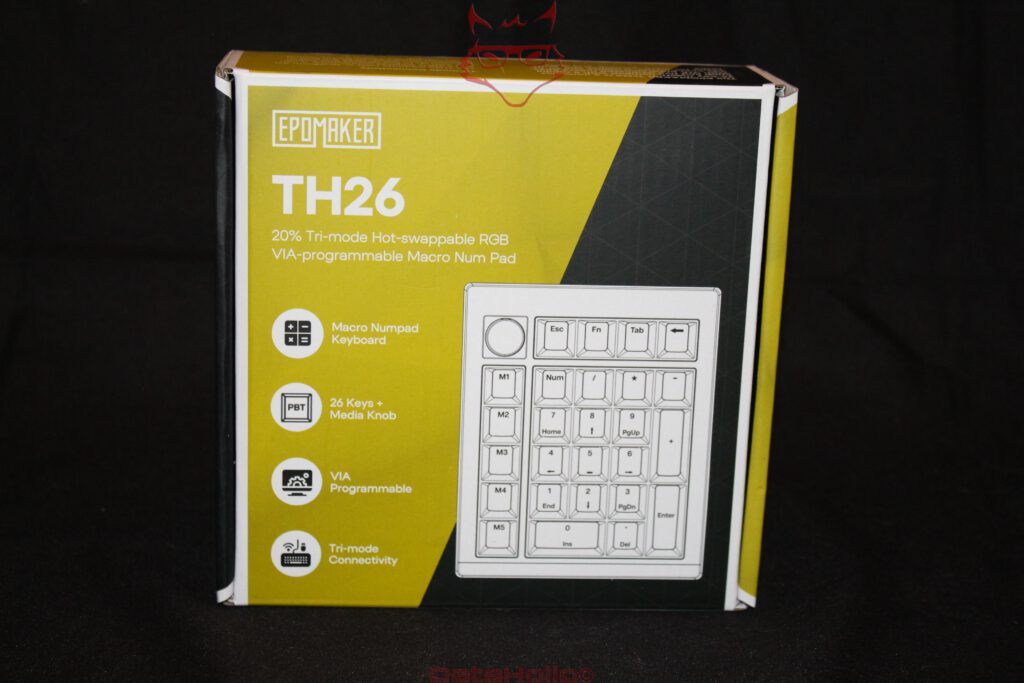
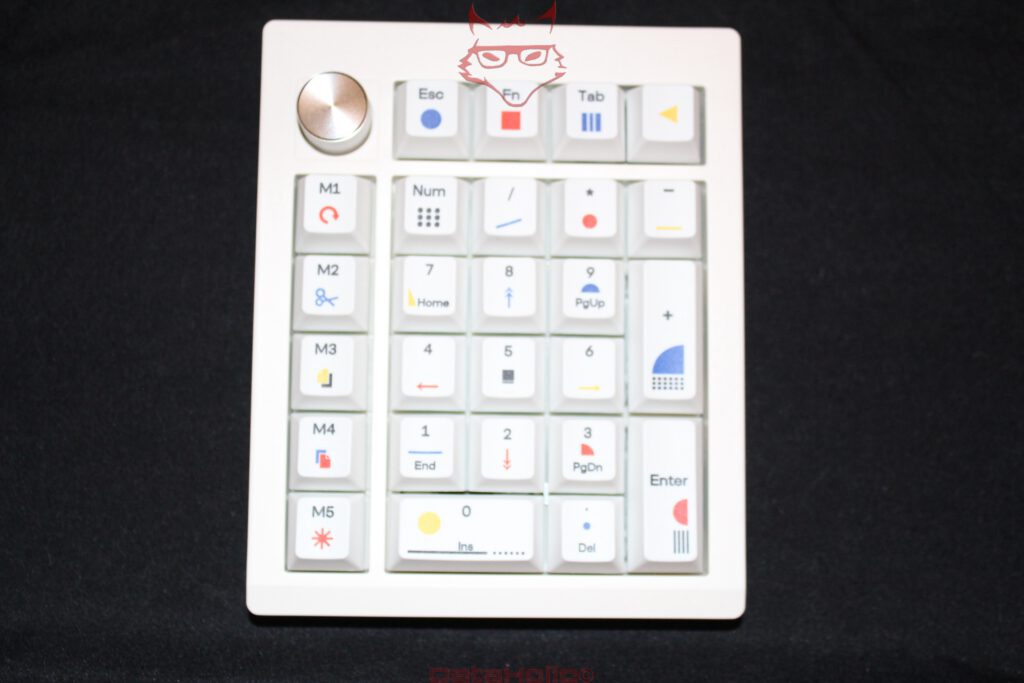
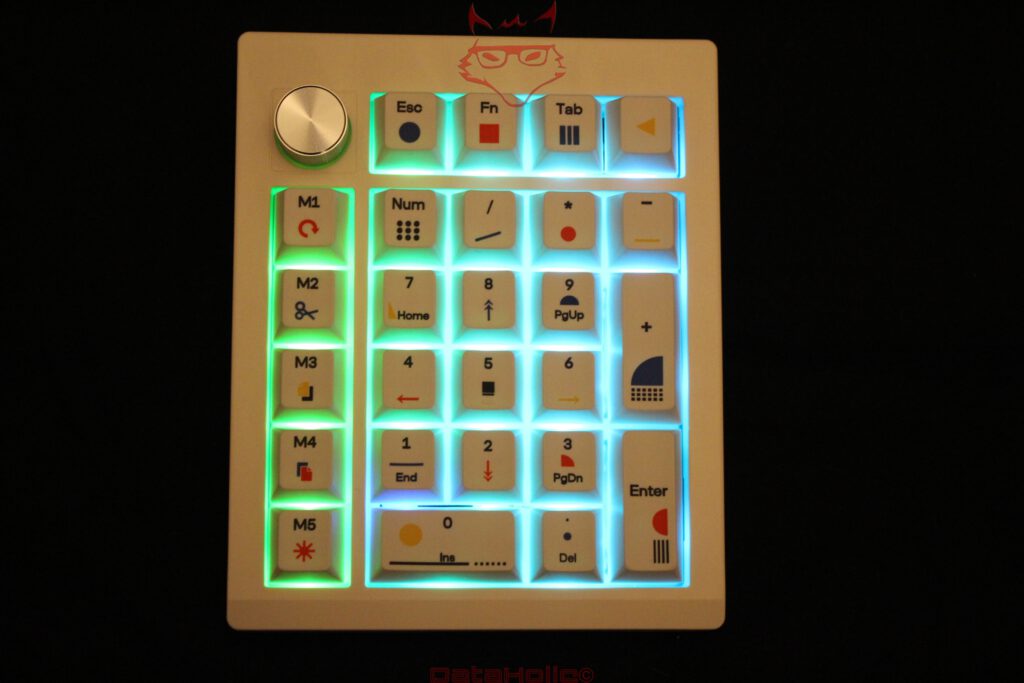
EPOMAKER describes the TH26 as a mechanical 20 percent numpad. That initially sounds like someone took a saw to a full-size keyboard, but it only partially describes the concept. The conventional numeric section occupies the centre and includes Num, divide, multiply, minus, plus, Enter, the digits and decimal point. Above it sit Esc, Fn, Tab and another key. Along the left side is a separate column containing M1 through M5. Finally, a rotary encoder occupies the upper-left corner.
The TH26 therefore provides 26 keys plus the encoder. The five macro keys in particular change its character considerably. A conventional numpad simply reproduces the numeric section of a full-size keyboard. The TH26 expands that principle with freely assignable controls and multiple layers. Suddenly, M1 through M5 can handle Copy, Paste, Cut, Screenshot and Save. In image-editing software they can switch tools; in a development environment they can trigger build, debug or terminal functions; in media applications they can provide transport controls.
That sounds like a minor convenience until the same operation occurs several hundred times a day. Donald Knuth famously wrote that “premature optimization is the root of all evil.” With the TH26, almost the opposite applies. Saving five seconds on something performed once a day remains largely academic. Optimising a movement repeated hundreds of times every working day is a different matter entirely.
That is precisely where a freely programmable input device starts to make sense.
Its physical independence is equally important. A permanently integrated numpad on a full-size keyboard always sits on the right. The TH26 can sit wherever it is useful. On the right, it behaves conventionally. On the left, the right hand can remain on the mouse while the left handles numbers, macros or shortcuts. For certain applications, that arrangement is considerably more comfortable than using a large 100 percent keyboard.
It sounds trivial, yet it changes a workstation more than expected. A compact main keyboard and separate TH26 physically divide typing and specialised functions. The numpad can disappear when it is not needed. A full-size keyboard obviously cannot do the same.
The Case: Plastic Without an Apology
At around 450 grams, the TH26 is surprisingly substantial for its dimensions. There is no aluminium enclosure hiding underneath, though. EPOMAKER uses ABS plastic, which is a perfectly reasonable decision for this price category.
Plastic has acquired an undeservedly poor reputation among keyboard enthusiasts. A massive CNC-machined aluminium chassis certainly feels premium, but it also increases weight and price while changing acoustic behaviour. A well-designed plastic enclosure can be mechanically more than adequate as long as wall thickness, fastening points and internal construction are properly executed.
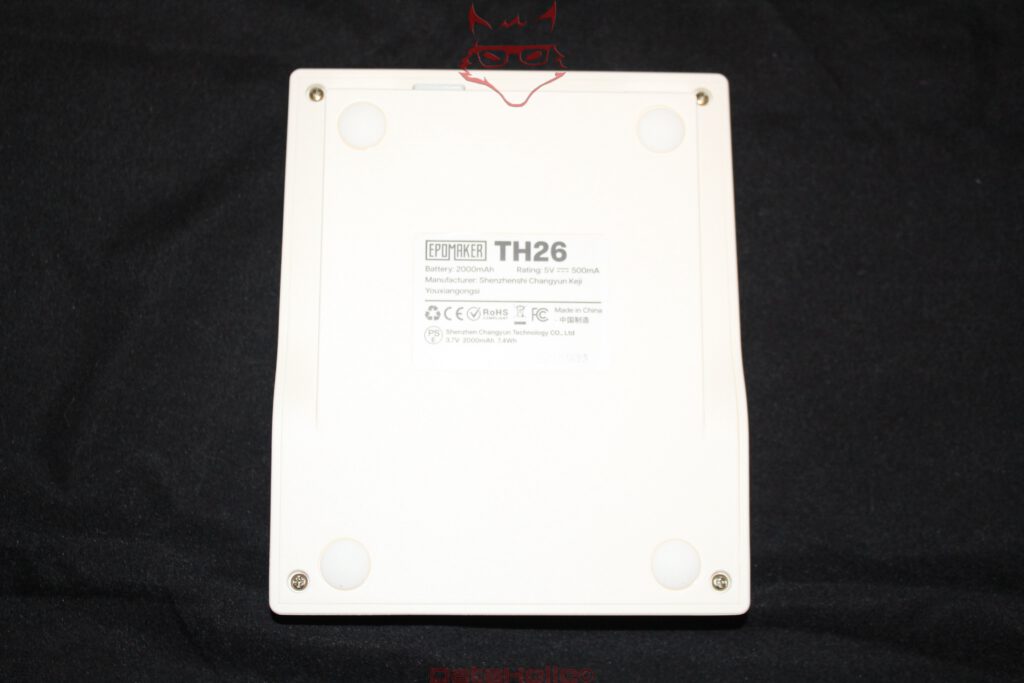
The TH26 never feels like a thin calculator. The enclosure remains stable during more forceful input, while the small footprint naturally limits flex. Four large rubber pads on the underside keep the device firmly planted on the desk. Its weight handles the rest. That matters particularly with a separate numpad: something this small should not gradually migrate towards the monitor during rapid number entry.
The underside also reveals a pleasantly pragmatic construction. There is no decorative metal plate, unnecessary viewing window or attempt to turn a working tool into a piece of jewellery. The screws remain accessible. That approach suits a product built around replaceable switches. Serviceability should not end at the keycaps.
The fixed height is slightly more unusual. EPOMAKER specifies approximately 21.6 millimetres at the front and around 35.34 millimetres at the rear, resulting in a seven-degree typing angle. Combined with Cherry-profile keycaps, this creates a natural incline without requiring folding feet. The TH26 therefore always remains at the same angle.
That is structurally neat, but it removes an element of personal adjustment. Additional height positions would have been useful on a productivity device, especially when the TH26 is placed directly beside a main keyboard with a very different case height. Two input devices next to each other feel most natural when hand position and key height do not require a small vertical jump every time the hand moves between them.
Beneath the Keycaps Is a Surprising Amount of Keyboard
The technically more interesting part begins underneath the keycaps. EPOMAKER uses a 1.2-millimetre PCB, a polycarbonate plate and a gasket-mounted construction. Several acoustically active layers are added to the stack, including latex foam between relevant components, an IXPE switch pad, a PET layer for acoustic tuning and additional damping beneath the PCB.
For a numpad, that is remarkably elaborate.
Gasket mounting essentially means that the plate holding the switches is not rigidly attached directly to the enclosure. Elastic elements partially decouple the assembly from the chassis. On a large keyboard, the resulting flex can often be seen and felt quite clearly. On the TH26, the effect is naturally more restrained because of the much smaller surface area. A plate barely twelve centimetres wide simply cannot flex as dramatically as the internal structure of a 75 percent keyboard.
The more relevant effect here is isolation. Keystrokes transfer fewer harsh vibrations into the enclosure. Combined with the damping layers, this reduces the hollow resonance commonly associated with inexpensive plastic keyboards.
And this is where the TH26 delivers one of its more pleasant surprises.
Technically, a numpad does not need to sound particularly good. Excel would continue working even if every key sounded like an old cash register. EPOMAKER nevertheless treats these 26 keys like a proper mechanical keyboard. As a result, the TH26 sounds controlled, relatively full and considerably less hollow than its ABS enclosure might suggest.
The long Plus and Enter keys use plate-mounted stabilisers. They are not exotic enthusiast-grade stabilisers, but neither excessive rattling nor a dramatically different acoustic character compared with the regular keys becomes a major distraction. That matters on a numpad because Enter and Plus are relatively frequently used, making poor stabilisers immediately noticeable.
Creamy Jade: The Name Sounds Like Dessert, the Switch Works
EPOMAKER Creamy Jade switches are installed from the factory. Behind the slightly confectionery name is a factory-lubricated linear mechanical 5-pin switch. According to specification, actuation requires roughly 45 ± 5 grams, while bottoming out reaches approximately 50 ± 5 grams. Pre-travel is around 2.0 ± 0.4 millimetres, with total travel of approximately 3.6 ± 0.4 millimetres.
Translated from mechanical-keyboard language: the Creamy Jade has no tactile bump and no deliberately generated click. The key travels smoothly and consistently from top to bottom.
That characteristic suits a numpad extremely well. Long sequences of numbers benefit from smooth, repetitive movements. A pronounced tactile resistance is not necessarily advantageous here. The 45-gram actuation force is also light enough for rapid input without reaching the territory where merely resting a finger on a key risks introducing an exciting new figure into the next tax return.
Factory lubrication contributes to the smooth impression. Scratchiness, sometimes noticeable in inexpensive dry switches, is barely an issue. Combined with the damped enclosure, the result is a surprisingly mature typing feel.
The more important detail, however, is hidden in the term “hot-swap”. The switches are not soldered permanently to the PCB and can be removed. Mechanical 5-pin switches are supported, so the TH26 is not permanently tied to Creamy Jades.
That is more than enthusiast tinkering. A defective individual switch can be replaced without a soldering iron or PCB surgery. Heavier linear switches can be fitted for greater resistance. Tactile switches are equally possible. Different switch types can even be assigned to different functional groups: tactile switches for M1 through M5, for example, and linear switches for the numeric section.
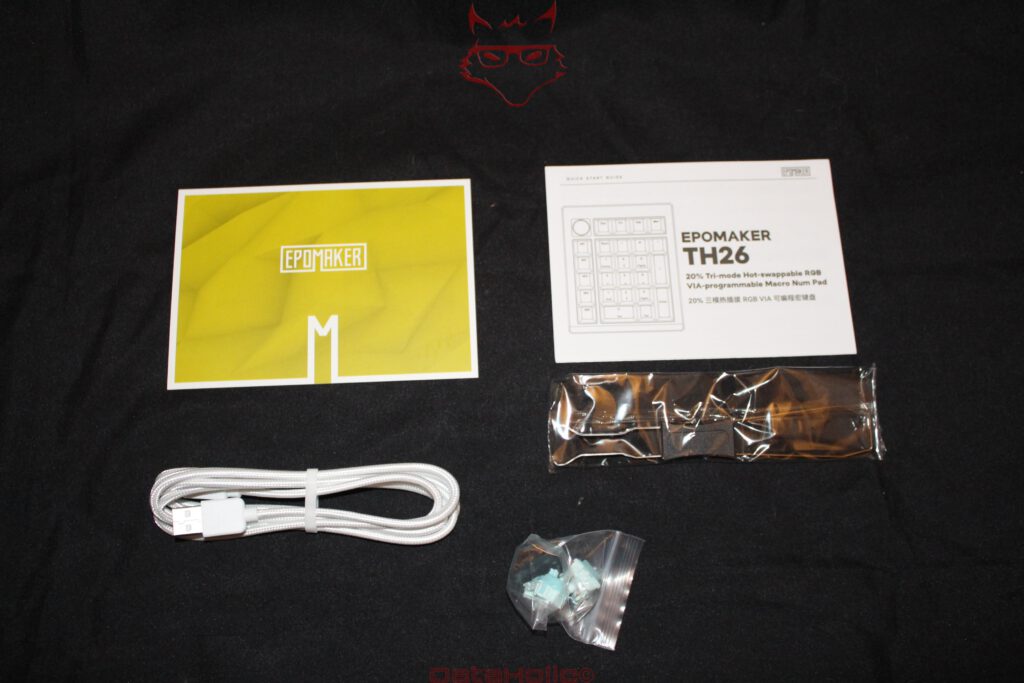
A small bag of spare switches and a combined keycap and switch puller therefore make sense as part of the package.
PBT Keycaps and a Design With Some Personality
Visually, the TH26 takes itself rather less seriously than conventional office peripherals. The white PBT keycaps feature small geometric symbols in blue, red and yellow alongside their legends. The result sits somewhere between Bauhaus graphics, mathematical teaching aids and those abstract posters that decided circles, squares and lines were enough to constitute an entire design language.
Surprisingly, it works.
The symbols do not turn the TH26 into a toy, yet they prevent the sterile appearance of an entirely white numeric keypad. EPOMAKER calls the design “Original Theory”. The keycaps are made from PBT and use dye-sublimated legends.
PBT is a sensible material here. It is comparatively resistant to the smooth, glossy wear patches that can develop on basic ABS keycaps after intensive use. Dye sublimation also does not simply apply colour as a superficial coating. The dye penetrates the material under heat, giving the legends good long-term durability.
The Cherry profile provides a familiar and comparatively low key shape. That is particularly welcome on a separately positioned input device because there are no unusually tall keycaps to climb over when moving the hand across from another keyboard.
The design also brings a small practical advantage to the macro section. M1 through M5 are immediately distinguishable from the main numeric matrix. After a short adjustment period, the hand can locate the column almost without looking. A macro pad loses a considerable part of its usefulness if every command first requires a visual search for the correct button.
The Rotary Encoder Is Small but Difficult to Give Up
A metallic-looking encoder occupies the upper-left corner. Rotary controls have become almost obligatory on mechanical keyboards, but their position on a numpad is particularly useful.
Volume control is the obvious application. Turning adjusts the level, pressing can mute the system. The TH26 therefore doubles as a small media controller. Individual assignments make the encoder more interesting still. Scrolling, zooming and other functions can all make sense depending on the configuration and software environment.
VIA handles an encoder differently from ordinary keys. Programming can therefore become slightly less intuitive once more specialised QMK keycodes enter the picture. This reveals the other side of openness: proprietary configuration software could simply present three large graphical icons and hide everything underneath. VIA offers far greater flexibility but occasionally expects some familiarity with keycodes and layers.
The philosophy resembles an old Unix principle: a tool should perform its task well and work effectively alongside other tools. The TH26 follows a surprisingly similar idea. Its hardware determines where input occurs. What that input ultimately means is largely left to the configuration.
VIA Turns the Numpad Into a Tool
The fundamental difference between the TH26 and an ordinary USB numpad ultimately lies in VIA.
VIA is not typical peripheral software requiring another user account, permanent background service, startup entry and an unavoidable update dialogue appearing exactly when work is supposed to begin. Its configuration is rooted in the QMK ecosystem and allows keys, macros, layers, media functions, lighting controls and specialised keycodes to be reassigned.
The TH26 provides four layers. Layer 0 contains the standard Windows mapping, Layer 1 handles the basic macOS layout, Layer 2 serves as the Windows Fn layer and Layer 3 provides the corresponding macOS secondary layer.
One physical key can therefore perform several jobs. Fn can act as a temporary layer switch, for example. While it is held down, the rest of the pad receives an alternative mapping. Releasing Fn immediately returns the TH26 to its original layer.
Twenty-six physical keys can therefore represent a much larger virtual control surface.
A practical example makes the concept clearer. The standard layer remains a conventional numpad. M1 through M5 handle frequently used editing commands. With Fn held down, the same numeric keys become media controls, navigation commands or application shortcuts. Another arrangement could dedicate the secondary layer entirely to a particular program.
There is a limitation: VIA configuration of the TH26 is performed while connected by cable. The pad needs to be attached through USB for setup. Depending on the VIA environment, the TH26 JSON definition may also be required so that the configurator recognises the layout correctly. None of this is particularly difficult, but it is not quite the experience where a device is connected and every advanced feature becomes self-explanatory ten seconds later.
EPOMAKER additionally offers its browser-based Hub. VIA nevertheless remains particularly interesting for more advanced configurations. Reassigning five macro keys is easy enough. Layer taps, momentary layers and specialised QMK commands lead considerably further down the rabbit hole.
“M2 should be Copy” can turn into an evening spent experimenting with keycodes surprisingly quickly.
That is part of the peculiar charm of programmable keyboards. Eventually there is a dedicated button for a task whose original keyboard shortcut has long since been forgotten. At that point, a macro pad has done its job.
Three Connection Methods Instead of Cable Dependency
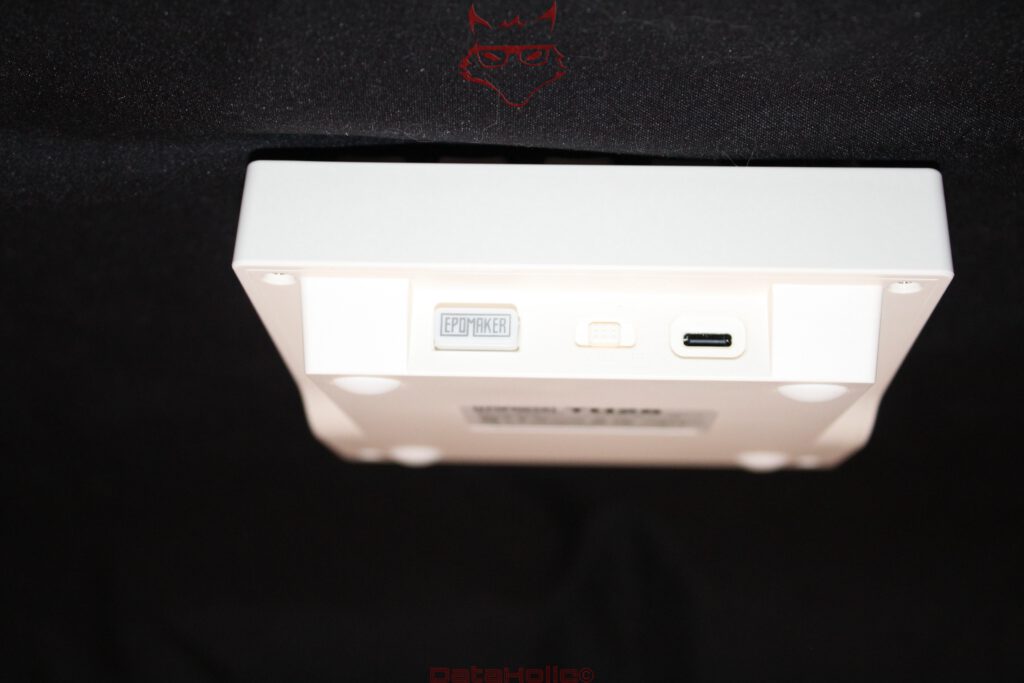
For connectivity, the TH26 provides USB-C, 2.4 GHz wireless and Bluetooth. The relevant selector is located at the rear alongside the USB-C port. The small 2.4 GHz receiver can also be stored directly inside the device. It is an inconspicuous but extremely useful detail. Loose wireless dongles possess an almost supernatural ability to disappear into the wrong drawer precisely between two occasions when they are needed.
For a permanent workstation, 2.4 GHz is the more interesting wireless mode. EPOMAKER specifies a polling rate of up to 1,000 Hz here as well as over USB. Bluetooth operates at 125 Hz. The manufacturer’s latency figures are around three milliseconds for wired operation, five milliseconds over 2.4 GHz and 15 milliseconds via Bluetooth.
For normal numpad duties, these differences are effectively irrelevant. No spreadsheet has ever been lost because a digit arrived twelve milliseconds later. The distinction becomes more relevant if the TH26 is repurposed as a macro controller for time-sensitive applications or games.
Bluetooth offers a different advantage: no USB receiver is required. On notebooks or tablets with limited connectivity, that can matter considerably more than maximum polling frequency.
USB-C remains the simplest option. Connect the cable, establish the link, charge the battery and gain access to VIA configuration at the same time.
This flexibility suits the modular concept extremely well. The TH26 can live permanently beside a desktop PC, occasionally accompany a notebook and then connect to another system through Bluetooth. A permanently tethered numpad would be considerably less interesting.
2,000 mAh: A Respectable Battery for 26 Keys
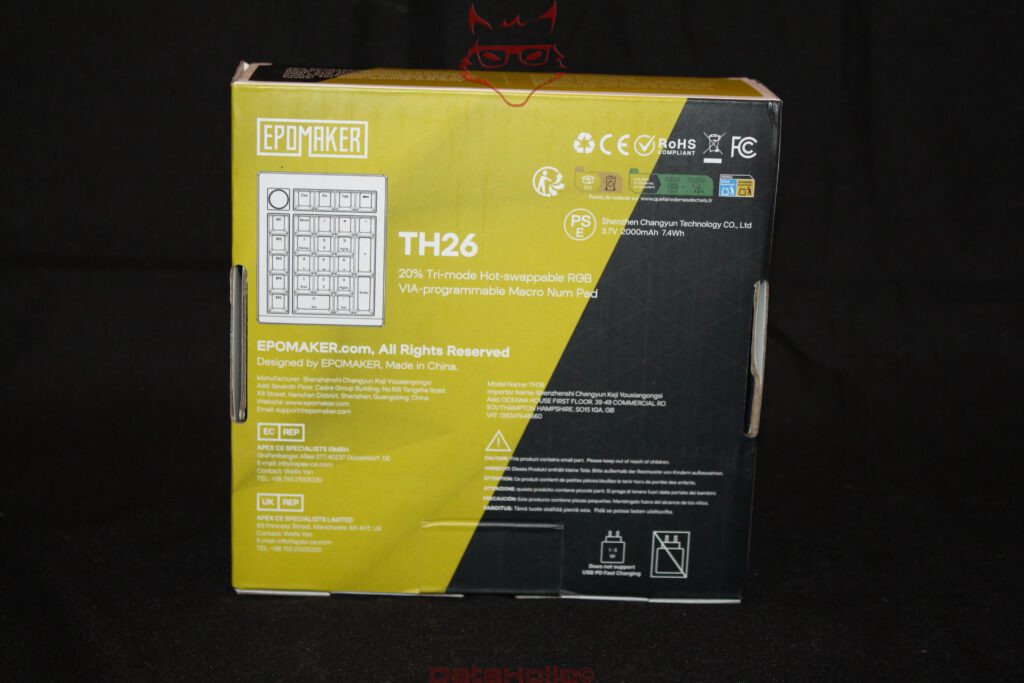
Inside the enclosure sits a 2,000 mAh battery rated at 3.7 volts, corresponding to 7.4 Wh. For a device containing only 26 keys, that is a respectable capacity.
Actual runtime depends heavily on RGB brightness, wireless mode and usage patterns. A single universal figure would therefore say relatively little. The physical relationship is straightforward, however: permanently running bright RGB lighting consumes energy, while dimmed or disabled lighting extends battery life substantially.
A numpad provides little practical reason to sacrifice battery life for a permanent light show. It usually remains in a fixed location, and its relatively simple layout becomes easy to operate by feel after a short period.
The use of USB-C is also welcome. By 2026, anything else on this type of peripheral would feel less like a design decision and more like an archaeological discovery.
RGB: Completely Unnecessary, So Naturally It Is Included
Of course the TH26 lights up.
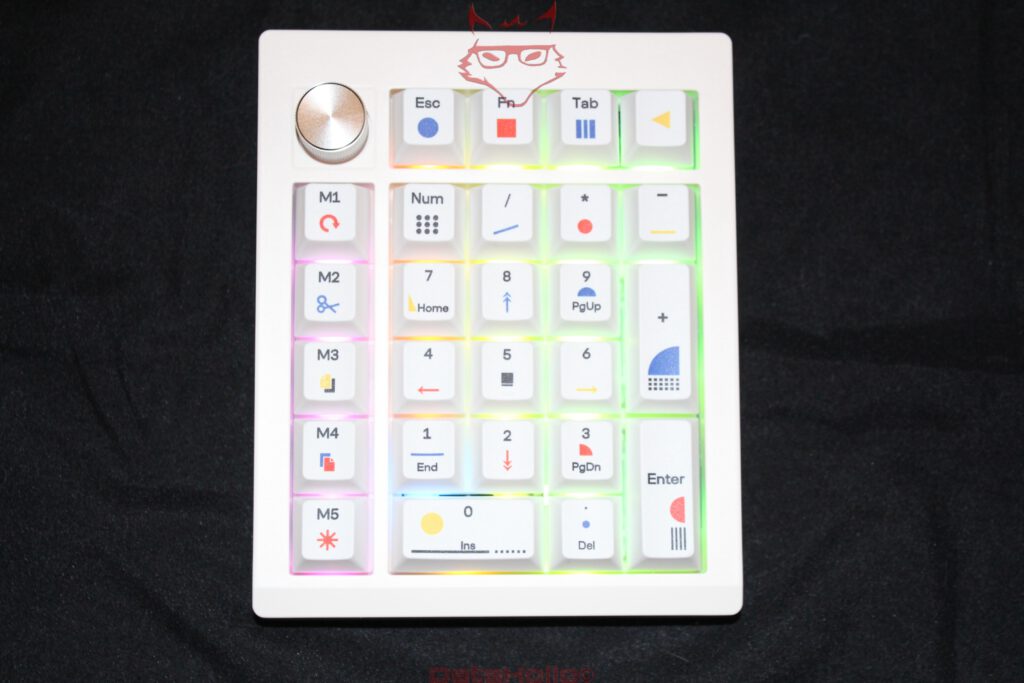
The RGB LEDs use a south-facing orientation. On mechanical keyboards, this arrangement is technically relevant because it improves compatibility with various Cherry-profile keycaps and reduces the possibility of mechanical interference between certain switch housings and keycaps.
On the white TH26, the lighting is clearly visible between the keys. In a bright room the effect remains fairly restrained. In darkness, the little numpad turns into a decidedly colourful piece of desk furniture.
None of it is necessary.
That is also a slightly unfair standard. A sports car does not need ambient lighting, a mechanical watch does not need to expose its balance wheel and a PC does not require a glass side panel. Technology is allowed to be enjoyable as well as functional.
Lighting behaviour can be adjusted through the available controls. Brightness and effects can be changed, while anyone who feels about RGB roughly the same way as about blinking routers in a bedroom can simply turn it off.
Together with the white keycaps and coloured geometric symbols, however, the illumination has a certain charm. Despite containing nearly every ingredient associated with gaming peripherals, the TH26 never looks particularly like one.
Daily Use Is About More Than Excel
Spreadsheet work remains the most obvious application. Entering long sequences of numbers through a dedicated numeric keypad is considerably more comfortable than relying on the top number row of a compact keyboard. This is hardly a new discovery. Accounting departments presumably knew it when computers were still beige and printers sounded as though someone had started a small motorcycle in the next room.
The less obvious applications are considerably more interesting.
Beside a compact keyboard, the TH26 restores a numeric section only when one is actually required. Afterwards, it can be pushed aside to create more room for the mouse. Ergonomically, that can be preferable to a full-size keyboard whose permanently attached numpad forces the mouse further outward at all times.
As a macro pad, the TH26 can instead sit to the left of the primary keyboard. Five dedicated macro keys, four additional upper keys, an encoder and the entire numeric matrix provide enough inputs for complex workflows. Image editing is a good example: zoom on the encoder, tool groups on M1 through M5 and frequently used commands across the numeric keys. Similar concepts work in video editing, music production, CAD and development environments.
The TH26 can even function as a mechanical control deck for streaming, provided changing on-key display icons are not required. Compared with specialised stream controllers, there is no visual screen on each key showing the current function. In exchange, real mechanical switches can be located by touch and provide physical feedback.
The hardware therefore dictates its purpose far less than the word “numpad” suggests.
Where the TH26 Is Not Perfect
As appealing as the concept is, several decisions remain open to criticism.
The ABS enclosure does its job well, but it does not feel as premium as aluminium. Anyone placing the TH26 next to a heavy metal flagship keyboard and expecting identical material quality will notice the difference immediately.
The fixed inclination without folding feet also limits ergonomic adjustment. Since a separate numpad is likely to be combined with keyboards of very different heights, additional angle options would have been useful.
VIA configuration could also be more accessible. Cable mode, browser compatibility, JSON files and layer logic are hardly intimidating to keyboard enthusiasts. Newcomers can still encounter an amusing paradox: a device has been purchased to simplify keyboard shortcuts, and the first task is learning how programmable layers work.
Then there is the 2,000 mAh battery. It is reasonably sized for the device, but wireless communication and RGB lighting still consume power. Reducing illumination remains the obvious choice for anyone prioritising longer intervals between charges.
None of these weaknesses undermines the concept. Instead, they indicate where the price category becomes visible and where a hypothetical TH26 Pro could still go further: a metal enclosure, adjustable typing angle, even simpler configuration and perhaps a larger battery.
A Numpad for People Who Did Not Really Want a Numpad
Perhaps the most interesting aspect of the EPOMAKER TH26 is that its conventional core function almost becomes secondary. It is certainly a good mechanical numpad. The Creamy Jade switches, PBT keycaps, damped gasket construction and complete numeric matrix take care of that.
For that purpose alone, however, the engineering effort would almost be excessive.
The TH26 becomes interesting through the combination of modularity and programmability. Five macro keys, an encoder, hot-swappable switches, four VIA layers and three connection methods turn the small pad into an independent input device. Beside a compact keyboard, it restores exactly the functions currently missing without permanently demanding the desk space of a full-size keyboard.
Its construction also deserves attention. A polycarbonate plate, 1.2-millimetre PCB, gasket mounting and multiple damping layers would have been entirely optional on a cheap numpad. EPOMAKER could simply have mounted 26 switches to a rigid board, screwed everything into a plastic enclosure and called it a day. That is not what happened. As a result, the TH26 feels and sounds much more like a small mechanical keyboard than a peripheral attached to one.
Hot-swap functionality also extends its practical lifespan. A failed switch does not mean the end of the device. Different switches can change typing feel and acoustics. VIA simultaneously ensures that the legends printed on the keycaps do not permanently determine what those keys actually do.
The result is an interesting form of digital repurposing. A key labelled “7” does not have to type the number seven. It can launch an application, trigger a media command or become part of an entirely different control layer. M3 can perform Copy today and execute a specific function in image-editing software tomorrow. The TH26 remains physically unchanged while its purpose shifts with the configuration.
That is probably the most accurate description of this little device: the EPOMAKER TH26 is not simply a numpad that happens to support macros. It is a programmable macro pad that happens to arrive already configured as a very capable numpad.
And that solves one of the fundamental compromises of compact keyboards rather elegantly. The choice between a small keyboard and a complete numeric section no longer needs to be permanent. The required component simply comes onto the desk when it is needed.
The old engineering principle “form follows function” therefore receives a small amendment here: with the TH26, the form remains the same. The function is free to change.
Transparency notice in accordance with EU requirements:
The EPOMAKER TH26 featured in this review was provided to us by EPOMAKER as a non-binding review loan for testing purposes. This is not paid advertising.
EPOMAKER had no influence on the content, assessment or editorial independence of this article. All opinions expressed are based exclusively on our own practical experience.
We would like to thank EPOMAKER for providing the EPOMAKER TH26 and for the trust placed in dataholic.de.