
GamaKay GX1 Pro Review: A Gaming Mouse with Swappable Batteries, 8,000 Hz, and an Unusual Charging Dock
- Design and Features: A Conventional Mouse with an Unusual Interior
- Sensor and Wireless Technology: 30,000 DPI Is Only Part of the Story
- Removable Batteries and Charging Dock: The Real Strength of the GX1 Pro
- Weight, Ergonomics, and Buttons: Lightweight Despite Its Modular Design
- Software and Configuration: Powerful, but Not Equally Convenient on Every Platform
- Price and Market Positioning: Plenty of Features, but Not Without Compromises
- Conclusion: The Most Convincing Argument Is Not the Sensor
- Transparency Statement
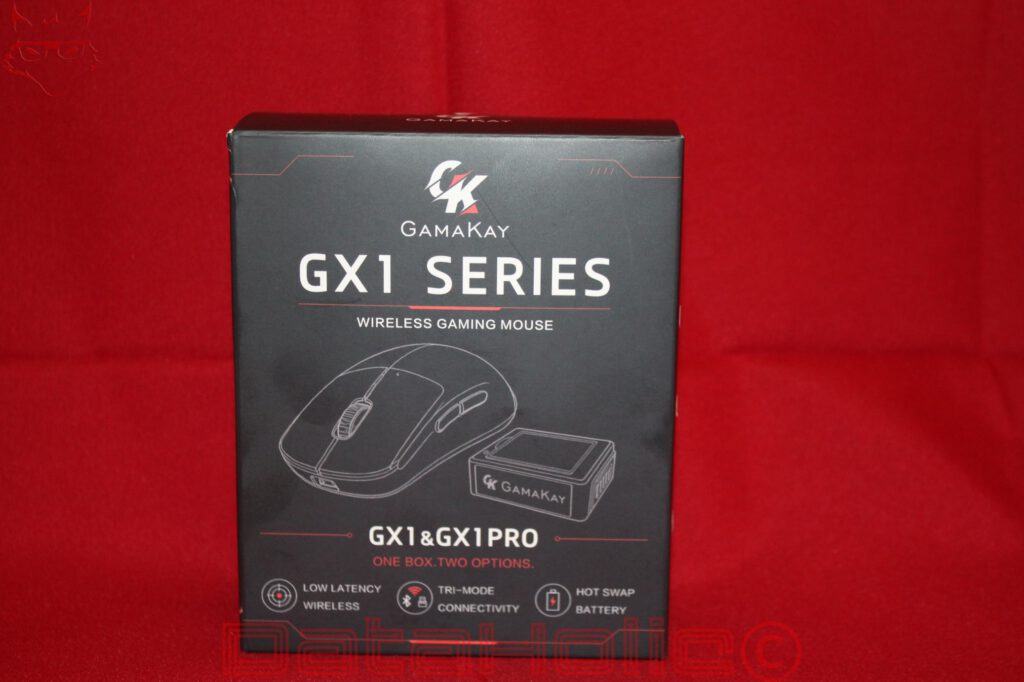
Gaming mice have long since evolved into a technical discipline of their own. Sensors with increasingly high resolutions, wireless connections with the lowest possible latency, and housings where every gram counts dominate the market. At the same time, many models have become remarkably similar. A powerful optical sensor, two side buttons, a USB-C port, and a permanently installed battery form the familiar foundation of numerous products. With the GX1 Pro, GamaKay attempts to take a different approach. The distinguishing feature is not simply sensor performance, but above all the way the mouse is supplied with power.
The most striking feature is therefore neither the maximum sensor resolution of 30,000 DPI nor the advertised polling rate of 8,000 Hz. It is a small battery module that can be removed from the housing without tools. Two of these batteries are part of the concept. While one powers the mouse, the other can be charged in a separate docking station. An empty battery therefore does not necessarily mean an interruption, switching to wired operation, or taking a break at the desk. A quick replacement is enough to get the mouse running again.
That initially sounds like a simple idea. In reality, it represents a fundamental design decision for a device whose manufacturers otherwise frequently attempt to eliminate every opening, every electrical contact, and every additional component. A removable battery requires space, a mechanical locking mechanism, and reliable electrical contacts. At the same time, the housing must neither become unstable nor lose its ergonomic qualities. The GX1 Pro therefore has to convince not only as an input device, but also as a small, modular system.
There is also a charging dock that offers considerably more than an ordinary stand with a power connection. In the Pro version, it also functions as the wireless receiver and features a color display showing information such as sensor resolution, polling rate, lift-off distance, and connection status. GamaKay therefore moves some of the technical controls from the software directly onto the desk. This particular combination makes the GX1 Pro interesting, but it also raises questions: How useful is 8,000 Hz in practice? What disadvantages result from the removable battery? And is a charging dock with a display a practical part of the system or ultimately just another piece of hardware sitting next to the keyboard?
Design and Features: A Conventional Mouse with an Unusual Interior
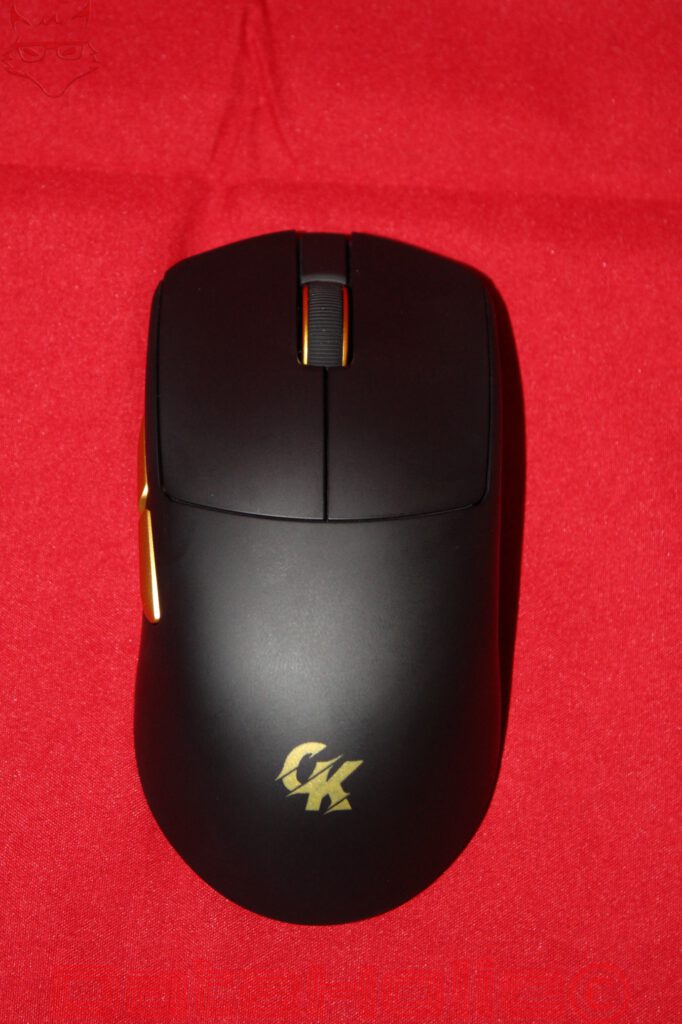
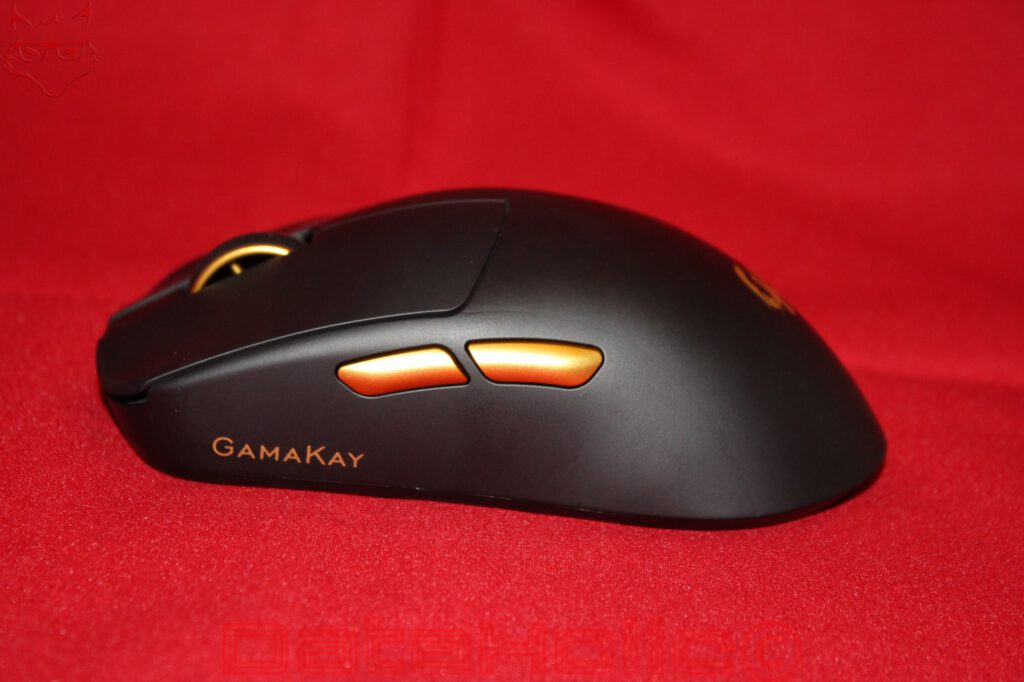
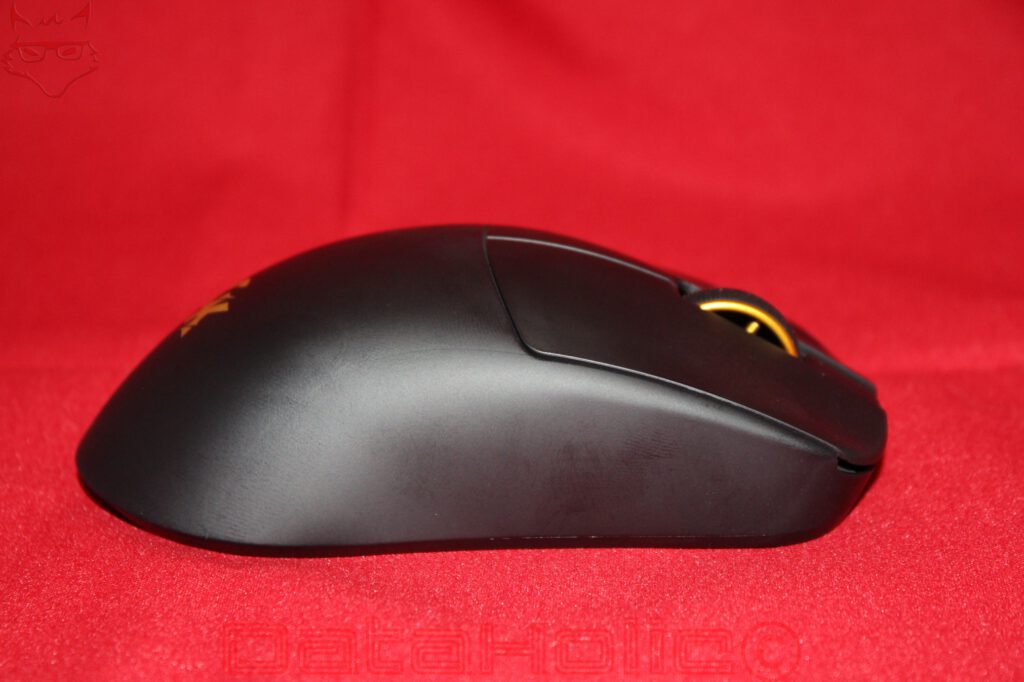
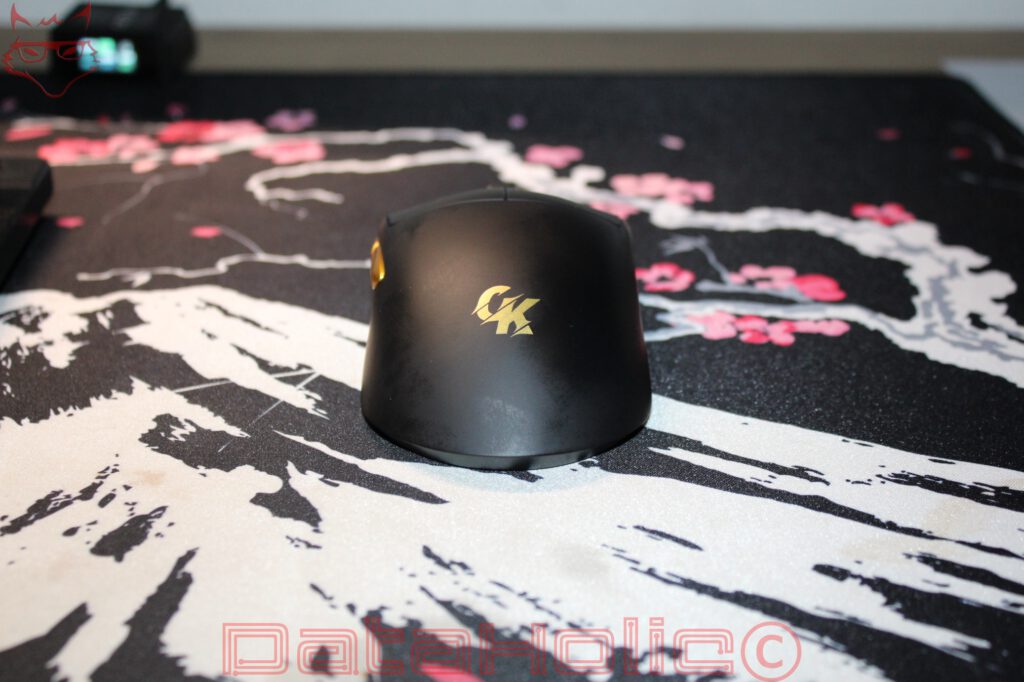
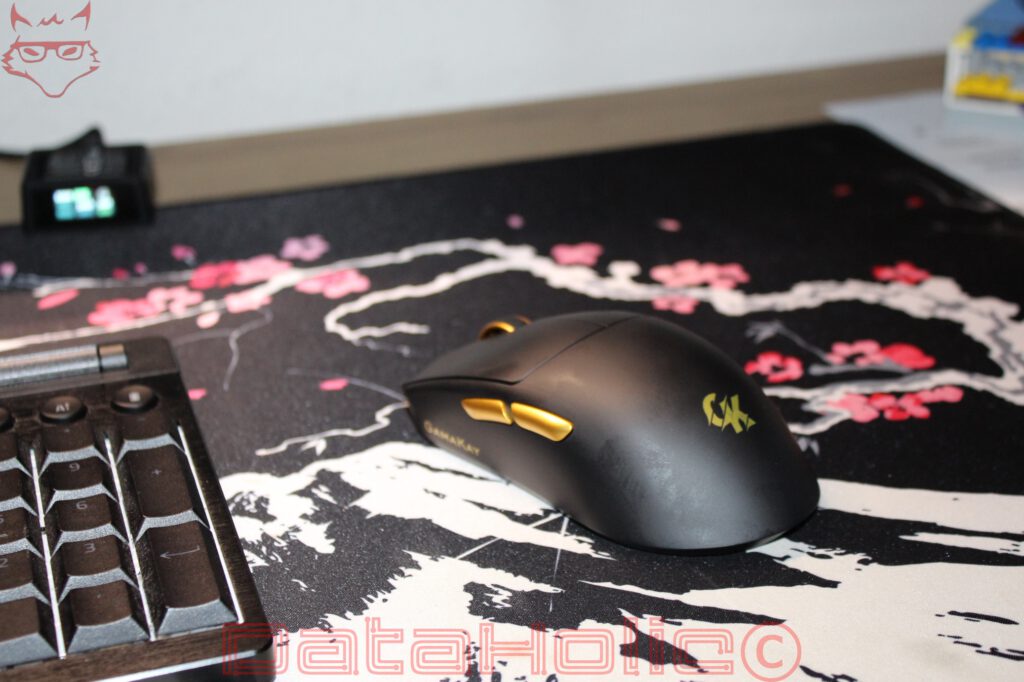
Externally, the GX1 Pro initially appears surprisingly understated. The black housing features a matte surface, a largely enclosed upper shell, and a shape based on traditional gaming mice. Two additional buttons sit on the left side and, on the photographed version, feature the same warm gold finish as the manufacturer’s logo and the side accents. The scroll wheel also adopts this color scheme. The visible design dispenses with extensive RGB lighting. As a result, the mouse appears less playful than many gaming models without completely concealing its origins.
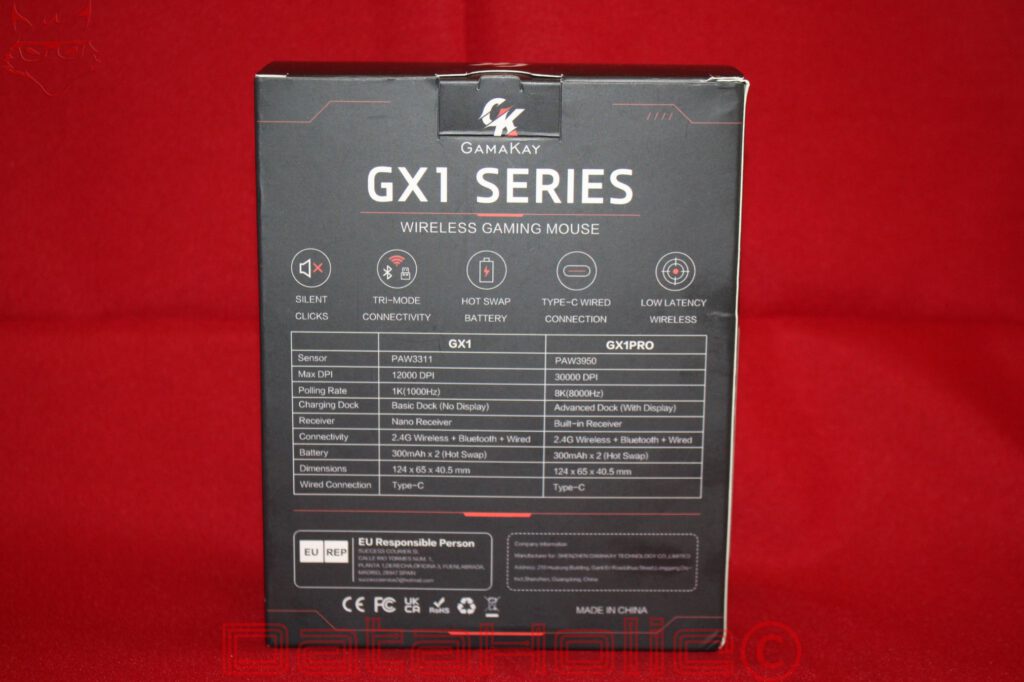
Measuring 124 × 65 × 40.5 millimeters, the GX1 Pro falls into a size category that is neither particularly compact nor exceptionally bulky. Its length generally provides sufficient contact area for different grip techniques, while the height of 40.5 millimeters suggests a certain degree of palm support. However, the shape is more important than the figures alone. The housing narrows toward the front, rises toward the rear, and features side contours intended to give the hand a defined position. The two thumb buttons sit above the left side panel and are separated by a small gap. This makes them easier to distinguish without requiring them to be positioned far apart.
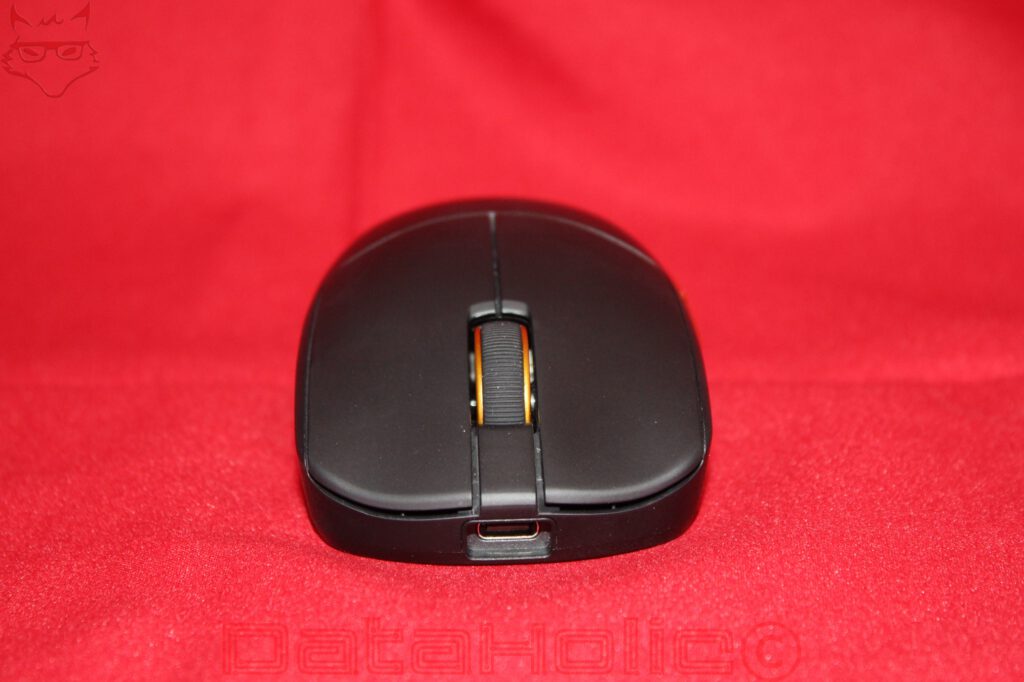
The primary buttons are integrated into the upper shell as separate surfaces. The scroll wheel sits centrally between them and features a distinctly textured surface. A USB-C port at the front allows the mouse to be operated in wired mode. This position makes functional sense, as the cable is routed forward during movement rather than pulling sideways against the housing. However, how freely the connection moves during rapid movements also depends on the cable used and how it is routed across the desk.
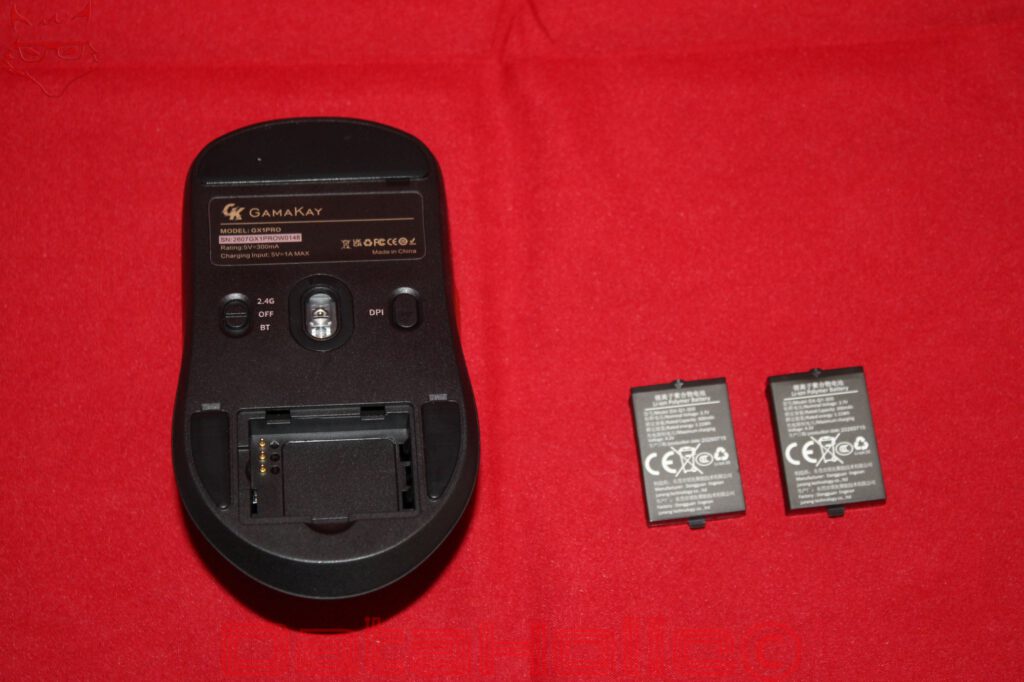
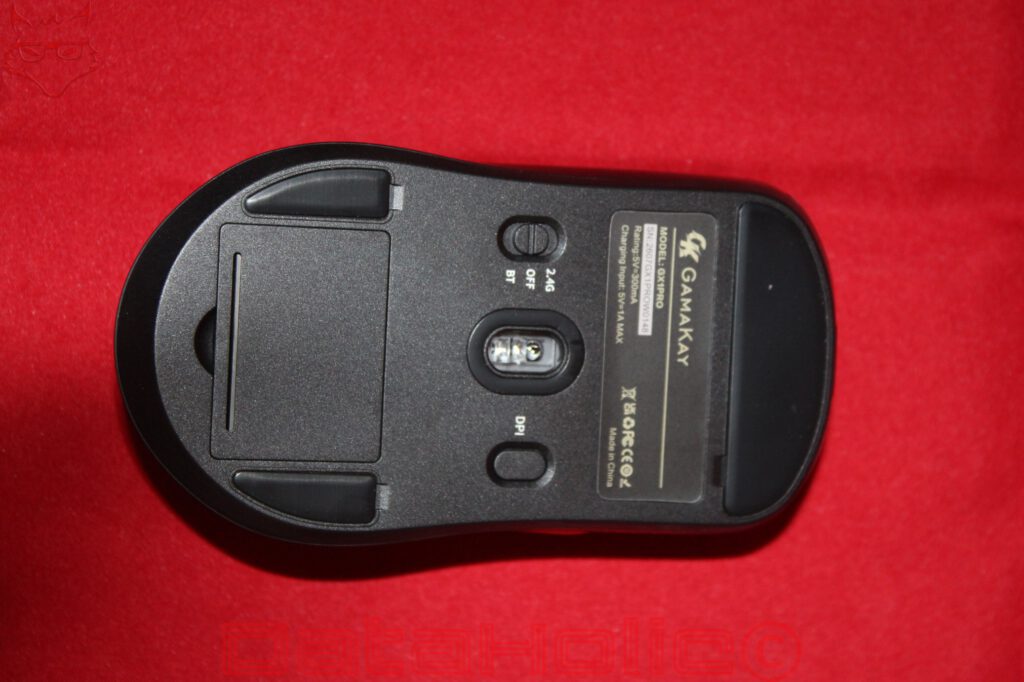
The real distinguishing feature is located on the underside. Alongside the optical sensor, there is a three-position switch for Bluetooth, the off position, and 2.4 GHz wireless operation, as well as a separate DPI button. The position of the DPI button prevents accidental changes during gaming, although spontaneous adjustments require lifting or turning over the mouse. This is not a problem for fixed DPI profiles. Anyone who regularly changes sensitivity within a game may prefer a button on the upper surface.
The battery compartment is also located on the underside. Its cover occupies a comparatively large portion of the rear housing. Opening it reveals a rectangular battery compartment whose electrical connection is established through several contacts. The design therefore avoids a permanently soldered-in battery. Instead, the battery is inserted as a separate module and can be removed using a small pull tab. Two corresponding modules are visible in the photographs.
This solution significantly changes the serviceability of the device. In a conventional wireless mouse, the battery is often permanently integrated. If its capacity deteriorates noticeably after a few years, replacing it can be complicated or economically unattractive, depending on the design. With the GX1 Pro, dismantling the housing is unnecessary. However, the long-term advantage depends on whether compatible replacement batteries remain available in the future. A proprietary removable battery system is only sustainable if its components do not disappear from the market after a short period.
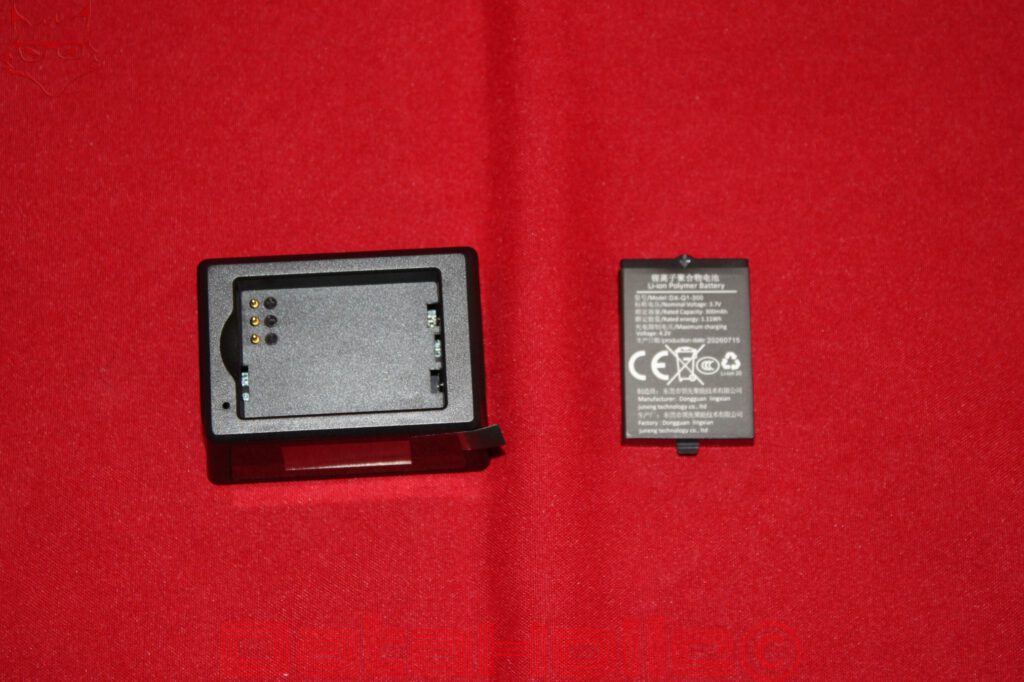
According to the packaging, GamaKay uses two batteries with a capacity of 300 mAh each. The photographed battery module also shows a nominal voltage of 3.7 volts and an energy rating of 1.11 Wh. That is not a particularly large capacity for an individual battery, but it must be considered in relation to the power consumption of a gaming mouse. The decisive factor is not simply the amount of energy stored, but also the polling rate at which the mouse operates, how frequently it transmits data, and how efficiently its electronics operate between movements.
Sensor and Wireless Technology: 30,000 DPI Is Only Part of the Story
According to the manufacturer’s specifications, the GX1 Pro uses a PixArt PAW3950 sensor. This clearly distinguishes it from the simpler GX1, which uses a PAW3311. The packaging specifies a maximum resolution of 30,000 DPI and a polling rate of up to 8,000 Hz for the Pro version. The standard model is limited to 12,000 DPI and 1,000 Hz. The differences are therefore not restricted to the charging dock, but affect the entire technical positioning of the product.
In simplified terms, the DPI specification describes how many movement counts the sensor can detect or output per inch of physical movement. However, a high value does not automatically mean better precision. At 30,000 DPI, even the smallest physical movements result in very large changes in cursor position. For most practical applications, a considerably lower setting makes more sense. Frequently used ranges between 800 and 3,200 DPI already provide sufficient resolution, although screen resolution, operating system settings, games, and personal habits also play a role.
The actual quality of a sensor becomes apparent elsewhere. Important factors include consistent movement tracking, minimal deviation between actual and registered movement, and reliable tracking during rapid changes of direction. Other considerations include lift-off distance, meaning the height at which the sensor no longer reliably detects the surface, and its behavior on different mousepads. A high maximum DPI specification alone reveals very little about these characteristics.
The polling rate of up to 8,000 Hz is therefore more interesting. While a conventional gaming mouse operating at 1,000 Hz nominally transmits its position data once every millisecond, the interval decreases to 0.125 milliseconds at 8,000 Hz. Mathematically, movement information can therefore be transmitted more frequently. However, this does not mean that overall input latency is reduced to one-eighth. Sensor processing, wireless transmission, the operating system, game engine, image rendering, and monitor all influence the actual response time.
The difference between 1,000 and 8,000 Hz is therefore considerably smaller than the figures alone might suggest. On a fast monitor with a high refresh rate and a sufficiently powerful computer, a higher polling rate can improve the temporal resolution of input. At 60 or 144 Hz, however, the practical benefits are likely to be considerably more limited. Furthermore, the increased amount of transmitted position data places additional demands on the wireless connection, controller, and host system. Power consumption may also increase.
The charging dock visible in the photographs shows an active configuration of 8,000 Hz, 1,600 DPI, and a lift-off distance of 1 millimeter. The display uses the designation MRR for the polling rate and presents the information in separate fields. This arrangement makes sense because the relevant settings can be checked immediately. After all, a mouse supporting 8,000 Hz only offers a technical advantage if the corresponding mode is actually activated and the connection reliably supports it.
For wireless operation, both 2.4 GHz and Bluetooth are available. A wired USB-C connection is also provided. These three operating modes make the GX1 Pro more flexible than a mouse limited to wireless operation. The 2.4 GHz mode is the obvious choice for demanding games, while Bluetooth is particularly interesting for notebooks, tablets, and other devices where a USB port should not remain permanently occupied. The USB connection provides another way to use the mouse independently of the wireless receiver.
However, the technical differences between the operating modes must not be overlooked. The maximum polling rate of 8,000 Hz does not mean that equivalent performance is available over Bluetooth. Bluetooth connections are subject to different protocols and timing limitations. The peak performance advertised on the packaging refers to the intended high-speed connection. The actual polling rate and input latency achieved cannot be determined from the technical specifications alone.
Compatibility also deserves attention. Basic cursor movement and conventional mouse buttons can work through standardized input interfaces without requiring extensive additional software. Advanced functions such as individual button assignments, sensor settings, or profiles, however, depend on the available configuration solution. This distinction is particularly important under Linux, as a functioning USB or Bluetooth mouse does not automatically mean that all manufacturer-specific features are supported.
Removable Batteries and Charging Dock: The Real Strength of the GX1 Pro
The battery concept is the most interesting aspect of the entire design. GamaKay supplies two replaceable lithium batteries, each with a capacity of 300 mAh. One sits inside the mouse, while the second can remain in the charging dock. When the remaining energy falls to a critical level, the battery can be replaced through the compartment on the underside. Charging inside the mouse is therefore unnecessary, although the USB-C port also provides this option. The manufacturer specifies a charging time of approximately two hours.
The system works more like the interchangeable battery packs used in cameras than the power supply of conventional computer peripherals. Its main advantage is that charging time is no longer directly tied to usage time. With a mouse featuring a permanently installed battery, either a cable must be connected during charging or the device must temporarily remain on a charging dock. The GX1 Pro separates these two processes. As long as a charged replacement battery is available, the interruption is limited to the actual replacement.
However, the process is not completely uninterrupted. The mouse has to be turned over, the cover opened, the battery removed, and the second battery inserted. The electronics may then require a brief moment to restore the wireless connection. During an ongoing gaming session, this is not necessarily ideal. Nevertheless, the concept offers a practical advantage over a permanently installed battery, particularly once the original energy storage component has noticeably deteriorated.
It is also worth noting that GamaKay does not equip the two batteries with particularly large capacities. Together, they provide a nominal 600 mAh, although they cannot be used simultaneously inside the mouse. The available operating energy is 1.11 Wh per installed battery. The second module extends the total usable operating time through replacement, but it does not increase the capacity of the battery currently powering the mouse. This distinction becomes particularly important at high polling rates.
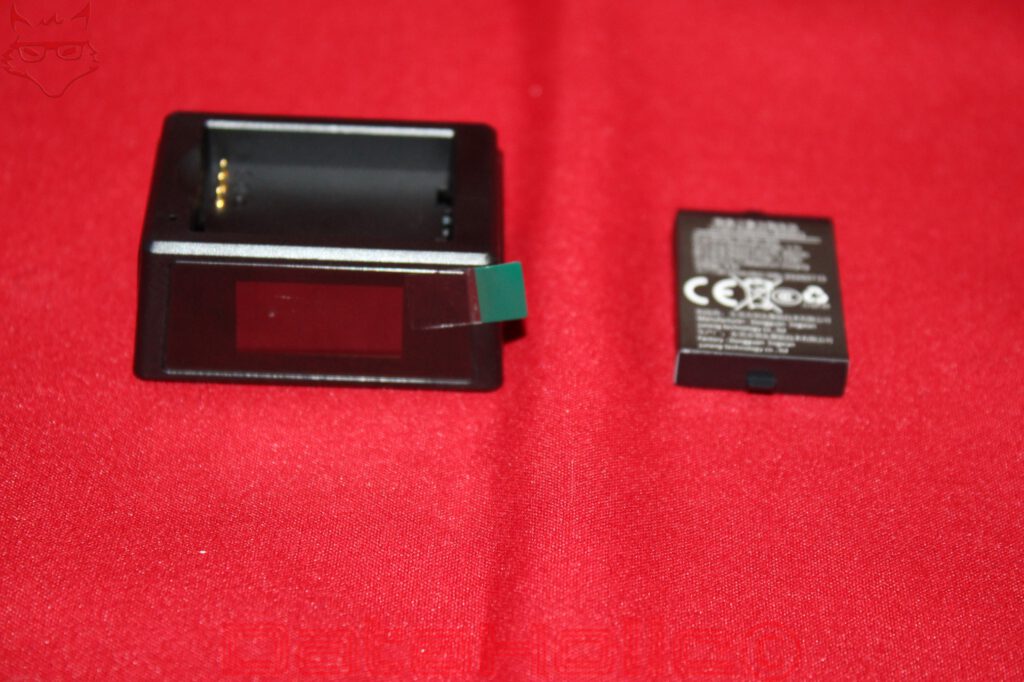
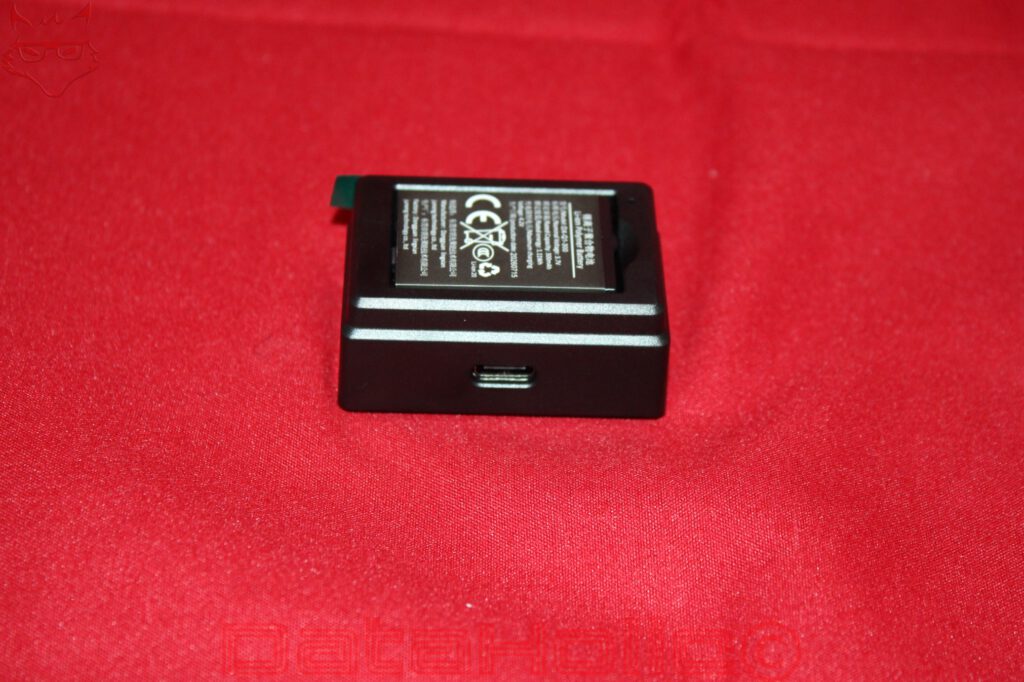
The charging dock features a precisely fitted compartment on its upper surface with electrical contact pins. The battery is inserted directly, without requiring additional cables or adapters. A USB-C port for power is located on the rear or the side of the housing opposite the display. The dock itself is compact and flat enough to remain permanently on a desk.
A small color display dominates the front. It shows not only charging information but also various operating parameters of the mouse. The photographs reveal values including 8,000 Hz, 1,600 DPI, a lift-off distance of 1 millimeter, and a profile indicator. Another image shows a message concerning the 2.4 GHz connection, accompanied by a corresponding status symbol. The display therefore serves as a central information point for the most important technical settings.
Such a screen is certainly not essential for a gaming mouse. Most settings are configured once and then remain unchanged for extended periods. Nevertheless, the display has a practical purpose. Particularly on a mouse with several polling-rate levels and different connection modes, a quick glance at the dock can provide clarity. An accidentally changed DPI setting or an inactive high-speed mode is easier to identify than when configuration software must first be opened.
The charging dock is also part of the GX1 Pro’s wireless architecture. The 2.4 GHz receiver is integrated into the dock. This allows the receiver to be positioned closer to the mouse instead of connecting a small USB receiver directly to a computer that may be located underneath the desk. A short distance and as few obstacles as possible between transmitter and receiver are particularly beneficial at high polling rates. However, the integration also creates a disadvantage: the charging dock must accompany the mouse when using 2.4 GHz wireless operation away from the desk. A separate nano receiver would be considerably more convenient when traveling.
This reveals a typical design compromise. On a stationary gaming desk, the dock is a sensible addition. With a notebook that is frequently transported, the solution loses some of its elegance. Bluetooth remains available as an alternative, but it does not offer the same technical capabilities as the fast 2.4 GHz connection.
Weight, Ergonomics, and Buttons: Lightweight Despite Its Modular Design
With a specified weight of 55 grams, plus a manufacturing tolerance of three grams, GamaKay positions the GX1 Pro among lightweight gaming mice. Considering the removable battery and additional mechanical components, this is quite remarkable. Replaceable batteries require their own housing, contacts, and mounting system. All these components add weight that must be saved elsewhere.
GamaKay avoids the conspicuous perforated pattern often found on ultralight gaming mice. The housing remains largely enclosed, providing a consistent surface. Although a closed design does not completely prevent dust from entering, it reduces the number of directly exposed openings compared with heavily perforated lightweight mice. However, mechanical rigidity cannot be assessed from this alone. Wall thickness, internal reinforcement, and the connections between individual housing components are decisive.
The matte surface looks visually restrained and should produce fewer distracting reflections during everyday use than glossy plastics. The photographs also show that the side buttons protrude noticeably from the housing. This makes them easy to locate without requiring a textured rubber coating across the entire left side.
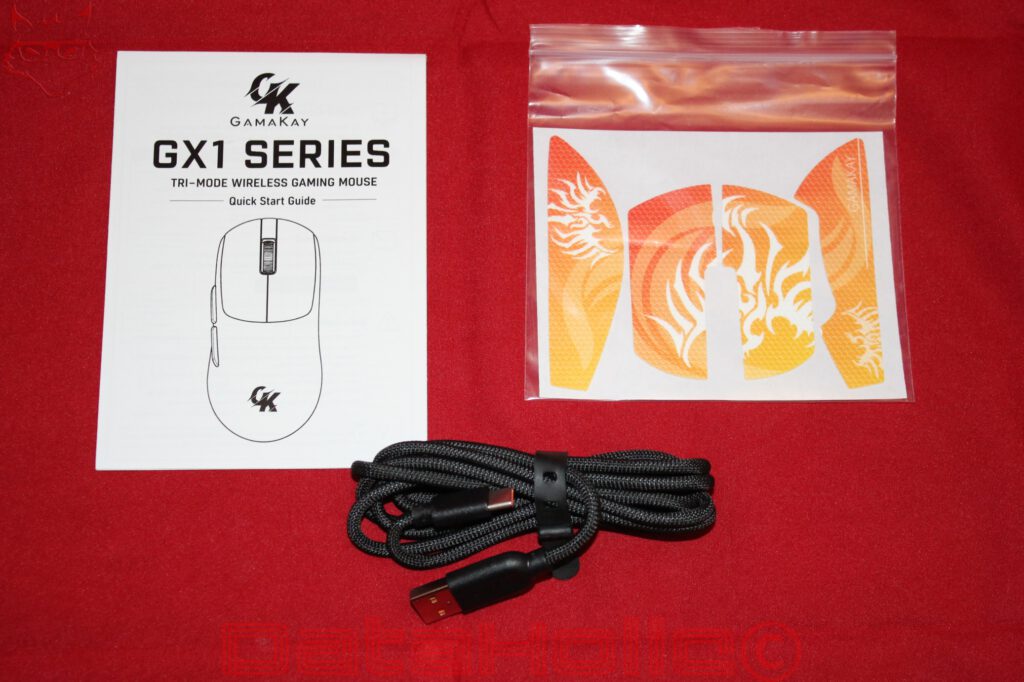
GamaKay includes a decorated grip-tape set for additional traction. The orange elements feature a recognizable surface texture and are cut to fit different areas of the housing. Such self-adhesive pads can be particularly useful with dry hands or during rapid lifting movements. At the same time, they change the original grip sensation and may accumulate dirt along their edges over time. Whether the additional traction is necessary depends heavily on hand size and grip technique.
The GX1 Pro’s shape appears particularly suitable for conventional palm and claw grip variations. The rear section provides a comparatively broad support area, while the front becomes flatter. However, actual suitability cannot be determined from dimensions alone. For very small hands, the 124-millimeter length may already be relatively substantial, while larger hands may receive less support from the rear housing depending on their grip style.
On the available Silent version, the primary buttons use noise-reduced TTC switches. GamaKay also offers a version with conventional switches. According to the manufacturer’s specifications, the side buttons and scroll-wheel click use switches from Huanyu. GamaKay therefore distinguishes between the frequently operated primary buttons and the secondary input elements.
Quiet primary buttons are an interesting detail, especially on gaming mice. Mechanical clicking noises are not produced by the switch alone, but also by the interaction between the button cap, housing, actuation stop, and return mechanism. A noise-reduced switch can significantly change the acoustic characteristics, although it does not necessarily provide the same firm and pronounced feedback as a conventional gaming switch.
For everyday use, that may even be desirable. In shared rooms, during late-night work, or throughout longer writing and research sessions, loud mouse clicks can quickly become distracting. In fast-paced games, however, a clearly defined actuation point and consistent return behavior become more important. Whether the Silent version successfully balances these requirements can only be assessed reliably through direct comparison and extended practical use.
Several glide pads are positioned on the underside. Their placement is distributed across the front and rear areas of the housing. The two rear pads are positioned on either side, directly next to the battery compartment. Another wide glide pad is located at the opposite end. This arrangement is intended to allow the mouse to move evenly across a mousepad despite its modular construction. The material composition and actual friction characteristics cannot be clearly determined from the photographs.
Software and Configuration: Powerful, but Not Equally Convenient on Every Platform
A gaming mouse with 30,000 DPI, several polling-rate levels, and an adjustable lift-off distance needs a reasonable way to configure these features. GamaKay provides its own software as well as a browser-based configuration solution called GearHub. The officially supported operating systems are Windows and macOS. A native application is available for Windows, while macOS primarily relies on the web driver.
Browser-based configuration is a sensible approach in principle. It can reduce installation requirements and make adjustments possible without permanently running another application in the background. However, functionality depends on supported browsers, required device interfaces, and the operating system environment. A website is not automatically platform-independent simply because it opens in a browser.
This leaves a particular limitation under Linux. GamaKay does not officially list Linux support for the GX1 Pro’s configuration software. Basic mouse functions may operate through conventional input interfaces, but there is no officially guaranteed solution for advanced settings. Support for high polling rates also depends not only on the mouse itself, but on the connection, host system, and its handling of input data.
The ability to read settings directly from the hardware partially reduces this limitation. The DPI button on the underside allows changes without opening a configuration program. The dock display shows important values. Nevertheless, the display does not replace a complete configuration interface. Individual button assignments, profiles, and more advanced sensor settings still require the appropriate software support.
For a mouse whose removable battery system is explicitly designed to encourage long-term use, software maintenance is an important consideration. Hardware intended to remain useful for years should not depend on a configuration solution that stops working after only a few operating system generations. Whether GamaKay will continue providing reliable updates over the coming years remains to be seen.
Price and Market Positioning: Plenty of Features, but Not Without Compromises
The GX1 Pro enters a market segment where high sensor resolutions and fast wireless connections are no longer exclusive to expensive flagship models. GamaKay’s official shop lists the GX1 series on its German storefront with prices starting at €52.95. The actual final price depends on the selected version and the conditions displayed at checkout. A definitive assessment of the Pro version therefore requires consideration of its specific selling price.
Regardless of that, the technical equipment is noteworthy. A PAW3950 sensor with up to 30,000 DPI, an 8,000 Hz polling rate, three connection modes, two replaceable batteries, and a dock with a status display form an unusually comprehensive package. These functions are not merely decorative additions; they are structurally interconnected.
The dock and removable battery system, in particular, deserve to be considered independently. A conventional gaming mouse with an integrated battery may be easier to transport and require less additional equipment. In return, the GX1 Pro makes it easier to replace the energy storage component and moves the charging technology entirely outside the input device. This is especially useful for long-term ownership.
However, the high polling rate should not be overvalued. Even 1,000 Hz provides excellent temporal resolution for numerous applications. Moving to 8,000 Hz can offer advantages in appropriately optimized gaming environments, but it is not a universal measure of quality. A mouse with a lower polling rate may still prove more convincing in everyday use through better ergonomics, more reliable switches, or more mature software.
Weight also deserves a differentiated assessment. The specified 55 grams are attractive for a closed housing with a removable battery. Nevertheless, weight distribution remains crucial. A battery module positioned toward the rear of the housing can affect the center of gravity. That is not necessarily a disadvantage, but it may change how the mouse behaves when lifted and repositioned rapidly. Without corresponding measurements and extended practical testing, a definitive assessment of this characteristic would not be reliable.
Conclusion: The Most Convincing Argument Is Not the Sensor
The GamaKay GX1 Pro possesses a feature that has become surprisingly rare in the modern gaming mouse market: its most interesting technical characteristic provides an immediate practical benefit. While sensor resolutions of 30,000 DPI and polling rates of 8,000 Hz primarily offer advantages under specific conditions, the removable battery system solves a very real problem. A depleted battery no longer means that the mouse has to remain connected to a charging cable for an extended period.
The combination of two 300 mAh batteries and a separate charging dock creates a clear separation between power supply and operation. At the same time, it makes replacing an aging battery considerably easier. Long-term availability of replacement parts remains an open question, however, because a proprietary battery module is only as future-proof as its continued availability.
One of the GX1 Pro’s greatest strengths is the combination of three connection modes. On a stationary gaming PC, the 2.4 GHz connection enables polling rates of up to 8,000 Hz, while Bluetooth allows straightforward operation with notebooks, tablets, and other compatible devices without requiring an additional receiver. The GX1 Pro is therefore by no means dependent on its charging dock. The dock is only required for the corresponding 2.4 GHz wireless mode and can remain on the desk when using Bluetooth on the move. The USB-C port complements both wireless options with conventional wired operation.
The remaining hardware is also well positioned. The PAW3950 offers high nominal tracking performance, the enclosed housing remains comparatively lightweight at a manufacturer-specified 55 grams, and the Silent switches reduce clicking noise. The charging dock with its color display also provides direct monitoring of important operating parameters.
The weaknesses lie less in portability than in the long-term availability of compatible batteries and software support. Under Linux in particular, officially supported configuration options are missing. Furthermore, without independent latency, battery-life, and tracking measurements, the high performance specifications remain manufacturer claims.
The GX1 Pro is therefore suitable for both stationary gaming systems and mobile workstations. The combination of Bluetooth, high-performance 2.4 GHz wireless connectivity, wired operation, and replaceable batteries makes it more versatile than many conventional gaming mice.
The real progress is not that GamaKay has developed another mouse with impressive DPI figures. More interesting is the decision to make a typical wear component easily accessible again without sacrificing modern connectivity or low weight. In a product category where permanently installed batteries have long become standard, this is a design approach with genuine practical value.
Transparency Statement
The GamaKay GX1 Pro was provided to DataHolic by GamaKay as a permanent review loan for independent testing and long-term evaluation. The device remains the property of GamaKay. This review is neither sponsored nor paid advertising. GamaKay had no influence over the testing process, editorial content, or final conclusions. Our sincere thanks go to GamaKay and the entire team for their trust and continued support. The permanent review loan enables a thorough long-term evaluation, including future software updates and everyday reliability, while maintaining complete editorial independence.