
Tulpar S8 V1.2 in Conclusion: Desktop Replacement with Brutal Performance, True Upgrade Culture and a Very Honest Price for Raw Mobile Power
- Classification: What a Desktop Replacement Even Means Today
- Performance: The Central Strength of the Tulpar S8 V1.2 Carries the Entire Test
- Benchmark Values at a Glance
- Gaming Performance: 4K+ Is Not a PR Term Here, but Lived Practice
- Game FPS Table at 3840 x 2400
- Display: The 18-Inch Panel Is Not an Extra, but a Main Argument
- CPU and Platform: Intel’s HX Flagship Meets Plenty of Room to Work
- GPU and 4K+ Practice: The RTX 5090 Laptop GPU Delivers the Full Big Stage
- Input Devices: The Keyboard Is More Than Just Usable, the Touchpad Pleasingly Mature
- Upgradability: Four SO-DIMM Slots and Four M.2 Interfaces Are Almost a Declaration of War
- Linux and Platform Openness: A Pleasingly Mature Side Aspect
- Streaming and Everyday Use: Performance for Twitch Without a Second PC Is a Real Comfort Gain
- Noise and Heat: Honesty Instead of Illusion
- Power Consumption: A Lot of Performance Draws a Lot of Energy, and That Is Neither a Scandal nor a Surprise
- RGB, Rear Side and Design Decisions: Function Meets a Little Bit of Theater
- The Screen in Everyday Use, the Keyboard in Long Sessions and the Palm Rest in Real Life
- Mundüo, External Expansion and the Bigger Picture
- Where the Tulpar S8 V1.2 Particularly Shines
- Where the Tulpar S8 V1.2 Gives Ground
- The Actual Conclusion: An Almost Uncompromising DRP with Clear Costs on the Physical Side
- Notice in Accordance with EU Transparency Requirements
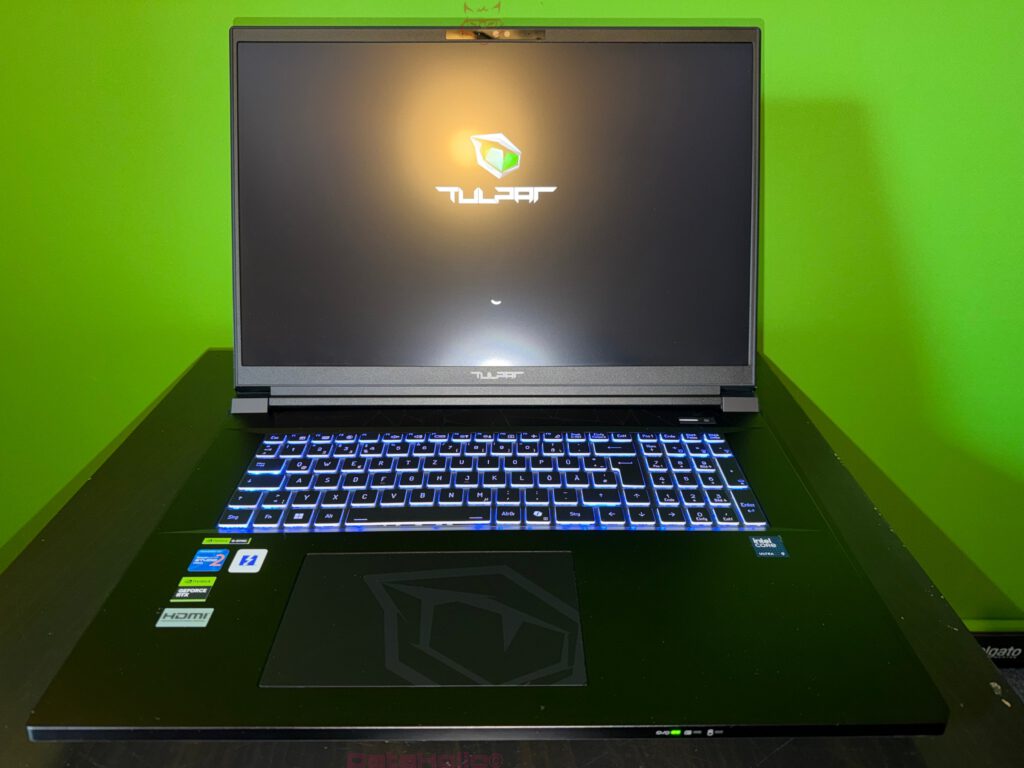
There are notebooks that write emails on the go, keep two browser tabs open and then stagger into the evening with an empty stare. And then there are devices like the Tulpar S8 V1.2. This system does not appear as a polite companion, but as a fully fledged desktop replacement, or DRP for short. Even the term itself sounds like a relic from a time when portable high performance still felt like a small act of technical defiance: against towers, against cable clutter, against the dogma that true top-tier performance had to live under the desk.
This is exactly where the real appeal of the Tulpar S8 V1.2 begins. This is not about the illusion of mobility, but about transportable sovereignty. An 18-inch panel with 3840 x 2400 pixels and 240 Hz, a GeForce RTX 5090 Laptop GPU with 24 GB of VRAM and up to 175 watts via Dynamic Boost, plus Intel’s Core Ultra 9 275HX as the top HX model with 24 cores and up to 5.4 GHz turbo — this is not a hardware list asking for understanding. This is a spec sheet that kicks the door open with both feet. Tulpar itself clearly positions the S8 series in this upper class, including an 18-inch 4K+ display, RTX 5090 Max-P configuration and a high degree of configurability with RAM and SSDs.
And yet a conclusion is not decided by spec-sheet romanticism. A conclusion emerges where figures, temperature, noise level, typing feel, upgradability, streaming suitability, Linux compatibility and daily use all come together. Or, to invoke Arthur C. Clarke: “Any sufficiently advanced technology is indistinguishable from magic.” A great deal about the Tulpar S8 V1.2 really is astonishing. Only this magic comes with audible fans, a very large power supply and a hunger for power that feels more like a small console plus monitor than a classic notebook. And that is precisely where the honesty of this device lies. It does not try to talk physics into submission. It negotiates with it at a high level.
Classification: What a Desktop Replacement Even Means Today
At first glance, the term desktop replacement almost sounds nostalgic. In a world full of ultra-thin aluminum chassis, OLED prestige and marketing phrases like AI PC, DRP sounds like screwdrivers, car trunks and a time when notebooks still visibly consisted of compromises. That is exactly why a quick look back is worthwhile. The Osborne 1, one of the early commercially successful portable computers, weighed around 24 pounds, or more than 11 kilograms, in the early 1980s and came with a 5-inch screen. “Portable” at that time mainly meant: somehow transportable, not really comfortable. Compared to that historical starting point, a 3.9-kilogram device like the Tulpar S8 V1.2 already seems almost elegant, even if nobody would seriously claim that this is a featherweight.
The concept itself, however, remains remarkably constant. A DRP is not supposed to imitate a stationary computer completely, but to translate its central qualities into a transportable format: a lot of performance, a large display, plenty of ports, upgrade headroom, good input devices and the claim not merely to “also be able to play games,” but to actually run everything relevant without evasive maneuvers. The Tulpar S8 V1.2 fits exactly this profile. Four DDR5 SO-DIMM slots with up to 128 GB in the official series configuration and, according to the test assessment, even room for up to 256 GB, plus four M.2 interfaces in the chassis, 18 inches of display area and a weight of around 3.9 kilograms — this is not a design for the café around the corner, but a mobile workstation with a gaming soul.
This is also where the first anecdote from real hardware life appears: every decade tries to reinvent the notebook. Sometimes through extreme thinness, sometimes through exotic materials, sometimes through touch bars, sometimes through keyboard experiments that are about as popular in practice as a squeaky shopping cart. The DRP principle remains remarkably unimpressed by all of that. It says: a large cooling surface beats marketing poetry, lots of ports beat adapter hopping, and a proper numeric keypad beats every lifestyle design as soon as spreadsheets, shortcuts, macros or simply long writing evenings come into play. In exactly this sense, the Tulpar S8 V1.2 is both old-fashioned and modern at the same time. Old-fashioned in the best sense, because function stands above pose. Modern because the platform belongs fully to the present in technical terms.
Performance: The Central Strength of the Tulpar S8 V1.2 Carries the Entire Test
The key question for a device in this class is not whether it is fast. Of course it is fast. The more relevant question is: does the performance feel like a theoretical brochure value or like a tangible, reliable reality? That is exactly where the Tulpar S8 V1.2 delivers. The combination of Core Ultra 9 275HX and RTX 5090 Laptop GPU currently sits at an absolute top level. Intel specifies the 275HX with 24 cores, including 8 performance cores and 16 efficient cores, 24 threads, up to 5.4 GHz turbo, 36 MB Smart Cache and 55 watts of base power with up to 160 watts of maximum turbo power. Tulpar combines this CPU with the RTX 5090 Laptop GPU as a Max-P variant, complete with 24 GB of VRAM and a 175-watt total budget including Dynamic Boost 2.0. This is a configuration that does not sound like it has excuses prepared.
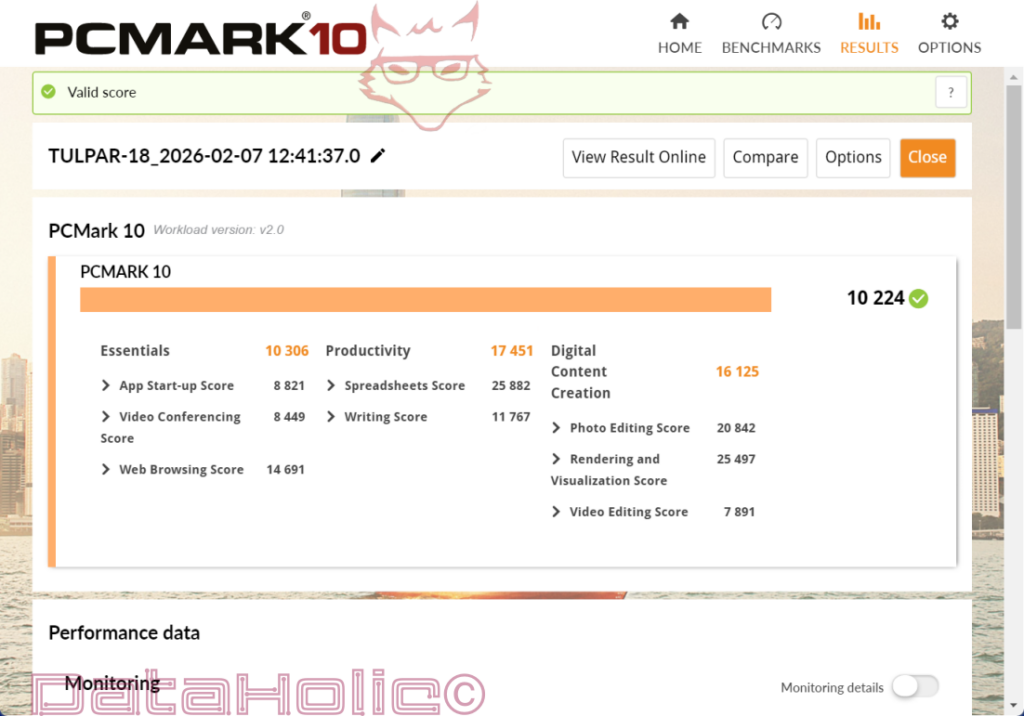
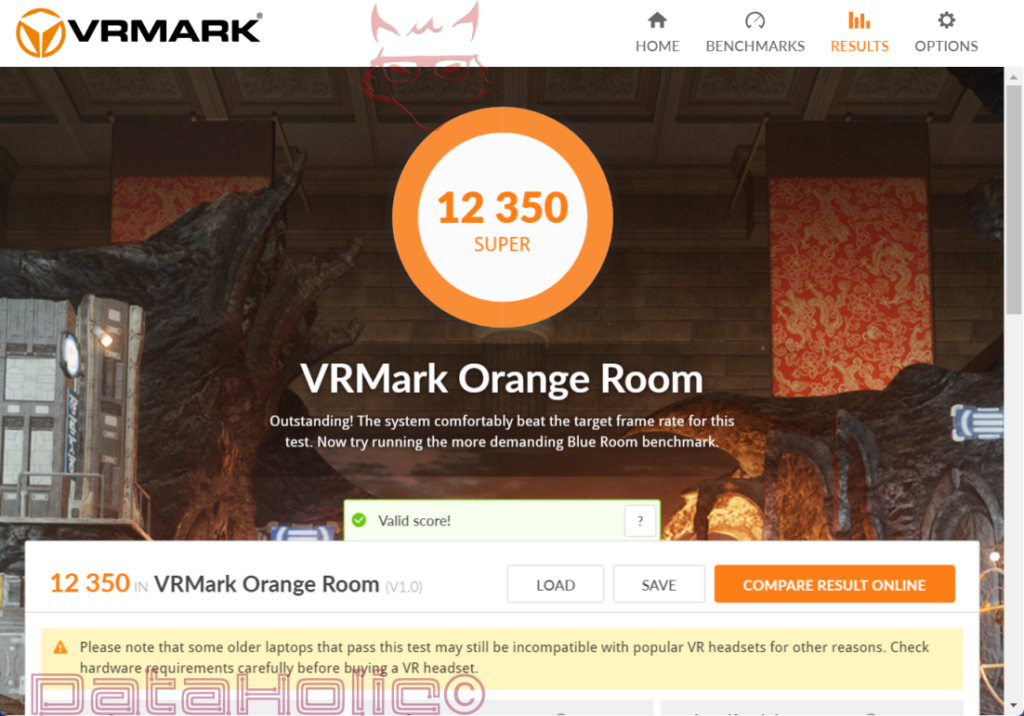
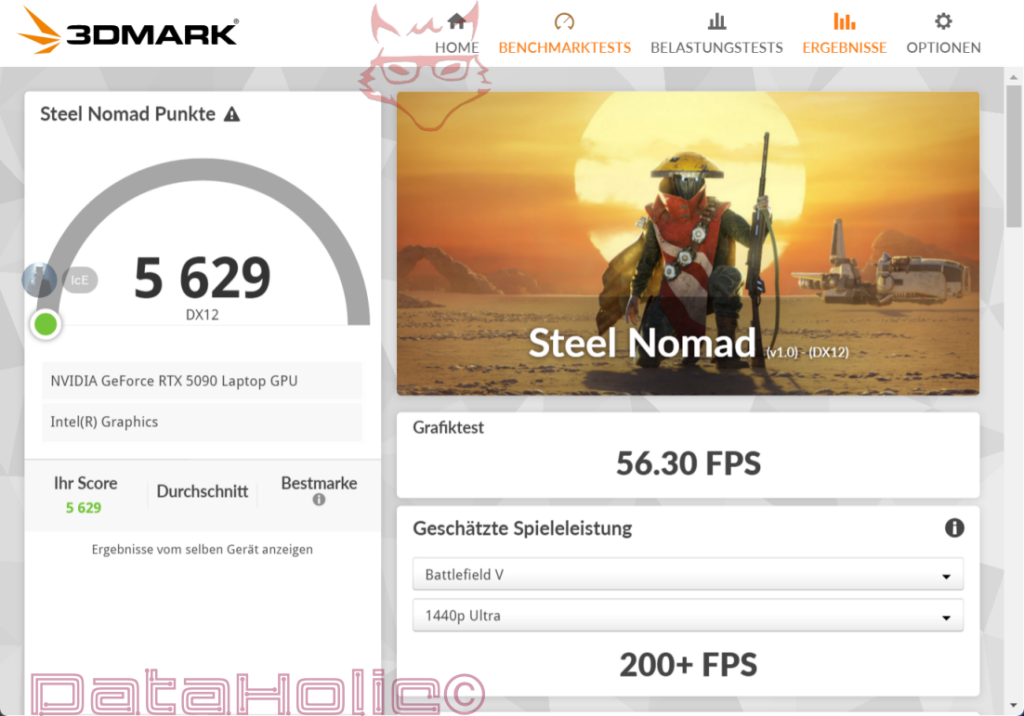
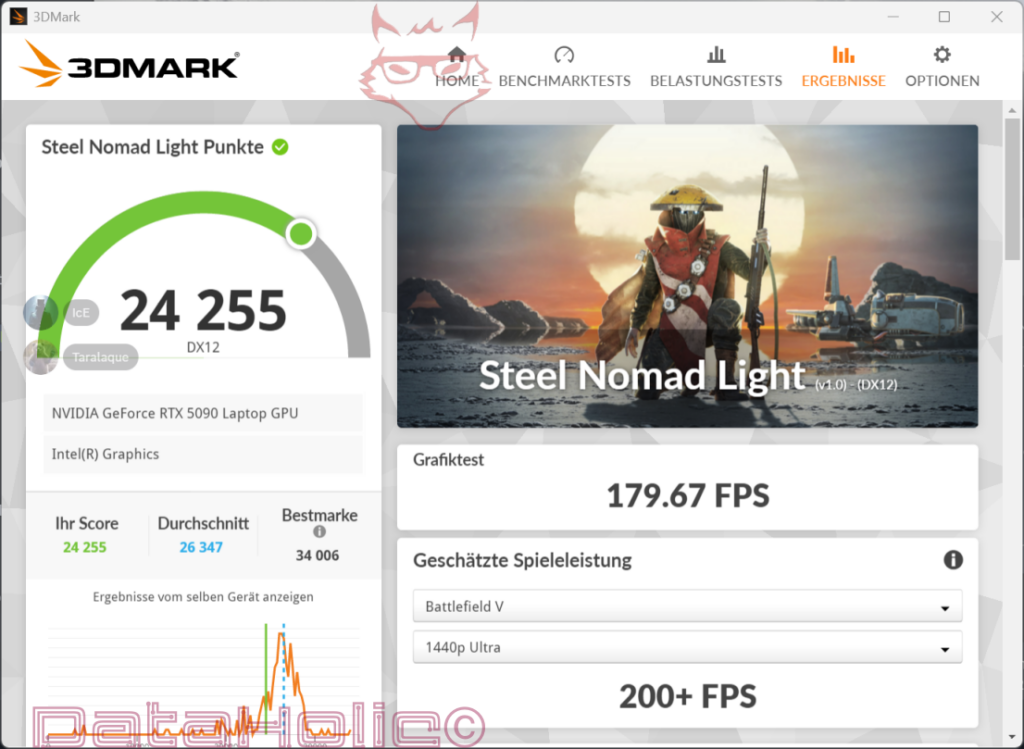
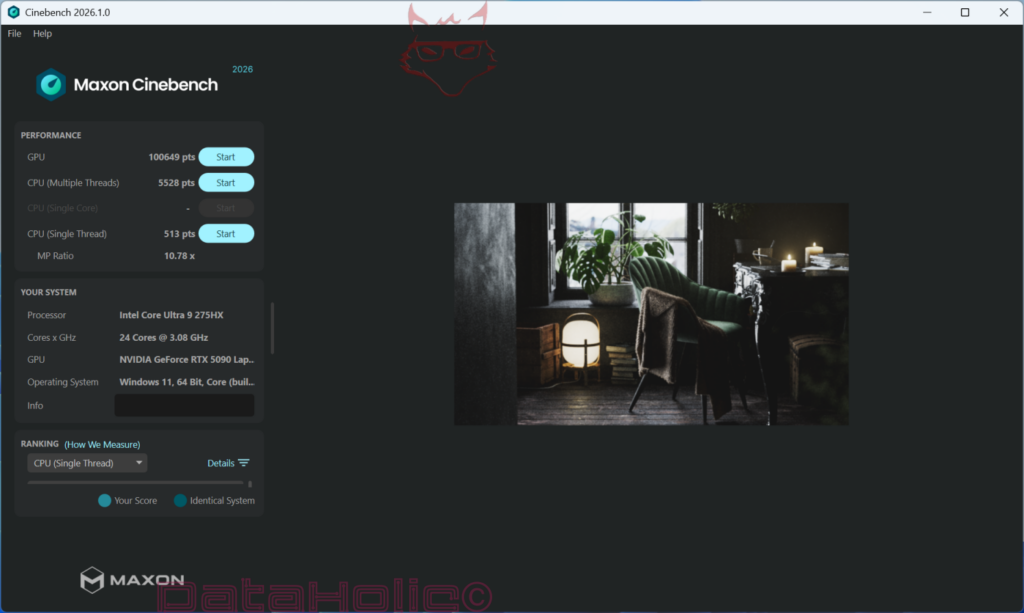
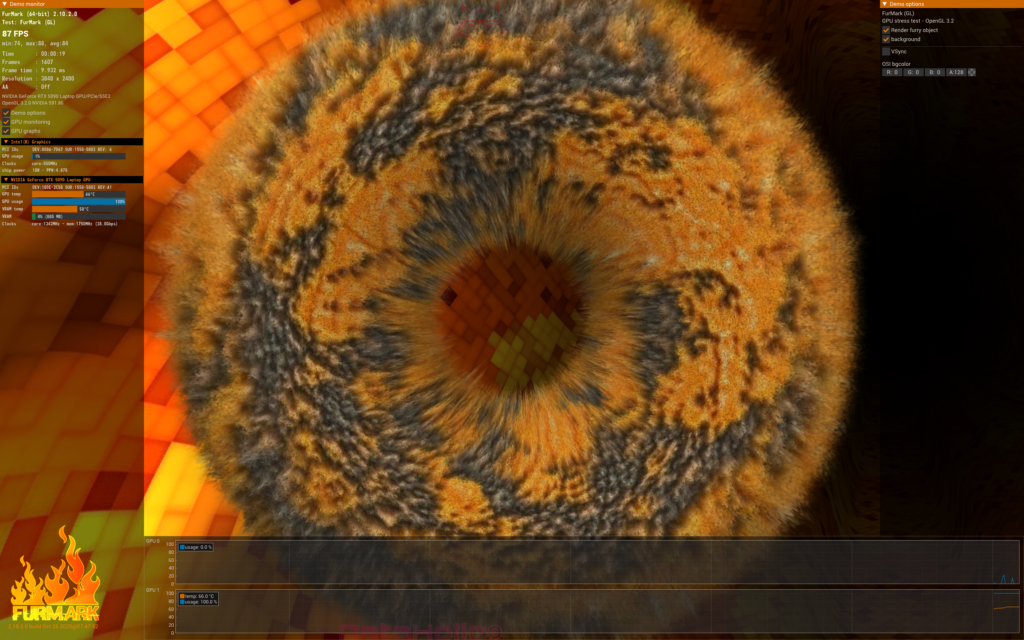
This classification is confirmed quite clearly in the field of synthetic benchmarks. Cinebench 2026 reaches 100649 points on the GPU, 5528 points in the CPU multi-core test and 513 points in the single-thread test at an MP ratio of 10.78. 3DMark Steel Nomad Light lands at 24255 points, Steel Nomad at 5629 points. PCMark 10 reaches 10224 points, VRMark Orange Room 12350, Furmark 5992 and Superposition 18386. Numbers like these may look dry on paper, but taken together they tell a very clear story: this device can do far more than render games. It can also handle rendering, visualization, media workloads and mixed workloads with real force. The PCMark values even underline very nicely that this platform is not merely suitable as a gaming box, but also offers productive breadth.
Benchmark Values at a Glance
| Benchmark | Result |
|---|---|
| VRMark Orange Room | 12350 |
| PCMark 10 | 10224 |
| Furmark | 5992 |
| Superposition | 18386 |
| Cinebench 2026 GPU | 100649 |
| Cinebench 2026 CPU Multi | 5528 |
| Cinebench 2026 CPU Single Thread | 513 |
| Cinebench 2026 MP Ratio | 10.78 |
| 3DMark Steel Nomad Light | 24255 |
| 3DMark Steel Nomad | 5629 |
This benchmark collection is particularly interesting because it does not tell a one-dimensional hero story. Steel Nomad Light turns out very strong, Steel Nomad also at a high level, though not completely detached from thermal and driver-side limits. This is precisely where one of the neutral points from the test comes into play very sensibly: the drivers still need to be optimized. That is not a side remark, but an important piece of context. High-end notebook hardware often spends its first months in a kind of intermediate state between enormous potential and a platform that has not yet been fully refined. Anyone who has worked with a fresh GPU generation for long enough knows this pattern. The raw power is visible immediately, the final polish usually follows later. The Tulpar S8 V1.2 radiates exactly this character: very fast, very powerful, but not yet quite at the last possible degree of refinement.
Gaming Performance: 4K+ Is Not a PR Term Here, but Lived Practice
The real stage for a system like this still remains gaming. And this is where the Tulpar S8 V1.2 becomes spectacularly interesting, because the measured values were not generated in a comfortable 1080p zone or with cautiously chosen settings, but at 3840 x 2400 pixels with DLSS or ultra/low presets depending on the title. This resolution sits above classic UHD in the vertical dimension and fits the 16:10 display format perfectly. The result is a real-world scenario in which the term “desktop replacement” suddenly becomes very concrete.
Game FPS Table at 3840 x 2400
| Game | Average FPS |
|---|---|
| PUBG | 129 |
| Resident Evil Village | 86 |
| Resident Evil Requiem | 208 |
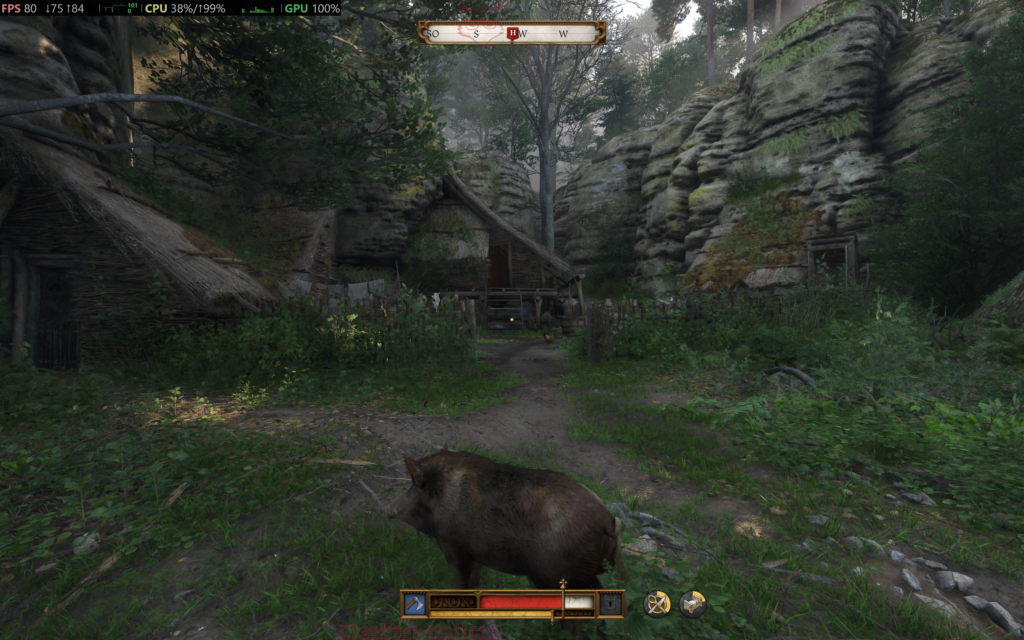
| Kingdom Come: Deliverance II | 80 |
| Elden Ring | 60 (Max FPS) |
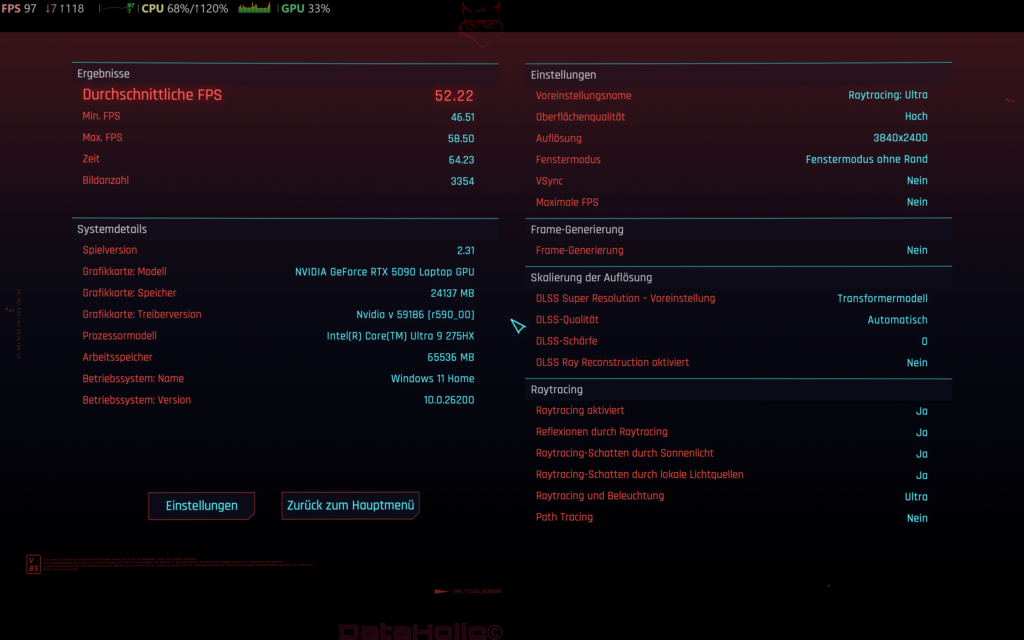
| Cyberpunk 2077 | 74.22 (Low Settings, max DLSS) |
| Overwatch | 120 |
| Counter-Strike 2 | 148 |
| Fortnite | 138 |
| Baldur’s Gate 3 | 120 |
| Elite Dangerous | 120 |
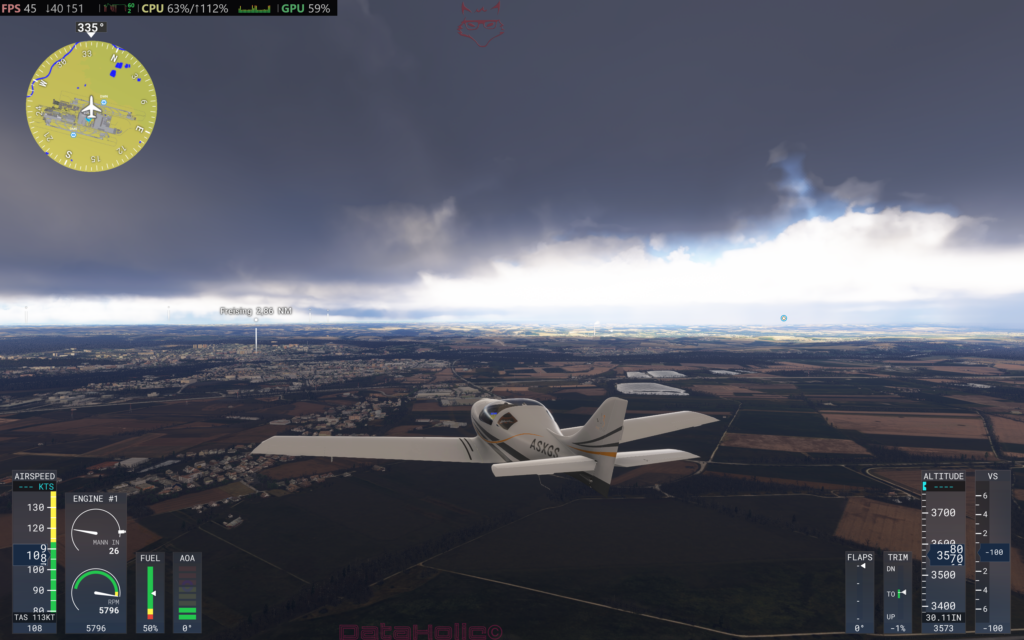
| Microsoft Flight Simulator 2024 | 50 (with max DLSS) |
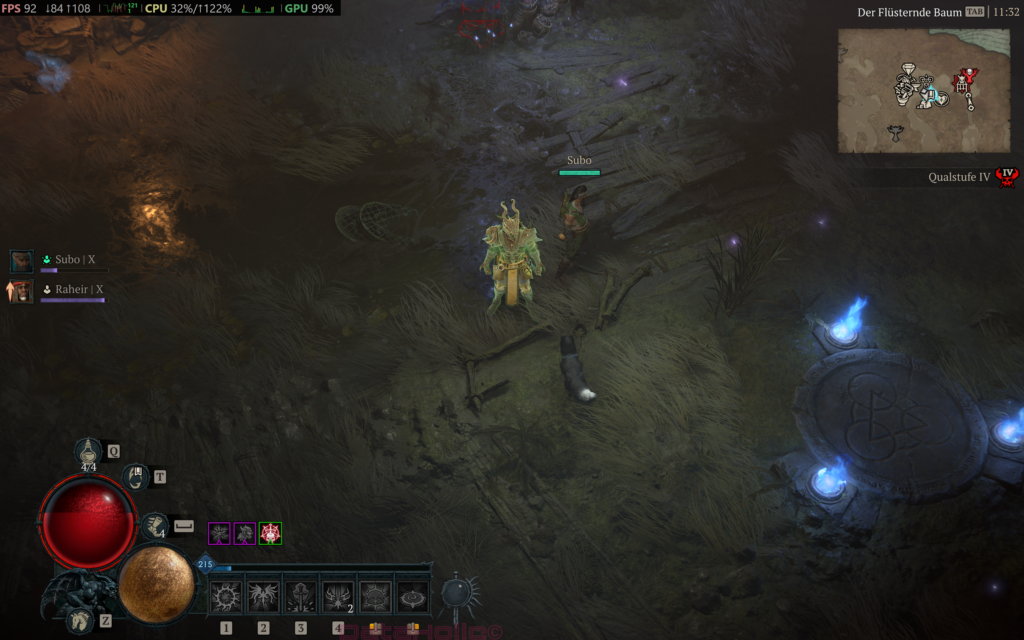
| Diablo 4 | 84 |
| Dave the Diver | 60 |
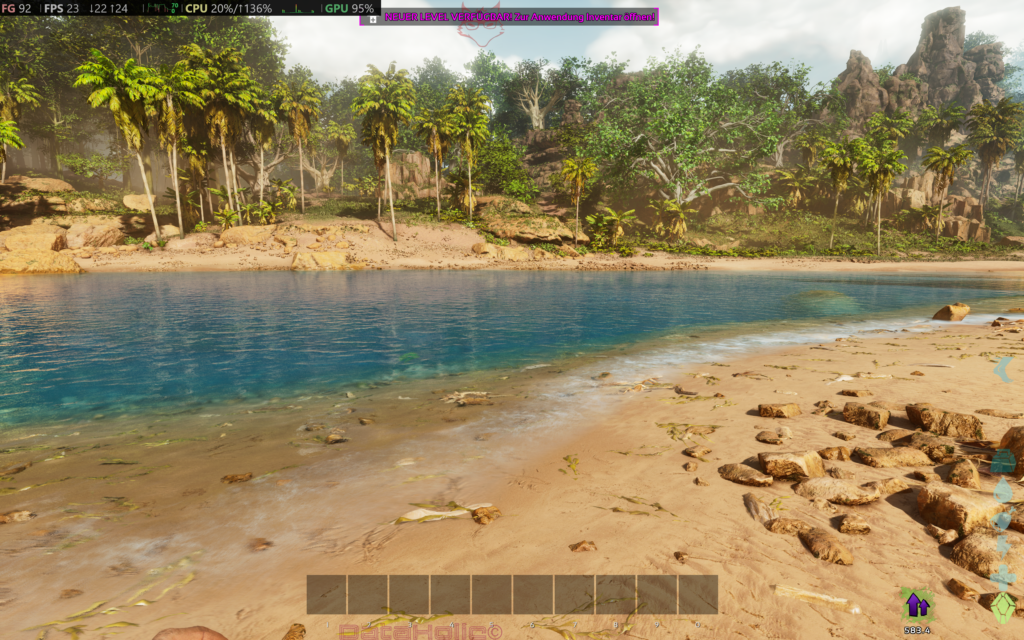
| Ark: Survival Ascended | 92 |
| Red Dead Redemption 2 | 72 |
| GTA V Enhanced | 205 (DLSS) |
| Indiana Jones and the Great Circle | 60 (max DLSS) |
| Escape from Tarkov | 96 |
| Minecraft | 116 |
| Dead Island 2 | 97 |
Just a quick glance at this table is enough to understand the character of the system. E-sports and multiplayer titles such as Overwatch, CS2, Fortnite, PUBG or GTA V Enhanced run with the ease expected in this price class, but which is by no means guaranteed at 3840 x 2400. Counter-Strike 2 at 148 FPS and Fortnite at 138 FPS speak a very clear language. PUBG at 129 FPS as well. This is not merely “playable,” this is confident.
Things become particularly interesting with heavier hitters. Red Dead Redemption 2 at 72 FPS, Diablo 4 at 84 FPS, Ark: Survival Ascended at 92 FPS and Dead Island 2 at 97 FPS show a level that not only makes 4K+ gaming on a notebook possible, but genuinely enjoyable. Even titles with considerably heavier load, such as Kingdom Come: Deliverance II at 80 FPS or Resident Evil Village at 86 FPS, remain pleasantly far away from the critical zone. Resident Evil Requiem at 208 FPS feels almost overconfident. Microsoft Flight Simulator 2024 lands at 50 FPS with maximum DLSS — and at this resolution and in this title that is not wishful thinking, but realistically strong.
Two special cases deserve their own classification. Elden Ring and Dave the Diver both sit at 60 FPS. In both cases, the limit lies less necessarily with the device than with engine or title restrictions. Elden Ring is known for its 60-FPS cap, and Dave the Diver also operates within a framework where the hardware itself is not the actual bottleneck. Values like these must therefore not be misunderstood as the performance ceiling of the notebook, but as part of the ruleset of the respective game.
Cyberpunk 2077 is, of course, the classic in any hardware debate that refuses to drift into boring territory. 74.22 FPS at low settings and maximum DLSS at 3840 x 2400 is a number that commands respect, while also conveying an important realism. Even absolute high-end hardware does not abolish the laws of demanding ray tracing and open-world load. That is precisely why the 74.22 FPS are not a flaw, but an excellent demonstration of how far notebook hardware has now advanced. Only a few years ago, 4K gaming on mobile systems felt like a discussion topic reserved for manufacturer slides. Here, it is simply practice.
Display: The 18-Inch Panel Is Not an Extra, but a Main Argument
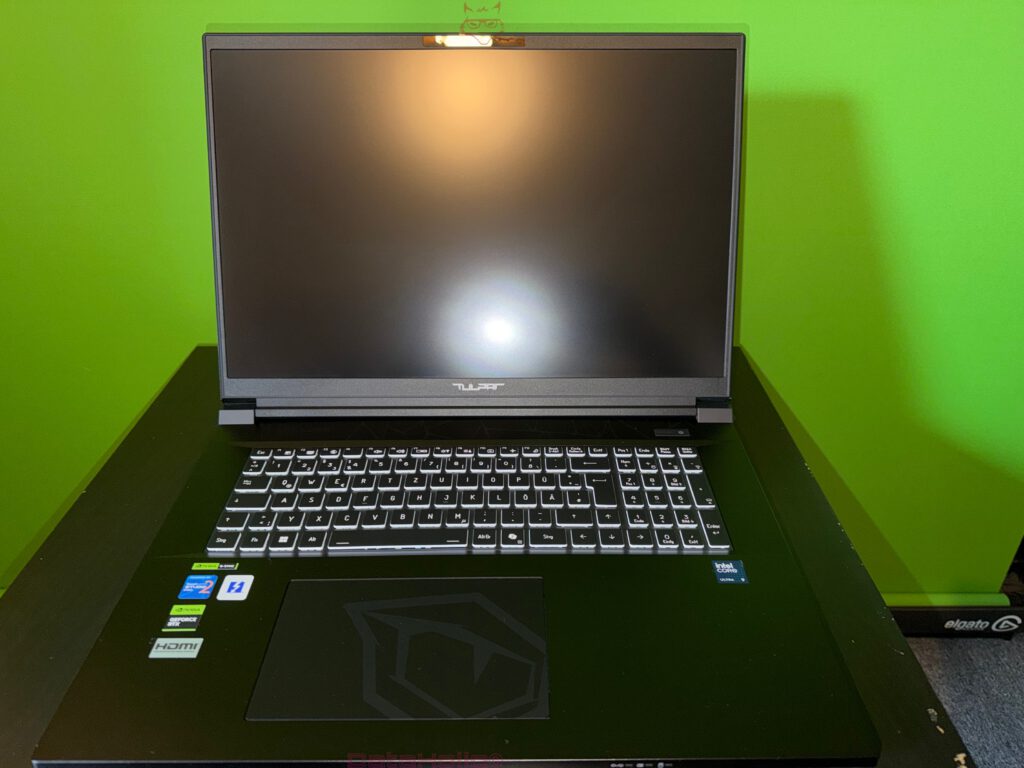
A notebook in this class could bring a great deal of performance and still fail in the end because of a mediocre panel. That is exactly what does not happen here. The 18-inch display with 3840 x 2400 pixels, 16:10 format and 240 Hz is one of the strongest arguments in favor of the Tulpar S8 V1.2. Tulpar officially lists an 18-inch UHD+ IPS matte LED display with 240 Hz and G-SYNC support. On paper alone that is already a very serious statement, and in practice it becomes one of the most convincing components of the entire device.
Why is this panel so important? Because a desktop replacement should not only deliver strong frame times, but also offer the space, sharpness and image stability needed to do justice to that performance. Eighteen inches at 3840 x 2400 creates enormous pixel density without tipping into ergonomic absurdity. The 16:10 format helps equally in games and productive use. In strategy titles, role-playing games, editors, spreadsheets or streaming setups, extra vertical space is not some small bonus, but a real comfort gain. The 240 Hz creates headroom for fast titles, while G-SYNC ensures that image output and GPU work come together more harmoniously in everyday use.
This is also a very good example of why “more display” is not merely a luxury feature. Many manufacturers install powerful GPUs and still treat the screen like an output window that had to be included somehow. The Tulpar S8 V1.2 goes in the opposite direction. It places performance and display on the same level. That makes sense not only in games, but also in creative or semi-professional workflows. PCMark 10 confirms with 16125 points in Digital Content Creation and 25497 points in Rendering and Visualization that this notebook has no fear of productive work. Combined with the large 18-inch display area, the result is a system that clearly wants to be taken seriously beyond gaming as well.
CPU and Platform: Intel’s HX Flagship Meets Plenty of Room to Work
Intel’s Core Ultra 9 275HX is not a processor for reserved designs. Officially, the data clearly points to an HX platform built for maximum computing performance and high burst reserves: 24 cores, 24 threads, up to 5.4 GHz, 36 MB Intel Smart Cache, 40 MB L2 and a platform intended to handle both games and heavy multi-core workloads. This direction fits the character of the Tulpar S8 V1.2 excellently.
The CPU single-thread value of 513 points in Cinebench 2026 feels well-rounded together with the 5528 points in the multi-core test. The platform shows both responsiveness and parallel power. That balance is enormously important, especially in a desktop replacement. Pure gaming performance is no longer enough once streaming, browser tabs, communication, recording, uploads, assets, launchers and background services are all running in parallel. The fact that Twitch streaming is reportedly possible without a second PC fits exactly into this picture. The device has enough headroom not to become nervous at the first real multitasking shift.
At this point, a small observation from everyday hardware life suggests itself: in the past, high-end notebooks were often treated as though a strong CPU alone were already a mark of quality. Today the field is more complicated. CPU, GPU, cooling, firmware, memory layout, display and power profile interlock like gears. The Tulpar S8 V1.2 visibly benefits here from its generous chassis. It gives the platform room. And that physical room is often the quiet hero in the background when it comes to high performance.
GPU and 4K+ Practice: The RTX 5090 Laptop GPU Delivers the Full Big Stage
The GeForce RTX 5090 Laptop GPU is the showpiece of the entire configuration. Tulpar offers it in the Max-P variant with 24 GB of graphics memory and a 175-watt total budget including Dynamic Boost. NVIDIA positions the GeForce RTX 50 laptop platform overall for high-end gaming, ray tracing and DLSS-supported 4K scenarios. The Tulpar S8 V1.2 not only accepts that template, but implements it with remarkable consistency.
The great advantage of this GPU in an 18-inch DRP lies not only in peak FPS, but also in the relaxed feeling of having reserves. Baldur’s Gate 3 at 120 FPS, Minecraft at 116 FPS, Escape from Tarkov at 96 FPS or Dead Island 2 at 97 FPS at 3840 x 2400 are not academic victories. Values like these mean something very concrete: high image sharpness, less need to lower settings, fewer worries about upcoming updates or patches and a significantly wider margin for streaming, recording or parallel workloads.
At the same time, it remains important that raw GPU power is only useful if the overall system does not collapse somewhere else. This is exactly where the broad technical foundation helps. The panel challenges the GPU, the CPU keeps up, the memory can be expanded massively, and the SSD structure offers an unusually large amount of upgrade room. This combination is the actual reason why the S8 V1.2 feels like a “real” desktop replacement instead of an overpowered notebook with a few brief moments of glory.
Input Devices: The Keyboard Is More Than Just Usable, the Touchpad Pleasingly Mature
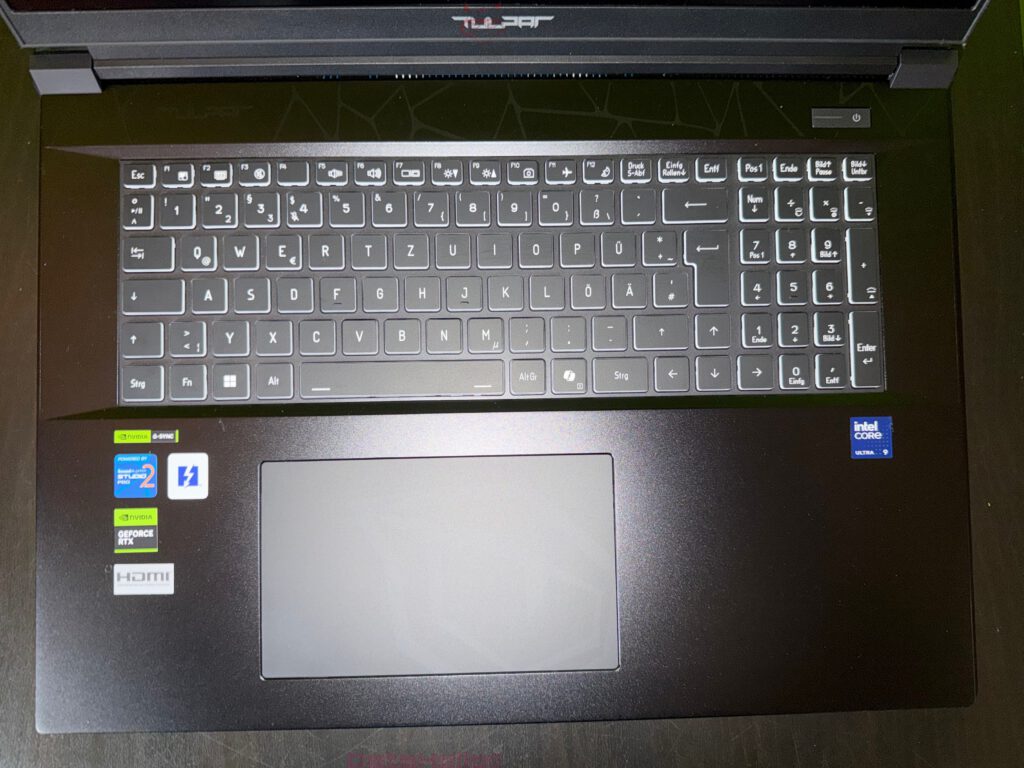
Among the positive points, the keyboard stands out noticeably. This is not casual praise. Good notebook keyboards are rarer than marketing departments like to claim. Many devices in this performance class prefer to invest in aggressive lighting zones, dramatic chassis angles and flashy fan openings, while the actual main interface to the person using it feels like an obligation. Things are different here. The keyboard of the Tulpar S8 V1.2 clearly belongs among the better representatives in the notebook sector. It offers a writing feel that should be taken seriously, is very well suited for medium-sized hands and supports per-key RGB, which is not only nice visually, but can also genuinely be useful for profiles, key orientation and night operation.
Especially in an 18-inch device, a numeric keypad should not be missing. A system like this is not used only for games, but often also for Excel, data entry, editing shortcuts, macros, numerical input or toolchains. A good numeric keypad saves time, nerves and muscle-memory retraining. The Tulpar S8 V1.2 accepts that reality with pleasing calmness.
The touchpad is another plus point. In large gaming notebooks, the touchpad often feels like a foreign object. Either too small, too mushy, too close to problem zones or simply unpleasant. Here, a good touchpad is explicitly mentioned, and that is a valuable finding in this device class. Of course no touchpad replaces a good gaming mouse. But for everyday use, navigation, couch use, streaming setups, spontaneous image editing or system maintenance, a proper touchpad is worth a great deal. It reduces the number of situations in which external peripherals immediately become mandatory.
Upgradability: Four SO-DIMM Slots and Four M.2 Interfaces Are Almost a Declaration of War
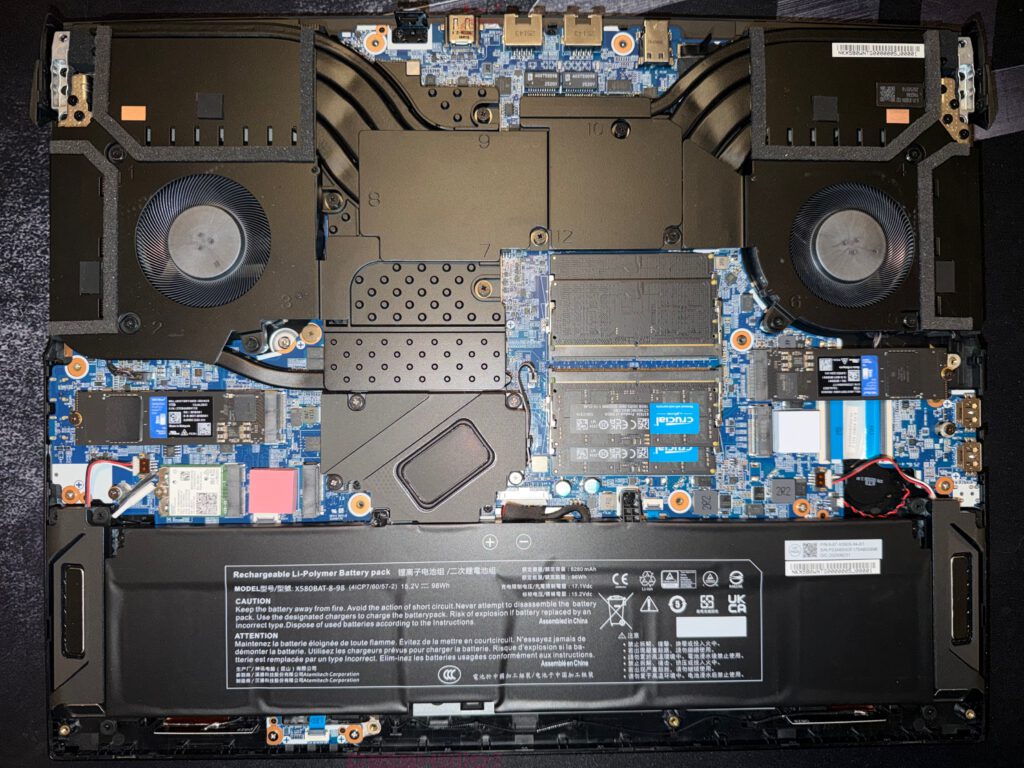
One of the most impressive points about the Tulpar S8 V1.2 is not even the performance it already has out of the box, but its readiness for the future. Four DDR5 SO-DIMM slots and four M.2 interfaces are a statement in the notebook segment. Tulpar officially lists configurations in the S8 series with up to 128 GB of RAM in a 4×32 GB population and up to four 1 TB M.2 SSDs. In the context of this test there is also the indication that up to 256 GB of RAM may be possible. Even the official baseline already signals one thing clearly: this is not a half-hearted effort, this is thinking in workstation dimensions.
Why is that so important? Because upgradability in 2026 is by no means a given. Many premium notebooks demand high prices and then deliver soldered memory, limited SSD slots or an internal layout that tests the patience of a watchmaker every time an upgrade is attempted. The Tulpar S8 V1.2 chooses a different path. It offers perspective. Anyone who later needs more RAM for VMs, large photo and video projects, AI workloads, huge browser setups or modded game libraries is clearly in a better position here than with many more stylish, but far more closed competitors.
The existing 2 TB in the test device also fits the character of the system perfectly. A desktop replacement with 4K+ gaming, AAA titles, stream recordings and possibly Linux dual boot benefits enormously from storage headroom. Anyone who buys a high-end notebook today and already starts playing SSD Tetris tomorrow has saved money in the wrong place. The Tulpar concept does not make that mistake.
Linux and Platform Openness: A Pleasingly Mature Side Aspect
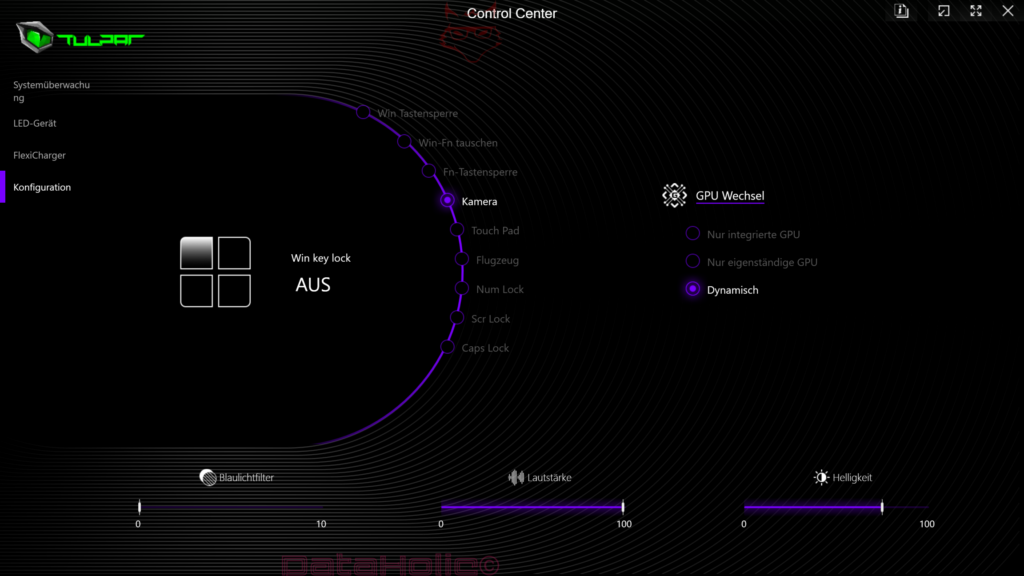
One particularly pleasant point in the test concerns Linux compatibility. Linux Mint and Fedora ran flawlessly, which is not a trivial piece of news for a notebook with current high-end hardware. Especially with fresh platforms, new GPUs or aggressive power and device management, there are regularly small to medium dramas. Here the Tulpar S8 V1.2 shows pleasing openness.
The note to disable Secure Boot in the BIOS for NVIDIA driver integration into the kernel also fundamentally matches known Fedora and NVIDIA scenarios. Fedora explicitly documents for Optimus-based systems that Secure Boot must be disabled in order to load unsigned NVIDIA kernel modules without an additional signing process; at the same time, there are now also ways to support Secure Boot via signed driver paths. For direct, uncomplicated practice, disabling Secure Boot often remains the quicker route.
This is not the main purchase argument for every target group, but it is a valuable point of trust. A desktop replacement in this class often ends up with users who switch between Windows, Linux, test environments, containers, capture tools and development environments. Platform openness counts noticeably more here than with a simple consumer device.
Streaming and Everyday Use: Performance for Twitch Without a Second PC Is a Real Comfort Gain
The note that Twitch streaming is possible without a second PC sounds at first like a small side remark. In reality it is a very large quality feature. For a long time, many setups in the creator or semi-professional gaming field were based on a classic two-PC logic: one system for the game, a second one for encoding, streaming and control. Solutions like that work, but they cost money, space, energy and time.
The Tulpar S8 V1.2 elegantly undermines this pattern. The combination of a very strong CPU, top-end GPU and an overall powerful platform is enough to bundle gaming, streaming, parallel applications and communication into a single device. That is not only practical, but also conceptually fitting. A desktop replacement that truly replaces large parts of a stationary setup only really lives up to its name when scenarios like these work convincingly.
A small anecdote from the gaming world fits quite well here, half humorous and half painful: there was a time when a “streaming setup” often meant mixing up three USB cables, assigning the capture card incorrectly, cursing OBS and then eventually realizing that the audio return had vanished somewhere into the void. A notebook like the Tulpar S8 V1.2 simplifies that equation massively. Not completely, because streaming remains streaming and therefore a small science in itself. But noticeably so.
The image was edited with the help of AI, and the background was removed.
Noise and Heat: Honesty Instead of Illusion
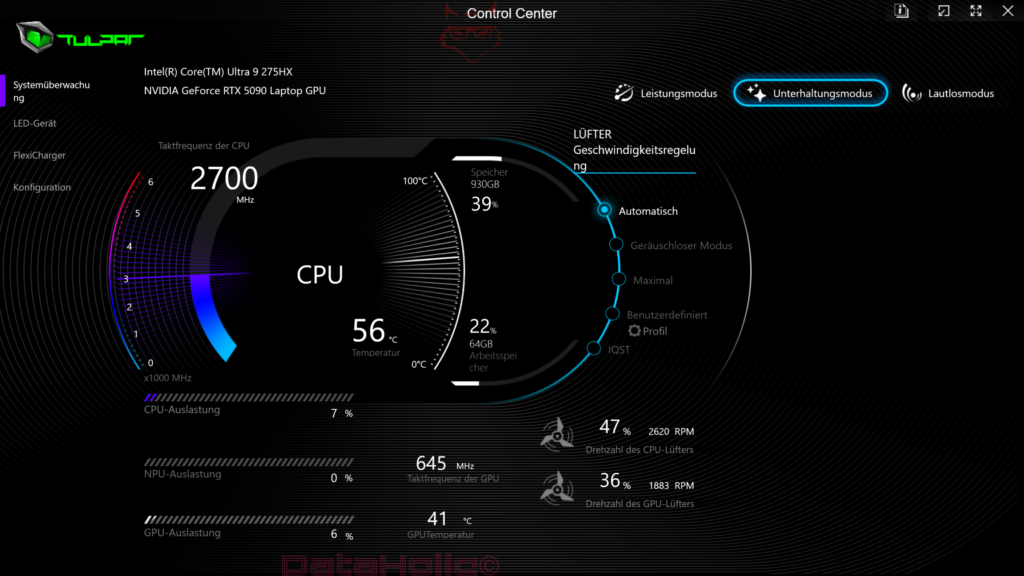
Now to the point where every high-end notebook inevitably has to show its true colors: heat and noise. The Tulpar S8 V1.2 gets relatively warm and can become very loud. The measured values speak a very clear language: an average of 53.8 dB(A) at 30 centimeters distance in the office, with a maximum of 69.9 dB(A). That is not for sensitive ears and not something that can be hidden behind cloudy phrasing. Under load, this device is acoustically present. Full stop.
That is precisely why the classification deserves fairness. Performance in this class does not fall from the sky. A Core Ultra 9 275HX plus RTX 5090 Laptop GPU with up to 175 watts of graphics budget and measured overall load peaks up to 357 watts creates a thermal task that no manufacturer solves with a magic wand. On average, around 256 watts were present, with short-term spikes even reaching 357 watts. These numbers are huge, but for the performance on offer, by no means absurd. They explain the fan behavior very directly. Anyone buying in this class is always buying cooling as well. And cooling makes noise.
A systematic misconception appears regularly in the notebook segment: maximum performance should be available, but preferably without waste heat, without noise and ideally with a power supply dimensioned straight out of fairyland. This is exactly where the Tulpar S8 V1.2 helps with its honest nature. It promises no miracles. It sets priorities. High performance is available, and the bill comes in the form of fan acoustics and heat. Seen neutrally, that is cleaner than the alternative, where devices seem quiet only because they throttle brutally inside.
Put humorously: this notebook does not whisper when it works. It argues audibly with the laws of thermodynamics. Anyone gaming with a headset will take that a lot more calmly than somebody doing text work in a quiet room without headphones. That is exactly why noise belongs honestly in the negative chapter here. It is not a dealbreaker, but it is real.
Power Consumption: A Lot of Performance Draws a Lot of Energy, and That Is Neither a Scandal nor a Surprise
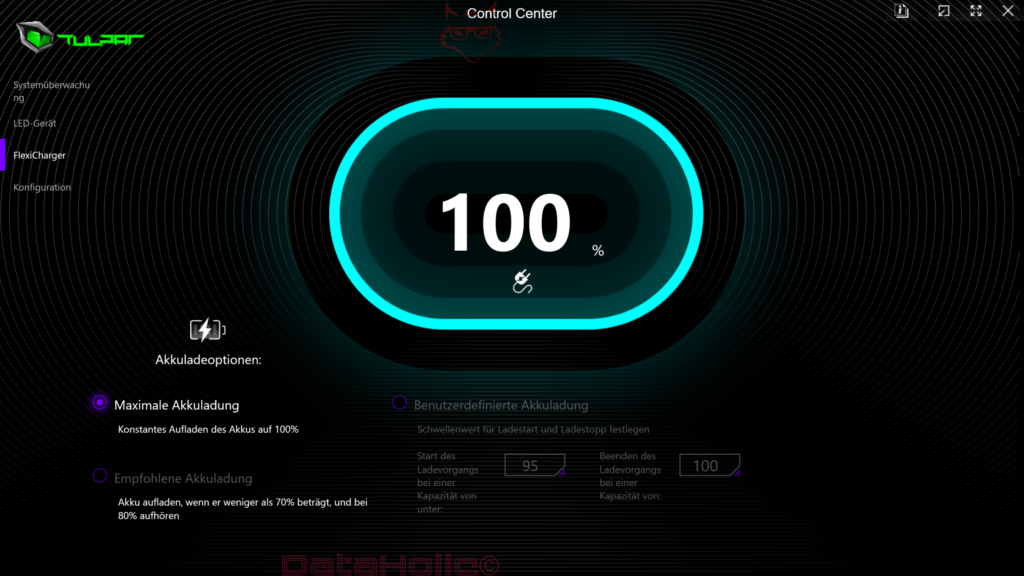
The measured maximum power draw of 357 watts, an average around 256 watts and short-term peaks up to 357 watts show very clearly what league the Tulpar S8 V1.2 is playing in. Values like these have little to do with classic notebooks and a great deal to do with compact high-performance systems. In one sentence: anyone expecting tower performance is also getting tower-like proximity in terms of energy consumption.
That matters for the overall evaluation because a desktop replacement always has to be thought of as a complete package. Performance, display, temperature, noise, power supply, mobility and consumption are inseparably connected. The Tulpar S8 V1.2 feels coherent precisely because these components are not played off against one another. The device does not hold back performance out of false modesty. It goes all in when load is present.
In practice, that naturally means the power supply belongs firmly to the lived reality of this system, and battery operation plays only a secondary role in its actual high-end purpose. That is not a reproach, but a character description. A DRP is transportable, not independent of power outlets. That is exactly what fundamentally distinguishes this class from an office notebook.
RGB, Rear Side and Design Decisions: Function Meets a Little Bit of Theater
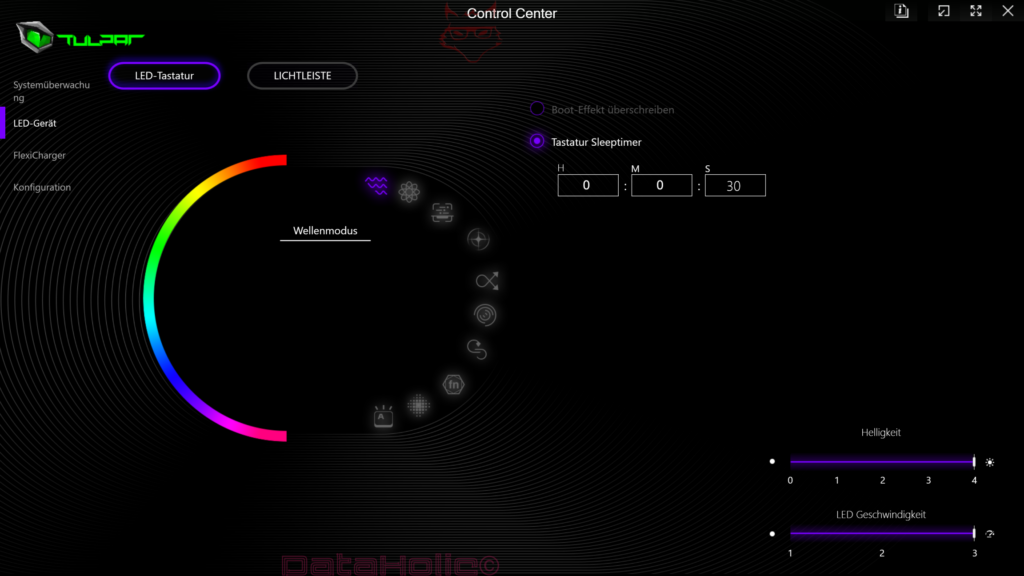
One neutral point in the test reads: RGB on the rear side. This is one of those decisions that, depending on taste, lands somewhere between “quite nice” and “why exactly?” Per-key RGB on the keyboard has a clear practical use. Rear lighting zones, on the other hand, are more an expression of style and brand character.
The nice thing about the Tulpar S8 V1.2 is that this design gesture does not tip over into the ridiculous. Despite RGB and its striking visual language, the device remains technically serious. It does not try to buy attention with cheap effects. The lighting is there, but it is not the main character. Anyone who prefers a discreet appearance will probably enjoy it less. Anyone who likes hardware to also stage itself visibly as hardware will get a coherent portion of theater. Not opera, more like a well-oiled industrial concert.
The Screen in Everyday Use, the Keyboard in Long Sessions and the Palm Rest in Real Life
With many high-end notebooks, it only becomes clear after hours whether they are actually suitable for everyday use. The great strength of the Tulpar S8 V1.2 lies in the fact that several “small” points add up in the end to major comfort. That begins with the 18-inch display, whose size looks spectacular in games but becomes even more valuable in productive tasks. It continues with the keyboard, which is not only gaming-compatible but genuinely pleasant for longer input sessions. And it ends, not least, with the proper touchpad.
The note that the device is very well suited for medium-sized hands may seem inconspicuous on paper, but it is relevant in practice. Many notebook input surfaces fail on fine ergonomics: overly tight key spacing, unnatural angles, awkwardly placed transitions, annoying touchpad zones. Here the balance seems right. These inconspicuous strengths often make the difference between hardware that impresses and hardware with which work and play genuinely remain enjoyable over weeks.
Mundüo, External Expansion and the Bigger Picture
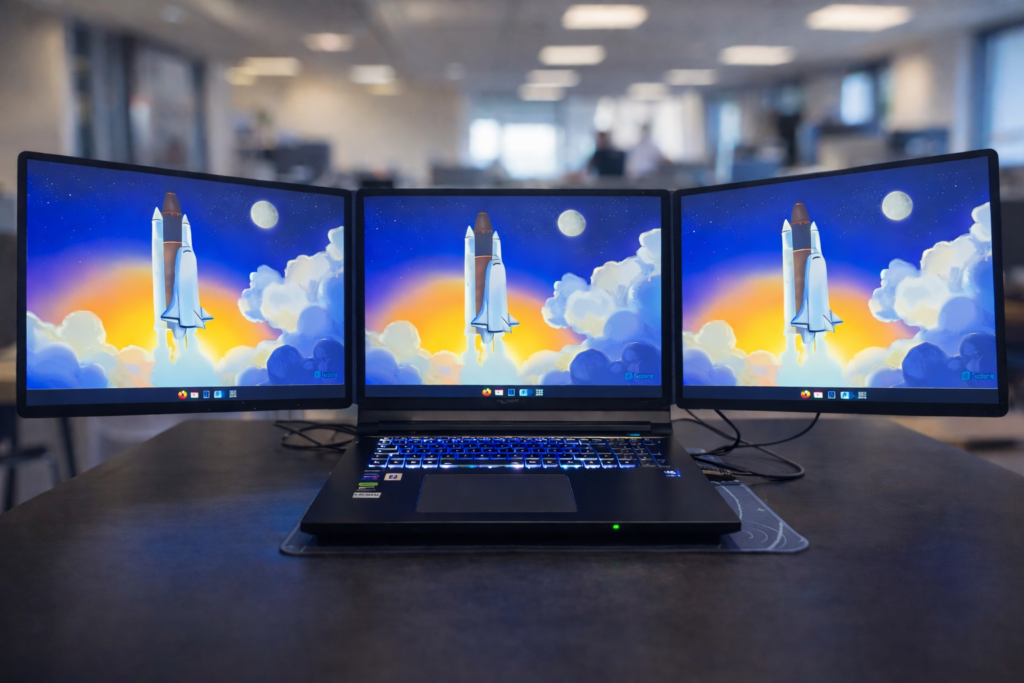
One particularly interesting extra point is compatibility with Mundüo as a dual-screen expansion. That fits almost symbolically with the entire nature of the Tulpar S8 V1.2. This notebook is not a minimalist solitary device, but a center point that wants to be expanded, docked and upgraded. Anyone working with additional display space gets a setup that can shift in a very short time from “portable” to “semi-stationary command center.”
This is also where the platform’s port equipment plays in indirectly. An 18-inch DRP with modern CPU/GPU hardware and expansion options lives from its ecosystem: external monitors, storage, capture, audio, network, storage, docking scenarios. Everything that pulls the device closer to a desktop computer strengthens the central promise of this class.
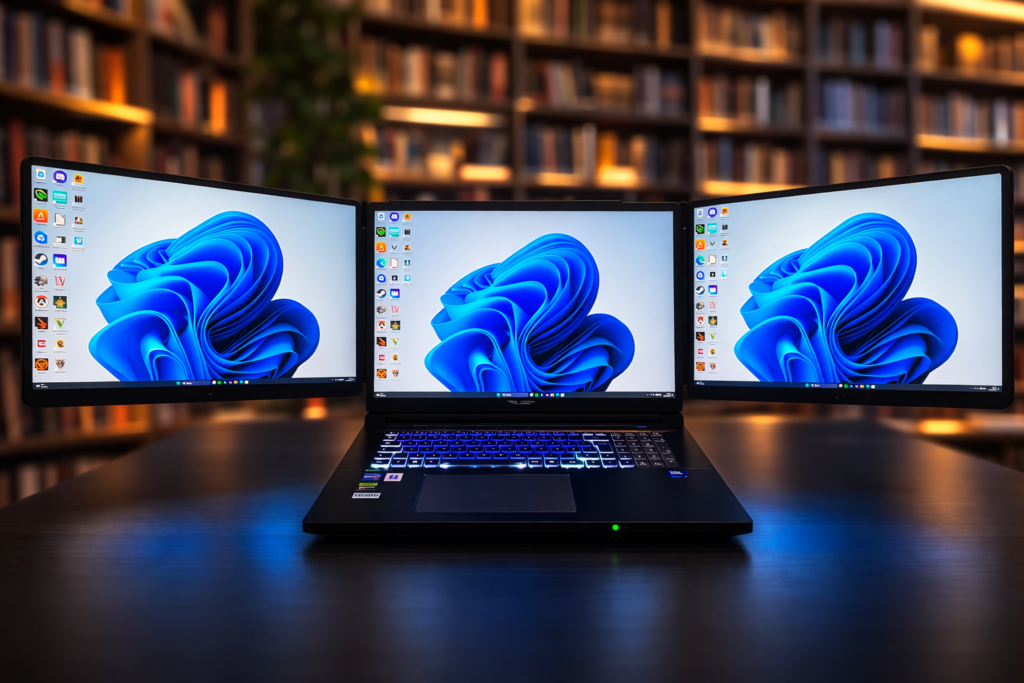
The image was edited with the help of AI, and the background was removed.
Where the Tulpar S8 V1.2 Particularly Shines
The greatest strength of the device lies in its consistency. There are many powerful notebooks, but fewer devices that play out their concept this completely. The Tulpar S8 V1.2 has a very good keyboard, a good touchpad, an outstanding 18-inch 4K+ display with 240 Hz and G-SYNC, a GPU from the absolute top class, a CPU from Intel’s current HX flagship tier, enormous upgradability, a workable Linux perspective, streaming suitability without a second PC and an overall remarkably mature overall impression.
Added to that is something that is barely visible in benchmark tables: this device conveys reserves. It does not feel like it is painfully inching its way toward current games. It feels much more as if it still has headroom for a very large share of modern gaming and creator workloads. In a price class that inevitably remains ambitious, that is a decisive quality feature.
Where the Tulpar S8 V1.2 Gives Ground
The other side of the equation is equally clear, however. The device can get very loud. It gets relatively warm. Power consumption is high, and the romance of mobility is therefore limited. There is still optimization potential in the platform on the driver side. Anyone hoping for quiet luxury, feather-light travel or acoustic restraint is looking in the wrong section here.
This is not some small “but,” by the way, but a genuine question of character. Some devices are forgiven fan noise because the performance is solid. Other devices impress despite the noise because they play in a different league. The Tulpar S8 V1.2 clearly belongs in the second category. Even so, noise remains a point that has a real effect in everyday life. Especially in quiet working environments or during long sessions without a headset, it can become tiring over time.
The Actual Conclusion: An Almost Uncompromising DRP with Clear Costs on the Physical Side
The Tulpar S8 V1.2 is a very strong desktop replacement and therefore a notebook for a clearly defined target group. It is aimed at users who do not understand performance as brochure phrasing, but as an everyday reality of work and play. 4K+ gaming on 18 inches, streaming without a second PC, considerable upgradability, Linux compatibility, large storage options and an input package that does not feel as if it had been glued on afterward — all of that together results in a remarkably well-rounded high-performance device.
The greatest quality of the S8 V1.2 lies in the fact that it does not hide its priorities. It wants to be fast. It wants to be large. It wants to be upgradeable. It wants to press tower comfort into a transportable format. And it accepts the consequences of that project: weight, noise, heat and energy consumption. That is exactly what makes it credible.
In an idealized marketing world, a device like this would combine 18 inches, 4K+, 240 Hz, RTX 5090, HX flagship CPU, four RAM slots, four M.2 interfaces, good input devices, enthusiasm for Linux and streaming sovereignty with absolute silence, perfect coolness and ultrabook battery life. That world does not exist. Gordon Moore once put technological limits very aptly: no physical quantity grows exponentially forever, and in the end the task is to postpone the inevitable for as long as possible. That is exactly what can be felt here. The Tulpar S8 V1.2 pushes the boundary of what a notebook can deliver very far upward — but not for free.
And that is exactly why the final verdict turns out so positive. This device does not try to please everyone. It tries to take its class seriously. For a DRP, that is almost the most important virtue of all. Anyone looking for a light travel device will be happier elsewhere. Anyone looking for maximum mobile performance, an outstanding display, strong input devices, enormous expansion reserves and a system with real desk attitude will find a remarkably consistent package in the Tulpar S8 V1.2.
In short: the Tulpar S8 V1.2 is not a notebook that politely sneaks into everyday life. It enters the room like a small, fairly heavy proof of how far mobile high-end hardware has come. And although the fans occasionally sound as if they want to influence the weather in the neighboring town just to be on the safe side, what remains in the end is an impression of technical sovereignty that has become rare in this degree of clarity.
Notice in Accordance with EU Transparency Requirements
The Tulpar S8 V1.2 presented in this review was provided to us by Tulpar as a non-binding loan for testing purposes. This is not paid advertising.
Tulpar had no influence whatsoever on the content, assessment or editorial independence of this article. All opinions expressed are based exclusively on our own practical experience.
We would like to sincerely thank Tulpar for providing the notebook and for the trust placed in dataholic.de.