
reMarkable Paper Pro with Type Folio in a Long-Term Review – When Digital Paper Becomes a Distraction-Free Typewriter
Between a notebook, reading device, and modern typewriter
Even without accessories, the reMarkable Paper Pro belongs to the more unusual category of mobile working devices. It offers a large color display based on electronic paper, a precise Marker, a pleasantly reduced interface, and the consistent absence of those things that make modern tablets versatile, but at the same time surprisingly exhausting. With the Type Folio, this character changes significantly. The flat digital notebook becomes a writing device that outwardly resembles a laptop, yet behaves completely differently in everyday use.
After opening the Type Folio, no colorful workspace appears with widgets, weather data, messages, advertisements, and icons for programs that have not been used for months. Instead, a blank page waits. A cursor blinks. The keyboard is ready. Nothing more happens at first. After a short time, this unspectacular calm develops into the combination’s defining feature.
The Paper Pro with Type Folio does not attempt to be a laptop with a weaker processor. Nor is it a tablet to which an arbitrary Bluetooth keyboard has been attached afterward. Both components form a closed writing system whose strengths come from clear limitations. Texts are created without a browser window in the background, without messengers, without social networks, and without the small red number on the email icon that apparently exists solely to dismantle concentration with remarkable reliability.
The practical test took the combination through meetings, lectures, longer writing sessions, technical documentation, research, and visits to cafés. It quickly became clear that the Type Folio is more than a convenient text-input attachment. It changes the role of the Paper Pro. Handwritten notes remain a central element, but longer texts, outlines, screenplay drafts, articles, and instructions can now be written directly on electronic paper.
Henry David Thoreau once wrote: “Our life is frittered away by detail.” Around 170 years later, no philosophical treatise is needed to demonstrate this. An open laptop with internet access is enough. The Paper Pro with Type Folio responds to this problem not with another focus mode, but with a working environment in which most distractions simply do not exist.
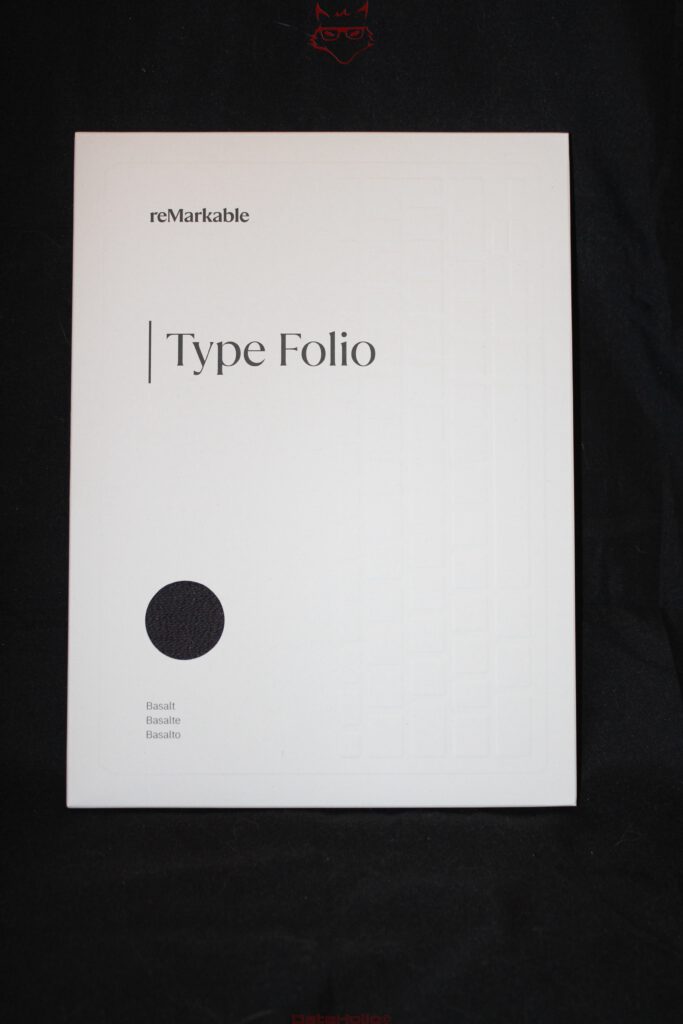
The Type Folio changes the entire product concept
Without the Type Folio, the Paper Pro is primarily a digital notebook, document reader, and sketching tool. The Marker handles almost all input, while the on-screen keyboard is intended more for file names, short headings, and individual additions. With the Type Folio, however, a second working layer emerges. Handwriting and keyboard input do not sit beside each other like two separate applications, but can be combined within the same page.
A text can be created using the keyboard and then expanded with the Marker. Margin notes, arrows, highlights, and small sketches remain directly beside the written content. Conversely, handwritten notes can be supplemented with structured text blocks. This connection may appear inconspicuous at first, but it solves a classic problem of computer work: typed text is orderly, while handwriting is flexible. Usually, both forms require different applications or at least different input modes.
The reMarkable system combines them within one shared workspace. A heading is created using the keyboard, followed by several typed paragraphs, while a spontaneous sketch appears beside them. Later, a sentence can be marked, moved, or supplemented. The handwritten elements remain connected to the text even when its position changes. It is precisely this mixture of structure and freedom that gives the Type Folio its particular value.
The construction does not follow an approach that tries to squeeze as many laptop functions as possible into a thin accessory. A touchpad is absent, as is a row of programmable special keys. The screen continues to be operated directly or with the Marker. This initially feels unfamiliar, but makes sense within the system. A touchpad would add height, weight, and mechanical complexity. In addition, direct interaction with the page remains intact.
The Type Folio therefore does not transform the Paper Pro into a laptop, but into a modern typewriter with digital memory. The comparison sounds nostalgic, but describes the practical character surprisingly well. A typewriter does not suddenly begin installing a system update because three paragraphs are particularly important. Nor does it display a push notification from a parcel service while a useful thought is taking shape. The Type Folio preserves this concentration while adding corrections, synchronization, and a practically unlimited number of pages.
Attaching it without hinges, clips, or small tests of patience
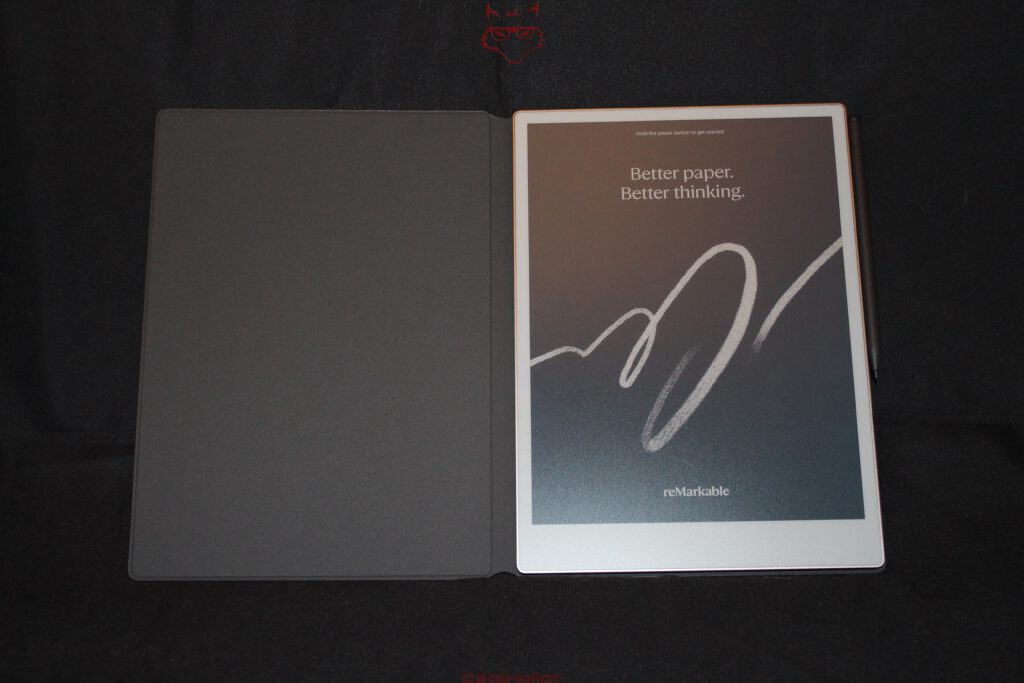
The connection between the Paper Pro and Type Folio is established through a magnetic mount. The tablet is placed into the intended position and aligns almost automatically. Plastic clips, awkward frames, or mechanical locks are absent. A strong magnet holds the device securely and simultaneously provides the electrical connection to the keyboard.
In everyday use, this design proves far more important than a product description might initially suggest. Accessories that only fit correctly after several attempts sooner or later remain in a cupboard. With the Type Folio, a brief movement is enough. The Paper Pro settles into the mount, the position is correct, and the keyboard is recognized. No separate Bluetooth pairing is required. A separate battery inside the Folio is also unnecessary, eliminating the possibility that it will run out precisely during a longer writing session.
Opening the keyboard automatically activates writing mode. The screen adjusts accordingly, and text input is available without lengthy preparation. When the Paper Pro is used flat again, the keyboard disappears behind the device. The transition between typing, reading, and handwriting therefore remains fluid.
The magnet keeps the tablet secure even when the combination is moved. Within a room, the closed system can be carried without difficulty. For longer journeys, however, the complete package still belongs in a suitable bag. The Type Folio protects the front and rear surfaces against scratches, but it does not replace a padded transport sleeve, let alone protection against hard drops.
It is especially pleasant that the Paper Pro does not require visible retaining clips. The metal frame remains unobstructed, the construction looks clean, and nothing presses against the edges. Inserting the device feels more like using a precisely developed system than placing it into a universal cover that happens to fit approximately.
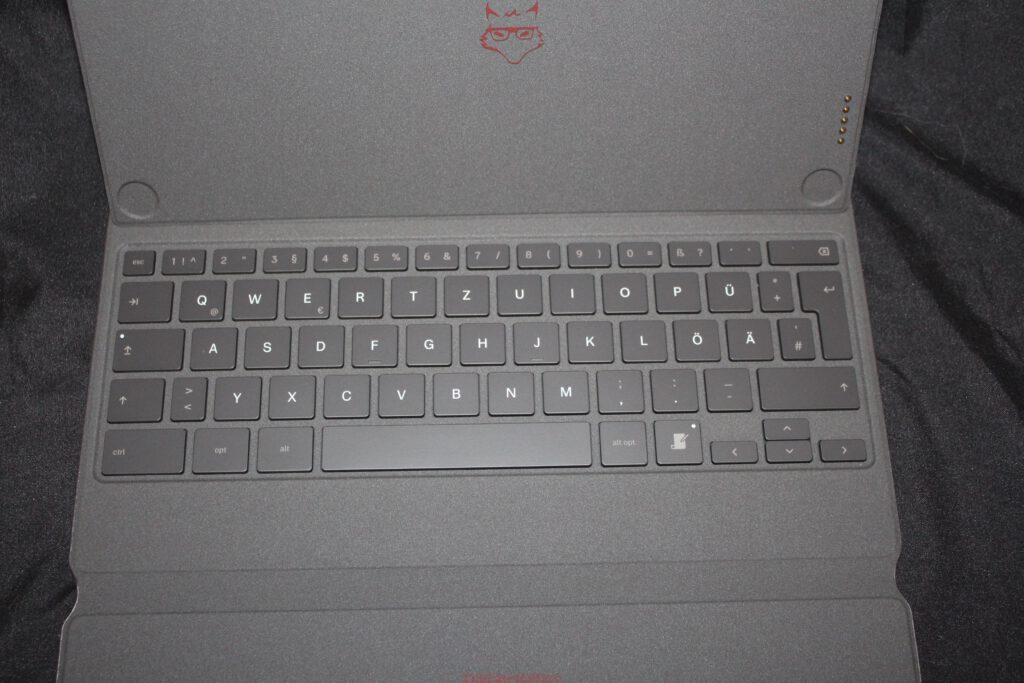
Around 485 grams of accessories change the weight class
The weight of the Type Folio deserves a clear assessment. It does not increase the mass of the Paper Pro by only around 240 grams. That figure belongs to the lighter Book Folio. The Type Folio for the Paper Pro officially weighs approximately 485 grams. Together with the tablet’s roughly 525 grams, the total weight reaches around one kilogram.
This places the combination in a completely different weight class from the Paper Pro alone. The bare tablet feels exceptionally thin and light. With the Type Folio, it becomes a solid working device that resembles a compact laptop. The additional weight is noticeable inside a bag, particularly alongside a charger, books, a water bottle, and the collection of cables carried as a precaution, yet somehow never containing the connection that is currently needed.
The extra weight is not exclusively a disadvantage. On a table, the combination rests very securely. Nothing shifts while typing, the keyboard remains flat on the surface, and the display stands firmly. The mass gives the device substance and prevents the springy feeling of lightweight keyboard covers.
The system also works on the lap, but does not reach the stability of a conventional laptop with a fixed hinge and heavy base. The Type Folio feels most comfortable on a table, in a lecture hall, or at a café seat. The construction is sufficient for shorter texts on a sofa, while longer writing sessions benefit from a solid surface.
The weight should therefore not be played down. The Type Folio does not create an ultralight note-taking system. The combination remains portable, but it is not a casual addition to every bag. In return, it provides a remarkably calm and mechanically stable writing device that is still thinner than many laptops.
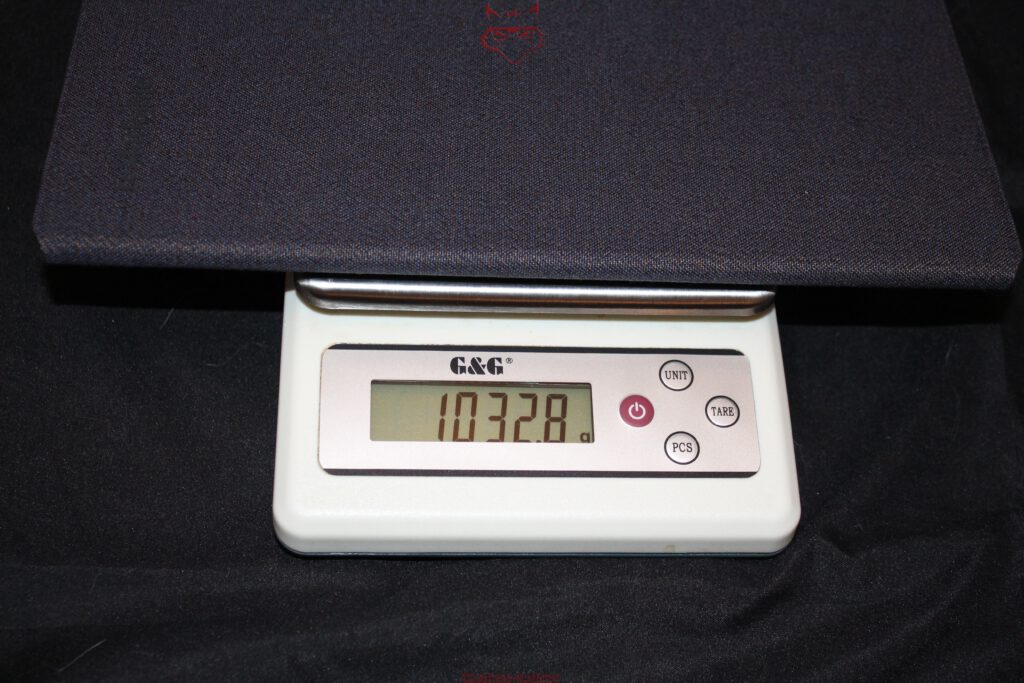
Two positions for different working methods
The Type Folio allows the Paper Pro to be used in different positions. In the upright position, the combination resembles a small laptop. This arrangement is suitable for longer texts, article drafts, instructions, and screenplays. The screen remains easy to read while both hands rest on the keyboard.
A flatter position brings the display closer to the writing surface. Here, typed text can be combined particularly comfortably with handwritten notes. The Marker can be used immediately without first removing the tablet from the mount. reMarkable regards this connection between typing and handwriting as a central working method of the Type Folio.
During the field test, the upright position became the standard arrangement for longer texts. It provides a comfortable view of the display and resembles a laptop closely enough without adopting its visual restlessness. For meetings or lectures, the flatter position proved more flexible. A section was typed, a handwritten addition appeared beside it, followed by an arrow and later a small sketch.
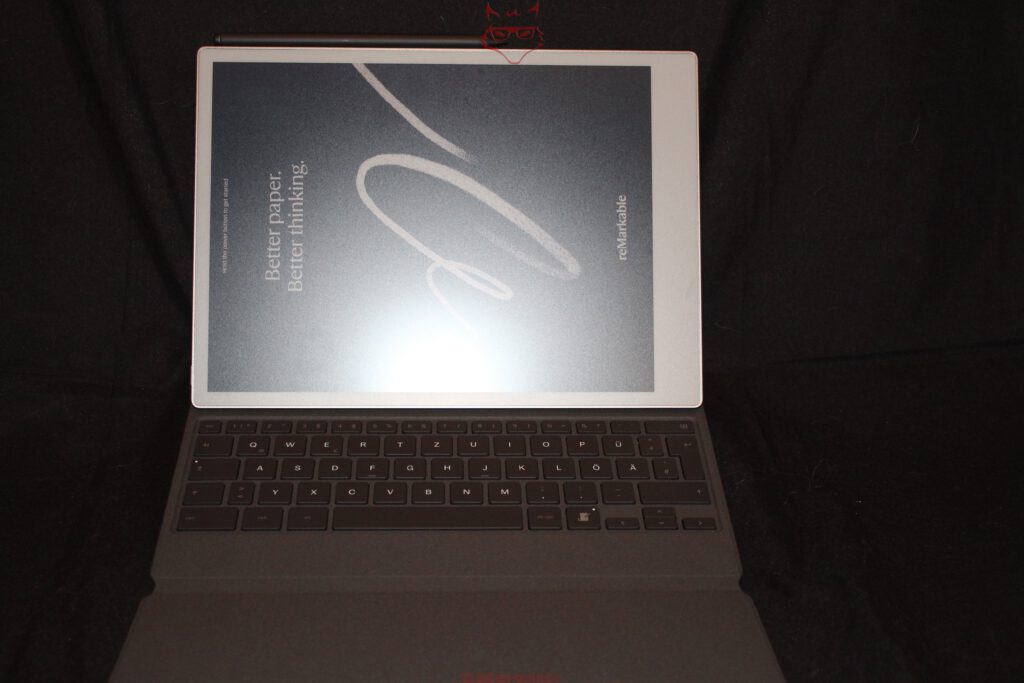
This ability to switch is more than a construction detail. It forms the basis for the Type Folio to be more than a fixed keyboard cover. The Paper Pro can retain its identity as digital paper even when the keyboard is open. Handwriting does not become an awkward special mode, but remains available at any time.
The mechanism feels sufficiently stable and locks into place in a comprehensible way. A freely adjustable hinge would have allowed more angles, but would also have increased weight and wear. The fixed positions cover the most important scenarios. During the test, there was hardly any desire for an intermediate angle.
The keyboard: Surprisingly mature rather than merely adequate
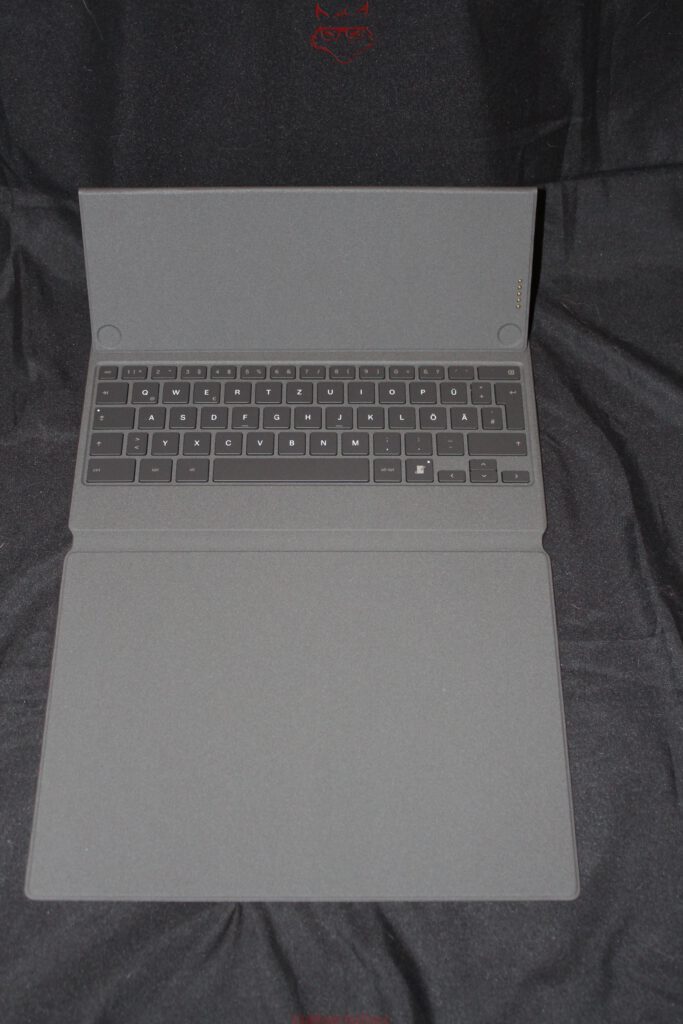
Compact keyboard covers often suffer from the same problems. Key travel is too shallow, the body flexes, important keys are reduced in size, and the layout demands acrobatic finger movements. The Type Folio avoids a large proportion of these weaknesses.
The key travel measures 1.3 millimeters. This sounds unremarkable, but in practice it produces a clear and sufficiently deep stroke. The keys respond precisely, offer a defined pressure point, and do not feel like a membrane keyboard glued onto the surface.
Longer texts can be written quickly after a short adjustment period. Despite the compact dimensions, the layout remains highly usable. Letter keys have a sensible size, the space bar responds reliably, and even the Enter key can be reached without a search movement. The German version provides umlauts and the familiar QWERTZ layout.
Some special keys are naturally smaller. The arrow keys in particular require a little attention at first. After several hours of writing, however, a reliable muscle memory develops. Switching from a large desktop keyboard remains noticeable, but does not cause a fundamental break.
The typing noise is pleasantly subdued. In a meeting or lecture, the Type Folio is considerably less obtrusive than many mechanical keyboards and even quieter than some laptop keyboards. A soft clatter remains audible, but the entire room does not learn with every paragraph that capital letters are currently being used.
The surface feels dry and controlled. Fingers do not slide unnecessarily across the keycaps, yet the material does not feel rough. Even longer writing sessions remain comfortable. The Type Folio does not offer the depth of a high-quality standalone keyboard, but it delivers one of the best typing experiences within this especially thin form factor.
Illuminated keys for late thoughts
The integrated key illumination is one of the decisive improvements over a purely passive keyboard cover. In darkened rooms, during evening events, or in a poorly lit corner, the layout remains visible. The lighting is restrained and therefore matches the character of the Paper Pro.
There is no glaring light show. RGB effects, pulsating transitions, and a rainbow mode are absent. The Type Folio is, after all, intended to capture text rather than turn a desk into a smaller nightclub. The illumination serves its purpose without drawing attention to itself.
Together with the integrated reading light of the Paper Pro, this creates a fully usable working environment for low ambient light. The display is not illuminated from behind like an LCD, but brightened through front lighting. Electronic paper therefore retains its matte and calm character. The keys complement this lighting system effectively.
During a late writing session, it becomes clear how little light is actually necessary. A conventional laptop illuminates the entire room, while the Paper Pro resembles a lit book page. This reduces visual restlessness and supports concentrated work.
The key illumination does not require its own charging connection. The Folio receives power directly from the tablet. There is therefore no second battery level to monitor. This prevents one of those small technical absurdities in which a fully charged tablet can suddenly only be operated through its on-screen keyboard because the external keyboard is empty.
Writing without the usual digital background noise
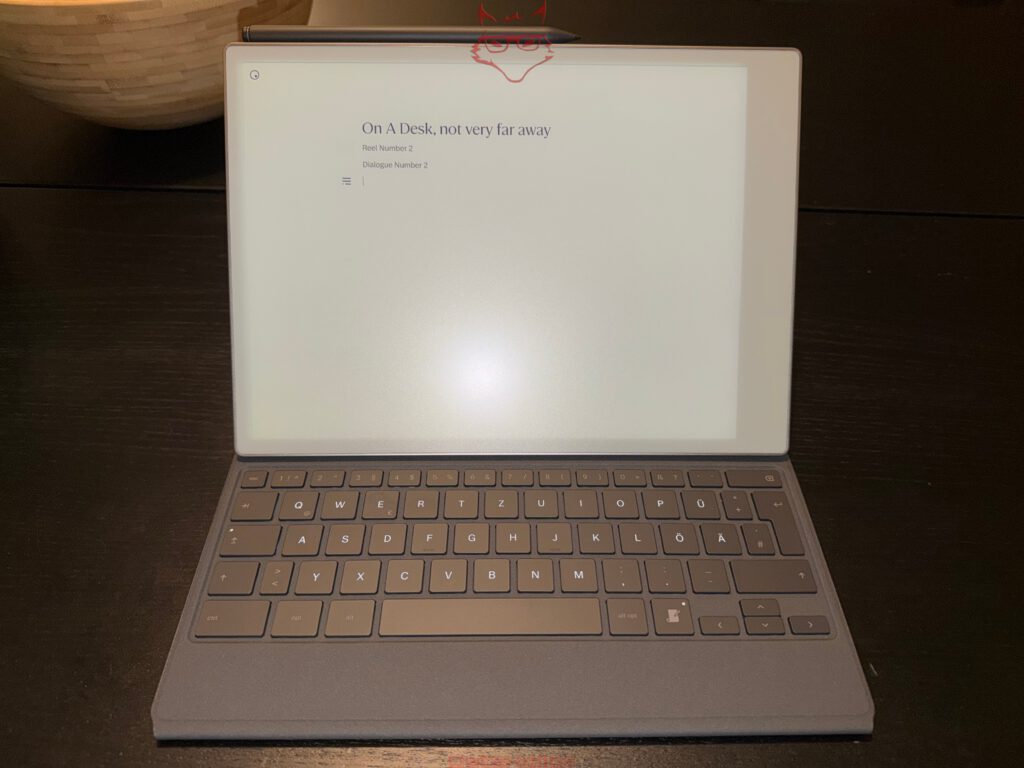
The greatest strength of the Type Folio does not lie in a single key or in its key travel. What matters is the workspace created by the combination. After opening it, a document waits. No taskbar displays open programs. No browser flashes in the background. No message slides over the text.
Aldous Huxley wrote in 1958: “The propagandist’s purpose is to make one set of people forget that certain other sets of people are human.” Today, forgetting half a paragraph often requires nothing more than a shipping confirmation. Distraction no longer needs a grand political theory. A vibration is enough.
The reMarkable system removes a substantial amount of this background noise. There are no conventional apps, no social networks, and no permanently arriving notifications. The Paper Pro was deliberately developed as a focused working device.
When longer texts are written, this calm changes the rhythm. One sentence follows the next without another area of the screen demanding attention in between. Research must be prepared outside the Paper Pro or deliberately carried out on a second device. At first, this sounds cumbersome, but it often improves the separation between information gathering and the actual act of writing.
A research phase can take place on a Windows PC or Mac. Relevant documents, PDFs, and notes are then transferred to the Paper Pro. The writing phase begins afterward without an open search engine. This separation encourages clearer preparation and prevents a brief terminology check from ending twenty minutes later at a completely unrelated topic.
The Type Folio therefore supports genuine digital detox without sacrificing digital productivity. Documents remain synchronized, texts can be edited, and content can later be reused on a computer. Only constant availability disappears.
Writing articles: Concentration before formatting acrobatics
The Type Folio is particularly well suited to article drafts. Headings, subheadings, and body text can be structured cleanly. Basic formatting options are available without overloading the interface with countless choices.
Complex layout work is not one of the system’s strengths. Columns, freely positioned images, footnote systems, or detailed typographic corrections are still better handled on a computer. The Paper Pro primarily takes over the phase in which content, structure, and language are created.
This limitation proves productive. During a first draft, choosing between twelve similar fonts is rarely the actual problem. Even so, word-processing programs possess a remarkable ability to make such decisions suddenly appear urgent. On the Paper Pro, attention remains on the text.
The keyboard shortcuts follow familiar computer commands. Copying, pasting, undoing, redoing, and searching work without a long adjustment period. An overview of the available shortcuts can be called up directly through the keyboard.
During longer articles, this creates surprisingly fluid workflows. A paragraph is written, moved, and later provided with a handwritten margin note. Weak wording can be marked without immediately interrupting the entire writing process. The Marker takes on the role of a red pen, while the keyboard handles the actual text.
This combination of input and correction resembles working with printed manuscripts, but avoids the break between media. A printout does not need to be transferred again later. Changes remain within the same document and synchronize with the connected applications.
Screenplays, stories, and long drafts
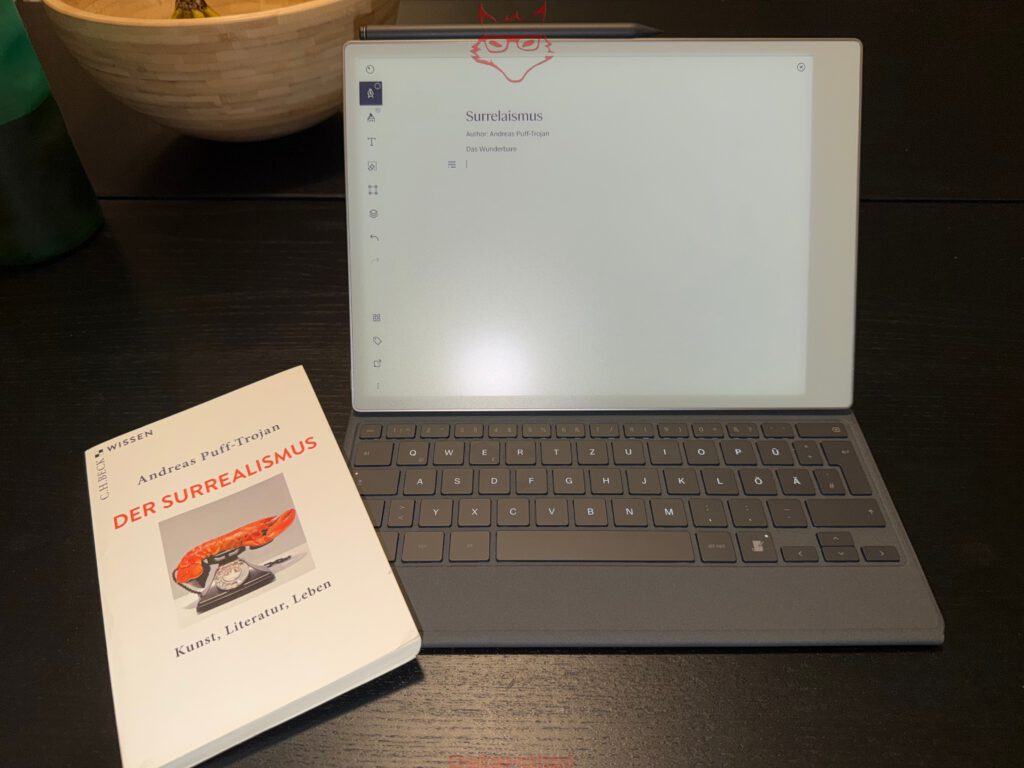
For screenplays and narrative texts, the Type Folio reveals another strength. A blank page on the Paper Pro feels less intimidating than a complex writing program with a sidebar, statistics module, character management, and five open research windows.
The system does not replace specialized screenplay software. Automatic scene formatting, production notes, and professional export standards remain tasks for other programs. For the early writing phase, however, the reduced environment works exceptionally well. Dialogue, scene ideas, and plot structures emerge without technical friction.
The combination is equally suitable for book drafts, essays, and personal writing. Text can first be created in a raw form before precise formatting takes place later on a computer. The synchronized workflow prevents drafts from remaining isolated on individual devices.
A small anecdote from the test captures the character well: the working title on the display read “On A Desk, not very far away.” The reference to a faraway galaxy did not lead to an epic space drama, but initially to a blinking cursor and a blank page. This is precisely where technology separates from actual work. No processor in the world writes the second sentence. The Type Folio at least ensures that no email appears between the first and second sentence.
When longer stories are written, an almost analogue rhythm develops. The page appears calm, the display does not shine aggressively, and the keyboard stroke remains subdued. At the same time, paragraphs can be corrected, moved, and later exported. The result combines the concentration of a typewriter with the fundamental advantages of digital text.
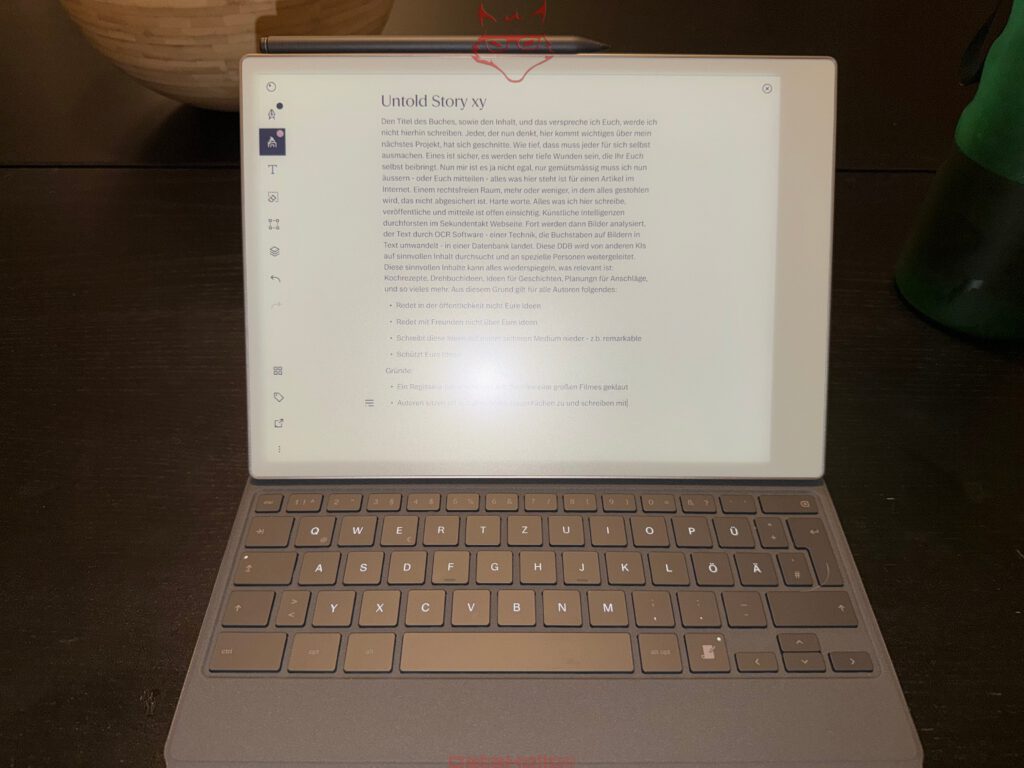
University and lectures: Typing, highlighting, and sketching
In academic use, the Type Folio demonstrates its versatility particularly clearly. Lecture notes can be transferred to the Paper Pro as PDF files and annotated directly. At the same time, structured notes can be created through the keyboard.
During fast-paced lectures, typing is often more efficient than handwriting. Technical terms, definitions, and longer explanations can be entered quickly. Formulas, arrows, diagrams, or spontaneous additions can then be added with the Marker. This combination works considerably more naturally than on a conventional laptop.
The large 11.8-inch display offers enough room for longer texts and complete document pages. With 2,160 × 1,620 pixels and 229 pixels per inch, the presentation remains sufficiently sharp for extensive lecture scripts. The Canvas Color display can show up to 20,000 colors, allowing highlights, diagrams, and different note levels to be distinguished more clearly.
Colors appear considerably more restrained than on an LCD or OLED panel. For lectures, this is more of an advantage than a weakness. Highlights resemble marker strokes on paper rather than glowing warning signs. Content remains calm and easy to read.
The Type Folio rests securely on typical lecture-hall desks. Even on narrow surfaces, the combination requires less depth than a large laptop. A power supply usually remains in the bag during ordinary sessions because the Paper Pro is designed for long battery life. reMarkable states up to 14 days of regular use and up to 90 days in standby, although lighting, Wi-Fi, and usage intensity influence the actual result.
The absence of notifications feels especially beneficial during a lecture. A conventional laptop may provide quick access to additional information, but also to every form of digital distraction. The Paper Pro keeps attention on the script, the notes, and the lecture.
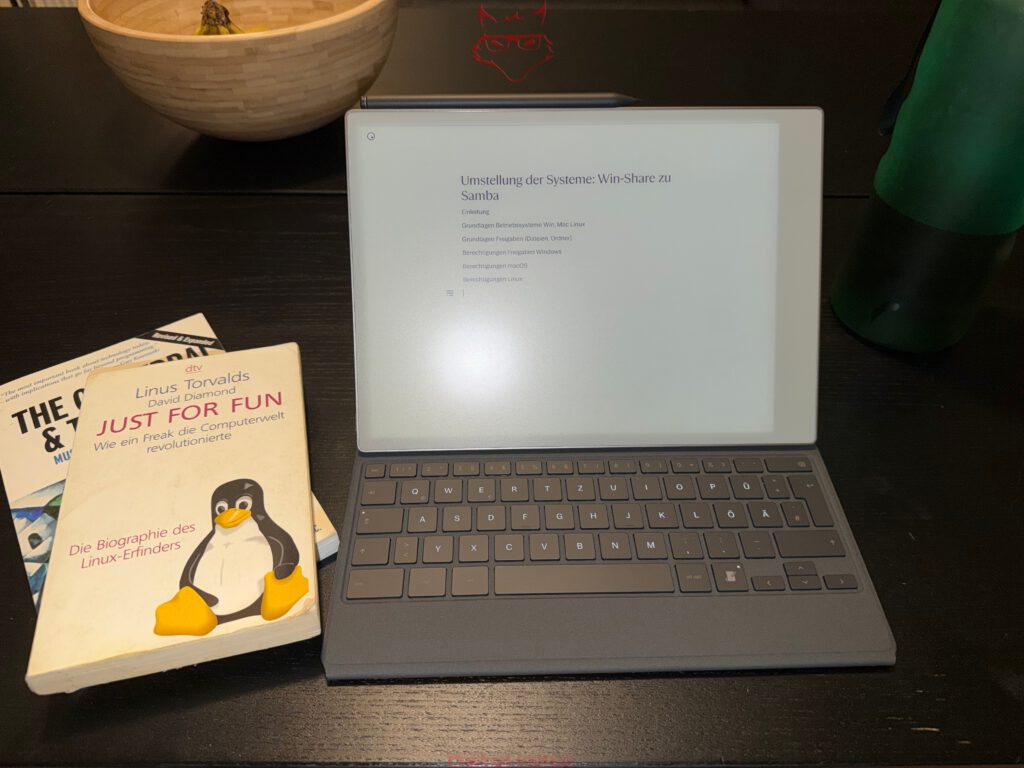
Writing technical instructions where they are created
For technical documentation and instructions, the Type Folio provides an unusually practical workflow. Steps can be recorded immediately during a configuration process without switching between several applications.
A system migration, network configuration, or fault analysis can first be captured in rough points. Later, these become complete paragraphs. Handwritten additions mark uncertainties or open questions. The Marker is particularly suitable for network diagrams, arrows, and quick sketches.
The Paper Pro remains mobile enough to lie beside a server, router, or test system. Unlike a laptop, it generates hardly any heat and requires no fan. The Type Folio opens quickly and is immediately ready after waking.
An instruction manual benefits from the clear separation between documentation and ongoing work. While settings are changed on the computer, the Paper Pro remains reserved for notes. Windows do not have to be constantly minimized or squeezed side by side.
After the work is completed, the text is available through the desktop application on Windows or macOS. Screenshots can then be added, formatting refined, and final files created. The Paper Pro handles the collection of content, while the computer takes care of later expansion.
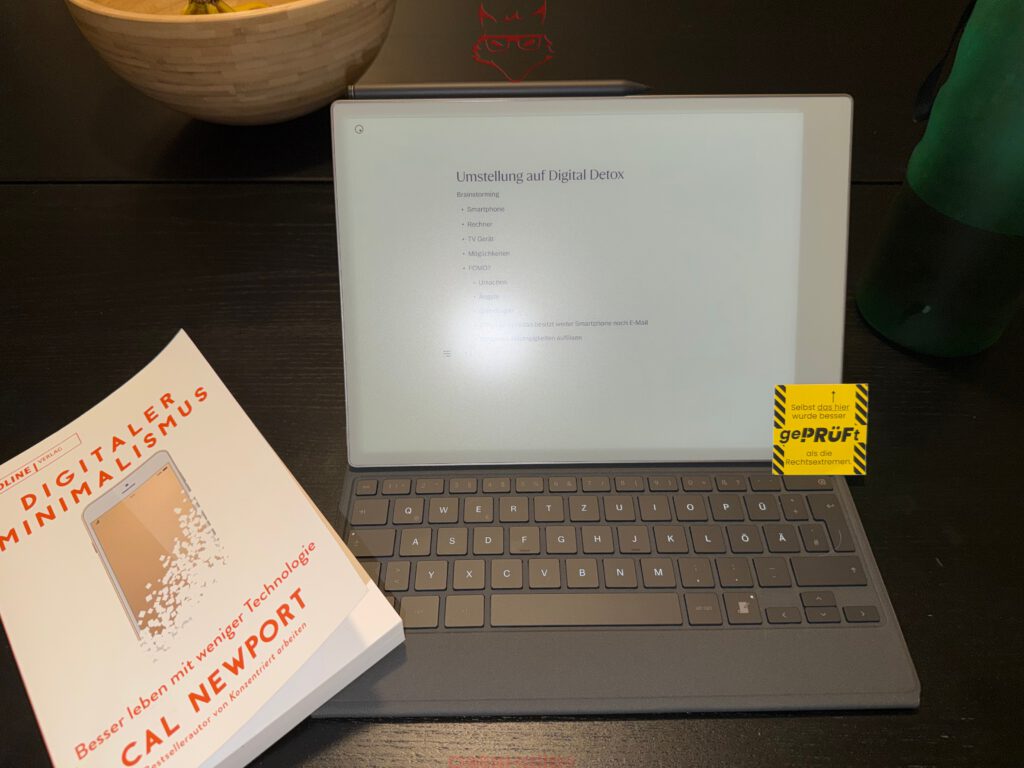
Meetings: A keyboard without a digital wall
In meetings, an open laptop often creates a visible barrier. The screen hides part of the other person, typing noises stand out, and from the outside it remains unclear whether minutes are being recorded or a message is being answered at the same time.
The Paper Pro with Type Folio is also open, but its matte display makes it less dominant. It does not shine brightly and shows no changing windows. The focus remains visibly on the notes.
Short statements can be typed, while connections, diagrams, and tasks are added with the Marker. The flatter position is particularly suitable for this combination. After the meeting, content can be structured and moved into appropriate folders.
The Type Folio is quiet enough for small discussion groups. Even so, handwriting often remains the more discreet choice in sensitive situations. The strength therefore lies not in completely replacing the Marker, but in switching spontaneously. A longer passage is typed, while a confidential margin note is added by hand.
The rapid activation from standby prevents awkward waiting times. A thought does not need to pause while a complete operating system starts. The Paper Pro wakes quickly and opens the most recently used working environment.
In a café: Writing instead of managing windows
The café belongs to the classic locations for mobile writing. At the same time, it represents a small endurance test for every working device. Tables are compact, power sockets are rarely located where they are needed, and drinks always seem to stand at a distance that appears physically safe but is practically highly risky.
The Type Folio provides a stable base on a small table. The combination requires less depth than many laptops and remains usable for long periods without a power supply. The matte display works well under changing lighting conditions. In low light, the reading illumination and backlit keys help.
The decisive advantage remains the lack of distraction. A café already provides enough visual and acoustic stimuli. A computer does not need to add messages, video recommendations, and system notifications.
Longer texts can therefore develop in a steady rhythm. Coffee, page, keyboard. Nothing more is required. Once research becomes necessary, a smartphone or laptop can be used deliberately. Attention then returns to the Paper Pro.
The risk of spilled liquid remains. The Paper Pro has no official IP certification. A small splash does not automatically have to cause a defect, but there is no tested protection against water. For a mobile device in this price class, at least certified protection against splashes would be desirable.
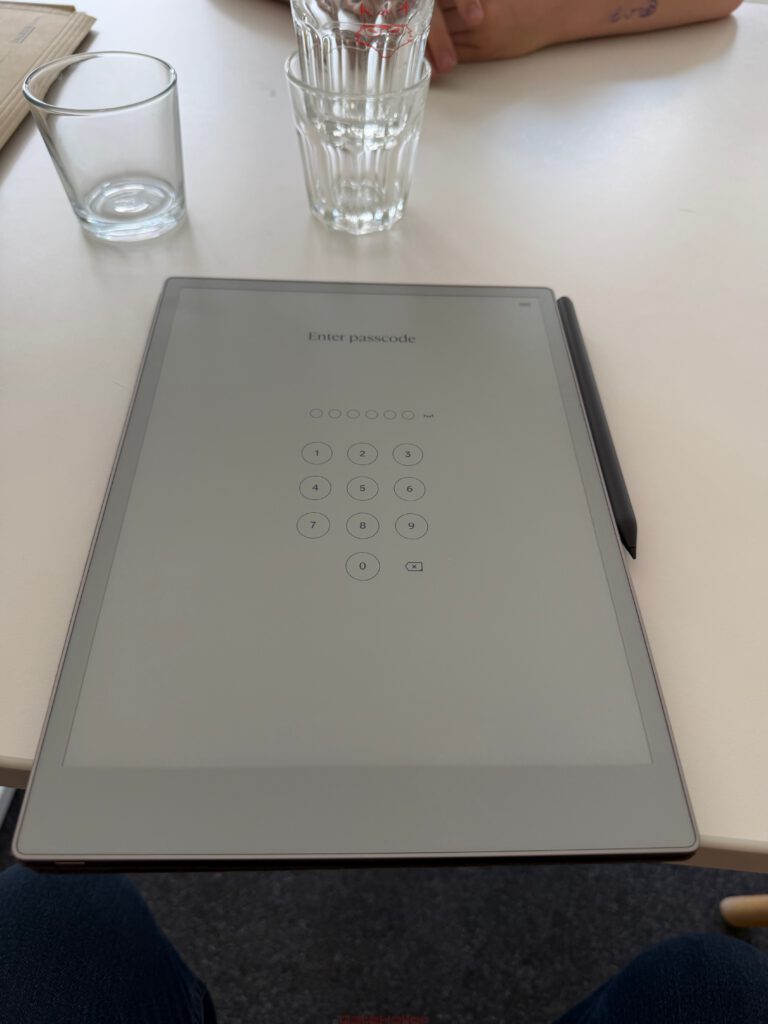
The color display between text and illustration
The Canvas Color display changes more than handwritten notes. When working with the Type Folio, colors also help structure content. Headings, highlights, and handwritten additions can be visually separated from one another.
The presentation remains paper-like. Colors appear more matte and less saturated than on conventional tablets. For comics, graphically designed books, and documents with diagrams, the available color range is sufficient. Classic comic drawings with clear outlines and flat colors are especially well suited to the display.
Dark scenes, strong gradients, and bright effects visibly lose impact compared with OLED. The Paper Pro does not attempt to win this competition, however. Its strength lies in long, calm reading sessions and a presentation that resembles high-quality print.
When writing, this creates a pleasant contrast between typed text and colored highlights. An important paragraph can be emphasized without making the page look like a presentation from the early days of the internet.
Display refreshes remain occasionally visible. Electronic paper works differently from an LCD and requires brief refresh processes for certain color representations. After a period of adjustment, these moments are hardly distracting. The calmer character matters more than the lack of fluidity found on a conventional tablet.
Marker Plus and Type Folio complement each other
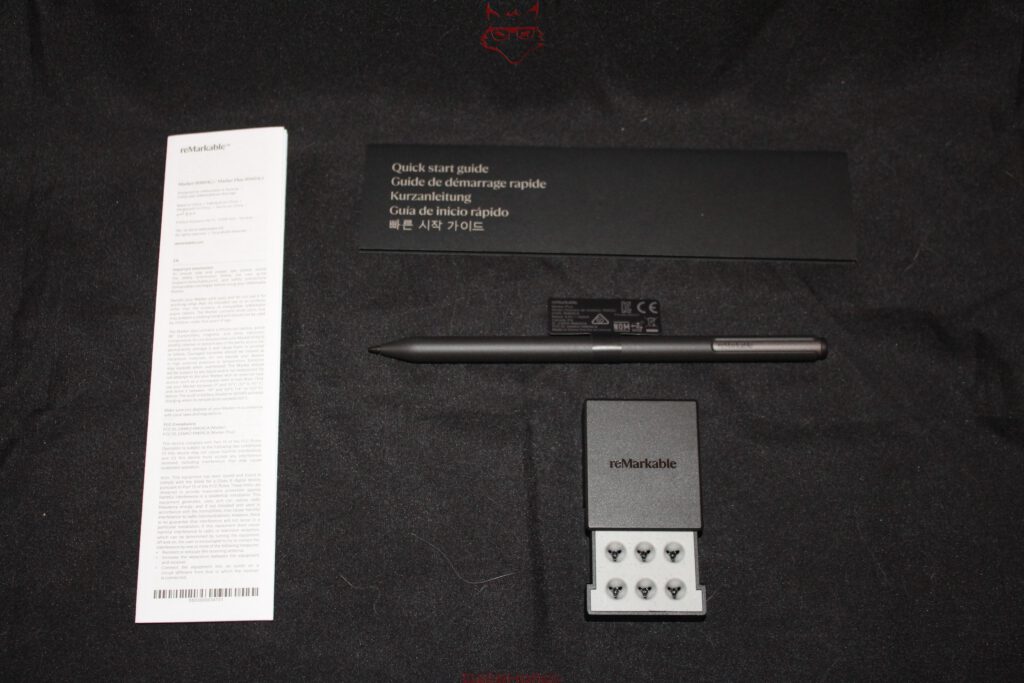
The Type Folio does not displace the Marker Plus. Both input devices take on different tasks. The keyboard is suitable for longer, structured texts. The Marker remains stronger for sketches, corrections, highlights, and spontaneous thoughts.
The Marker Plus feels well balanced in the hand and offers controlled resistance on the textured glass surface. Its rear end functions as an eraser. A mistake can therefore be removed without first opening a tool menu.
Various digital pens are available. Ballpoint pen, fineliner, pencil, marker, and highlighter each behave differently. Line width and color can be adjusted. The selection is large enough for notes and sketches, yet remains clear.
The combination is particularly productive during text corrections. An article is first created using the Type Folio. The Marker is then used to circle unclear passages, connect paragraphs, or add short notes in the margin. The process resembles correcting a printout while remaining entirely digital.
The Type Folio includes an integrated position for the Marker. When closed, the pen remains attached to the device and is better protected from being knocked off inside a bag. A magnetically attached pen without additional security otherwise displays a remarkable talent for disappearing precisely between a notebook, charging cable, and the bottom of a backpack.
PDF and EPUB as the foundation for productive reading
PDF and EPUB files are supported natively. PDF documents retain their fixed page layout, while EPUB books can be adjusted more flexibly in terms of font size and margins. DRM-protected e-books cannot be opened.
The large display is particularly suitable for technical documentation, academic texts, and lecture scripts. Margin notes can be placed directly on the corresponding page. Additional note pages can also be integrated into documents.
The Type Folio expands this process. Instead of relying exclusively on handwritten comments, longer annotations can be typed. With an academic source, for example, a structured summary can be created immediately. A technical term is highlighted, a brief explanation appears beside it, and later a handwritten connection is added to another section.
EPUB files are suitable for longer books. Reading remains free from store recommendations, animated transitions, and other additions. The text stays at the center.
Comics work particularly well when they are available as suitable PDF files. CBZ and CBR files are not among the officially supported core formats. Prior conversion may therefore be required.
Amazon Kindle would be practical, but not essential
A direct connection to Amazon Kindle would expand the Paper Pro as a reading device. Many digital libraries already exist inside the Kindle ecosystem. Access to purchased books would therefore be convenient.
The problem lies less in presentation than in Digital Rights Management. DRM-protected Kindle files cannot simply be transferred to the Paper Pro. reMarkable supports DRM-free EPUB files, but remains excluded from protected Amazon content.
Official integration would be welcome, but would have to fit the system’s reduced character. Store advertising, purchase recommendations, and additional account menus could quickly change the interface.
The absence of Kindle integration therefore remains a neutral point. For an existing Amazon library, it is a limitation. For the actual purpose of the Paper Pro and Type Folio, it is not a fundamental flaw. The system continues to focus on notes, original texts, PDFs, and freely usable EPUB files.
Windows and macOS as productive counterparts
The integration with Windows and macOS belongs to the strongest parts of the reMarkable ecosystem. Documents can be imported, organized, and later reopened on a computer. A PDF is transferred by drag and drop, appears on the Paper Pro, and can be read or annotated there.
Texts created using the Type Folio do not remain trapped on the tablet. Through the desktop applications, they later become available on the computer. There, they can be processed further in specialized programs if required.
This division of labor works exceptionally well. The Paper Pro handles concentrated reading, writing, and thinking. Windows or macOS take care of complex formatting, file management, image editing, and publication.
The transition between devices therefore does not feel like an export project. A document is synchronized and then available wherever it is needed. Within the reMarkable system, this exchange works pleasantly unobtrusively.
Smartphone and tablet applications are also part of the ecosystem. Files can be checked and organized while travelling. The real strength, however, lies in the connection between the Paper Pro and a desktop system. A powerful computer and a focused writing device complement each other better than two devices designed to perform the same tasks only moderately well.
Paper Pro and Paper Pure: Rapid switching without file chaos
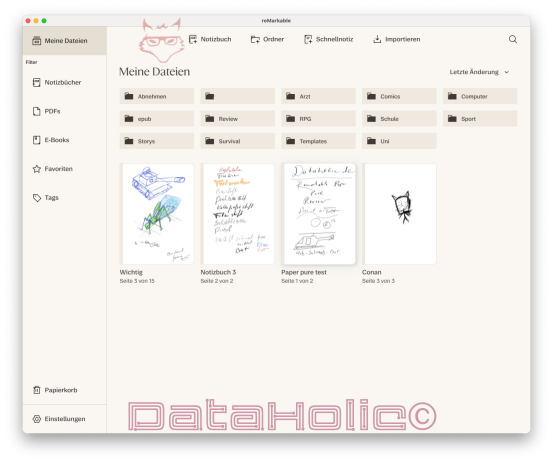
Data exchange between the Paper Pro and Paper Pure works particularly convincingly. Both devices access synchronized notebooks and documents through the same account. Changes appear on the other device after a short time.
This creates a sensible division of labor. The Paper Pro with Type Folio is suitable for longer texts, color documents, and extensive writing projects. The lighter Paper Pure remains a good choice for handwritten notes and situations in which low weight matters more.
A project can begin on the Paper Pro and later be read or supplemented on the Paper Pure. Conversely, handwritten notes from the Paper Pure move into the shared library and are then available for further work.
This process works without memory cards, USB drives, or file names such as “final_new_current_2.” During a short test, synchronization often appears to be merely a convenience. After several weeks, it becomes the foundation of the entire workflow.
Regular updates instead of a frozen feature set
reMarkable continues to develop the software. New versions introduce additional functions, changes to tools, performance improvements, and interface adjustments. The official version history documents regular releases.
More recent additions include handwriting search in a beta version and new ways to convert Word, text, and Google Docs content into editable notebooks.
This ongoing maintenance is particularly relevant to the Type Folio. The quality of the accessory does not depend solely on its mechanics. Text functions, formatting, navigation, and synchronization influence everyday usefulness just as strongly.
So far, the reduced fundamental character has remained intact. New functions are largely integrated into existing workflows. The system grows without immediately turning into a conventional app platform.
In the long term, it remains essential that reMarkable maintains this direction. A specialized writing device benefits more from careful improvements than from an explosively expanding feature list.
The lack of IP certification remains a justified wish
The Paper Pro does not have an officially stated IP certification. Especially with the Type Folio, the device is often used on the move: in cafés, during lectures, in meetings, or while travelling.
Protection against splashes would therefore be useful. The Type Folio covers large areas of the housing, but does not seal the tablet. Liquid can still reach ports and edges.
Many iPad models also lack an official IP certification. This places the criticism into context, but does not eliminate it. The Paper Pro appears less delicate because of its paper-like surface, yet inside it remains a premium electronic device.
Particularly in a café, a clear separation between the working area and any drink is advisable. After all, a glass of water has no synchronization function, but distributes its contents with impressive reliability across every device within reach.
The limits of the Type Folio
The Type Folio is not a complete laptop replacement. A browser is absent, conventional office programs are unavailable, and complex document formatting remains limited.
A touchpad would also be practical in certain situations. Text passages must be selected using the keyboard, touchscreen, or Marker. After an adjustment period, this works well, but extensive revisions do not reach the speed of a computer.
The substantial additional weight is another disadvantage. Around 485 grams for the Folio and roughly 525 grams for the Paper Pro result in a total weight of about one kilogram. Anyone who only needs short handwritten notes will travel more lightly with a Book Folio.
The keyboard cannot be used separately from the tablet. Its power supply and communication are fully integrated into the system. This close connection ensures reliability, but limits flexible use.
Finally, the software remains deliberately reduced. This quality is both the greatest strength and the clearest limitation. Anyone who constantly needs websites, spreadsheets, and several documents beside each other while writing will work more productively with a laptop.
The real value lies in separating thinking from administration
Modern computers combine creation, communication, research, administration, and entertainment within a single interface. Technically, this is impressive. For concentrated work, however, it creates a permanent conflict of purpose.
The Paper Pro with Type Folio separates these areas again. Research and final processing take place on a computer. Reading, note-taking, and writing receive their own dedicated space.
At first, this separation appears less efficient. A file must be synchronized, research deliberately prepared, and the final text later processed further on a computer. In practice, clearer focus often saves more time than these steps consume.
Cal Newport describes concentrated, cognitively demanding work as “Deep Work.” The Type Folio is not a magical tool for reaching this state. It does, however, remove numerous obstacles that otherwise prevent it.
The result is not a romantic return to the typewriter. Corrections, synchronization, digital storage, and flexible documents remain available. Only the digital noise is significantly reduced.
Verdict: A focused writing system rather than half a laptop
In the long-term test, the reMarkable Paper Pro with Type Folio develops into an independent working device. The combination is neither a conventional tablet nor a weak laptop. It forms a specialized system for writing, reading, annotating, and structured thinking.
The Type Folio impresses with its precise magnetic mount, uncomplicated installation, and stable construction. The Paper Pro sits securely, the keyboard is recognized without pairing, and the transition between typing and handwriting is fast.
The typing experience is surprisingly good for such a thin keyboard. The 1.3-millimeter travel, defined pressure point, and subdued sound make longer texts possible without constant awareness of the input device. The backlit keys extend its use to darker rooms and late writing sessions.
The additional weight must not be underestimated, however. The Type Folio weighs approximately 485 grams and therefore almost doubles the mass of the Paper Pro. On a table, this creates excellent stability; in a bag, it is clearly noticeable.
In practical terms, the greatest strength lies in the connection between the keyboard and Marker Plus. Typed paragraphs can be supplemented with handwritten notes, arrows, sketches, and highlights. Both forms of input remain connected within the same page.
For university use, lectures, technical instructions, longer articles, screenplays, book drafts, and structured research, this concept works exceptionally well. The Paper Pro gathers documents, PDFs, and EPUB books, while the Type Folio transforms the reading device into a calm writing station.
The integration with Windows and macOS works reliably. Files reach the device without cumbersome intermediate steps and later return to the computer. Data exchange between the Paper Pro and Paper Pure is also fast and allows different devices to be used for different situations.
The color display expands work with diagrams, comics, highlights, and documents. Its subdued colors appear less spectacular than OLED, but suit the paper-like concept considerably better. The integrated reading illumination and backlit keys make working possible regardless of ambient light.
PDF and EPUB files are supported natively. Direct Kindle integration would be practical, but remains an additional wish because of Amazon’s closed DRM system. The missing IP certification matters more during mobile use. Officially tested splash protection would make the combination considerably more robust.
The decisive advantage still cannot be expressed in millimeters, grams, or pixels. The Paper Pro with Type Folio creates a workspace in which a text once again becomes the most important thing on the screen. No browser waits in the background, no messenger interrupts a paragraph, and no app icon demands attention.
This concentration does not feel artificially imposed. It emerges from the construction of the entire system. The Type Folio provides exactly those functions required for longer texts and deliberately leaves many others out.
The Paper Pro therefore becomes a modern typewriter that does not preserve its texts on paper, but synchronizes, structures, and connects them with handwritten content. It has no ribbon to replace, no jammed typebar, and no key that starts sticking permanently after the third coffee. In return, it preserves something that has become increasingly rare on ordinary computers: calm.
The Type Folio is expensive, heavier than expected, and more functionally limited than a laptop keyboard. Even so, it makes an exceptional amount of sense within the reMarkable system. It does not expand the Paper Pro indiscriminately, but precisely where it matters.
After several weeks, the result does not feel like a tablet with a keyboard cover. What remains is a digital writing system that treats content as more important than applications. Articles, lecture notes, technical documentation, and stories emerge on an interface that does not constantly remind everyone of its own existence.
The Paper Pro with Type Folio protects attention not through complicated rules, but through one clear decision: writing happens on this page. Everything else can wait.
Transparency notice in accordance with EU requirements:
The reMarkable Paper Pro, including the Marker Plus and Type Folio, featured in this review was provided to us by reMarkable as a non-binding review loan for testing purposes. This is not paid advertising.
reMarkable had no influence on the content, assessment, or editorial independence of this article. All opinions expressed are based exclusively on our own practical experience.
We would like to thank reMarkable for providing the Paper Pro together with the Type Folio and for the trust placed in dataholic.de.