
Epomaker Carbonis 8K Low Latency Review – Lightweight, Fast, and Full of Character
When a Mouse Does More Than Just Click
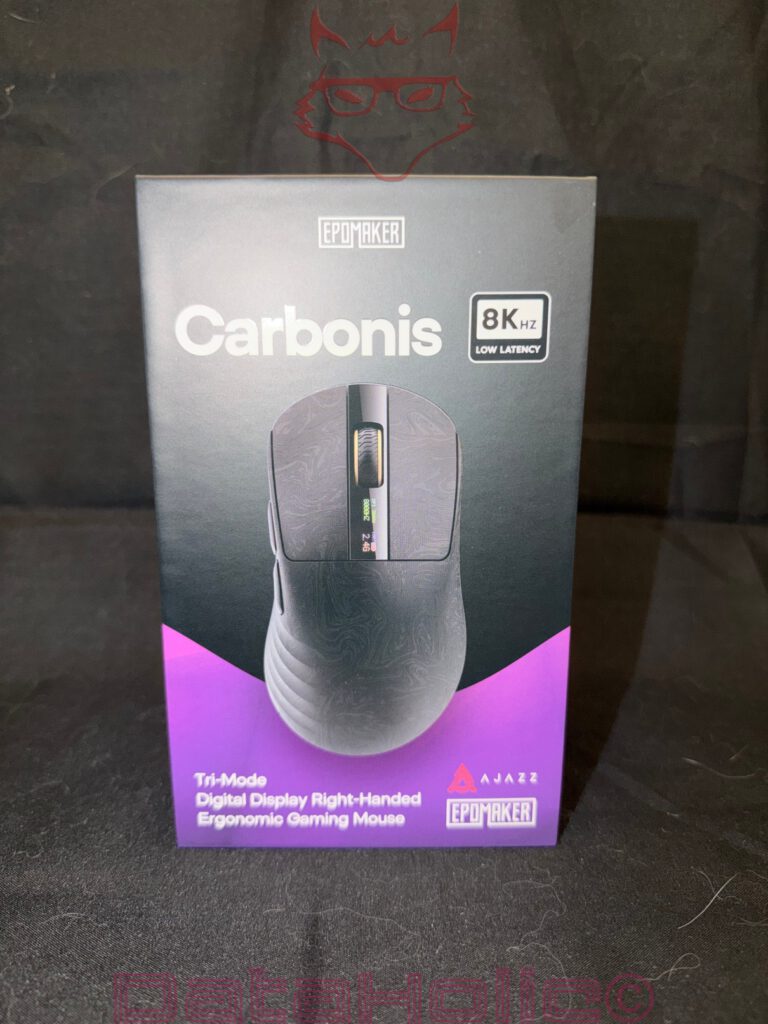
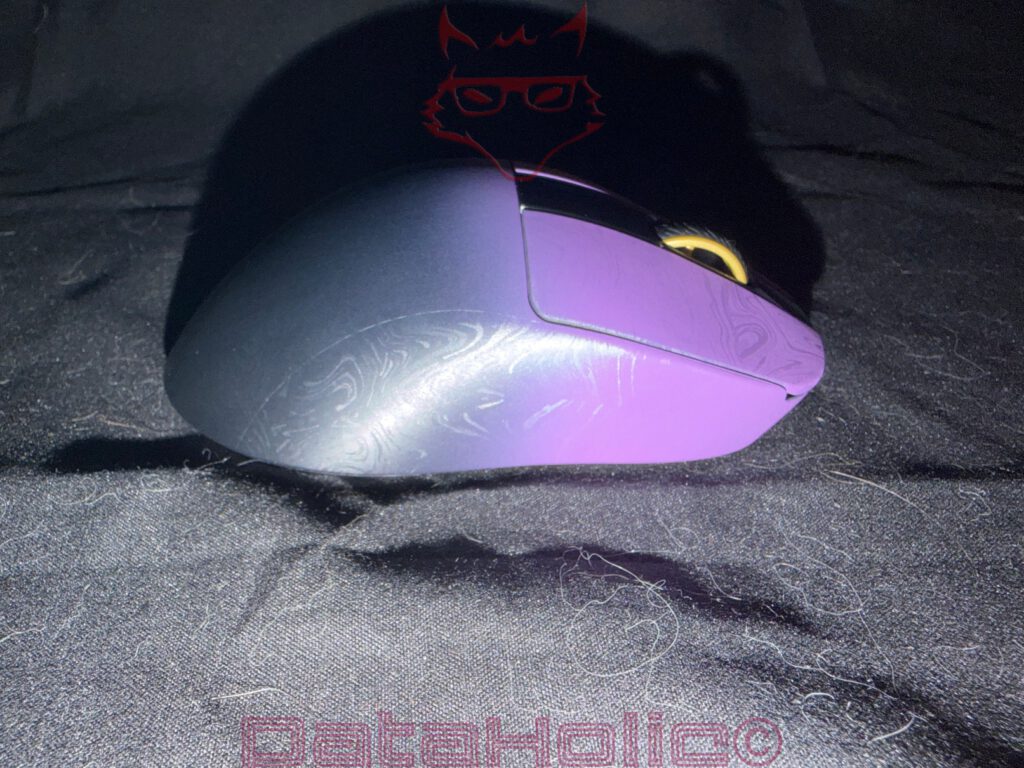
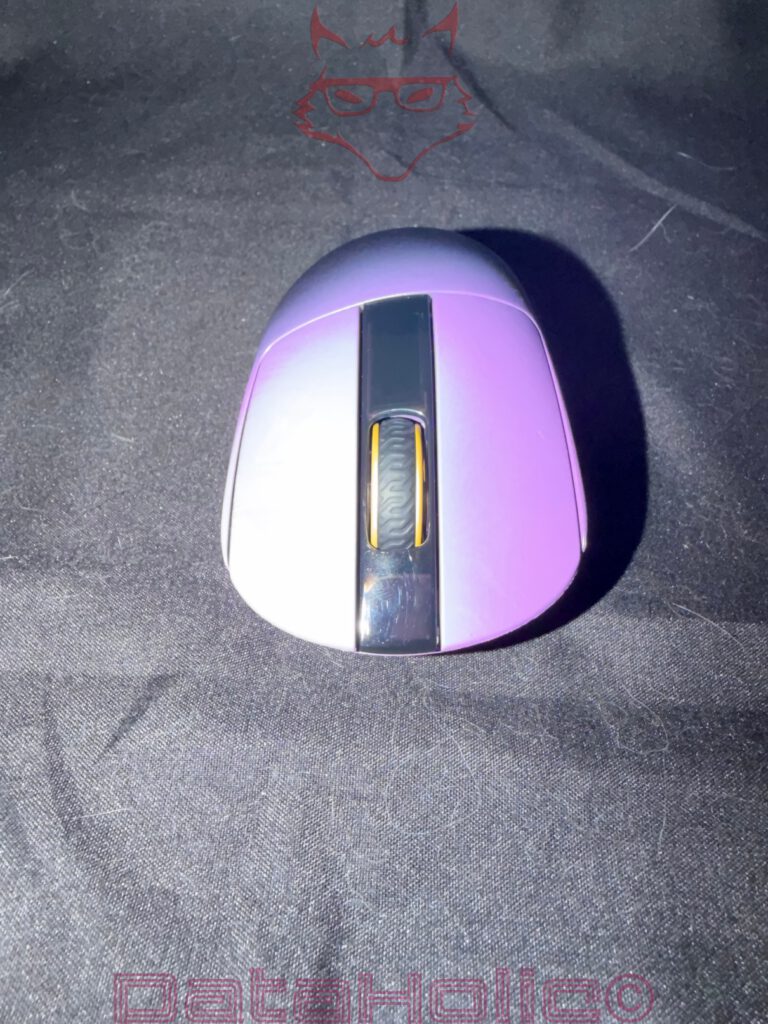
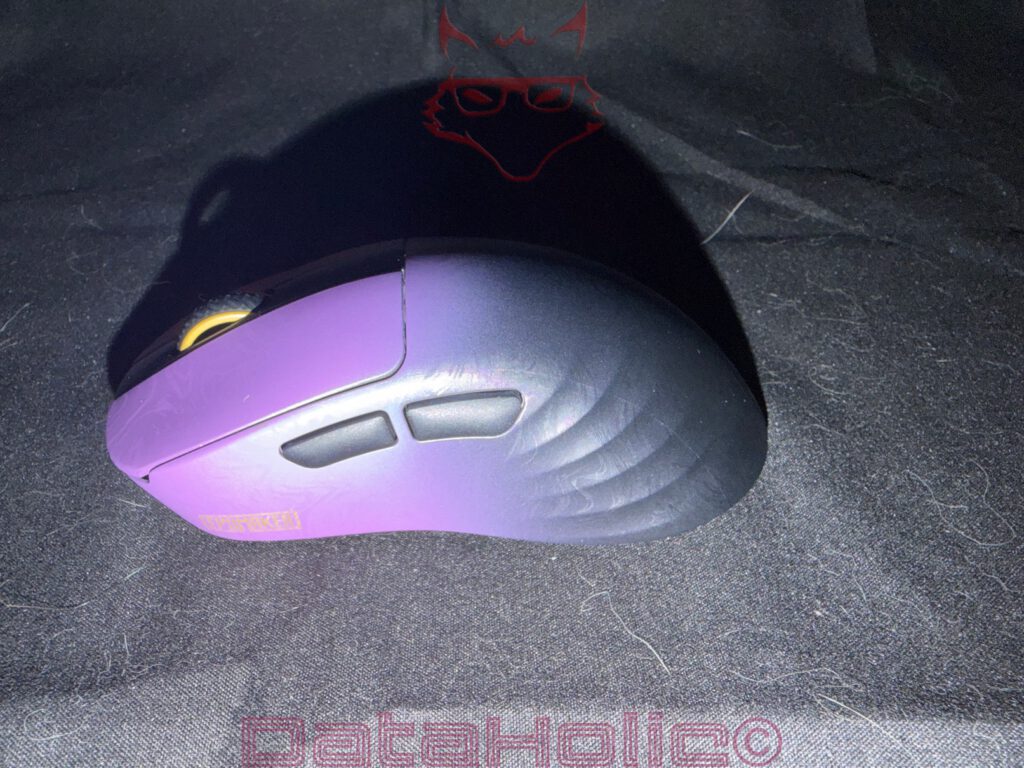
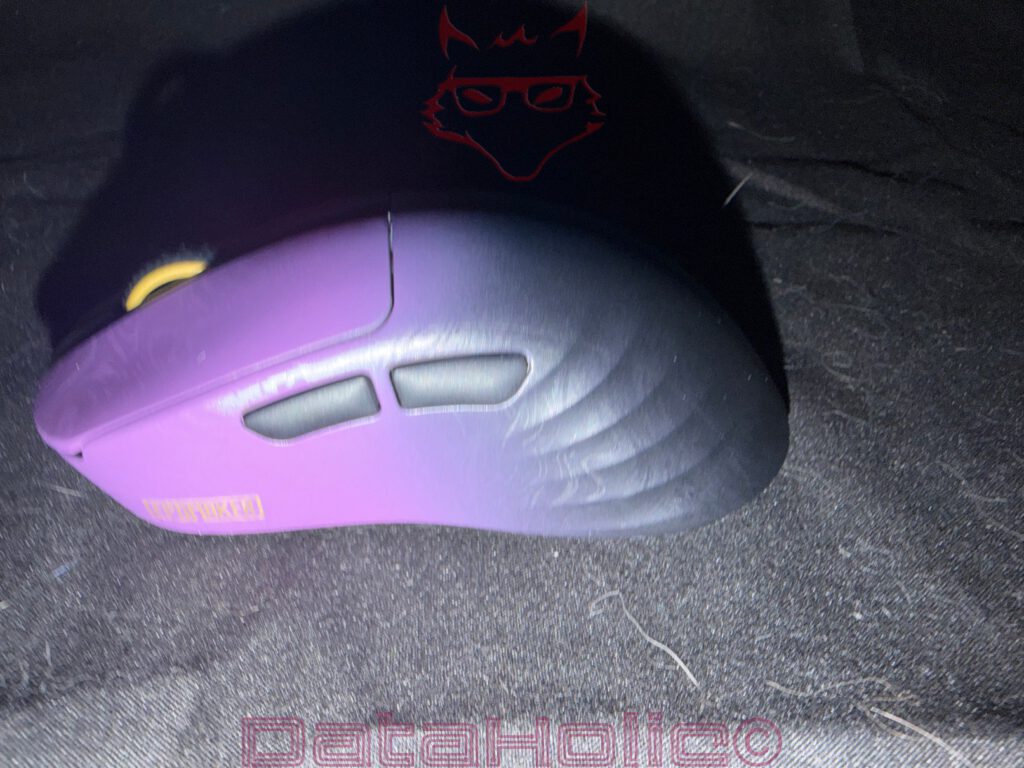
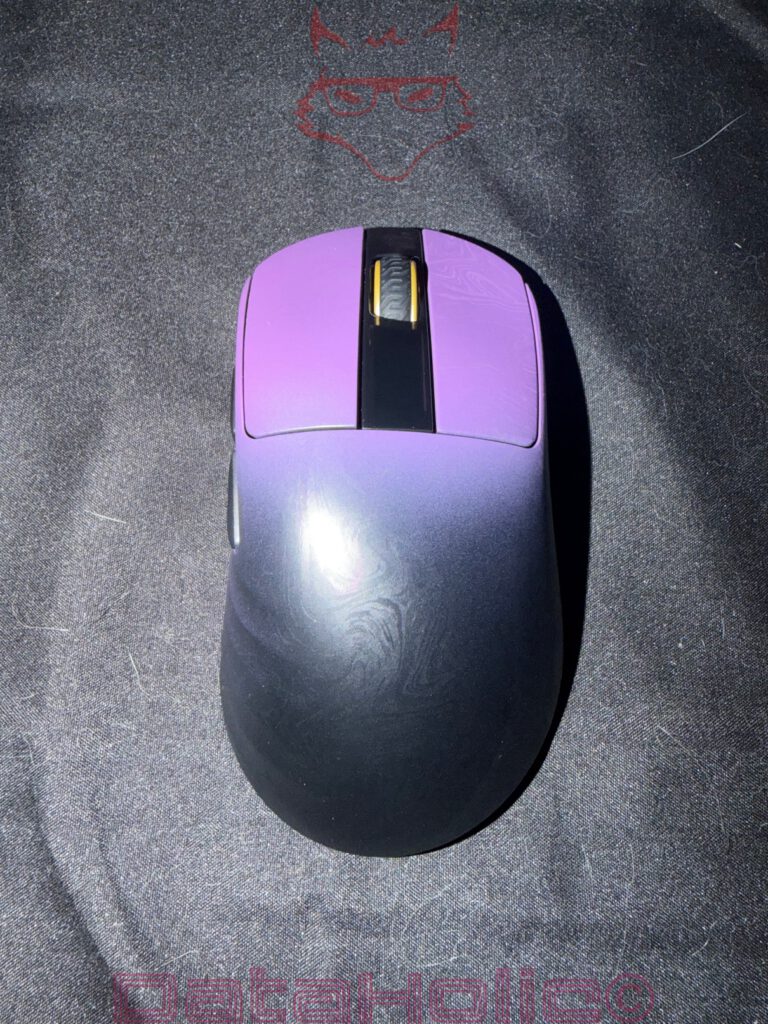
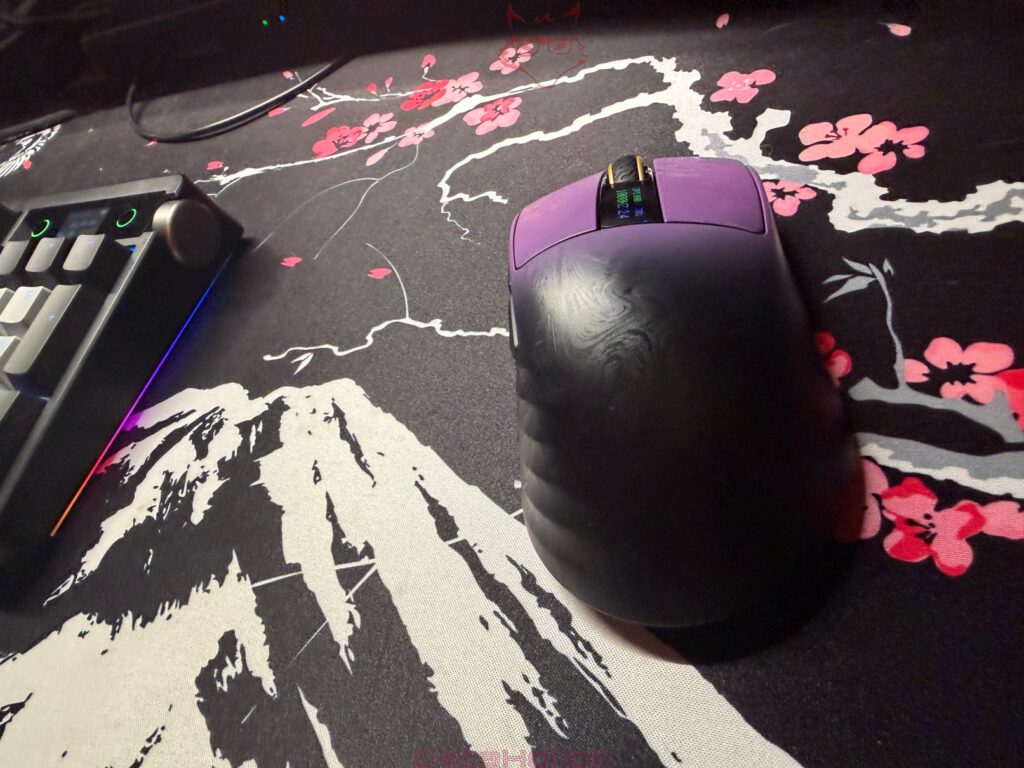
The Epomaker Carbonis 8K Low Latency is one of those gaming mice that immediately makes it clear it has no intention of blending into the crowd. The black-to-purple color gradient, the subtly textured surface, and the yellow accents on the scroll wheel give it a distinctive appearance without feeling overdone or flashy. Among the countless gaming mice that all seem to follow the same design formula, the Carbonis stands out at first glance, and that is clearly by design.
Fortunately, its appeal goes far beyond its looks. The color scheme feels modern and refined without falling into the typical “RGB or nothing” mindset. The dark chassis gives the mouse a technical, almost understated appearance, while the purple finish adds enough personality to separate it from the competition. The yellow accents on the scroll wheel complete the overall design with just the right amount of contrast. Oscar Wilde once said, “Be yourself; everyone else is already taken.” That quote perfectly captures the Carbonis. Instead of looking like yet another interchangeable esports mouse, it brings its own identity to the desk and successfully breaks away from the sea of nearly identical competitors.
Lightweight Without Feeling Cheap
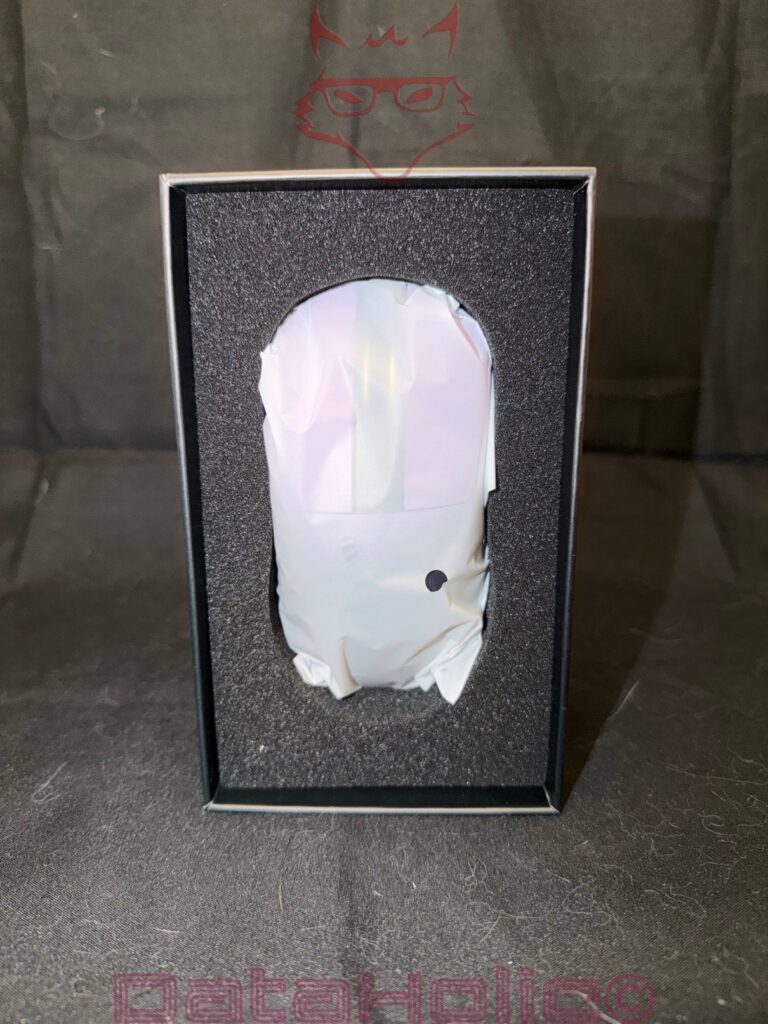
Without question, one of the Carbonis’ greatest strengths is its remarkably low weight. The first thing that stands out when picking it up is just how effortlessly light it feels. At no point, however, does that lightness translate into a cheap or hollow impression. This is exactly where many ultra-light gaming mice succeed or fail. Some achieve an impressive weight reduction but feel more like thin plastic shells than premium peripherals the moment pressure is applied to the chassis. The Carbonis takes a different approach. Its shell feels solid, well-assembled, and noticeably more premium than its weight initially suggests.
The ergonomics are equally convincing. The primary buttons provide a crisp and well-defined click, the side buttons are positioned within easy reach, and the shape is clearly designed with right-handed users in mind. The pronounced thumb rest offers secure support without forcing the hand into an uncomfortable position. This becomes especially noticeable during fast-paced shooters. The mouse is easy to lift, reposition, and place back down with precision. Quick flick shots and rapid directional changes feel effortless, as there is very little weight working against the movement.
It’s also interesting to see how perceptions of computer peripherals have changed over the years. Around two decades ago, a heavy mouse was often considered a sign of quality. The more it weighed, the more premium it was assumed to be. Today, that mindset feels about as modern as bringing a CRT monitor to a LAN party. Modern gaming mice have long proven that quality is not measured in grams. What really matters is a rigid construction, balanced weight distribution, a precise sensor, and build quality that continues to impress after countless hours of use. Fortunately, the Carbonis delivers exactly that.
Sensor Performance and 8K Polling: Fast Is Good, Controlled Is Better
With its 8K polling rate and hardware designed for extremely low latency, the Carbonis is clearly aimed at gamers who value the most direct input possible. The 8K specification is not some magical feature, but rather a genuine technical advantage that becomes noticeable in fast-paced gameplay. The more frequently the mouse reports its position to the computer, the more accurately movement can be tracked. Combined with a high-refresh-rate monitor and capable hardware, this results in input that feels noticeably more responsive and refined.
That impression carries over into everyday use. Movements are translated accurately, rapid directional changes feel effortless, and even the smallest adjustments remain precise and controlled. Rather than feeling overly sensitive or unpredictable, the Carbonis delivers an impressively balanced experience. This is particularly valuable in competitive shooters. Whether performing lightning-fast flick shots or carefully tracking an opponent, the mouse follows every movement reliably and creates the impression that there is virtually no delay between hand movement and on-screen response. It serves as a reminder that excellent hardware specifications alone are not enough. Proper tuning and refinement make all the difference.
Of course, even an 8K gaming mouse will not automatically win matches. Accuracy, game sense, and experience cannot be downloaded or installed through a firmware update. Sun Tzu once wrote, “In the midst of chaos, there is also opportunity.” During intense firefights, the Carbonis at least provides the technical foundation needed to ensure that opportunity is not lost because of sluggish input. Landing the decisive shot, however, still depends on the player—and that’s probably exactly how it should be.
The Display: A Small Detail That Makes a Real Difference
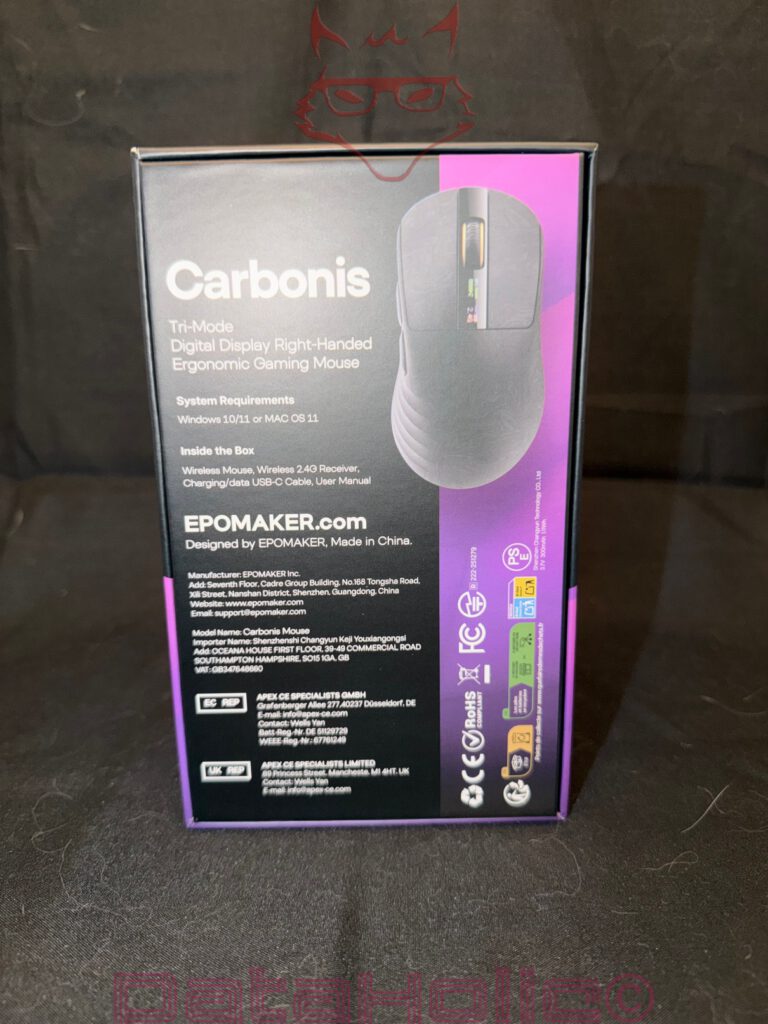
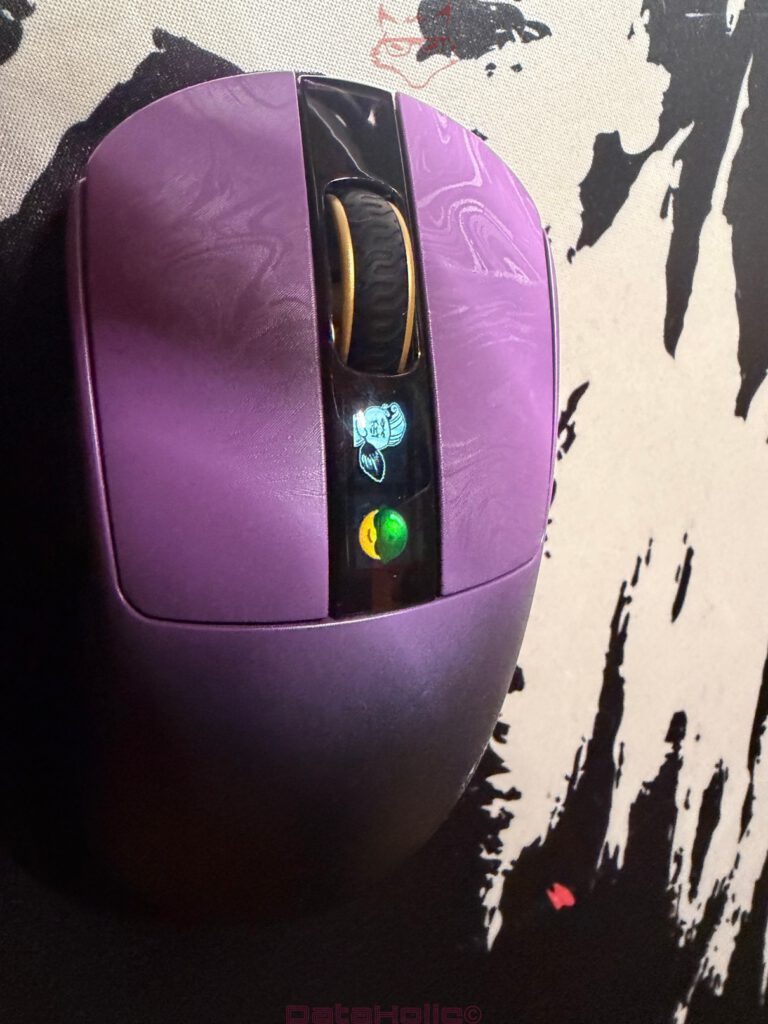
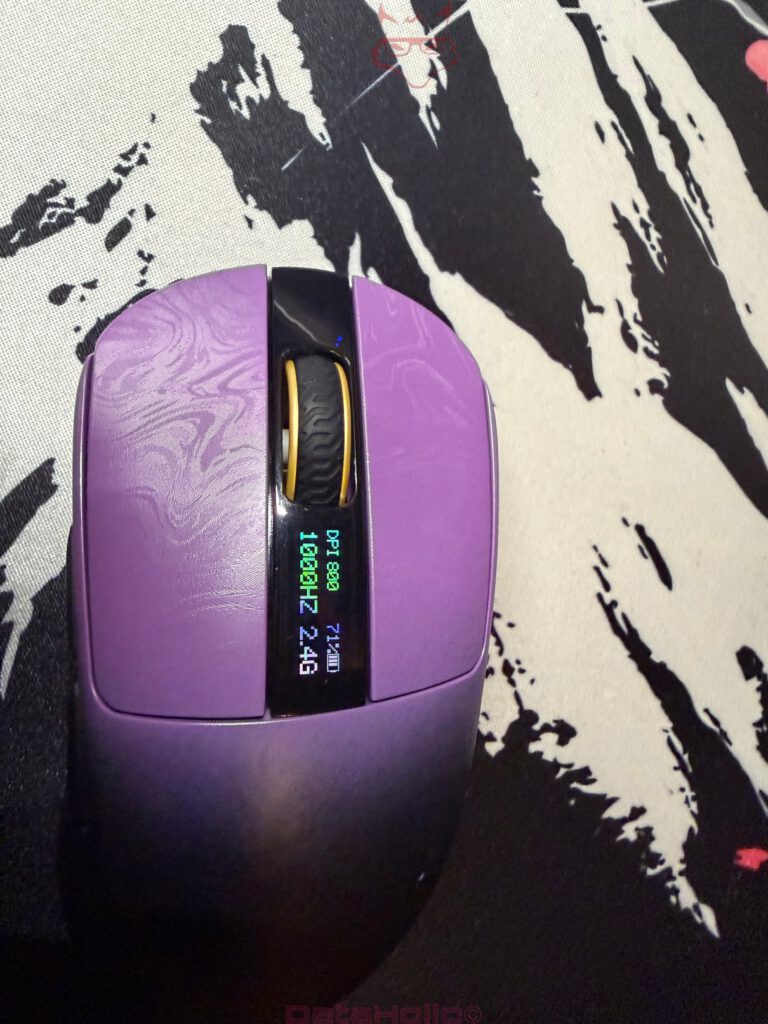
The small information display on the top of the Carbonis is one of those features that initially feels like a nice gimmick but quickly proves its value in everyday use. Battery level, DPI setting, connection mode, and the currently selected polling rate are all available at a glance. On a mouse with multiple operating modes, that saves time and eliminates unnecessary guesswork. Instead of trying to decipher blinking LEDs or opening configuration software, a quick look at the display provides all the information that’s needed. This is exactly how a status display should work.
Its implementation is equally well thought out. The display sits neatly within the center section of the mouse, looks premium, and blends naturally into the overall design. During normal use it remains unobtrusive, yet it is always easy to read whenever information is needed. Many manufacturers have started adding small displays simply because they look impressive on a specification sheet. The Carbonis takes a more practical approach. Here, the display serves a genuine purpose and integrates seamlessly into the overall design. It quickly becomes one of those features that feels so natural that its absence is immediately noticeable when switching to another mouse.
A Web-Based Driver Instead of Software Bloat
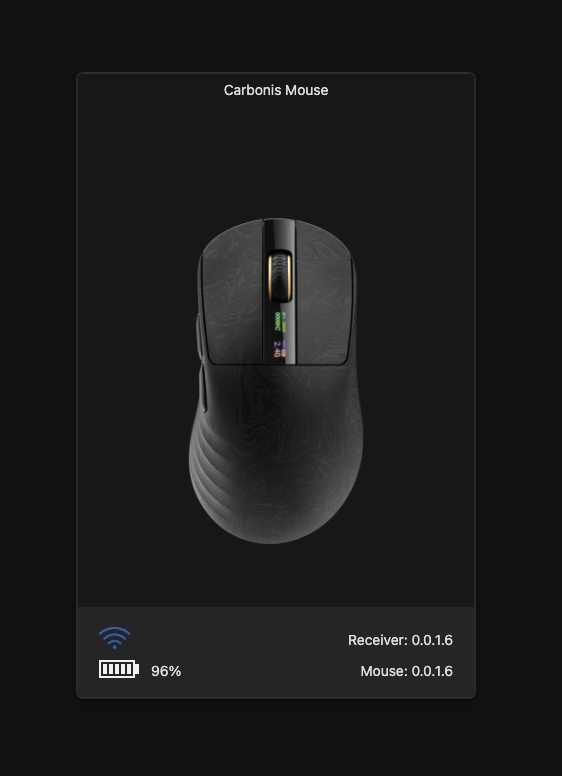
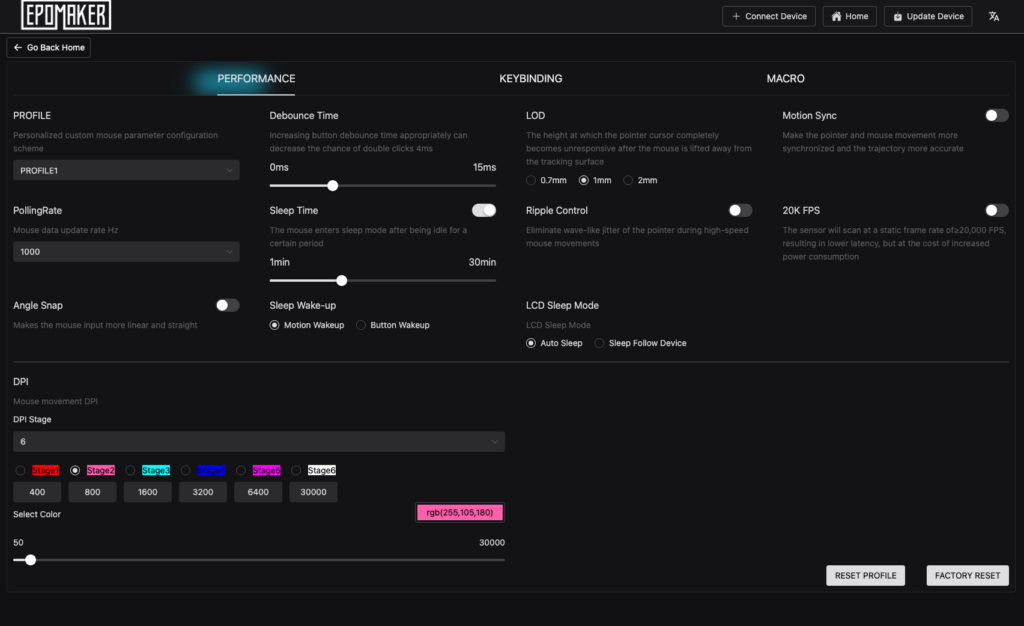
Another welcome highlight is the browser-based configuration system. There is no need to install dedicated software, and there are no background services constantly running in the operating system. All essential settings are available directly through a web interface, where DPI levels, polling rate, button assignments, and other options can be adjusted quickly and intuitively. Mouse configuration really should be this straightforward more often.
This approach offers several practical advantages. Many gaming peripherals deliver excellent hardware but rely on large software suites that integrate deeply into the operating system, constantly request updates, or remain active in the background at all times. The Carbonis avoids all of that. Configuration is fast, intuitive, and free from unnecessary complexity. This becomes particularly convenient when moving between multiple PCs or operating systems. Instead of installing software before getting started, it only takes a few moments to configure the mouse and jump straight back into work or the next gaming session.

The Dongle: Functional, Though Not Quite Perfect
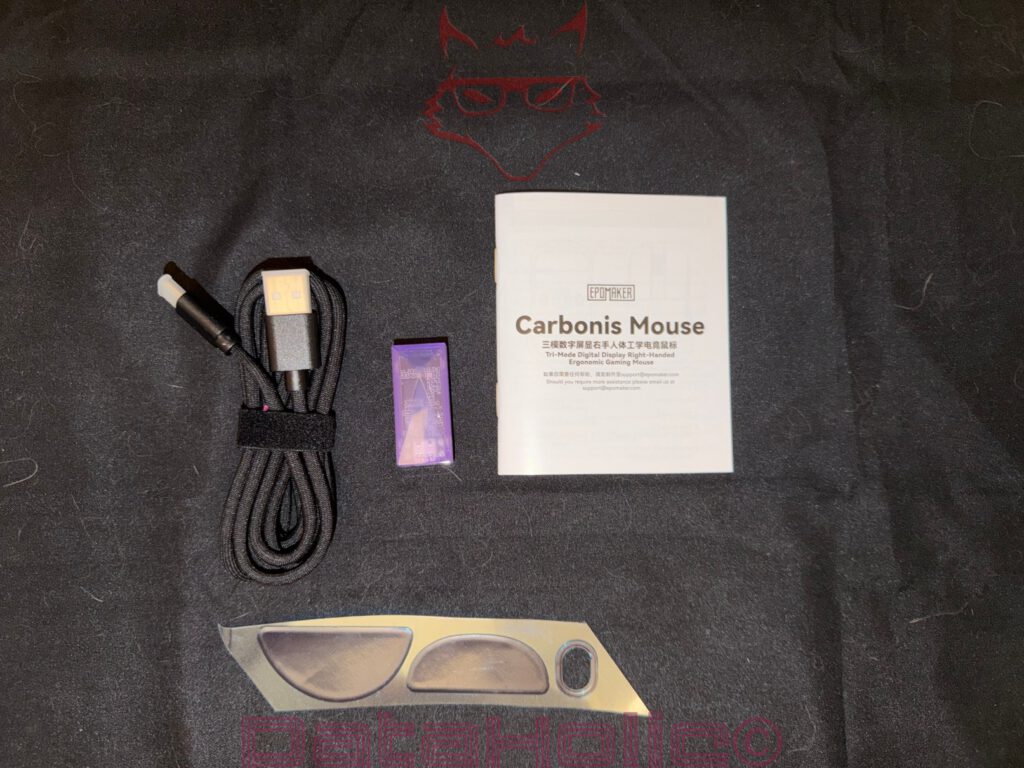
The external USB-C dongle is one of the very few areas where the Carbonis leaves a little room for improvement. From a technical perspective, there is nothing to criticize. The wireless connection is stable, reliable, and delivers exactly the level of performance expected from a modern gaming mouse. Even so, a compact USB-C receiver that could be stored inside the mouse itself would have made the overall package feel even more polished.
This becomes especially apparent when traveling or switching between different computers. An integrated storage compartment is one of those small conveniences that is easy to overlook—until it’s gone. A loose dongle has an uncanny ability to disappear precisely when time is short. Sooner or later it inevitably turns up somewhere between Allen keys, SIM eject tools, spare screws, and that one USB flash drive whose contents have long since been forgotten. Anyone who regularly works with computer hardware has probably experienced something similar.
In practice, however, this remains only a minor criticism. The wireless connection performs flawlessly throughout everyday use, and the external dongle does its job without compromise. An integrated storage slot would simply have been the finishing touch to an otherwise very well thought-out design.
Built for Shooters, but Comfortable Everywhere
The Carbonis feels particularly at home in fast-paced games. Its lightweight construction, highly accurate sensor, and exceptionally responsive tracking make it an excellent choice for shooters, where a few millimeters often determine whether a shot lands or misses. Flick shots feel effortless, while precise target tracking remains smooth and controlled. At the same time, the ergonomic shape ensures that extended gaming sessions remain comfortable. The hand naturally settles into position without feeling forced into a specific grip style.
Its strengths extend well beyond gaming, though. During everyday desktop use, the Carbonis continues to impress. The sensor performs flawlessly, the scroll wheel offers a satisfying amount of resistance, and the primary buttons provide crisp, well-defined clicks. Thanks to its lightweight design, the mouse remains comfortable even after several hours of work, whether browsing the web, editing photos, or handling everyday office tasks.
Visually, the Carbonis makes no attempt to disguise its gaming heritage. Anyone looking for an understated office mouse will probably gravitate toward a different model. That is hardly a disadvantage, however. Surrounded by countless plain black peripherals, the Carbonis brings a welcome sense of individuality to the desk. Its distinctive color scheme manages to stand out without becoming flashy or excessive, giving the mouse a personality that remains memorable long after the first impression.
Character Matters
The Epomaker Carbonis 8K Low Latency is not a mouse that impresses solely because of its specifications. Its real strengths become apparent during everyday use. The lightweight design, premium build quality, precise sensor, practical display, and browser-based configuration complement each other naturally, creating a mouse that feels well thought out from the very first moment. None of its features feels like a marketing checkbox added purely for the specification sheet. Instead, it gives the impression that the development focused on the overall user experience rather than on individual headline features.
One of its most appealing qualities is its willingness to stand apart. At a time when many gaming mice have become increasingly similar in both appearance and functionality, the Carbonis establishes its own identity. Its distinctive color scheme, integrated display, and numerous thoughtful details help it stand out from the crowd without ever becoming flashy or excessive. That individuality gives the mouse a personality that is becoming increasingly rare in today’s peripheral market.
Naturally, there is still room for improvement. The external USB-C dongle performs flawlessly, but an integrated storage compartment inside the mouse would have been a more elegant solution for everyday use. Fortunately, this remains a relatively minor criticism. Throughout the entire testing period, the Carbonis consistently delivered exactly what a high-quality gaming mouse should: precision, reliability, and a level of comfort that remains just as convincing after hours of use as it is on day one. Those qualities ensure that it is remembered as more than just another gaming mouse—they give it a distinct identity of its own.
Verdict: A Fast Mouse with Brains, Personality, and a Touch of Purple
The Epomaker Carbonis 8K Low Latency leaves an overwhelmingly positive impression. Its lightweight construction, highly accurate sensor, premium build quality, and comfortable ergonomics come together to create a gaming mouse that truly excels in fast-paced games. Useful additions such as the integrated display and the browser-based configuration system further enhance the experience without burdening the user with large software packages. Rather than trying to include every possible feature, Epomaker has focused on the elements that genuinely improve day-to-day use.
The only notable criticism remains the external USB-C dongle. While the wireless connection itself is fast, reliable, and performs exactly as expected, an integrated storage compartment inside the mouse would have made the overall design feel even more refined. In everyday use, however, this is a relatively minor compromise that does little to diminish an otherwise excellent experience.
In the end, one thing stands out above all else: the Carbonis has personality. In a market filled with gaming mice that often look and feel remarkably alike, Epomaker has chosen to do something different. The distinctive color scheme looks refined rather than excessive, the display provides genuine everyday value, and the hardware delivers where it matters most—in real-world use rather than just on a specification sheet. That combination ensures the Carbonis remains memorable long after the first gaming session. A great gaming mouse does not need to rely on flashy marketing buzzwords when its build quality, performance, and user experience already speak for themselves. The Epomaker Carbonis 8K Low Latency achieves exactly that with impressive confidence.

Transparency Notice (EU Regulations):
The Epomaker Carbonis 8K Low Latency featured in this review was provided to us by Epomaker as a non-binding review sample for testing purposes. This review is not sponsored content.
Epomaker had no influence over the content, conclusions, or editorial independence of this review. All opinions expressed are based solely on our own hands-on experience during testing.
We would like to sincerely thank Epomaker for providing the review sample and for placing their trust in DataHolic.