
MSI MAG Z890 TOMAHAWK WIFI II Unboxing – When Solid Engineering Makes a Bigger Impression Than Any RGB Light Show
There’s Often a World of Difference Between the Box and the Motherboard
Motherboards rarely get the spotlight in the PC market. Processors make the headlines, graphics cards dominate benchmark charts, and SSDs compete with ever-higher transfer speeds. The motherboard, on the other hand, usually disappears beneath coolers, cables, and radiators. Yet it is this single component that ultimately determines whether every part works together as one cohesive system or merely happens to share the same case.
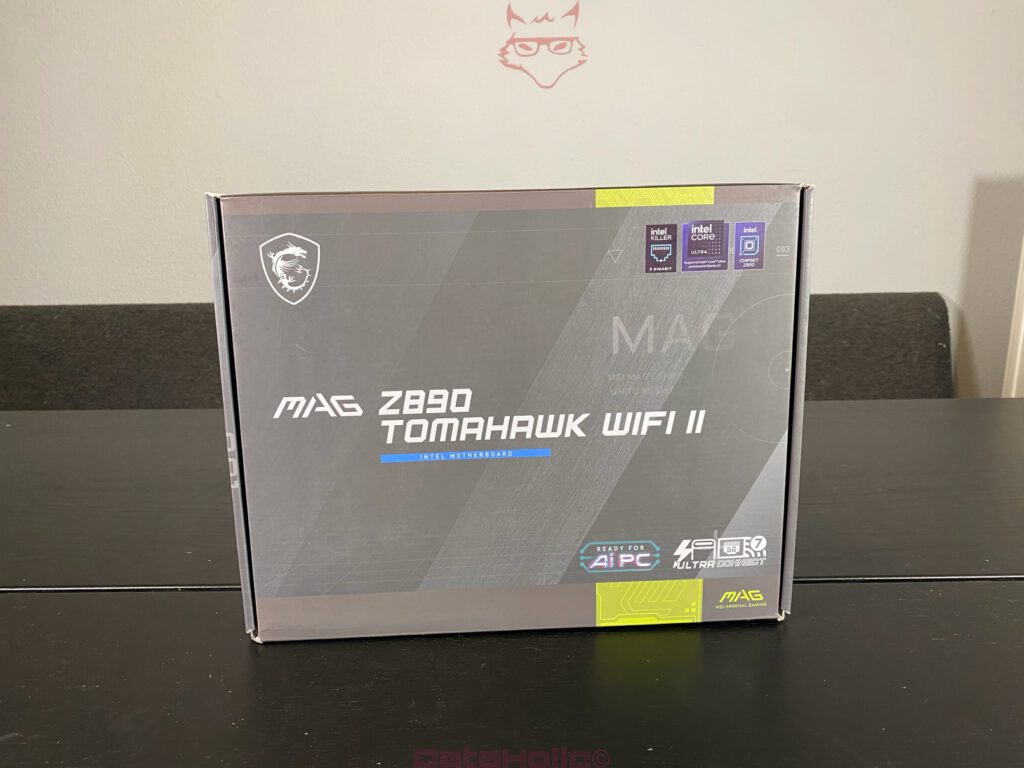
At first glance, the MSI MAG Z890 TOMAHAWK WIFI II keeps things refreshingly understated. Instead of aggressive gaming artwork, MSI opts for dark gray tones, clean lines, and a straightforward presentation of the board’s key features. Even the front of the box makes its intentions clear. Intel Z890, support for Intel Core Ultra Series 2 processors, Thunderbolt 4, Wi-Fi 7, 5G LAN, and PCIe Gen5 are not scattered across the packaging as decorative logos. They define exactly what this platform is built to deliver.
The Packaging Already Says a Lot About What’s Inside
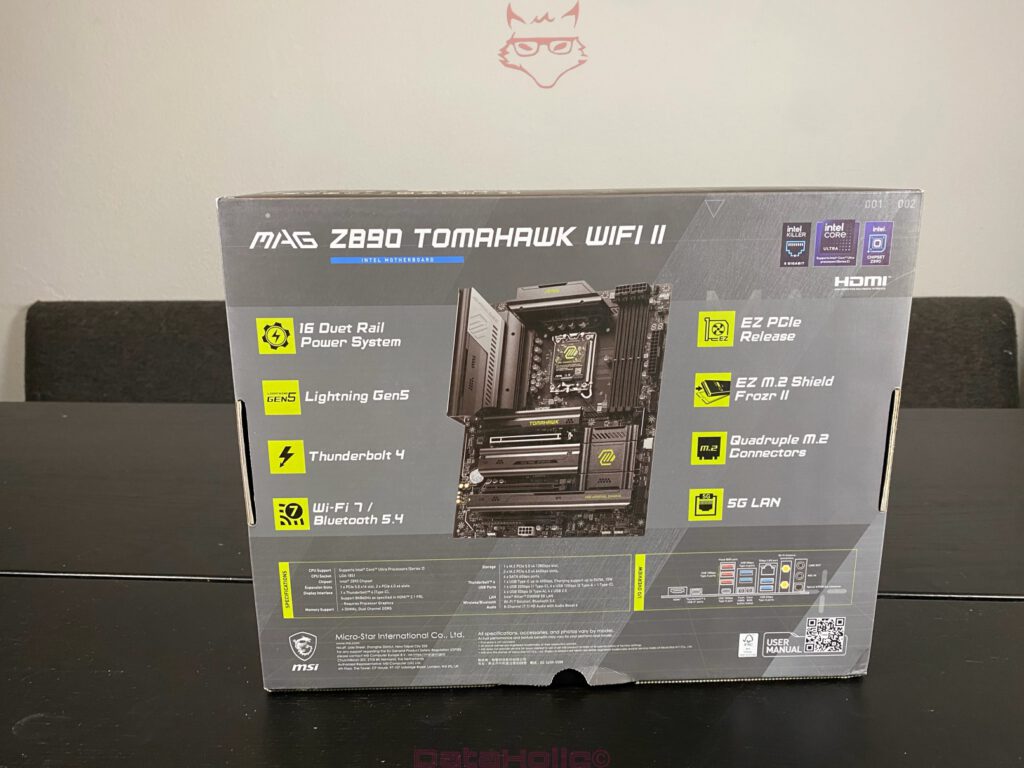
A quick look at the back of the box immediately reveals where MSI placed its priorities. Rather than filling every available inch with oversized marketing promises, the packaging focuses on the hardware itself. The 16+1+1+1 Duet Rail Power System immediately stands out. Even before opening the box, it becomes obvious that this motherboard was designed for high-performance Intel Core Ultra processors. Modern CPUs are capable of drawing enormous amounts of power under load, making a robust power delivery system far more important than yet another RGB lighting effect.
The four M.2 slots receive plenty of attention as well, and for good reason. Modern systems rarely rely on a single SSD anymore. A fast PCIe 5.0 drive for Windows, additional SSDs for games, video editing projects, or virtual machines have become increasingly common, and the MAG Z890 TOMAHAWK WIFI II clearly reflects that reality.
Another pleasant surprise is MSI’s restrained approach to marketing. Features such as EZ PCIe Release, EZ M.2 Shield Frozr II, and Flash BIOS are presented exactly as they are: thoughtful conveniences that genuinely make building and maintaining a PC easier. That level-headed approach leaves a far better impression than exaggerated buzzwords ever could.
Organization Instead of Surprises
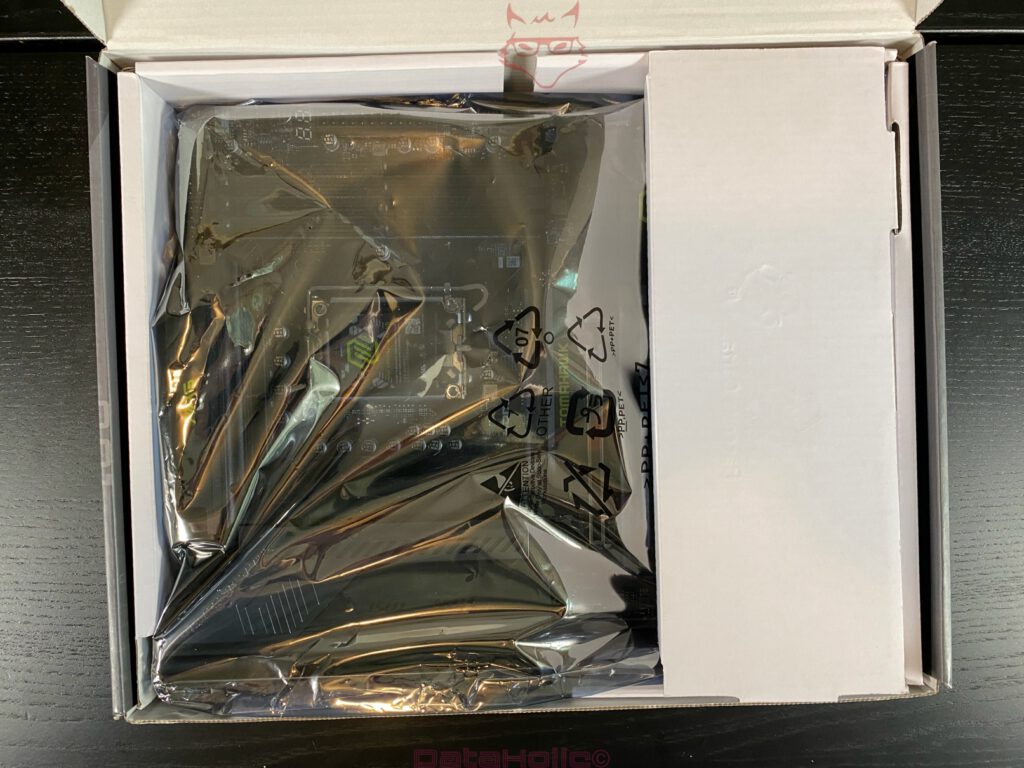
Opening the box immediately shows that MSI has years of experience designing motherboard packaging. The board is safely protected inside an anti-static bag and secured by sturdy cardboard supports on both sides. As a result, it barely moves during transport. Considering the size and weight of today’s VRM and M.2 heatsinks, that is much more than a small detail. Heavy motherboards deserve solid protection.
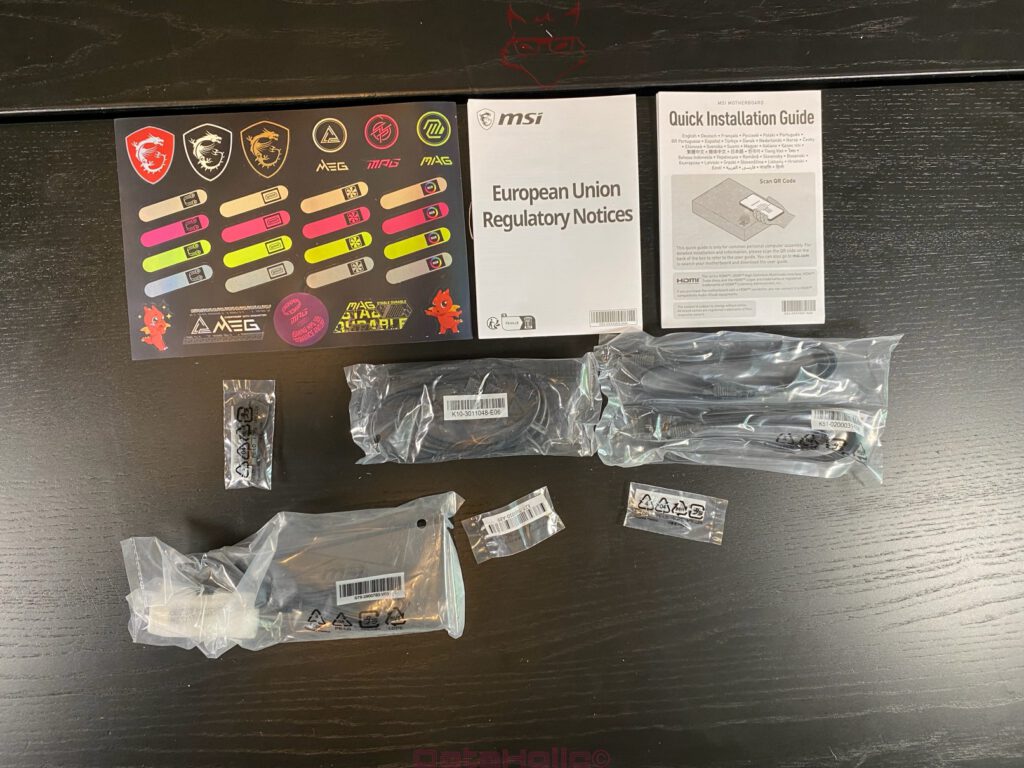
The accessories are stored separately in their own compartment beside the motherboard. There are no loose cables or randomly scattered plastic bags. Everything has its designated place, creating a tidy impression from the very first moment.
The package includes:
- Wi-Fi 7 antennas
- SATA cables
- EZ Connector kit
- M.2 mounting hardware
- Quick Installation Guide
- EU Regulatory Guide
- MSI stickers
The EZ Connector kit is one of those accessories that hardly attracts attention on a specification sheet but quickly proves its worth during assembly. Front-panel connectors have been testing builders’ patience for decades. The small adapter makes that particular step noticeably less frustrating.
It’s equally nice to see MSI continue including a printed Quick Installation Guide. Almost every QR code today leads directly to comprehensive online documentation, but a traditional paper guide still has its place. During a first build, it simply sits next to the motherboard, without requiring a smartphone, an internet connection, or constant switching between a browser and the workbench. Sometimes paper is simply the easier solution.
Massive Cooling Immediately Draws Attention
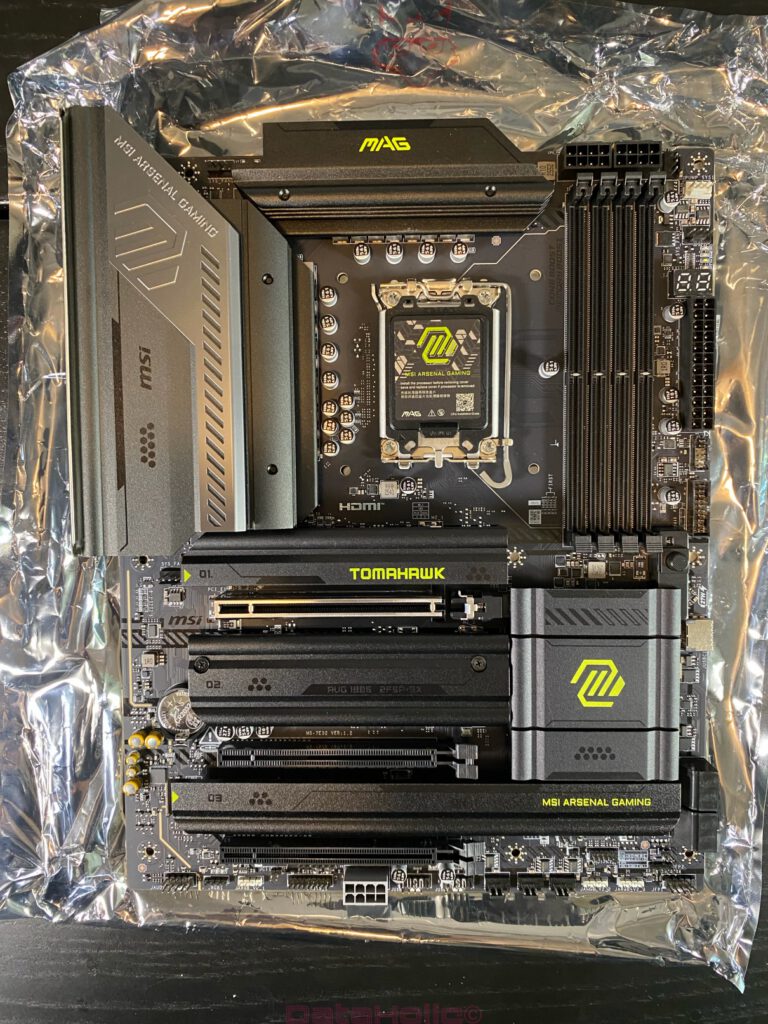
The moment the motherboard comes out of its anti-static bag, attention naturally shifts toward the cooling solution. This is where it becomes obvious that the MAG Z890 TOMAHAWK WIFI II was designed for processors that are expected to deliver serious performance, not just impressive specifications on paper.
Virtually every important area is covered by generously sized aluminum heatsinks. The VRM cooling stands out immediately. The combination of thick heatsink blocks, machined surfaces, and large cooling areas looks significantly more substantial than on motherboards from only a few generations ago. Placing it next to an older Z370 or Z490 board highlights just how much this area has evolved.
That evolution didn’t happen by accident. Years ago, a 95-watt processor was already considered powerful. Today’s Intel Core Ultra processors can easily consume two or even three times that amount under heavy workloads. That energy has to go somewhere. Every additional watt eventually becomes heat, and that heat needs to be dissipated effectively. Large heatsinks are no longer cosmetic features. They’re an essential part of stable power delivery.
The chipset heatsink also blends seamlessly into the overall design. Together with the M.2 covers, it creates a clean and organized appearance without relying on oversized plastic covers or unnecessary styling tricks. MSI stays true to its familiar design language, combining black, anthracite, and dark gray with only a few subtle yellow MAG accents. The result looks refined enough to fit equally well inside a professional workstation or a high-end gaming build.
LGA1851 Takes Center Stage
Naturally, the new LGA1851 socket sits at the center of the motherboard. At first glance, it closely resembles the familiar LGA1700, but Intel has made numerous changes beneath the surface. The increased pin count improves power delivery for current Core Ultra processors while also providing additional connectivity for the platform’s expanded I/O capabilities.
A sturdy protective cover shields the delicate socket pins until installation begins. It may seem like a minor detail, but in practice it is incredibly important. Few PC components become expensive quite as quickly as an LGA socket after a small accident.
Anyone who has ever spotted a bent socket pin knows the sinking feeling that follows. First comes the hope that it can still be straightened. A few minutes later, a magnifying glass appears, precision tweezers come out, and every breath suddenly feels dangerous. The pins are so incredibly delicate that even the slightest mistake can turn a routine installation into precision repair work. It is reassuring to see MSI protecting the socket right up until the moment the CPU is installed.
Four DDR5 Slots Without the Gimmicks
Four DDR5 DIMM slots sit to the left of the processor socket. Once again, MSI sticks to a practical approach. There are no oversized plastic decorations or unnecessary styling elements. Stability and everyday usability clearly take priority.
The DIMM slots feature a single-sided locking mechanism, a design that has become increasingly popular for good reason. In systems equipped with large graphics cards, memory upgrades become much easier. Where older motherboards often required removing the graphics card first, today’s design usually allows memory modules to be replaced with a single movement. It saves time and avoids unnecessary frustration.
Technically, the motherboard is fully optimized for DDR5. Intel Core Ultra processors benefit significantly from higher memory frequencies and lower latencies, particularly in gaming and heavily parallel workloads. MSI therefore supports memory speeds well beyond Intel’s official specifications. Anyone who enjoys experimenting with XMP profiles or manually tuning memory settings will find an excellent foundation here. At the same time, stability clearly takes priority over chasing extreme benchmark records, a philosophy that perfectly matches the character of the TOMAHAWK series.
Four M.2 Slots Reflect the Evolution of Modern PCs
Not too many years ago, gaming PCs were filled with large 3.5-inch hard drive cages. Multiple HDDs, an optical drive, and bundles of SATA cables were considered completely normal. Today, a single PCIe SSD is often enough to store Windows, games, and applications. The MAG Z890 TOMAHAWK WIFI II embraces that transition completely.
The board provides four M.2 slots that are distributed sensibly across the PCB. This leaves plenty of room between drives while allowing several of them to benefit from the large aluminum heatsinks. These heatsinks not only cool the SSDs but also contribute to the clean, unified appearance of the motherboard. Everything feels integrated instead of added as an afterthought.
MSI’s tool-free EZ M.2 system is particularly welcome. Small locking mechanisms replace traditional M.2 screws at several locations. It may sound like a minor improvement, but it quickly proves its value during assembly. Nearly every PC builder has experienced the familiar ritual: holding a tiny screw between two fingertips, only for it to disappear under the desk at precisely the worst possible moment.
M.2 screws seem to obey the laws of physics only when they feel like it. Some are apparently lost forever, joining the mysterious dimension already occupied by missing socks from the washing machine. Thankfully, MSI eliminates that little adventure almost entirely.
PCIe Slots Designed for the Real World
The primary PCIe x16 slot naturally features metal reinforcement. Considering today’s flagship graphics cards, that comes as no surprise. A GeForce RTX 5090 or similar card weighs about as much as an entire compact PC did only a few years ago. Without additional reinforcement, that weight would place considerable long-term stress on the PCIe slot.
Just as impressive as the reinforcement itself is MSI’s EZ PCIe Release system. Despite its name, this is not another marketing gimmick but one of the most practical improvements modern motherboards have introduced. Anyone who has tried removing a large graphics card knows the challenge. The tiny PCIe retention clip often disappears beneath CPU coolers, radiators, fans, and massive GPU backplates. Fingers barely fit between the components, and the process quickly turns into an exercise in patience.
MSI relocates the release mechanism to an easily accessible position at the edge of the motherboard. A quick press unlocks the graphics card without hunting for a tiny plastic latch buried beneath the cooler. It sounds like a small improvement on paper, but the first graphics card upgrade often triggers the same thought: why didn’t someone come up with this ten years ago? Small improvements like this frequently have a greater impact on everyday use than another one percent of benchmark performance.
The Back Side Tells Its Own Story
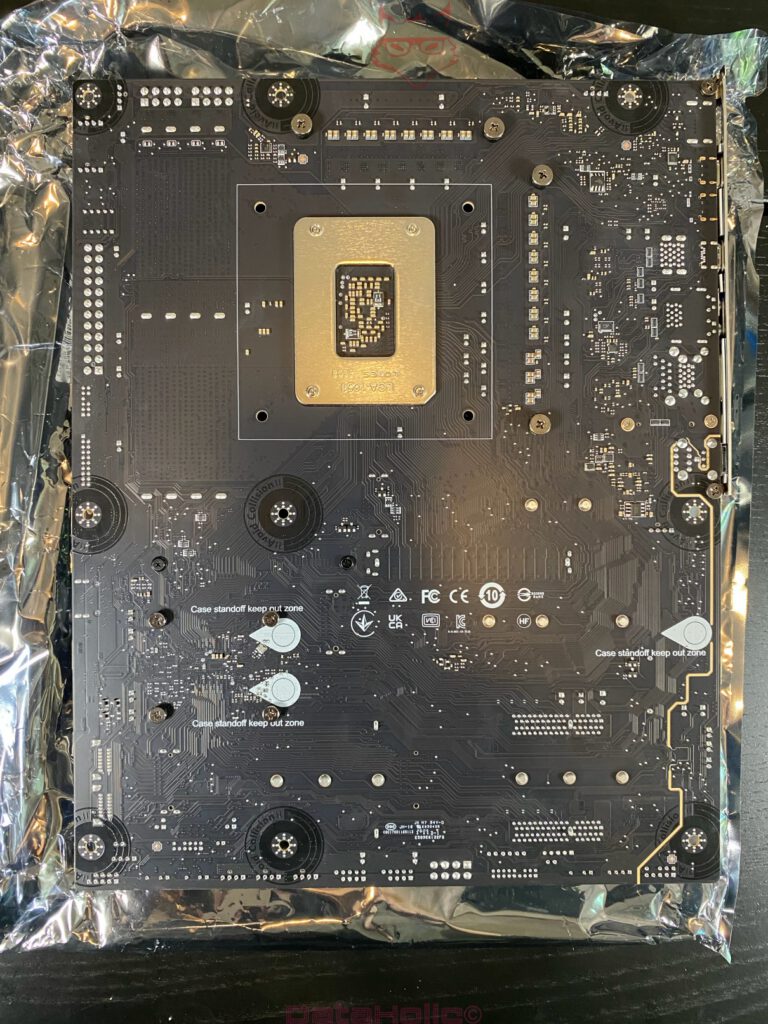
The rear of a motherboard rarely receives much attention. Once the CPU, cooler, and graphics card are installed, it disappears inside the case for the rest of its life. Yet this side often reveals more about manufacturing quality than any polished marketing photo.
Clean solder joints, neatly routed traces, and an organized PCB layout immediately create a high-quality impression. Nothing appears rushed or improvised. On modern motherboards carrying massive amounts of data alongside high electrical loads, proper signal routing is far more than visual tidiness. It forms the foundation for long-term stability and reliability.
The substantial LGA1851 socket backplate also deserves attention. It distributes the mounting pressure of large CPU coolers evenly across the PCB and helps prevent long-term board flex. That becomes increasingly important with every new processor generation. Large dual-tower coolers such as the Noctua NH-D15 G2 and modern 360 mm AIO liquid coolers not only add considerable weight but also generate significant mounting pressure. A strong backplate ensures those forces are spread evenly instead of concentrating on a single area of the motherboard.
These details remain invisible once the system is assembled, but they contribute significantly to long-term durability. That is one hallmark of a well-engineered motherboard: many of its best features quietly do their job without ever drawing attention.
The Rear I/O Panel Reveals Its Target Audience
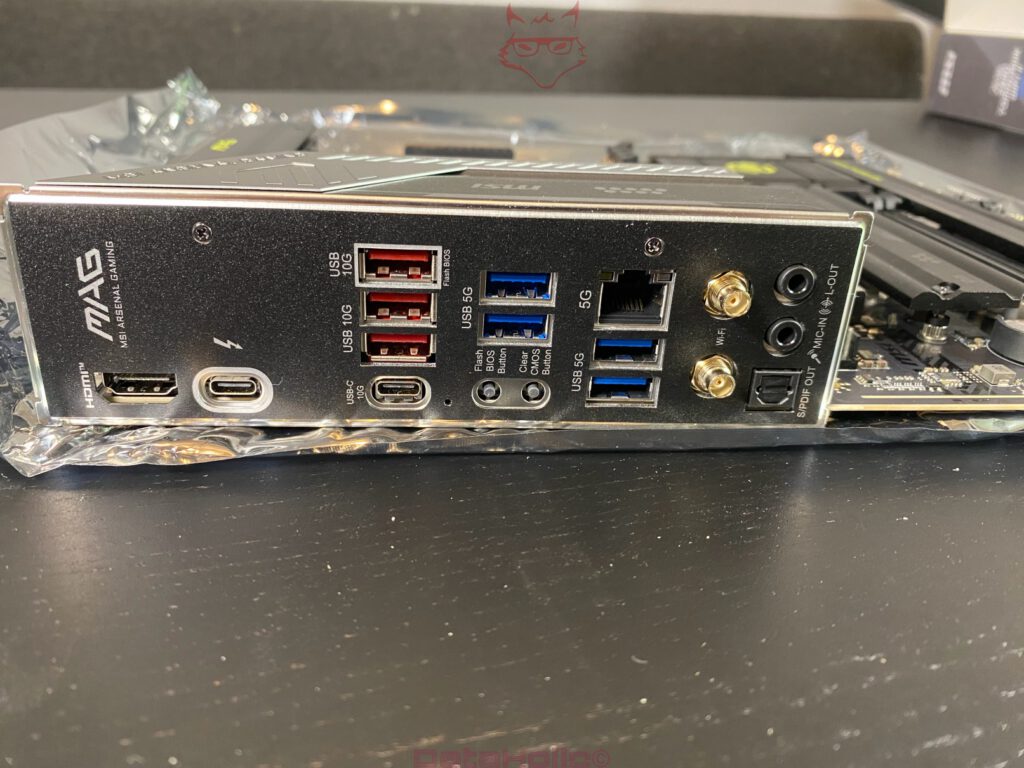
A quick look at the rear I/O panel makes it obvious that MSI did not design this motherboard for minimalists. Instead, it offers a generous range of connectivity suited for both gaming systems and professional workstations.
Available connections include:
- Thunderbolt 4
- HDMI
- Multiple 10 Gbps USB ports
- Multiple 5 Gbps USB ports
- USB-C
- Flash BIOS
- Clear CMOS
- 5 Gigabit Ethernet
- Wi-Fi 7 antenna connectors
- Optical S/PDIF output
- Analog audio jacks
The combination of Thunderbolt 4 and 5 Gigabit Ethernet is particularly noteworthy. Both interfaces remain relatively uncommon at this price point and significantly broaden the motherboard’s versatility. High-speed external storage, docking stations, and fast network storage devices can all be connected without requiring additional expansion cards.
The dedicated Flash BIOS and Clear CMOS buttons also deserve recognition. As long as everything works, they are easy to overlook. The moment a BIOS update fails, a new processor is installed, or an ambitious memory overclock prevents the system from booting, appreciation for those two small buttons increases dramatically. Instead of opening the case and searching for a tiny jumper somewhere on the motherboard, a simple press on the rear panel solves the problem.
Features like these show that the motherboard was designed not only for the first build but also for years of upgrades, troubleshooting, and experimentation. Often, it is exactly these understated conveniences that transform a good motherboard into a genuinely thoughtful one.
Assembly Reveals the Board’s True Character
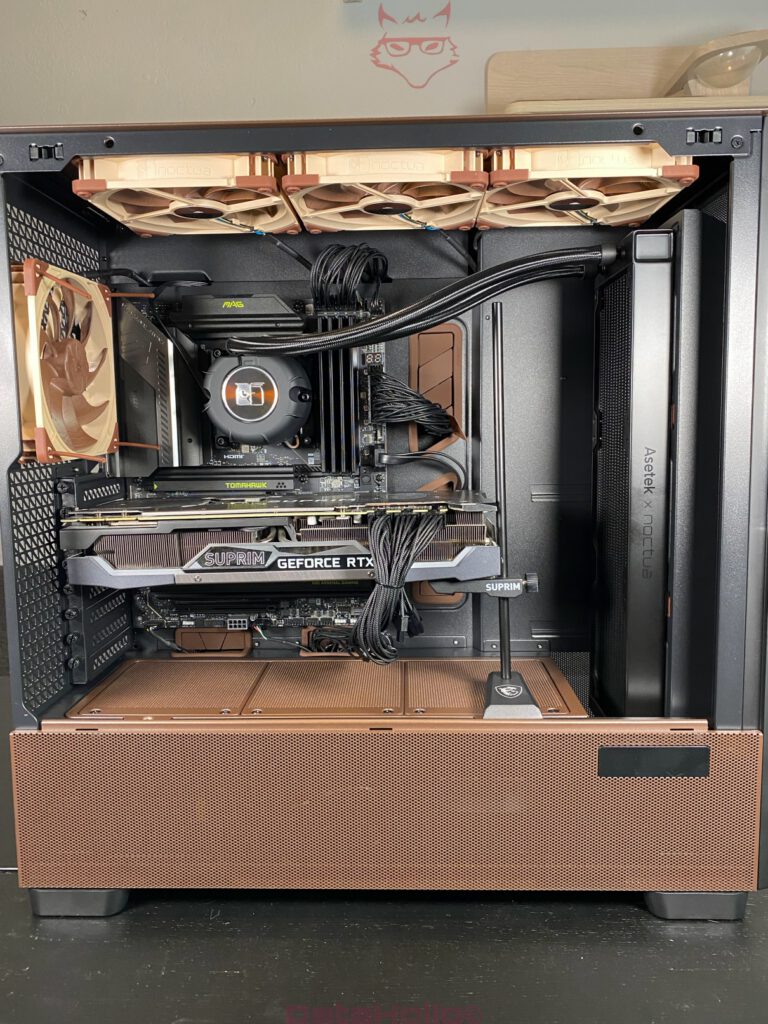
It is during assembly that the MAG Z890 TOMAHAWK WIFI II truly shows what MSI focused on throughout its development. The test system pairs the motherboard with an Intel Core Ultra 7 265K, an MSI GeForce RTX 3090 SUPRIM, and the new Noctua NL-LC1-36 liquid cooler, a combination that leaves little room for design compromises.
Right from the first installation steps, the layout proves remarkably well thought out. Both 8-pin CPU power connectors remain easily accessible even after installing the liquid cooler. Large radiators do not interfere with the memory slots, and even the sizeable VRM heatsink leaves plenty of room around the pump block. Nothing feels cramped or gives the impression that it worked only on a design sketch rather than inside an actual PC.
The aluminum heatsinks also reinforce the overall feeling of quality. Everything feels solidly mounted, with no loose covers or flexing components. On more affordable motherboards, large decorative covers sometimes exist purely for appearance. Here, every heatsink gives the impression of serving an actual thermal purpose rather than acting as plastic decoration with a metallic finish.
Even with the extremely long RTX 3090 SUPRIM installed, cable routing remains comfortable, important connectors stay accessible, and airflow inside the chassis is barely affected. At this point it becomes clear that the board layout was anything but accidental. Every connector and expansion slot appears carefully positioned, and that level of planning is often what separates a good motherboard from a truly excellent one.
More Engineering Than Marketing
By the end of the unboxing, the MAG Z890 TOMAHAWK WIFI II leaves an impression that has become surprisingly rare. Not because it is flashy or dramatic, but because nearly every design decision feels logical. There are very few elements that exist purely for marketing purposes or simply to add another buzzword to the specification sheet.
The power delivery appears generously overbuilt, the cooling hardware clearly serves a practical purpose, and the layout focuses on building a clean, functional system rather than creating visual spectacle. Features such as EZ PCIe Release, the tool-free M.2 system, and the easily accessible BIOS buttons do not feel like afterthoughts. They feel like solutions created by people who have assembled countless PCs themselves.
That practical philosophy perfectly matches the long-standing TOMAHAWK series. While other motherboards compete with oversized RGB lighting zones, integrated displays, or futuristic plastic covers, MSI takes a different approach. The MAG Z890 TOMAHAWK WIFI II focuses on what really matters: providing a stable, thoughtfully engineered foundation for high-performance hardware without unnecessary distractions. That combination of functionality, build quality, and genuinely useful features already makes the unboxing a promising introduction to the full review that follows.
Up Next: Software, BIOS & Overclocking
Transparency Notice (EU Guidelines):
The MSI MAG Z890 TOMAHAWK WIFI II featured in this review was provided by MSI as a non-binding loan unit for testing purposes. This review is not sponsored content.
MSI had no influence over the content, conclusions, or editorial independence of this article. All opinions expressed are based solely on our own hands-on experience.
Our sincere thanks go to MSI for providing the motherboard and for placing its trust in dataholic.de.