
Logitech Signature Comfort Plus Combo MK880 Verdict
- A Set for Long Days Instead of Short-Lived Show Effects
- Keyboard: Plenty of Surface, Plenty of Calm, Plenty of Everyday Use
- Mouse: Light, Comfortable, and Surprisingly Sensible
- Connectivity: Three Devices, Very Little Drama
- Software: Logi Options+ as a Practical Toolbox
- No Backlighting: Weakness or an Honest Decision?
- Ergonomics Without the Drama
- Build Quality, Materials, and Overall Feel
- Who This Set Is Designed For
- Conclusion: Logitech Understands Everyday Work Better Than Display Cabinets
- Transparency Notice in accordance with EU regulations:
A Set for Long Days Instead of Short-Lived Show Effects
The Logitech Signature Comfort Plus Combo MK880 does not appear as a loud prestige product. No RGB edge, no metallic gaming attitude, no design that wants to look like a science-fiction prop on the desk. This set pursues a much more down-to-earth goal: keyboard and mouse are supposed to work comfortably for many hours without constantly demanding attention. That is exactly where the actual strength of this combination lies. It is not a tool for the grand entrance, but for daily use, where ergonomics, reliability, and uncomplicated connection ultimately count more than a data sheet full of effects.
After only a short period of use, it becomes clear that Logitech focuses less on technical eccentricity here and more on clean working logic. The keyboard is large, full-sized, and has a firmly integrated palm rest that does not feel as if it had been glued on afterward. The mouse complements this concept with its own soft support area in the rear section and a shape that is clearly designed for a relaxed hand position. This creates a set that does not try to reinvent the desk. Instead, it tries to make everyday life a little less uncomfortable. In a working world in which keyboards are often touched longer than door handles, coffee cups, or steering wheels, that is no small matter.
The well-known sentence “Form follows function” fits surprisingly well here. With the MK880, form does not follow the show, but the strain. Hands rest, fingers type, wrists relax, devices switch. The entire construction seems designed to make this process as frictionless as possible. That sounds unspectacular, but in everyday use this is exactly the point where many peripheral sets fail. A keyboard may look nice after five minutes. After five hours, the only thing that still matters is whether it gets annoying.
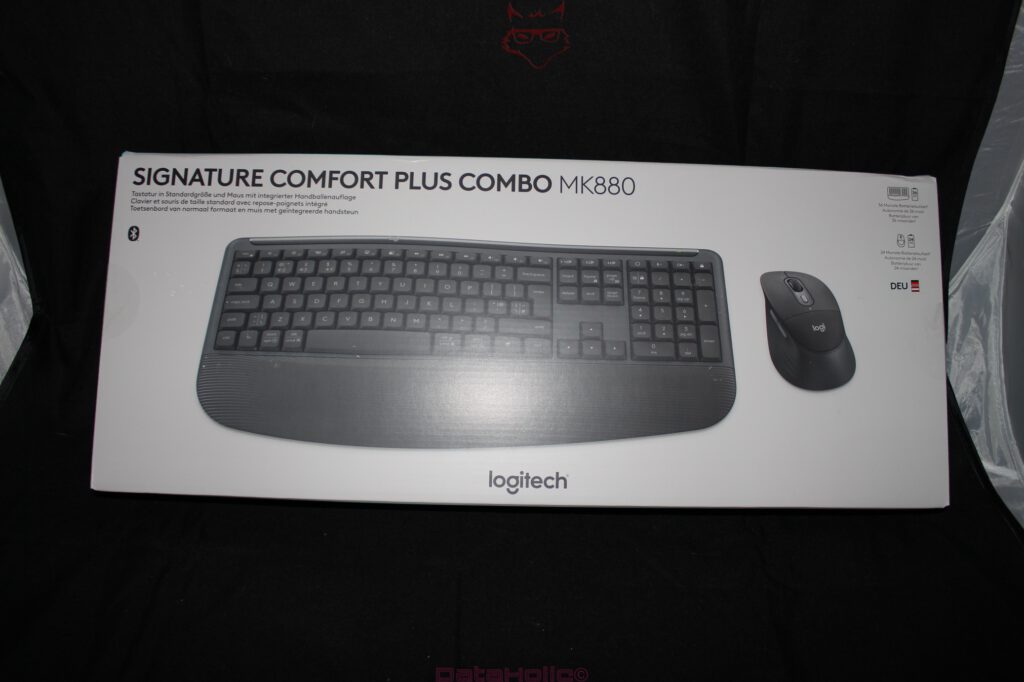
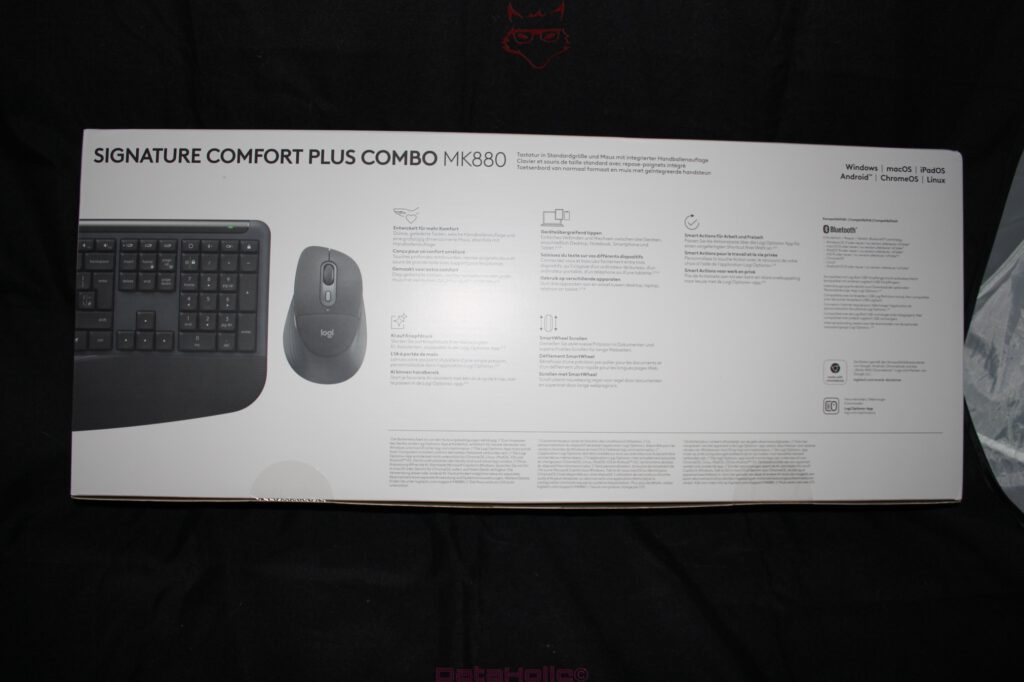
Keyboard: Plenty of Surface, Plenty of Calm, Plenty of Everyday Use
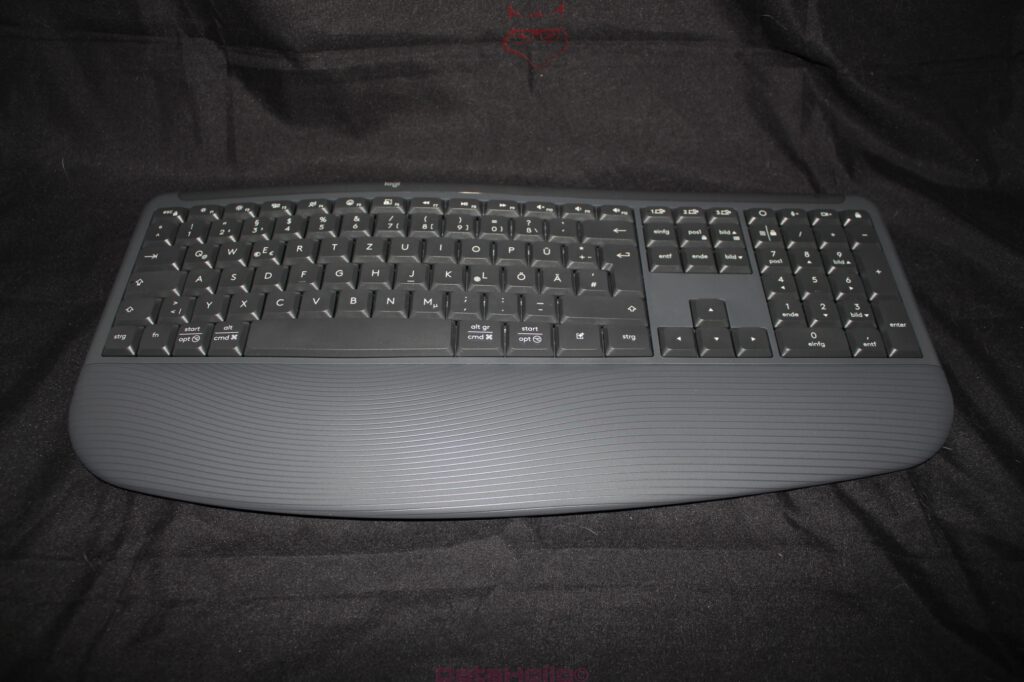
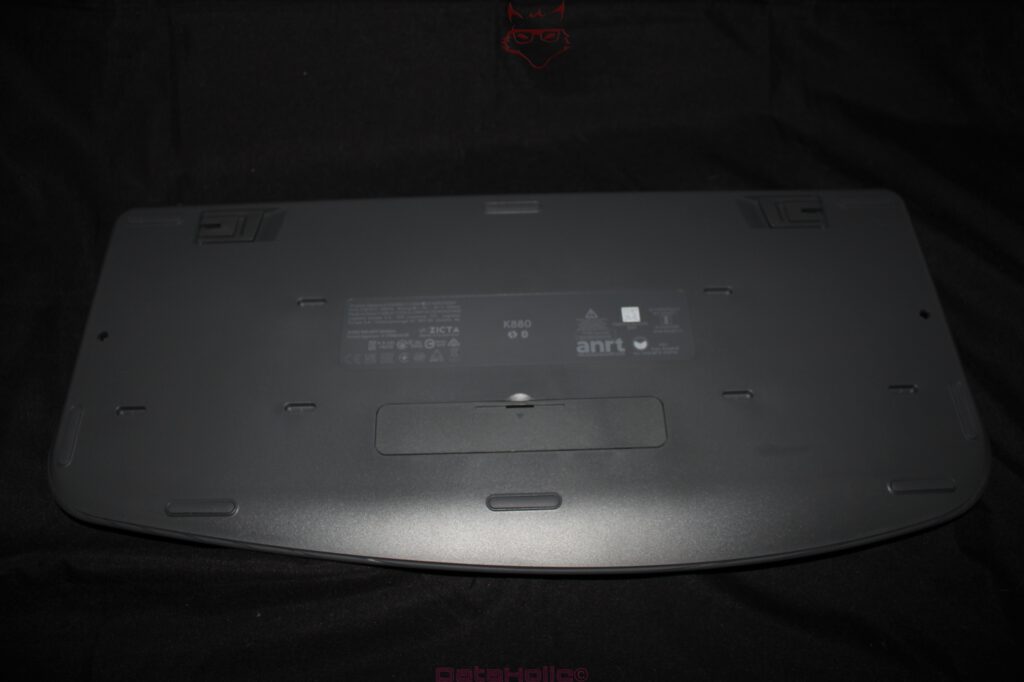
The keyboard of the Signature Comfort Plus Combo MK880 is a classic full-size model with number pad, function keys, separate navigation area, and a wide palm rest. This means it visibly takes up space on the desk, but it uses that space sensibly. Anyone who works a lot with spreadsheets, documents, shortcuts, and several applications does not get a shortened compromise solution here, but a complete input device with a familiar layout.
The slightly curved basic shape is less radical than with strongly ergonomic keyboards, but it brings enough change into the geometry to make the hand position feel more natural. Logitech does not exaggerate this approach. The MK880 remains a keyboard on which productive work can begin immediately, without the acclimatization required by split layouts or heavily arched special designs. That middle ground is exactly what matters. Ergonomics must not become its own discipline, where three weeks of training are required before the first sentence appears without errors.
The key action has the typical character of a modern membrane or rubber dome keyboard with a dampened, soft pressure point. The typing feel is not mechanical, not crisp, and not designed for maximum precision at high input speed. Instead, it feels pleasantly quiet, elastic, and unexcited. The keys provide enough feedback without snapping back harshly. Especially during long texts, emails, spreadsheet work, or office routines, this creates a very relaxed overall impression. The keyboard feels like a well-padded office chair: not a racing seat, not a designer object, but after several hours suddenly very convincing.
The integrated palm rest is more than just a visual finish. It stabilizes the position in front of the key field and reduces pressure on the wrists. The surface has a fine texture that remains grippy without feeling rough. Compared with narrow keyboards without a rest, this creates a much calmer posture. Especially at workplaces where keyboard and mouse are used for many hours every day, the difference is noticeable. It is the classic comfort effect that does not impress in the first minute, but becomes apparent after a long day because less gets in the way.
Mouse: Light, Comfortable, and Surprisingly Sensible
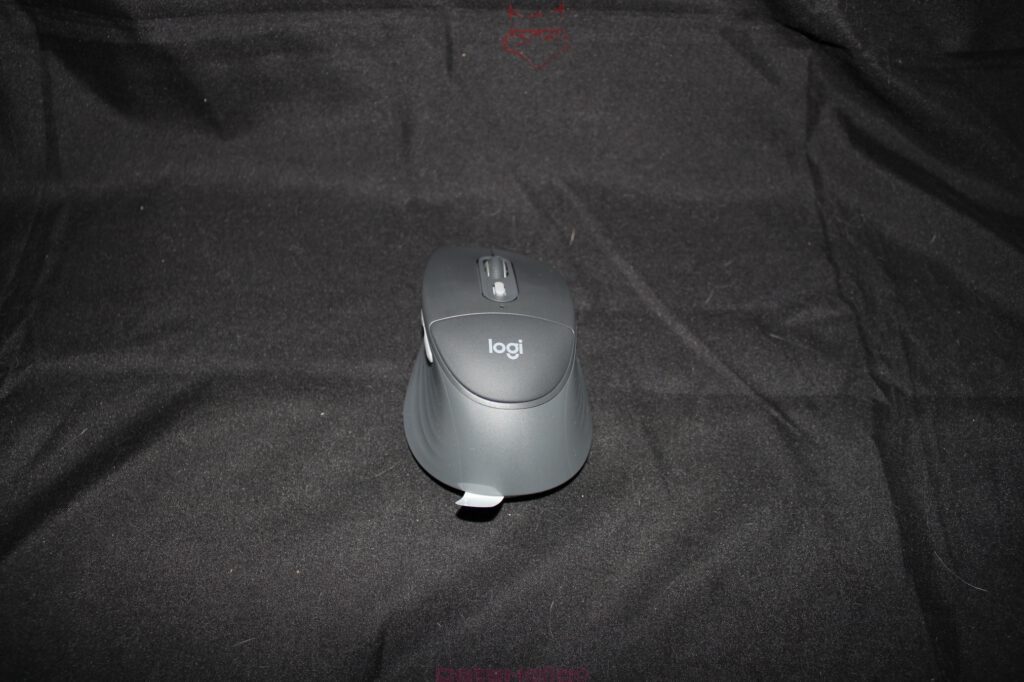
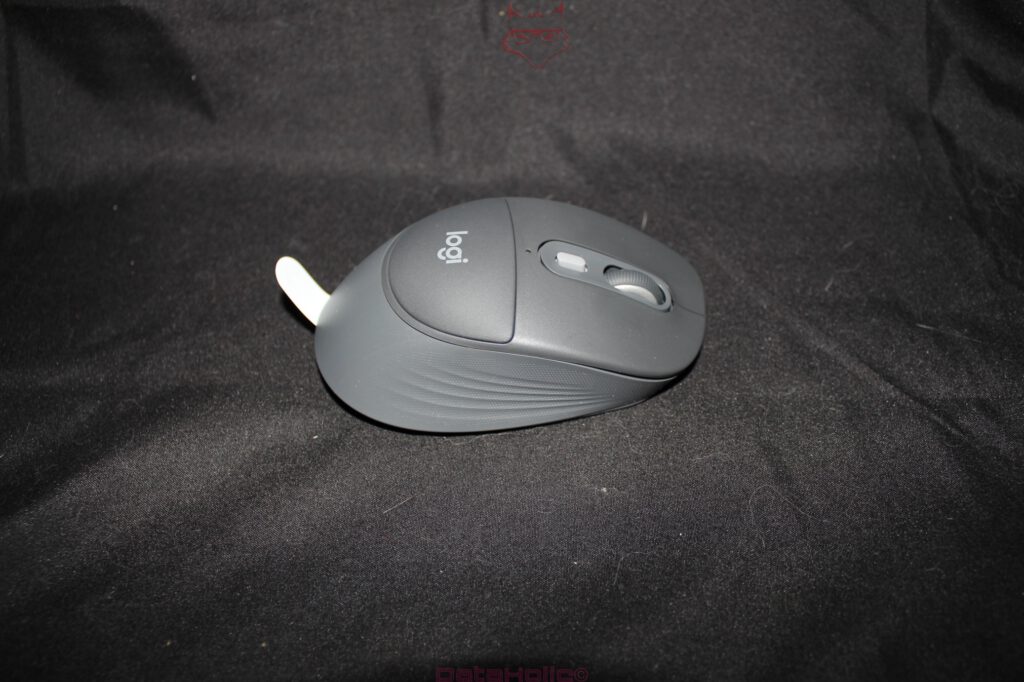
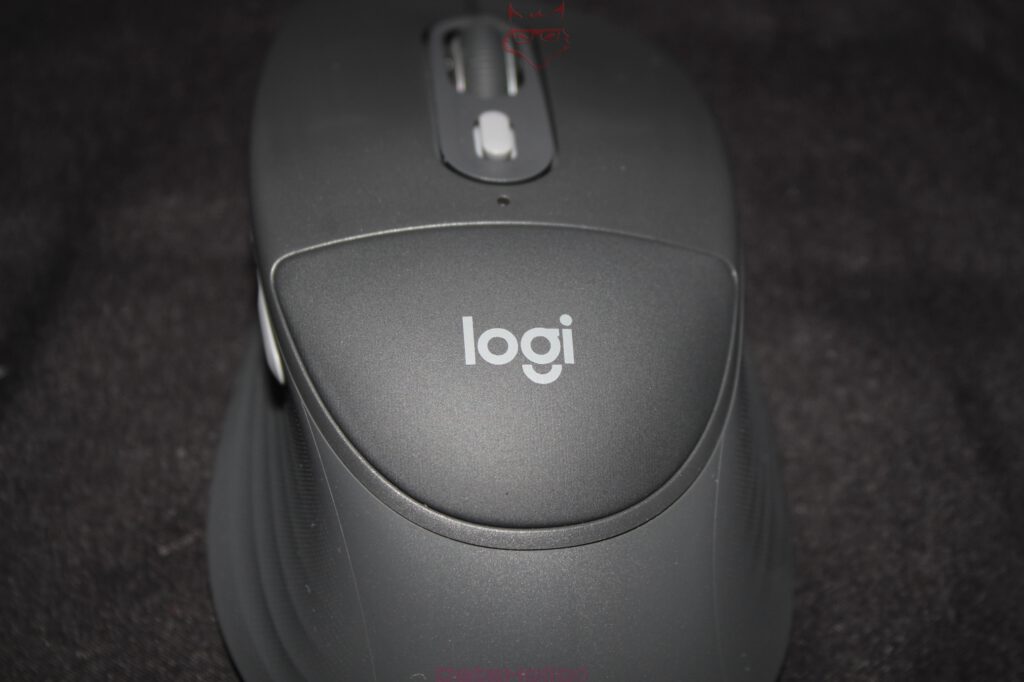
The mouse is almost the more exciting part of the set because Logitech implements an unusual idea here. A palm rest directly on a mouse initially sounds like a solution to a problem invented during a meeting. In practice, however, the approach makes sense. The rear section of the mouse is soft and offers the palm a more pleasant contact area than hard plastic. It does not change the world, but it changes the feeling during longer use.
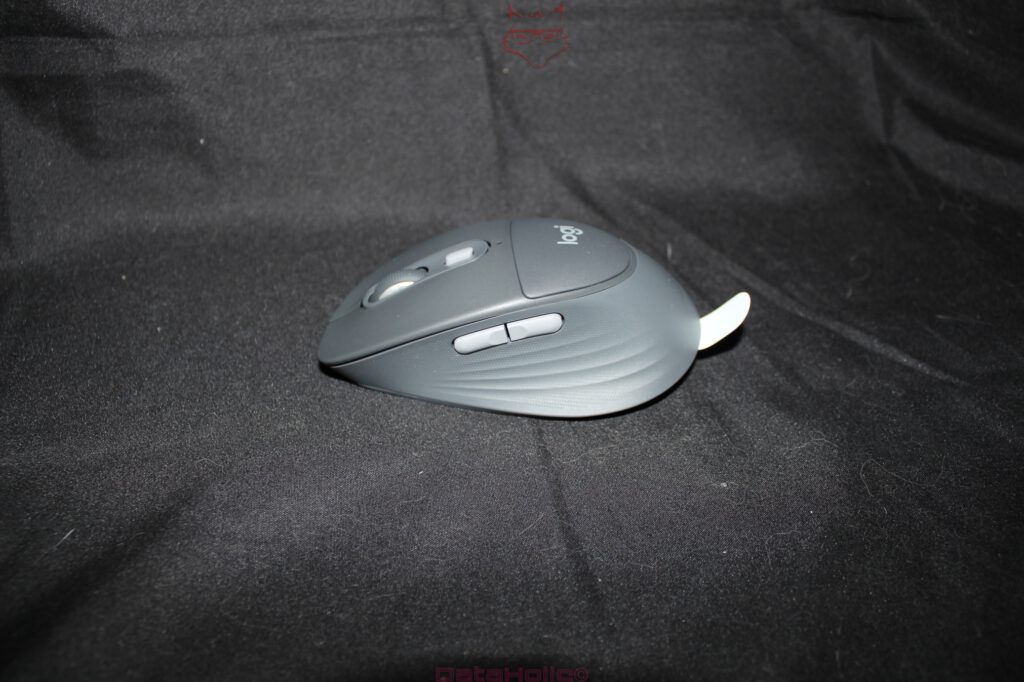
The shape is clearly designed for right-handed users. The side grip areas, the curvature of the housing, and the position of the additional buttons together create calm, secure guidance. The mouse does not lie aggressively flat on the desk, but fills the hand better. Nevertheless, it remains pleasantly light and does not feel sluggish. This point in particular is a positive surprise, because comfort mice often tend toward heavy, bulky office blocks. The MK880 mouse, by contrast, remains mobile enough to work pleasantly even on smaller desks or with higher pointer speed.
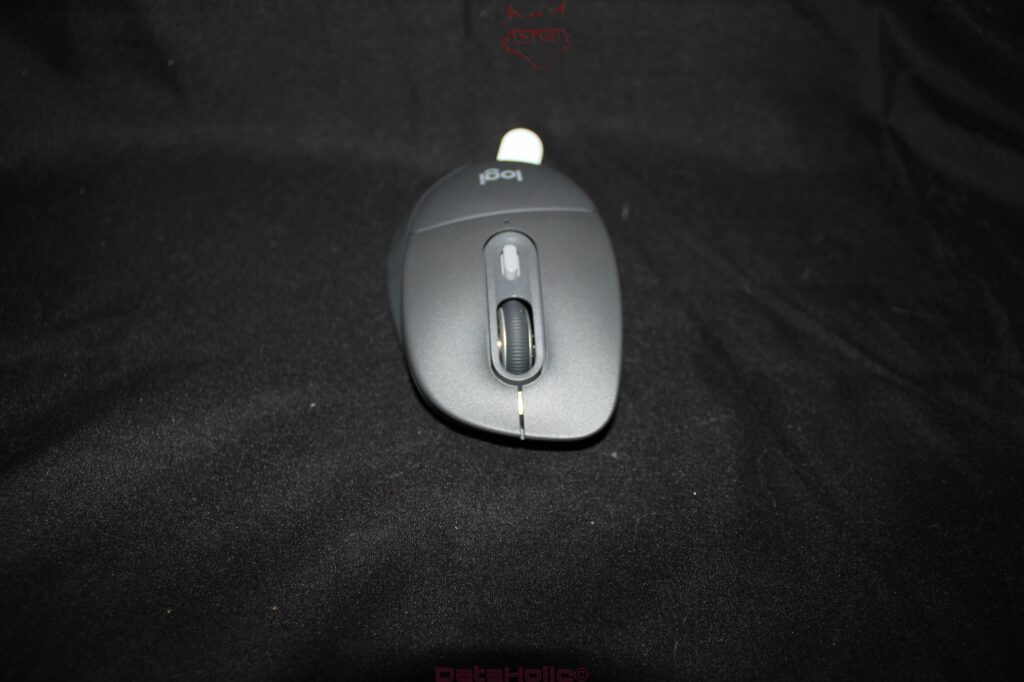
The scroll wheel works precisely and offers enough control for documents, websites, and long lists. In productive work, a good scroll wheel is one of those things that only become noticeable when they are bad. Here it works cleanly, directly, and without cheap rattling. The buttons react quickly, the click feels dampened and office-friendly. Nobody needs a mouse sound that, in a video conference, sounds like an old ballpoint pen in its final stage.
The additional buttons on the side expand operation sensibly. Forward and back in the browser, navigation in documents, or custom assignments via the software bring real benefit. The mouse remains simple enough not to feel like a cockpit under the hand. It is a tool, not a control panel for a fictional moon flight.
Connectivity: Three Devices, Very Little Drama
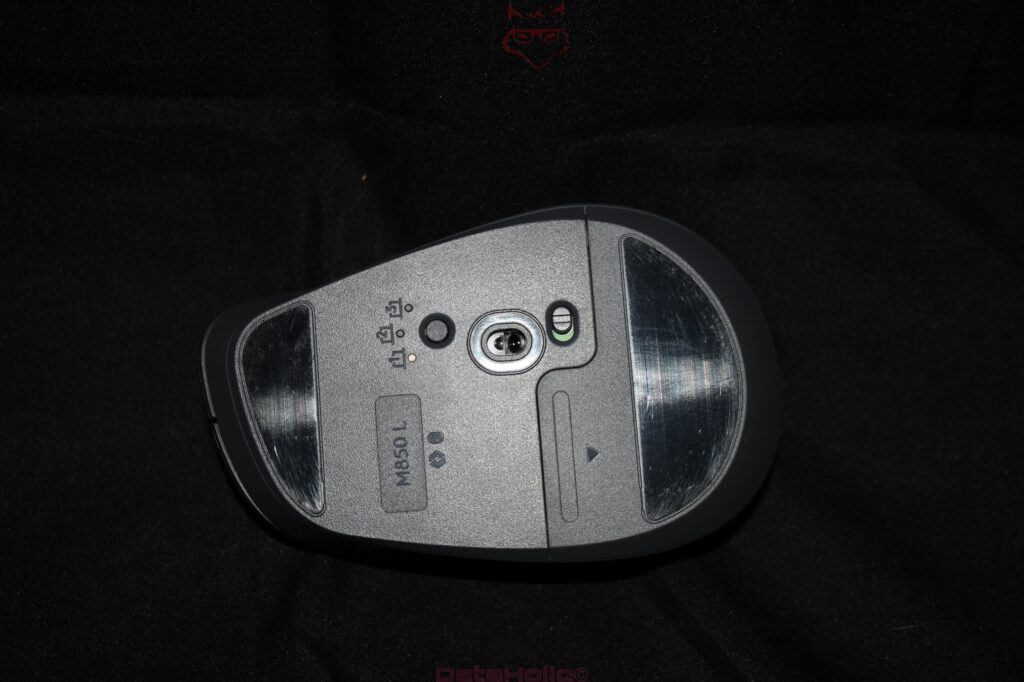
A major advantage of the Logitech Signature Comfort Plus Combo MK880 is its ability to connect to up to three different devices. Switching between them is fast and reliable, provided the devices have been paired properly once. This is exactly where Logitech demonstrates its experience. Bluetooth can be either wonderful or a small educational exercise in patience. With the MK880, setup is refreshingly uncomplicated. Windows, macOS, and Linux recognize the set reliably, even though the full functionality of Logitech’s software is officially available primarily under Windows and macOS.
Fast switching between multiple systems is particularly relevant for modern workplaces. A desktop PC, a notebook, and a tablet or mini PC can all be operated with the same set without constantly unplugging cables or stacking multiple keyboards across the desk. That may sound like a small detail, but over the course of a working day it eliminates a surprising amount of friction. The workspace remains tidier, the typing experience stays consistent, and switching between a personal system, a review machine, or a work computer happens without frantically searching for the correct input device.
One limitation should be clearly explained: only one device can be actively controlled at any given time. That is perfectly logical but worth pointing out. The MK880 is not a parallel control center for multiple computers. Instead, it is a comfortable input set with fast switching, and it performs that task extremely well.
Response times feel direct and trouble-free in everyday use. For traditional office work, web browsing, editorial tasks, spreadsheets, research, and general system navigation, there is no noticeable delay. Competitive gaming was never the purpose of this set in the first place. Comparing a comfort-focused combination with integrated palm rests to an 8,000 Hz gaming mouse would make about as much sense as evaluating a sofa on a Formula One race track. Comfortable? Absolutely. Pole position? Probably not.
Software: Logi Options+ as a Practical Toolbox
The Logitech application is an important part of the overall system. Logi Options+ allows functions to be customized, buttons to be reassigned, and connected devices to be managed. Particularly pleasant is the direct transfer or synchronization of settings whenever a device is replaced or added. That significantly reduces setup time and ensures that the peripherals do not need to learn their job from scratch every time a different computer is introduced.
The software itself feels tidy and approachable. Button assignments, application-specific functions, and additional comfort features can all be configured without a lengthy learning curve. This makes perfect sense for a keyboard and mouse combination deliberately designed for productivity. Special keys without useful software often remain little more than decoration. With thoughtful customization, however, they become genuine time savers that gradually make everyday work more efficient.
Basic functionality is also available under Linux. That deserves recognition because many peripherals technically function there while revealing their full capabilities only under Windows. The MK880 remains perfectly usable at its core, even though the official software naturally plays a more significant role under Windows and macOS. For many Linux setups, that is already more than sufficient: pair the devices, start typing, move the cursor, and get to work.
No Backlighting: Weakness or an Honest Decision?
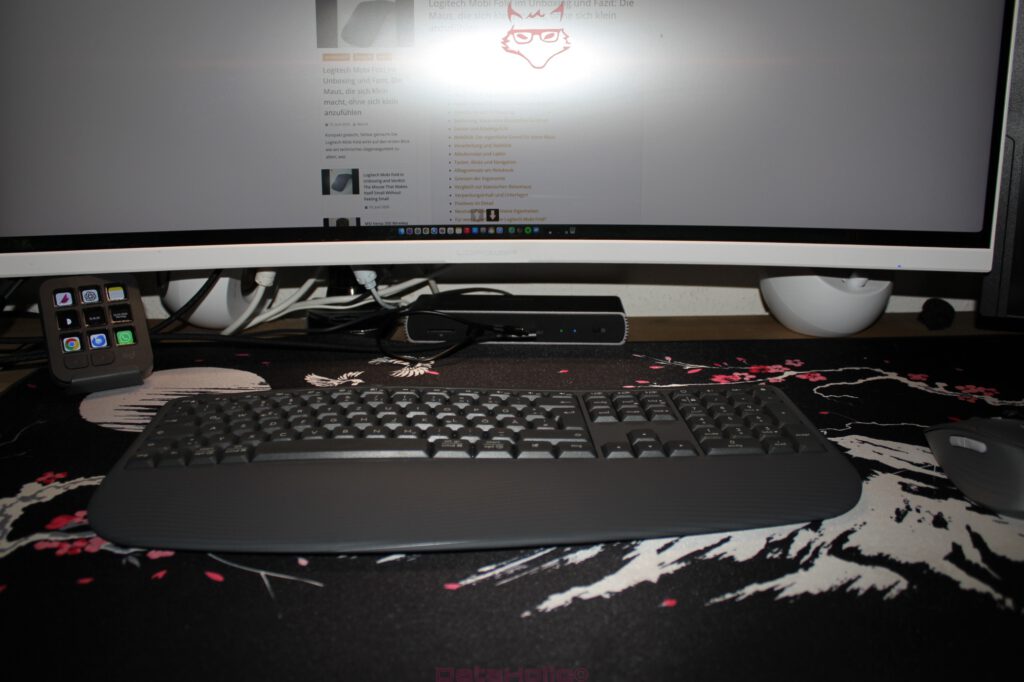
The absence of keyboard backlighting is the most noticeable neutral aspect of the entire package. On a modern keyboard set within this price category, illuminated keys would certainly have been welcome. Especially in darker work environments, during evening hours, or in setups with indirect lighting, subtle backlighting improves orientation considerably. Logitech deliberately decided against including it, which means this omission will either go almost unnoticed or become a recurring topic, depending on the workspace.
From a technical perspective, the decision is understandable. Integrated lighting increases power consumption, shortens battery life, and raises manufacturing costs. Instead, the MK880 focuses on long battery endurance, straightforward power management, and a calm office-oriented philosophy. Nevertheless, the lack of illumination remains a limitation. Anyone who frequently works under dim lighting or has grown accustomed to illuminated keyboards will miss this feature.
On the positive side, the legends on the keys are clear and provide strong contrast. Under normal room lighting there are no readability issues. The keyboard remains easy to read, secondary functions are clearly marked, and the layout never appears cluttered. Even so, comfort around the wrists cannot replace illumination after dark. Holding a flashlight between one’s teeth has never qualified as an ergonomic solution, regardless of how motivated the office worker may happen to be.
Ergonomics Without the Drama
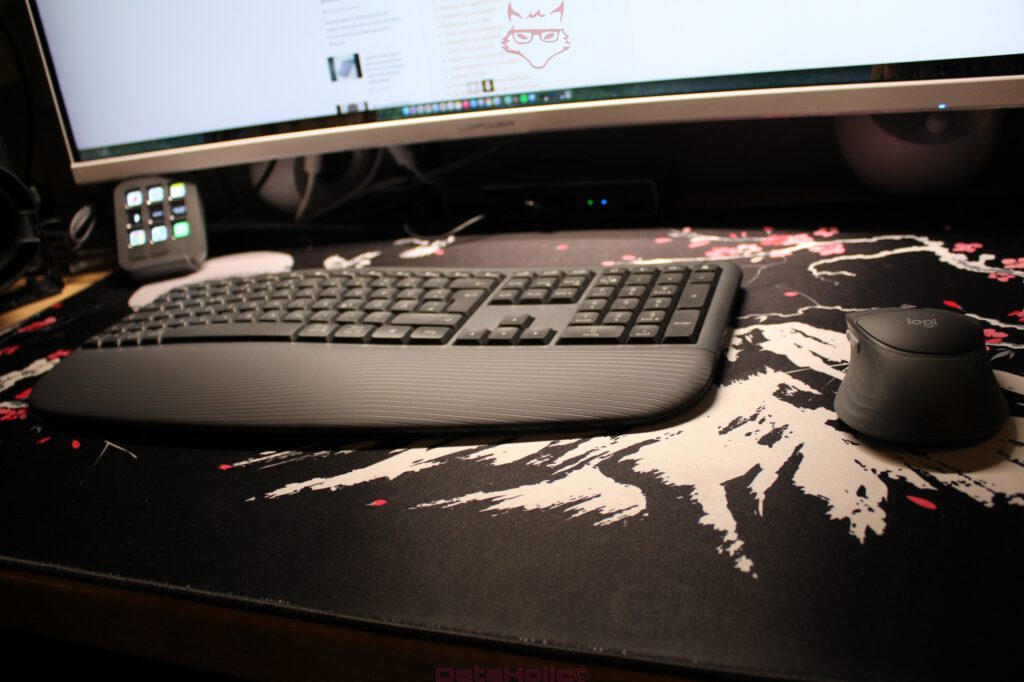
The MK880’s greatest strength lies in its understated approach to comfort. Logitech does not attempt to turn every office worker into an ergonomic enthusiast armed with unusual layouts and an instruction manual. Instead, the company improves familiar input devices exactly where those improvements matter most. The keyboard remains traditional enough for immediate productivity, the integrated palm rest reduces pressure on the wrists, the mouse rests softly and securely in the hand, and modern connectivity complements today’s multi-device workspaces.
This type of ergonomics proves particularly practical because it never becomes intrusive. Highly specialized ergonomic keyboards can be outstanding, but they usually demand an adaptation period. Vertical mice often reduce strain, yet they are not suitable for every hand shape or every workflow. The MK880 follows a far less radical path. It smooths the rough edges of the classic office keyboard and mouse instead of rebuilding them from the ground up. The result is less spectacular but considerably more versatile.
In many ways, this set resembles those old office chairs that never appear in glossy design catalogs yet somehow remain in conference rooms for ten years because nobody can find a convincing reason to replace them. That quiet quality defines the MK880 remarkably well. It does not seek admiration. It simply refuses to become annoying. Within the world of computer peripherals, that is almost a philosophy.
Build Quality, Materials, and Overall Feel
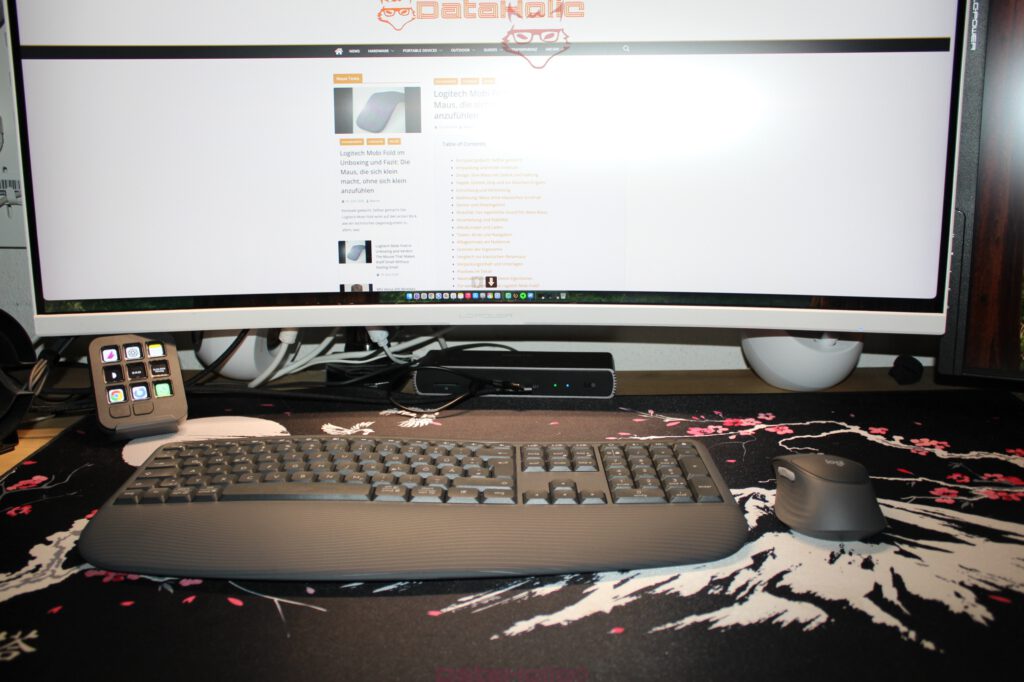
The overall build quality leaves a solid and purposeful impression. Plastic naturally dominates throughout, but without creating a cheap or hollow feeling. The keyboard rests securely on the desk, while the large integrated palm rest gives the chassis both visual and functional substance. The keys sit firmly in place, the housing does not noticeably flex during normal use, and the mouse presents a pleasant combination of smooth and textured surfaces.
The graphite color scheme complements the intended character of the set very well. It is understated, office-friendly, and visually calmer than brighter finishes. Dust and fingerprints are naturally still present here, particularly on textured or softer materials. That is not a Logitech-specific issue but rather physics with a sense of humor. Everything that feels pleasant to the touch will eventually collect traces of that relationship.
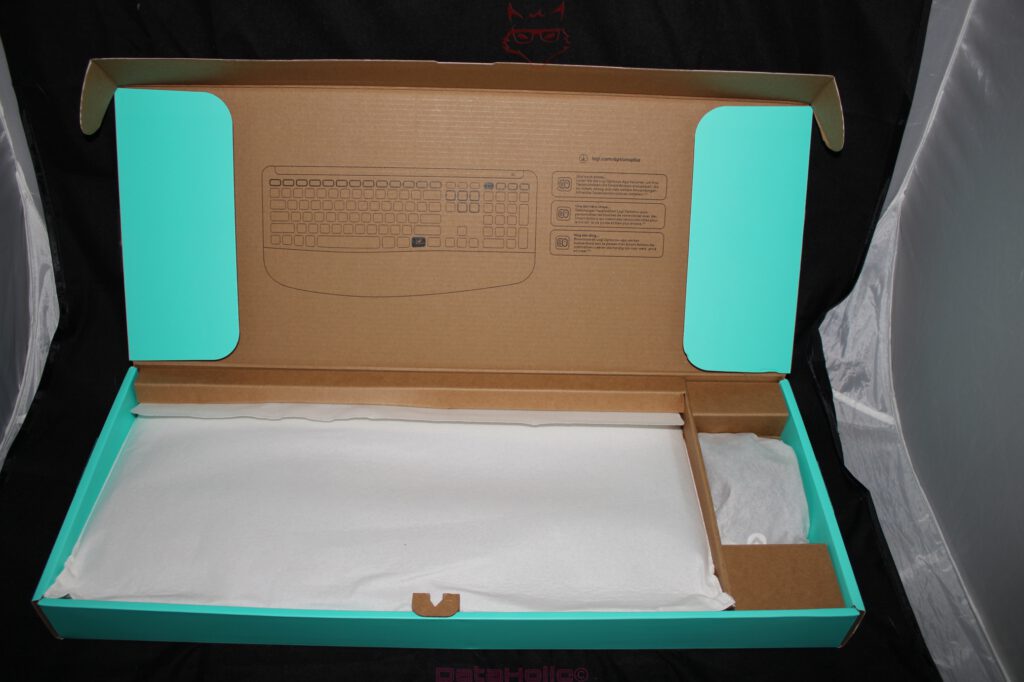
The packaging itself is functional and neatly organized. Inside, the contents are separated cleanly with a sensible combination of cardboard and protective materials. That presentation reflects the overall philosophy of the product: no luxury ritual, but a straightforward and well-structured introduction. The included documentation fulfills its purpose without covering the desk with unnecessary paperwork.
Who This Set Is Designed For
The Signature Comfort Plus Combo MK880 is particularly well suited for workplaces where writing, clicking, researching, and switching between multiple devices are daily routines. Home offices, editorial environments, administrative work, studies, technical support, software development, office environments, and hybrid workstations all benefit from the combination of comfort and uncomplicated connectivity. Anyone who spends many hours typing while also looking for a genuinely comfortable mouse receives a remarkably well-balanced package.
The set is less suitable for users specifically looking for a mechanical keyboard with a sharply defined switch feel. Fans of compact keyboard layouts will probably not become enthusiastic about the generous full-size format either. Those who regularly work in dimly lit environments are likely to miss the lack of keyboard backlighting. Likewise, gaming enthusiasts searching for maximum polling rates, ultra-low latency, and featherweight mice will find considerably more specialized hardware elsewhere.
The decisive factor is having the right expectations. The MK880 is not an enthusiast product built around endless customization. It is a carefully designed comfort set intended for productive work. Within that role, it performs convincingly.
Conclusion: Logitech Understands Everyday Work Better Than Display Cabinets
The Logitech Signature Comfort Plus Combo MK880 does not impress through one spectacular feature alone. Instead, its greatest strength lies in a carefully coordinated overall concept. The keyboard and mouse feel like two components that were genuinely designed together. The broad integrated palm rest, the cushioned mouse, fast Bluetooth switching between three devices, immediate responsiveness in everyday work, and meaningful integration into Logi Options+ result in a combination that clearly takes productivity seriously.
One of its greatest strengths is the balance between comfort and familiarity. The keyboard feels soft, quiet, and comfortable without abandoning the traditional layout. The mouse introduces an unusual yet convincing comfort concept through its integrated palm support while remaining light enough for fluid movement. Device switching is quick, the software integration is practical, and compatibility across multiple operating systems makes the set highly versatile.
The missing keyboard backlighting remains the most significant point of criticism. It does not prevent the MK880 from being an excellent office set, but it does make the package feel slightly less complete, particularly in darker environments. A subtle illumination would have elevated the overall experience considerably. Apart from that, Logitech avoids any truly significant weaknesses, provided the intended purpose of the product remains clear.
In the end, this keyboard and mouse combination aims less to impress than to serve. That may sound modest, but in everyday life it is often considerably more valuable than any elaborate design showcase. The MK880 is comfortable, quiet, quick to connect, and pleasantly understated. It belongs on desks where productivity matters more than decorative lighting. Oscar Wilde once wrote, “Be yourself; everyone else is already taken.” The MK880 follows that philosophy surprisingly well. It does not try to become part of the MX series, imitate gaming hardware, or pretend to be a designer keyboard. It is a comfortable office set. Precisely because of that, it succeeds so convincingly.
Transparency Notice in accordance with EU regulations:
The Logitech Signature Comfort Plus Combo MK880 presented in this review was provided to us by Logitech as a non-binding review sample for testing purposes. This does not constitute paid advertising.
Logitech had no influence whatsoever on the content, evaluation, or editorial independence of this review. All opinions expressed are based exclusively on our own hands-on experience.
We sincerely thank Logitech for providing the Signature Comfort Plus Combo MK880 and for the trust placed in dataholic.de.