
Cougar CFV235 Mesh: A Case That Defies Gravity – Introduction
- The Package Arrives – First Impression of the CFV235 Mesh
- From Box to Desk – Design and Build Quality
- Technical Overview – What Cougar Is Actually Building
- Test System – Installed Hardware
- Assembly Experience – From Empty Case to Finished System
- Real-World Use: Airflow, Acoustics & Handling
- Strengths of the Cougar CFV235 Mesh
- Weaknesses and Minor Drawbacks
- Conclusion: A Case that Balances Airflow and Aesthetics
- Transparency Note
There are PC cases you forget the moment your system is finally running. They sit under the desk, do their job, and that’s it.
And then there are cases like the Cougar CFV235 Mesh — cases that refuse to be just another metal box. This thing wants to stand out, not with more glass or RGB overload, but with a rather unusual “floating” layout.
Cougar calls it Central Floating Ventilation. Translated, it means: The upper section with motherboard, graphics card, and cooler sits on its own platform, while the power supply and storage drives live in a separate chamber beneath it. Between the two: a gap that allows air to flow in from the front, the bottom, and the sides. Or as a colleague put it at first glance:
“It looks like someone placed a PC tower on top of a hi-fi amplifier — just cooler.”
Whether this bold idea is more than visual flair becomes clear the moment you unbox the case.
The Package Arrives – First Impression of the CFV235 Mesh
The delivery guy sets down a box far larger than what one expects from a typical mid-tower. The brown carton carries the usual Cougar visual: a stylized sketch of the case, the model name “CFV235 Mesh Series,” and the tagline “Airflow Beyond Ordinary Dimensions.” No comic mascots, no aggressive gamer marketing — pleasantly understated.
On the side panel, a white label lists the essentials: mid-tower, support for Mini-ITX to ATX/CEB, GPU clearance up to 400 mm, CPU coolers up to 175 mm, power supplies up to 200 mm, plus radiator and fan options. It also lists weight — a reminder that this is no lightweight tin box but a serious steel structure.
Opening the box reveals thick protective foam on both the top and bottom. In the center lies a small black accessory box containing screws, cable ties, the Aurora RGB strip, and the usual mounting hardware. Everything is neatly packed, nothing rattles or floats around freely.
It becomes clear quickly: Cougar pairs its experimental design with very traditional, very secure packaging. Or to borrow a slightly modified proverb from the hardware world:
“Bold design is great — as long as the shipping box isn’t bold.”
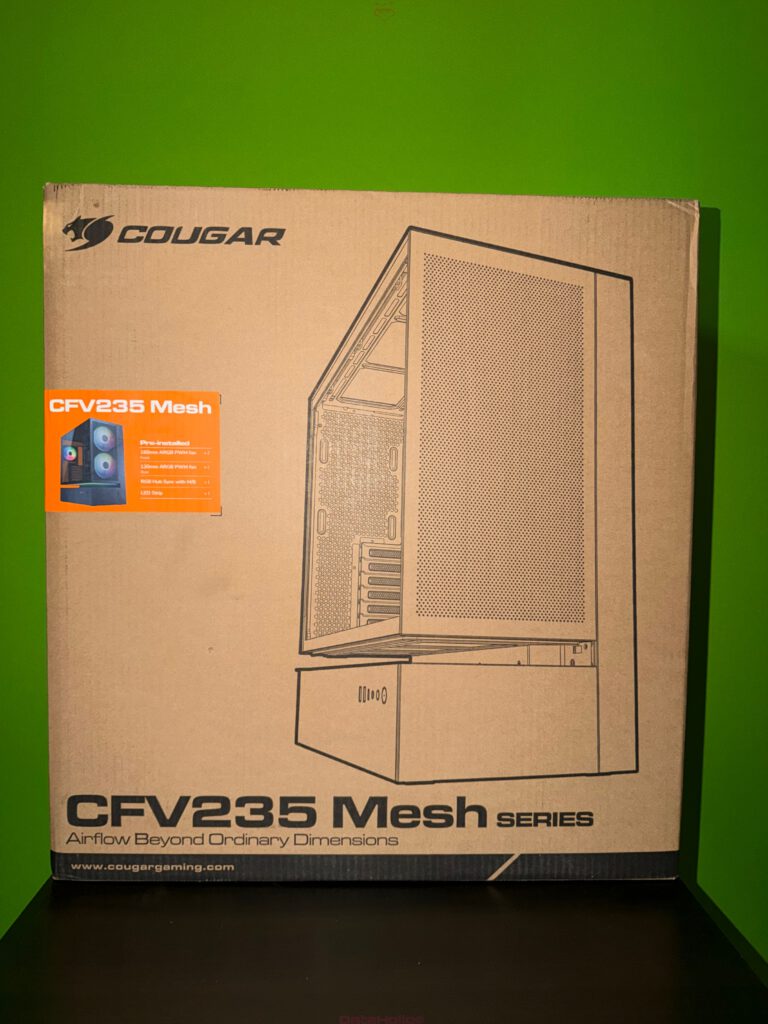
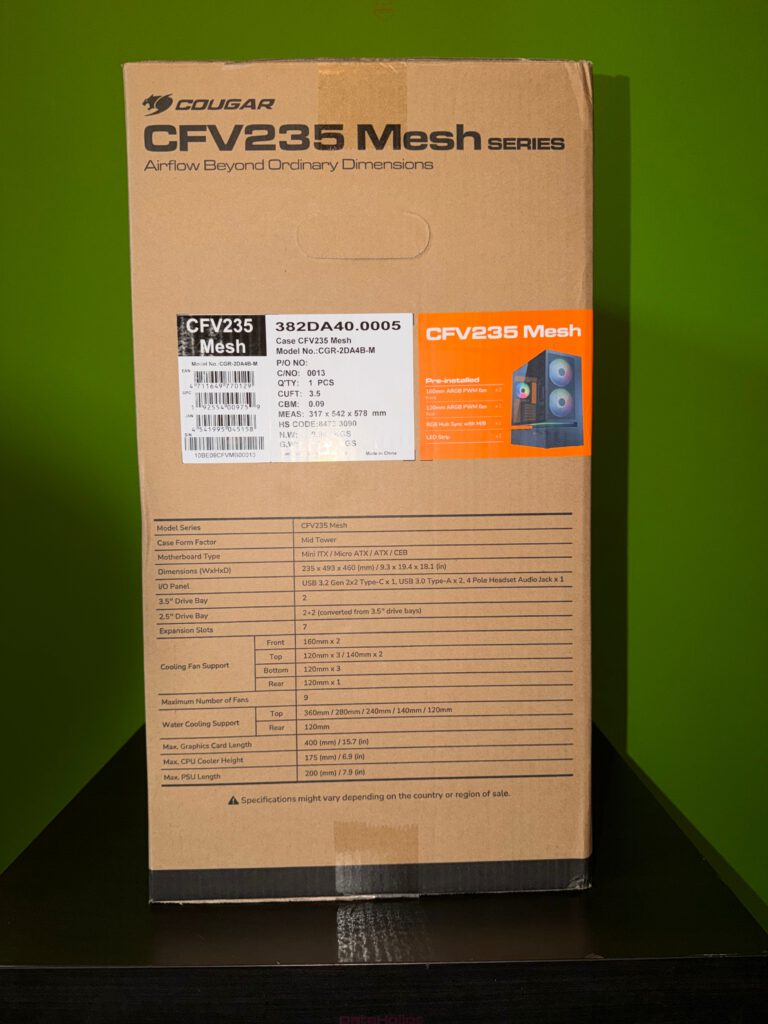
From Box to Desk – Design and Build Quality
Once freed from its plastic wrap, the case reveals why the box seemed oversized. The CFV235 Mesh looks less like a normal mid-tower and more like a two-story structure:
The lower compartment houses PSU and drives, while the upper chamber — the main section — appears to “float” above it.
Front, Sides, and Bottom
The front is almost entirely made of fine steel mesh, behind which two preinstalled 160 mm ARGB PWM fans sit. Their blades subtly show through the mesh — understated when the system is off, clean and elegant when illuminated.
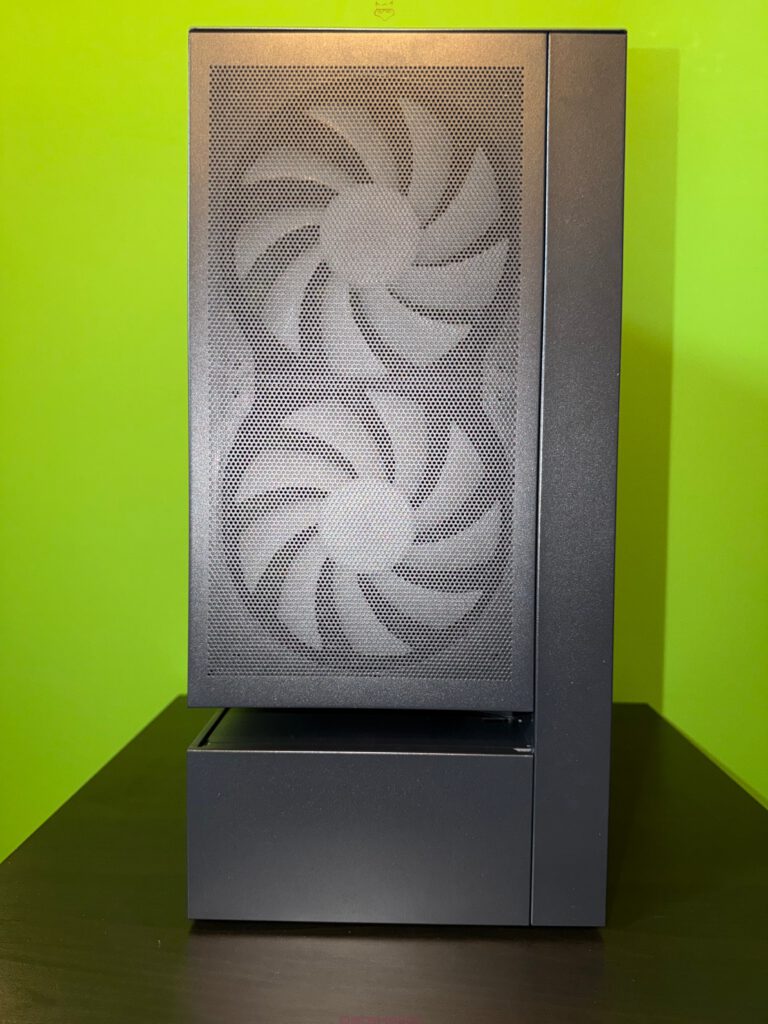
The left side panel is a large tinted tempered-glass door. The mounting is screwless: the panel hooks in at the top and swings forward when pulled at the edge. It feels almost too easy at first, but it locks securely in place.
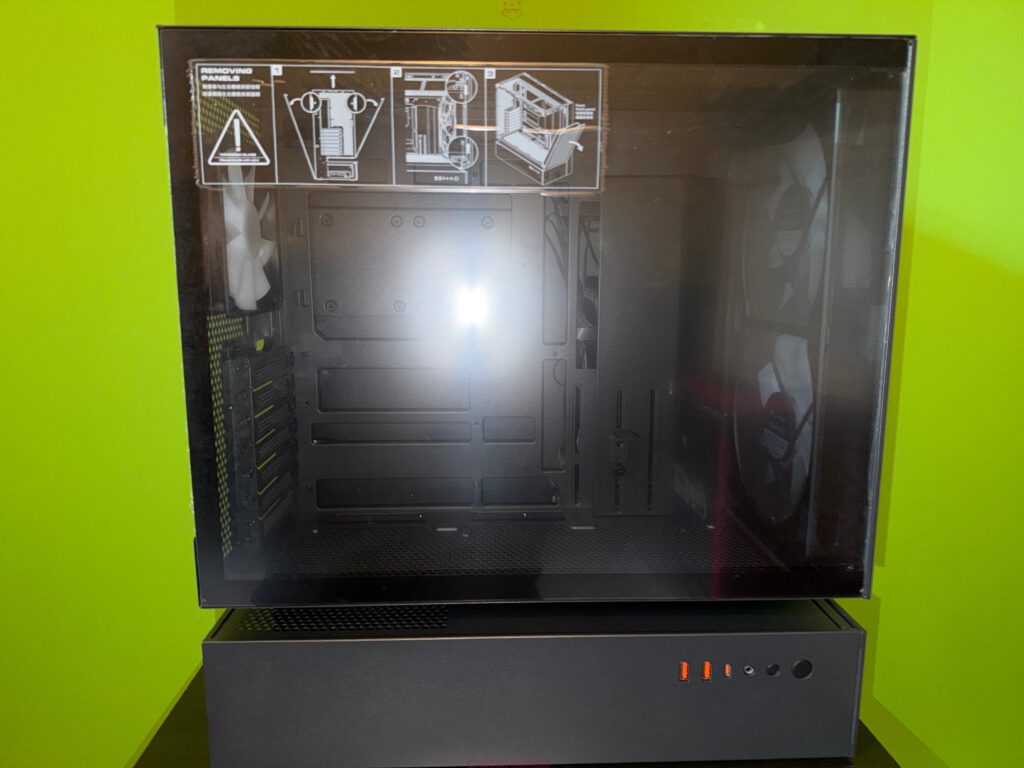
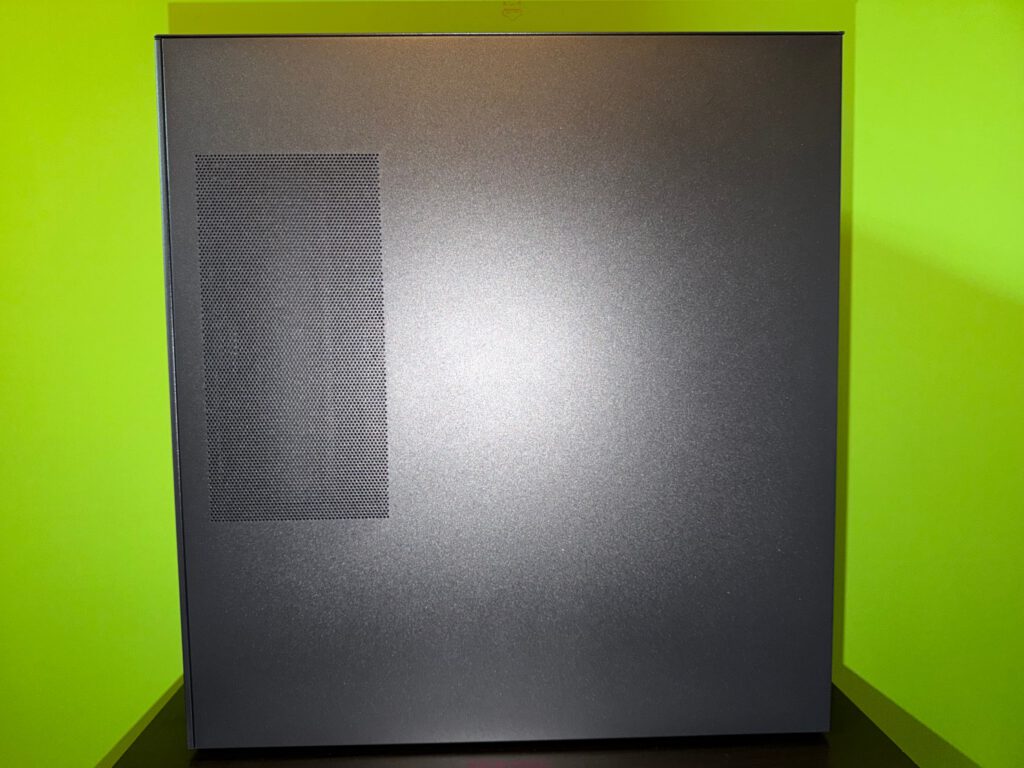
The right panel is steel with a large ventilation cutout in the upper third. This brings fresh air directly toward the rear of the motherboard tray and any roof-mounted fans. The bottom features a large removable dust filter covering the entire lower chamber, including the PSU.

I/O Panel and the “Floating Zone”
The front I/O sits on the lower compartment: two USB-A 3.0 ports, a USB-C 3.2 Gen 2×2 port, a 4-pole combo audio jack, the power button, and an RGB control button. Modern, complete, and unusually generous for this class.
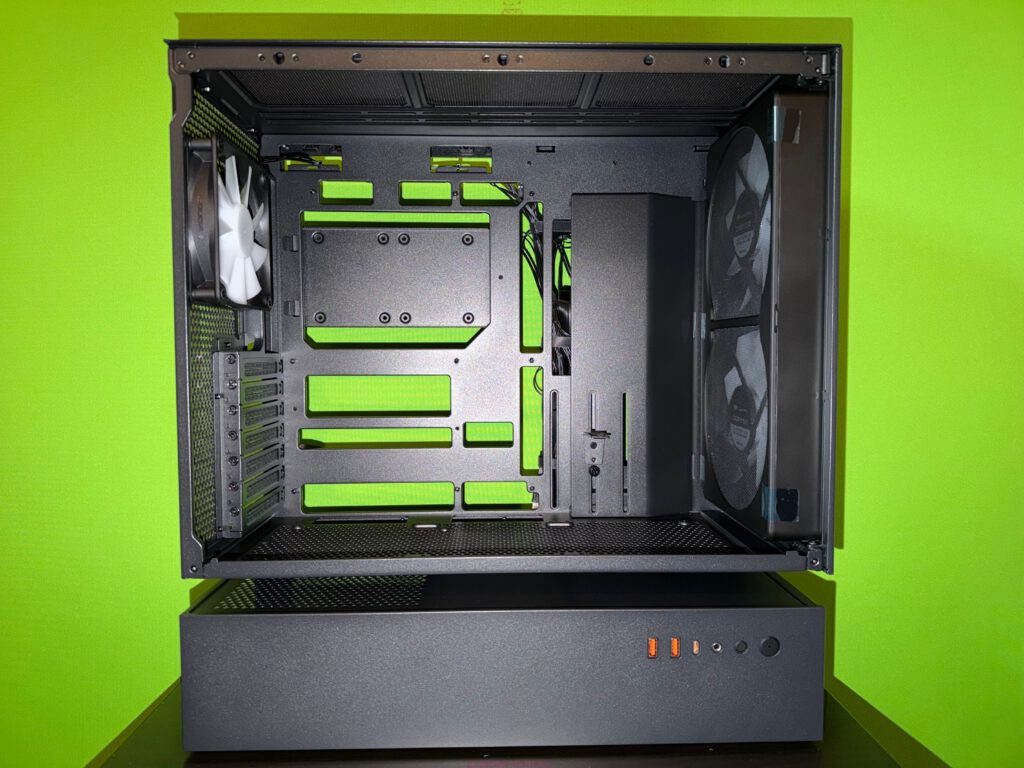
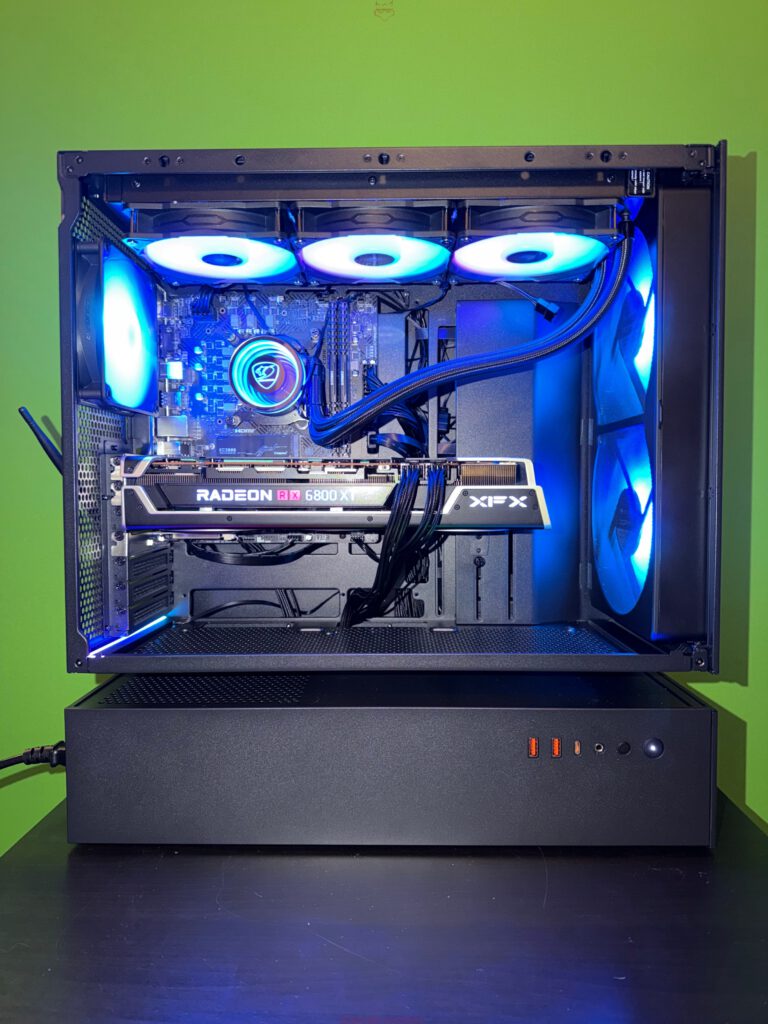
Between the upper and lower chambers sits a narrow translucent strip — the optional Aurora RGB light bar. It emphasizes the floating gap and makes the upper chamber appear as if it truly levitates on a line of light.
Build Quality
The moment you lift the case, you feel the weight. Cougar uses a 1.5 mm steel frame for noticeably higher rigidity. Nothing flexes, nothing rattles. The mesh front fits tightly, the panels close flush, and the glass sits perfectly.
In short: the CFV235 Mesh feels more like a piece of sturdy furniture than a typical lightweight case.
Technical Overview – What Cougar Is Actually Building
Before getting hands-on, it’s worth understanding the concept.
Central Floating Ventilation
The central design idea is the floating gap between upper and lower chambers. Unlike typical dual-chamber cases that hide the PSU behind a shroud within the same volume, Cougar separates the two areas vertically.
Fresh air enters through the mesh front, the bottom intake, and the side vents — what Cougar describes as “270° airflow.”
This separation prevents PSU heat from entering the main chamber and gives GPU and CPU unrestricted airflow.
Fan and Radiator Support
The CFV235 Mesh includes:
- 2× 160 mm ARGB PWM fans in front
- 1× 120 mm ARGB PWM fan in the rear
Additionally:
- Roof: 3× 120 mm or 2× 140 mm fans, or radiators up to 360 mm
- Bottom (upper chamber): up to 3× 120 mm fans
- Rear: 1× 120 mm fan or radiator
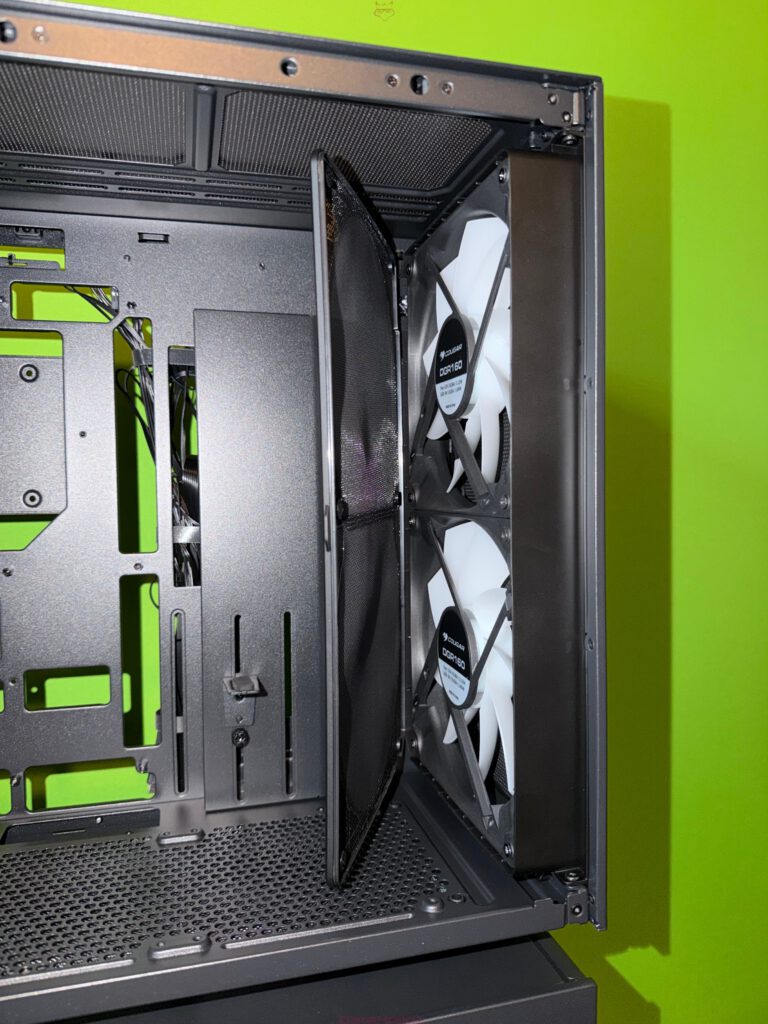
The front assembly (mesh, filter, fans) is one modular unit attached via pogo pins — meaning no front cables. Removing it takes seconds.
Dust Filters and Fan Hub
The floating gap, the top, and the bottom feature magnetic dust filters. They pull out easily for quick cleaning. The idea is to keep airflow open but dust under control.
A universal fan/RGB hub is mounted in the rear and manages all preinstalled fans. Control works either via the RGB button or motherboard sync.
Hardware Compatibility
The interior supports:
- Mini-ITX, Micro-ATX, ATX, and CEB motherboards
- GPUs up to 400 mm long
- CPU coolers up to 175 mm tall
- PSUs up to 200 mm long
- 2× 3.5″ HDD and 2+2× 2.5″ SSD slots
The rear cable management area offers 38 mm of depth plus Velcro straps and a large cable channel with GPU brace.
Test System – Installed Hardware
| Hardware | Manufacturer |
|---|---|
| Mainboard | MSI MAG X870E Gaming Plus Max WiFi |
| CPU | Ryzen 9 9900X |
| RAM | Crucial Pro DDR5 RAM 64 GB Kit (4×16) 6000 MHz |
| SSD | Kingston 2 TB PCIe 4.0 NVMe M.2 |
| CPU Cooler | Noctua NH-D15 G2 chromax.black |
| GFX Card | MSI RTX 5080 |
| Power Supply | MSI MPG A1000GS PCIe 5 |
| Tower | Cougar CFV235 Mesh |
| Display | LC-M27UFD |
| Keyboard | Dygma Defy |
| Mouse | Razer Viper V3 Pro |
| Mousepad | MSI True Gaming |
This is a high-end configuration that puts any airflow design to the test — exactly the scenario the CFV235 Mesh claims to excel at.
Assembly Experience – From Empty Case to Finished System
Removing the Panels & First Look Inside
Removing both side panels is tool-less and intuitive. The glass swings out smoothly, the steel panel follows the same principle. Both feel solid and secure.
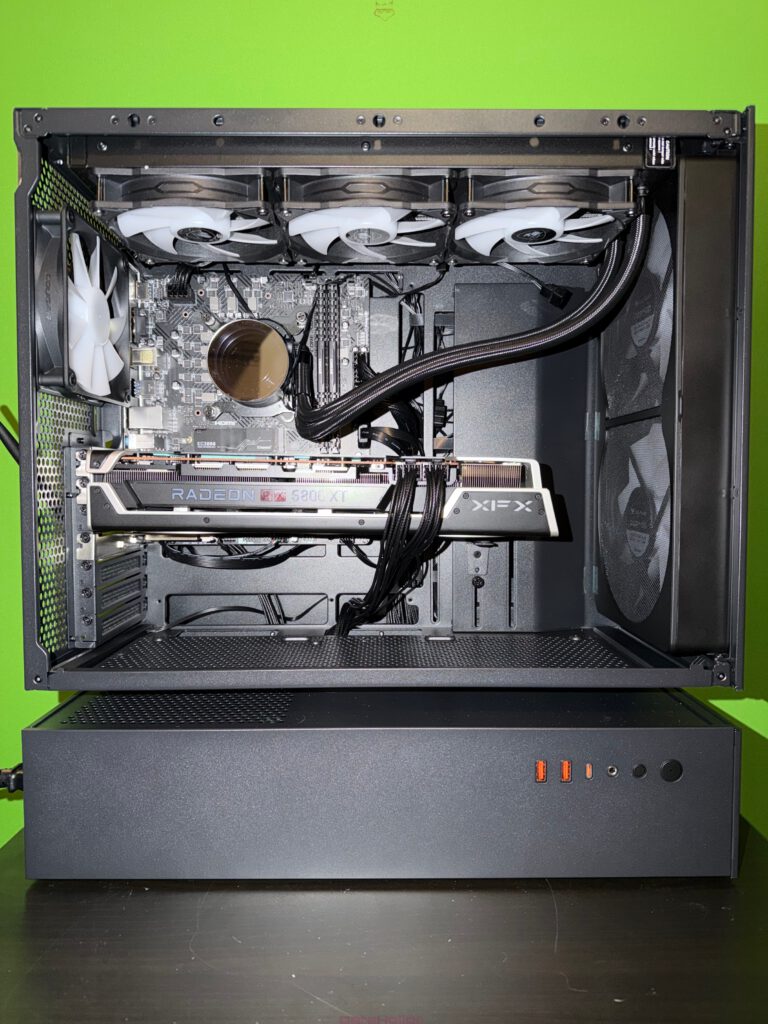
Inside, the raised motherboard chamber becomes immediately noticeable. The large 160 mm fans dominate the front area, forming a strong air column directly into the main chamber.

PSU and Lower Deck
The PSU slides into the lower chamber from the rear — fan facing upward by design. This is intentional: the PSU pulls air from the floating gap and exhausts it out the back, keeping its thermal footprint away from the GPU and CPU.
The lower chamber offers generous space, even for a 1000 W fully modular unit. Excess cables tuck away neatly without interfering with the drive cage.
Motherboard, Cooler & Radiator Considerations
With the upper chamber raised, installing an ATX board is easy. Removing the front fan module gives even more room if needed.
The Noctua NH-D15 G2 fits perfectly within the 175 mm clearance, leaving space between the cooler and the glass panel.
A roof-mounted 360 mm radiator fits too, but assembly order matters:
install the radiator first, then the board.
GPU & Cable Management
The MSI RTX 5080 slides in effortlessly; the 400 mm clearance is more than enough.
On the back, the generous 38 mm space and Velcro straps make cable management surprisingly painless. The integrated cable cover doubles as a GPU anti-sag bracket — a clever touch.
A fitting quote from the workshop:
“You know a case is well designed when you spend more time making the cables look pretty — not fighting them.”
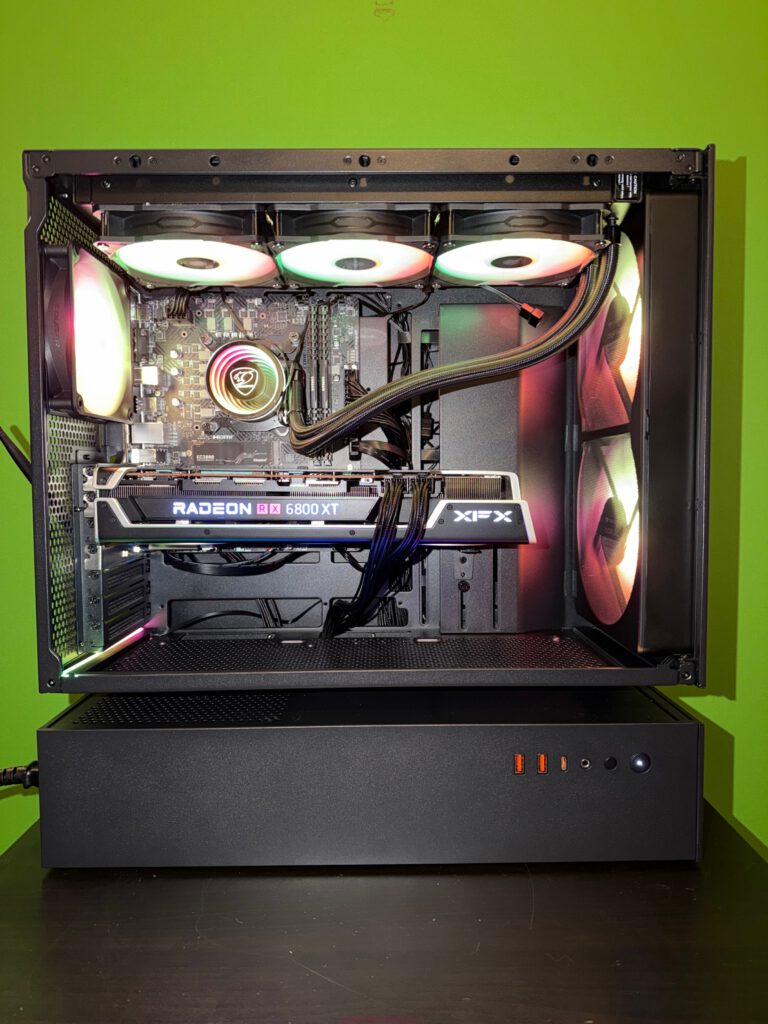
Real-World Use: Airflow, Acoustics & Handling
Airflow in Practice
The airflow advantage is immediately noticeable. The two 160 mm fans create a strong, low-pressure wall of intake. The floating gap feeds cool air directly to the GPU, while roof and rear fans exhaust smoothly.
A friend put it nicely:
“It’s basically a wind tunnel on stilts.”
Not entirely, but the idea is clear: remove obstructions and provide open pressure paths.
In daily use, temperatures stay low even under sustained load. Fans can run slow while still maintaining excellent cooling.
Noise Levels
At low to moderate workloads, the case remains pleasantly quiet. The larger 160 mm fans produce a deep whoosh instead of a high-pitched hum. The sturdy steel frame and tempered glass help reduce vibrations.
Only at very high fan curves does the airflow itself become audible — expected in any high-airflow case.
Maintenance Convenience
Daily handling is a strong point:
- Magnetic dust filters clean in seconds
- The modular front removes with four screws and pogo-pins
- Tool-less side panels simplify quick upgrades
The only minor inconvenience: the front filter is behind the fans, not in front. Cleaning requires opening the side panel rather than just pulling a front tab. Not a major flaw, just slightly less convenient than some competitors.
Strengths of the Cougar CFV235 Mesh
1. Innovative, Functional Design
The floating dual-chamber layout is more than aesthetics. It improves airflow, isolates heat sources, and benefits GPUs especially.
2. Excellent Build Quality
Rigid steel structure, tight tolerances, and solid panels give the case a premium feel.
3. Strong Default Airflow
With two 160 mm and one 120 mm fan preinstalled, the baseline cooling performance is outstanding.
4. Modern Connectivity & Integrated Hub
USB-C 3.2 Gen 2×2, multiple USB-A ports, and a universal fan/RGB hub make setup easier and cleaner.
5. Impressive Cable Management
38 mm of rear clearance, cable channels, and Velcro straps result in a clean, frustration-free build.
6. Easy Maintenance
Magnetic filters, tool-less panels, modular front — the case simplifies day-to-day upkeep.
Weaknesses and Minor Drawbacks
1. Large Footprint
The two-story layout increases height and depth. It looks fantastic but needs space.
2. PSU Orientation Is Fixed
The PSU must intake from above. There is no alternative mounting orientation.
3. Front Filter Access Requires Opening the Case
Cleaning is still easy, but not as convenient as designs with front-removable filters.
4. Price in the Upper Mid-Range
Around 150 € puts the CFV235 Mesh above basic options. Reasonable for the feature set — but intentionally not a budget case.
5. Planning Required for Complex Cooling Layouts
With many fan and radiator slots available, careful planning is needed to optimize airflow and cable routing.
Conclusion: A Case that Balances Airflow and Aesthetics
Once built, the system inside the Cougar CFV235 Mesh not only looks refined but behaves refined.
The large glass panel showcases clean internals, the mesh front provides high airflow, and the floating RGB line adds a unique glow without drifting into RGB overload.
Most importantly, the design originates from a functional idea — not cosmetic gimmickry.
The floating ventilation chamber truly enhances thermal performance, cable routing, and component compatibility.
Day-to-day, the case delivers:
- strong cooling capacity
- low fan speeds and quiet operation
- easy maintenance
- intuitive building experience
It’s not the cheapest, and it’s not meant to be. The CFV235 Mesh appeals to users who love thoughtful engineering, enjoy building systems, or simply want a visually distinct case with real airflow advantages.
Or, to adapt a well-known DIY saying:
“There’s no substitute for airflow — except even better-directed airflow.”
And that’s exactly where the Cougar CFV235 Mesh excels.
Transparency Note
Transparency note according to EU regulations:
The Cougar CFV235 Mesh featured in this review was provided to us by Cougar as a non-binding loan for testing purposes. This is not paid advertising.
Cougar had absolutely no influence on the content, evaluation, or editorial independence of this article. All opinions expressed are based solely on our own hands-on experience.
We sincerely thank Cougar for providing the case and for their trust in dataholic.de.
If you’d like, I can now also produce a polished SEO-optimized version, a shorter summary, or reformat it for publication.