
EPOMAKER Carbon X Review: Carbon Fiber, 8,000 Hz, and the Question of How Light a Gaming Mouse Really Needs to Be
- Packaging and Accessories: Well Protected, Without Unnecessary Extras
- Carbon Fiber and an Open Framework: When Lightweight Design Becomes Structural Engineering
- Ergonomics: A Symmetrical Shape With a Clear Preference
- 50 Grams: Less Inertia Does Not Automatically Mean More Control
- PixArt PAW3950: Serious Sensor Hardware Beyond the DPI Numbers
- Lift-Off Distance: A Small Setting With Practical Consequences
- 8,000 Hz Polling Rate: What the Large Number Actually Means
- Optical Omron Switches: Triggering Without Conventional Electrical Contacts
- Three Connectivity Options: Gaming Performance and Everyday Flexibility
- The Wireless Dongle: A Small Component With a Crucial Role
- Battery and Power Consumption: The Price of High Polling Rates
- Browser-Based Configuration: Convenient, With Certain Limitations
- Mouse Feet and Underside: Function Over a Continuous Surface
- Cleaning and Durability: The Drawbacks of an Open Housing
- Price and Competition: Premium Hardware in a Competitive Market
- Conclusion: Technically Ambitious, but Not Without Compromises
- Transparency Statement
Gaming mice have undergone a remarkable transformation in recent years. There was a time when additional weights, elaborate RGB lighting, and as many programmable buttons as possible were considered signs of premium gaming hardware. Today, much of the competitive gaming market follows almost the opposite philosophy. Less weight, less material, and lower latency. At the same time, expectations regarding sensor performance, wireless connectivity, and signal processing continue to increase. A modern gaming mouse is expected to be exceptionally light, track rapid movements reliably, and transmit positional data at rates far beyond anything ordinary office hardware requires.
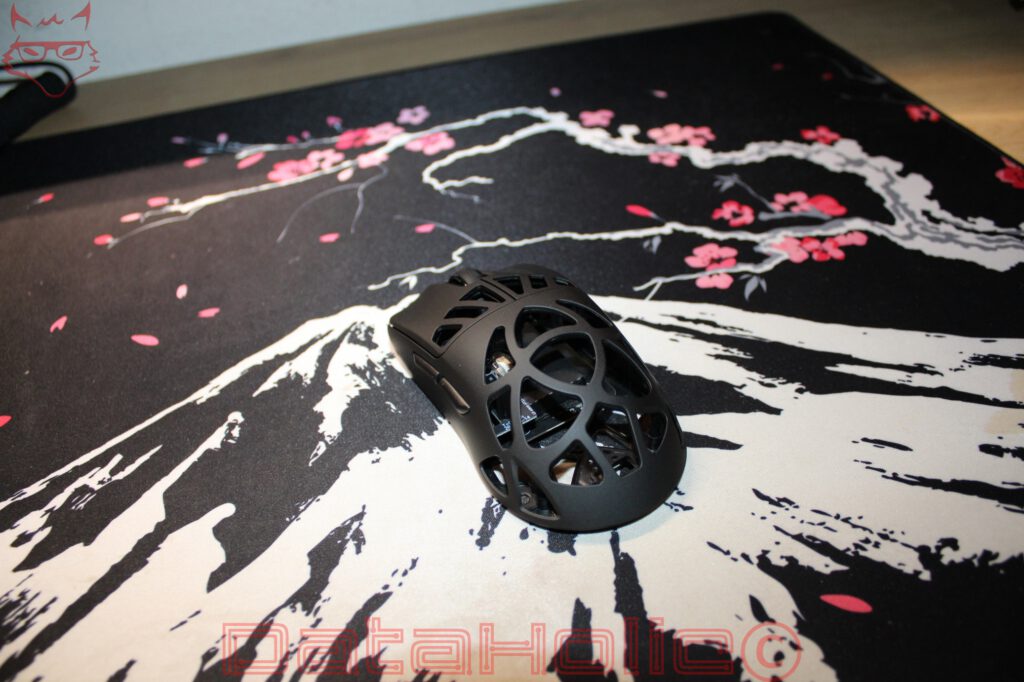
The EPOMAKER Carbon X follows this philosophy with considerable determination. According to the manufacturer, this wireless gaming mouse weighs approximately 50 grams, features a carbon-fiber construction, and supports polling rates of up to 8,000 Hz. Inside, a PixArt PAW3950 sensor works alongside optical Omron switches, a Nordic microcontroller, and three different connectivity options. Yet its most striking characteristic is undoubtedly the construction itself. Instead of a conventional, largely enclosed shell, EPOMAKER uses an open, geometrically arranged framework that exposes considerable portions of the internal structure.
The Carbon X therefore represents two different approaches to performance optimization. On one hand, its reduced weight is intended to make rapid movements easier and more controlled. On the other, its high polling rate aims to minimize the intervals between positional updates sent to the computer. Both concepts are technically reasonable, although neither comes without compromises. The important question is not whether 50 grams and 8,000 Hz look impressive on a specification sheet, but whether they actually contribute to a better gaming mouse.
Packaging and Accessories: Well Protected, Without Unnecessary Extras
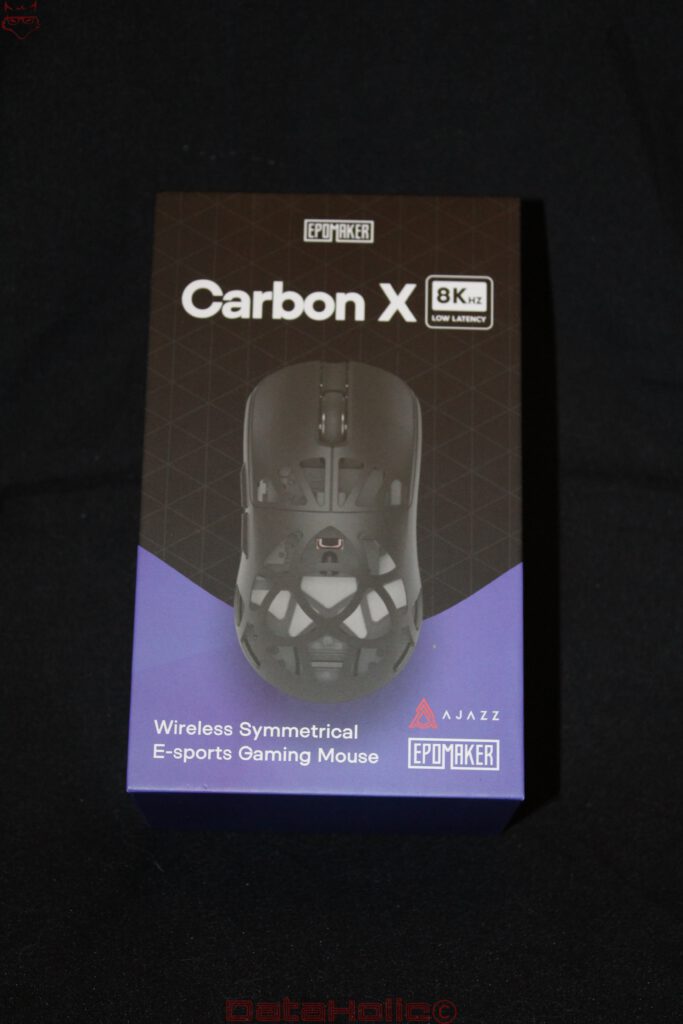
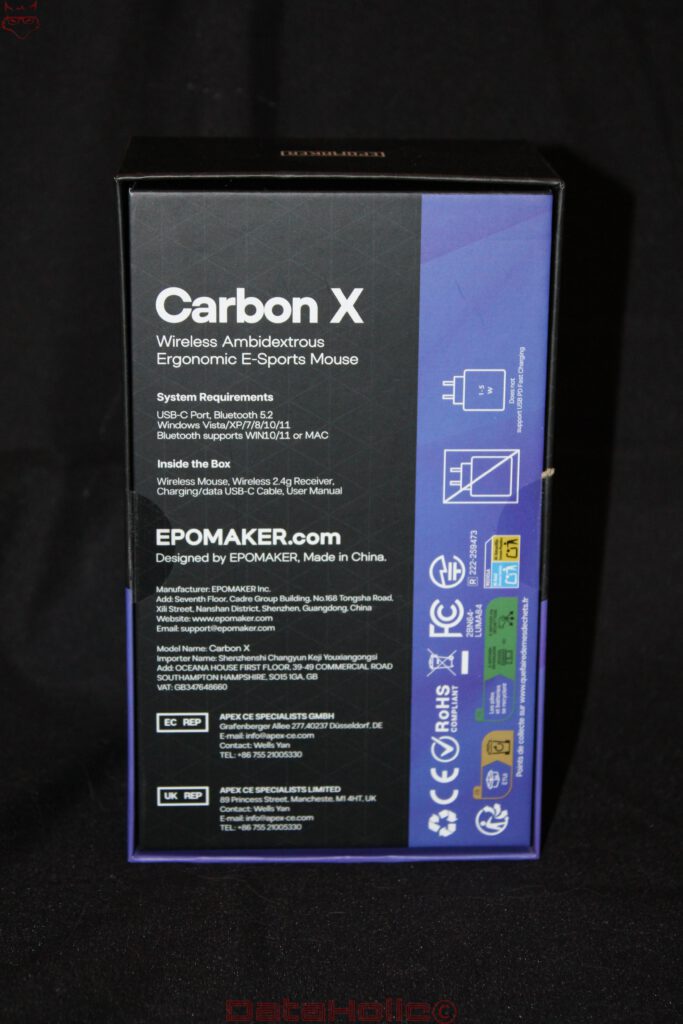
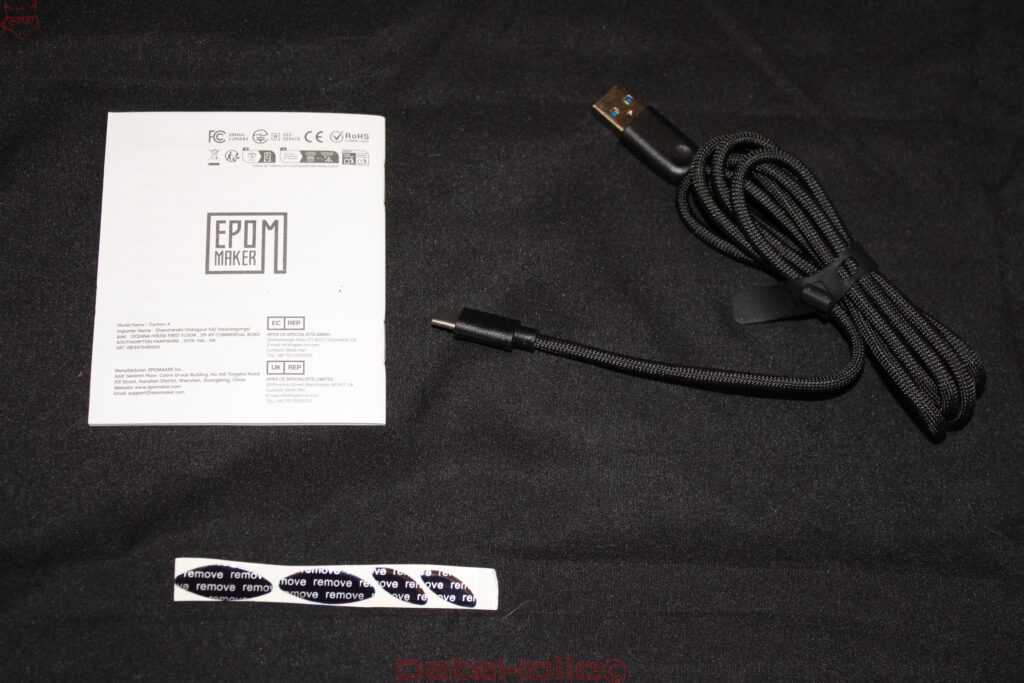
The packaging immediately reveals the intended audience. A large image of the Carbon X dominates the front, accompanied by a prominent reference to its maximum 8,000 Hz polling rate. The rear provides information about system requirements, connectivity options, and the contents of the package.
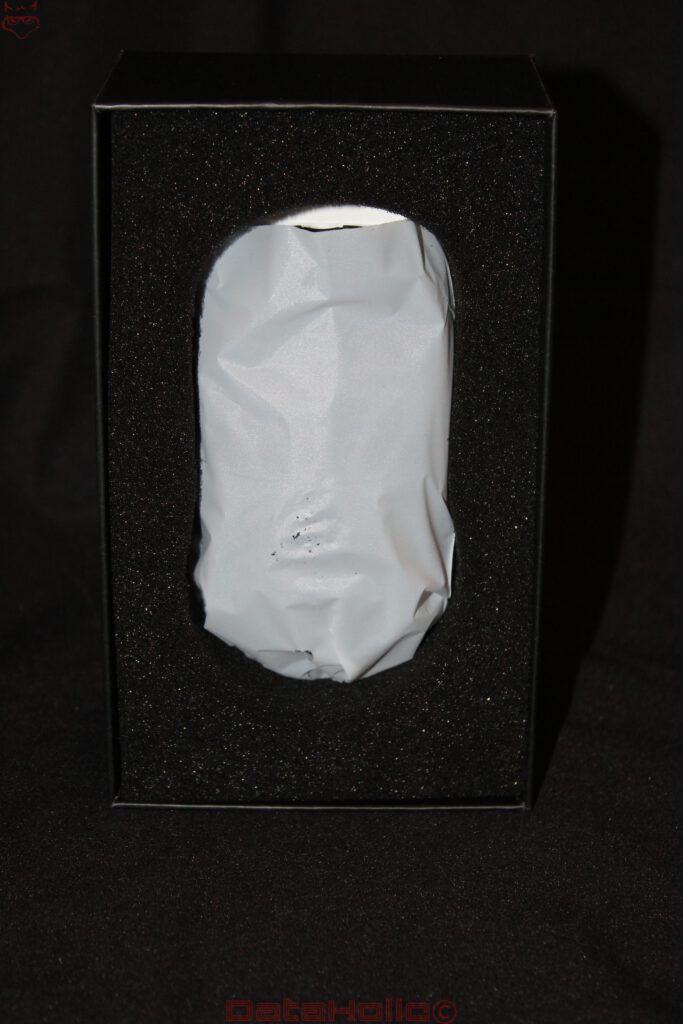
Once opened, the mouse rests inside a precisely shaped foam insert and is additionally wrapped in a thin protective sleeve. Considering the delicate appearance of the housing, this approach makes sense. The narrow structural elements should not be exposed to unnecessary mechanical stress during transportation.
Alongside the mouse, the package includes a braided USB-A to USB-C cable, a compact 2.4 GHz wireless receiver, and a user manual. The cable handles both charging and wired operation. A dedicated charging dock or receiver docking station is not included.
A USB extension cable for positioning the wireless receiver closer to the mouse would have been a useful addition. Particularly at high polling rates, maintaining a stable wireless connection becomes important, and placing the receiver near the mousepad can help reduce potential interference.
Overall, the package provides the essentials without adding accessories that might rarely be used. It is a practical approach, although a slightly more complete connectivity solution would have suited the technical ambitions of the Carbon X.
Carbon Fiber and an Open Framework: When Lightweight Design Becomes Structural Engineering
The Carbon X name is more than a styling reference. EPOMAKER explicitly identifies carbon fiber as the housing material. When manufactured appropriately, carbon-fiber-based materials offer an attractive relationship between weight and mechanical stiffness. However, their actual properties depend heavily on fiber content, fiber orientation, resin composition, and the manufacturing process. The material designation alone is therefore insufficient to establish how durable the finished structure will be.
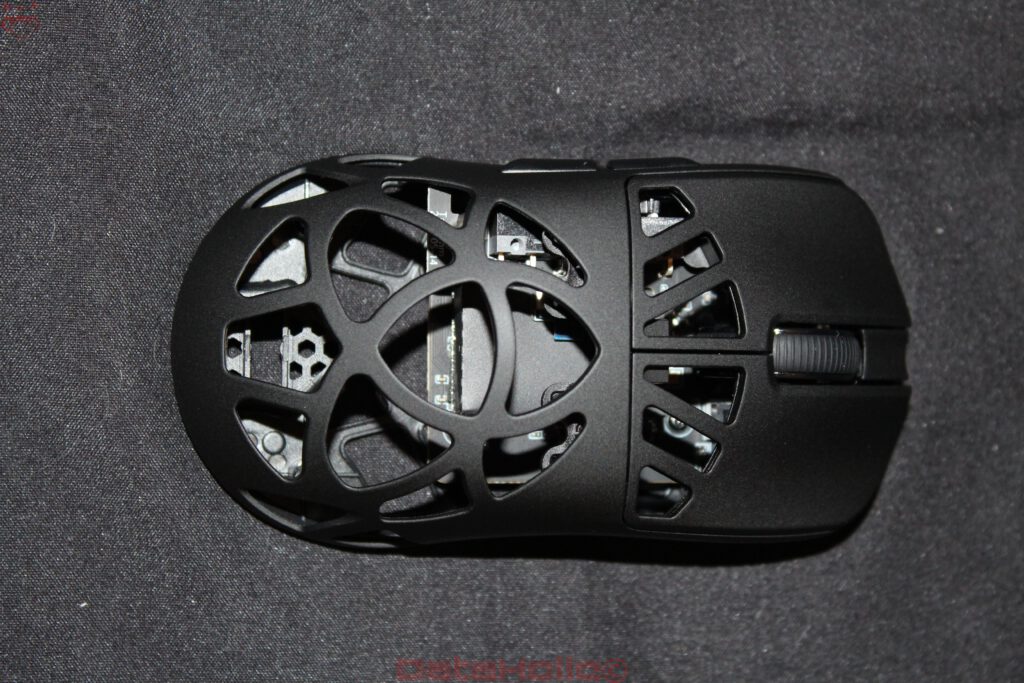
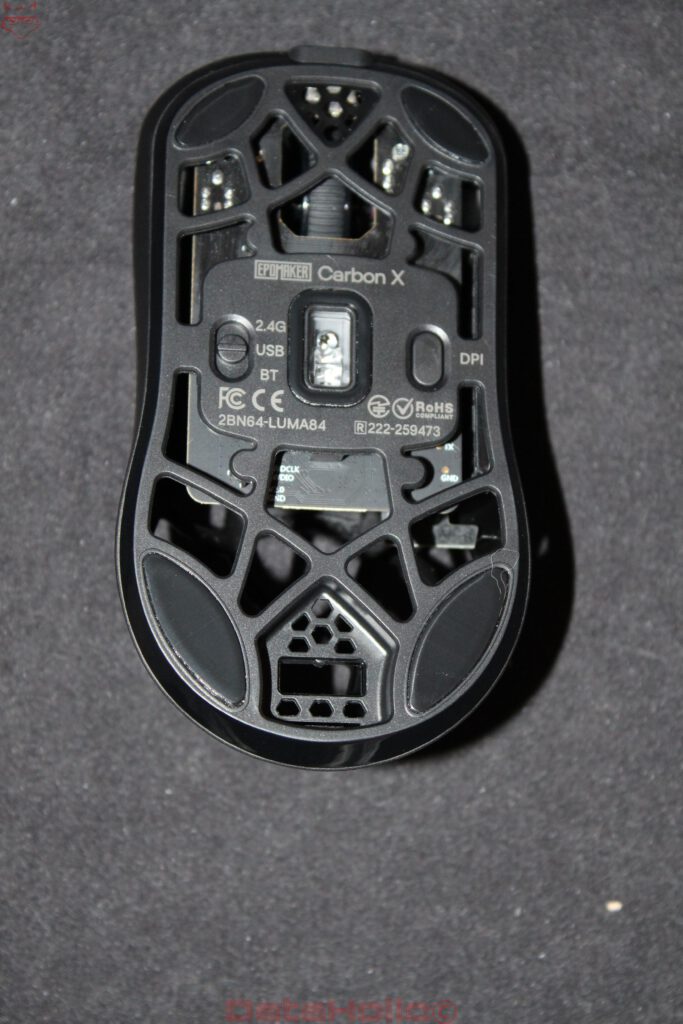
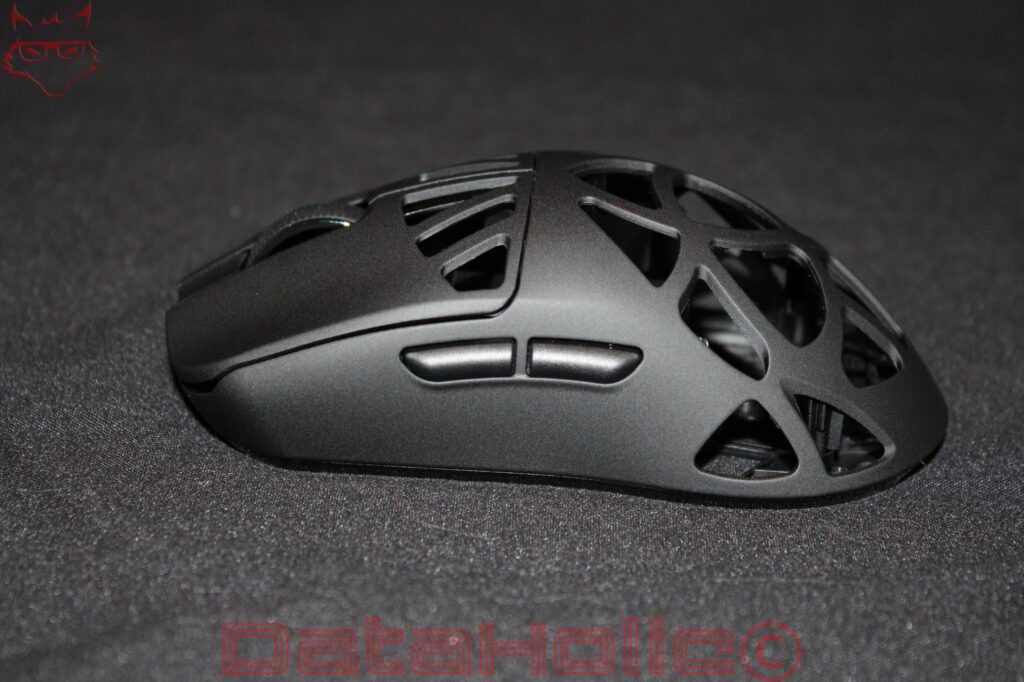
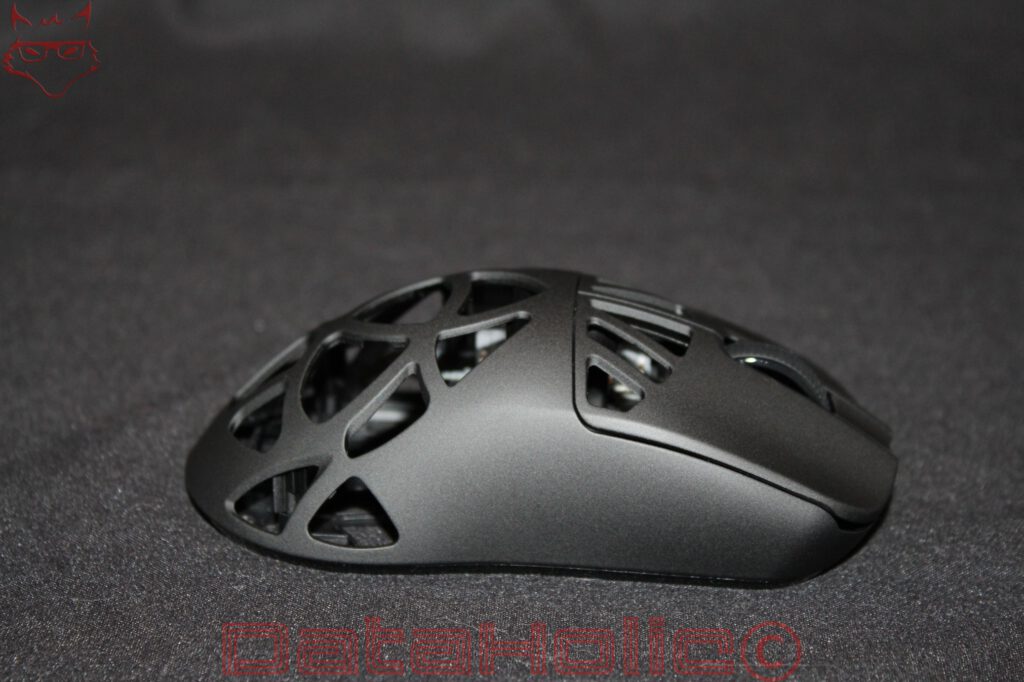
The housing design is particularly unusual. Much of the rear section consists of an intricate network of cutouts and narrow structural elements. Triangular, polygonal, and curved sections merge into a three-dimensional framework. Even the underside follows this approach, making the Carbon X resemble a lightweight engineering project more than a conventional computer mouse.
The intention behind this construction is straightforward. Material is removed wherever a continuous surface is not strictly necessary. The remaining framework is responsible for absorbing forces and maintaining the structural integrity of the housing.
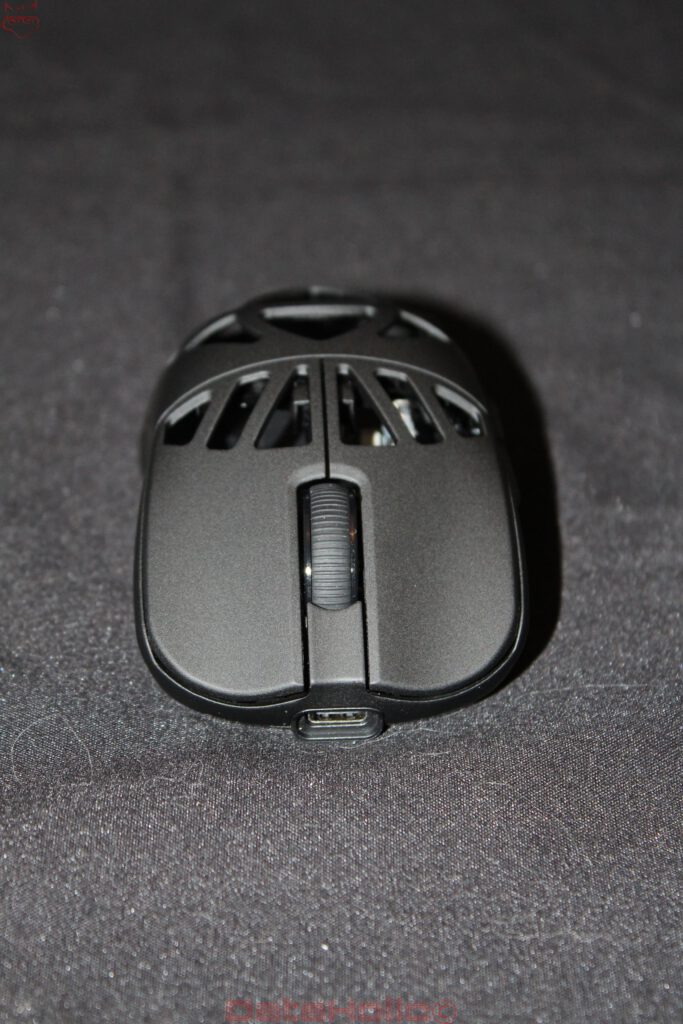
Importantly, the material reduction appears selective rather than arbitrary. The front sections of the primary buttons remain largely enclosed, providing consistent contact surfaces for the index and middle fingers. The lateral grip areas also retain enough material to offer relatively defined surfaces for holding and lifting the mouse.
This separation is technically sensible. A gaming mouse must withstand more than downward pressure from the user’s hand. Lifting, accelerating, stopping, and rapidly changing direction all introduce mechanical forces into the housing. Those forces must be distributed through the remaining structure without excessive flexing.
Nevertheless, an open carbon-fiber construction is not automatically more durable than a conventional plastic shell. Narrow connections between structural elements may experience concentrated stresses, especially during repeated deformation. Whether these areas remain mechanically stable over years of use is something that only extended testing can establish.
Ergonomics: A Symmetrical Shape With a Clear Preference
Measuring approximately 118 × 62.2 × 39.6 millimeters, the Carbon X is a relatively compact gaming mouse. Its overall shape is symmetrical, although the two additional thumb buttons are positioned exclusively on the left side. This arrangement suits right-handed users, while left-handed users do not receive equivalent access to the additional controls.
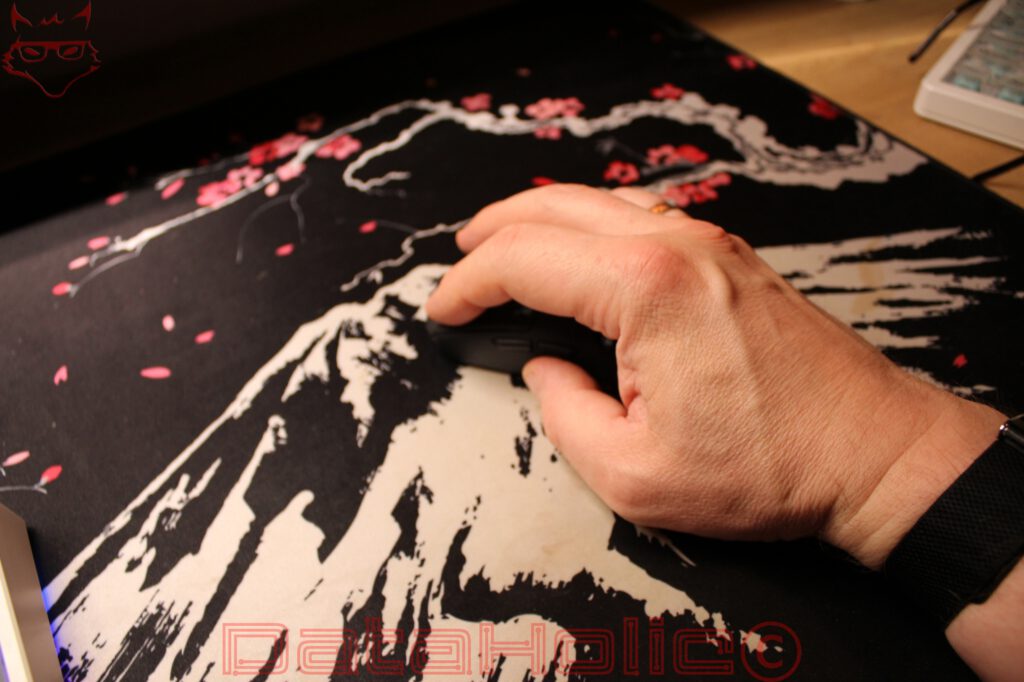
The upper surface rises gently toward the rear, creating a shape that appears particularly suited to claw and fingertip grips. With these gripping techniques, the palm either touches the rear section only partially or avoids contact altogether. As a result, the open framework may be less noticeable than it would be during a full palm grip.
For users who rest their entire palm on the mouse, the experience changes considerably. Rather than contacting a continuous surface, the hand rests against individual structural elements. Whether this feels comfortable depends heavily on hand size and gripping position.
The open construction can allow air to circulate around the palm, potentially reducing the accumulation of heat and moisture. At the same time, the reduced contact area changes how pressure is distributed across the hand.
The lateral gripping surfaces are significantly more enclosed. This is an important detail because the thumb, ring finger, and little finger are primarily responsible for controlling the mouse when it is lifted or repositioned. A completely open sidewall would likely make these movements more difficult.
Consequently, the Carbon X does not attempt to provide universally adaptable ergonomics. Its proportions and construction suggest a preference for players who favor compact mice and movement-oriented gripping techniques.
50 Grams: Less Inertia Does Not Automatically Mean More Control
EPOMAKER specifies a weight of approximately 50 grams, placing the Carbon X firmly within the ultralight gaming mouse category.
The physical advantage is easy to understand. A lighter object requires less force to achieve the same acceleration, and less force is also needed to stop or redirect it. During competitive shooters, where large movements are frequently followed by small corrections, this can be beneficial.
However, lower weight does not necessarily guarantee greater precision.
A heavier mouse has greater inertia, which some users may perceive as providing additional stability. An ultralight mouse responds more readily to small movements, including unintended ones. Whether this improves control depends on individual motor coordination, sensitivity settings, and experience.
Weight distribution is equally important. A low total mass says relatively little about how balanced a mouse feels when lifted. If too much weight is concentrated toward one end, the handling characteristics may become less predictable.
Mousepad friction also plays a substantial role. An ultralight mouse behaves differently on a soft fabric surface than on a hard plastic or glass pad.
The Carbon X therefore offers the potential for exceptionally quick, low-effort movements, but its low weight should be understood as a particular handling characteristic rather than an unconditional performance advantage.
PixArt PAW3950: Serious Sensor Hardware Beyond the DPI Numbers
At the center of the Carbon X sits the optical PixArt PAW3950, a high-performance sensor designed for modern gaming applications.
EPOMAKER specifies a maximum resolution of 30,000 CPI, a tracking speed of 750 IPS, and a maximum acceleration rating of 50 G.
The tracking speed corresponds to approximately 19 meters per second, providing considerable headroom for rapid mouse movements. The acceleration specification also exceeds the demands of ordinary desktop usage by a substantial margin.
The maximum resolution of 30,000 CPI is less meaningful in practical terms. Higher sensitivity does not automatically provide greater accuracy. Many competitive players prefer considerably lower settings because larger physical movements can provide more controlled adjustments to the aiming position.
The Carbon X offers seven predefined sensitivity levels: 400, 800, 1,600, 2,400, 3,200, 5,000, and 30,000 CPI. Switching between them is handled through a button on the underside.
This location prevents accidental sensitivity changes during gameplay, although it also makes immediate adjustments less convenient. For a gaming mouse primarily intended for competitive applications, that represents a reasonable compromise.
Ultimately, reliable tracking during rapid directional changes and precise low-speed movements matters considerably more than an exceptionally high maximum CPI figure.
Lift-Off Distance: A Small Setting With Practical Consequences
Lift-off distance describes how far a mouse can be lifted from its tracking surface before the sensor stops registering movement.
EPOMAKER provides three adjustable settings: 0.7, 1, and 2 millimeters.
This feature becomes particularly relevant at low sensitivity settings. Players frequently lift and reposition the mouse to regain a comfortable starting position. If the sensor continues tracking during this movement, the cursor or crosshair may shift unintentionally.
A lower lift-off distance can reduce that behavior.
However, the effective tracking height depends partly on the mousepad. Surface texture, coatings, and optical reflection characteristics can influence sensor behavior.
Therefore, the lowest available setting is not necessarily ideal for every surface. Having several options is more useful than relying on one fixed value, especially for players who regularly switch between different mousepads.
8,000 Hz Polling Rate: What the Large Number Actually Means
The Carbon X supports polling rates of up to 8,000 Hz through both its wired USB connection and its 2.4 GHz wireless connection.
The default setting is 1,000 Hz, while additional options include 125, 250, 500, 2,000, and 4,000 Hz.
At 1,000 Hz, the theoretical interval between two polling events is one millisecond. Increasing the polling rate to 8,000 Hz reduces that interval to 0.125 milliseconds.
This allows positional information to be communicated considerably more frequently.
However, these numbers describe reporting intervals rather than total input latency. Sensor processing, firmware, wireless transmission, operating system scheduling, game-engine behavior, and monitor refresh rates all affect how quickly a physical movement becomes visible.
EPOMAKER lists latency figures of 0.35 milliseconds for wired operation and 0.4 milliseconds for its 2.4 GHz connection. These manufacturer figures should not be confused with independently measured end-to-end input latency.
Higher polling rates also introduce additional processing overhead. At 8,000 Hz, the computer receives considerably more input reports than it would at 1,000 Hz. Modern systems can generally handle such traffic, although individual games, drivers, and operating systems may behave differently.
For many applications, a polling rate between 1,000 and 4,000 Hz may already provide an excellent balance between responsiveness and efficiency.
The maximum setting remains an interesting technical capability, especially for high-refresh-rate gaming systems, but it should not be treated as a guarantee of better competitive results.
Optical Omron Switches: Triggering Without Conventional Electrical Contacts
EPOMAKER equips the primary mouse buttons with optical Omron switches.
Unlike conventional mechanical microswitches, optical switches detect actuation through an optical mechanism rather than relying on the closure of an electrical contact.
This eliminates the traditional electrical contact bounce associated with mechanical switches, potentially allowing more consistent signal recognition without conventional mechanical debounce delays.
However, optical triggering does not make the entire button assembly immune to wear. Springs, moving components, button guides, and housing structures remain subject to mechanical stress.
The scroll wheel features a distinctly textured rubber surface intended to improve finger contact during rapid scrolling. Its positioning between the two main buttons follows a familiar gaming mouse arrangement.
The two side buttons have slightly curved surfaces and are clearly separated, making them easier to distinguish through touch.
Their actual actuation force, acoustic characteristics, and long-term consistency would require additional practical evaluation. Switch specifications alone cannot establish how satisfying or controlled a mouse feels during repeated clicking.
Three Connectivity Options: Gaming Performance and Everyday Flexibility
The Carbon X supports wired USB-C, 2.4 GHz wireless, and Bluetooth connectivity.
A three-position switch on the underside allows the operating mode to be selected.
For gaming, the 2.4 GHz connection is the obvious choice. It supports the higher polling rates and is designed for low-latency communication. Wired USB-C operation also supports the maximum polling rate while simultaneously charging the battery.
Bluetooth provides an alternative for notebooks, tablets, and everyday desktop usage. In this mode, the polling rate is limited to 125 Hz, and EPOMAKER specifies a latency of 10 milliseconds.
That limitation is unlikely to create significant problems for ordinary desktop applications, although the 2.4 GHz connection is clearly preferable for fast-paced gaming.
Compatibility with Windows, macOS, and Linux further broadens the potential applications.
The distinction between basic compatibility and full configuration support remains important, however. Standard mouse functionality does not necessarily mean that every advanced setting can be accessed equally easily on every operating system.
The Wireless Dongle: A Small Component With a Crucial Role
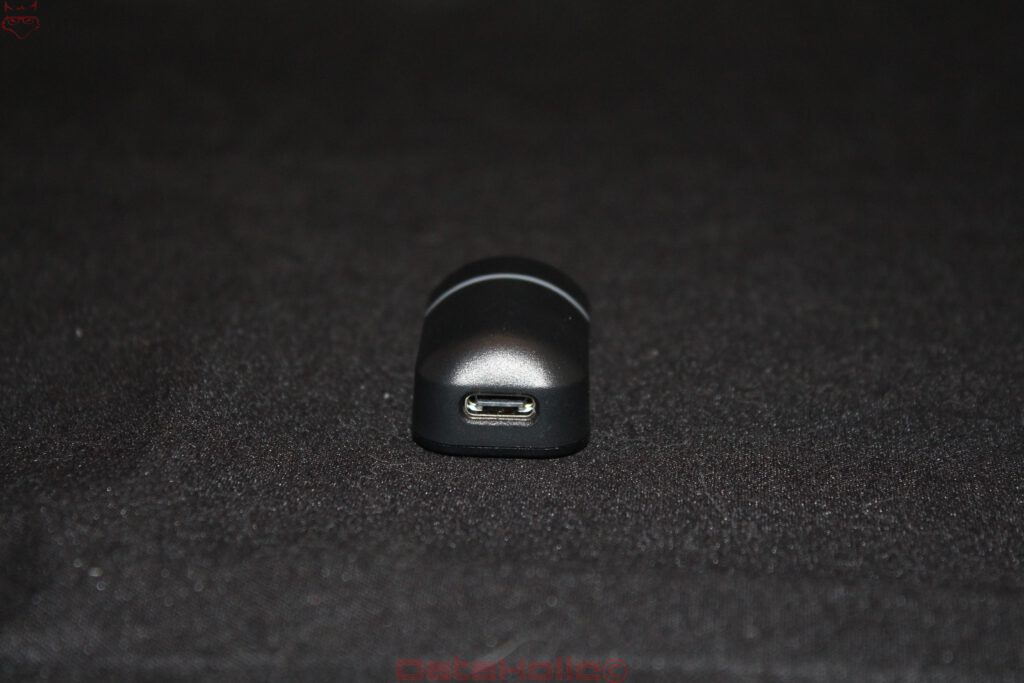
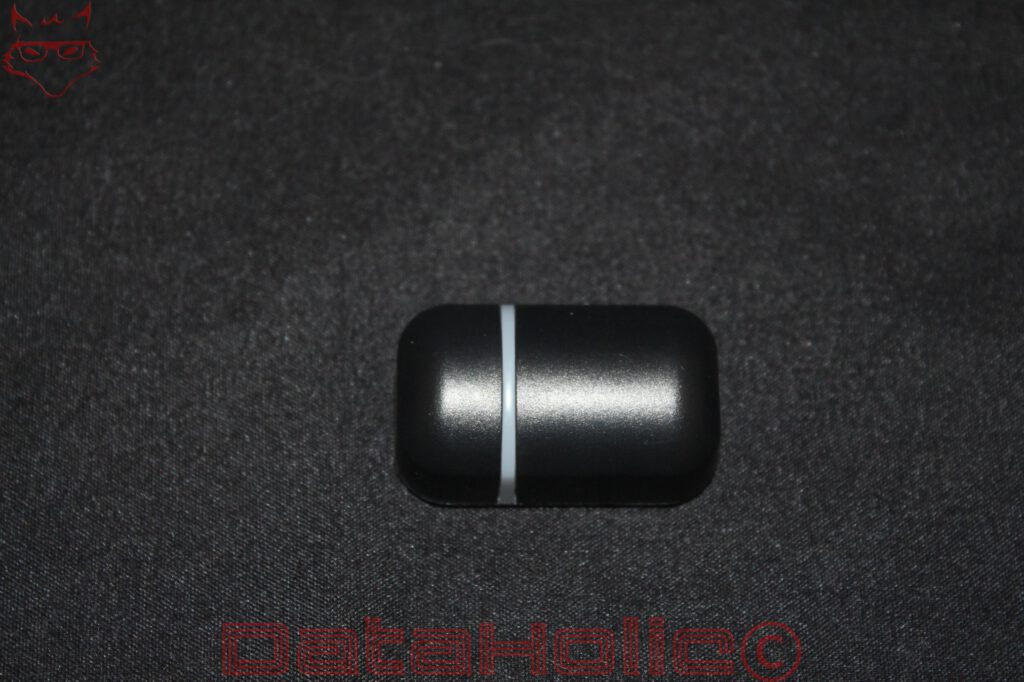
The EPOMAKER Carbon X comes with a dedicated 2.4 GHz USB receiver that handles wireless communication between the mouse and the computer. Although relatively inconspicuous compared with the elaborate carbon-fiber construction, this small component plays a critical role in the overall performance of the system. Particularly when operating at polling rates of up to 8,000 Hz, the quality and stability of the wireless connection become just as important as the capabilities of the sensor itself.
Unlike Bluetooth, which is limited to a 125 Hz polling rate on the Carbon X, the dedicated wireless connection supports the mouse’s full polling-rate range. At the maximum setting, the system operates with a theoretical reporting interval of just 0.125 milliseconds. Achieving consistent performance under these conditions requires reliable communication between the mouse and receiver, making the physical placement of the dongle more important than its size might suggest.
Connecting the receiver directly to a USB port at the rear of a desktop computer is convenient, but not necessarily ideal. Metal computer cases, desk structures, and interference from nearby USB 3.x devices or other 2.4 GHz equipment can affect wireless reception. Positioning the receiver closer to the mousepad can help maintain a more reliable signal, particularly in environments with several wireless peripherals.
Unfortunately, EPOMAKER does not include a dedicated receiver extension adapter or desktop docking station. While this keeps the accessory package relatively simple, it also means that achieving an optimal receiver position may require an additional USB extension cable.
The dongle is therefore considerably more important than its modest appearance suggests. The Carbon X may offer an advanced sensor and exceptionally high polling rates, but the advantages of that hardware ultimately depend on stable wireless transmission. A properly positioned receiver is an essential part of ensuring that the mouse can operate as intended, especially when its highest performance settings are enabled.
Battery and Power Consumption: The Price of High Polling Rates
The Carbon X incorporates a 300 mAh rechargeable battery.
Considering its exceptionally low target weight, this relatively modest capacity is understandable. A larger battery would increase the overall mass and work against the central objective of the lightweight design.
Battery life depends considerably on the selected connection mode and polling rate.
At 8,000 Hz, more frequent sensor updates, processing operations, and wireless transmissions can increase power consumption. Lower polling rates may therefore provide a more practical balance for ordinary desktop work.
The highest setting is not necessarily the most sensible option for every situation.
A useful approach is to distinguish between gaming and general productivity. High polling rates can be reserved for applications where the additional updates might offer a benefit, while lower settings can reduce unnecessary power consumption.
Nevertheless, battery capacity alone is insufficient for establishing realistic operating times. Actual endurance depends on component efficiency, firmware behavior, wireless conditions, and power-management settings.
Reliable battery-life conclusions would require documented discharge cycles under clearly defined operating conditions.
Browser-Based Configuration: Convenient, With Certain Limitations
EPOMAKER uses a browser-based configuration interface for the Carbon X rather than relying exclusively on a conventional desktop application.
This approach allows users to adjust parameters without installing a permanently running software package.
Available configuration options include sensitivity settings, polling rates, button assignments, and macros.
Avoiding a dedicated background application is particularly appealing on systems where additional manufacturer utilities are undesirable. It can reduce software clutter and simplify basic maintenance.
However, browser-based configuration introduces its own dependencies.
EPOMAKER recommends using a Chromium-based browser, as other browsers may not support the required device-access functionality.
Linux compatibility therefore deserves particular attention. The basic mouse functions can operate independently of dedicated configuration software, while advanced settings may require a compatible browser and appropriate permissions for accessing USB devices.
The concept is practical, provided the manufacturer continues maintaining the configuration interface.
A fully offline configuration alternative would nevertheless offer advantages for long-term usability, particularly if browser standards or manufacturer services change in the future.
Mouse Feet and Underside: Function Over a Continuous Surface
The underside is among the most unusual aspects of the Carbon X.
Instead of a conventional enclosed bottom shell, EPOMAKER continues the open structural framework across much of the base. Only the central sensor section and operating controls occupy a comparatively continuous surface.
Four separate glide pads provide contact with the mousepad.
Their distribution across the outer sections of the housing creates a relatively broad support area, helping the mouse remain stable during movement.
The actual gliding characteristics depend on the material, surface finish, and edge treatment of these pads. The mousepad itself is equally important.
A soft fabric pad produces different friction and resistance characteristics from a hard plastic or glass surface. Consequently, the same mouse can behave noticeably differently depending on its operating environment.
The optical sensor sits near the central underside section, alongside the connectivity switch and sensitivity button.
Positioning these controls underneath the mouse prevents accidental activation during gameplay. The trade-off is that changing certain settings requires lifting the mouse from the pad.
For players who maintain consistent sensitivity settings, this arrangement should be relatively unproblematic.
Cleaning and Durability: The Drawbacks of an Open Housing
As visually interesting as the Carbon X may be, its open construction introduces an unavoidable practical disadvantage.
Dust, skin particles, and other contaminants can reach the internal components much more easily than they would through a conventional enclosed shell.
Electronic components and portions of the internal structure remain visible through the numerous openings. Cleaning therefore involves more than simply wiping down the exterior.
Debris can accumulate between the narrow structural elements and around less accessible areas.
A soft brush or carefully applied compressed air may help remove loose particles. Liquid cleaning products should be kept away from exposed electronic components.
Long-term mechanical durability is another consideration.
The housing is optimized for minimal mass, leaving individual structural elements relatively narrow. That does not automatically make the mouse fragile, but concentrated impacts or unfavorable mechanical loads may present a greater risk than they would with a more conventional enclosure.
Carbon fiber is not inherently resistant to every form of damage. Its mechanical properties depend on construction and loading direction, while damage to individual connections may affect the integrity of the surrounding structure.
The Carbon X therefore demands a little more consideration regarding handling and maintenance than an ordinary closed-shell gaming mouse.
Price and Competition: Premium Hardware in a Competitive Market
With a price of approximately €84 in EPOMAKER’s German store, the Carbon X competes in a segment already populated by numerous capable gaming mice.
The combination of a carbon-fiber housing, PixArt PAW3950 sensor, optical Omron switches, and 8,000 Hz polling support is attractive at this price point.
However, competitors also offer lightweight constructions, advanced sensors, and high polling rates. Some achieve comparable performance specifications while using more conventional enclosed or partially perforated housings.
The Carbon X therefore needs to offer more than a collection of impressive technical figures.
Its distinctive value lies in the unusual material choice and the uncompromising approach to structural weight reduction.
Users who prioritize easy cleaning, broad palm support, or a conventional enclosed shape may find more suitable alternatives elsewhere.
Those specifically interested in an ultralight mouse with an open carbon-fiber framework, however, receive a combination of construction and electronics that stands apart from many conventional designs.
Conclusion: Technically Ambitious, but Not Without Compromises
The EPOMAKER Carbon X belongs to a category of gaming mice where the physical construction is at least as interesting as the electronics inside.
Its open carbon-fiber framework serves a clear purpose, contributing to a manufacturer-specified weight of approximately 50 grams while creating a distinct appearance and handling concept.
The PixArt PAW3950 sensor, optical Omron switches, Nordic microcontroller, and support for polling rates up to 8,000 Hz provide a capable technical foundation. Three connectivity options improve versatility, while browser-based configuration eliminates the need for a conventional dedicated desktop application.
Nevertheless, the limitations of the design deserve attention.
The exposed structure increases cleaning requirements, changes the contact characteristics of the rear housing, and makes long-term mechanical durability an important consideration. The relatively small 300 mAh battery is another understandable compromise between minimum weight and potential endurance.
The high polling rate also requires realistic expectations. While 8,000 Hz is technically interesting and can offer advantages under suitable conditions, the practical difference compared with 1,000 or 2,000 Hz depends heavily on the surrounding hardware and software.
A gaming mouse does not automatically become more accurate simply because it reports its position more frequently.
The Carbon X is most convincing when considered as a complete engineering concept rather than a collection of isolated specifications. EPOMAKER combines an aggressively weight-optimized structure with advanced sensor technology and flexible connectivity.
For players who favor compact, exceptionally lightweight mice and are comfortable with the compromises of an open housing, the Carbon X represents an interesting proposition.
A definitive judgment on click feel, real-world wireless latency, battery endurance, and long-term mechanical reliability would require documented practical measurements and extended observation. From a construction and engineering perspective, however, the Carbon X already offers enough distinctive characteristics to separate itself from many conventional gaming mice.
Its unusual housing is simultaneously its most compelling feature and its most significant compromise.
Transparency Statement
The EPOMAKER Carbon X was provided to DataHolic by EPOMAKER as a permanent review loan for independent testing and long-term evaluation. The device remains the property of EPOMAKER.
This review is neither sponsored nor paid advertising. EPOMAKER had no influence whatsoever over the testing process, editorial content, or final conclusions.
Our sincere thanks go to EPOMAKER and the entire team for their trust and continued support. The permanent review loan enables thorough long-term evaluation, including future software updates and everyday reliability, while maintaining complete editorial independence.