
MSI MEG X870E ACE MAX – A Technical Unboxing of a No-Compromise AM5 Platform
- Carton, Weight Class, and First Impression
- Seals, Lid, and Protection Logic
- The Accessory Section: Not Decoration, but a Toolkit
- The Motherboard: The Top Side as a Functional Landscape
- The Rear Side: A Backplate Instead of Bare PCB
- Rear I/O: The Port Wall as a Statement
- BIOS ROM, QR References, and Silent Infrastructure
- Mechanical Convenience Features as Part of the Unboxing Experience
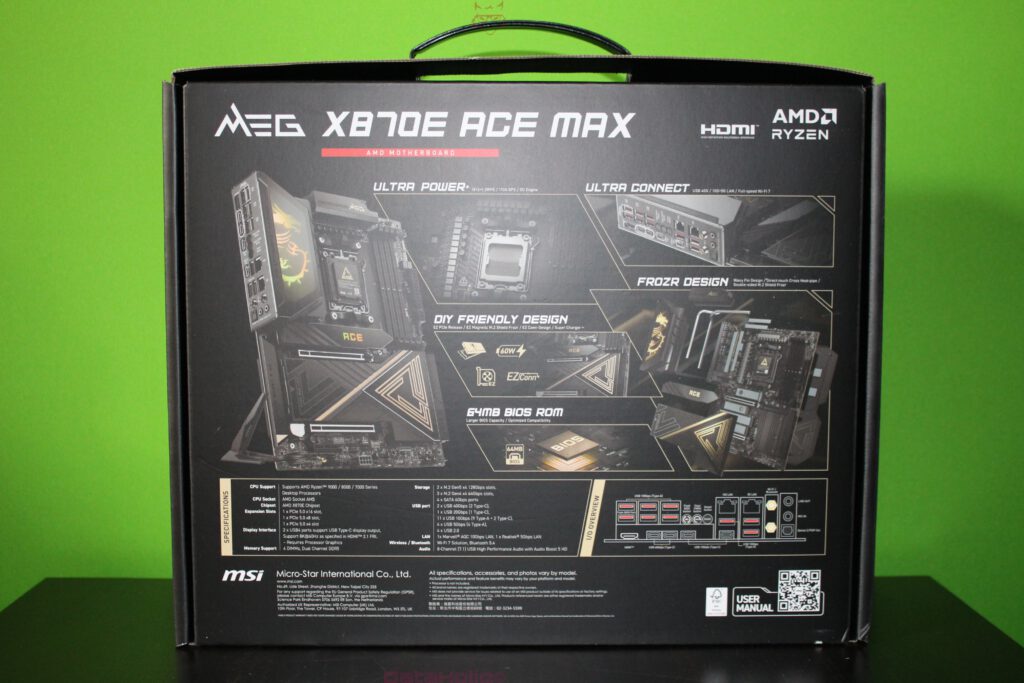
- The Packaging Back Panel: A Technical Map
- Material Quality and Build Execution
- Final Context Within the Box Contents
Carton, Weight Class, and First Impression
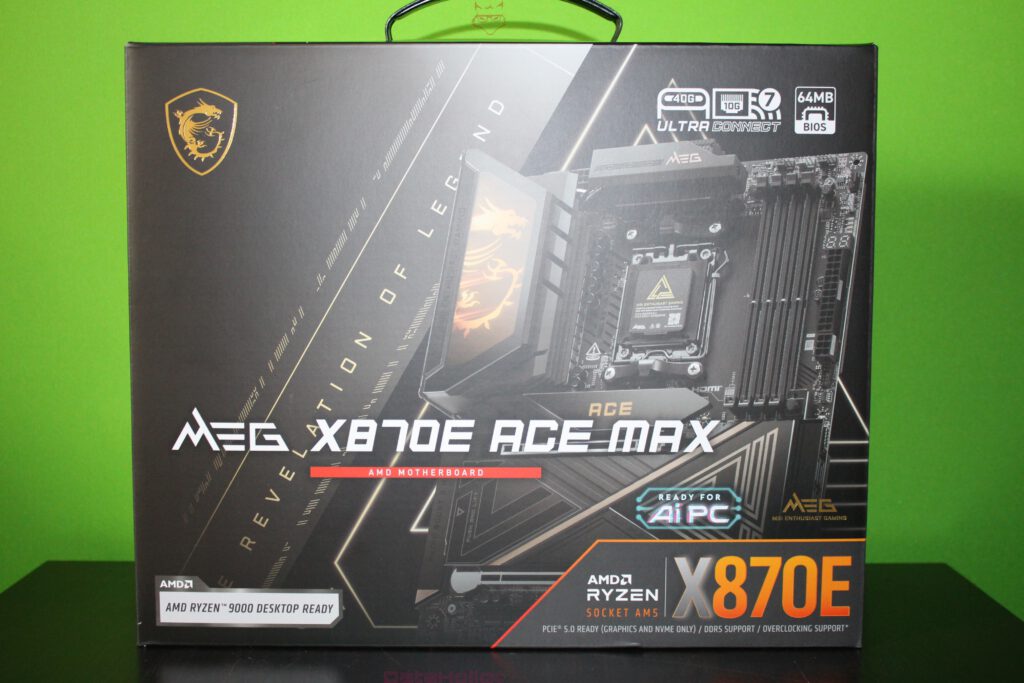
Even before a single seal is broken, the packaging sets the tone. Large, deep, equipped with a carrying handle, and unmistakably styled in the familiar MEG aesthetic of dark surfaces, geometric line work, and clearly placed feature icons. On the front, the model designation MEG X870E ACE MAX dominates, accompanied by the reference to AMD Socket AM5. Added to this are prominently highlighted markers such as USB4 40G, Wi-Fi 7, and 64MB BIOS. Together, these three elements form a kind of technical triad that does not shout “RGB gaming,” but instead signals a high-end platform designed for longevity and sustained relevance.
The box does not feel like a conventional retail package. It feels more like a transport case delivered alongside the product concept itself. At this point, a quote from a broader media context fits surprisingly well when applied to hardware packaging: “Technology is not an end in itself.” This MEG package communicates that while presentation matters, it exists purely to frame something meant to function reliably and consistently over many years inside a system.
Seals, Lid, and Protection Logic
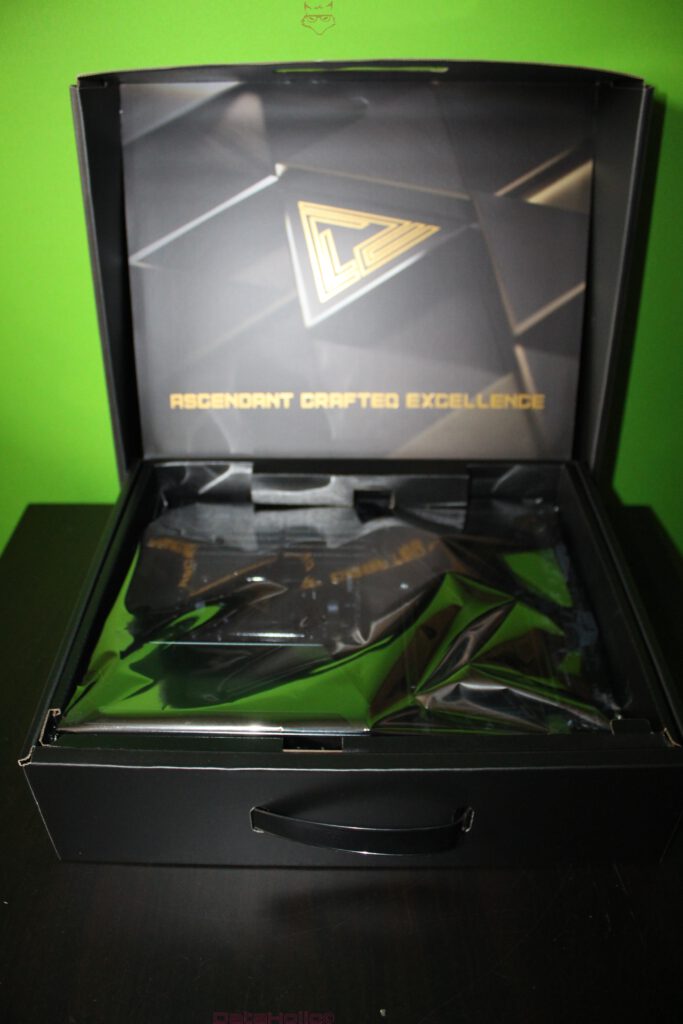
Opening the box reveals a clearly structured, multi-layered layout. There is an outer carton, followed by a precisely fitted inner structure with generous padding. Movement inside the box is tightly controlled, with little free play and rigid walls designed to absorb shocks. This matters especially with E-ATX motherboards, where not only the PCB itself is large, but where pre-installed heatsinks and shielding add mass and leverage.
Inside, there is no loose plastic or improvised protection. Instead, the presentation feels deliberate. The motherboard rests in antistatic packaging, additionally stabilized by molded inserts. The overall impression is not one of “unboxing as spectacle,” but of “unboxing as controlled access.” For a high-end motherboard, this distinction matters. This is not just electronics; it is also mechanics: heavy heatsinks, reinforced slots, integrated I/O shielding, and structural backplates.
The Accessory Section: Not Decoration, but a Toolkit
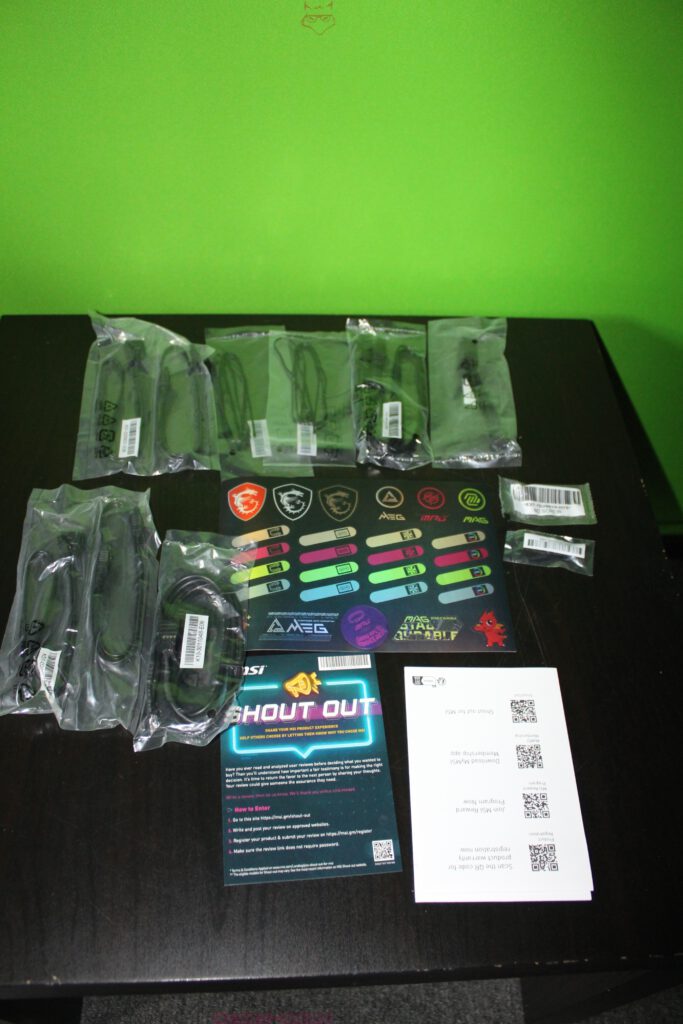
Before the motherboard itself fully takes center stage, the scope of included accessories becomes apparent. The images show the typical MSI layout: individually bagged cables, a sticker sheet, small bags containing mounting hardware, and printed materials with QR references. Nothing feels random. The selection is clearly designed around real-world system builds involving multiple M.2 drives, SATA devices, and extensive internal connectivity.
Cables and Wiring
Several cable sets are included, each sealed individually. While the exact count depends on the bundle, the intention is clear. SATA cables are present for conventional storage devices. Even on a flagship X870E board, SATA has not disappeared, as large SSDs or HDDs are still commonly used for bulk storage or backups. According to MSI documentation, this board offers extensive storage options, including five M.2 slots, with emphasis on dual “Lightning Gen 5” connectivity for next-generation NVMe drives.
Stickers, Labels, and Identification
The sticker sheet is not mere decoration. MSI typically includes labels for cable management, drive identification, and system documentation, alongside branding elements. In complex builds with multiple NVMe drives, labeling becomes more than cosmetic. It is a practical way to maintain order in systems that may otherwise involve dozens of cables and data paths.
Small Parts and Mounting Hardware
Small bags contain screws, spacers, and mounting aids, primarily for M.2 installation and related shielding. This aligns with MSI’s long-standing EZ DIY philosophy. The company regularly highlights features such as EZ PCIe Release and tool-less M.2 mechanisms, designed to reduce friction during assembly and upgrades.
The Motherboard: The Top Side as a Functional Landscape
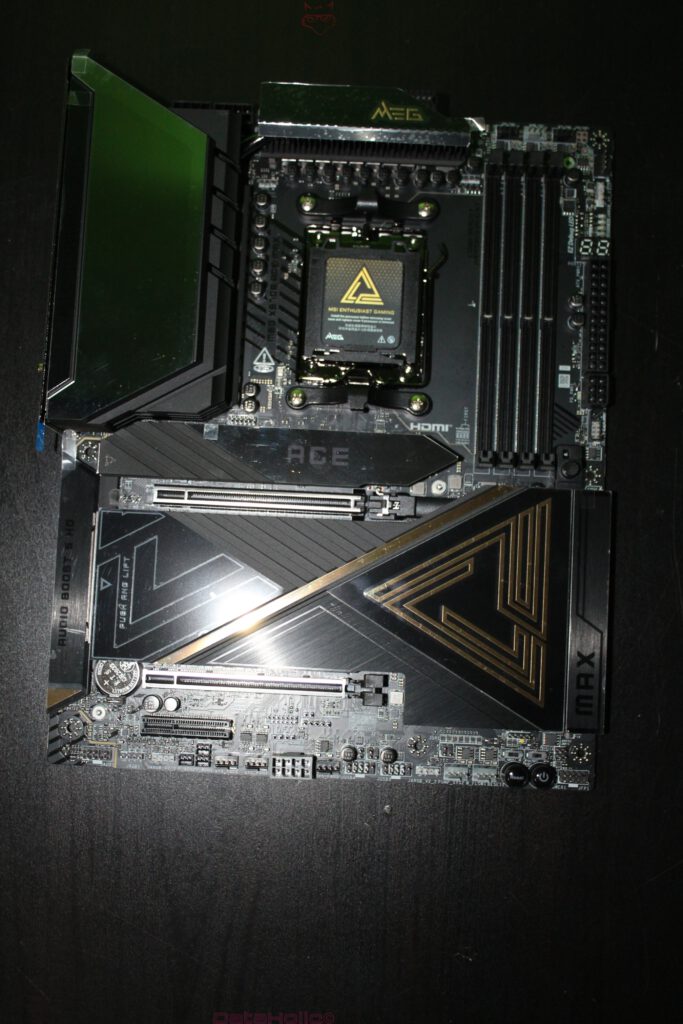
Once removed from its antistatic sleeve, the board presents itself as a carefully composed platform. The AM5 socket sits in the upper right area, flanked by massive VRM heatsinks. To the left, a large, angular heatsink and shield assembly extends downwards, visually anchoring the board. Between these zones lie the PCIe slots and M.2 covers, arranged with intentional spacing.
AM5 Socket and Power Delivery
The AM5 socket is clearly defined, complete with protective cover and precise markings. Surrounding it are substantial VRM heatsinks, designed with sustained load scenarios in mind. In the MEG lineup, power delivery is not simply an overclocking feature but a foundation for platform stability, particularly with high-power CPUs. MSI markets this under the term Ultra Power, emphasizing long-term reliability rather than short-term benchmarks.
A quote from a completely different context captures this mindset well: “The pursuit of constant improvement never really ends.” In high-end motherboards, this philosophy manifests in incremental but meaningful refinements: improved signal integrity, more PCB layers, heavier heatsinks, and mechanical details that make daily use less frustrating.
DDR5 Memory Area and Physical Layout
To the right of the socket are four DDR5 slots, neatly aligned and clearly separated. The spacing between memory slots and the CPU area appears practical, allowing for compatibility with large air or liquid cooling solutions. MSI maintains a restrained color scheme here, favoring dark tones that integrate cleanly into premium system builds.
PCIe Zones: Reinforcement and Load Management
The full-length PCIe x16 slots are visibly reinforced with metal shielding. This is essential for modern graphics cards, which can exert significant downward force over time. MSI positions the MEG X870E ACE MAX as a board with optimized lane allocation, minimizing conflicts between GPU bandwidth and M.2 storage configurations.
The Rear Side: A Backplate Instead of Bare PCB
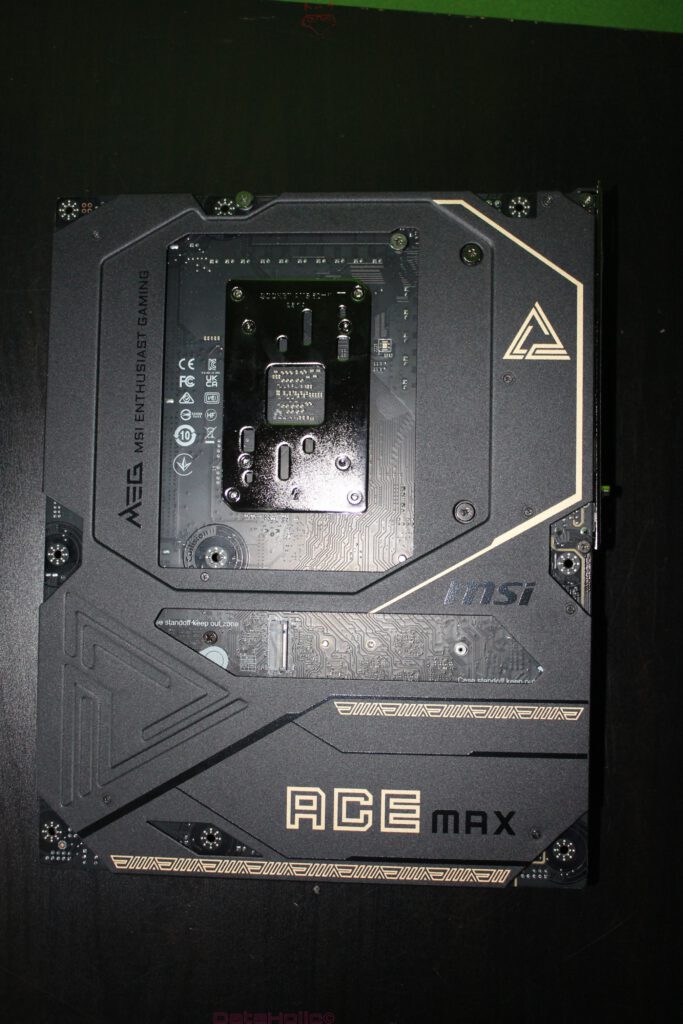
The underside of the board is not an afterthought. A full-coverage backplate dominates, featuring MEG branding and geometric patterns. This serves multiple purposes: mechanical rigidity, thermal distribution, and protection during installation. On an E-ATX board, such reinforcement reduces flex and protects solder points when mounting heavy components.
Rather than appearing as a simple circuit board, the rear side feels like part of a chassis system. The message is clear: this motherboard is built to endure complex, heavy builds rather than delicate handling.
Rear I/O: The Port Wall as a Statement
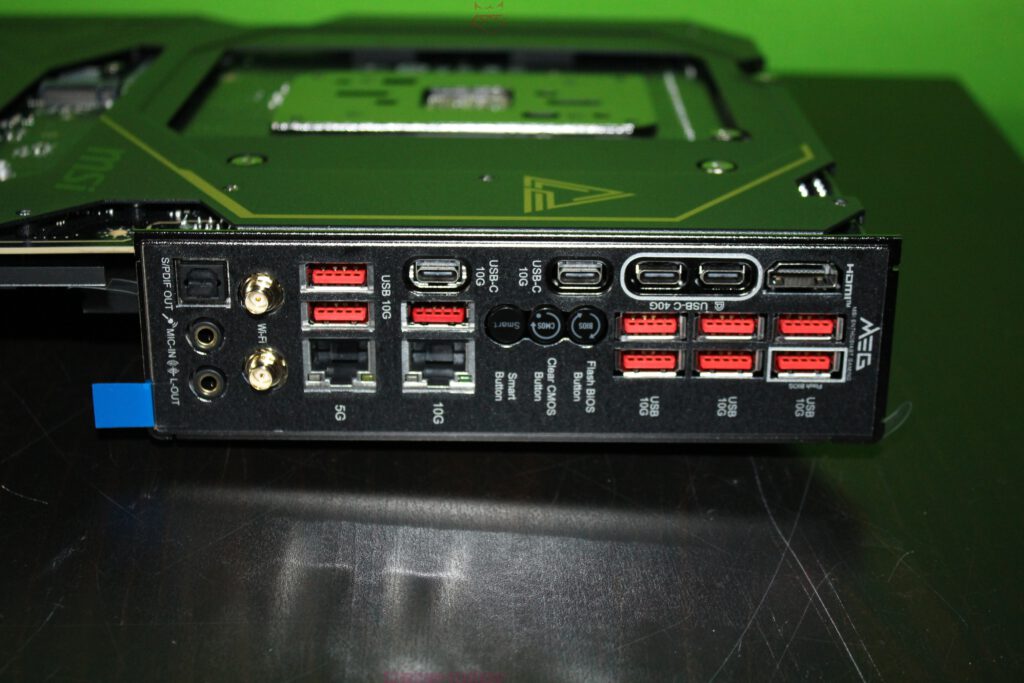
The rear I/O panel is densely populated. Visible features include:
- Optical S/PDIF output
- Analog audio jacks
- Gold-plated Wi-Fi antenna connectors
- Dual LAN ports, labeled for 10G and 5G networking
- Multiple USB-A ports marked for 10G bandwidth
- Several USB-C ports, including dual USB4 (40 Gbit/s)
- HDMI output
- Dedicated hardware buttons for BIOS and CMOS functions
The standout feature is the sheer number of high-bandwidth USB ports. MSI explicitly promotes USB4 40 Gbit/s, transforming the motherboard into a true connectivity hub. External SSDs, audio interfaces, capture devices, and docking stations can be connected without relying on external hubs.
The dual-LAN setup reinforces this impression. Networking is treated as infrastructure, not a checkbox feature. This aligns with MSI’s Ultra Connect positioning, bundling high-speed wired and wireless connectivity as core design goals.
Here, another quote resonates: “Our research is not an end in itself.” The abundance of ports and buttons may seem excessive until they eliminate adapters, workarounds, and downtime in daily use.
BIOS ROM, QR References, and Silent Infrastructure
The 64MB BIOS ROM label appears prominently on the packaging and in MSI’s specifications. This is not a software feature but a hardware commitment. ROM size determines how much future compatibility, recovery logic, and interface complexity can be supported over the life of the platform. In this sense, the BIOS chip represents foresight rather than immediate performance.
Printed QR cards and references replace thick paper manuals. They guide users quickly to relevant documentation without clutter. On the back of the box, a clear User Manual QR code reinforces this approach.
Mechanical Convenience Features as Part of the Unboxing Experience
Some comfort features only become fully apparent during installation, but their presence is already hinted at during unboxing.
EZ PCIe Release
MSI’s EZ PCIe Release simplifies the removal of large graphics cards. In cramped cases with heavy GPUs, a well-placed release mechanism is more than convenience. It reduces physical stress on both user and hardware.
M.2 Shields and Thermal Design
The extensive M.2 shielding on the front side is functional, not decorative. MSI advertises five M.2 connectors, with select slots supporting PCIe Gen 5. These shields integrate thermal pads and mounting systems designed to manage the heat output of modern NVMe drives.
The Packaging Back Panel: A Technical Map
The back of the box functions as a technical overview rather than marketing filler. Diagrams, arrows, and port renderings highlight design philosophies such as DIY-friendly design, Ultra Connect, and the 64MB BIOS ROM. It sets expectations clearly: this is a large, heavy E-ATX board with modular construction and extensive connectivity.
Material Quality and Build Execution
Visible metal surfaces appear brushed or matte, edges are clean, and shields sit flush. MEG branding is present but restrained, supported by a black-and-gold color palette that emphasizes a premium aesthetic over visual noise. From a purely physical perspective, the board feels engineered as a durable object, not just a carrier for components.
This matters during installation. Solid grip points, stable covers, and the absence of sharp edges all contribute to a smoother build process.
Final Context Within the Box Contents
At the end of this unboxing, no conclusions are drawn, only priorities revealed. Secure transport, structured access, accessories as functional tools, and a motherboard designed as a mechanically serious platform. Even without software or operation, the core characteristics are evident: USB4 40G, Wi-Fi 7, dual LAN, extensive M.2 support, massive heatsinks, a full backplate, and a 64MB BIOS ROM intended for long-term platform support.
Transparency Notice in accordance with EU guidelines:
The MSI MEG X870E ACE MAX featured in this test report was provided to us by MSI as a non-binding loan unit for testing purposes. This is not paid advertising.
MSI had no influence on the content, evaluation, or editorial independence of this article. All opinions expressed are based solely on our own practical experience.
We would like to thank MSI for providing the motherboard and for the trust placed in dataholic.de.