
Tulpar S8 V1.2 Unboxing: Technology, Protection Concept and Scope of Delivery in Detail
- Exterior Presentation: Carton Construction, Branding and Initial Technical Signals
- Interior Structure: Molded Inserts, Fixation and Protection Against Shock and Torsion
- Removal: Center of Gravity, Grip Zones and Practical Ergonomics
- Scope of Delivery: Accessories, Documentation and Packaging Quality
- Power Adapter and Cabling: Materials, Strain Relief and Practical Details
- Documentation: Inserts, Cloth and the “Invisible” Quality Factor
- First Hardware Contact: Lid, Surface Finish and Logo Placement
- Ports: Right Side with Dual USB-A and Audio
- Ports: Rear “Docking Zone” with HDMI, USB-C and Dual LAN
- Ports: Left Side with Card Reader and Additional Interfaces
- Lower Edges and Airflow: Cooling Channels as Exterior Architecture
- Display Assembly: Bezels, Webcam Position and Hinge Area
- Keyboard: Layout, Block Structure and Function Layers
- Touchpad: Size, Framing and Palm Rest
- Packaging Logic in Everyday Reality: Why This Type of Unboxing Makes Sense
- Transparency Notice
A gaming notebook is rarely packaged like a delicate ultrabook. With the Tulpar S8 V1.2, the very first contact already sends a clear message: transport stability over showmanship, protection over presentation. This ratio deserves a technical look, because it reveals a great deal about target audience, priorities, and even the manufacturer’s self-image. Or, to quote Steve Jobs: “Design is not just what it looks like and feels like. Design is how it works.” In the world of packaging, “design” primarily means: how reliably the device arrives, how efficiently it can be removed, and how consistently the protective layers are structured.
The unboxing process of the Tulpar S8 V1.2 is therefore less spectacle and more system. No overloaded marketing theatrics, but rather a sober, robust choreography of cardboard, molded inserts, protective films, and accessory pouches. This approach makes sense, especially with high-performance notebooks that carry more weight, larger power supplies, and complex cooling systems: shock forces and shear stress during shipping are not theoretical, they are very real. The packaging determines whether a hinge arrives perfectly aligned or slightly tensioned, whether a lid sits flush or not.
Exterior Presentation: Carton Construction, Branding and Initial Technical Signals
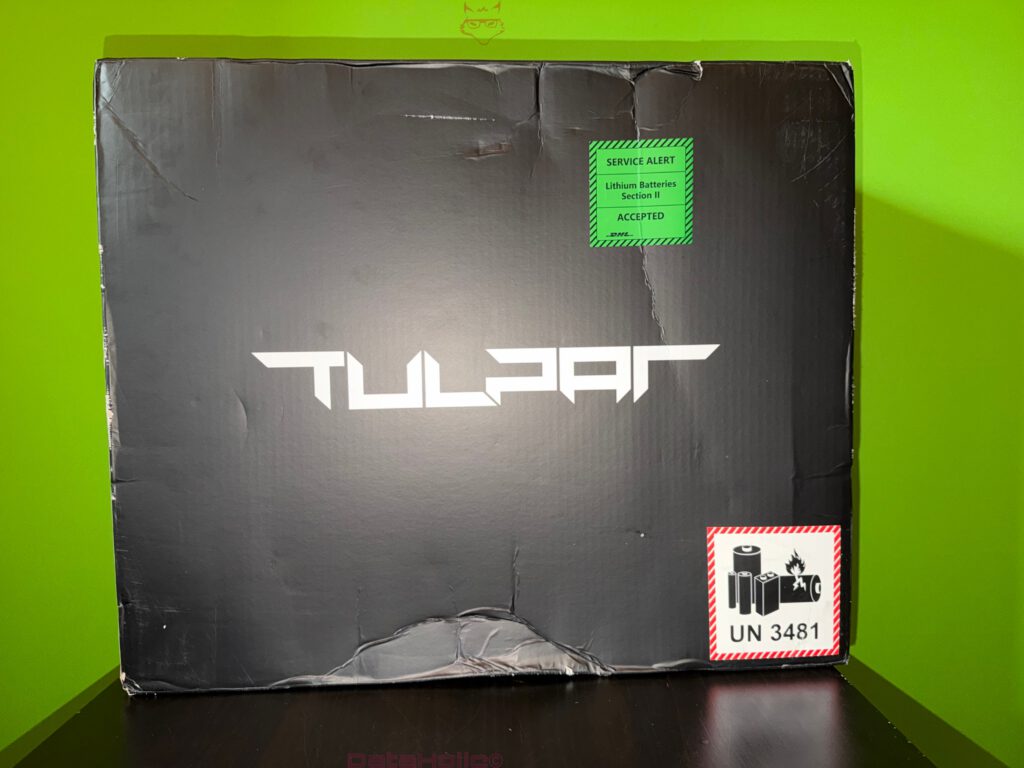
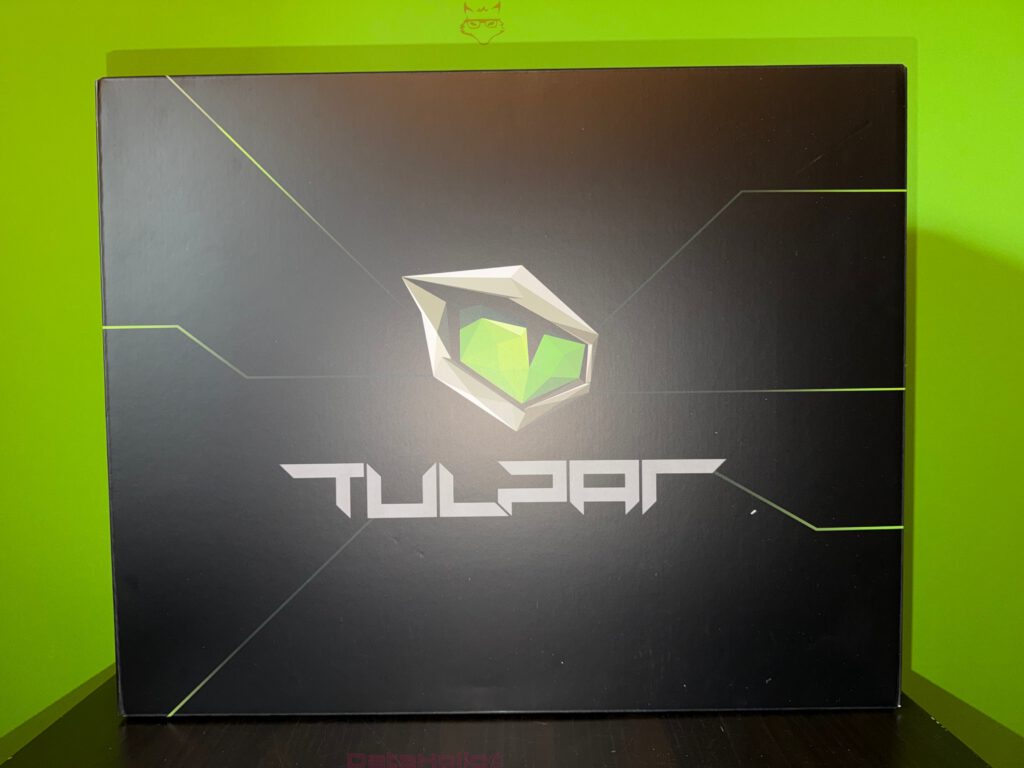
The outer packaging appears substantial and deliberately understated. A dark color scheme dominates, accented by geometric green lines reminiscent of circuit traces. This is not merely decorative; it serves as a visual cue: this is about hardware, not lifestyle. The Tulpar logo is centrally positioned, above it the angular helmet emblem, below it the brand name in a futuristic, straight-lined font. The surface remains otherwise calm, which even offers practical benefits: fewer glossy lacquered areas, less sensitive coatings, fewer visible micro-scratches during transport.
The thickness of the cardboard and the broad construction already suggest that the box is designed for load fluctuations. Shipping cartons are rarely just “carried”; they are stacked, shifted, briefly set down, drawn into conveyor systems, and sometimes dropped onto edges. Packaging must therefore absorb edge impacts just as effectively as surface pressure. The Tulpar setup clearly relies on classic stability rather than ultra-thin presentation cartons.
Interior Structure: Molded Inserts, Fixation and Protection Against Shock and Torsion
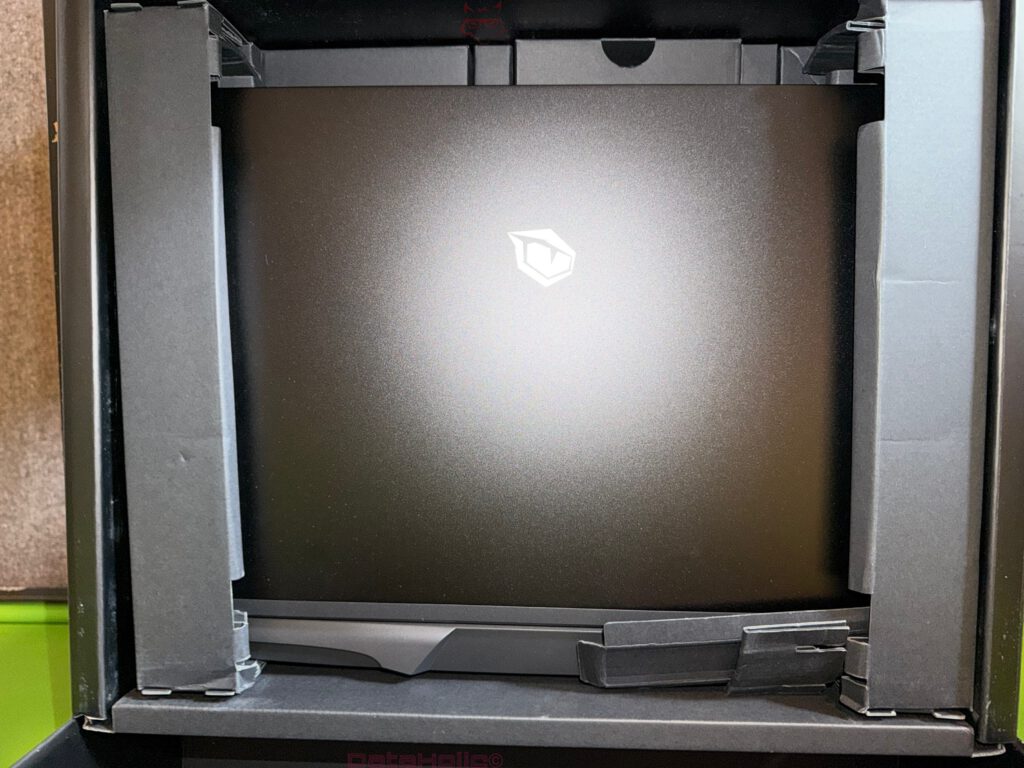
Once opened, a clearly structured interior becomes visible. The notebook rests in a precisely fitting insert, supported laterally and partially along the lower section by voluminous molded elements. These inserts serve several functions simultaneously:
- Shock absorption: They act as a crash zone before forces reach the chassis.
- Centering: The device remains positioned in the middle, even under lateral pressure.
- Torsion protection: Larger notebooks are especially susceptible to twisting forces. Broad support reduces the risk of lid and base working against each other.
It is noticeable how little “play” the device has within the insert. This is a positive sign: the less freedom of movement, the lower the kinetic energy that can develop during an impact. Anyone who has ever heard a mouse rattling inside an oversized box understands the principle. With a notebook featuring a large display and substantial cooling assembly, this effect becomes significantly more relevant.
The top of the notebook is additionally protected against contact marks. The surface appears matte and restrained, yet it is clear that dust, abrasion, or pressure points are not intended to occur inside the box. The saying “The devil is in the details” fits surprisingly well here, because minimal pressure marks on a lid are not uncommon when inserts are too rigid or apply force at specific points.
Removal: Center of Gravity, Grip Zones and Practical Ergonomics
Technically interesting is how removal has been implemented. The device does not need to be pulled out at its most sensitive points. Ideally, removal does not occur via the display frame or delicate edges, but via structurally stable zones of the base. In the Tulpar S8 V1.2, the insert supports this logic: the notebook can be lifted in a controlled manner without the lid or hinge area being unnaturally stressed.
With larger 16- to 18-inch-class devices (the Tulpar S8 category typically operates in this segment), this becomes relevant: more surface area means more leverage, and more leverage means greater risk of unintended twisting during removal. The packaging effectively reduces this risk.
Scope of Delivery: Accessories, Documentation and Packaging Quality
The scope of delivery is neatly separated and appears purpose-driven. Visible components include:
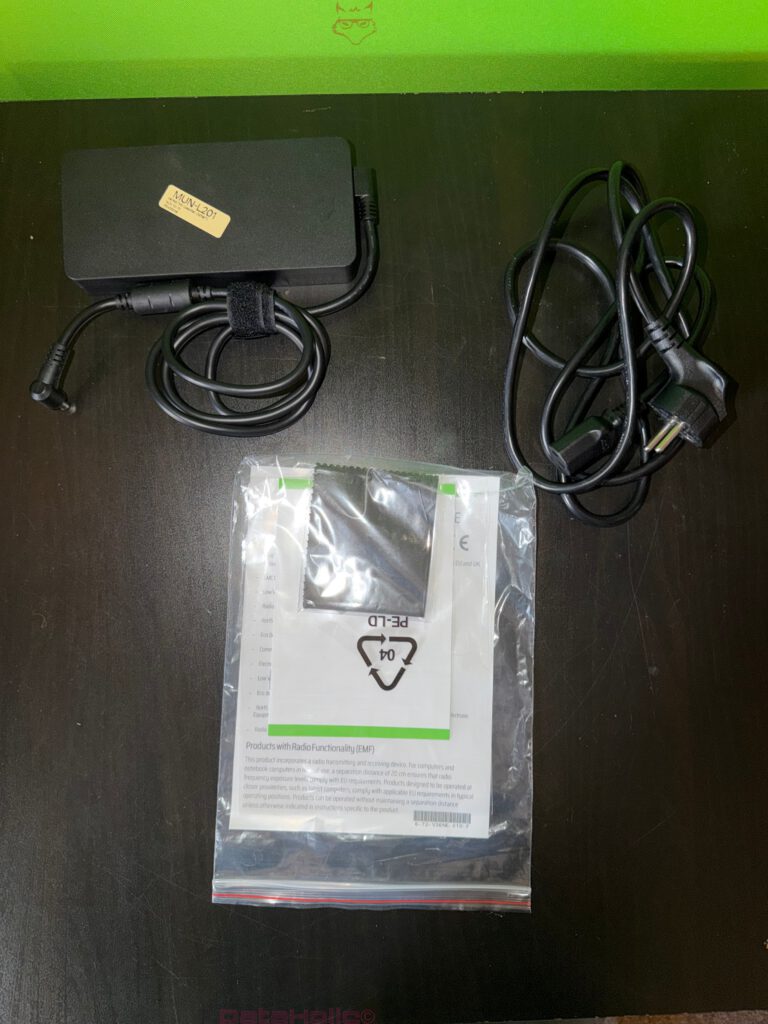
- Power adapter (power brick) with permanently attached DC cable and strain relief at the connector
- Mains cable for wall connection
- Documentation package inside a transparent pouch
- Microfiber or cleaning cloth within the accessory bag
This separation is logical: the power adapter is heavy and could cause pressure marks if improperly positioned. Separate placement prevents the power brick from pressing against the chassis. At the same time, documentation is not scattered loosely in the carton but collected in a pouch, protecting it against creases and moisture.
A technical unboxing does not evaluate whether the included items are “many” or “few,” but whether they are logically packaged. With the Tulpar S8 V1.2, this appears coherent: heavy components separated, lightweight components protected, printed materials secured.
Power Adapter and Cabling: Materials, Strain Relief and Practical Details
The power adapter itself appears compact yet clearly identifiable as a high-performance unit. Notable features include:
- Solid housing with rounded edges
- DC cable secured with a Velcro strap
- Angled connector at the notebook end (typical to reduce lateral leverage forces)
- Separate mains cable
The angled connector is a crucial detail: with devices whose power port is located at the rear, the cable often remains connected permanently. A straight connector protrudes further and generates more leverage if the cable is moved. The angled connector reduces this risk and helps mechanically relieve stress on the socket.
The Velcro strap is more than a cosmetic addition. Cable management in daily use is not just about neatness; it protects the cable from tight bending radii during transport. Tight bundling repeatedly at the same point accelerates material fatigue. A Velcro strap allows for a larger loop and therefore less stress on the conductors.
Documentation: Inserts, Cloth and the “Invisible” Quality Factor
Printed documentation is often underestimated but serves as an indicator of production maturity. A clean, standardized documentation package demonstrates that the product is not merely hardware, but part of a defined delivery process. The accessory pouch includes, alongside printed materials, a cloth that can be interpreted as a practical gesture, yet also makes technical sense: matte surfaces attract fingerprints, and initial cleaning is possible without resorting to unsuitable materials.
Dieter Rams’ famous principle, “Less, but better,” applies well here. Not because fewer accessories are inherently superior, but because the included items are purposeful: power supply, documentation, cleaning cloth. No token gimmicks, no flood of unnecessary stickers, no superfluous extras that end up unused.
First Hardware Contact: Lid, Surface Finish and Logo Placement
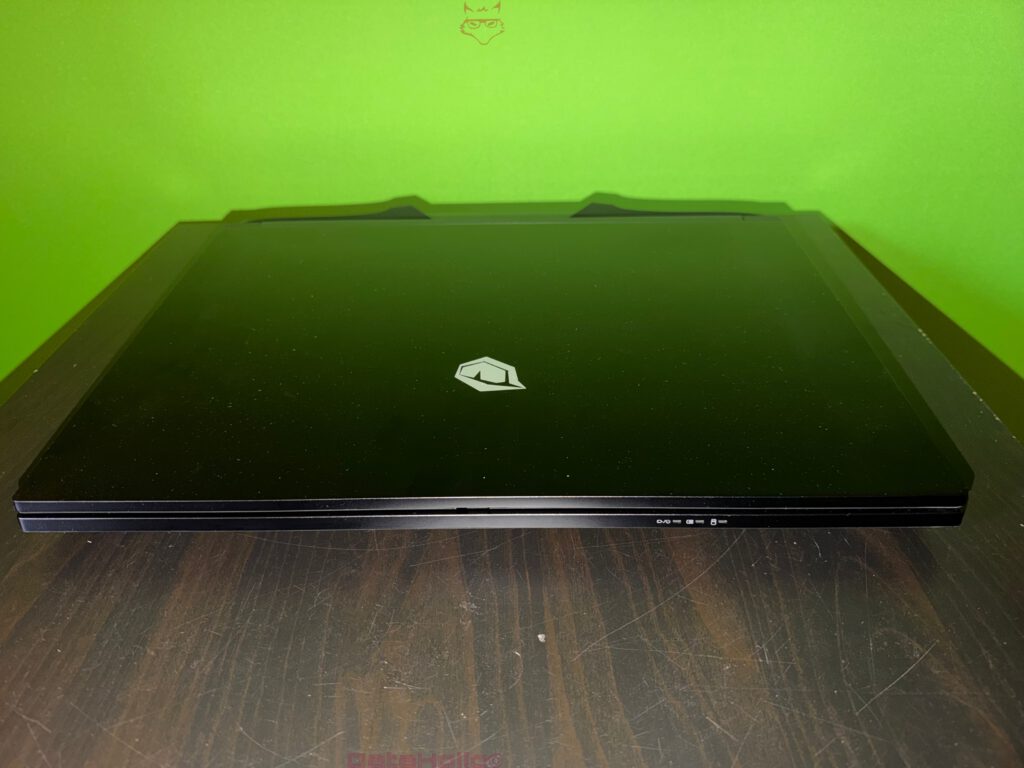
Externally, the Tulpar S8 V1.2 presents a matte, dark surface with a discreet emblem centered on the lid. The finish appears robust and more functional than glamorous. This suits a performance notebook: matte surfaces conceal micro-scratches more effectively and reflect less light, which can be advantageous under studio lighting or in bright environments.
The logo is not aggressively oversized, but rather restrained. Angular design lines and a chassis shape reminiscent of armor are noticeable. This aesthetic often serves structural purposes as well: edges, steps, and ribs can stiffen housing components and improve torsional rigidity.
Ports: Right Side with Dual USB-A and Audio
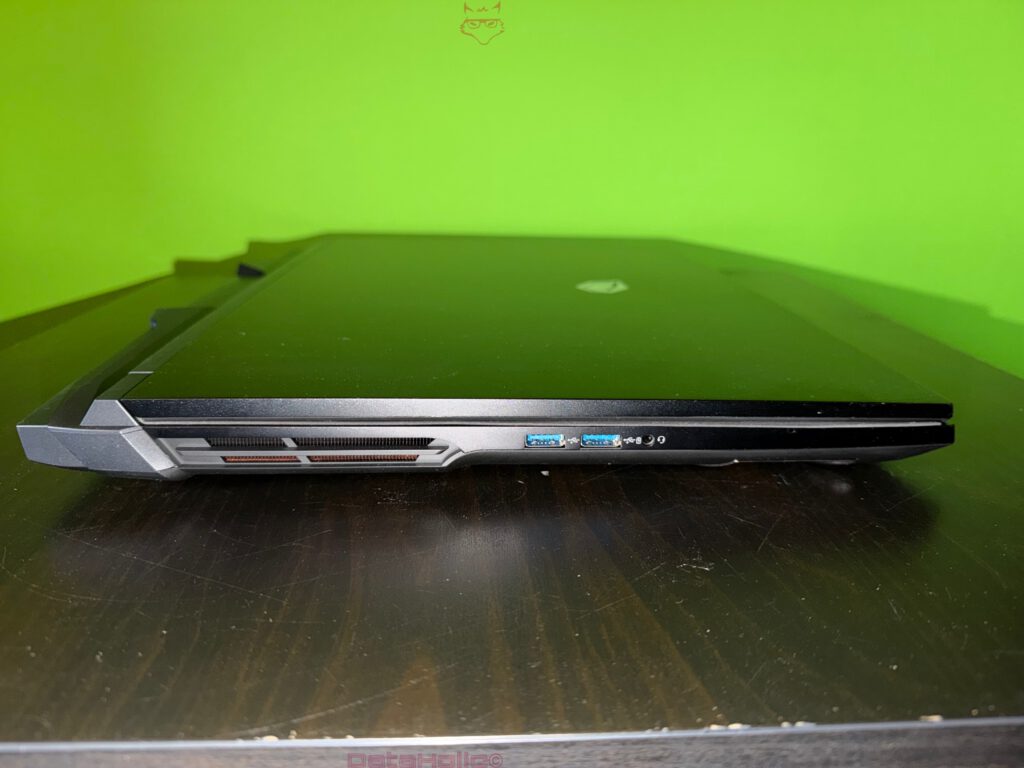
The right side of the chassis features two classic USB-A ports (recognizable by the blue tongue, typical of USB 3.x) and a combined audio jack (headset symbol). This arrangement is practical:
- USB-A on the right is convenient for mouse, dongles, or USB drives.
- The audio jack’s placement prevents headset cables from crossing over the keyboard.
From a pure unboxing perspective, the key point is that the ports are cleanly machined, edges appear uniform, and no visible gaps suggest transport-induced stress. Ports are often among the first areas to show subtle misalignment after shipping strain.
Ports: Rear “Docking Zone” with HDMI, USB-C and Dual LAN
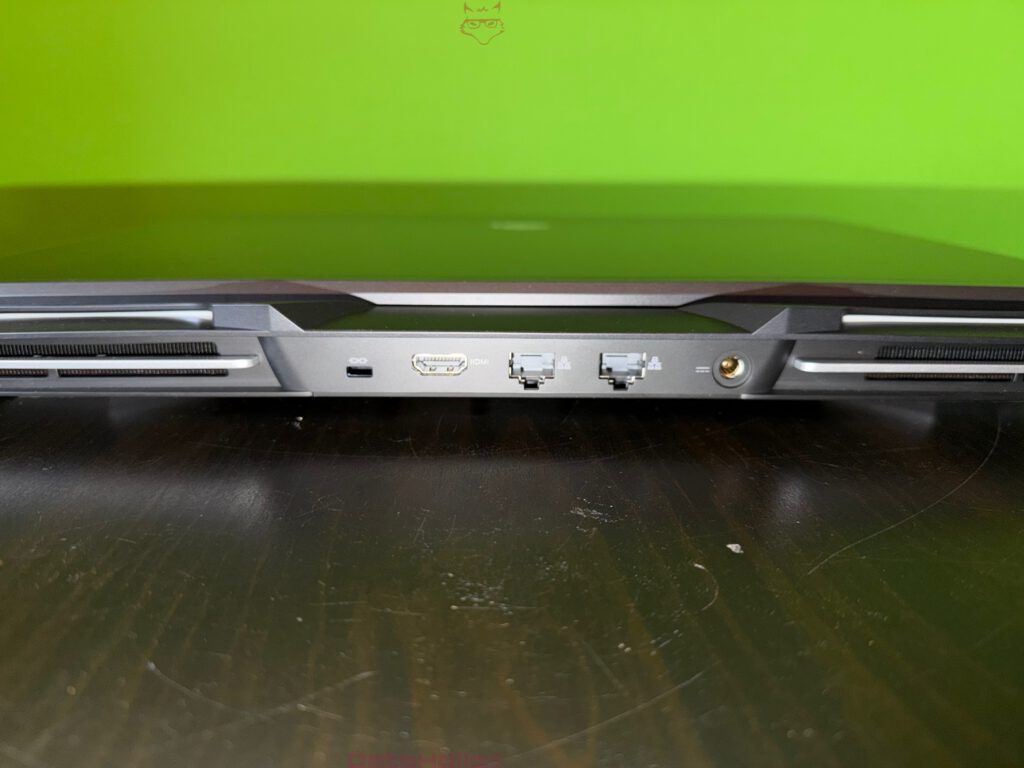
The rear is the most technically compelling area. Visible connectors include:
- USB-C with DisplayPort indication
- HDMI (clearly labeled)
- Two RJ45 LAN ports
- DC-in (power input)
Dual LAN on a notebook is rare and clearly signals workstation or enthusiast orientation. It can serve separate networks, link aggregation in specialized scenarios, or laboratory environments. For unboxing purposes, the layout logic is decisive: heavy cables (LAN, power) are positioned at the rear, minimizing interference. HDMI placement at the back supports desktop-replacement usage, keeping monitor cables out of the workspace.
The USB-C port with DisplayPort icon also communicates clear intent: external displays are anticipated. The connection strategy becomes visible here: stationary connectors at the rear, complemented by side ports for everyday peripherals.
Ports: Left Side with Card Reader and Additional Interfaces
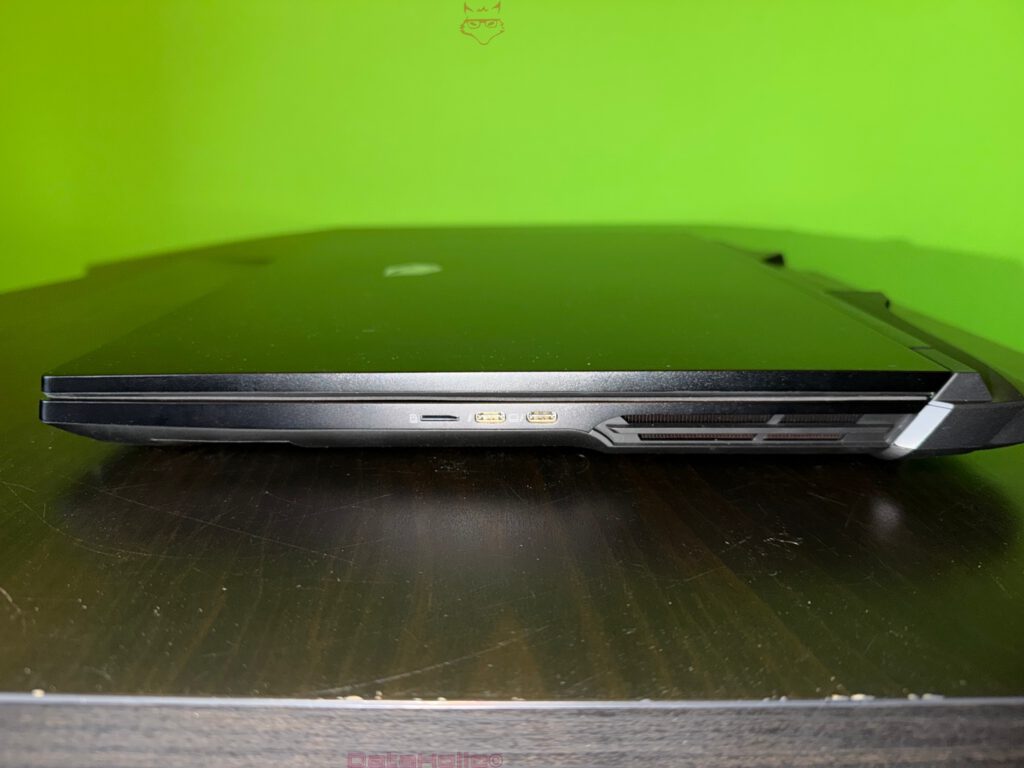
On the left side, a card reader slot (shape and icon strongly suggest Micro-SD format) is present, alongside two USB-C style ports. One bears a lightning symbol, commonly associated with Thunderbolt compatibility or high-bandwidth functionality. Chassis iconography matters more than speculation about exact standards: the device visibly communicates that these ports offer more than basic data transfer.
Combined with the rear layout, a coherent topology emerges: right side for USB-A everyday devices, left side for modern interfaces and card reader, rear for stationary connections.
Lower Edges and Airflow: Cooling Channels as Exterior Architecture
Even in its closed state, extensive ventilation outlets and defined airflow channels are noticeable. Part of the airflow system is located in the rear corners and along the sides. This is not purely aesthetic; it reflects thermal engineering. Heat dissipation is the limiting factor for high-performance CPUs and GPUs, and airflow requires surface area.
Even in unboxing context, this matters because packaging must not conflict with ventilation structures. Inserts pressing against ventilation grilles could stress fine fins or plastic ribs. The insert appears designed to support structural zones rather than compress airflow outlets.
Display Assembly: Bezels, Webcam Position and Hinge Area
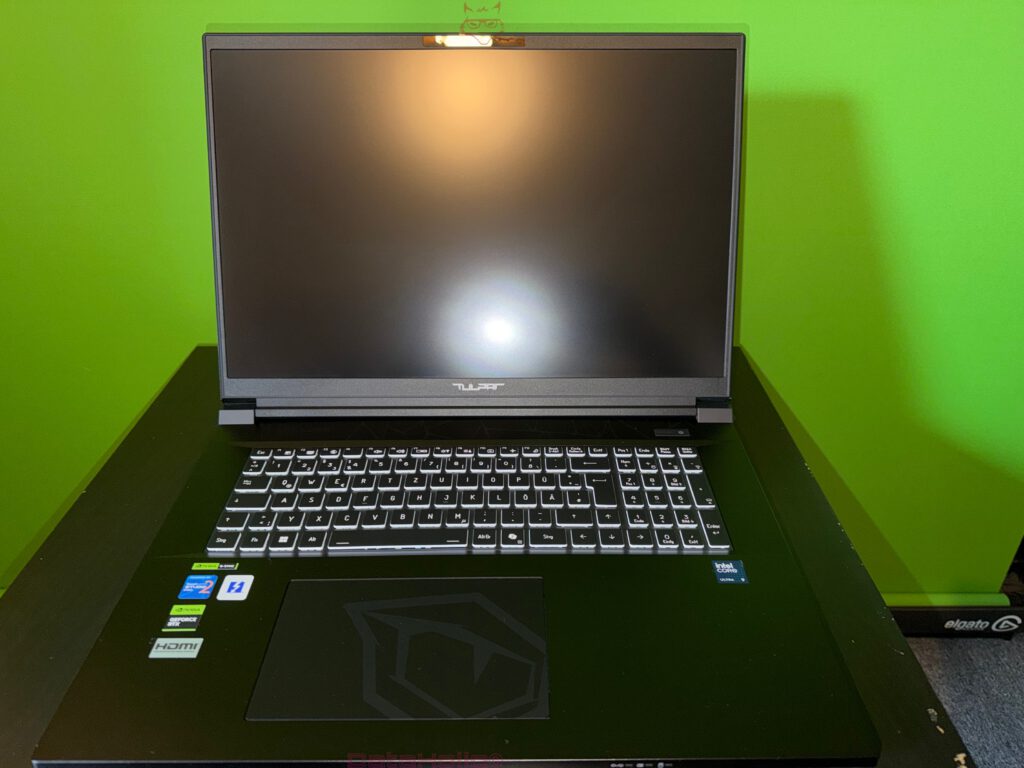
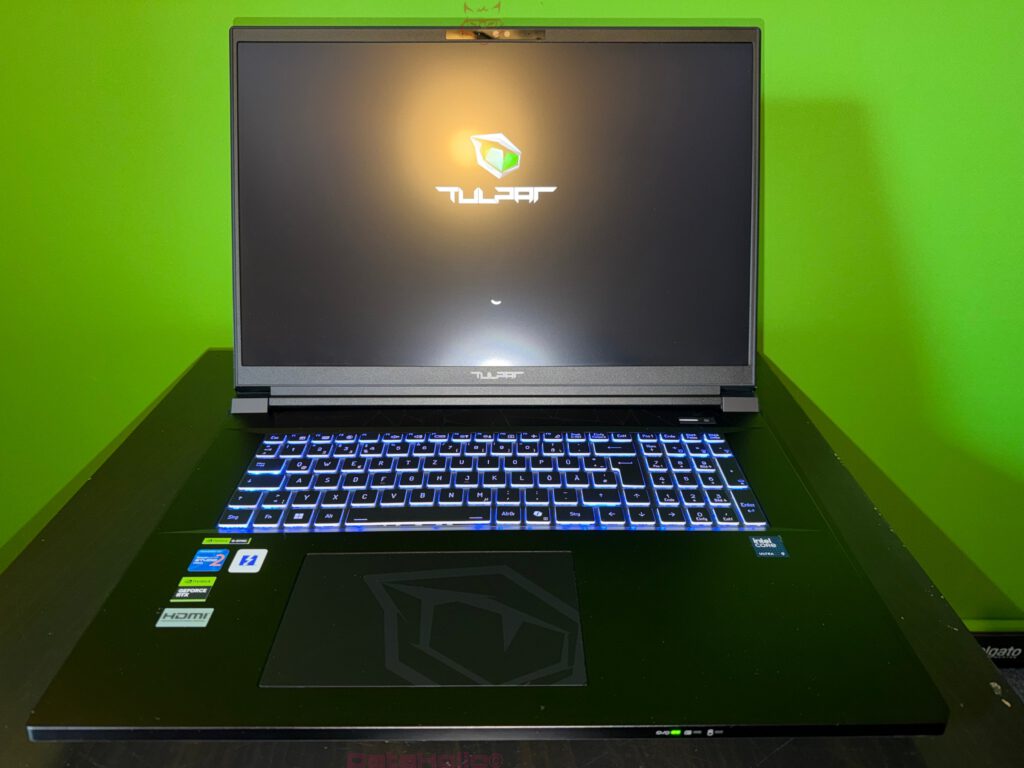
When opened, a large display with relatively slim bezels becomes visible. The webcam zone is positioned at the top, integrated cleanly into the frame. The hinge appears broad and mechanically stable, with a clear and linear mounting. In gaming notebooks, hinge construction is central: it must support the lid and reduce torsion if the device is moved from one side.
The mechanism appears more industrial than delicate. This is fitting. A stable hinge block is less sensitive to lateral pressure during transport in a backpack. The power button is located in the upper right area of the base, slightly separated, creating a clear distinction between input zone and system control.
Keyboard: Layout, Block Structure and Function Layers
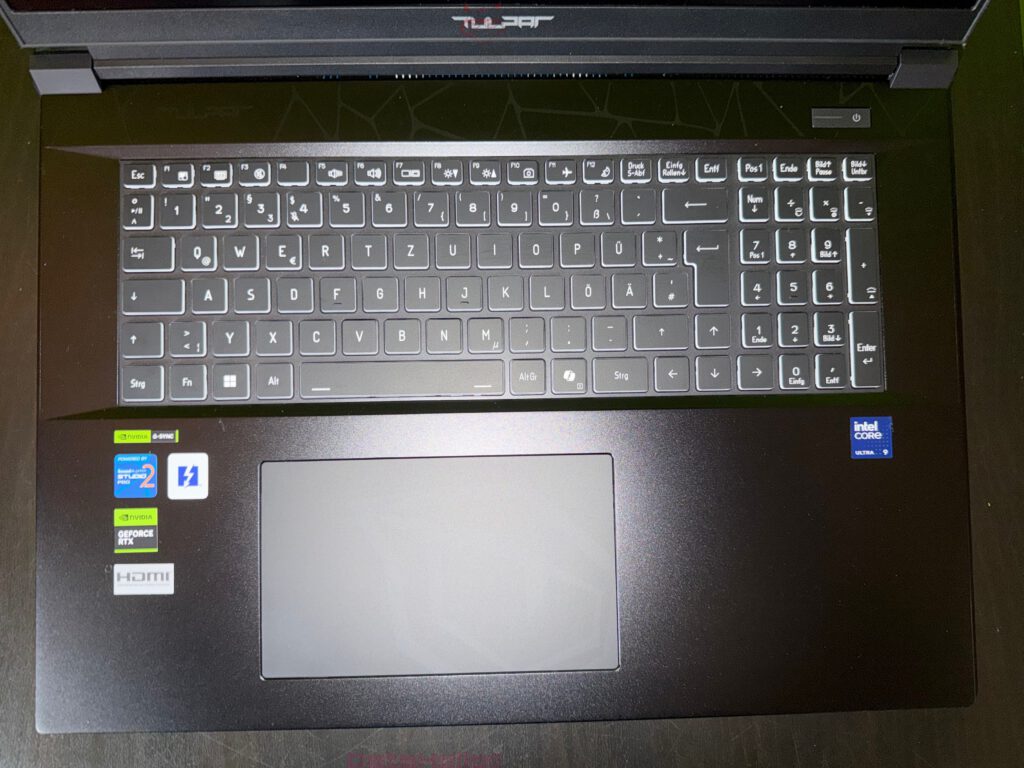
The keyboard is full-size, including a numeric keypad. The layout is German (umlauts visible), keys appear flat and evenly arranged, with function icons along the top row. Structurally visible elements include:
- Numeric keypad indicating productivity and gaming orientation
- Dedicated navigation keys (Home, End, Page Up, Page Down)
- Function row with system symbols
- Clear segmentation of keyboard zones
Full-size layout requires width and a stable keyboard deck. The chassis appears correspondingly spacious.
Touchpad: Size, Framing and Palm Rest
The touchpad is large and centrally positioned beneath the keyboard. A clear border visually separates it from the palm rest. This is not merely cosmetic; it aids tactile orientation during blind use. The palm rest appears robust, matte, and evenly finished. Performance stickers indicate Intel Core Ultra (Ultra 9), NVIDIA GeForce RTX, and technologies such as G-SYNC and NVIDIA Studio, clearly positioning the device as a performance platform rather than an office notebook.
Packaging Logic in Everyday Reality: Why This Type of Unboxing Makes Sense
The packaging reads like a subtle commentary on modern hardware realities: higher performance means greater thermal density, more cooling, more mass, and therefore higher mechanical demands during shipping. Stable inserts, separated accessories, and clear removal logic are not trivial details but part of the product experience.
Or, expressed with a frequently cited engineering principle: “What gets measured gets managed.” In this context, structure replaces measurement: weight is accounted for, center of gravity is controlled, pressure points are avoided. This is the quiet quality of an unboxing focused on safety rather than spectacle.
Transparency Notice
Transparency notice in accordance with EU guidelines:
The Tulpar S8 V1.2 presented in this test report was provided to us by Tulpar as a non-binding loan for testing purposes. This does not constitute paid advertising.
Tulpar had no influence on the content, evaluation, or editorial independence of this article. All opinions expressed are based exclusively on our own practical experiences.
We would like to sincerely thank Tulpar for providing the notebook and for the trust placed in dataholic.de.