
MSI MPG 271QR QD-OLED X50 in Unboxing and Verdict: 500 Hertz, QD-OLED, and the Quiet Escalation on 27 Inches
A Box That Doesn’t Smell Like Office Work
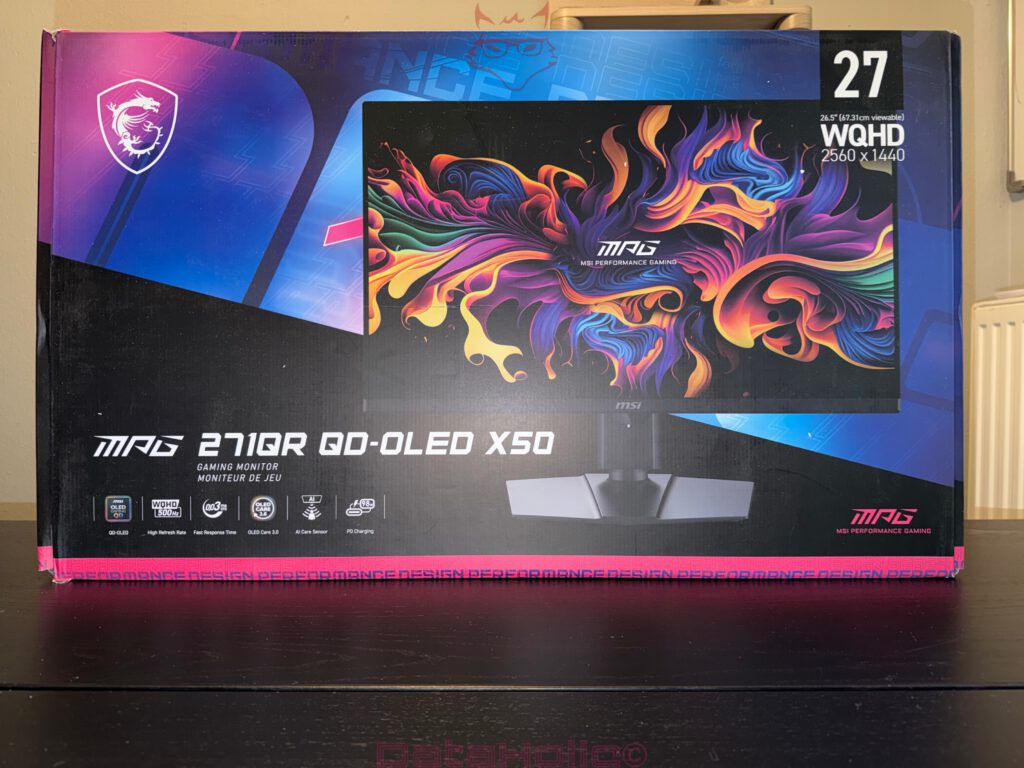
The MSI MPG 271QR QD-OLED X50 does not arrive on the desk as a modest office monitor. The packaging alone makes it abundantly clear which department this device wants to belong to: gaming, speed, OLED, large numbers, and a design that does not accidentally resemble a graphics card box that briefly decided to become a monitor. The front showcases the display with a vivid, colorful image, accompanied by the key technical specifications displayed like medals on a racing jacket: 27 inches, or more precisely, a 26.5-inch visible diagonal, WQHD resolution at 2560 × 1440 pixels, QD-OLED, 500 Hz, and a response time of 0.03 milliseconds. This is not a specification sheet intended for the occasional evening of spreadsheet management. It is an attack on motion blur.
After the rather wide package arrives, a familiar hardware-related sensation immediately emerges: the box remains closed, yet the desk has already begun mentally rearranging itself. Monitors of this class rarely arrive quietly. On the packaging, the MPG 271QR QD-OLED X50 appears like a device that does not apologize but rather explains: this is not merely about displaying an image. It is about dissecting time into individual frames. Borrowing from the old motorsport saying, “Speed costs money. How fast do you want to go?”, MSI asks precisely the same question, only this time with DisplayPort, OLED care features, and 500 Hz.
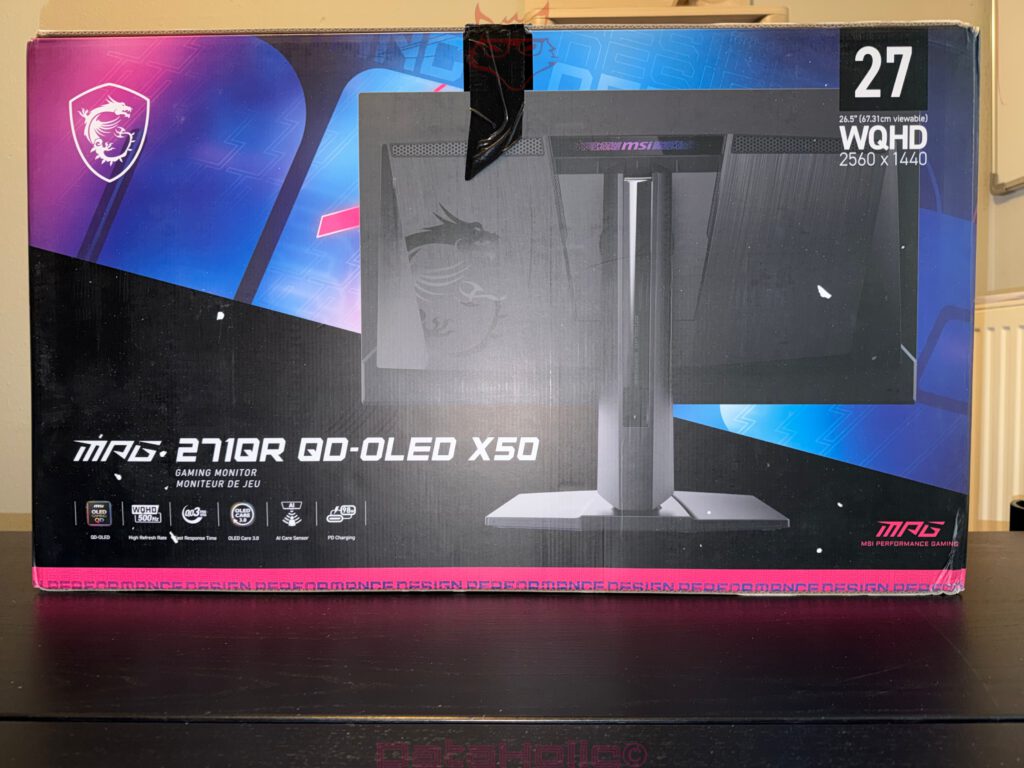
The packaging itself is sturdy, neatly printed, and clearly aligned with the MPG design language. Black dominates the visual appearance, while blue and magenta accents provide the familiar gaming contrast. MSI does not embrace understatement, but neither does it descend into complete carnival aesthetics. The front communicates speed, while the rear illustrates the monitor’s technical backside, complete with the large dragon emblem, angular surfaces, and central stand arm. Even at this stage, one thing becomes apparent: this monitor has been designed from the rear as well. That may sound insignificant, but for a display placed freely on a desk, it is certainly relevant.
Inside the box, the monitor is well protected. The molded inserts securely separate the panel, stand, and accessories. This becomes particularly important with an OLED panel, because despite all technological advancements, the actual display surface remains a component that deserves respect. The packaging does not appear unnecessarily complicated but instead solid and purposeful. There is no overly staged unboxing performance, no theatrical packaging with ten layers of marketing cardboard, but rather a classic, well-organized monitor arrangement.
The First Impression After Opening
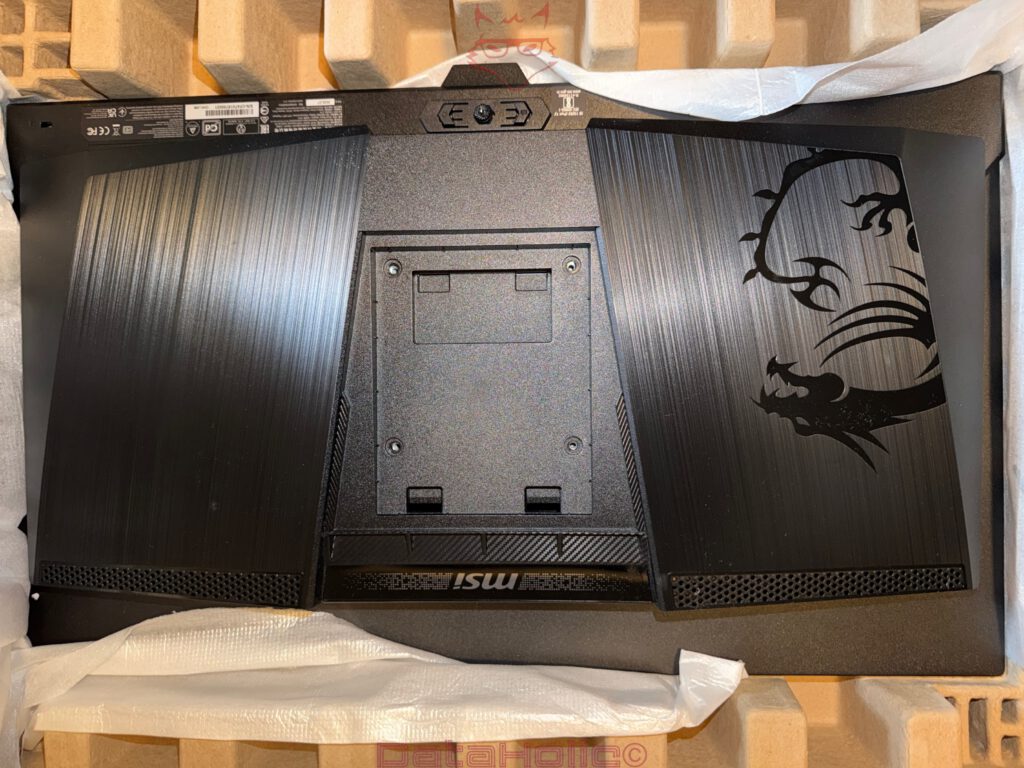
Upon opening the box, the rear side immediately attracts attention. That is not accidental in the case of this MSI, as the MPG 271QR QD-OLED X50 features a distinct design language at the back. The two large side surfaces display a brushed texture intended to resemble dark metal, even though plastic is naturally used here. The large MSI dragon emblem is positioned on the left, while ventilation sections and graphical accents are distributed above and below it. The VESA mounting area, or the attachment point for the stand arm, occupies the center.
The monitor appears cleanly manufactured upon first contact. Nothing creaks noticeably, no panel gaps immediately draw negative attention, and the surface finishes align well with the product category. The rear design is not smoothed into anonymity but deliberately sculpted. This remains a matter of personal preference, yet from a technical perspective, it presents no disadvantages. The structures diffuse light, fingerprints become less apparent than on glossy surfaces, and the monitor develops a clear identity. In a world filled with black rectangles, this already represents a small distinction.
The actual panel presents itself from the front with pleasantly slim bezels. The frame remains narrow, while the MSI logo positioned along the lower edge maintains a relatively restrained appearance. That is important, because a gaming monitor may confidently display personality on its rear side but should avoid distracting from the image on the front. The front of the MPG 271QR QD-OLED X50 therefore appears focused. There is no excessive lighting within the field of vision, no exaggerated contours, and no visual muscle-flexing directly beneath the display.
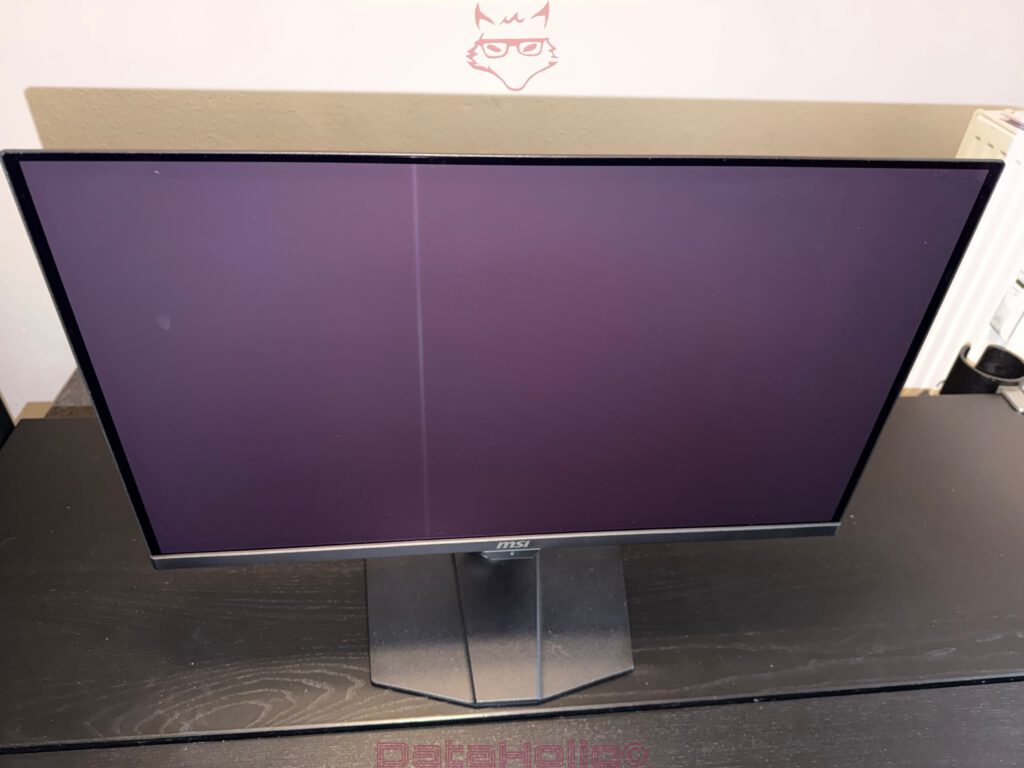
When powered off, the panel surface exhibits the characteristic slight purple tint associated with QD-OLED technology, depending on ambient lighting and viewing angle. This effect belongs to the technology itself and should not be mistaken for a defect. In bright environments, black tones on QD-OLED can appear slightly elevated, while darker rooms reveal the panel’s actual strengths. The phrase “black is not simply black” sounds like something borrowed from the world of print production, yet it proves remarkably accurate here. An OLED pixel can switch off completely, but ambient light continues to participate in the experience.
Assembly: Quickly Completed, Solidly Executed
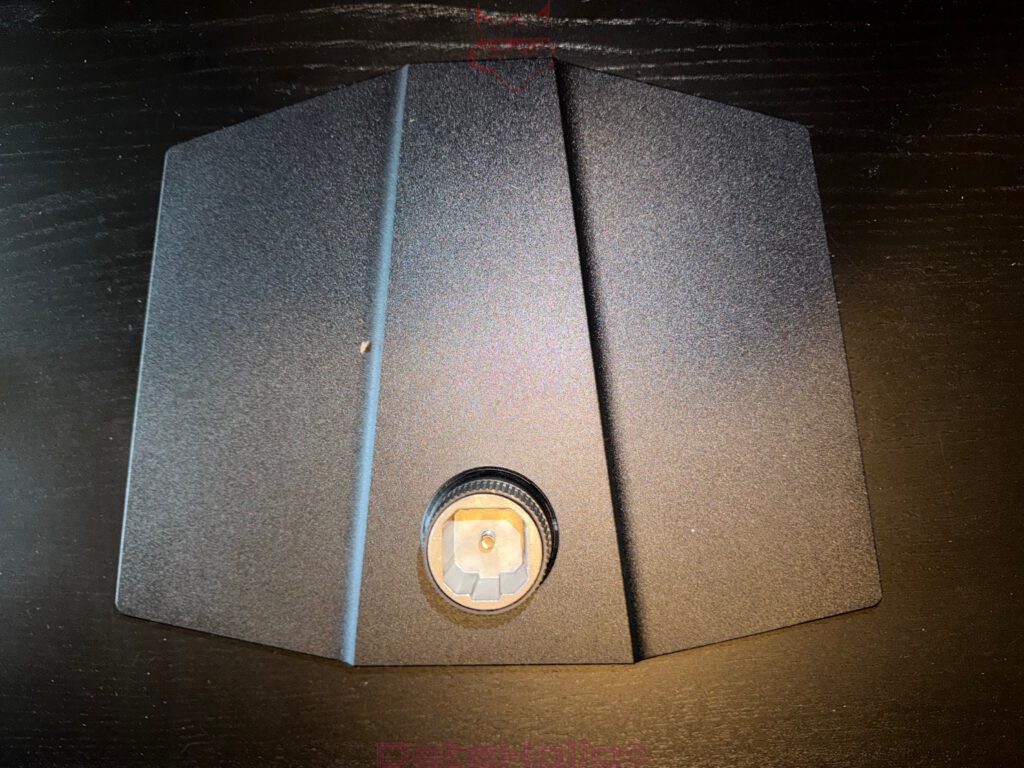
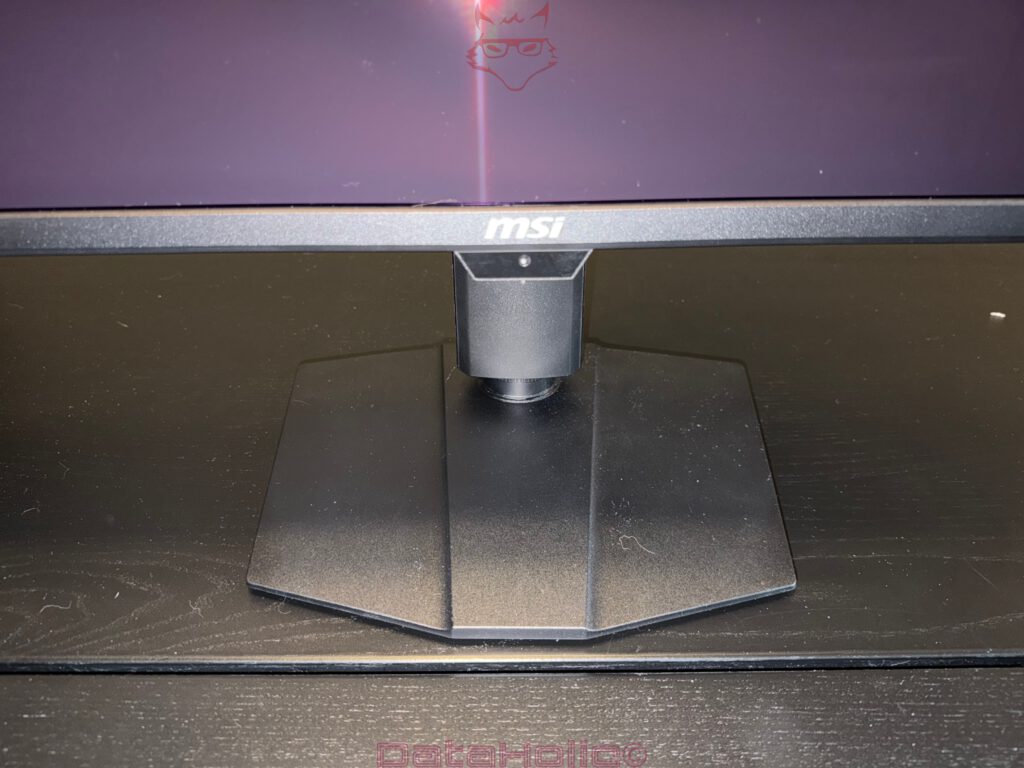
Assembling the MSI MPG 271QR QD-OLED X50 proves pleasantly uneventful. The stand base connects to the stand arm, after which the display securely locks into place. The construction appears stable and confidence-inspiring. Especially in the case of a monitor advertising 500 Hz, the mechanical foundation should never resemble a potential wobbling candidate. Fortunately, it does not.
The stand itself is angular, flat, and relatively compact. MSI refrains from employing the excessively expansive three-pronged designs that dominated gaming monitors for years. This decision deserves praise. A monitor stand does not need to resemble a crashed spaceship occupying valuable desk space. The foot of the MPG 271QR QD-OLED X50 claims enough surface area to ensure stability while remaining practical enough to avoid displacing keyboards, mousepads, and additional accessories.
The stand arm offers the essential ergonomic adjustments. Height, tilt, swivel, and pivot functionality are all available. These features may initially appear as obligatory specifications for a gaming OLED, but they become crucial in everyday use. A monitor may excel technologically, yet if the height adjustment proves inadequate, the neck inevitably claims victory. The MSI allows for sensible adaptation to individual seating positions and therefore suits not only fast-paced gaming sessions but also longer periods of work, media consumption, or mixed operation involving both notebooks and desktop PCs.
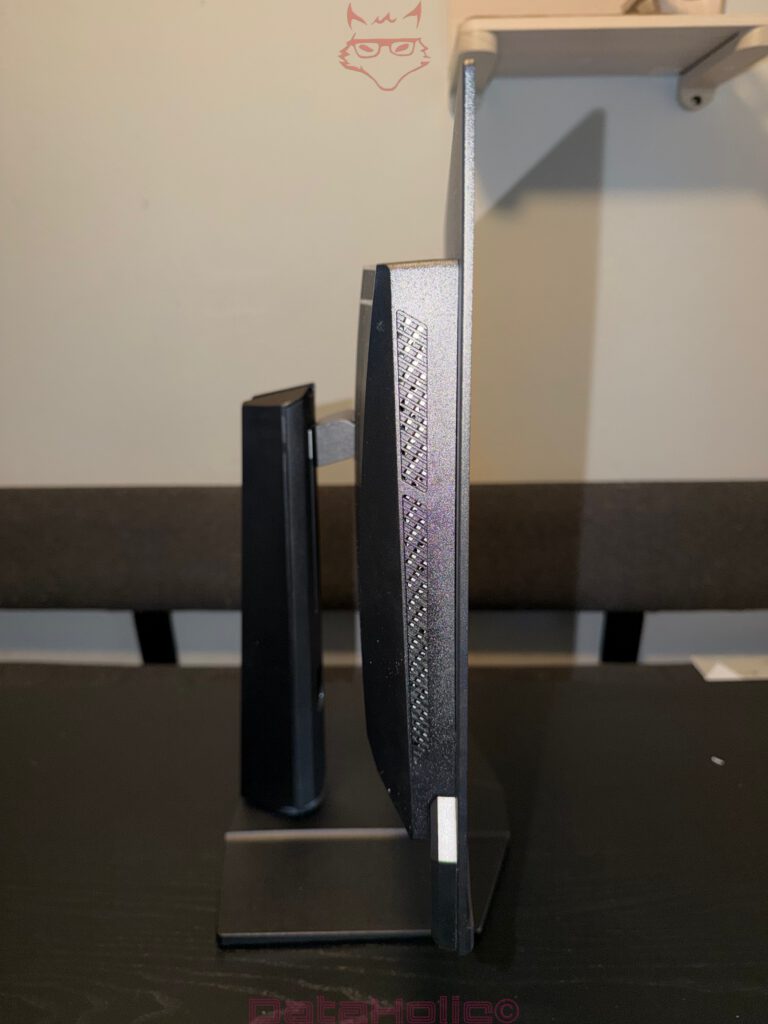
Viewed from the side, the slimness of the panel immediately stands out. OLED technology eliminates the requirement for traditional backlighting, enabling the upper and side sections to remain considerably thinner than those found on many LCD displays. Naturally, the central portion appears thicker due to housing the electronics, ports, and structural components. Overall, however, the monitor presents itself as modern and technically well proportioned. It is not an ultra-thin design object pursued at any cost, but rather a gaming monitor featuring a serious panel combined with a functional foundation.
Ports and Features: More Than Just Image In, Image Out
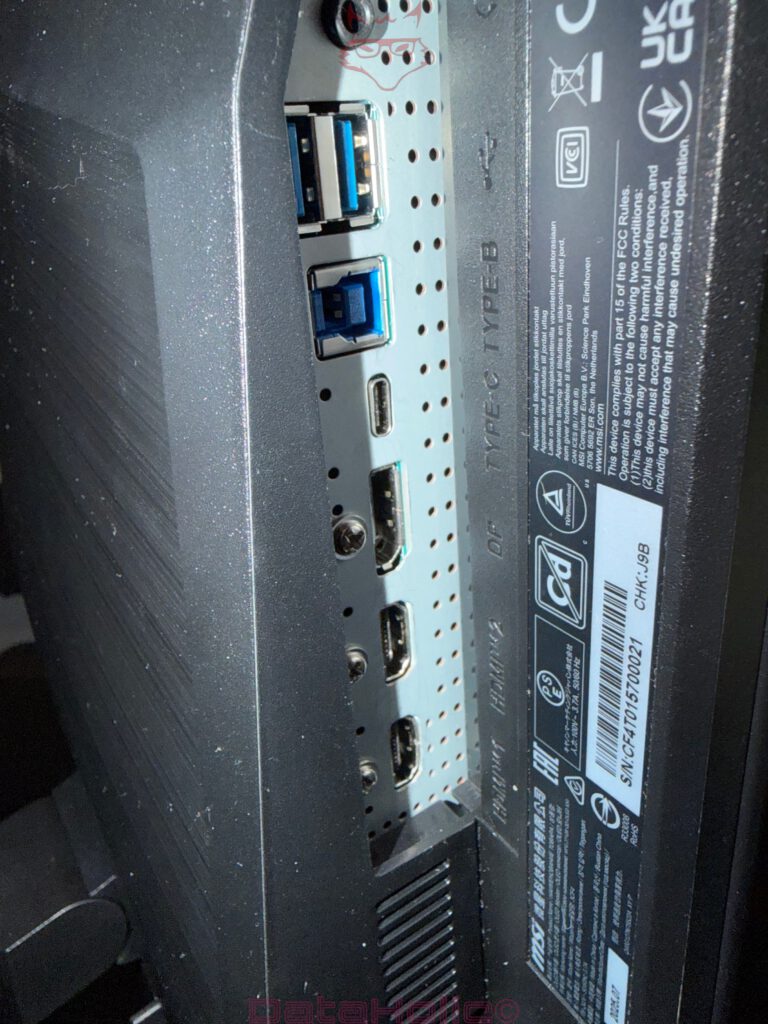
The rear of the monitor reveals a connectivity selection that lives up to the ambitions of the device. Two HDMI 2.1 ports, one DisplayPort 2.1a with UHBR20 support, USB-C with DisplayPort Alt Mode and up to 98 watts of Power Delivery, USB-B, two USB-A ports, and a headphone output cover a wide range of use cases. The modern DisplayPort implementation deserves particular attention, because driving 2560 × 1440 pixels at 500 Hz is no leisurely stroll through the park for any signal chain.
The 500 Hz capability is not merely a question of panel performance. Graphics cards, cables, connection standards, color depth, and operating system settings must work together harmoniously. A monitor may shout “500 Hz” from every corner of its packaging, but without the appropriate source hardware, the figure remains theoretical. MSI provides the necessary foundation to ensure that modern systems can actually exploit the full capabilities of the display.
USB-C with 98 watts of Power Delivery significantly expands the monitor’s versatility. A notebook can transmit its image signal and receive charging power simultaneously through a single cable, provided the notebook itself supports the necessary standards. This represents a genuine advantage for hybrid workspaces. A gaming PC connected through DisplayPort, a notebook through USB-C, and peripherals routed through the integrated USB hub create a practical central workstation. The inclusion of USB-B and USB-A ports complements this approach perfectly.
The ports themselves are traditionally positioned at the rear of the monitor. Visually, this creates a cleaner appearance, although it demands a certain amount of patience during setup. Connecting cables behind a monitor often transforms otherwise composed adults into amateur cave explorers searching for hidden entrances. The labels assist with orientation, and the arrangement follows a logical pattern, yet the initial installation remains an exercise in dexterity. Fortunately, once everything has been connected, peace generally returns, assuming devices are not swapped regularly.
QD-OLED: The Panel as the True Star
The most important component of the MSI MPG 271QR QD-OLED X50 is undoubtedly its QD-OLED panel. OLED technology means that each pixel produces its own light. Traditional LCD displays rely on backlighting, where liquid crystals and filters control the passage of illumination. OLED pixels can switch themselves on and off individually. The result is exceptionally deep blacks, extremely high contrast, and response characteristics that LCD technology struggles to replicate.
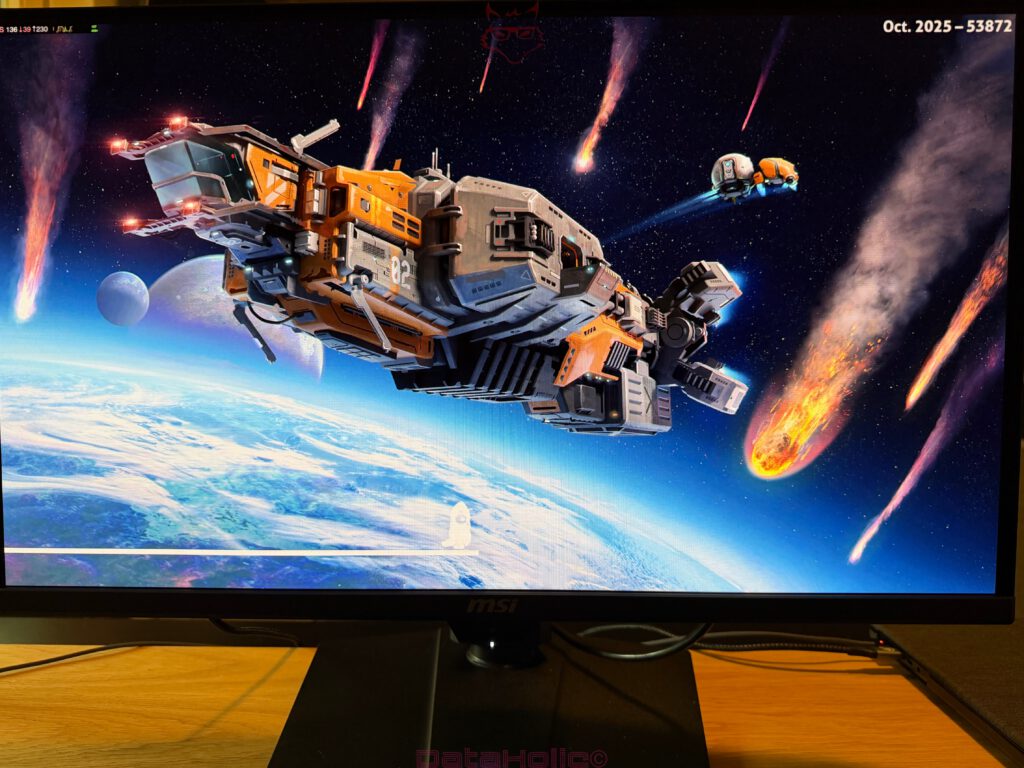
QD-OLED combines these OLED strengths with Quantum Dot color conversion. The objective is clear: vivid colors, extensive color gamut coverage, and impressive HDR performance. Dark scenes benefit particularly from this approach. A starry night sky, neon lights reflected on wet pavement, flames dancing in the darkness, or brightly colored HUD elements against black backgrounds all gain an additional layer of visual depth. On QD-OLED, bright elements do not merely appear brighter. They appear more precise. Black remains black. That interaction is responsible for much of the dimensional quality that makes OLED technology so captivating.
The WQHD resolution complements the panel size extremely well. At 2560 × 1440 pixels across a 26.5-inch display area, image sharpness remains satisfying without burdening graphics hardware to the same extent as 4K. This balance becomes especially important because 500 Hz only reveals its true value when sufficiently high frame rates can be achieved. Within competitive gaming, WQHD occupies a sweet spot: substantially sharper than Full HD while remaining significantly more realistic than Ultra HD for delivering extraordinarily high frame rates.
Text rendering represented an area of concern during earlier generations of QD-OLED panels. The subpixel arrangement occasionally caused fine text to exhibit slight fringing effects. On the MPG 271QR QD-OLED X50, this issue has become far less intrusive during normal viewing distances. Gaming, multimedia consumption, and mixed usage scenarios all benefit from the display’s strengths. Nevertheless, for exclusively text-focused workloads spanning many hours each day, a 4K IPS monitor continues to represent a more rational alternative. The MSI, however, never intended to become the most conservative spreadsheet monitor in the room. Its purpose revolves around speed, contrast, and visual immersion.
500 Hertz: The Number with a Caffeine Addiction
Five hundred Hertz serves as the monitor’s headline specification. At 500 Hz, the display can theoretically present up to 500 individual images every second. The interval between refresh cycles shrinks to just two milliseconds. Combined with OLED response times measured at approximately 0.03 milliseconds, the resulting motion clarity becomes exceptionally direct. Fast-paced shooters, arena games, and competitive titles benefit the most from this capability.
The leap from 60 Hz to 144 Hz feels dramatic. Moving from 144 Hz to 240 Hz remains noticeable, though increasingly subtle. Transitioning from 240 Hz to 500 Hz enters a more specialized territory. At this stage, the focus shifts away from obvious spectacle and toward latency reduction, motion readability, and absolute responsiveness. Story-driven adventures, role-playing games, and strategy titles do not require 500 Hz. Counter-Strike, VALORANT, Overwatch, and similar experiences may genuinely benefit from every additional increment of clarity.
Appropriate hardware remains essential. Modern AAA releases rarely sustain 500 frames per second in WQHD resolution while maintaining high graphical settings. Esports titles operate under different optimization priorities, and it is precisely there that this monitor reveals its greatest strengths. Consequently, the high refresh rate should not be interpreted as a universal solution but rather as a specialized instrument. A Formula One car remains a Formula One car even when navigating residential speed limits. Its capabilities simply await suitable conditions.
Motion reproduction proves deeply impressive. OLED technology virtually eliminates the traditional smearing often associated with LCD panels. Rapid camera movements maintain better definition, object outlines remain more coherent, and user inputs feel increasingly immediate. Speed, in this context, involves more than an energetic mouse cursor. It concerns precise image transitions, smoother target tracking, and clearer interpretation of fast-moving scenarios. That is where this monitor truly excels.
Image Quality: Color, Contrast, and OLED Magic with Conditions
From the moment the display powers on, the MSI immediately demonstrates why QD-OLED has generated such enthusiasm within the monitor market. Blacks appear genuinely deep, colors exhibit remarkable intensity, and contrast achieves a sense of dimensionality that many conventional IPS and VA panels struggle to match. Dark menus, games set during nighttime sequences, and HDR content all benefit tremendously.
The factory color tuning delivers a vivid presentation. QD-OLED technology covers extremely broad color spaces, enabling content to appear more saturated than on numerous mainstream displays. Within gaming and cinematic contexts, this characteristic generally enhances enjoyment. Color-critical workflows, however, demand more careful configuration. Appropriate picture modes or calibration procedures become important. The monitor possesses the potential to look extraordinary, but wide color gamuts require thoughtful management. Otherwise, vibrancy can evolve into exaggeration.
Brightness on OLED displays always warrants nuanced discussion. Small highlights can appear exceptionally striking, while large bright surfaces typically fail to sustain the same intensity as premium Mini-LED alternatives. This behavior should not come as a surprise. It belongs to the fundamental nature of OLED technology. In darker or controlled environments, the MSI reveals its strengths magnificently. Under direct sunlight or intensely illuminated rooms, QD-OLED relinquishes some of its signature black-level drama. The previously mentioned purple tint may also become more apparent under such conditions.
Film and television enthusiasts will discover a compelling experience here. HDR material profits substantially from OLED’s perfect black levels and precise control over bright elements. DisplayHDR True Black 500 aligns particularly well with OLED because it acknowledges that HDR encompasses more than peak brightness alone. Small points of light remain cleanly defined against dark backgrounds without blooming artifacts, halo effects, or the visible zone transitions sometimes associated with local dimming technologies.
OLED Care 3.0 and AI Care Sensor: Protection Instead of Panic
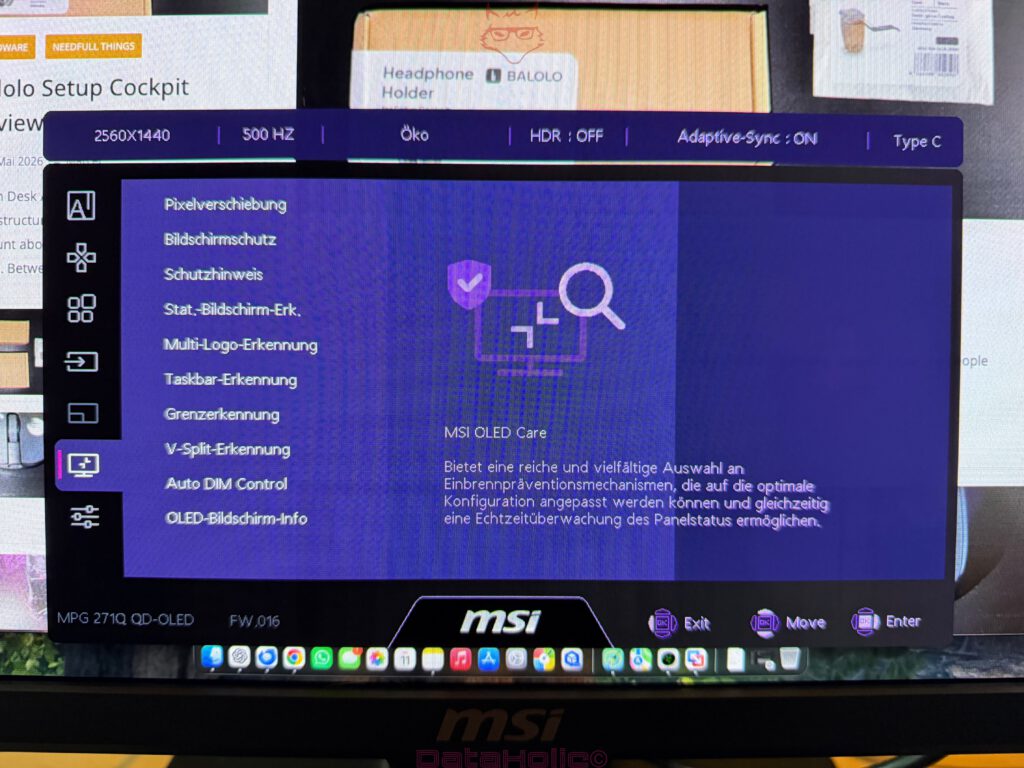
No serious discussion about OLED technology can avoid the topic of burn-in. Self-emissive pixels age according to their usage patterns, brightness levels, and the content displayed over extended periods. Static elements such as taskbars, heads-up displays, or permanently visible logos can, under unfavorable circumstances, leave lasting traces over time. MSI addresses this concern through OLED Care 3.0 and the inclusion of an AI Care Sensor.
OLED Care 3.0 encompasses a collection of protective mechanisms designed to reduce uneven wear across the panel. Pixel refresh cycles, panel refresh procedures, static content detection, and additional preventative measures operate behind the scenes. The goal is not to eliminate all responsibility from ownership but to reduce the burden of constant vigilance. OLED ownership should not resemble caring for an exotic houseplant requiring hourly attention.
The AI Care Sensor adds another layer of practicality. The sensor can detect the presence or absence of a user in front of the display. If the workstation remains unattended, protective functions can engage automatically. This approach introduces a level of intelligence that older technologies simply lacked. OLED preservation works best when it becomes integrated into the overall experience rather than constantly interrupting it.
These protective systems remain valuable, but they do not eliminate the need for sensible habits. Static content displayed at maximum brightness for prolonged periods continues to represent a less-than-ideal scenario for OLED technology. Automatically hiding the taskbar, occasionally changing wallpapers, utilizing moderate brightness settings during desktop work, and allowing refresh procedures to complete all contribute positively to long-term panel health.
Encouragingly, MSI does not attempt to bury the topic beneath marketing language. OLED Care appears as a visible part of the product strategy. Within this price category, transparency regarding long-term maintenance matters. The AI Care Sensor resembles a small technological conscience sitting quietly within the monitor: when nobody occupies the chair, the panel deserves a break. There is something oddly nostalgic about this concept. It recalls the era of screen savers protecting CRT displays, only this time executed with considerably more intelligence and significantly fewer flying toasters.
Everyday Use and On-Screen Display
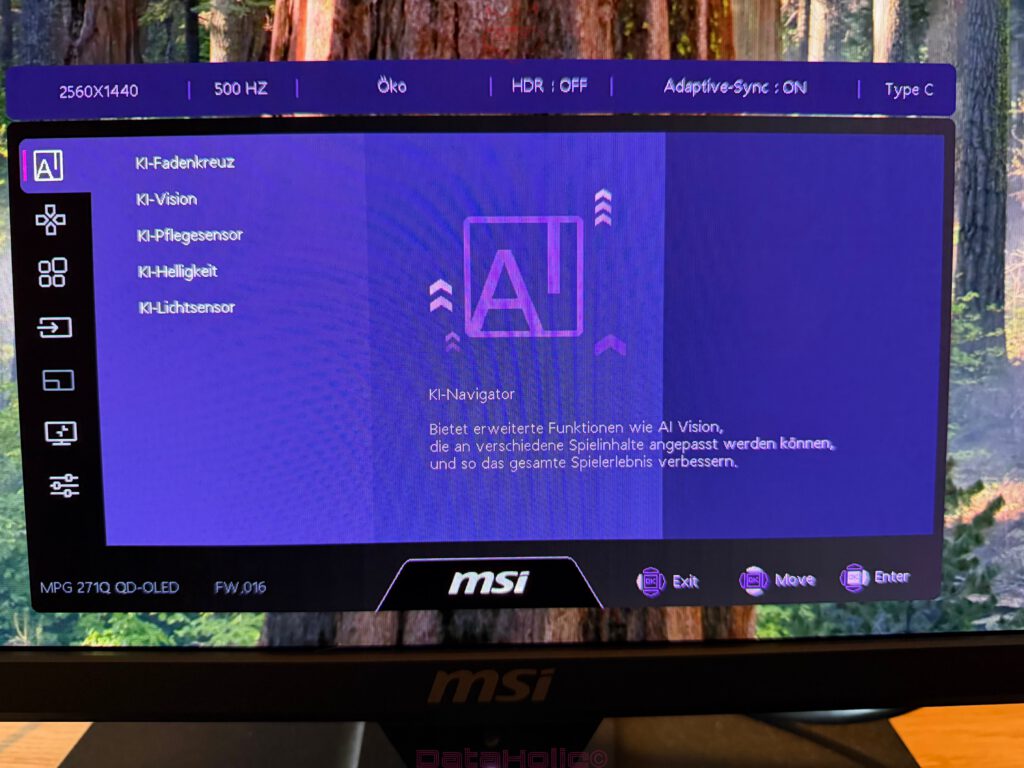
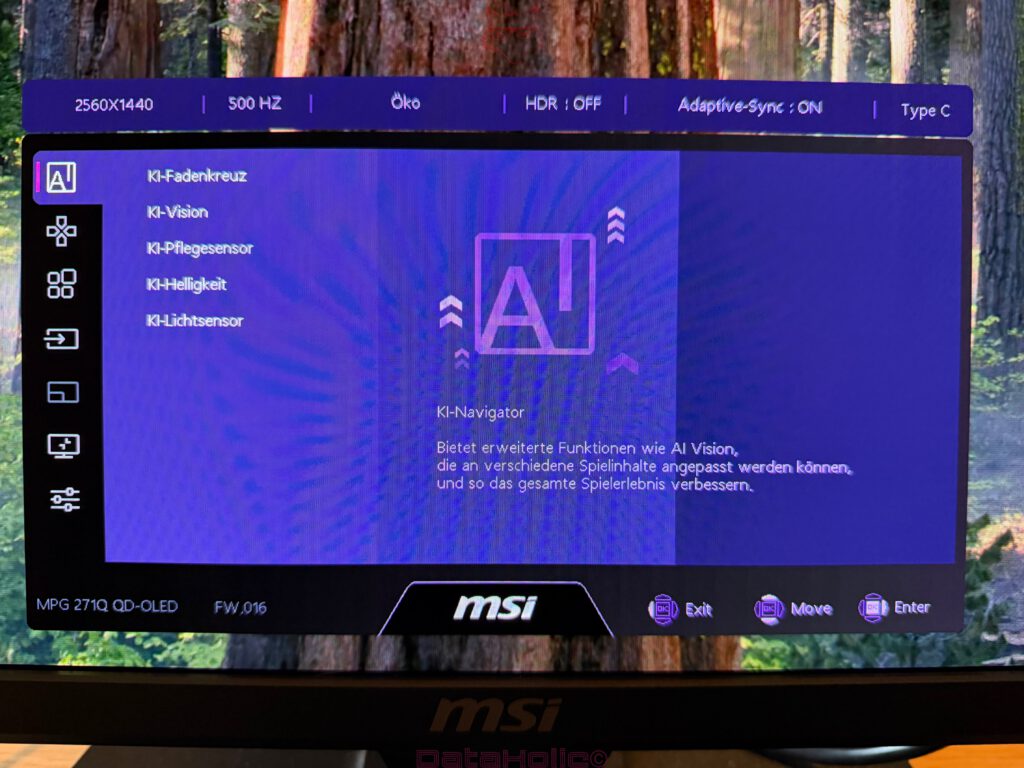
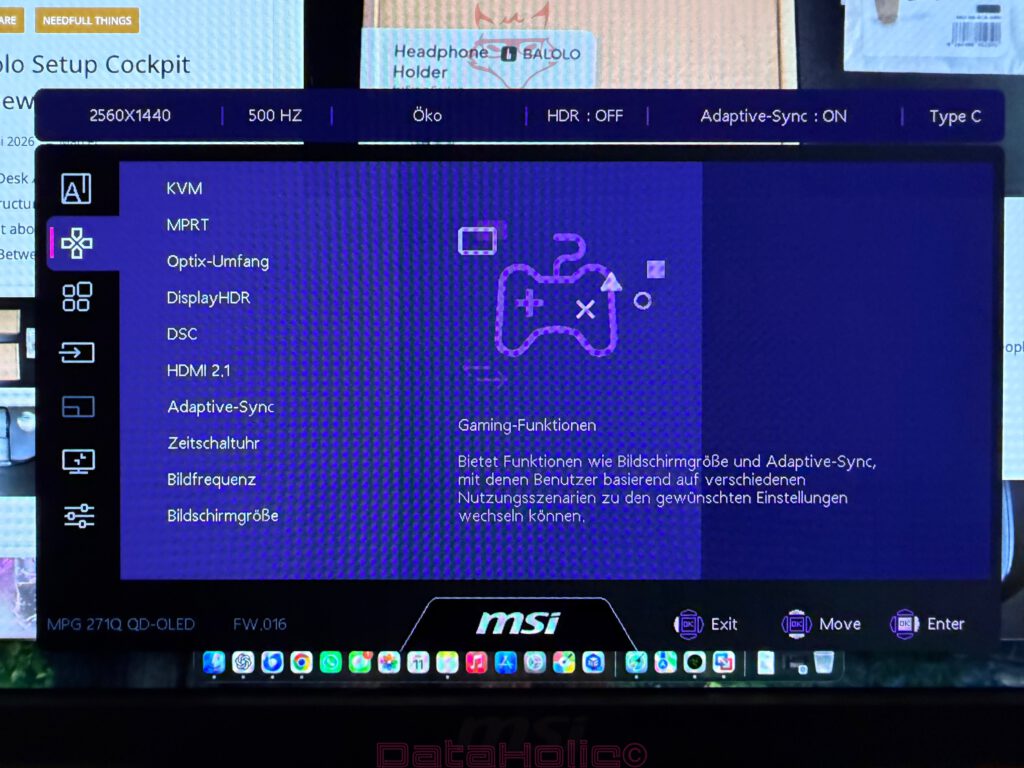
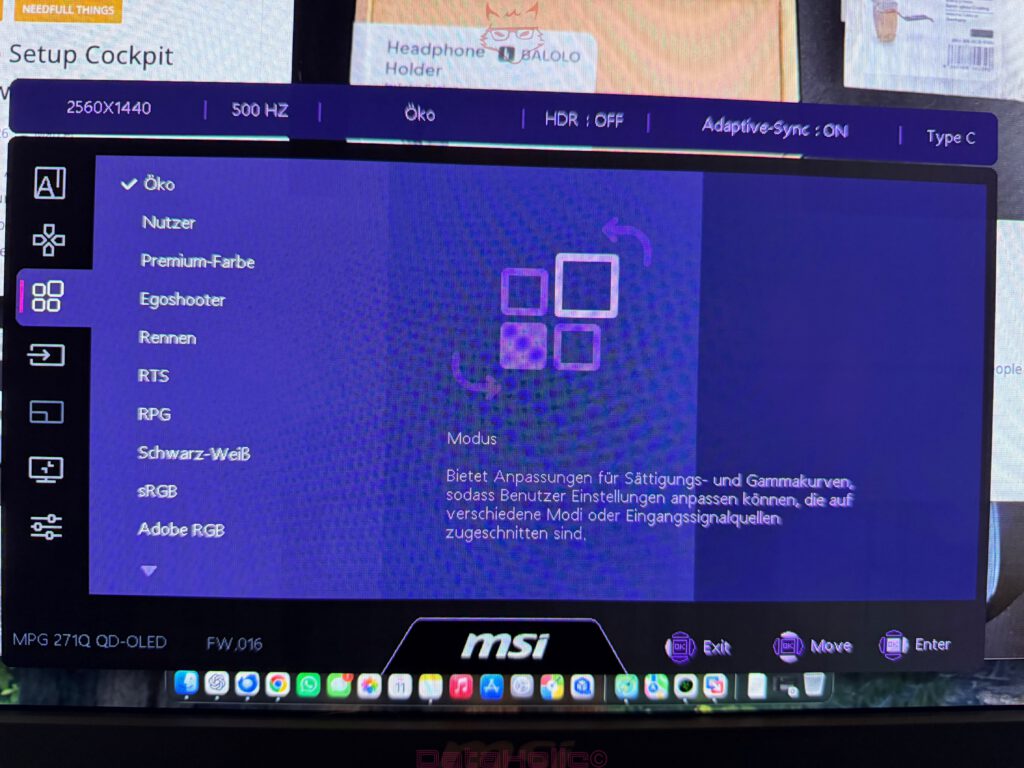
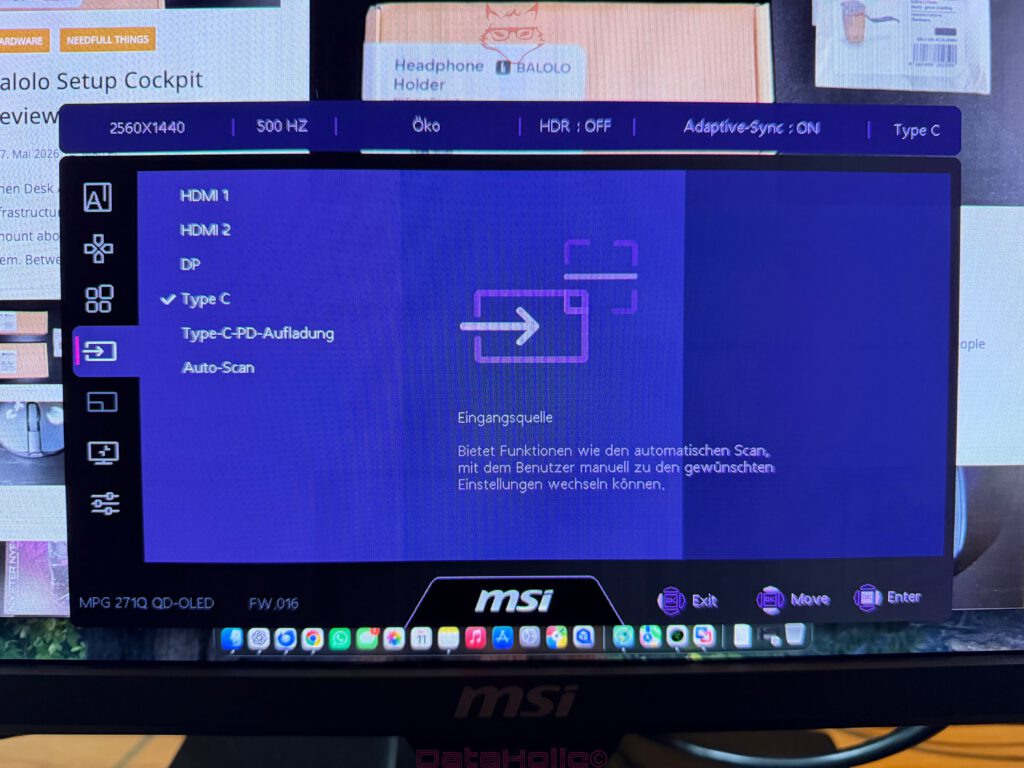
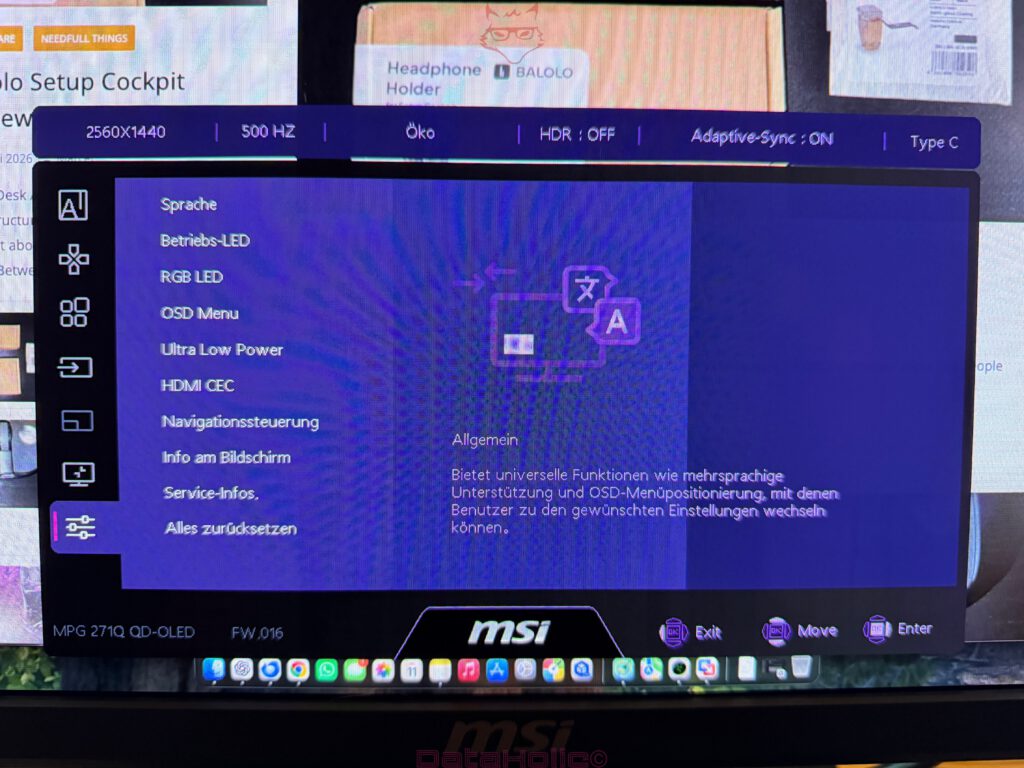
Navigation through the monitor’s settings occurs through a five-way joystick positioned at the rear. This method has become the gold standard for monitor control. The era of tiny buttons hidden beneath the lower bezel often transformed basic adjustments into exercises in frustration. The joystick approach feels more intuitive, faster, and considerably less error-prone.
The on-screen display provides the expected selection of gaming and image-related options. Picture presets, HDR settings, response behavior adjustments, adaptive synchronization controls, OLED protection features, and input management tools all reside within accessible menus. For a monitor occupying this category, usability matters almost as much as the specifications themselves. No premium display should require a degree in menu archaeology simply to adjust brightness or switch inputs.
MSI succeeds in delivering a reasonably organized interface. Not every option will prove relevant to every user, yet the most important functions remain straightforward to locate. Thoughtful menu design may not generate excitement on product pages, but frustration-free daily interaction contributes substantially to long-term satisfaction.
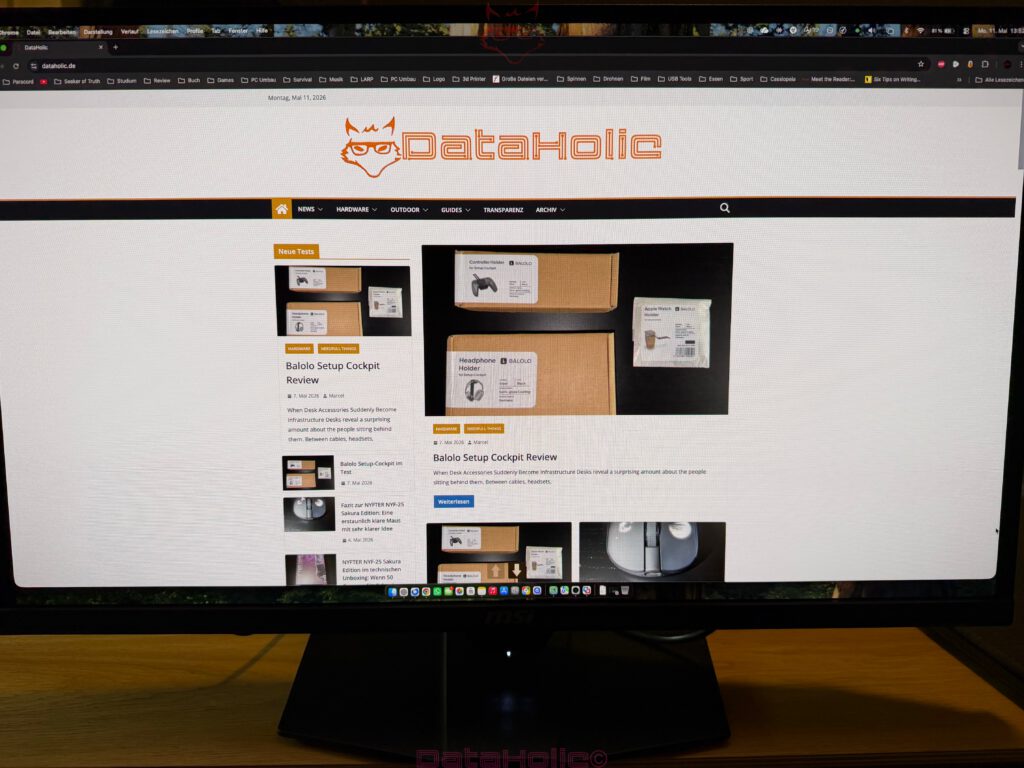
During general desktop use, the monitor impresses through its sheer smoothness. Mouse movement appears exceptionally fluid, window animations glide effortlessly across the screen, and even routine scrolling acquires an almost luxurious quality. A 500 Hz desktop environment is not strictly necessary, but it undeniably enhances the experience. Once accustomed to that level of responsiveness, returning to conventional refresh rates often feels surprisingly jarring.
At the same time, a monitor of this caliber exposes weaknesses elsewhere in the system. Sluggish computers, imprecise input devices, and inconsistent frame rates become increasingly noticeable. The display does not disguise shortcomings. Instead, it reveals them. In that sense, the MSI behaves less like a forgiving companion and more like an uncompromising instructor.
Productivity tasks remain entirely feasible. The 16:9 aspect ratio and WQHD resolution provide adequate workspace for side-by-side windows, document editing, and multitasking. It does not replace the expansive convenience of an ultrawide monitor, nor does it attempt to. The emphasis remains firmly placed upon image quality and speed rather than maximum horizontal real estate.
Gaming: The Environment for Which It Was Created
Within gaming scenarios, the MPG 271QR QD-OLED X50 truly begins to justify its existence. Fast movements remain crisp, inputs translate immediately into visible reactions, and OLED contrast introduces an additional layer of atmosphere that traditional LCD technology often struggles to reproduce.
Dark environments become particularly compelling. Horror games, cyberpunk cityscapes, science fiction adventures, and any experience relying heavily upon dramatic lighting all benefit enormously from QD-OLED technology. Black backgrounds disappear into genuine darkness while bright effects maintain clarity and intensity.
Competitive gaming represents another area where the monitor excels. Here, the combination of 500 Hz refresh rates and OLED response times creates a uniquely responsive experience. Rapid directional changes remain readable, enemy silhouettes retain definition during motion, and overall image stability supports precision-oriented gameplay.
The difference becomes especially pronounced for users upgrading from 144 Hz or 165 Hz displays. Moving from 240 Hz to 500 Hz yields subtler improvements, yet highly experienced players often recognize those refinements. The pursuit of competitive advantage frequently involves accumulating marginal gains. The MSI contributes exactly those types of refinements.
Adaptive synchronization technologies further enhance the experience by reducing tearing and maintaining smoothness when frame rates fluctuate. While the monitor clearly targets extremely high frame rates, real-world conditions vary from title to title. Synchronization support ensures that periods of inconsistency do not undermine the overall experience.
WQHD resolution proves to be an excellent strategic choice. Ultra HD delivers greater sharpness but demands exponentially more graphical horsepower. Full HD permits higher frame rates more easily but sacrifices image fidelity at this screen size. WQHD resides comfortably between those extremes. It represents perhaps the most sensible compromise for a monitor designed around extreme refresh rates.
Construction and Design: Clearly Gaming, Never Ridiculous
Visually, the MPG 271QR QD-OLED X50 leaves little doubt regarding its intended audience. The rear design incorporates MSI’s familiar dragon branding, angular surfaces, and a stand structure reminiscent of technical scaffolding. Yet despite these unmistakably gaming-oriented characteristics, the monitor avoids descending into parody.
The front remains remarkably restrained. Thin bezels and a relatively understated lower edge ensure that attention remains focused where it belongs: on the panel itself. The rear design may divide opinions. Within a corporate conference room, the prominent dragon motif might appear somewhat enthusiastic. Within a gaming environment, however, it feels entirely appropriate.
Material quality aligns well with expectations for this segment. The monitor does not attempt to imitate premium metal construction through deceptive tricks. Instead, it embraces durable plastics executed with competence. The stand feels reassuringly stable, the adjustment mechanisms operate smoothly, and the overall proportions strike an effective balance between visual interest and functional practicality.
Ventilation openings integrated into the rear housing acknowledge the thermal realities associated with high-performance OLED displays. Temperature management influences panel longevity and operational consistency. The monitor never becomes excessively warm, but its design openly recognizes the presence of sophisticated electronics working behind the scenes.
The integrated power supply also deserves recognition. External power bricks often contribute unnecessary clutter beneath otherwise tidy workstations. By incorporating the power supply internally, MSI simplifies cable management and enhances overall desk organization.
Comparing IPS, VA, and Mini-LED Alternatives
Compared with IPS technology, the MSI delivers substantially superior black levels, dramatically higher native contrast, and significantly faster pixel transitions. IPS panels continue to excel in professional environments, offering dependable viewing angles and often excellent text rendering. Yet in dark scenes, IPS displays frequently reveal their limitations through elevated blacks and reduced depth. QD-OLED capitalizes precisely upon those weaknesses.
VA panels traditionally occupy a middle ground. They provide stronger contrast ratios than IPS while often struggling with slower transitions and dark-level smearing. For cinematic experiences, certain VA displays remain attractive. Fast-paced gaming, however, frequently exposes their compromises. The MSI operates within an entirely different performance category. Motion clarity remains more consistent, contrast stronger, and responsiveness distinctly more contemporary.
Mini-LED technology represents perhaps the most compelling competitor. High-end Mini-LED monitors can achieve extraordinary brightness levels and deliver spectacular HDR experiences under bright conditions. Nevertheless, local dimming zones inevitably introduce limitations. Blooming artifacts and uneven transitions occasionally intrude upon the viewing experience.
QD-OLED approaches HDR differently. Since each individual pixel controls its own illumination, precision becomes its defining advantage. Mini-LED excels within brightly lit environments and particularly luminous HDR content. QD-OLED thrives during darker, contrast-rich experiences where precision and responsiveness matter most.
Consequently, the MPG 271QR QD-OLED X50 should not be viewed as the perfect solution for every conceivable environment. Rather, it excels within thoughtfully controlled gaming and entertainment spaces where its unique strengths can flourish.
Der Abschnitt ist bereits gut, wirkt aber stellenweise etwas zu “KI-typisch”: viele sehr kurze Sätze, Wiederholungen des gleichen Satzbaus und einige Formulierungen, die eher wie ein Essay als wie ein hochwertiges Tech-Magazin-Fazit klingen. Für DataHolic würde ich ihn journalistischer, flüssiger und etwas technischer formulieren, ohne die englische Sprache unnötig aufzublähen.
Besonders diese Passage würde ich überarbeiten:
Verdict: A Monitor That Knows Exactly What It Wants to Be
The MSI MPG 271QR QD-OLED X50 is not a monitor designed to satisfy every possible audience. It does not attempt to disguise itself as a productivity-first office display, nor does it chase universal appeal at the expense of identity. From the moment the packaging lands on the desk, its priorities become unmistakably clear: exceptional speed, uncompromising responsiveness, striking image quality, and a gaming experience built around some of the most advanced display technologies currently available.
That clarity of purpose is ultimately one of its greatest strengths.
The combination of a 26.5-inch QD-OLED panel, a WQHD resolution of 2560 × 1440 pixels, and an extraordinary 500 Hz refresh rate results in a monitor that feels deliberately engineered rather than assembled from a collection of fashionable specifications. A 4K panel would have added another headline number to the retail box, while Full HD would have simplified the pursuit of extreme frame rates. MSI instead selected a balanced middle ground, and that decision deserves recognition.
WQHD remains one of the most sensible resolutions in modern PC gaming. It delivers a substantial improvement in image sharpness compared to Full HD while avoiding the immense performance demands associated with Ultra HD. Competitive players gain additional visual detail without sacrificing the high frame rates required to take full advantage of a 500 Hz panel.
The QD-OLED technology at the heart of the MPG 271QR QD-OLED X50 elevates the experience beyond pure speed. Black levels are genuinely black. Colors appear rich and vibrant without descending into oversaturation. Contrast provides scenes with depth and dimensionality that conventional LCD technologies still struggle to reproduce convincingly. Horror titles become more atmospheric, science-fiction worlds gain visual intensity, and neon-soaked cityscapes acquire an almost tangible presence. Even familiar games occasionally reveal details that had previously gone unnoticed.
At the same time, realism requires acknowledging the limitations inherent to OLED technology.
Bright environments remain challenging for any display technology built around perfect black levels. Long-term use involving static user interfaces still benefits from sensible precautions. Those whose daily workloads consist primarily of spreadsheets, permanently visible software elements, or identical desktop arrangements for extended periods may ultimately find greater reassurance in alternative panel technologies.
MSI addresses these concerns with OLED Care 3.0 and the integrated AI Care Sensor. These features should not be viewed as magical solutions capable of eliminating every potential risk. Instead, they represent thoughtful tools designed to minimize uneven panel wear while reducing the level of active attention required from the user. They acknowledge the realities of OLED ownership rather than pretending such considerations no longer exist.
The physical construction of the monitor complements its technological ambitions. Assembly is straightforward, the stand offers reassuring stability without consuming excessive desk space, and the available ergonomic adjustments provide meaningful flexibility for a variety of setups. The rear design embraces MSI’s gaming identity confidently, although opinions regarding the prominent dragon motif will inevitably vary. Fortunately, the front remains disciplined and understated, allowing the display itself to command attention.
Connectivity further strengthens the overall package. DisplayPort 2.1a with UHBR20 support prepares the monitor for current and future graphics hardware. HDMI 2.1 ensures compatibility with modern consoles and alternative systems, while USB-C with up to 98 watts of Power Delivery expands the monitor’s usefulness well beyond gaming scenarios.
That versatility should not be overlooked.
Gaming monitors often define themselves exclusively through gaming performance. The MPG 271QR QD-OLED X50 demonstrates broader ambitions. A notebook connected via USB-C can transform the display into the centerpiece of a productive workstation, while integrated USB functionality simplifies peripheral management. The result is a monitor capable of adapting to increasingly hybrid lifestyles, where professional obligations and recreational interests frequently share the same desk.
Nevertheless, gaming remains its natural environment.
Fast-paced titles reveal the full extent of the monitor’s capabilities. Motion clarity reaches an exceptional standard. Input responsiveness feels immediate. Tracking moving targets becomes more intuitive, and rapid camera movements preserve impressive levels of detail. The leap from 240 Hz to 500 Hz may not produce the same transformative effect experienced when moving from 60 Hz to 144 Hz, but the refinement is unmistakably present.
The concept is remarkably similar to the philosophy of marginal gains often discussed in professional sports. Slightly faster reactions, slightly cleaner execution, and slightly improved efficiency may appear insignificant when considered individually. Collectively, however, they can influence outcomes. The MPG 271QR QD-OLED X50 embodies precisely that principle. Its greatest strengths emerge not from a single spectacular feature but from the cumulative effect of numerous refinements working together harmoniously.
The display market itself has evolved considerably in recent years. IPS panels were once synonymous with color accuracy, VA panels with contrast, and TN panels with speed. Those distinctions have gradually blurred. OLED technology now offers extraordinary contrast alongside exceptional responsiveness. Mini-LED provides remarkable brightness capabilities, while advanced IPS panels continue refining their traditional strengths.
The modern monitor landscape is therefore defined less by universally superior technologies and more by carefully selected compromises.
Within that landscape, the MSI positions itself intelligently. It does not seek absolute dominance across every conceivable use case. Instead, it excels within clearly defined priorities. Users seeking the brightest HDR experience for sunlit environments may discover stronger alternatives through Mini-LED technology. Those focused exclusively on office productivity may find greater value elsewhere. Similarly, individuals unwilling to accept any considerations associated with OLED ownership may understandably prefer conventional LCD solutions.
For enthusiasts prioritizing responsiveness, image quality, and immersive gaming experiences, however, the MPG 271QR QD-OLED X50 becomes genuinely compelling.
Perhaps its most impressive achievement lies in its restraint. Despite featuring a 500 Hz refresh rate, cutting-edge QD-OLED technology, sophisticated panel protection systems, and forward-looking connectivity options, the monitor rarely feels like a technological gimmick. Each major specification serves a coherent purpose. The refresh rate supports competitive gaming. The panel technology enhances contrast and responsiveness. The connectivity options facilitate hybrid workflows. The ergonomic adjustments improve long-term comfort, while the protective systems contribute to longevity.
Nothing appears included solely to inflate a marketing checklist.
That coherence transforms the MSI MPG 271QR QD-OLED X50 from an interesting product into a convincing one.
Not every desk requires a 500 Hz display. Not every user will benefit from QD-OLED technology. Yet for those capable of appreciating both, the experience can be genuinely transformative.
The MSI MPG 271QR QD-OLED X50 understands exactly what it wants to be.
More importantly, it executes that vision exceptionally well.
Transparency Notice in accordance with EU guidelines:
The MSI MPG 271QR QD-OLED X50 presented in this review was provided to us by MSI as a non-binding loan unit for testing purposes. This does not constitute paid advertising.
MSI had no influence whatsoever on the content, evaluation, or editorial independence of this article. All opinions expressed are based exclusively on our own hands-on experiences.
We would like to sincerely thank MSI for providing the monitor and for the trust placed in dataholic.de.