
MSI Claw 8 AI+ (A2VM) – technical unboxing
- The first layer: opening without force—and why that matters
- The device in the box: visible, but not yet reachable
- Documentation package: paper as structure, not just obligation
- Accessory layer: the power supply as a statement
- The handheld itself: first grip, first material impression
- Interface check: ports are half the life of a handheld PC
- Packaging logic in detail: why nothing rattles
- Material and manufacturing impression: where MSI clearly invested effort
- A brief reality check: handheld PC means compromise—even at unboxing
- Final packaging observation: retail-ready without excess
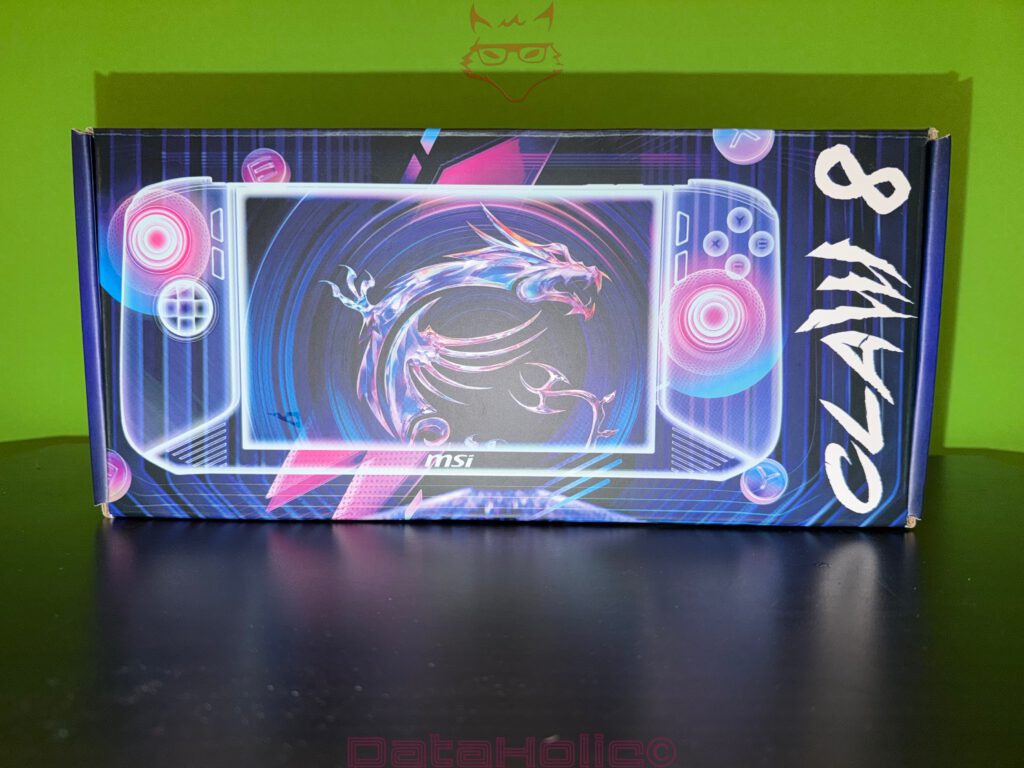
Right from the first grip on the box, it becomes clear that MSI is serious about presentation. The Claw 8 AI+ does not arrive in generic brown shipping cardboard, but in a fully printed retail box that feels far more like a launch product than a simple transport container. Dominating the design is the Claw artwork with a stylized handheld, framed by neon accents and UI-inspired elements that land exactly where MSI traditionally positions itself: gaming aesthetics, but not loud or aggressive—clean, technical, and deliberate.
On the long side, the vertically set CLAW lettering immediately catches the eye, almost like a marking on a rugged equipment case. Alongside it sits the MSI logo, acting as a kind of seal of quality. This is meant to communicate that there is more inside than just a device; it is a platform, something MSI clearly wants to establish as part of its own ecosystem. That intention becomes increasingly visible later, especially when looking at the accessories. Nothing feels randomly thrown together—everything appears designed as part of a coherent whole.
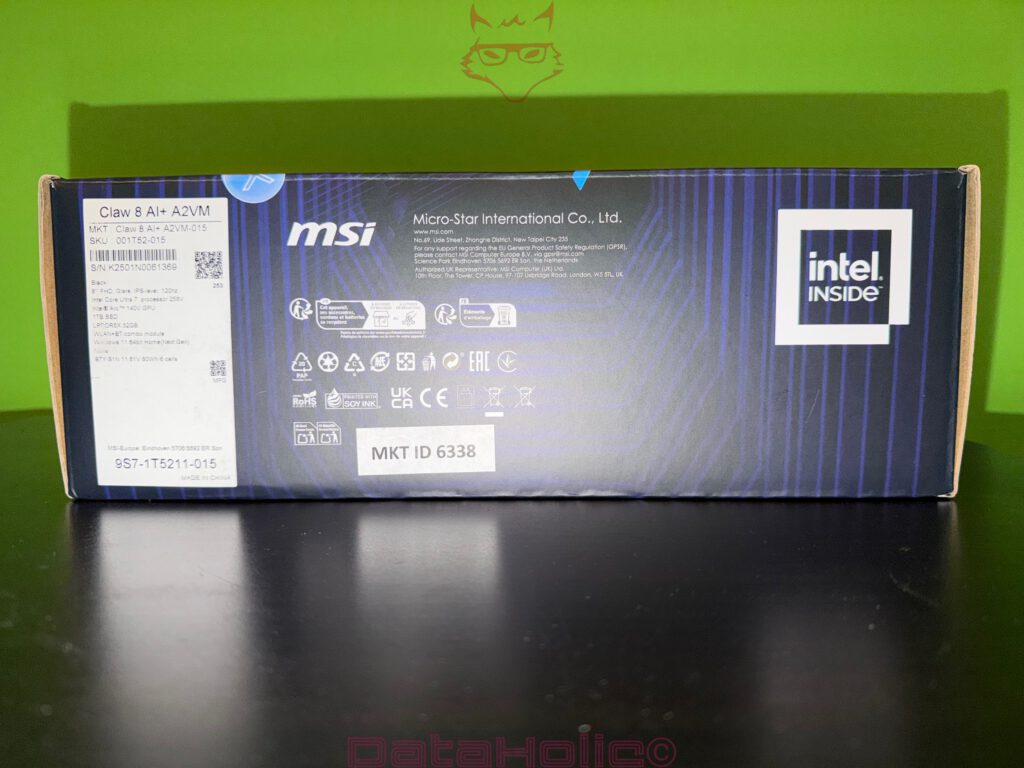
Before lifting the lid, it is worth examining the back of the box, because this is where marketing gives way to facts. The label identifies the unit as MSI Claw 8 AI+ A2VM, specifically the A2VM-015 variant. Listed specifications include an 8-inch Full HD+ display (1,920 × 1,200) with 120 Hz, an Intel Core Ultra 7 258V, Intel Arc 140V graphics, 32 GB of LPDDR5X memory, and a 1 TB SSD, paired with Windows 11 Home. These details align with MSI’s official specifications, including the 16:10 panel format, 120 Hz refresh rate with VRR support, and the large 80 Wh battery.
In addition to the technical data, the rear panel features the usual conformity and recycling symbols, serial and SKU numbers, and the prominent “Intel Inside” badge. This is not a trivial detail. In the handheld PC space, the choice of platform is the foundation of everything: CPU, integrated GPU, memory bandwidth, display characteristics, battery life. All of these elements are tightly interconnected. MSI clearly wants this foundation to be visible—even before the box is opened.
“Any sufficiently advanced technology is indistinguishable from magic.”
(Arthur C. Clarke’s third law—a thought that still fits modern hardware remarkably well.)
The first layer: opening without force—and why that matters
The lid opens in a classic, straightforward way, without magnets, hidden tabs, or gimmicks. That may sound unremarkable, but it is not. A clean, repeatable opening mechanism is invaluable in real-world logistics. The fewer tricks a box relies on, the lower the chance of damage during storage, shipping, or repeated opening, as often happens with review samples or loan units. MSI uses sturdy cardboard with clearly defined fold lines that do not fray or tear as soon as the box is opened.
Directly beneath the lid sits a dark insert that feels more like a technical cover plate than simple packaging. It is flat, minimalist, and decorated with subtle pictograms labeled 1 through 4, illustrating the unboxing sequence. No text, no language barriers—just visual guidance: open, remove, set up. This is one of those industrial design moments where you can tell someone thought carefully about the first interaction. The unboxing becomes a process, not a scavenger hunt.
This insert fulfills three roles at once:
- Transport protection, preventing direct pressure on the contents.
- Structural organization, separating the device and accessories into clear layers.
- Psychological framing, turning the opening into a guided action rather than chaotic unpacking.

It is precisely here that another quote fits perfectly, because it captures this kind of detail-driven thinking:
“The details are not the details. They make the design.”
(Charles Eames—and yes, sometimes a piece of cardboard really does shape the entire first impression.)
The device in the box: visible, but not yet reachable
Beneath the insert, the white grips of the handheld already peek out from the left and right. The device sits deep in a precisely shaped cradle that not only holds it in place but also protects it from lateral shocks. Notably, MSI avoids extremely soft foam or loose plastic bags. Instead, the handheld is locked into a rigid, well-defined form that keeps it stable during transport.
This is especially important for a handheld, because many sensitive components are on the outside: analog sticks, buttons, triggers. A shock that might only dent a laptop corner can hit a stick directly on a handheld. The packaging therefore has to protect not just “the device,” but very specific input components. The way MSI secures the Claw suggests that this risk was clearly considered.
Documentation package: paper as structure, not just obligation
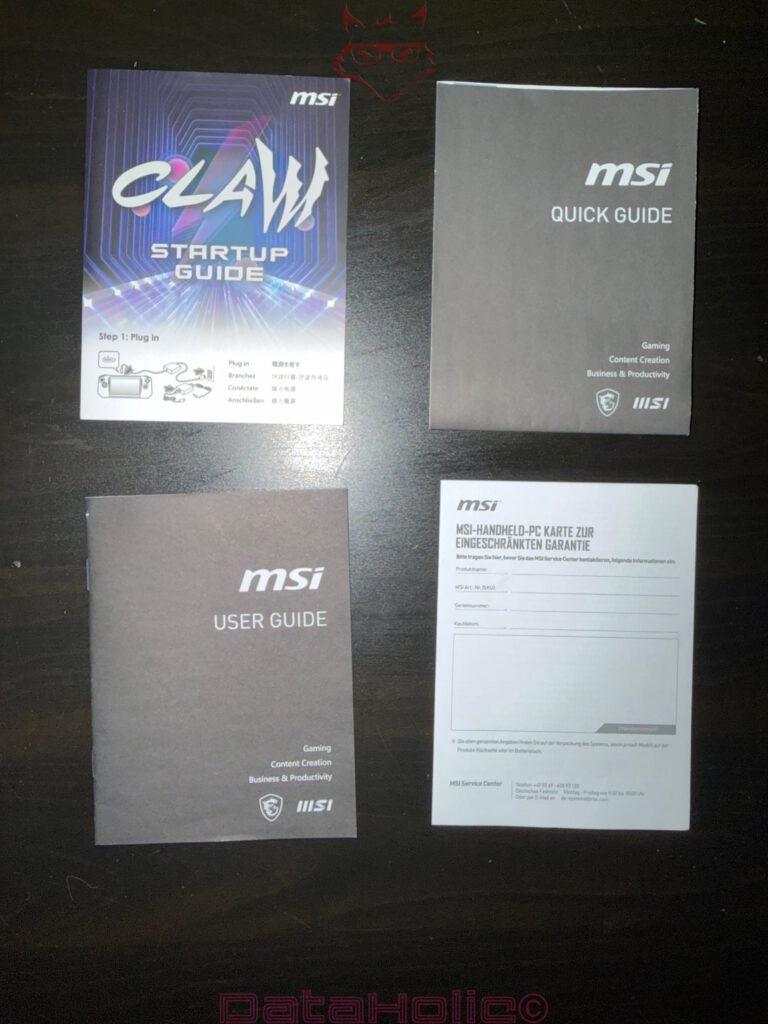
Once the top insert is removed, the printed materials come into view. The box includes several documents, neatly stacked:
- MSI Quick Guide
- MSI User Guide
- Claw Setup Guide
- a warranty or registration card (region-dependent)
From a technical standpoint, the interesting part is not that paper is included—that is often required by regulations—but how it is structured. The Quick Guide and the Setup Guide are separate. This suggests MSI deliberately distinguishes between the initial hardware interaction (charging, basic handling, first steps) and deeper, long-term usage. The User Guide is more of a reference manual, while the Setup Guide marks the starting line.
For experienced users and reviewers, this may seem trivial. But as a product decision, it makes sense. A handheld PC is neither a pure console nor a traditional laptop. Many users want to get started quickly without reading dozens of pages, while MSI still needs to provide full documentation for legal and support reasons. Splitting the material into “quick,” “setup,” and “detailed” is a pragmatic compromise.
Accessory layer: the power supply as a statement
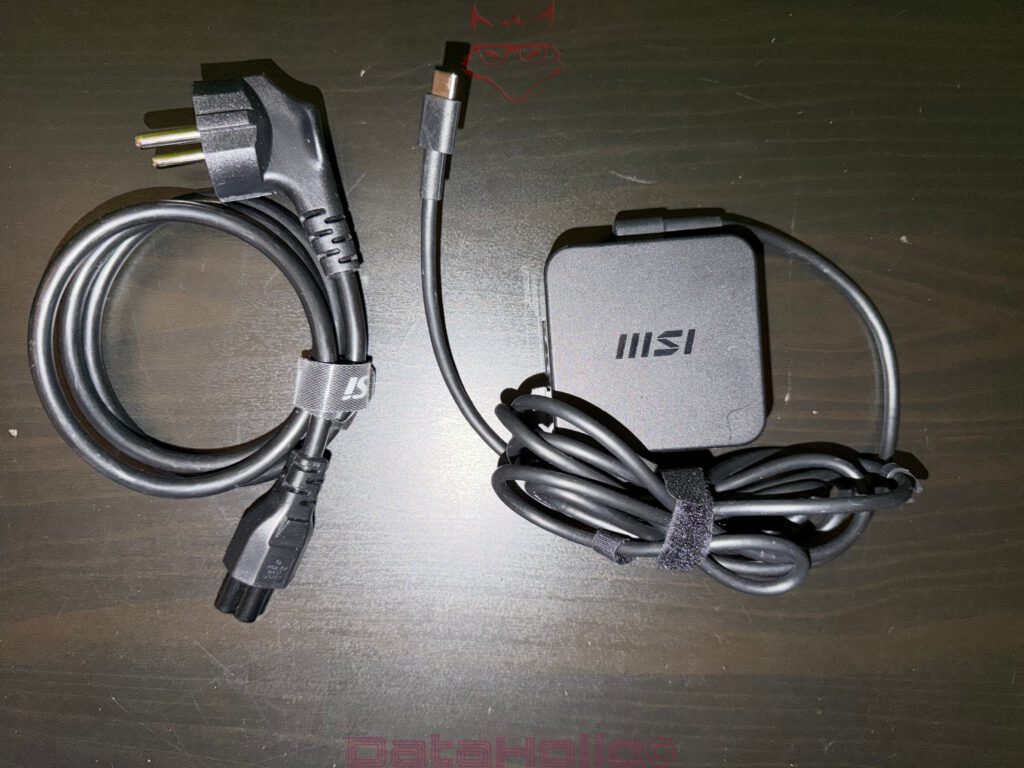
Below the documentation—or in the lower layer of the box—the accessories appear, and this is where the unboxing becomes more tangibly technical. The contents include:
- a power cable with EU (Schuko) plug
- an MSI power adapter with an integrated USB-C charging cable
The power adapter itself is a compact, flat unit with the MSI logo on top. The cable is neatly routed and secured with a Velcro strap rather than a twist tie. This may sound minor, but it reduces stress on the cable, because you do not have to bend it sharply to make it fit. For a mobile device, this matters.
In terms of electrical specifications, MSI specifies USB-C Power Delivery up to 65 W (20 V / 3.25 A) for the Claw 8 AI+ platform and recommends a compatible PD charger.
Depending on the region and configuration, official documentation also references 65 W and even 100 W PD adapters in specification tables.
From an unboxing perspective, this means the power supply is not just “some charger,” but a deliberate part of the platform concept. USB-C Power Delivery ensures that users are not locked into proprietary solutions. Especially for handheld PCs, this is a strong convenience factor, as standard chargers, docks, and power banks can be used as long as they support the required profiles.
The handheld itself: first grip, first material impression
This is the moment that matters most for any handheld: how it feels in the hands. Before display quality, CPU performance, or storage capacity come into play, ergonomics decide whether the device feels immediately appealing.
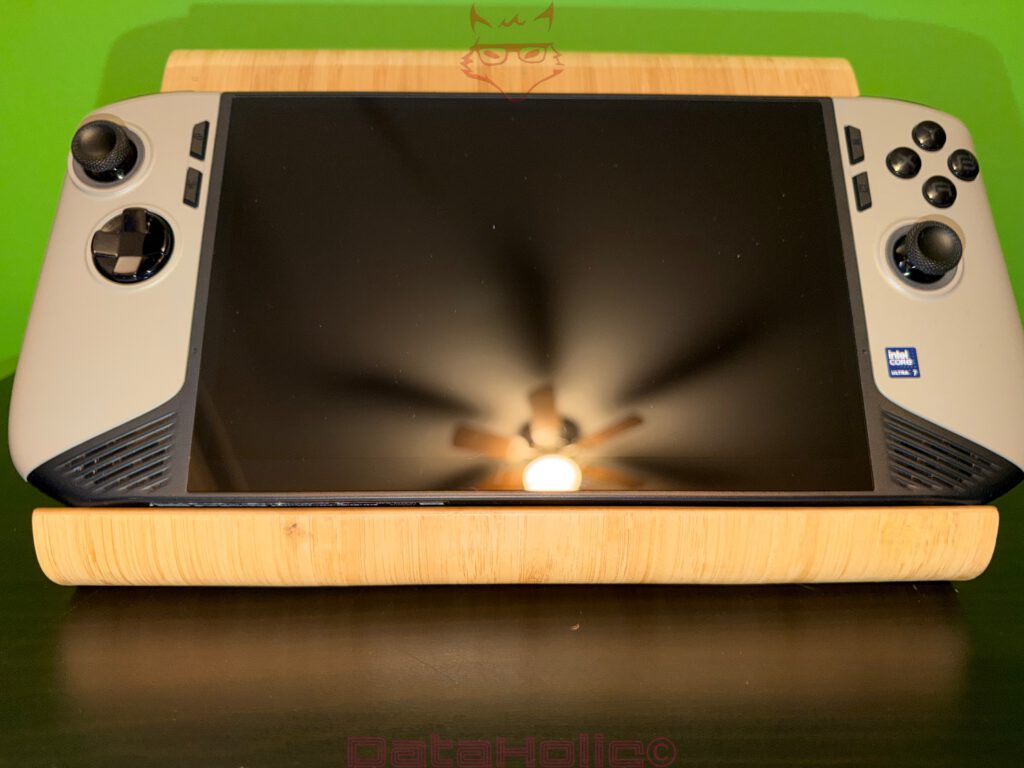
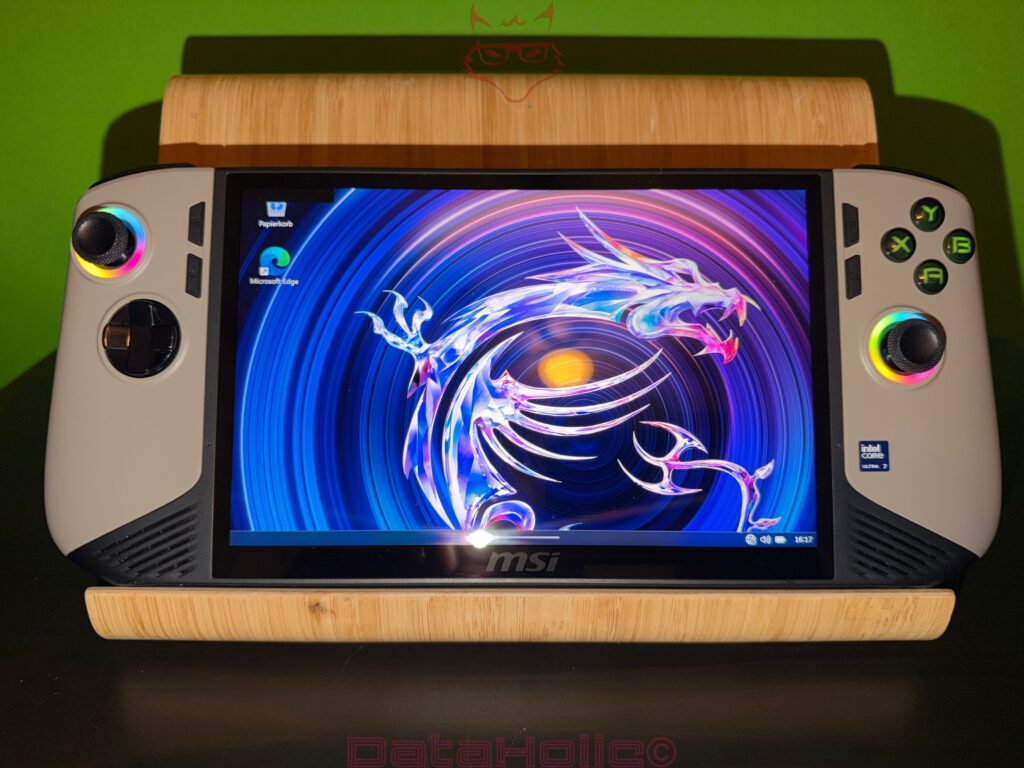
In the shown configuration, the MSI Claw 8 AI+ features a two-tone design: light-colored grip shells with darker accents and a black glass front. The front is clearly centered around the display, with symmetrical control areas on both sides. The layout includes:
- two analog sticks (left upper, right lower)
- a D-pad on the left
- ABXY buttons on the right
- additional buttons near the sticks
- front-facing speaker grilles at the lower left and right
The immediate impression is not “retro” or “toy-like,” but rather utilitarian—almost tool-like. The surface finish appears matte rather than glossy, which reduces fingerprints and provides better grip. MSI highlights features such as Hall-effect analog sticks and triggers for durability and precision.
Even without testing, this already shows in the hardware design: Hall-effect components reduce mechanical wear and long-term drift, which is a known issue with conventional potentiometer-based sticks.
Display side: glass, bezels, and FHD+ in real form
The display is an 8-inch panel with a 16:10 aspect ratio, Full HD+ resolution (1,920 × 1,200), 120 Hz refresh rate, and VRR support.
The choice of 16:10 is particularly interesting for a handheld. It provides more vertical space than 16:9, which is beneficial for desktop interfaces and many Windows dialogs, while still feeling natural in games. Combining this with 120 Hz and VRR clearly positions the Claw in the premium segment—even if the real benefits only become apparent during use.
From an unboxing standpoint, what matters is the physical execution. Large glass surfaces are vulnerable, and MSI does not include a separate visible screen protector in the box. Instead, the packaging design itself prevents direct pressure on the glass by securing the device at the sides and frame. This is exactly how it should be: with glass, pressure is often more dangerous than impact, as it can create microfractures that later turn into visible cracks.
Rear side: MSI identity and cooling architecture
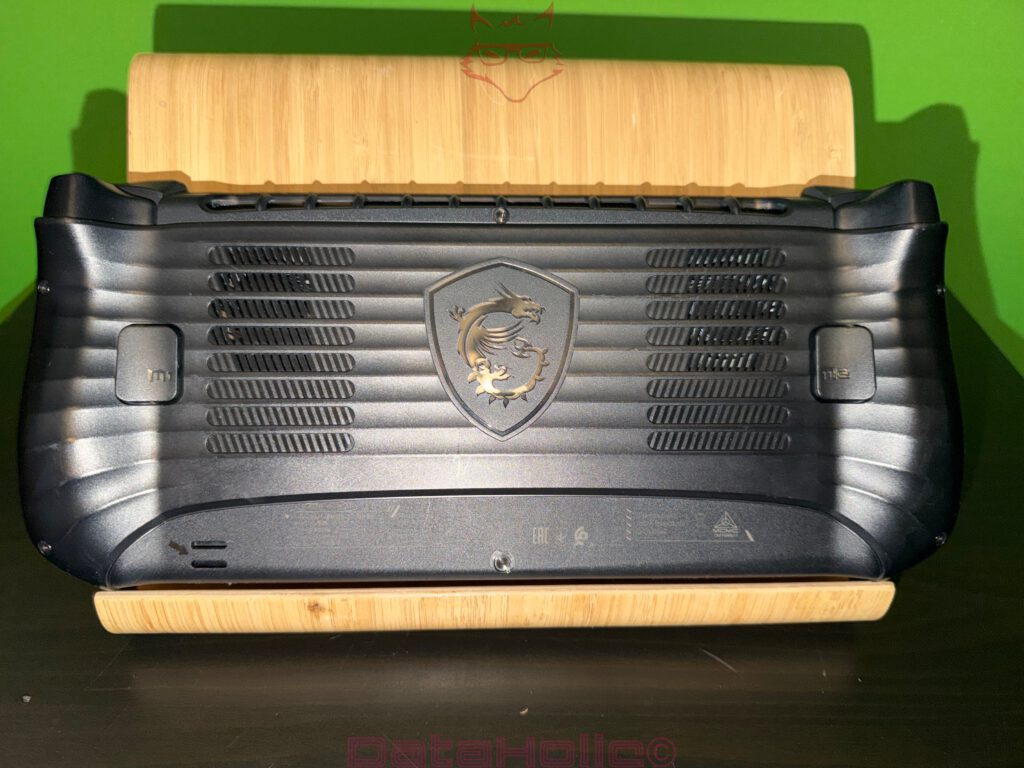
The rear of the device looks more overtly technical than the front. Multiple ventilation fields sit on the left and right, with the MSI shield and dragon logo centered between them. This is not just branding—it hints at the internal airflow design. MSI refers to its cooling solution as “Cooler Boost HyperFlow.”
At the unboxing stage, what you mainly see is the result: numerous vents with relatively large openings, arranged symmetrically, and a chassis design that allows air to move freely rather than forcing it through decorative obstructions.
The rear also features two large rectangular elements integrated into the grip areas on both sides, each marked with small symbols. Without delving into functionality, it is worth noting that such components on handhelds often serve structural, ergonomic, or service-related purposes. From an unboxing perspective, the key point is that they are flush, solid, and well integrated—nothing rattles or feels loosely attached.
Interface check: ports are half the life of a handheld PC
A Windows handheld is not just a console; it often acts as a docked PC, a display client, a controller, and a portable workstation. As a result, port selection is central to the device’s identity.
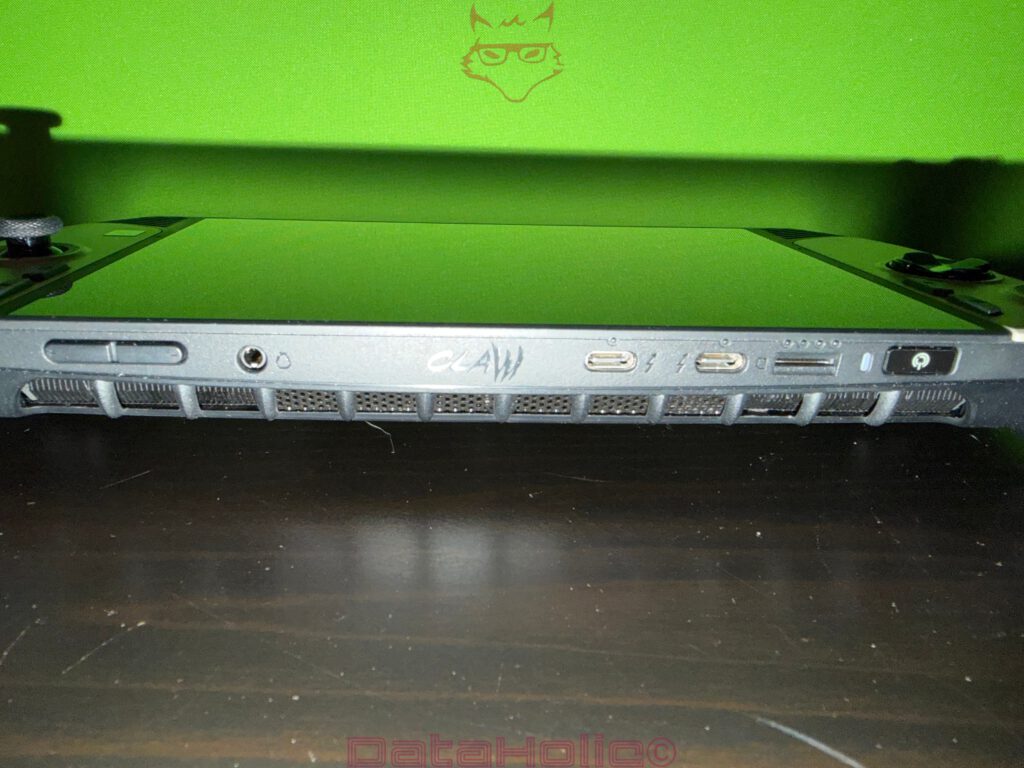
On the top edge of the device, several connectors and controls are visible:
- two USB-C ports, which MSI specifies as supporting Thunderbolt 4
- a 3.5 mm audio jack
- additional openings and buttons (ventilation, controls, possibly slots or switches)
The mention of dual Thunderbolt 4 ports is a major statement in the handheld space. It opens the door to external displays, docking stations, and even eGPU solutions, without relying on exotic adapters.
In the context of unboxing, this already signals MSI’s intent: the Claw is not a “Windows toy,” but a serious, versatile mini-PC in handheld form.
Another key specification that matters even at this early stage is the 80 Wh battery.
This capacity affects weight and balance. MSI lists the device at around 795 grams, including the battery.
When lifting it for the first time, the Claw does not feel light, but it also does not feel top-heavy. The weight is distributed across the width, which is far more important than the raw number during extended use.
Packaging logic in detail: why nothing rattles
One aspect often underestimated during unboxing is sound. If something rattles inside a box, it subconsciously signals cheapness or insecurity. Here, the opposite is true. The internal layout ensures that:
- the device sits firmly in its cradle,
- the power adapter cannot move thanks to cable management and form-fit,
- the power cable has a defined position,
- the documentation lies flat and separate.
This is not just about aesthetics; it reduces returns. Movement causes friction, friction causes wear, and wear leads to visible defects. For review samples especially, it is crucial that scratches or marks do not originate from shipping.
Material and manufacturing impression: where MSI clearly invested effort
A handheld lives from its contact surfaces. Unlike a laptop, which often rests on a desk, a handheld is constantly in your hands. As a result, several factors are immediately noticeable:
- Edge radii: sharp edges become uncomfortable very quickly.
- Surface finish: too smooth and it slips, too rough and it feels cheap.
- Panel gaps: creaking seams destroy any premium impression.
- Button fit: loose caps feel like toys.
The Claw 8 AI+ appears well assembled. The front glass sits cleanly in the frame, the buttons look evenly aligned, and the speaker grilles are integrated rather than simply drilled into the shell.
MSI also communicates several premium hardware features, such as Hall-effect controls and optimized buttons and bumpers.
While these are not measurable during unboxing, their influence is visible in the layout and build quality. Nothing feels overloaded or flimsy.
A brief reality check: handheld PC means compromise—even at unboxing
Despite all the enthusiasm, a Windows handheld is always a compromise between portability, performance, cooling, and battery life. That is precisely why it is interesting that MSI clearly addresses the hard facts with the Claw 8 AI+:
- large 80 Wh battery
- 120 Hz VRR display
- dual Thunderbolt 4
- Intel Core Ultra 7 258V with Arc 140V graphics
This matters for the unboxing because it explains the physical reality: why the box is not tiny, why a proper power adapter is included, and why the rear of the device is so ventilation-focused. This is not a minimal device—it is designed as a fully capable system in a compact form factor.
This brings us back to the impression created by the specification label on the box: this is not just another handheld console, but a small PC that happens to be shaped like a controller.
Final packaging observation: retail-ready without excess
MSI strikes a rare balance here: enough presentation to frame the product as premium, without unnecessary theatrics. There are no plastic cages, no pointless drawers, no gimmicky mechanisms designed purely for social media. Instead, there are layers, secure placement, and straightforward removal. In everyday use, this is often the better form of premium.
Put differently: premium is not when a box looks expensive. Premium is when nothing gets in the way while opening it.
“Simplicity is the ultimate sophistication.”
(Often debated, but the idea fits perfectly: if an unboxing feels effortless, it rarely draws attention to itself—and that is exactly when it succeeds.)
Notice in accordance with EU transparency requirements:
The MSI Claw 8 AI+ (A2VM-015) featured in this test report was provided to us by MSI as a non-binding loan unit for testing purposes. This is not paid advertising.
MSI had no influence on the content, evaluation, or editorial independence of this article. All opinions expressed are based solely on our own hands-on experience.
We would like to thank MSI for providing the handheld and for the trust placed in dataholic.de.