
Epomaker TH108 Pro Unboxing and Verdict – The Full-Size Keyboard That Stays Surprisingly Quiet
- When a Full-Size Keyboard Arrives Quietly
- First Contact: Everything Exactly Where It Should Be
- More Substance Than Expected
- Classic Layout Meets Modern Ideas
- Display and Rotary Knob as Meaningful Additions
- A Keyboard That Feels Mature
- Sea Salt Silent V2 – The Real Stars Are Hidden Beneath the Keycaps
- Quiet Does Not Mean Lifeless
- A Real Advantage for Everyday Work, the Office, and Long Writing Sessions
- Hot-Swap: A Keyboard That Can Grow with Its Owner
- The World of Switches Is Bigger Than Many People Expect
- Little Desire to Change Anything
- RGB with Restraint Instead of Constant Spectacle
- Flexible, but Never Complicated
- Tri-Mode Connectivity: One Keyboard for Almost Every System
- Built for Everyday Life, Not Just One Purpose
- Finally, Configuration That Doesn’t Work Against the User
- Clear Instead of Cluttered
- Less Software, More Keyboard
- Verdict: Sometimes Less Noise Really Is More
- Transparency Notice (in accordance with EU regulations):
When a Full-Size Keyboard Arrives Quietly
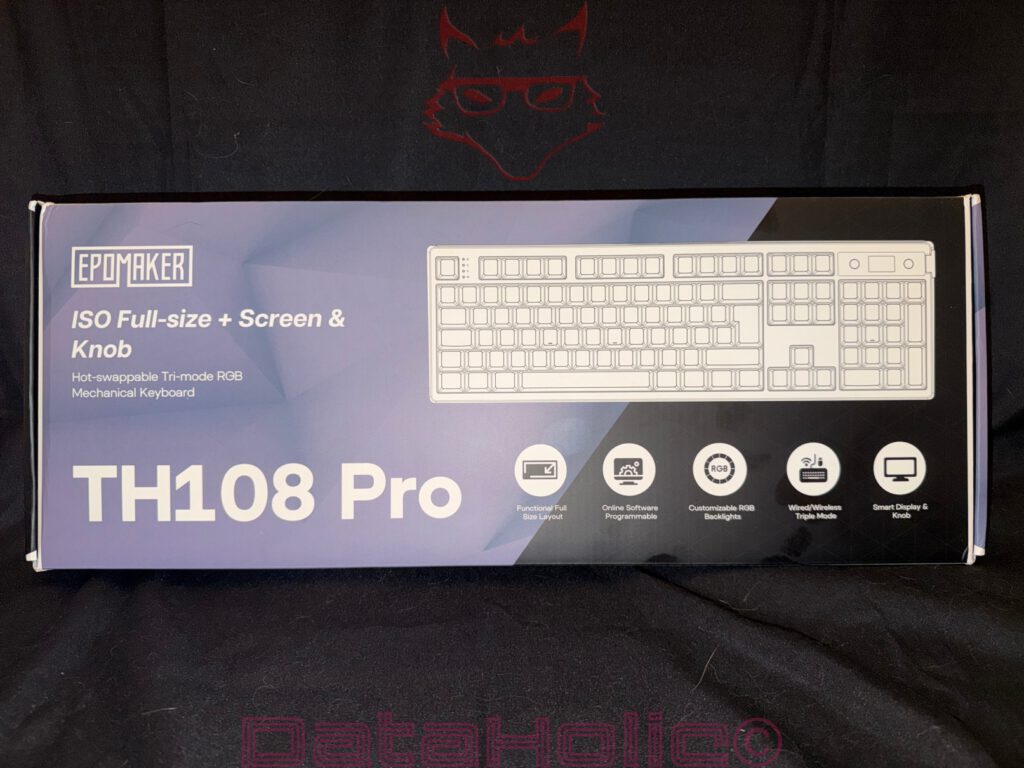
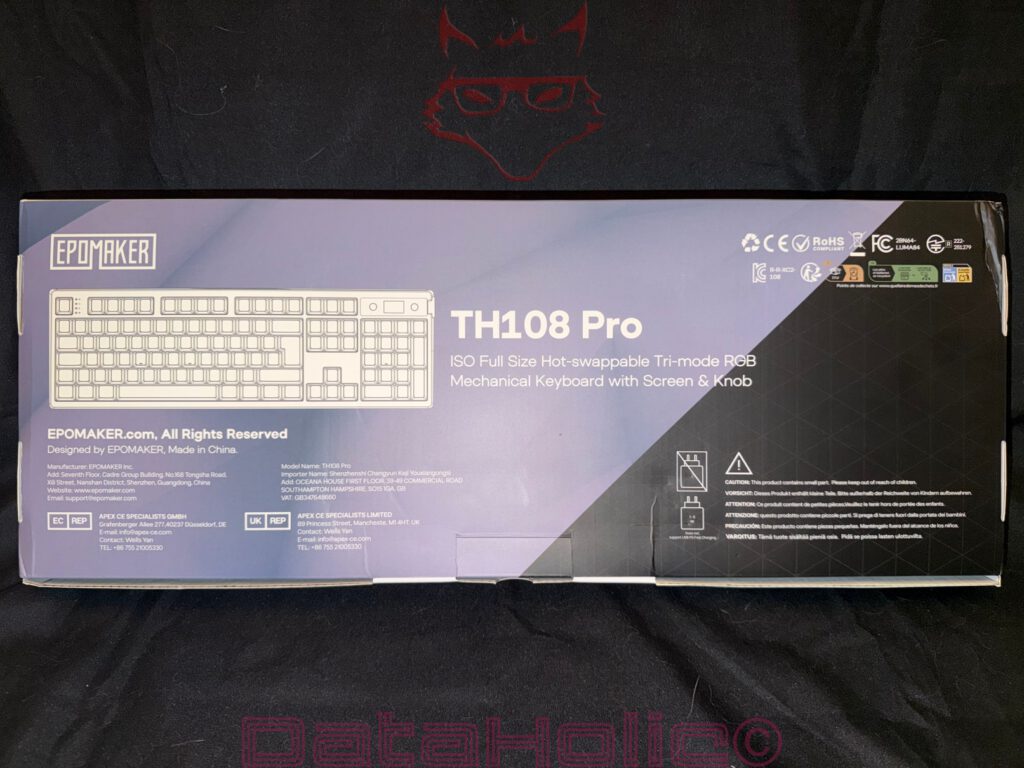
The Epomaker TH108 Pro does not even try to disguise what it is. From the moment the box arrives, it is immediately obvious that this is not another compact 60% or 75% keyboard designed to save desk space. Instead, it is a fully featured full-size mechanical keyboard equipped with everything that genuinely matters in everyday use. A dedicated number pad, an integrated information display, a multifunction rotary knob, and tri-mode wireless connectivity are all highlighted right on the packaging. Even before lifting the lid, the impression is clear: Epomaker is not chasing the latest minimalist trend. Instead, the company has deliberately designed a keyboard intended to handle virtually every scenario a modern desktop setup can throw at it.
That first impression is refreshingly down-to-earth. There are no exaggerated gaming graphics, exploding color gradients, or oversized marketing slogans trying to convince anyone that this keyboard will somehow change the world. Instead, the packaging is clean, well organized, and communicates exactly what needs to be known. Surprisingly, that restrained approach reflects the keyboard itself remarkably well. Within moments, it becomes clear that the focus is on the product rather than the advertising surrounding it.
The front of the box presents the most important technical features at a glance. Hot-swappable switches, tri-mode connectivity via USB-C, Bluetooth, or 2.4 GHz wireless, RGB lighting, the integrated display, the multifunction knob, and browser-based software are all introduced before the keyboard even leaves its packaging. Rather than reading like an endless specification sheet, it feels more like a preview of what is about to appear on the desk. That combination immediately sparks curiosity because many full-size keyboards tend to rely solely on their physical dimensions as their defining feature. The TH108 Pro, on the other hand, combines traditional ergonomics with modern convenience features in a way that feels considerably more thoughtful.
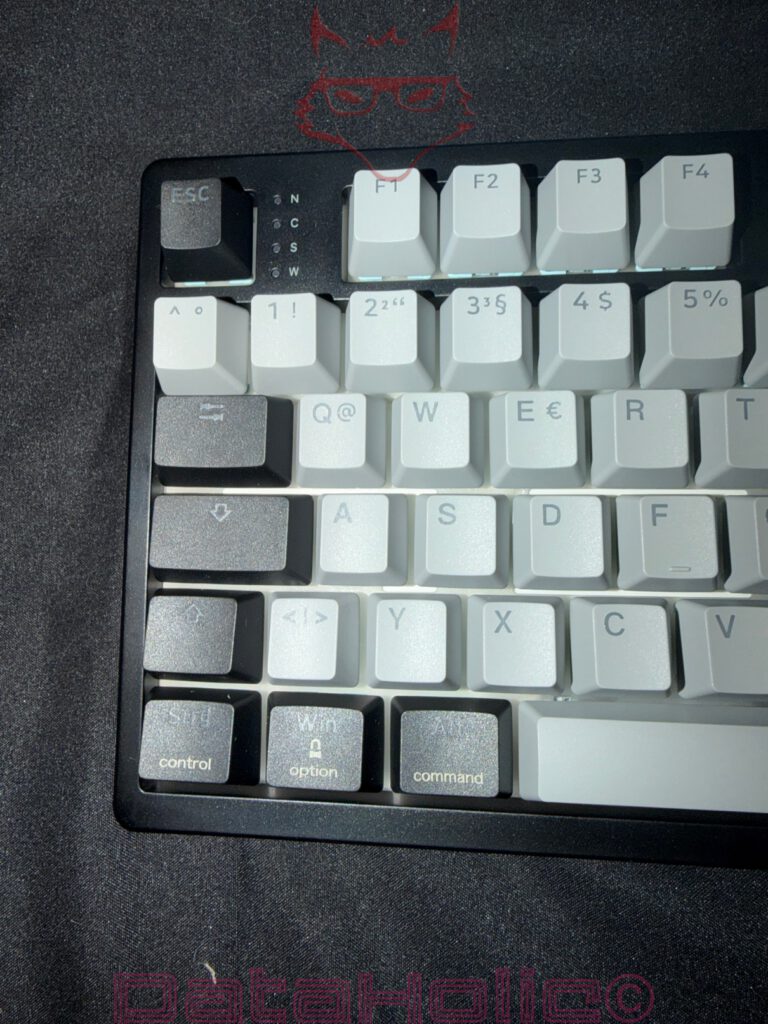
Another detail deserves special attention because it has unfortunately become less common in today’s keyboard market: this review unit features a full ISO-DE layout. Many manufacturers still release their most exciting products exclusively with ANSI layouts, while European variants often arrive months later, if at all. Here, however, the keyboard includes the familiar large Enter key, dedicated German characters, and the complete ISO layout from day one. For everyday typing, that makes a significant difference. A familiar layout allows work to begin immediately instead of spending the first few days relearning punctuation, special characters, and muscle memory.
Even before the keyboard is fully unpacked, another impression begins to form. Epomaker clearly did not design the TH108 Pro solely as a gaming keyboard or as an enthusiast niche product. Instead, it feels like a tool intended for virtually everything that happens in front of a computer. Writing articles, creating spreadsheets, programming, editing photos, or playing games all benefit from the complete layout without sacrificing functionality. Interestingly, this traditional full-size philosophy has started making a comeback after years in which increasingly smaller keyboards dominated the market. While compact layouts undoubtedly save desk space, many users have rediscovered the advantages of having every key exactly where decades of experience expect it to be.
The packaging itself reinforces that impression. Everything is securely positioned, nothing moves around inside the box, and the moment the keyboard is lifted out, it becomes obvious that Epomaker invested some thought into protecting the product during shipping. Instead of creating an elaborate multi-layer unboxing experience filled with unnecessary packaging materials, the company chose a clean and practical presentation. It saves time, reduces excess waste, and immediately directs attention toward what actually matters—the keyboard itself. That is exactly how a good unboxing experience should begin.
First Contact: Everything Exactly Where It Should Be
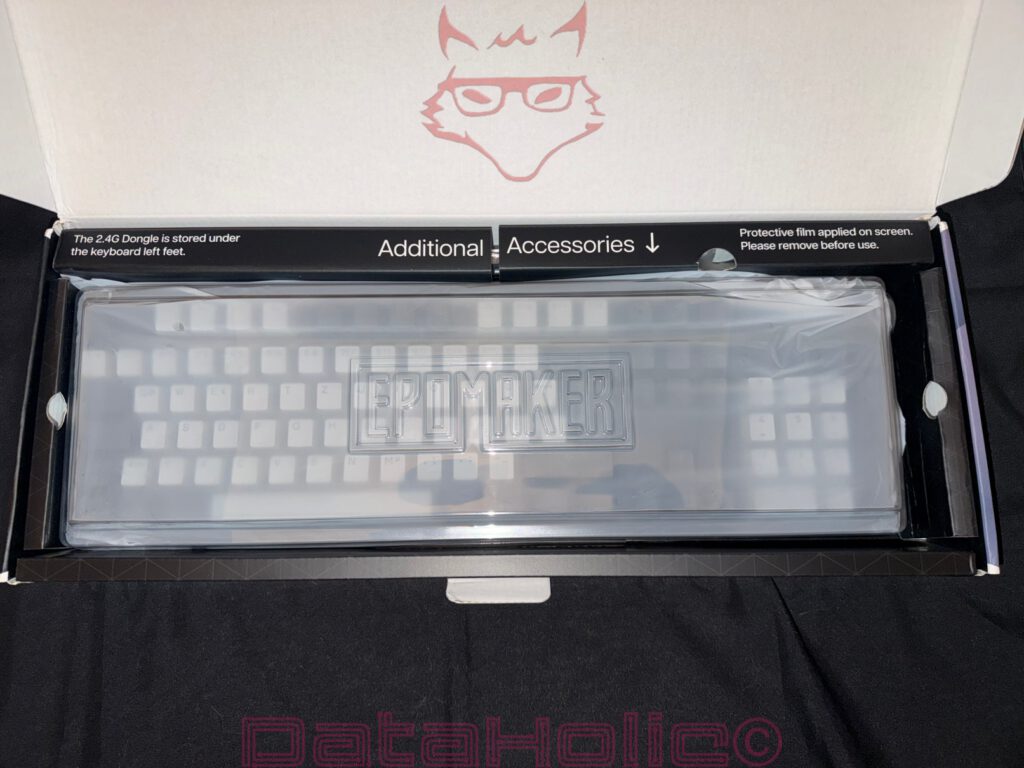
Opening the box immediately reveals that Epomaker invested attention not only in the keyboard itself but also in how it is presented. The TH108 Pro sits securely beneath a transparent protective cover, creating a premium first impression before it is even lifted out of the packaging. Nothing has shifted during transport, nothing appears to have been thrown into the box as an afterthought, and every accessory has its own dedicated place. From the very beginning, it feels as though the manufacturer carefully considered those first few moments between the user and the product. It may seem like a small detail, but a well-organized presentation says a great deal about the care that went into the product as a whole.
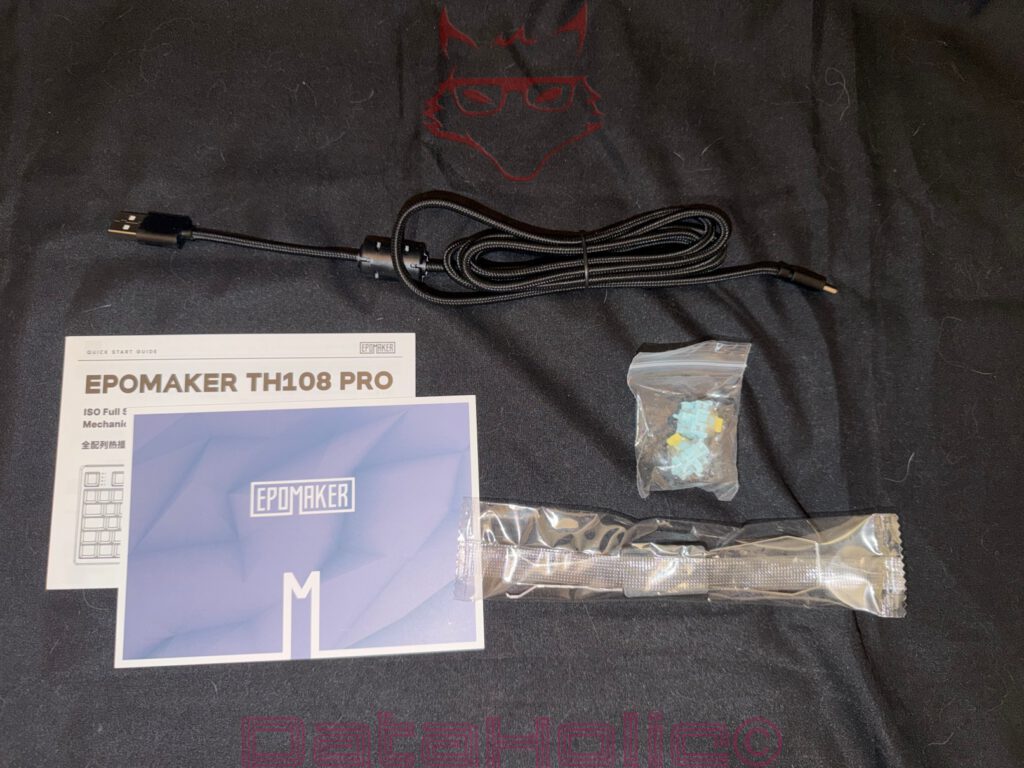
Alongside the keyboard, the package includes a generously long braided USB-C cable, a clear quick-start guide, a metal keycap and switch puller, several spare switches, and the usual collection of accessories expected from a premium mechanical keyboard. The spare switches deserve particular praise because they immediately reinforce that the hot-swappable design is more than just another feature listed on the specifications sheet. They encourage experimentation right from the start. Anyone curious about trying different switches or replacing one in the future already has everything needed to begin without ordering additional parts.
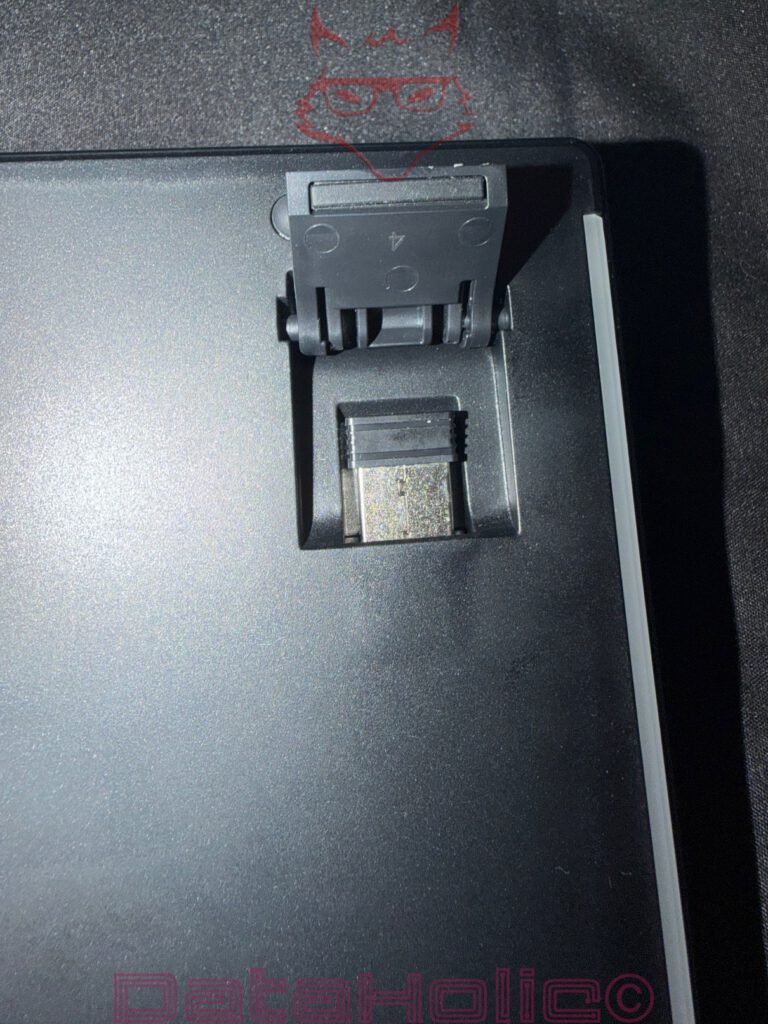
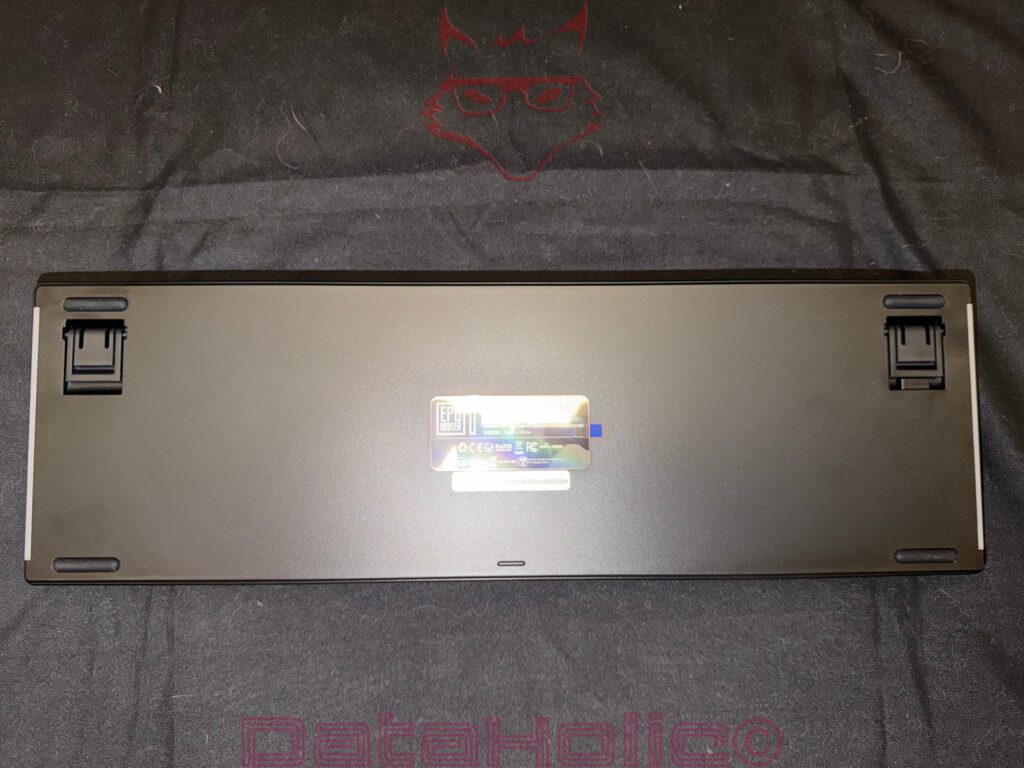
One small detail is especially worth mentioning because it solves a surprisingly common annoyance. The 2.4 GHz wireless receiver is not floating loosely inside the box or hidden somewhere between the paperwork. Instead, it is securely stored underneath the keyboard’s left rear foot. It is not necessarily the first place anyone would think to look, but after discovering it, the solution makes perfect sense.
USB receivers have an almost legendary reputation for disappearing. They begin life neatly placed on a desk, only to vanish a few days later without explanation. Weeks or months afterward, they mysteriously reappear inside a drawer filled with old USB flash drives, forgotten memory cards, cable ties, random adapters, and that oddly growing collection of unidentified screws that seems to exist in almost every household. Somehow, nobody ever remembers how they ended up there.
Epomaker approaches this everyday problem with refreshing practicality. As long as the receiver is not being used, it remains safely attached to the keyboard itself. During transport, it travels with the keyboard automatically, dramatically reducing the chances of losing such an essential little piece of hardware. It is one of those thoughtful touches that may not make headlines, yet quickly becomes something genuinely appreciated after living with the keyboard for a while.
More Substance Than Expected
Once lifted out of the box, the TH108 Pro immediately makes an impression—not because of flashy styling or oversized branding, but because of its sheer presence. Product photos already suggest that it is a well-built keyboard, yet holding it for the first time tells a different story altogether. It feels noticeably more substantial than the images imply. The chassis is reassuringly rigid, showing virtually no flex even when deliberate pressure is applied. There are no creaks, no unsettling noises, no twisting that would raise concerns about long-term durability, and no visible gaps or uneven seams that would hint at rushed manufacturing. Instead, every part feels tightly assembled, creating the kind of confidence that is difficult to communicate through specifications alone.
This first tactile impression is surprisingly important with mechanical keyboards. Technical features may attract attention, but build quality determines whether a keyboard remains enjoyable after months or even years of daily use. A premium keyboard should not only look convincing sitting on a desk—it should also communicate quality the very moment it is picked up. The TH108 Pro succeeds in exactly that. It has enough weight to feel reassuringly solid without becoming unnecessarily bulky or cumbersome. There is a satisfying density to the construction that immediately suggests longevity rather than excess.
That sense of quality does not disappear once the keyboard reaches the desk. Quite the opposite. Thanks to its generously sized rubber feet, the TH108 Pro remains remarkably stable regardless of how it is used. Whether typing rapidly through a lengthy document, navigating spreadsheets, or reacting quickly during an intense gaming session, the keyboard shows virtually no tendency to slide across the surface. At first glance, that might seem like a relatively minor detail, but it quickly becomes one of those everyday qualities that are appreciated without even thinking about them.
Interestingly, stable positioning is often something people only notice once it is missing. A keyboard that constantly shifts a few millimeters every time the number pad is used or every time a particularly energetic keystroke lands soon becomes surprisingly irritating. By comparison, the TH108 Pro simply stays where it is placed. After only a few hours of use, that behavior begins to feel completely natural—which is perhaps the highest compliment any piece of hardware can receive.
This characteristic becomes even more important with a full-size layout. The TH108 Pro is rarely used exclusively for typing. Its complete key layout encourages a wide variety of tasks throughout the day. Spreadsheets benefit from the dedicated number pad, programming makes frequent use of the navigation cluster and function keys, photo and video editing rely heavily on shortcuts, while gaming often involves rapid hand movements across different sections of the keyboard. Throughout all of those scenarios, the keyboard remains firmly planted on the desk, allowing every movement to feel consistent and predictable.
The result is a surprisingly refined user experience. Instead of unconsciously pushing the keyboard back into position every few minutes, attention remains entirely focused on the work itself. That may sound like a subtle advantage, yet these understated characteristics often separate genuinely well-engineered products from devices that rely primarily on impressive marketing bullet points. The TH108 Pro does not try to impress through unnecessary extravagance. It simply feels exceptionally well built every single time it is used—and over the long term, that is worth far more than another line on a specification sheet.
Classic Layout Meets Modern Ideas
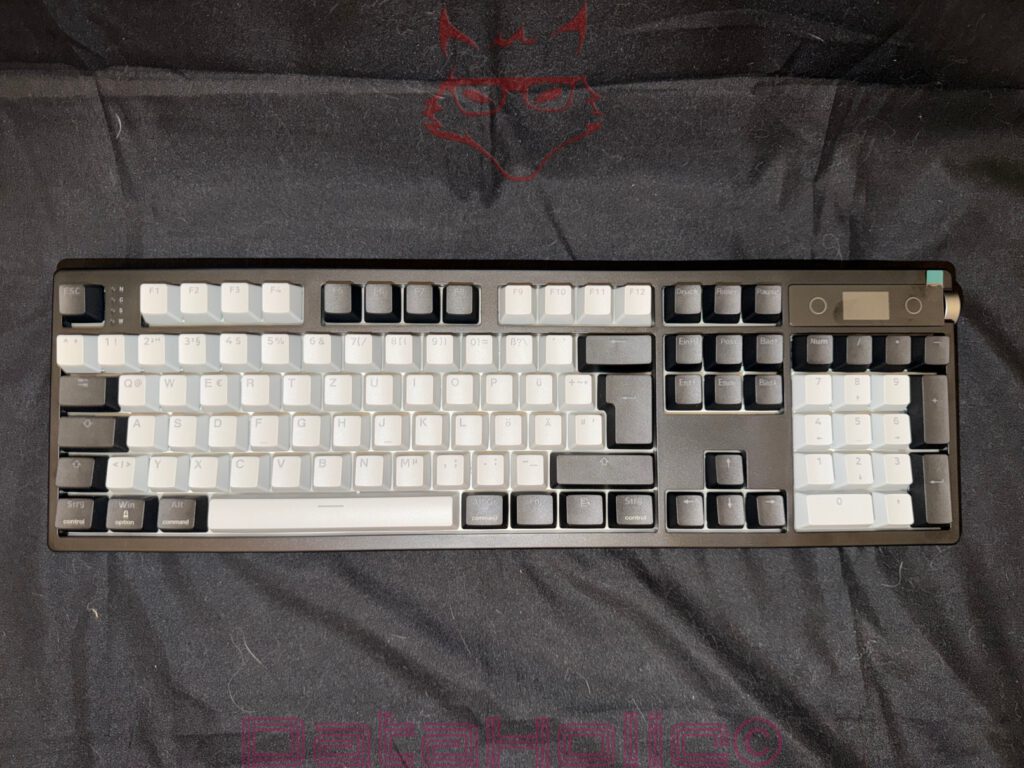
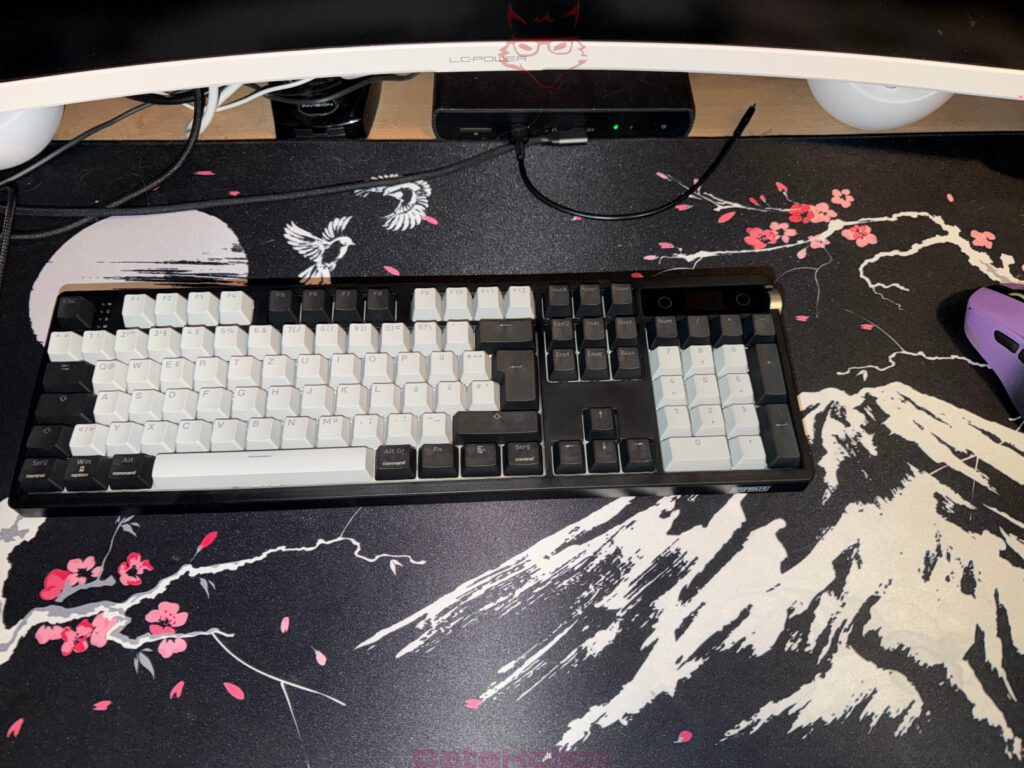
It only takes a few minutes to realize that Epomaker never intended to reinvent the keyboard. Instead, the TH108 Pro embraces a complete ISO layout that immediately feels familiar. The large Enter key, dedicated regional characters, the conventional placement of special symbols, and the fully integrated number pad create an experience that requires virtually no adjustment period. In today’s mechanical keyboard market, that is no longer something that can be taken for granted. Many of the most interesting keyboards are still released exclusively with ANSI layouts, while ISO versions often arrive months later—or never make it to certain regions at all. That makes it particularly refreshing to see the TH108 Pro available as a proper ISO model from the very beginning.
That familiarity pays off almost immediately during everyday use. Within minutes, typing begins to feel completely natural because every key is exactly where years of muscle memory expect it to be. There is no need to stop and think about punctuation, search for special characters, or adapt to an unfamiliar layout. Instead, the keyboard quietly disappears into the background, allowing the focus to remain entirely on the task at hand. Ironically, that kind of invisibility is one of the greatest compliments a keyboard can receive.
Daily use also highlights why the traditional full-size layout continues to have so many loyal supporters. Compact keyboards undoubtedly save valuable desk space, but they often achieve that goal by moving secondary functions behind additional key combinations or hidden layers. Tasks that normally require a single keystroke suddenly become two- or three-step operations. While that may not seem significant at first, those extra actions accumulate surprisingly quickly over the course of an entire working day.
The TH108 Pro avoids those compromises altogether. The function row is immediately accessible, the navigation cluster remains exactly where generations of users expect it to be, and the dedicated number pad is always available without activating additional layers or modifier keys. Anyone who regularly writes long documents, works extensively with spreadsheets, enters numerical data, edits videos, programs software, or frequently switches between professional applications will appreciate having every key exactly where it belongs. The result is a noticeably smoother workflow with fewer interruptions and fewer unnecessary hand movements.
Interestingly, the full-size keyboard has experienced something of a resurgence in recent years. For quite some time, the market was dominated by increasingly compact 60%, 65%, and 75% layouts. Those smaller keyboards certainly have their place, particularly for minimalist desk setups or users who prioritize mouse space above everything else. However, many enthusiasts and professionals have gradually rediscovered the convenience of a complete layout after spending months or years adapting to smaller designs.
There is a certain irony in that development. Saving a few inches of desk space sounds attractive until the first afternoon is spent entering long columns of numbers into a spreadsheet or repeatedly reaching for missing navigation keys hidden behind function layers. Suddenly, the dedicated number pad and separate navigation cluster begin to feel considerably less old-fashioned and considerably more practical.
The TH108 Pro embraces that philosophy wholeheartedly. Rather than sacrificing functionality for the sake of a smaller footprint, it provides every key that could realistically be needed throughout a busy working day. Whether writing articles, balancing budgets, editing photographs, compiling code, creating presentations, or enjoying an evening gaming session, the keyboard adapts naturally to each task without requiring the user to constantly think about alternative shortcuts or secondary key layers.
Ultimately, that is what makes the layout feel so successful. It does not chase current design trends simply because they happen to be fashionable. Instead, it delivers an experience built around efficiency, familiarity, and practicality. In an industry that often celebrates doing more with fewer keys, the TH108 Pro quietly reminds everyone why having every key available in the first place remains such an effective idea.
Display and Rotary Knob as Meaningful Additions
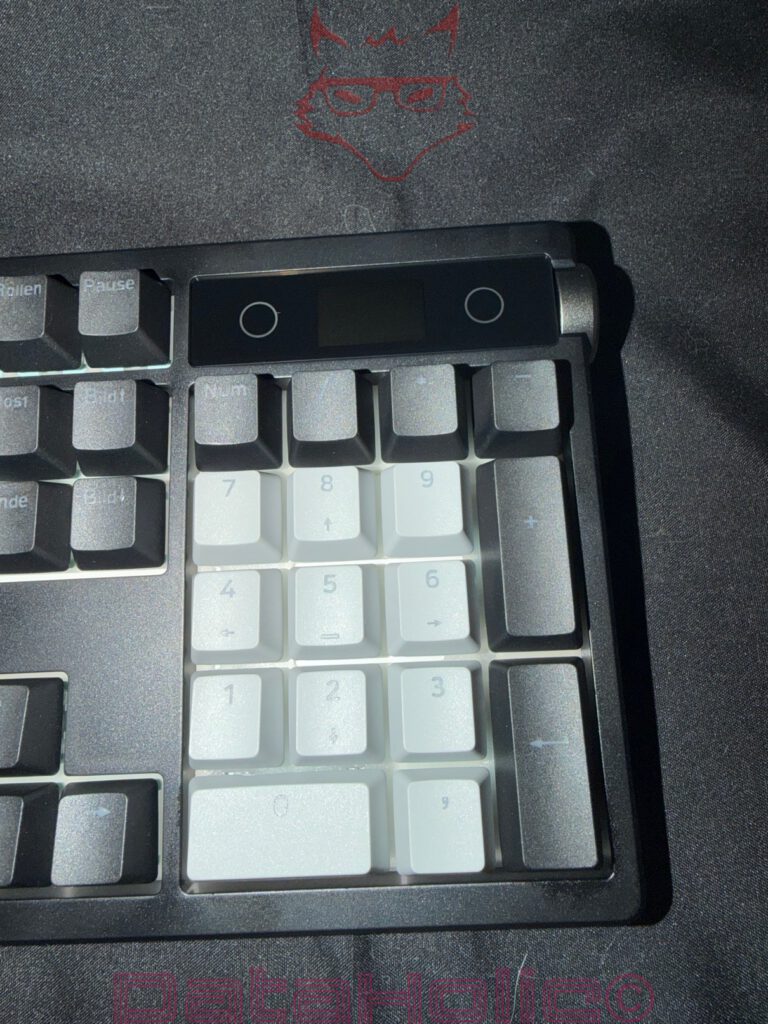
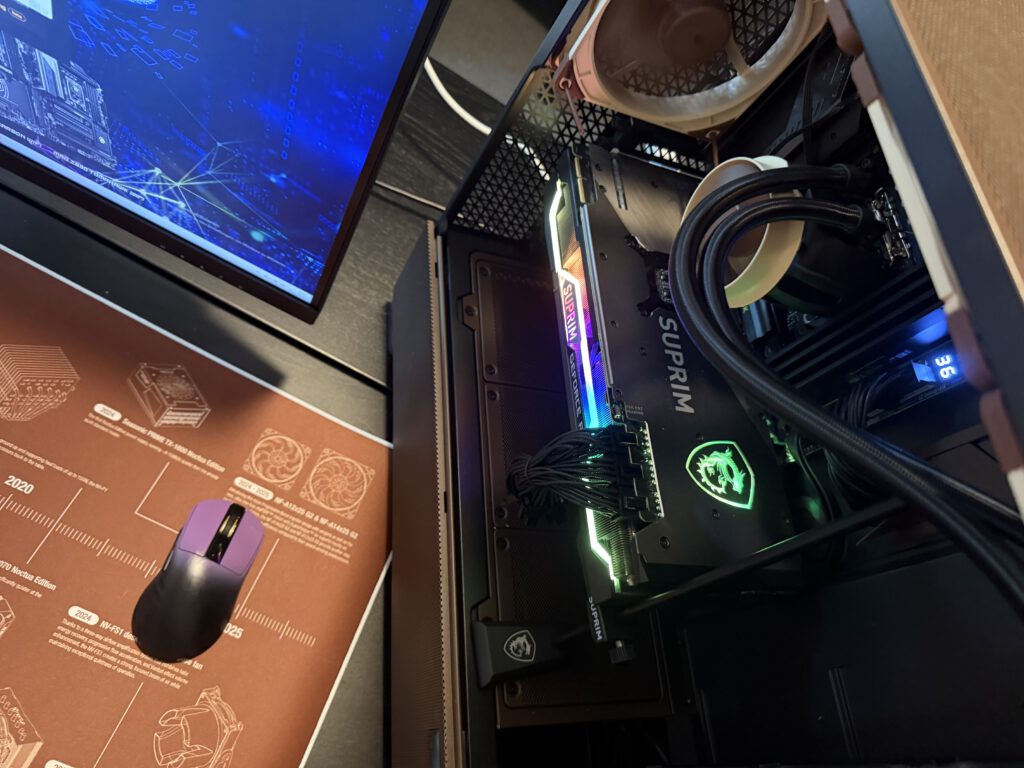
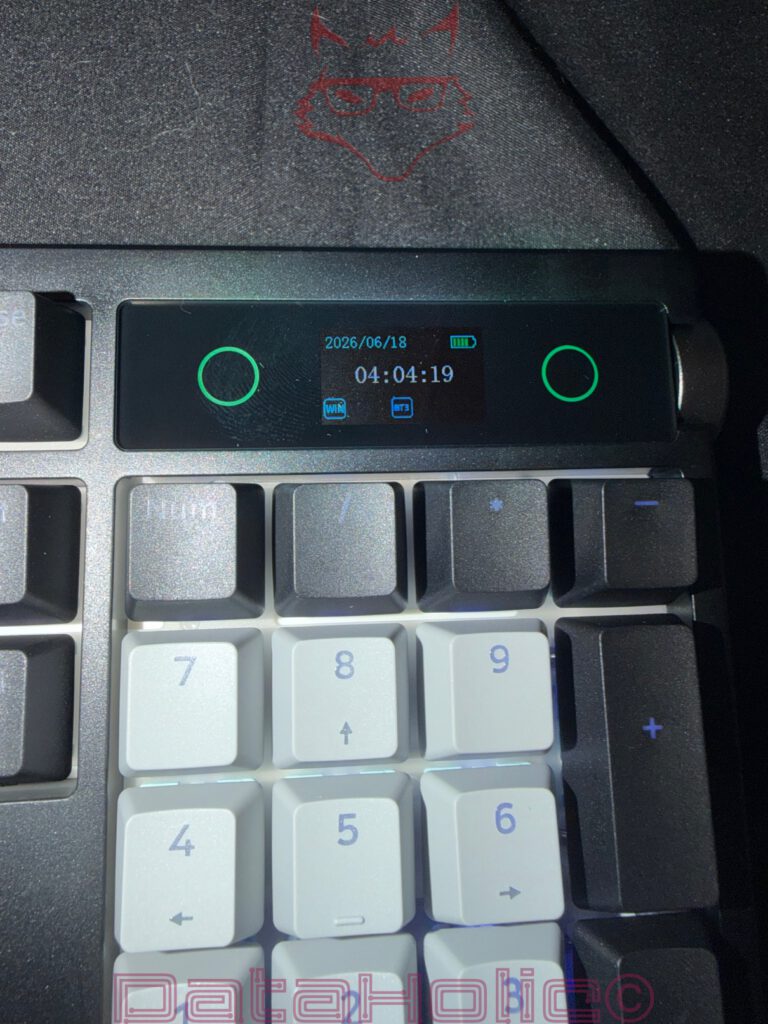
Sooner or later, your eyes inevitably wander to the upper-right corner of the keyboard. Here, Epomaker has integrated a small information display alongside a large rotary knob with an additional click function. In product photos, this combination initially looks like one of those typical extras that appear impressive on a specification sheet but receive little attention in everyday use. However, it quickly becomes clear that the reality is quite different.
The display blends remarkably well into the overall design of the keyboard. It neither looks tacked on nor like an accessory that was added at the last minute. Instead, it gives the impression that this area has been part of the overall concept from the very beginning. That is often what separates successful integration from a simple design idea. The display presents information clearly without demanding unnecessary attention. It remains discreet, fulfills its purpose, and supports usability instead of constantly trying to become the center of attention.
The rotary knob beside it is equally well executed. Its surface provides sufficient grip, the rotational resistance feels pleasantly balanced, and the integrated click function offers a precise tactile feedback. After only a short period of use, adjusting the volume or controlling other functions with the knob feels far more natural than relying on keyboard shortcuts. That is exactly where its greatest strength lies. Good controls rarely stand out because they become second nature after only a short time.
This small component is somewhat reminiscent of the evolution of modern cars. A few years ago, more and more traditional buttons disappeared in favor of large touchscreens. Only later did it become clear that a well-designed rotary knob or physical button is often faster, more precise, and considerably more pleasant to use than any touchscreen interface. Epomaker follows exactly this philosophy with the TH108 Pro by combining modern technology with a classic physical control that delivers a surprising amount of everyday convenience.
A Keyboard That Feels Mature
Oscar Wilde once wrote, “I have the simplest tastes. I am always satisfied with the best.” Surprisingly, this well-known quote describes the TH108 Pro remarkably well, albeit in a refreshingly down-to-earth way. The keyboard does not try to attract attention with extravagant shapes, aggressive gaming aesthetics, or excessive RGB effects. Instead, it focuses on the qualities that genuinely make a difference every single day.
The high build quality, the full-size layout, the integrated display, the thoughtfully positioned rotary knob, and above all the exceptionally quiet Sea Salt Silent V2 switches come together to create a package that feels remarkably well thought out. No single feature is designed to steal the spotlight. Instead, it is the interaction between all of these components that gives the TH108 Pro its real appeal.
That is exactly what sets it apart from many keyboards that rely on spectacular marketing promises or the brightest possible lighting effects to capture attention. Rather than trying to be loud, the TH108 Pro impresses through its substance. That may sound like a cliché at first, but it describes the character of this keyboard surprisingly well. It performs reliably, feels premium, remains pleasantly understated, and after only a short time delivers exactly the feeling that defines high-quality input devices: they almost disappear from everyday awareness because everything simply works exactly as it should. In the long run, that seemingly unspectacular sense of effortlessness often becomes the greatest mark of quality.
Sea Salt Silent V2 – The Real Stars Are Hidden Beneath the Keycaps
The display, RGB lighting, tri-mode wireless connectivity, and the practical rotary knob certainly attract attention at first glance. After a few hours of everyday use, however, the focus shifts to something that is completely invisible from the outside. The true character of the Epomaker TH108 Pro is hidden beneath the keycaps. More specifically, it comes from the Sea Salt Silent V2 switches.
Mechanical keyboards have always been defined by their typing experience. Even the highest build quality loses much of its appeal if the keystrokes themselves fail to feel satisfying. That is precisely why keyboard enthusiasts often spend countless hours searching for the perfect switch. Linear or tactile, light or heavy, short or long travel, loud and clicky or nearly silent—few areas of PC peripherals offer such a wide range of personal preferences.
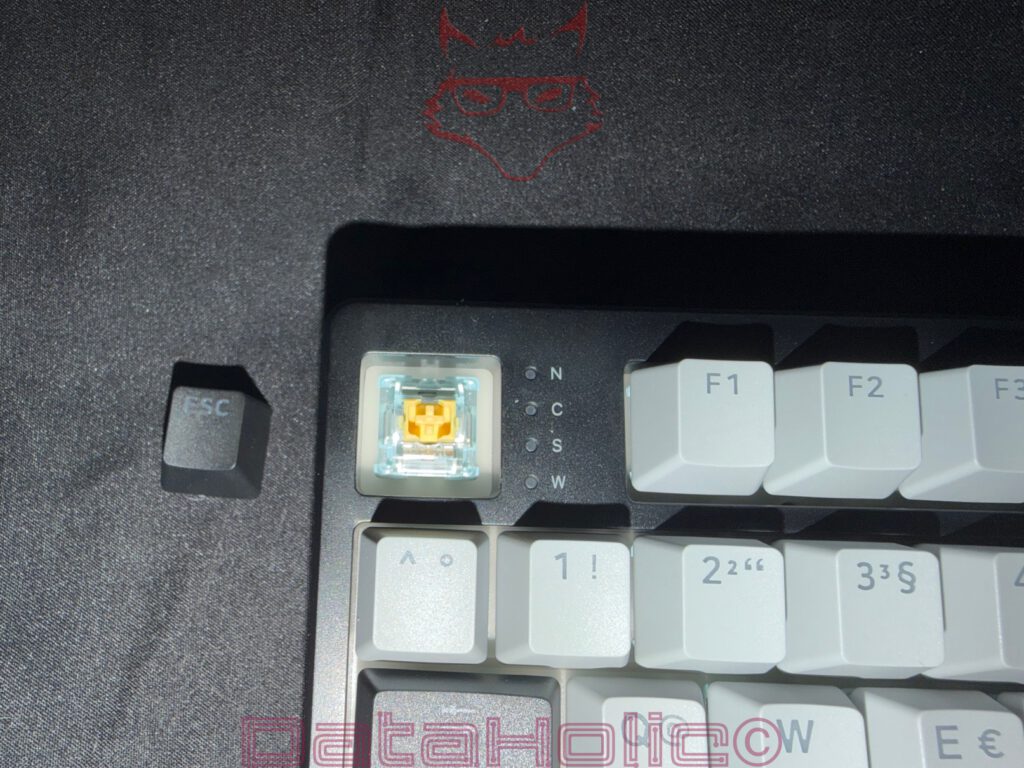
With the Sea Salt Silent V2 switches, Epomaker has taken a particularly interesting approach. These factory-lubricated linear silent switches are, without exaggeration, among the quietest mechanical switches currently available. However, this is not the kind of “quiet” that only seems impressive when compared to especially loud Blue switches. From the very first keystrokes, it becomes obvious that these switches have an exceptionally subdued character.
Each keypress feels pleasantly soft, controlled, and exceptionally well dampened. There is no metallic ping, nor the hollow rattling often associated with inexpensive mechanical keyboards. Instead, every keystroke produces a smooth, warm sound that never becomes intrusive. Even when typing at high speed, the keyboard never develops an unpleasant acoustic presence. What reaches the ears is merely a subtle, muted typing sound that feels calming rather than distracting.
The difference becomes particularly noticeable after spending time with more traditional mechanical keyboards. Many models produce enough noise while typing a short email to let everyone in the room know exactly what is happening. During long writing sessions or intense gaming, that often develops into a constant chorus of clicks and clacks. The TH108 Pro takes a completely different approach. It remains remarkably restrained and proves impressively that mechanical precision and exceptionally low noise levels are no longer mutually exclusive.
Quiet Does Not Mean Lifeless
What is particularly impressive is that Epomaker avoids what is probably the most common weakness of many silent switches. Quite often, quieter switches achieve their lower noise levels by sacrificing a crisp typing feel, resulting in a mushy bottom-out or an ill-defined actuation point. In the process, part of what makes a mechanical keyboard enjoyable simply disappears. Fortunately, the Sea Salt Silent V2 switches avoid exactly that problem.
The keystroke remains smooth and consistent throughout the entire travel. Every key moves with precise guidance, the resistance feels even from top to bottom, and the actuation point is always easy to control. Despite the integrated dampening, there is never the impression of typing on a soft rubber pad. Instead, the unmistakable character of a mechanical keyboard remains fully intact—only the noise has been reduced to an exceptionally low level.
The resulting sound is surprisingly difficult to describe using conventional terms. Rather than producing a loud “clack,” each keystroke creates a soft, deep “tock” that almost resembles a whisper. Keyboard enthusiasts often refer to the coveted thock—the rich, satisfying sound associated with premium mechanical keyboards. The Sea Salt Silent V2 switches interpret that sound signature in their own unique way. They are quieter, less intrusive, yet exceptionally harmonious and unmistakably premium.
Interestingly, this also changes the overall perception of the keyboard. The focus shifts much more toward the actual typing experience. Without the constant clatter of louder switches, the precision of every keystroke becomes far more noticeable. Each key delivers clean, satisfying feedback without constantly drawing attention to itself through excessive noise.
A Real Advantage for Everyday Work, the Office, and Long Writing Sessions
The Sea Salt Silent V2 switches reveal their greatest strengths during extended typing sessions. Even after several hours, there is no acoustic fatigue and no feeling of battling a miniature typewriter with every sentence. Instead, typing develops into a calm, uninterrupted rhythm where fingers and keyboard almost seem to work as one. That is ultimately what defines a high-quality input device. At some point, the hardware almost disappears from conscious thought, allowing complete focus to shift toward the work itself.
Their quiet nature becomes especially valuable in open-plan offices, home offices, libraries, or shared workspaces. While traditional mechanical keyboards often attract curious glances or polite comments from coworkers because of their constant clicking, the TH108 Pro remains pleasantly discreet. Even during rapid typing, it never creates a sound profile that dominates the entire room.
There is still room for a smile, though. Mechanical keyboards have earned a reputation over the years for occasionally testing relationships, shared apartments, and late-night work sessions. Around midnight, some models develop an almost supernatural ability to announce every single keystroke with all the subtlety of a jackhammer. Thankfully, the TH108 Pro leaves that stereotype behind. Instead of sounding like a busy office from the 1980s or an industrial workshop, it resembles focused work in a quiet library.
That is ultimately its greatest strength. The Sea Salt Silent V2 switches are not trying to be spectacular. They do not rely on loud click sounds or excessively heavy springs to make an impression. Instead, they focus on what truly matters: an exceptionally pleasant typing experience, precise keystrokes, and an acoustic profile that never becomes intrusive, even after many hours of continuous use. Together, those qualities form one of the strongest aspects of the entire Epomaker TH108 Pro.
Hot-Swap: A Keyboard That Can Grow with Its Owner
Another feature that makes the Epomaker TH108 Pro particularly interesting over the long term is hidden beneath the keycaps as well. The keyboard supports hot-swappable switches, opening possibilities that extend far beyond its initial configuration. Compatible switches can be replaced without any soldering. A simple switch puller is all that is needed to remove one switch and install another. At first glance, this may sound like a feature aimed exclusively at keyboard enthusiasts, but it quickly proves to be a genuine advantage in everyday use.
With traditional mechanical keyboards, a defective switch often meant reaching for a soldering iron—or, in the worst case, replacing the entire keyboard. PCB traces had to be exposed, solder joints removed, and new switches carefully installed. That required experience, proper tools, and above all, plenty of patience. The TH108 Pro takes a far more modern approach. If a switch ever needs replacing or a different typing feel becomes desirable, the entire process takes only a few minutes.
That flexibility is exactly what makes hot-swappable keyboards so appealing. The keyboard is no longer locked into its factory configuration but can evolve as personal preferences change over time. After all, priorities change as well. Today may revolve around writing long articles, while tomorrow could focus on gaming, photo editing, or software development. Unlike traditional keyboards, where every decision is final once the purchase has been made, the TH108 Pro remains pleasantly adaptable.
The World of Switches Is Bigger Than Many People Expect
Anyone exploring mechanical keyboards for the first time quickly discovers that the word “switch” represents an astonishingly diverse world. Hidden inside those small plastic housings are countless variations with completely different characteristics. Some switches actuate with the lightest touch, while others require significantly more force. Some operate almost silently, whereas others announce every keystroke with a loud click. Spring weights, travel distances, materials, lubrication methods, and housing designs all contribute to creating distinctly different typing experiences.
It is no coincidence that many keyboard enthusiasts compare switches to coffee varieties or mechanical watches. At first glance, many models appear almost identical. Only during everyday use do the subtle differences emerge—differences that ultimately determine whether a particular switch becomes a favorite or a disappointment. That is precisely why hot-swappable sockets have become one of the most appreciated features of modern mechanical keyboards.
The TH108 Pro allows users to experiment with different switch types without purchasing an entirely new keyboard. Linear switches can later be replaced with tactile alternatives, individual keys can receive specialized switches, or frequently used areas can be customized independently. The possibilities are virtually endless.
Little Desire to Change Anything
Interestingly, throughout the entire review period there was hardly any temptation to start experimenting with different switches right away. That is not because the hot-swappable functionality lacks value, but rather because the factory-installed Sea Salt Silent V2 switches are exceptionally well matched to the keyboard as a whole. They complement the overall construction beautifully and are, without question, one of the TH108 Pro’s greatest strengths.
In many cases, hot-swappable sockets are included because users are expected to replace mediocre stock switches as quickly as possible. That is not the case here. Instead, Epomaker uses hot-swap to provide meaningful long-term flexibility rather than to compensate for shortcomings in the default configuration. Should personal preferences evolve over time, or should curiosity about other switch types simply grow, the option is always available. Until then, however, the Sea Salt Silent V2 switches deliver such a balanced and enjoyable typing experience that the included switch puller will probably spend quite some time waiting in the accessory box.
That combination is exactly what makes the TH108 Pro so appealing. Straight out of the box, it offers an exceptionally satisfying typing experience while still leaving plenty of room for future customization. A good keyboard should remain enjoyable for many years. A good hot-swappable keyboard goes one step further by offering the flexibility to evolve alongside its owner over time. That is precisely the impression the Epomaker TH108 Pro creates from the very first day.
RGB with Restraint Instead of Constant Spectacle
RGB lighting has become almost standard equipment on modern mechanical keyboards. Very few manufacturers leave it out, and as a result, the differences in implementation have become increasingly noticeable. While some keyboards can transform an entire desk into a combination of a nightclub, a Christmas light display, and a science-fiction movie within seconds, Epomaker takes a refreshingly balanced approach with the TH108 Pro.
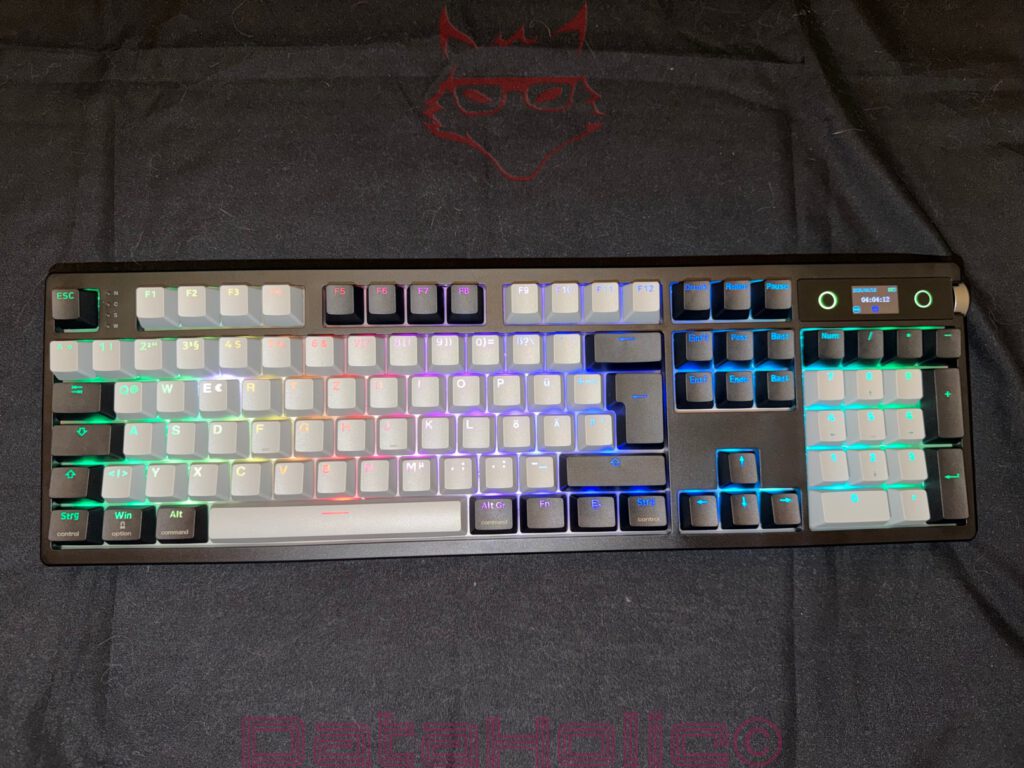
Naturally, the keyboard supports all the familiar RGB effects. Wave animations, color transitions, reactive lighting, static colors, and multiple brightness levels are all available. At the same time, there is never the impression that the lighting is trying to overshadow the keyboard itself. Instead, it complements the overall design rather than constantly demanding attention. That sense of restraint fits the entire concept of the TH108 Pro remarkably well.
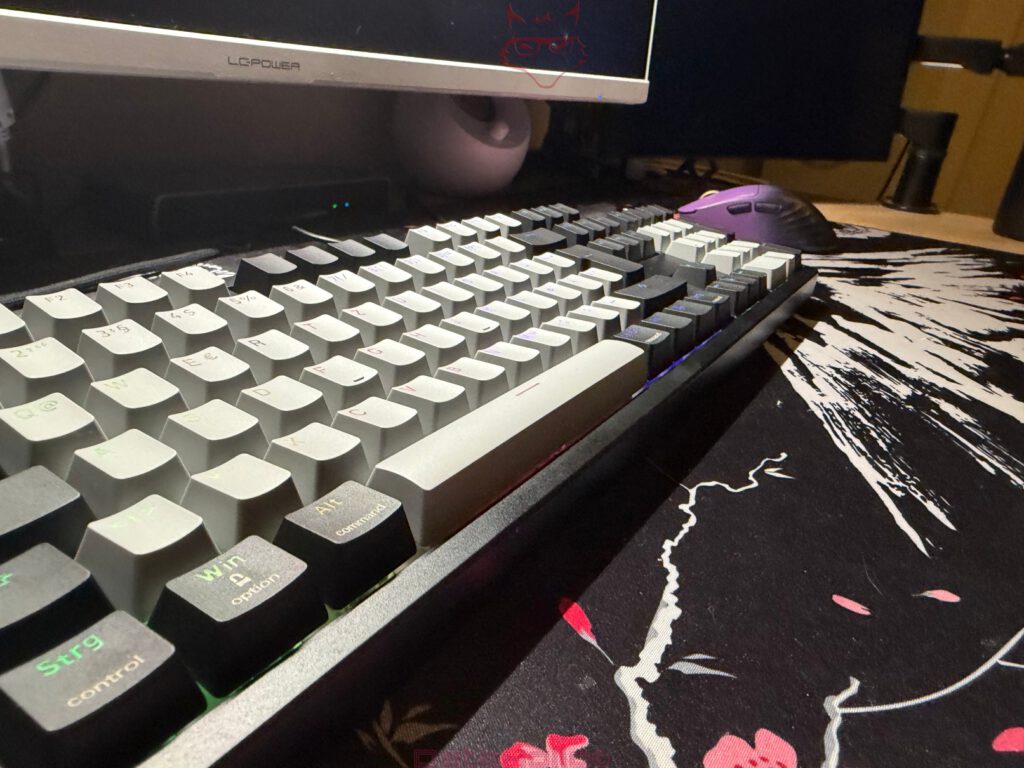
Even with the lighting switched off, the keyboard already looks premium thanks to its combination of black, gray, and light-colored keycaps. The contrasting colors add visual interest without making the design appear busy. Once the RGB lighting is activated, those contrasts benefit from a pleasantly even illumination. The light is distributed cleanly beneath the keycaps, individual LEDs never become distracting, and noticeable brightness inconsistencies are difficult to find.
Another particularly positive aspect is that the lighting never attempts to completely transform the appearance of the keyboard. Some RGB implementations almost seem designed to hide the actual hardware beneath an endless collection of visual effects. The TH108 Pro takes the opposite approach. It always remains recognizable as a premium input device. The lighting simply enhances the existing design while creating a pleasant atmosphere on the desk, especially during evening use.
In some ways, this philosophy resembles good interior lighting. After all, a living room does not automatically become more inviting simply because every corner contains another lamp. More often than not, a single well-placed light source creates a far more harmonious overall impression. Epomaker follows that same principle with the TH108 Pro. The RGB lighting has enough presence to create attractive accents without overwhelming every available surface with excessive visual effects.
Flexible, but Never Complicated
Just as important as the lighting itself is the way it is controlled. After all, even the most impressive RGB setup quickly loses its appeal if changing a single color turns into an exercise in patience. This is another area where the TH108 Pro delivers a refreshingly straightforward solution.
Various lighting modes, brightness levels, and effects can be selected directly from the keyboard. Anyone who simply wants to switch between different profiles or adjust the lighting to suit changing conditions can do so within seconds without launching any software. In everyday use, this proves surprisingly convenient and once again demonstrates that Epomaker designed this keyboard for more than just enthusiasts.
For users who want additional customization, the browser-based configuration tool offers even more options. Colors, animations, brightness, and various lighting effects can all be adjusted through a clean and intuitive interface without navigating countless nested menus. The layout is logical and easy to understand, making it approachable even for less experienced users. Compared to some competing products, whose software almost feels as complex as a small operating system, this approach is a welcome breath of fresh air.
Depending on personal preference, the TH108 Pro can therefore take on very different personalities. During the day, a subtle white backlight—or even completely disabled RGB—is often all that is needed. In the evening, softly dimmed lighting improves key visibility while creating a pleasant working atmosphere. Those who enjoy colorful animations and dynamic lighting effects will also find plenty of opportunities to personalize the keyboard.
That freedom is what truly makes the difference. The TH108 Pro never dictates how a mechanical keyboard should look. It can remain understated in the background, fit seamlessly into a professional office environment, or brighten up a desk with vibrant lighting effects. The choice belongs entirely to the owner—and that is exactly how modern RGB lighting should work.
Tri-Mode Connectivity: One Keyboard for Almost Every System
Mechanical keyboards are no longer used exclusively with a single desktop PC. Laptops, tablets, secondary computers, and even Macs have become a normal part of many workspaces. The Epomaker TH108 Pro addresses this reality with modern tri-mode connectivity. In addition to the traditional wired USB-C connection, it also supports Bluetooth and a fast 2.4 GHz wireless mode. This allows the keyboard to adapt to a wide variety of devices without constantly swapping cables or purchasing additional hardware.
The versatility quickly becomes apparent in everyday use. At a stationary workstation, the 2.4 GHz wireless mode is the obvious choice. The connection remains stable, responds without noticeable latency, and performs equally well for productivity tasks and gaming. Those who prefer a wired connection or want to charge the battery at the same time can simply connect the keyboard via USB-C. Switching between connection modes is straightforward and requires no additional software.
Bluetooth expands the keyboard’s flexibility even further. A laptop while traveling, a tablet on the coffee table, or a second computer in a home office can all be connected without difficulty. In today’s hybrid work environments, that flexibility quickly becomes a genuine convenience. Instead of keeping multiple keyboards on the desk, switching devices often requires nothing more than changing the connection mode.
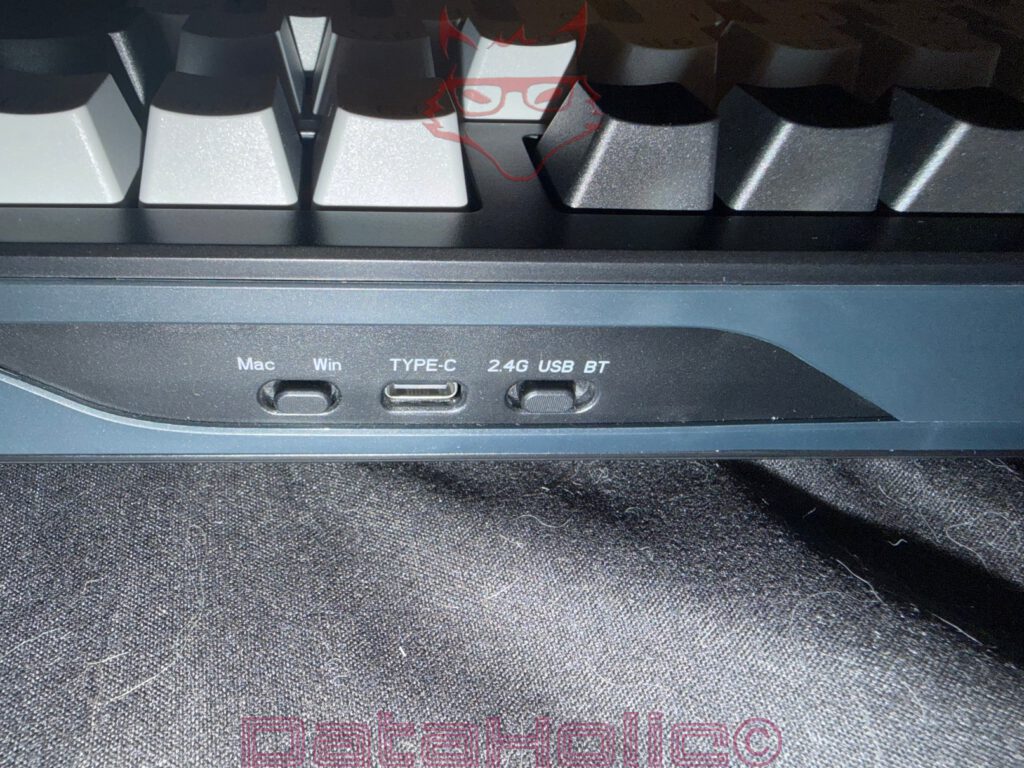
The corresponding switches are located on the back of the keyboard, where both the connection mode selector and the USB-C port are easily accessible. Everything is clearly labeled and self-explanatory. After only a few minutes, switching between the different operating modes becomes completely natural. It is precisely these small details that make a keyboard feel effortless to use in everyday life.
Windows or macOS? The TH108 Pro Doesn’t Care
Another practical detail is integrated directly into the keyboard itself. A dedicated switch allows users to change between Windows and macOS mode with ease. At first glance, this may not sound particularly exciting, but in everyday use it eliminates a surprising amount of unnecessary frustration. Different operating systems are well known for using different modifier keys and keyboard layouts, and few things interrupt a productive workflow more than constantly mixing up shortcut keys or dealing with incorrectly mapped commands.
Epomaker solves this problem in an elegant and straightforward way. A quick flip of the switch on the back of the keyboard is all it takes to adapt the layout to the operating system in use. Anyone who regularly alternates between a Windows PC, a MacBook, or a Mac mini will quickly appreciate this small but thoughtful feature. Instead of keeping separate keyboards for different systems, a single keyboard can comfortably handle every workstation.
This flexibility fits perfectly with the overall philosophy of the TH108 Pro. It was clearly not designed as a specialist product aimed at a single audience. Instead, it serves as a universal input device that adapts effortlessly to a wide variety of tasks and working environments.
Built for Everyday Life, Not Just One Purpose
After several days of use, it becomes increasingly clear that the TH108 Pro was never designed for just one specific application. It feels equally comfortable when writing long documents, playing games, working with spreadsheets, editing photos, programming, or handling everyday office tasks. That versatility is undoubtedly one of its greatest strengths.
Switching between multiple devices also becomes second nature surprisingly quickly. Working on a desktop PC in the morning, researching on a laptop during the afternoon, and finishing a few notes on a tablet later in the day can all be accomplished with the same keyboard, without requiring lengthy setup procedures. Modern peripherals should adapt to the workspace rather than forcing the workspace to adapt to them, and Epomaker follows that philosophy remarkably well.
Of course, even with wireless connectivity, a full-size keyboard still has certain physical limitations. Anyone commuting between offices every day or regularly working on trains will probably prefer a more compact model. After all, the TH108 Pro is not intended to be an ultra-portable travel keyboard. Its dimensions make it perfectly clear that it was designed primarily for a permanent desk setup.
With a slight smile, it could be said that the word “portable” has roughly the same meaning here as it does for a premium floor-standing speaker or a fully equipped toolbox. The keyboard can certainly be transported, but its natural home is the desktop. That is where it truly shines, offering a level of flexibility that goes well beyond what many traditional full-size keyboards currently provide. This successful combination of a classic layout and modern connectivity makes the TH108 Pro an exceptionally versatile companion for almost any workspace.
Finally, Configuration That Doesn’t Work Against the User
Software has become almost as important as the switches themselves on modern mechanical keyboards. Ironically, this is also where many manufacturers lose a surprising amount of goodwill. Before making even the first customization, users are often greeted with several hundred megabytes of downloads, administrator permissions, background services, automatic startup entries, endless update notifications, and software interfaces that resemble the control panel of a spacecraft more than a keyboard configuration utility.
Fortunately, Epomaker takes a completely different approach with the TH108 Pro. Instead of relying on a large software package, the company offers a browser-based configuration tool. At first glance, that may not sound particularly exciting, but in everyday use it turns out to be one of the keyboard’s most enjoyable features.
Once the keyboard is connected, opening the corresponding webpage is all that is required to access the available settings. There is no installation process, no additional software, no permanently running background services, and no application demanding attention every time Windows starts. Especially on a clean and carefully maintained workstation, this approach is extremely refreshing. After all, very few people purchase a premium keyboard with the intention of permanently dedicating part of their system memory to yet another background application.
Clear Instead of Cluttered
The interface itself is every bit as convincing as the overall concept. It quickly becomes clear that Epomaker has placed a strong emphasis on clarity and ease of use. The individual menus are logically organized, functions are easy to locate, and every setting responds immediately to changes. Fortunately, there is no need to dig through endless layers of nested menus just to find a simple option.
Through the browser-based interface, users can remap keys, create macros, customize RGB effects, and manage different profiles. The integrated display and various additional functions can also be configured with ease. Nothing feels unnecessarily complicated or deliberately hidden. Rather than filling the interface with countless menus, Epomaker focuses on what actually matters.
This practical design fits the character of the TH108 Pro perfectly. The keyboard does not try to impress with technical jargon or unnecessary complexity. Instead, it makes its features easily accessible and straightforward to use. That saves time and encourages users to actually customize the keyboard instead of giving up in frustration.
Less Software, More Keyboard
Interestingly, this has become a genuine mark of quality. Modern PC peripherals are often accompanied by massive software packages that consume far more system resources than their actual purpose would suggest. RGB lighting, macros, and firmware updates are frequently managed by applications whose memory footprint would once have been enough to run an entire operating system.
Arthur C. Clarke famously wrote, “Any sufficiently advanced technology is indistinguishable from magic.” In 2026, however, a configuration tool that simply works, displays no advertisements, avoids unnecessary background processes, and does not permanently occupy system resources already feels almost magical.
That is exactly the impression left by the TH108 Pro. The browser-based configuration feels modern without constantly demanding attention. It does exactly what it is supposed to do and then quietly steps out of the way. It is difficult to describe good software any better than that.
Ultimately, this approach perfectly reflects the philosophy of the keyboard itself. At no point does the TH108 Pro try to appear more technical than necessary through unnecessary complexity. Instead, it consistently focuses on making its features as convenient as possible to use. The result is an experience that feels remarkably natural—and that kind of effortless usability is often what separates truly great hardware from the average.
Verdict: Sometimes Less Noise Really Is More
Modern mechanical keyboards often seem to share the same objective: attracting attention. Flashy RGB effects, futuristic designs, loud switches, and endless lists of marketing buzzwords are all intended to make a strong first impression. The Epomaker TH108 Pro takes a refreshingly different approach. It does not try to stand out at any cost. Instead, it focuses on the qualities that genuinely matter after weeks and months of everyday use.
From the moment it is unboxed, it becomes clear that the individual features were not added simply to tick as many boxes as possible on a specification sheet. Instead, the keyboard feels like a carefully designed complete package. The build quality, choice of materials, layout, display, rotary knob, connectivity, and the exceptionally quiet Sea Salt Silent V2 switches all work together seamlessly. It is precisely this combination that makes the TH108 Pro feel considerably more premium than its specifications alone might suggest.
The typing experience is particularly impressive. Ultimately, this is the factor that determines whether a keyboard becomes a daily companion or ends up forgotten in a drawer after a few weeks. This is where Epomaker truly excels. The Sea Salt Silent V2 switches are without question among the most enjoyable silent switches currently available. They combine the precise, direct feel of a premium mechanical keyboard with an acoustic profile that remains unobtrusive even in the quietest working environments. The result feels exceptionally balanced. Long writing sessions, programming, spreadsheets, and extended gaming sessions remain comfortable without the keyboard constantly announcing its presence through excessive noise.
The feature set also proves genuinely useful in everyday use. The integrated display provides valuable information without feeling like a gimmick. The rotary knob quickly becomes part of the daily workflow. Tri-mode connectivity allows seamless use across desktop PCs, laptops, and tablets, while the browser-based configuration demonstrates that modern peripherals do not require enormous software suites to deliver excellent functionality.
The hot-swappable design further strengthens the overall package. It ensures that the TH108 Pro is not limited to its factory configuration. Switches can be replaced, customized, or repaired with minimal effort whenever the need arises. At the same time, there is surprisingly little desire to replace the factory-installed Sea Salt Silent V2 switches at all—a compliment that speaks volumes about Epomaker’s excellent choice of stock switches.
The build quality is equally convincing. The chassis feels exceptionally rigid, every control element conveys a premium impression, and the keyboard remains firmly planted on the desk at all times. Especially in the full-size segment, these characteristics often become far more important over the long term than flashy additional features. A keyboard that feels solid and dependable every single day ultimately provides much greater satisfaction than one that relies solely on eye-catching aesthetics.
Another welcome aspect is that the TH108 Pro is far from being a keyboard designed exclusively for gamers. It feels just as comfortable writing long articles as it does handling office work, photo editing, software development, or spreadsheet management. The full-size ISO layout, dedicated number pad, and exceptionally quiet switches make it a true all-rounder. That versatility allows the keyboard to move effortlessly between completely different tasks without ever feeling out of place.
Of course, there is one aspect that will not suit every workspace. A full-size keyboard naturally requires more desk space. Those with particularly compact desks or users who prioritize maximum mouse movement may prefer a smaller layout. However, this is not a weakness of the TH108 Pro but simply a consequence of its design philosophy. The additional space is put to excellent use by providing the complete feature set that many compact keyboards sacrifice.
In many ways, the TH108 Pro resembles a high-quality tool. Nobody buys an excellent screwdriver because it looks spectacular. What matters is that it continues to perform flawlessly for years, feels comfortable in the hand, and accomplishes exactly what it was designed to do. The same principle applies here. Rather than covering every surface with flashy effects or extravagant styling, the TH108 Pro impresses through quality, thoughtful engineering, and an exceptionally satisfying user experience.
In the end, one impression stands above all others: the Epomaker TH108 Pro is one of those rare products where nearly every feature serves a genuine practical purpose. The display is thoughtfully integrated, the rotary knob improves everyday usability, the browser-based configuration saves time, tri-mode connectivity provides outstanding flexibility, and the Sea Salt Silent V2 switches rank among the finest silent mechanical switches currently available. Together, they create a full-size keyboard that stands out not through noise or visual spectacle, but through an exceptionally well-balanced overall design.
For that reason, the final verdict is remarkably straightforward. Anyone looking for a premium full-size mechanical keyboard with exceptionally quiet switches, hot-swappable sockets, tri-mode connectivity, an integrated display, and browser-based configuration will find the Epomaker TH108 Pro to be one of the most compelling packages currently available in its class. It is not a product designed for a brief moment of excitement, but a keyboard that becomes a little more impressive with every working day—and ultimately, that is exactly what defines truly great hardware.

Transparency Notice (in accordance with EU regulations):
The Epomaker TH108 Pro featured in this review was provided by Epomaker as a review sample for testing purposes. This review is not sponsored content or paid advertising.
Epomaker had no influence over the content, conclusions, or editorial independence of this review. All opinions expressed are based solely on our own hands-on experience during testing.
We would like to sincerely thank Epomaker for providing the keyboard and for placing their trust in DataHolic.de.